Category: Technology

  • EaseUS Free Data Recovery Wizard Lets you get back lost files

    EaseUS Free Data Recovery Wizard Lets you get back lost files

    The concept of data recovery is fairly old among internet users. But having a reputable software that really works in getting back deleted files  has been the biggest quest of Pc users.

    This is why we deemed it necessary to introduce one of these free data recovery app that really works when it comes to the business of getting lost files back.

    Whether you want to restore the data from a laptop, USB stick, memory card and/or any digital device, EaseUS data recovery app will captivate your attention by recovering all the lost data.

    EaseUS data recovery app review

    Features of EaseUS Free Data Recovery Wizard

    • It is free to download and use (limited only by functions).
    • It can restore any lost or formatted data from the device.
    • The best feature is recycle bin recovery. It can regain the deleted data also whether it is a video, album or any other file.
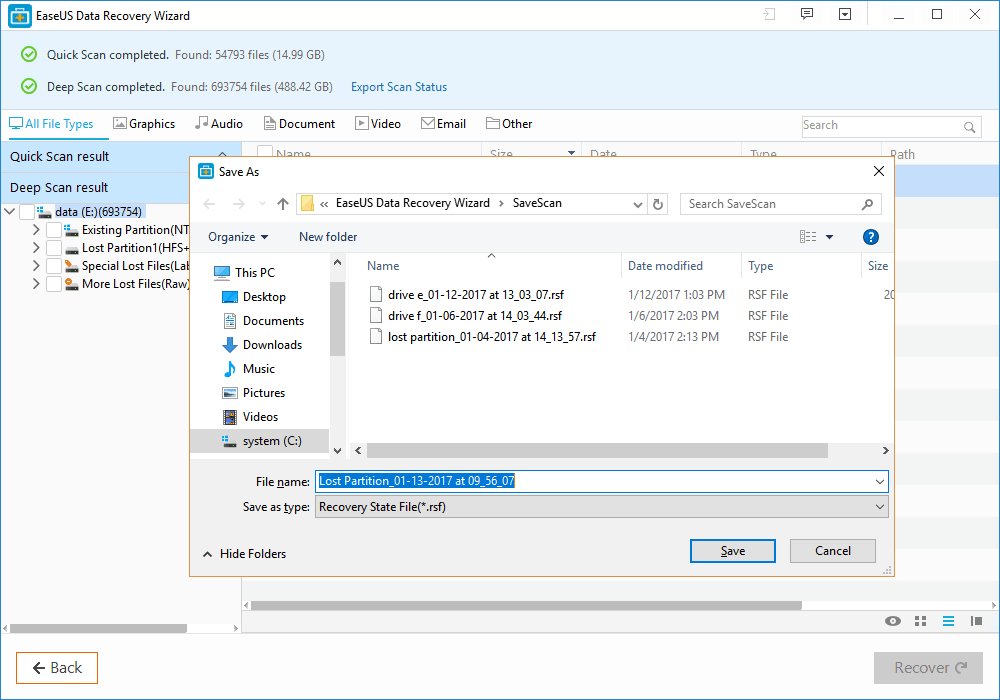
    • Ability to recover files with both rapid and deep scan mode.
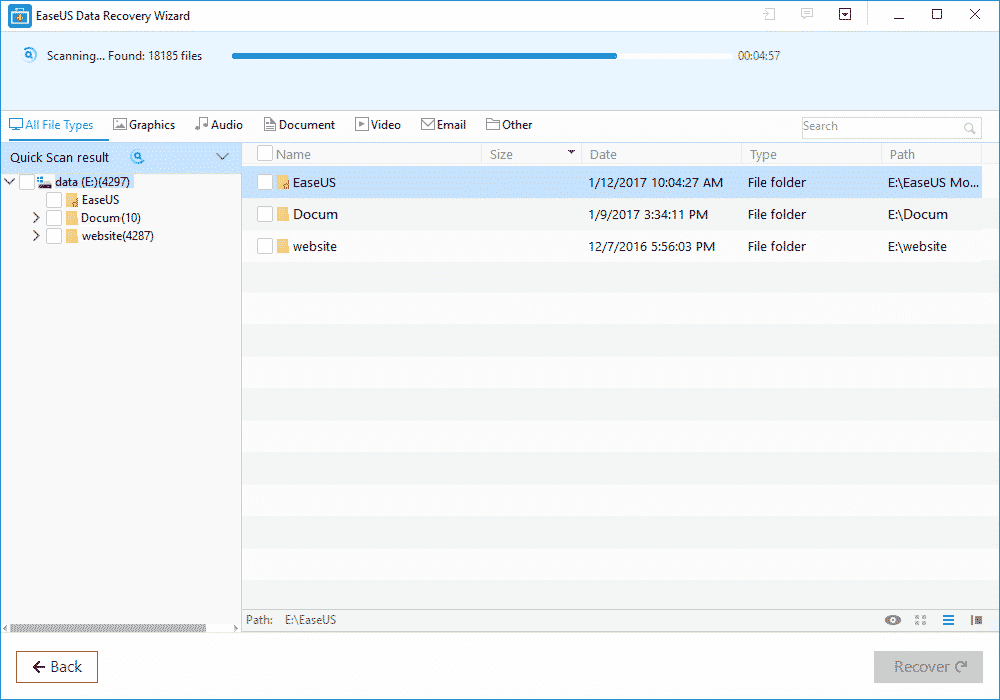
    • Quick scan allows recently deleted files to be detected quickly while deep scan can help recover somewhat older files.
    • Ability to recover every kind of fille type and extension in record time like photos, videos, compressed files, pdfs and more.
    • Ease of recovery from server units, personal computers, office computers, hard drive etc.
    • Filter option to wade through the required files of a certain type.
    • This app is easy to use and recovers the data securely free by using the deep scan mode.
    • It is a virus free app and runs on all type of servers.
    • Its recovering speed is faster and provides you with a basic feature of “Quick scan mode” along with the “Deep scan mode”.
    • All types of files, images, videos, emails, audios or documents can be easily retrieved by EaseUS.
    • This free data recovery software supports all kinds of language such as traditional or simplified Chinese, French, German, Turkish, Korean, English, Arabic, Russian and many more.
    • Lifetime technical support and upgrade support.

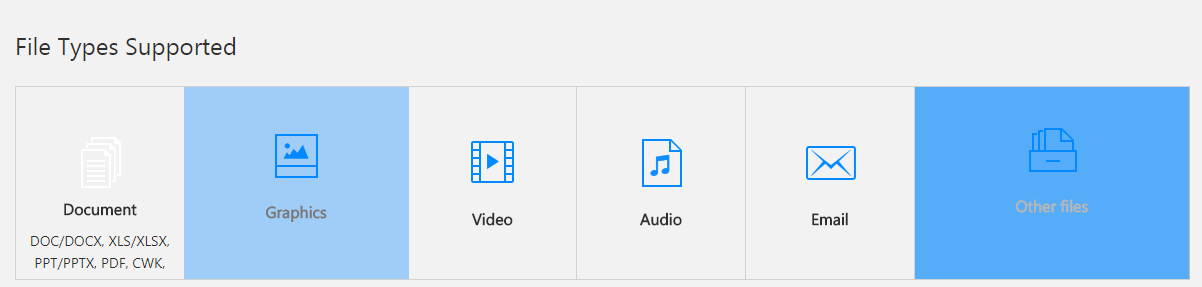
    File type Supported:

    type of files recoverable by EaseUS data recovery software

    EaseUS comes with a versatile option of file support and mainly supports all kinds of files.

    • It assists all types of documents such as DOC, PPT, PDF, XLS, HTML/HTM, EPS, etc.
    • For the video recovering it easily recovers the FLV, MP4, MP4V, MPEG, AVI etc.
    • All forms of JPG, JPEG, PNG, BMP, GIF, PSD, WMF, RAW etc. can be revived.
    • Audios like MP3, MP4A, M4V, MPG, FLV, VQF etc. are supported on this application.
    • The emails can be restored back into the device even from Outlook and supports the PST, DBX, EMLX, etc.
    • It also supports the archive files such as ZIP,ISO, HTML SITX etc.

    How to recover lost files with EaseUS data recovery Wizard?

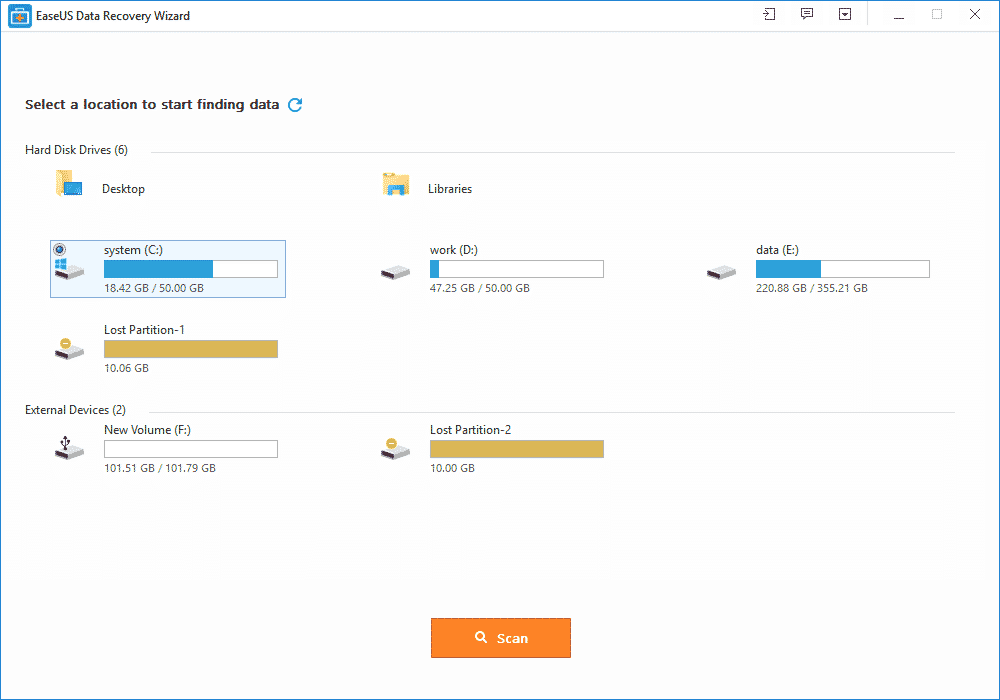
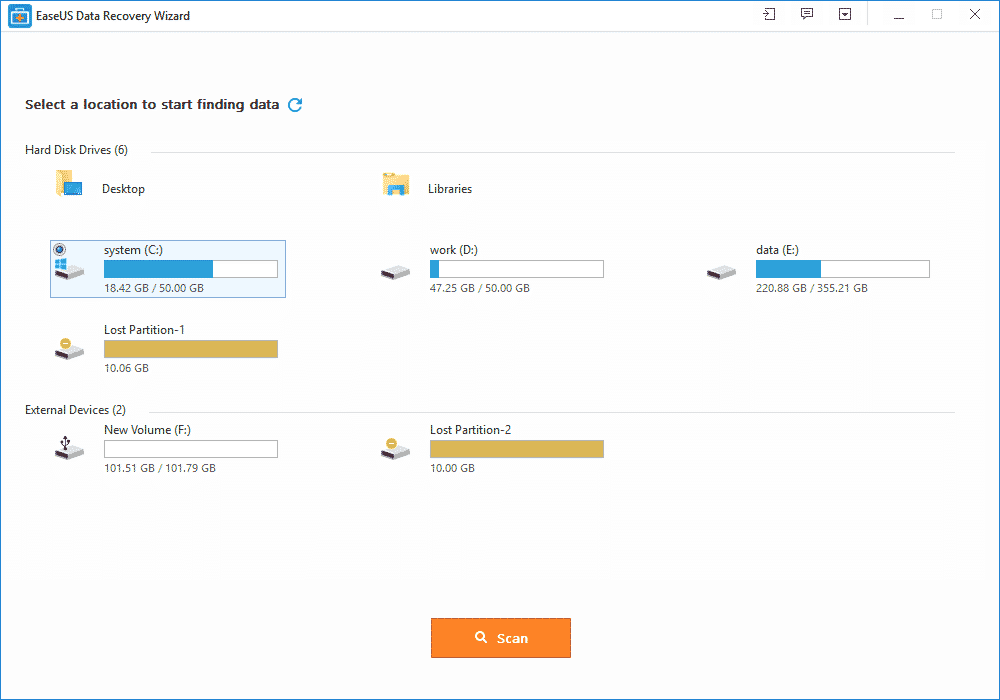
    The free data recovery software goes with the 3 easy steps of recovering the data back into your device or card.

    All you have to do is to install this application from the EaseUS website. After the installation is complete, step one is to launch the app. The second step is to scan. Scan the data that you want to recover.

    You can also filter or search the data for the rapid scanning of the data you want. After the scanning is complete, the third and final step is to recover. This might take some minutes. After this the required data that you want is recovered back on your device.

    EaseUS memory card data recovery:

    A memory card is the brain of a camera, a mobile phone or even a laptop which can contain thousands of important photographs, videos or even files.

    IF you’ve accidentally formatted your memory card, using EaseUS, the free data recovery software, you can easily get it back in no time.

    Supporting every type of memory card from the SD card, memory sticks, compact flash card, and digital card to the multimedia card and so on. It also has support for every kind of memory card manufacturer like Samsung, Toshiba, Transcend, Sony etc.

    To avoid data loss and restore data, EaseUS is a perfect solution from a college student to a photographer and everyone in between.

    Steps for recovering a memory card through EaseUS:

    • Launch EaseUS, the data recovery software for free and select the type of files you want to recover and click next.
    • Choose a directly for your scan; for disk recovery, after adding it to the computer through port or connector, choose the directly it is in.
    • After the files have been recovered, just simply choose the files you want to recover and click on the “recover” button to get them back.

    EaseUS Pro packages:

    EaseUS comes up with a free and two pro packages. The free package includes the recovery of the data up to 2GB and supports all file types. There is no free upgrade or technical support feature available in this package.

    While the two Pro and Pro+WinPE packages that costs 69.95$ and 99.90$ respectively, comes with numerous features. Both the packages allow you an unlimited data recovery option along with the free lifetime upgrade and free technical support.

    The pro packages are single license. The Pro+WinPE comes with an extra feature of “Bootable media for emergency” i.e. it restores the data even when system breaks down.

    At the end of the day, while some people may think their data is gone forever, data recovery software like EaseUS can easily help get it back in no time.

  • How to Use Multiple WhatsApp and Social Media Accounts on your Android  Device

    How to Use Multiple WhatsApp and Social Media Accounts on your Android Device

    Do you have two accounts for Messaging, tired to log in and out to receive different message?

    Have you ever dreamt of having multiple accounts for your favorite game?

    Do you have double social accounts for work and personal life,wish them to parallel?

    Now Multiple Accounts (2Accounts) is created to fulfill your dream! Multiple Accounts Android application is a portable app that enables you to use more than one WhatsApp, Messenger or Instagram accounts, on your android device. It allows you to use two accounts of one app with only one phone, while data of your main account and second account are in parallel and separate storage.

    With Multiple Accounts you can have more than one Facebook Messenger accounts logged in at the same time on your device. If like me, you have more than one phone number and would like to connect with your friends/family on both numbers on WhatsApp account, you are likely to find Multiple Accounts equally handy.

    There is no limit to the number of applications you can add. Meaning you can have a two different accounts logged in at the time on your device for Twitter, Google+, Instagram, Messenger, WhatsApp or even your favorite game.

    I have prepared a short video for this tutorial on YouTube. But you are welcome to read the text version below.

    Install Multiple Accounts App

    To get the Multi Account app on your android phone, you go to your Play Store or Google Play app on your phone. Then you go to the search dialog box and type in Multi Account and click on the search button.

    After clicking on the Enter button, a set of various apps are being displayed. For example, Multiple Accounts: 2 Accounts, Multiple Accounts: Parallel App, Parallel Space, Multi Accounts, just to mention a few.

    For this tutorial I recommend Multiple Accounts: 2 Accounts. Select the Multiple Accounts: 2 Accounts, click on install, after it has been installed then you click open.

    Add Accounts – WhatsApp, Messenger, etc

    1. Open your Multiple Account app by locating the application icon on your Android device.
    2. Click on the Add button. After clicking on the Add button it shows a list of all your apps on your phone.
    3. Click on the WhatsApp, Messenger, Instagram, any other app you wish to have more than one on your phone.

    Now you can use more than one WhatsApp, Messenger, Instagram on your Android device.

    This app can also be used for games. You can also have your favorite games on your phone. There are no changes made in your game account.

  • Plan your Week Ahead: 7 Must Have Android Applications for the Week

    Plan your Week Ahead: 7 Must Have Android Applications for the Week

    Happy Sunday to all EWT readers! This is the 7th month of the year and I hope everything’s going according to plan? If it’s not, it’s not too late to start afresh. One of our major objectives this year is to provide you with valuable information that will help you reach your ambitions in as much as it is tech related.

    Regardless of your social class, occupation or belief this apps will help you manage your weekdays effectively and subsequently giving you a memorable week in the end. Keep your eyes fixed as we take you down the stream.

    Pheed –Download

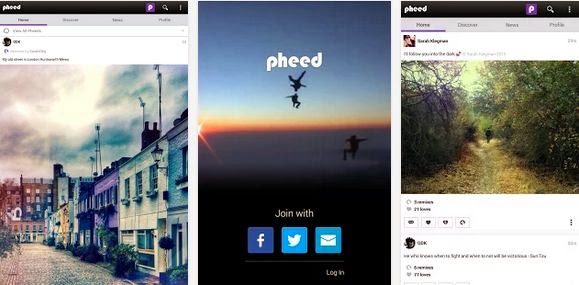
    The more I think of Sunday is the more I think of social networking. What other way would you rather spend a cool Sunday evening aside saying hello to your co-workers, leaving a voice note to your classmate or even sharing your awesome videos, musics and photos with your distant family and friends? Pheed is the Android application that lets you achieve all this without lifting a foot.
    The free social networking application lets you share voice-notes, musics, videos, photos and text with your followers.

    Magisto Video Editor & Maker –Download

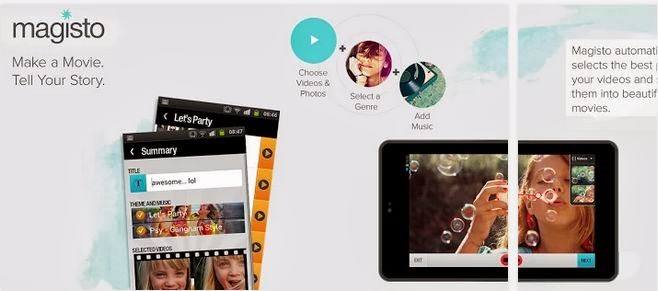
    A free app to quickly convert video clips and photos into awesome editable movie; you can add your custom background music, graphics and movie effects.

    Binu –Download

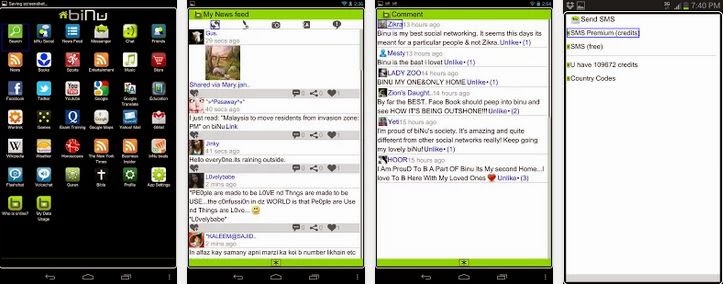
    Imagine having everything you need in one app. This is what Binu is all about. The application serves as a valuable resource for news in your locality. You can also add links to your favourite news website and the app gives recent updates from the websites you have added.
    Binu has an in-built chat messenger, 15 credit to send SMS to any phone number globally, sport news resources, dictionary, bible, quran, wikipedia, etc. The application is free, very portable and easy to use.

    OfficeSuite Pro 7 (PDF & HD) –Download

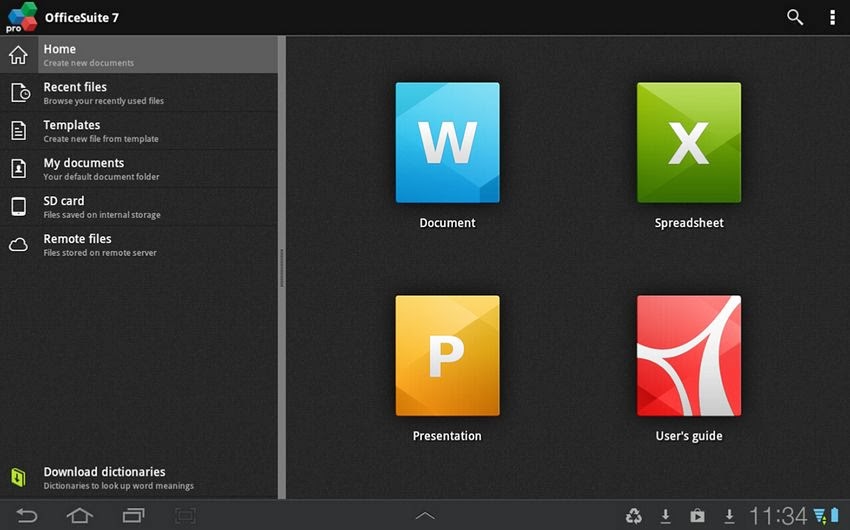
    Talking of having a mobile branch of your office, all it takes is $14.99 – OfficeSuite Pro allows you to view, create, edit, print and share Microsoft Word, Excel and PowerPoint files on the go. You can also open attachments and see PDF files on an Android based phone or tablet with our feature-rich mobile office solution.
    OfficeSuite Pro includes a File Browser and integration with Cloud service leaders: Box, DropBox, Google Drive, SkyDrive and SugarSync to give users a multitude of options on how to manage files and attachments.

    Callist – Call manager –Download

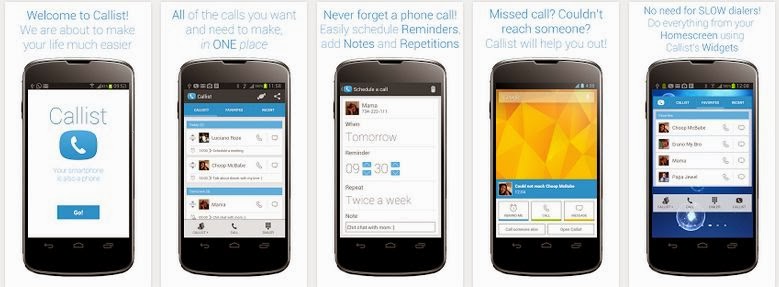
    With the great features of smartphones we often forget that it is actually a phone. Callist Call Manager ensure that you don’t miss that important call you want to make. With the application you can keep a list of the people you want and need to talk to, schedule call reminders, add notes and repetitions, add to, delete from and organise your Callist with simple touch gestures, call, text and email your favorite contacts and contacts you recently talked to.
    The application also deliver after call pop ups e.g. If you had a missed call or you could not reach someone Callist will show you a popup from which you can easily add a call reminder directly into your Callist (Can be done automatically, if you’d like).
    Above all, this app is free, ads-free and easy to use.

    Friday: Automated Journal –Download

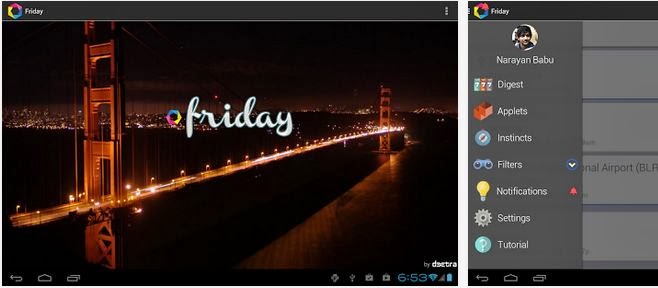
    This application will take note of all your activities this week: The people you talk to, the places you visit, the images you capture, and the songs you listen to, etc. And like your brain, it initiates thoughts and ideas for you, it helps you remember information and tries to anticipate adequate actions.

    Camera ZOOM FX –Download

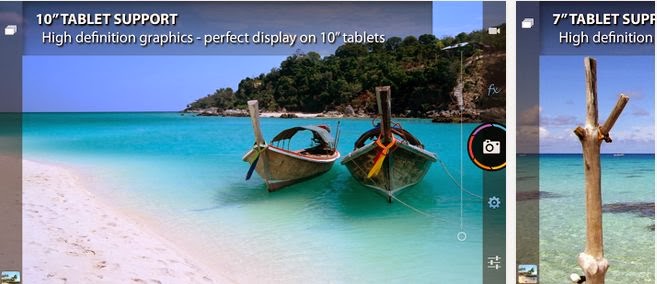
    Do not loose this app: You will need it at the weekend. Camera ZOOM FX could easily be the best replacement for the N5 camera application which lacks a lot of options like 16:9 highres shot for example. It takes only $2.95 to preserve that decent memory. If Camera ZOOM FX doesn’t sound like a great app to you, you might as well hang on to any of the awesome camera app that made our best android camera app list.
  • Vodafone Qatar Internet Data Plans – Internet Packs & Recharge Codes

    Vodafone Qatar Internet Data Plans – Internet Packs & Recharge Codes

    A compilation of Vodafone Qatar recharge codes for daily, weekly and monthly internet data plans

    Just moved into Qatar? Here is a list of Vodafone Qatar internet pack activation and deactivation codes. We have selected all the offers in place and grouped them into daily, weekly and monthly plans.

    With this page, you will be able to get started with Vodafone QA internet. We will show you how to configure your device for internet access, list of internet plans available and how to check your data balance. Note that when you use all your data allowance or do not have a data plan, you’ll be charged on a standard rate of 55Dhs/MB

    Vodafone Internet Settings

    If you need internet settings for you phone send the word “Internet” to 802. In less than 2 minutes you will receive the settings to your device

    Vodafone Online Recharge

    First, you need to know that Vodafone QA has setup a nice platform online for Qatar users to directly recharge their data packs and purchase call credits online. The website accepts payments via Visa & MasterCard.

    To purchase a call credit visit https://www.vodafone.qa/go/en/online-top-up?prepaid=100#voicePacksContent

    To purchase a Vodafone internet pack visit https://www.vodafone.qa/go/en/online-top-up?internet=60

    The Vodafone QA online payment platform is pretty easy to use and free to access. However, if you prefer to recharge your internet plans directly from your dialing pad, keep scrolling.

    Vodafone QA Daily Plans

    The daily 24 hours internet plans are suitable for those with small internet demands.

    Internet Plan Data Allowance Price Activation Code Validity Period Description
    Daily Pack 1 10 MB QR1 Dial *100# or *200*302# Same Day till Midnight Auto-renewed when internet is used.
    Daily Pack 5 250 MB QR5 For Prepaid Dial *200*500# and Postpaid Dial *110*120# 24hours (1 day) Data plan is not auto-renewed

    Vodafone QA Weekly Internet Plans

    Spending a week vacation in Qatar? The weekly internet pack is probably what you need. It offers data allowance ranging from 75 MB to unlimited bandwidth.

    You can also use the weekly plan to download unlimited amount of movies and musics to watch during the weeks. If you are a heavy internet user, I suggest you use the weekly internet plan.

    Internet Plan Data Allowance Price Activation Code Validity Period Description
     Weekly Pack 6 75 MB QR6 Dial *100# or *200*306#  7 days Can be auto-renewed on days when internet is used.
     Weekly Pack 10 150 MB QR10 Dial *100# or *200*710#  7 days Can be auto-renewed.
     Weekly Pack 20 1 GB (1,000 MB) QR20 Dial *100# or *200*720#  7 days Can be auto-renewed.
    Weekly Pack 100 Unlimited QR100 Dial *100# or *200*600#  7 days  Can be auto-renewed.

    Vodafone QA Monthly Internet Plans

    If you are an average internet user, here is a list of monthly internet plans you can choose from.

    Internet Plan Data Allowance Price Activation Code Validity Period Description
    Monthly Pack 20 250 MB QR20 Buy from the store

    https://www.vodafone.qa/go/en/online-top-up?internet=20

    30 Days (1 Month) Auto-renew is enabled.
    Monthly Pack 60 1 GB QR60 Buy from the store

    https://www.vodafone.qa/go/en/online-top-up?internet=60

    30 Days (1 Month) Auto-renew is enabled.
    Monthly Pack 80 3 GB QR80 Buy from the store

    https://www.vodafone.qa/go/en/online-top-up?internet=80

    30 Days (1 Month) Auto-renew is enabled.
    Monthly Pack 100 Recurring 6 GB QR100 Dial *100#, Call 111 30 Days (1 Month) Auto-renew is enabled.
    Monthly Pack 100 6 GB + 1.5GB bonus for Falla Club. QR100 Buy from the store

    https://www.vodafone.qa/go/en/online-top-up?internet=100

    30 Days (1 Month) Data plan is not auto-renewed
    Monthly Pack 200 12 GB QR200 Buy from the store

    https://www.vodafone.qa/go/en/online-top-up?internet=200

    60 Days (2 Months) Data plan is not auto-renewed

    My Vodafone App

    My vodafone app is a mobile application that lets you manage your Vodafone account straight from your smartphone. My Vodafone app gives you ability the view all the details about your mobile line as well as recharge your voice credit and data plan.

    The app is available for Android and iOs devices and it’s completely free to download and install.

    Smart Data Rate

    Vodafone Smart Data Rate is a fall-back alternative when your data plan is depicted.

    With Smart Data Rate, once you finish the data in your monthly Postpaid plan or the data in your Prepaid Internet Pack, you’ll be charged a discounted rate up to 95% for the additional data you use rather than the standard data rate of 99Dhs/MB (effective 22 April, 2016).

    How it works:

    Once a customer is subscribed to Smart Data Rate, the additional data is added in steps after they have finished all the data in their plan or internet pack as shown below:

    Postpaid Smart Data Rate Steps Additional Data Charges Validity
    Step 1 0 – 200MB QR 20 End of bill period
    Step 2 200 – 400MB QR 20 End of bill period
    Step 3 400 – 600MB QR 20 End of bill period
    Step 4 600 – 800MB QR 20 End of bill period
    Step 5 800 MB+ 10 Dhs/MB (100QR/GB) End of bill period
    Prepaid Smart Data Rate Steps Additional Data Charges Validity
    Step 1 0 – 150MB QR 3 Until Midnight on the same day
    Step 2 150 – 300MB QR 3 Until Midnight on the same day
    Step 3 300 – 450MB QR 3 Until Midnight on the same day
    Step 4 450 – 600MB QR 3 Until Midnight on the same day
    Step 5 600 – 750MB QR 3 Until Midnight on the same day
    Step 6 750 MB+ 2Dhs/MB Until Midnight on the same day

    Smart Data Rate Activation/Deactivation:

    Smart Data Rate is free of charge for both Postpaid and Prepaid customers!

    Postpaid: Dial 110111# to activate for FREE and Dial *100# and follow the menu to deactivate

    Prepaid:Dial 200111# to activate for FREE and Dial 250111# to deactivate

  • How to Ensure Videos Saved in HD Look Good

    How to Ensure Videos Saved in HD Look Good

    If you’re starting to dip your toes into creating HD videos then you may find that sometimes the videos that you save in HD don’t actually look that great. For beginners it can be difficult to navigate through some of the technical areas of video settings – but it is necessary to do so if you want to ensure that the videos you save in HD actually turn out well.

    Understanding Resolution

    Essentially ‘HD’ or ‘High Definition’ is a type of resolution. In turn, resolution is a description of the amount of pixels contained in the video. For example a ‘Full HD’ resolution of 1080p is essentially 1920×1080 would be 1920 pixels wide and 1080 pixels tall.

    While the resolution does affect how your videos appear, it is by no means the only factor at work, however. Assuming you’re saving an HD video in HD resolutions and it doesn’t look good then that likely means that there is some other factor that is the culprit.

    Looking at the Bitrate and Frame Rate

    Aside from resolution, the two big factors that can affect the quality of your videos are its bitrate and frame rate. The frame rate is essentially the number of frames per second that will be displayed on your screen – so the higher it is, the ‘smoother’ your video will appear. Ideally the number to shoot for in terms of frame rate is 60 for the smoothest possible playback supported by most monitors and TVs.

    On the other hand, bitrate is a bit harder to understand but is basically the amount of space that can be used for every second of video. As such a higher bitrate will provide a better quality but come at the cost of a much larger file size. If the video isn’t allowed to have enough space to properly display at that resolution then you can expect the quality to be poor.

    That is part of why using Movavi Screen Capture Studio for HD video capture is ideal. Not only is it capable of recording HD videos at a high frame rate, but it can also help you to save it easily with presets to automatically optimize your video based on the device or platform that you’re using.

    It even includes a complete suite of video editing features so you can cut and combine video segments, enhance the video quality, apply special effects, add audio tracks, and insert customizable text. In short, you should be able to use Movavi Screen Capture Studio to improve your video further.

    If you want to create and save HD videos while making sure they look good there is no easier way than by using Movavi Screen Capture Studio. Just give it a try for yourself and see what it can do.

  • 6 Must Have Android Apps for Science Students

    6 Must Have Android Apps for Science Students

    The festive period is almost over and it is my believe that you have already made arrangements to live a healthy live, have a good time and enjoy a prosperous life in this new year.

    In less than two weeks from now it will be ‘back to school’ for every college student. As usual, you have made your usual commitments; top your class, be the smartest kid on board or even eyeing a spot in any of the ten ‘2014 scholarships to study abroad’ watch list. I’m also aware that most of you have gone through the games that rocked in 2013 and have decided to take your hands off the gaming pads.

    If you have made any of the above resolutions, I am here to show you how to work towards them using your Android smartphone. Sit back, get a pen and let me walk you through the top six Android apps that you need as a science college student.

    English Grammar Book –Download

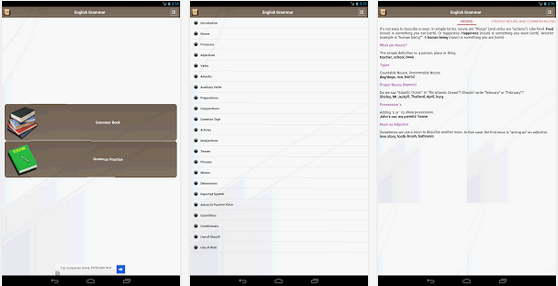
    Master the use of English language. Slate’s Matthew Yglesias recently complained that far too many people in the U.S. don’t know how to read English, in a speech intended to oppose President Obama’s “learn programming” mandate. Whether you are a student or you just want to improve your use of English Grammar  this free Android app will help you achieve your goal.

    Pocket Physics –Download

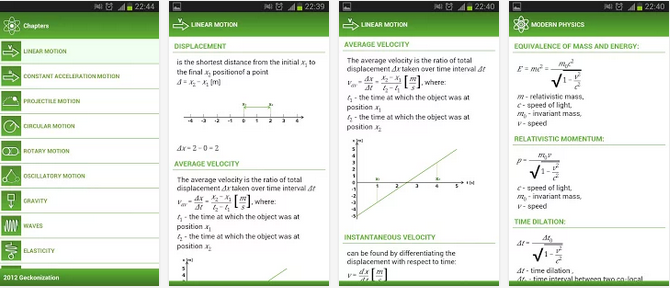
    You don’t want to carry a gigantic physics text book to everywhere you go to but you can always carry your Android smartphone around and with this application in it, you can rock Physics from anywhere and anytime.
    The application covers most of physical formulas with descriptions and images. It is perfect for students to do physics homework quickly and accurately.

    MathHelper: Algebra & Calculus –Download

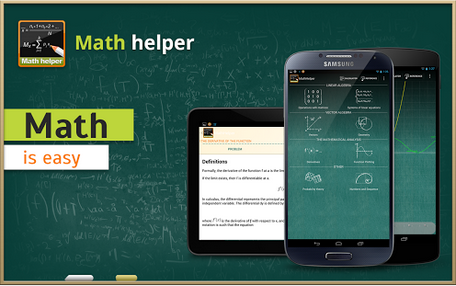
    Though this app will cost you a cup of coffee but $3.63 is enough to save you from your algebra & calculus hassles.
    Math Helper allows you not only to see the answer or result of a math or algebra problem, but you can also obtain a detailed step-by-step solution so that you may learn how to do the problems rather than just getting the answers.

    Biology Dictionary –Download

    If you don’t know what for example enzymes means, then this is a great choice. ;). Just avoid as many pop up ads as possible, you really don’t blame them for embedding so many pop up ads, do you? It’s a great app for any student offering biology as a subject or course.

    Chemistry Helper –Download

    Nice to brush up your knowledge on chemistry and is indeed very helpful. Includes a periodic table with links to wikipedia also allows students to perform simple grams/moles calculations, calculate mass percents and do stoichiometry with that compound.
    The application arrays variety of useful tools arranged in tabular forms. The tabular forms are easy for quick remembrance.

    Scientific Calculator –Download

    At the end, you need a scientific calculator – not the one in your school bag rather a portable version you
     can carry around in your smartphone. Convert your smartphone into a calculator with this free application.
    The ball is now in your court. What other application do you think we should have listed here? Tell us in the comment section.
    Images were extracted from Google Play Store.
  • How to Add Username in Telegram Messaging App

    How to Add Username in Telegram Messaging App

    Like Twitter, Facebook (and now, Telegram), the use of usernames makes it easier to find and locate users on the website. However, finding or adding users by username isn’t something very common among mobile messaging apps. WhatsApp allows you to add a username or moreorless, a nickname but people can neither find nor add you with this username – something privacy lovers will appreciate.

    Telegram on it’s own right is taking a different path. Since last year the company made it possible for you to add friends by username – without necessarily knowing their phone numbers – on their mobile app.

    The advantage of a username is that you can share your contact details for Telegram without revealing your phone number, thus safeguarding some level of privacy. A lot of users has been asking us how to add a username to the app. So, here is a step to step guide:

    Add Username on Telegram

    make username on telegram 1
    Tap the menu button on your Android screen.
    make username on telegram 2
    Launch Telegram application.

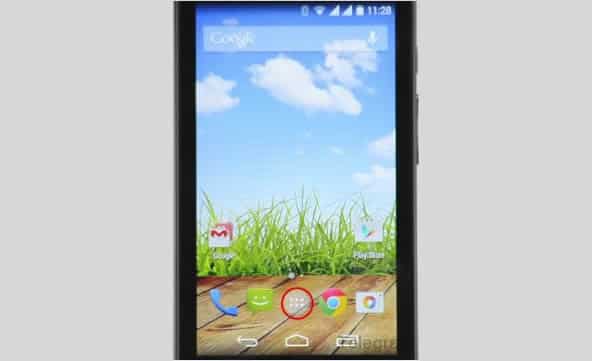
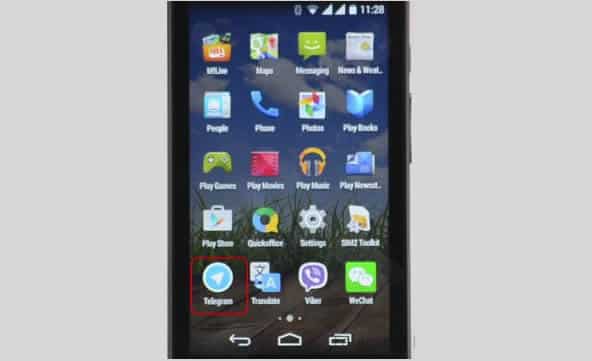
    Tap the Apps button on your Android screen. Locate and launch the Telegram application.

    make username on telegram 3
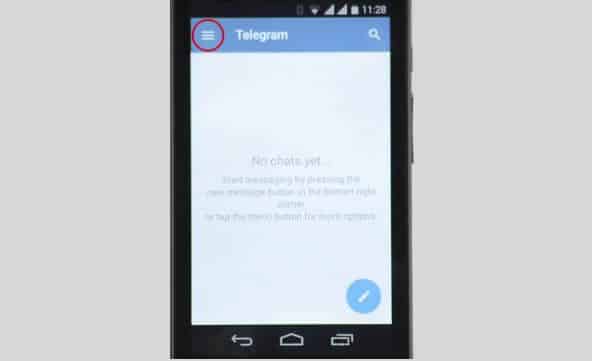
    Tap the menu icon on Telegram
    make username on telegram 4
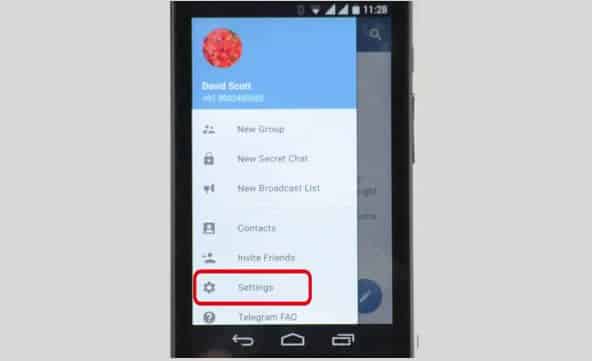
    Navigate to Settings

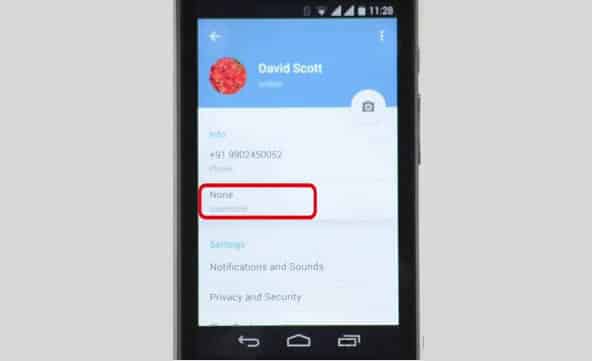
    On the Telegram app tap the menu icon (represented with three horizontal lines) and open Settings. Among other options on settings, you will find Username which is set to ‘None‘ by default.

    make username on telegram 5
    Username is set to ‘None’ by default.
    make username on telegram 6
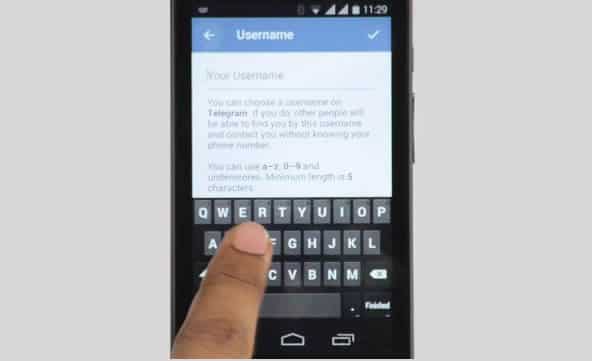
    Tap on Username.

    Tapping on the Username option will open a page where you can enter or modify your username. Simply enter your desired username on the text input box.

    Usernames must be a minimum of five characters — so you can’t make up for losing out on a one-letter Twitter handle here — and can contain letters, numbers and underscores.

    make username on telegram 7
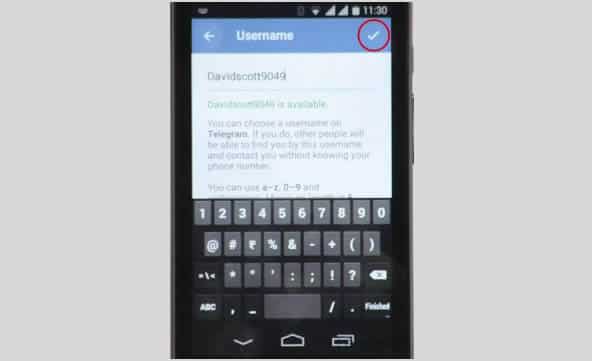
    Save your username.

    Save your new username by tapping ‘Good’ sign at the top-right side of your screen.

    You are also free to change your alias, so long as the new one is not already taken.

  • Firefox OS, Microsoft IE and 5 top Technologies that Died in 2015

    Firefox OS, Microsoft IE and 5 top Technologies that Died in 2015

    Like 2016, 2015 started with a lot of promises and big time resolution for technology companies, but unfortunately, not all those technologies made it through the year.

    A large number of services/technologies either died, discontinued or gradually faded away in 2015. For every success recorded in 2015, there was a complementing failure. There is no shame in it, after all, the market is a battlefield. Some technology will fall to a better competition, others will simply fail to replicate the first spark there product generated or just not good enough in the modern trend. However, before we welcome what 2016 have in stock for us, let’s pause to remember five notable products and services whose death in 2015 will forever remain in our memory.

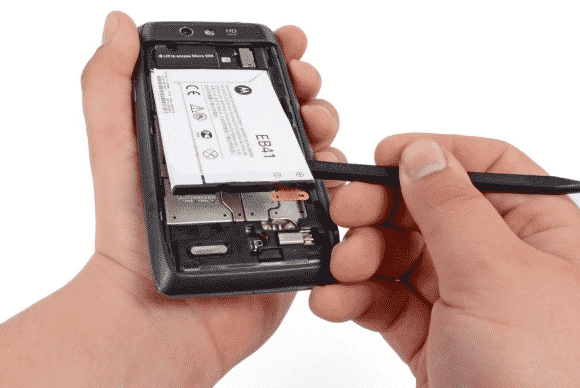
    Replaceable batteries (c. 1954-2015)
    Replaceable batteries (c. 1954-2015)

    Replaceable batteries (c. 1954-2015)

    The 61 long years of replaceable batteries finally came to an unexpected end in 2015 – well, in a way. If you used Samsung smartphone in 2013 then you are no stranger to short battery life, but then, you can at least carry 3 backup batteries in your pack… Not anymore!

    The movement was first started when Apple decided that it could reduce the weight of devices by sealing non-removable batteries in their systems. Introducing the non-removable battery technology with the original iPhone and the first MacBook Air, and it has since stuck with this plan.

    Today, no Apple products feature replaceable batteries, and neither does much of anything else. This year even the Samsung Galaxy Note line, long known for replaceable batteries, ditched them too. Today, the LG G4 is the only mainstream smartphone left that has one. We’re calling it dead except in niche or corporate products as of this year.

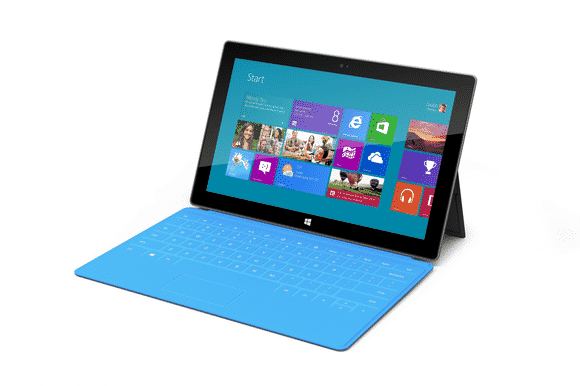
    Windows RT (2012-2015)
    Windows RT (2012-2015)

    Windows RT (2012-2015)

    Microsoft had only 3 years to surrender their failed attempt to create a cheap lite version of disastrous Windows 8. This “lite” version of Windows 8 was created for lower-power, cheaper tablets that couldn’t run the full-fledged OS.

    RT-powered Windows tablets met with immediate disdain due to performance problems, a lack of software, and compatibility issues. Development on the OS ended in 2013, and when the Surface 2 was discontinued in February, Windows RT breathed its last. All Windows RT support formally ends in January 2018.

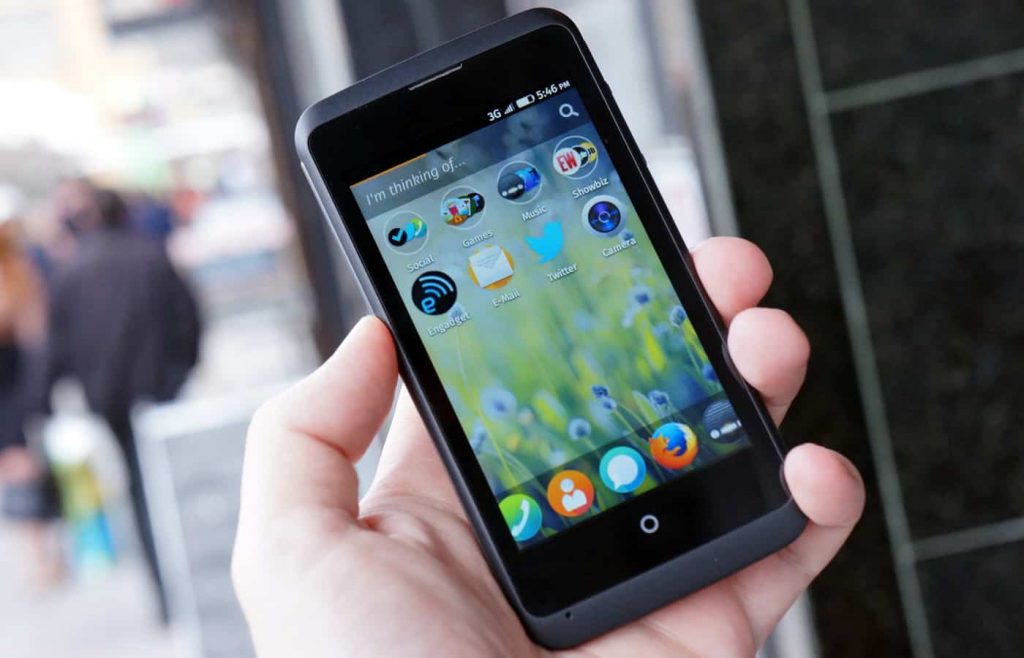
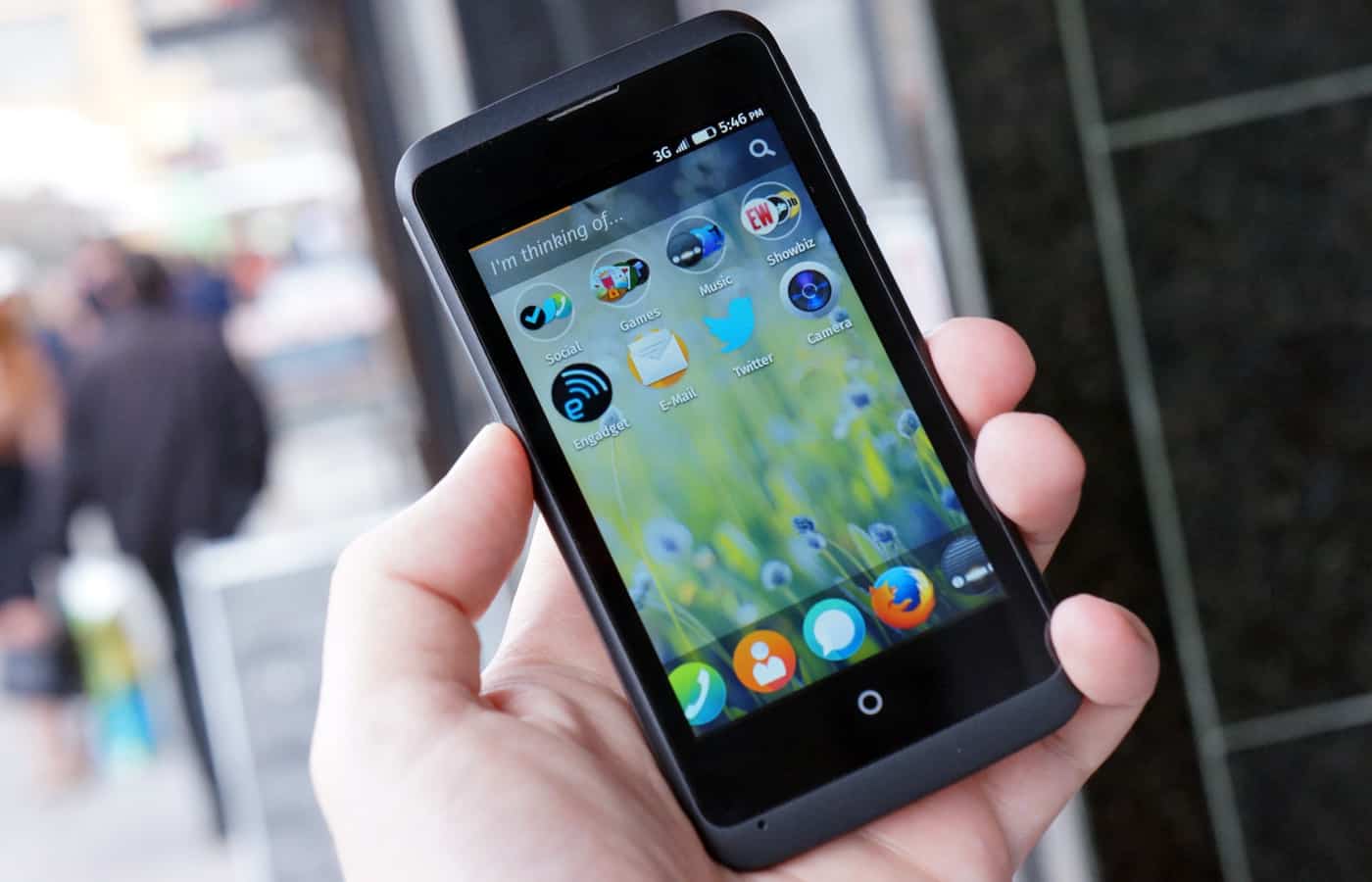
    Mozilla Firefox OS for Smartphone (2013 - 2015)
    Mozilla Firefox OS for Smartphone (2013 – 2015)

    Mozilla Firefox OS for Smartphone (2013 – 2015)

    In February 2013, Mozilla founded an initiative that let you have an open, web-based framework that anyone could work with, instead of closed platforms and apps – Firefox OS.

    Firefox OS proved the flexibility of the Web, scaling from low-end smartphones all the way up to HD TVs. However, the OS couldn’t stand the competition from other tech giants or “weren’t able to offer the best user experience possible” as the owners claimed and hence the death of this initiative.

    Even if Mozilla has maintained that they are still willing to “experiment” with the software on smart devices — they just won’t be the kind of devices that make phone calls.

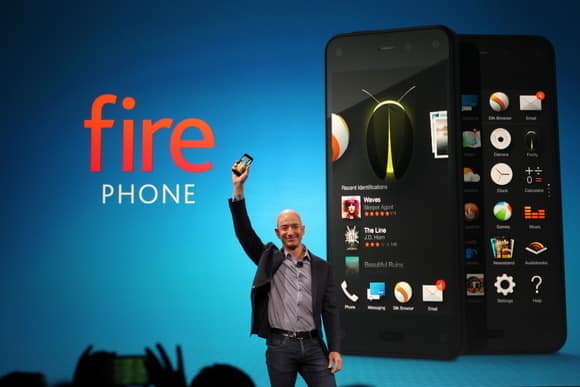
    Amazon Fire Phone (2014-2015)
    Amazon Fire Phone (2014-2015)

    Amazon Fire Phone (2014-2015)

    After upending publishing, retail, and cloud services, Amazon took on the cell phone industry in 2014 with its first-ever smartphone.

    It will probably be its last.

    The idea wasn’t particularly bad in concept: The Fire Phone was ambitious, designed to integrate with the retailer’s various offerings and make it easier to take advantage of the many services available to Amazon Prime members, along with more standard Android features. But for a phone focused on media consumption, the Fire Phone was undercooked and complicated, and its unique features just didn’t work well enough. Massive discounts began within months, and Amazon pulled the plug barely a year after launch.

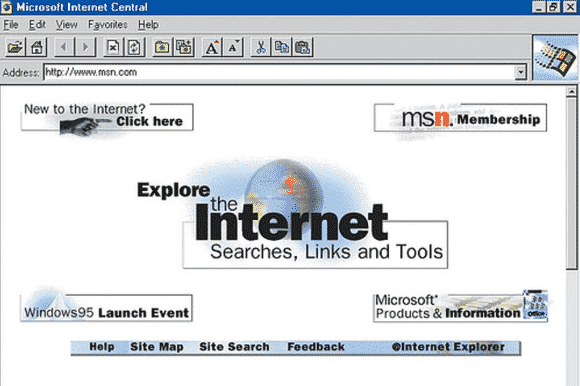
    Internet Explorer (1995-2015)
    Internet Explorer (1995-2015)

    Internet Explorer (1995-2015)

    The death of Microsoft Internet Explorer will probably be celebrated as the death of a tyrant by some PC users. Can it be that we’ve suffered for a full 20 years with good ol’ “Internet Exploder?” Designed as a competitor to Netscape—Netscape!—back in 1995, IE once boasted market share of over 90 percent, and as recently as 2009 still had a share of over 60 percent.

    The dramatic rise of Chrome and, to a lesser extent, Safari killed IE, but the death blow has been delivered by Microsoft itself. While some of its code is still buried inside the guts of Windows 10, IE is effectively no more, replaced by Microsoft Edge—which was developed entirely separately from IE—as the default Windows browser. Microsoft has already announced restricted support plans for IE and will sunset it along with older versions of Windows.

    Next on life support: Firefox.

  • Stunning NASA Image Reveals Tombaugh Regio – The Hearth of Pluto

    Stunning NASA Image Reveals Tombaugh Regio – The Hearth of Pluto

    NASA is bringing you even more closer to planet pluto, this time with a photograph that reveals the dwarf planet’s heart-shaped region called Tombaugh Regio – NASA of course, is not a stranger when it come to parading such images..

    During New Horizons’ closest flyby in July, the probe’s Long Range Reconnaissance Imager (LORRI) zoomed in on the area and took photos within 9,550 miles of its surface. The stunning images of Pluto’s ‘heart of darkness’ were unveiled alongside two breathtaking animations showing flyovers of the plains and mountains of the frozen world.
    ‘I’m a little biased, but I think the solar system saved the best for last,’ New Horizons’ principle investigator, Alan Stern, said during the unveiling.

    NASA IMAGE
    On July 14 the telescopic camera on NASA’s New Horizons spacecraft took the highest resolution images ever obtained of the intricate pattern of “pits” across a section of Pluto’s prominent heart-shaped region, informally named Tombaugh Regio. The image is part of a sequence taken by New Horizons’ Long Range Reconnaissance Imager (LORRI) as the spacecraft passed within 9,550 miles (15,400 kilometers) of Pluto’s surface, just 13 minutes before the time of closest approach. [Image credit: NASA/JHUAPL/SwRI]
    As you can see, Pluto’s heart is scarred with pits, which New Horizons’ scientists believe may have formed due to “a combination of ice fracturing and evaporation.” These pits seem to follow a pattern, and the team believes it could provide clues on the planet’s ice flow and the exchange of nitrogen between its surface and atmosphere. Whatever secrets the region reveals, this is now how I’ll imagine a scarred heart looks after a number of heartbreaks from now on.

    [Image credit: NASA/JHUAPL/SwRI]

    [SOURCE: NASA]

  • “We Took Down Trump Tower’s website”, Anonymous Claims

    “We Took Down Trump Tower’s website”, Anonymous Claims

    A group of cyber activist has claimed that it downed Donald Trump’s website after the later said the United States government should ban muslims from entering the US. The statement has since triggered missed reaction around the globe including a threat YouTube video by Anonymous – a group of online activist allegedly fighting ISIS the cyber way – citing that Trump’s comments would help the Islamic State group recruit terrorists.

    The site was unavailable during the early afternoon of Friday, and according to a media report had been down for about an hour earlier in the day. Around 9 a.m. Friday there, the Anonymous Twitter account @YourAnonNews posted tweets saying the group had taken down the site.

    Trump Towers NY site taken down as statement against racism and hatred. https://t.co/n5ftLrOs1P (what you see is cloudflare offline backup)

    — Anonymous (@YourAnonNews) December 11, 2015

    In a video the group posted on YouTube, the cyber activist warned that “Donald Trump, think twice before you speak anything,”. The YouTube video was heavily modified to avoid voice detection.

    Anonymous frequently hacks websites in the name of political causes and says it is engaged in a cyberwar against the Islamic State. It claims to have taken down thousands of Twitter accounts that support the group.

    Earlier this week, Trump said the U.S. should bar all Muslims from entering the U.S. as a measure to prevent terror attacks, “until our country’s representatives can figure out what’s going on.” The statements drew widespread condemnation in the U.S. and elsewhere but support from some right-leaning commentators. An NBC/Wall Street Journal poll found 57 percent of Americans opposed the idea.

    This isn’t the first time Anonymous has targeted Trump. In August, the group broke into Trump.com in order to leave a message to Jon Stewart as he was about to leave The Daily Show. As we await the group’s next move, they’ve already announced that Friday will be a day to troll ISIS.

    Trump is the leading Republican candidate in the 2016 presidential election.

  • Edge browser extensions accidentally leaked

    Edge browser extensions accidentally leaked

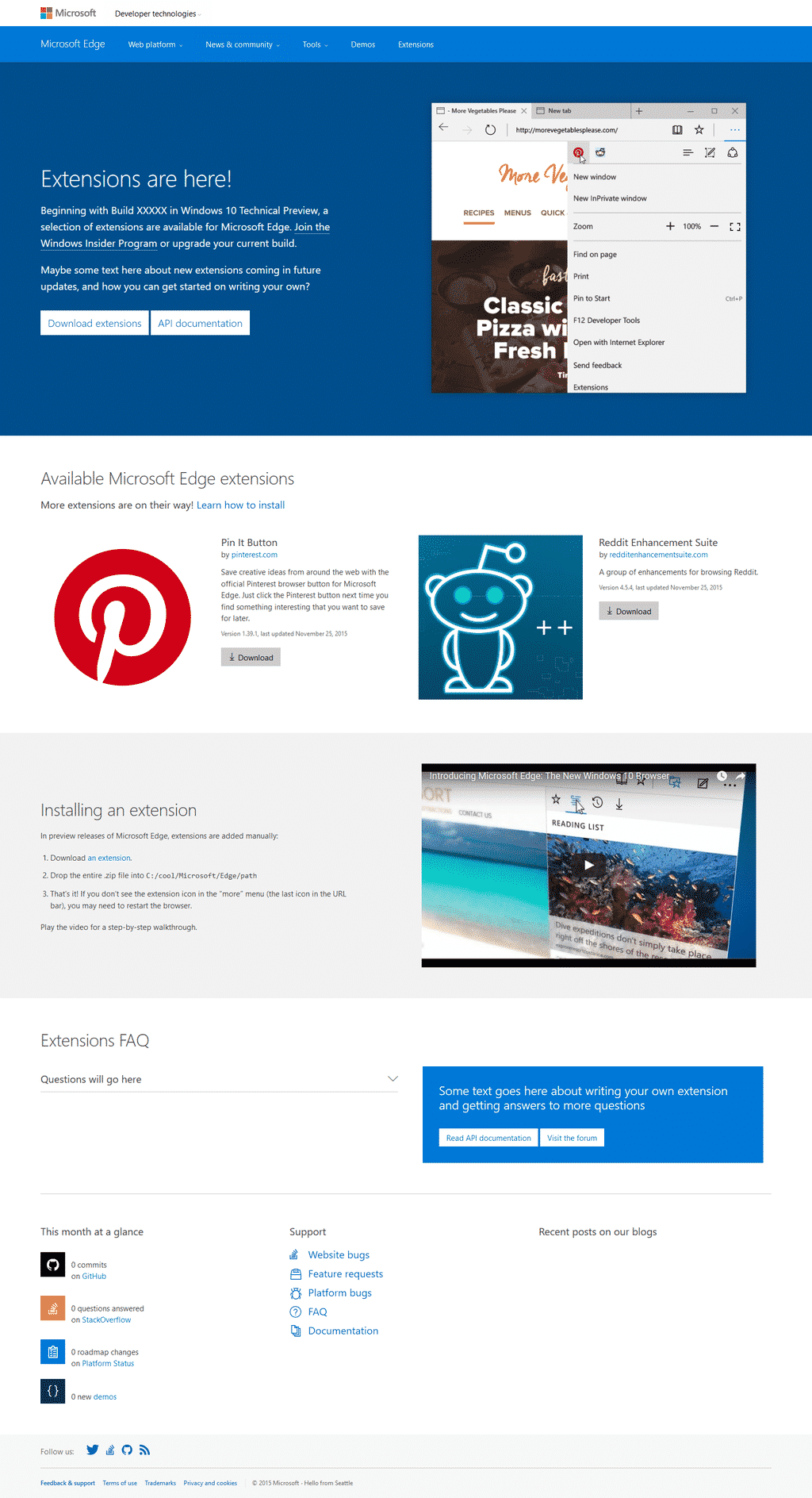
    Microsoft’s Edge browser, which came out alongside their Windows 10 update, is quite the browser. Fast, fluid, responsive; but despite its usefulness, it has falling points by being limited to Windows, and by foremost not having any extension support. The company had announced, in response, that extension support would be provided before the end of the year, only to go on and say they’d delay it until next year.

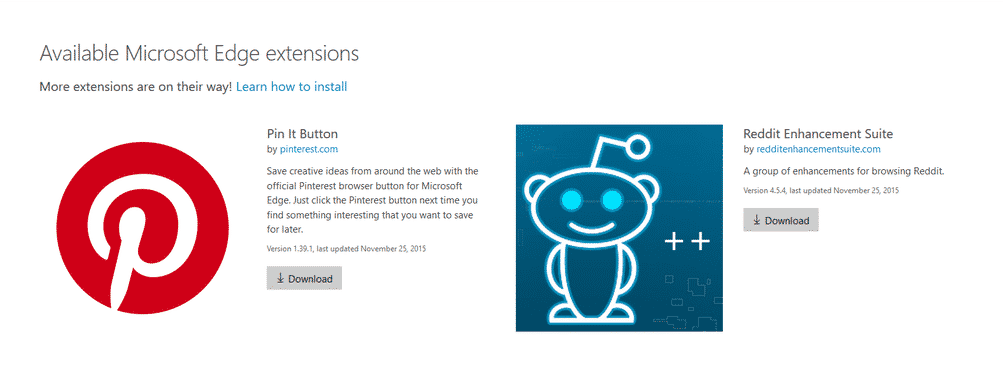
    However, all has seemed to change. Twitter user WalkingCat said Microsoft had accidentally made two extensions for Edge available for a short while. The page to access said extensions now leads to a simple error message.

    edge microsoft extensions
    Credit @WalkingCat

    According to the post and images, the first two extensions were Pinterest’s “Pin it” button, and the Reddit Enhancement Suite. However, nothing has been stated nor confirmed from Microsoft. This, along with the intention of bringing third-party extension support next year makes this evidence rather fuzzy. However, if the former is not true, then it shows a positively wonderful amount of progress for the young Edge browser.

    edge microsoft
    Credit @WalkingCat
  • Mozilla Ends Marketing & Further Development of Firefox OS for Smartphone

    Mozilla Ends Marketing & Further Development of Firefox OS for Smartphone

    The buzz is real! Mozilla is putting an end to the development of Firefox OS for smartphone. 

    Following rumours and tweets in the social media, Techcrunch has published a post that confirms that Firefox OS will no longer be developed for smartphones. This unwillingness of Mozilla to continue their quest for mobile phone democracy which let you have an open, web-based framework that anyone could work with, instead of closed platforms and apps was triggered due to the team’s inability to deliver “best user experience possible”, the statement reads.

    “We are proud of the benefits Firefox OS added to the Web platform and will continue to experiment with the user experience across connected devices. We will build everything we do as a genuine open source project, focused on user experience first and build tools to enable the ecosystem to grow.

    Firefox OS proved the flexibility of the Web, scaling from low-end smartphones all the way up to HD TVs. However, we weren’t able to offer the best user experience possible and so we will stop offering Firefox OS smartphones through carrier channels.

    We’ll share more on our work and new experiments across connected devices soon.”

    Although the mobile OS was massively use in some part of Africa and South America, mostly because of its price, the brand was unable to maintain their stand in the smartphone market with other cheaper alternatives emerging from every corners of the world.

    However, Mozilla has maintained that they are still willing to “experiment” with the software on smart devices — they just won’t be the kind of devices that make phone calls.


  • New Google ‘Feature’ now Allows you to Bookmark Image Searches for Future Reference

    New Google ‘Feature’ now Allows you to Bookmark Image Searches for Future Reference

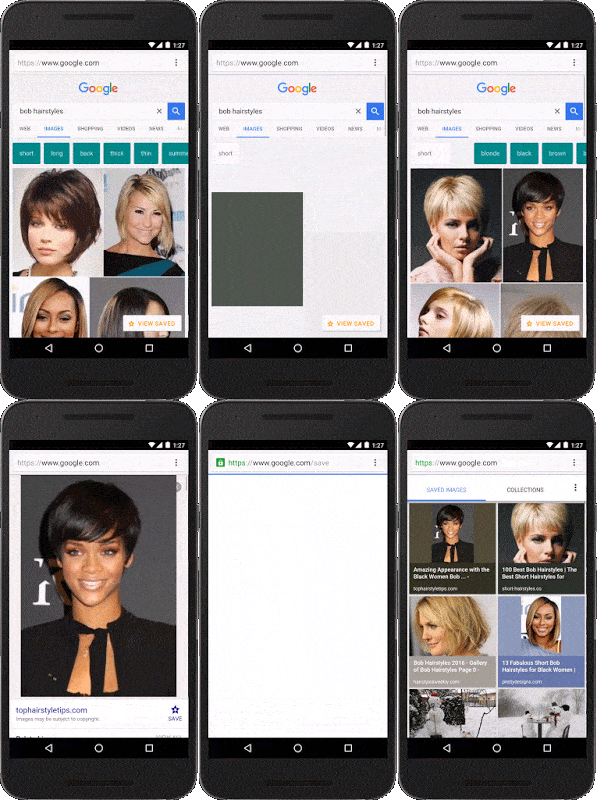
    Normally, the images you looked up on Google’s image search page usually disappears the moment you close your browser/tab. However, Google has introduced a new feature that will let you bookmark an item and add it to a collection for easy future access when next you visit the page or better still, search it directly from your mobile browser.

    The feature was announced on Google Inside Search blog yesterday, and this is how it works.

    haircuts+imagesgroups
    Let’s say you’re searching for “bob hairstyles” on Google and an image catches your eye. Simply select it and tap the star. Next time you’re at the stylist, you can easily access the picture without having to dig around or do another search.

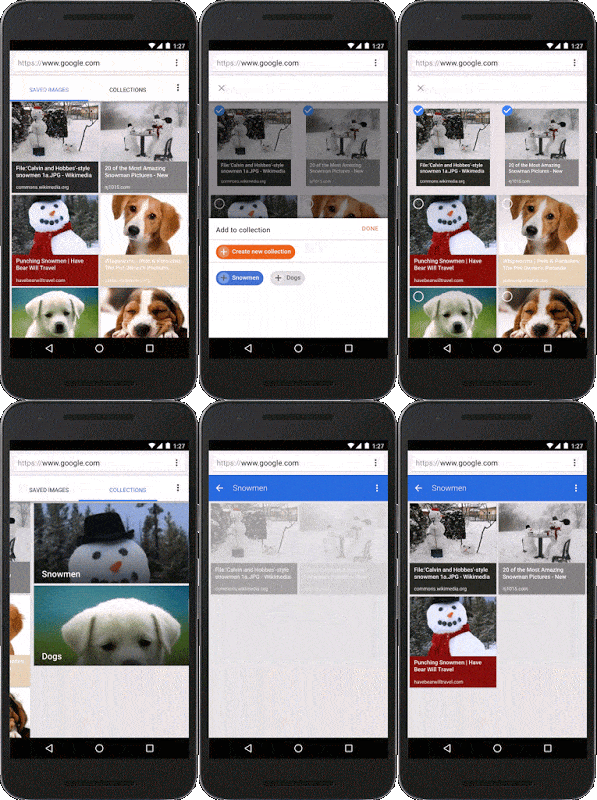
    To star an image simply search for whatever phrase you want, pick the images you like and tap the star icon to save them. You can also organize these saved images into folders, thereby eliminating the need to run the search again later. The new feature is already available to mobile users in the US running both Android and iOS.

  • How to Display your Favorite Websites on your Windows 10 Start Menu

    How to Display your Favorite Websites on your Windows 10 Start Menu

    How organized is your Windows 10 start menu? Do you have everything you frequently use on the start menu? What about your favorites site? Windows 10 offers tons of choices for desktop programs, and apps from the Windows Store can be useful too. But there are still probably a few key webpages you turn to every day instead of a desktop program or modern UI app.

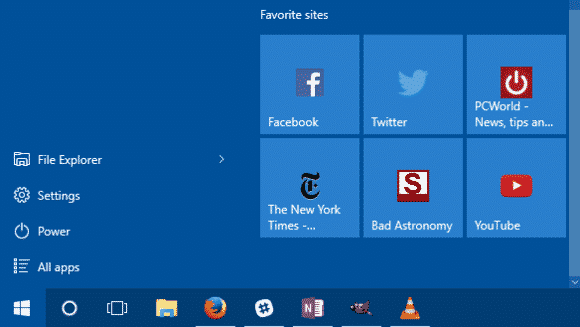
    Wouldn’t it be nice to have those lovely websites available to you on the Windows 10 Start menu? Here’s how to do that.

    The Edge way

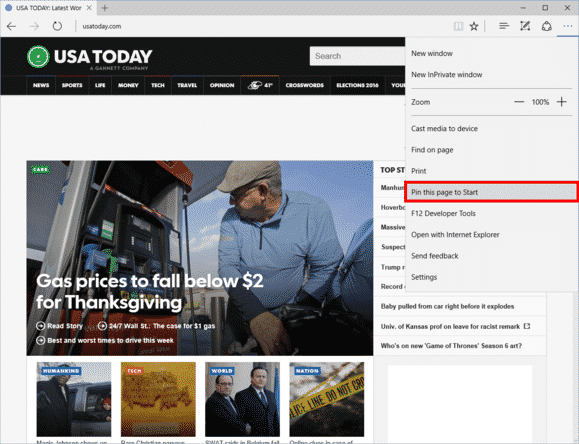
    Microsoft Edge in Windows 10 has pin-to-Start functionality built-in.
    Microsoft Edge in Windows 10 has pin-to-Start functionality built-in.

    Open Microsoft Edge and then navigate to the page you want to add. In the upper right-hand corner, click the three horizontal dots, and then from the drop down menu select Pin this page to Start. A pop-up window will appear asking you to confirm. Click Yes and you’ll find the site at the bottom of the live tile section in your Start menu.

    The downside? This method is that links will only open in Edge. Fortunately, there’s a way around that. If you want links to open in your default browser instead of Edge, you have to use a little bit of trickery, but nothing too complicated.

    The non-Edge way

    Open Internet Explorer and navigate to the webpage you want to add to Start. For our purposes, let’s say it’s Facebook.

    Once you’re on Facebook, right-click in an open space on the site and select Create shortcut from the context menu. IE will then show a pop-up window asking if you want to create a desktop shortcut. Click Yes.

    To do the same thing in Chrome and Firefox, go to the address bar and click-and-drag the icon to the left of “http,” and drop it on the desktop. The icon will either be a green lock, a rectangular piece of paper, or a globe.

    Pro Tip: In my experience, you’ll generally get better looking icons using Internet Explorer for this step.

    Next, right-click the desktop icon you just created and select Copy.

    Add to Start

    Now type “run” into the Cortana/search box. The top choice should be the Run desktop app.

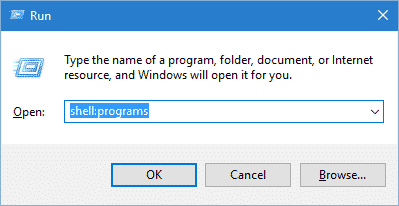
    Once Run opens, type inshell:programs, click OK, and an Explorer window will open.run-100629777-orig

    Now just right-click in the main part of that window (be careful not to accidentally open a folder) and selectPaste.

    Your website is now in Start but it’s buried in the “All apps” list. To remedy this, just clickStart > All apps and scroll down to the listing in the alphabetical list. Since we’re doing Facebook we’ll look under “F”.

    Once you find it, just click-and-drag it onto the live tiles (right) side of the Start menu and you’re done.

    After you’ve added your webpages to Start, feel free to delete your shortcuts from the desktop.

    If you’d like to take this a step further and add an entire section of websites to Start, check out our earlier tutorial on customizing the Windows 10 Start menu. This will teach you how to group tiles together.

    The catch with websites using the non-Edge method is you can’t remove them from Start through the right-click context menu. Instead, you have to type shell:programs into Run and then delete the shortcuts in the Explorer window that opens.

  • Students – The Real Winners of New Age Technology Trend

    Students – The Real Winners of New Age Technology Trend

    Impatience characterizes the technology sector’s approach to education. Disruption is taking place in all other sectors of society — so, why not education? I know too well, whether at Pearson or in the classroom, the challenges and frustration of developing and using digital tools that improve outcomes for students.

    But I’m optimistic. We are on the verge of a tide of smarter innovation that, if allowed to spread, will turbocharge the learning experience for students. Here are four areas worth watching:

    1. Using technology to learn from learners

    Every great digital product constantly evolves by learning from its users, adding capabilities, and improving its performance. If it’s true for your Facebook feed, then why not education?

    The potential is there, as the OECD’s recent report on Students, Computers and Learning(OECD) incidentally showed how clickstream and tracking navigation in digital readers can be used to see how students process online text and arrive at the answer in different ways.

    In practice, companies like Renaissance Learning can point to the small margins of usage (4.7 minutes) of its reading program, separating the top performing and lagging students.

    Akin to how Amazon “knows what you want before you buy it,” edtech companies are also starting to build algorithms that can make learning more personal. For instance, based on behaviors of successful students, we can begin to predict whether a learner is on track or at risk.

    This allows teachers to intervene and provide assistance when a student most needs help before they fall behind. It also allows education content creators to tweak learning material – such as the length of a video or article – based on how a student interacts with it and progresses in subsequent activities.

    Learning products should continually evolve to benefit learners and learning. Developers should make sure the best ideas from learning science, education practice, teacher feedback, and learning analytics inform those changes. The constant iteration, investment and learning baked into Teach to One provides a great example of what young companies should be emulating.

    When I look at the growing Education Innovation Clusters or the useful tips on better ed-tech pilots provided by Digital Promise, I’m excited to see the idea of continuous improvement and learning being baked into the development and effective use of digital learning products.

    2. Using technology to adapt to how students feel

    Adaptive learning technologies today address what a student knows and can do. Programs such as Knewton alter what lessons are offered based on how individual students do in solving problems and where they may have gaps in knowledge.

    However, a large body of research shows that how a student feels – frustrated, bored or confused – influences how much learning takes place. Can technology adapt to this to increase learning? DARPA thinks so–and is willing to invest in great ideas to get at what they call Full Spectrum Learning.

    We are already seeing some examples of this in lab settings. Researchers have tracked student emotions while using Crystal Island–a game-based learning environment– and used that research to predict how students will react in other learning situations  The London Knowledge Lab is exploring the creation of a tool which will allow the feedback to be adjusted based on a student’s emotional state. These efforts align with a larger body of research into how tools, such as intelligent tutors, which are aware and can adapt to student’s emotions (or “affect”) can better serve students and contribute to improved student outcomes.

    3. Building invisible assessments that are less intrusive

    Teach. Stop. Test. Teach. Stop. Test.

     It’s disruptive for teachers; it’s annoying for parents; and it’s not fair on students. We are finally seeing examples of a move away from this approach to assessment.

    Teachers can now use the enormous amounts of data gathered in rich environments, such as games and virtual reality, to understand student progress and where to go next, in a way that’s personalized for each student.

    Take SimCityEdu: Pollution Challenge – developed by GlassLab Games – where students learn how city-planning is impacted by environmental issues. As they play the game, the system is capturing their actions – such as the sequence of what they do or requests for help – and interprets patterns in data to assess how well the player understands important concepts. This helps teachers better evaluate how a student solves problems, rather than just the final product of their work.

    In time, learning games like this should decrease reliance on stop-and-test exams and provide more real-time and actionable information to teachers.

    4.  Keeping pace with technology in the classroom

    As we shift from print to digital educational tools, the volume of tools available to teachers has increased dramatically. Some tools – often apps – are rooted in research, pedagogy, and continuous improvement. Others are no more than junk food in a student’s educational diet. How is a teacher or parent to tell the difference?

  • How to Track your Windows 10 PC, Tablet or Phone Location

    How to Track your Windows 10 PC, Tablet or Phone Location

    Exactly this time last year, a Lagos based Nigerian Mr. Tunde Makhinde was able to track the location of arm robbers who invaded his property with his stolen iPad.  Still last year, an amazing iPhone app, Find my iphone, was used to track down a stolen iPad and the man who allegedly took it from underneath a family’s Christmas tree in the US. The victim on the ‘Find my iPhone’ app that sends out a signal to the device.Using his computer, the victim was then able to locate the iPad on a map, and alerted police to its whereabouts – just a few houses away.

    This is something that is almost synonymous with Apple devices. However, this time, Microsoft is taking over the spotlight with their new ‘Find My Device’ feature introduced in November Windows 10 update. The new Microsoft invention is not just for tablets or phones. Any Windows 10 device can take advantage of the new feature, including desktops and laptops.

    Although the current version of ‘find my device’ may not take your breath away or have your tablet make a sound, lock itself, erase data, or anything like that when stolen – it’s still a great feature to keep tabs of your device’s location and capture its thief – if needed.

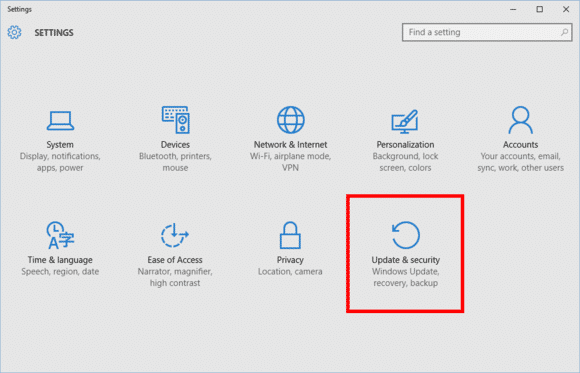
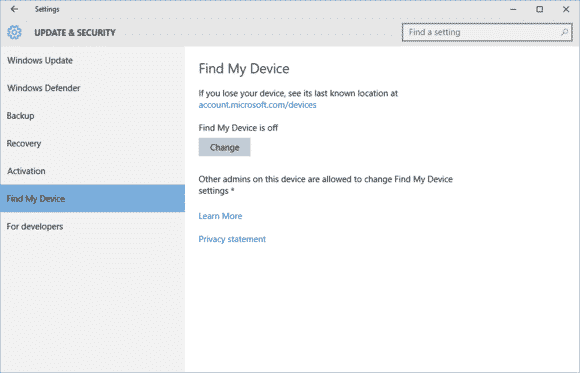
    Find My Device is buried under Settings > Update & Security.
    Find My Device is buried under Settings > Update & Security.

    To active this feature go to Start > Update & Security > Find My Device.

    findmydevice2-100629921-large

    On this screen you’ll see a big Change button under the heading “Find My Device is off.”

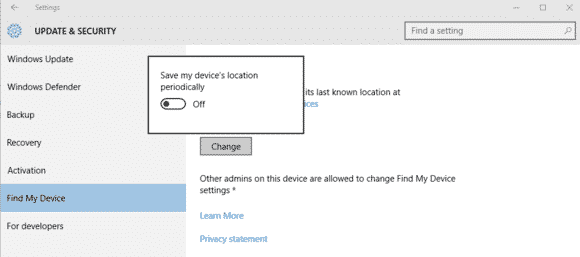
    Turn this slider to On and you’re done.
    Turn this slider to On and you’re done.

    Once you click Change you’ll see a pop-up panel that says “Save my device’s location periodically.” Turn the slider to On and you’re done.

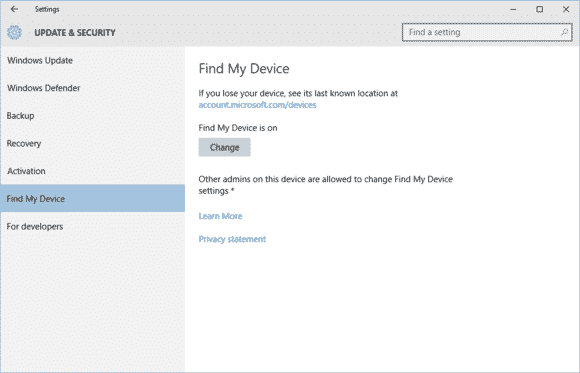
    Find My Device is now on.
    Find My Device is now on.

    You should now see that the Find My Device screen has changed to “Find My Device is on” as seen above.

    To make sure everything is working, login to account.microsoft.com/devices with your Microsoft account and you should see the name of your PC listed under “Your devices.”

    If you don’t know the name of your device, right-click on the Start button and selectSystem. In the Control Panel window that opens you’ll see it under “Computer name.”

  • Microsoft’s Virtual Assistant, Cortana now Available for iOS

    Microsoft’s Virtual Assistant, Cortana now Available for iOS

    Looking back at my experience with Windows 10, the newly introduced Microsoft’s virtual assistant that goes by the name Cortana, was one thing I wished I had on my Macbook. Wishes are not horses, they said – but I have some good news – and some bad news too.

    The good news is that Microsoft has just release a beta version of Cortana for IOS. The bad news is that only 2000 user can try it – for now.

    According to tech blog Warenotice, Microsoft is currently distributing the Cortana for iOS beta to the first round of beta testers—presumably to those who applied for the beta program earlier this month. Warenotice received an invitation to test the app, and published a few screenshots of Cortana running on an iPhone.

    The story behind the story: Microsoft has worked hard to bring many of its apps to other platforms like iOS and Android. It’s all part of the”cloud first, mobile first” ethos the company instituted under CEO Satya Nadella. However, as our Jared Newman pointed out, the iOS version won’t be as full-featured as the Windows and Android versions, largely because of the more closed nature of the iOS universe. The iOS version of Cortana won’t have a hands-free mode, for example, so it isn’t a true replacement for Siri.

    Only 2000 testers allowed

    Unfortunately, not everyone will be able to try the Cortana for iOS beta. Microsoft is using Apple’s TestFlight beta testing system—the one Apple-sanctioned method for distributing public betas on iOS—and it has some limitations. Most notably, TestFlight allows developers to distribute a beta app to only 2000 testers, and as Warenotice points out, app beta periods can run for up to 60 days. In addition, the beta program is only open to users in the US and China.

    So if you aren’t one of the lucky few to get in the beta program, you’ll have to wait until the final release of Cortana for iOS to give it a try.

  • My [condensed] experience with Windows 10 so far…

    My [condensed] experience with Windows 10 so far…

    On November 11th, 2015, “TH 2” was released for Windows 10 users to download and install. Basically, TH 2 (using the abbreviation for the Windows 10 nickname ‘Threshold‘) is the first big update for the still in-development OS. The update came with an abundance of things, for both the personal user, and DEFINITELY for enterprise users. So, given this I figured it would be appropriate to share a condensed rambling of my experience with Windows 10 so far.

    Using their Media Creation Tool, I downloaded and installed the first release version of Windows 10 onto my then Windows 8.1 HP laptop, excited to see all of the new features it boasted. I grabbed it sometime near the ending of July or beginning of August. After the semi-painful several hours it took to download and install, I was ready to become a user! Here I am now in November, and at the moment, I feel…slightly impressed.

    Don’t let my words fool you to think I dislike the operating system – trust me when I say Windows 10 is definitely one of my favorites of the Windows Family! I was also very excited for its free download release and was super excited to setup my personalization, settings, and Start Menu. However, after having plenty of time to be more than acquaintances with the OS (and with the TH 2 update), I’ve began to realize that, at the moment, my personal experience with Windows 10 Home has fallen a bit short of my own expectations.

    Since I like to discuss negatives (well, these or more less “personal opinions” rather than “cons”) and then the positives, I will do just that; and since I’ve had a good deal to experience with the system, I’ll try my best to condense the experience report.

    1 – Start Menu & Taskbar

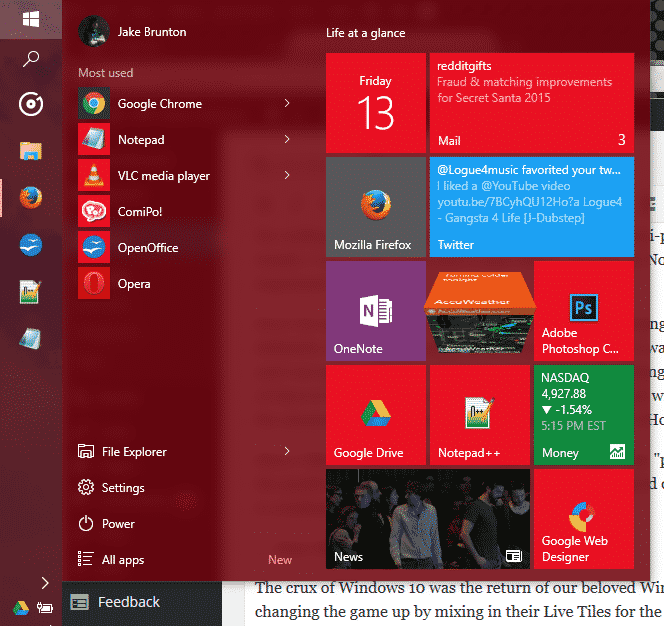
    EWTWIN10_1The crux of Windows 10 was the return of our beloved Windows Start Menu. However, Microsoft was changing the game up by mixing in their Live Tiles for the Windows Store Apps to be placed in up to 3 columns on the right side of menu. It was all great, and worked quite well. Design options are well fitted, and since TH 2, the context menus for changing up your Live Tiles are grand. But on the technical side, I find myself feeling slightly encumbered by the Start Menu.  Simply put, it has its glitches and little bugs, but the one that caught me the most is that amount of time it takes for my machine to open this awesome and modern menu up. About 0.90 seconds approximately. As for the taskbar, it still has that pesky universal problem of sometimes keeping hovered icons focused on even without your mouse hovered over it.

    2 – Windows Store Apps

    EWTWIN10_2This is pretty much my other problem with my Windows 10 experience so far. The Windows Store offers a bunch of apps, no doubt; unfortunately only a good handful of them here and there and designed nicely and work with the system and its available APIs and standards. But the recurring problem I have here is one I’ve had since standard Windows 8. A lot of the time, apps from the app store like to either 1)close themselves immediately (and not just close, but end their own program and task(s)) and/or 2)be unresponsive (especially when communicating with servers).

    3 – Windows Search

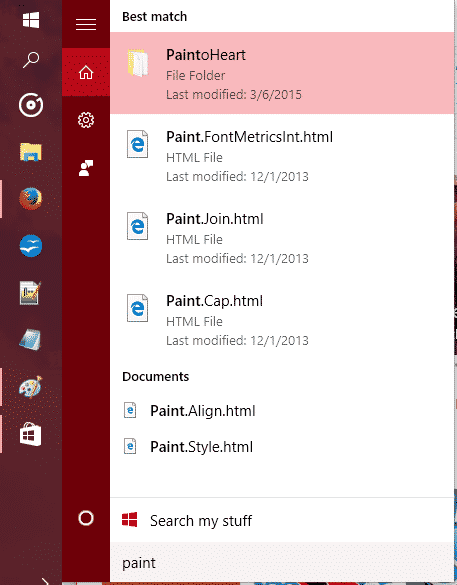
    EWTWIN10_3The new search has Cortana so you can search (and now even Send Text Messages!) with your voice. It’s all great and good. However, Cortana still stands for some good improvements, and the actual search stands for some major improvements.

    So, out of everything, those three points are the ones that have caused the most hindrance on my experience as a whole. There are other little things I come across sometimes that takes some small jabs to that ‘hype’ I had for Windows 10 as a whole, but they’re easy to look over.

    On the flip side, I still love Windows 10 so far, and love the TH 2 update. It is my favorite Windows OS to date, and it DOES have so much goodies with it. The whole Start Menu and Live Tiles, despite their usual buginess, are great altogether! And while I don’t use the feature, Cortana and the voice commands are very convenient for quick search, note taking, emailing, events, and even calling/sending texts. Faster boot times are something that is great, along with improved programs performance, virtual desktops, an activity center, and tablet mode – Windows 10 is definitely a budding operating system.
    The improved performance has helped me boost my productivity, though I will not lie when I say that the discovery of Flow Free and a third-party reddit app has held me accountable to some good procrastination. So, at the moment I recommend upgrading to Windows 10 if you have 8.1/8/7 if you want to try it out while the update is still free. If you end up disliking it, they give you a one-month use on their rollback tool to switch back onto your old OS.


    Make sure to follow EWT Net for more news and blog posts related to Microsoft, and Windows 10!

  • Samsung unveils the Exynos 8 Octa CPU

    Samsung unveils the Exynos 8 Octa CPU

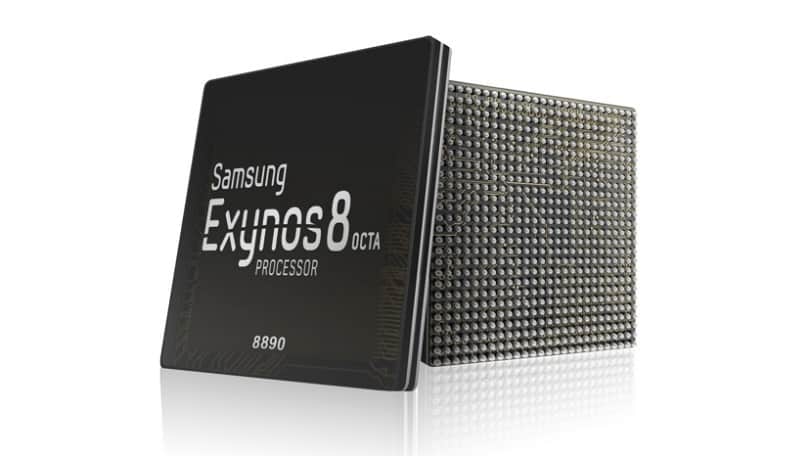
    406238-samsung-exynos-8-octa-8890Today, Samsung announced the Exynos 8 Octa 8890 CPU processor.

    This is the companies second “premium” chip built on 14nm FinFET process technology. It has a custom 64-bit CPU with four custom cores and four ARM Cortex A53 CPU cores. These specs improve the performance of the processor by 30% and cause it to use 10% less electricity.

    Samsung said devices with its chips will allow users “to enjoy and share high-resolution video content on the go with ease.”

    With our custom designed CPU cores and the industry’s most advanced LTE modem, consumers using mobile devices with the Exynos 8 Octa will experience a new level of mobile computing.” – Dr. Kyushik Hong, Vice President of System LSI marketing at Samsung Electronics.

    The tech giant has also added that the new CPU can allow for highly immersive gaming and life-like virtual reality experiences thanks to Mali-T880; ARM’s latest GPU.

    Sasmung had unveiled its first 14nm mobile application processor in February of this year. The company’s expected initiation for the Exynos 8 Octa mass production is set for later into this year.

  • You can no longer mention Tsu.co on Facebook

    You can no longer mention Tsu.co on Facebook

    Tsu.co is a social media website that rewards its members for sharing posts, photos, videos and the like. Users who get others to join via referrals see cash benefits in the like. Naturally, when you have an opportunity to make free money doing what you do everyday, you do it right?

    But, what would be the natural place to get referrals to sign up? Where could you access as many people – strangers and friends alike – to get them to see said link? You go to Facebook. This isn’t some imaginary scenario, as a matter of fact it is real. Tsu.co posts, mostly referral links, were becoming huge during 2014 and early 2015. I couldn’t check my Facebook without seeing a post with someones link in the newsfeed, or having a message from some friends of mine asking me to join with that link.

    What was quite annoying to me, seemed to become quite the little bugger to Facebook Inc. As of September 25th, the Tsu.co address has been blocked by Facebook. In fact, it’s even been reported to have been blocked on Instagram, and other Facebook owned applications. Any mention of the address is blocked, and the company even insured the censoring of the site address by removing every single old post on their servers that mentioned the site/URL; effectively killing off millions of photos, videos, and posts in an instant.

    You can still write ‘Tsu,’ but any mentions of Tsu.co will not be submitted and will be removed.

    source: CNN money

    Much like their other site-widely blocked sites, Facebook claims the link is spam and is annoying to the community. In return, Tsu thinks that Facebook is being a bully, who is killing off competition.

    “We’re persona non grata,” said Sebastian Sobczak, who founded Tsu. “You can type in all sorts of seedy websites, and you can get to them. But not us. We don’t exist.”

    Tsu had made an appeal to Facebook when their traffic source fail from an average 2,000 per day to a flat 0. However, their reasoning didn’t work. Facebook, however, says it will unblock Tsu if one thing changes: if Tsu users cannot post to Tsu.co and Facebook.com at the same time.

    “We do not allow developers to incentivize content sharing on our platform because it encourages spammy sharing,” said Melanie Ensign, a Facebook spokesperson.

    Most of Tsu.co users spoken to (who haven’t made even a dime from the service), thought that this block was unfair to the service.