Does the cluttered ribbon menu in windows 8 annoy you? Ian Paul – PC World will tell us exactly how to clean it up.
When it comes to Windows, there is nothing I love more than Microsoft’s infamous Ribbon interface—and nothing I hate more. Using it in Microsoft Office is great, but adding Ribbon to Windows 8’s file explorer was a bit much for me.
So I decided to pare File Explorer down a little and put the features I might need front and center, while banishing the rest of the Ribbon from my sight. If you’re tired of dealing with a Ribbon-loaded File Explorer, here’s a quick way to simplify your menu hopping.
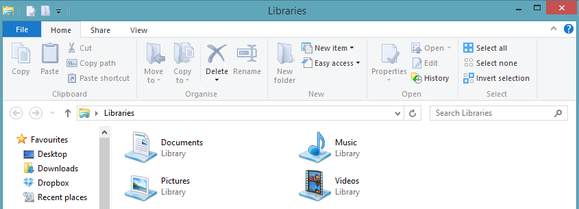
The Home tab of Windows 8’s stock Ribbon interface.
But first…
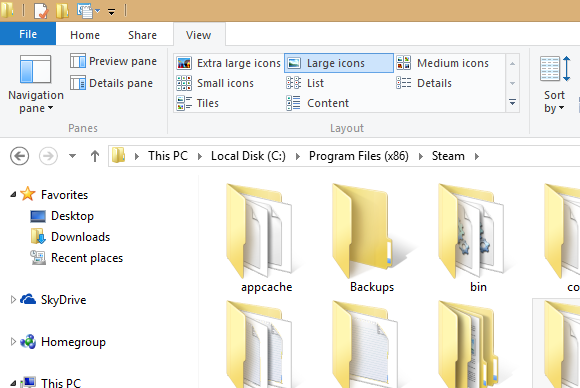
Before we get going, let’s run down some basic anatomy of Windows Explorer. At the very top of the window you’ll see a file folder icon in the upper left corner. Next to that are a few icons and a downward facing arrow. That small set of icons is known as the Quick Access Toolbar (QAT).
Below that, where you see menu options for File, Home, Share, and View—each with their own mess of icons—is the infamous Ribbon we were talking about earlier.
And now, on with the show…
How to clean up the Ribbon interface
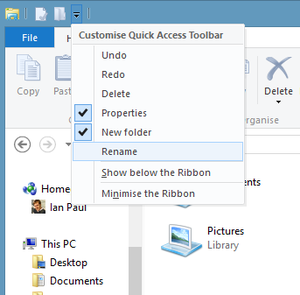
First, click on the QAT’s downward arrow to show the functions you can add to the Quick Access Toolbar, including undo, redo, delete, properties, new folder, and rename. Some of these should already be selected. Add the feaures you use on a regular basis; they should appear in the QAT immediately. Fear not if you don’t see a beloved function: The QAT can have any Ribbon UI feature you want. To add your favorites, just right-click the option in the Ribbon and select “Add to Quick Access Toolbar” in the pop-up menu that appears.
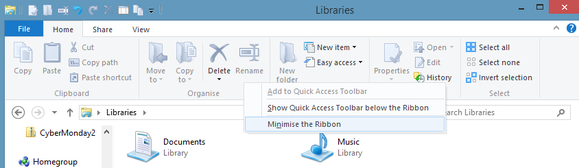
That’s it! Now that you’ve got your QAT fine-tuned, it’s time to give it a more prominent placement and banish the Ribbon UI. Right-click the Ribbon and select “Show Quick Access Toolbar below the Ribbon.” Next, right-click the Ribbon again and select “Minimize the Ribbon.”
Click “Minimize the Ribbon” to, well, you know.
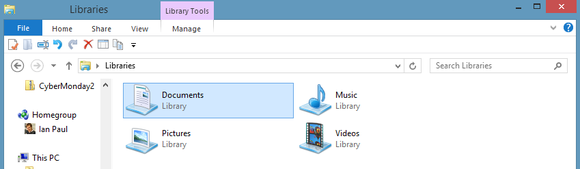
Windows 8’s File Explorer should now look similar to what you see below, with the Ribbon pushed to the background as much as possible and the Quick Access Toolbar front and center with all your favorite menu options.
Well, that’s much less of an eyesore.
Forgotten, but never gone
The Ribbon may be banished, but it’s not gone for good. Anytime you need to access the Ribbon, simply click on the menu option you need (File, Home, etc.,) and the Ribbon interface will briefly reappear. If you want the Ribbon back permanently, just right-click the Ribbon’s menu options and deselect “Minimize the Ribbon.” You can put the QAT up at the top again by right-clicking it and select “Show Quick Access Toolbar above the Ribbon.” These few simple steps can make File Explorer a lot easier to use—and a tiny bit closer to the standard menu interface found in previous versions of Microsoft’s OS. The same basic procedure can help you clean up Microsoft Office’s Ribbon UI, if you consider it an eyesore, too. I hope it helps! Full credit to this article goes to Ian Paul and PC World
Skype said its social media properties were targeted, with a group styling itself as the Syrian Electronic Army appearing to claim credit for the hacks.
”You may have noticed our social media properties were targeted today,” Skype said in a Twitter message late Wednesday. “No user info was compromised. We’re sorry for the inconvenience.”
Skype’s Twitter account, blog and Facebook page appeared to have been attacked by the SEA, a group that supports the Syrian government, according to reports. The Skype blog was still inaccessible late Wednesday and redirected users to the Skype homepage.
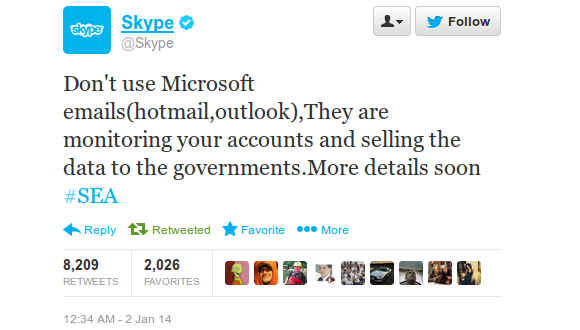
The SEA reproduced in a Twitter message a copy of what appeared to be its message using the Skype account on Twitter. The message read: “Don’t use Microsoft emails(hotmail,outlook),They are monitoring your accounts and selling the data to the governments.More details soon #SEA.” It did not figure by late Wednesday on Skype’s Twitter feed.
SEA later posted on Twitter contact information purportedly of Microsoft CEO Steve Ballmer, stating: “You can thank Microsoft for monitoring your accounts/emails using this details.”
The attack on Skype’s social media accounts appears to be linked to disclosures through newspapers by former U.S. National Security Agency contractor Edward Snowden that Internet companies allegedly provide the agency real-time access to content on their servers for surveillance purposes.
The SEA has targeted previously many high-profile websites and Twitter accounts. In August, an attack purportedly by SEA on Melbourne IT, an Australian domain registrar, affected the websites of The New York Times, Twitter and other top companies.
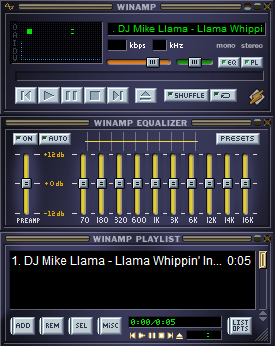
Yesterday TechCrunch reported some more detail on the fate of Winamp and Shoutcast, the legacy digital music services that owner AOL (which also owns TechCrunch) originally planned to shut down but then halted pending a sale. They are not being bought by Microsoft, as we had heard when we first reported news of a sale. The properties are instead being acquired by Radionomy — an international aggregator of online radio stations headquartered in Brussels, Belgium.
The Radionomy connection was first noticed by a couple of people, including one Bryon Stout on the Winamp forums and Carsten Knobloch, who saw that Winamp’s nameservers, but not Shoutcast’s, had been transferred to Radionomy. We have since learned from a reliable source that the deal is for both properties and should be finalised by Friday, if not sooner.
Radionomy has some 6,000 stations in its catalog already, with an emphasis on a do-it-yourself platform that anyone can use to create a channel. Shoutcast’s 50,000-strong catalog of radio stations will be a major boost on that front. Winamp’s media playing software could be used to help program those radio stations and offer additional services.
The acquisition may also see the two products and platforms put to work in more commercial settings. One of Radionomy’s strategic investors is MusicMatic, which develops audio and video experiences for stores and other venues.
According to Net Applications, Windows 8.x crossed the 10% barrier in December of 2013. Windows 8 and Windows 8.1 ended the year with 6.89% and 3.60% apiece for a combined 10.49% total market share.
In the month, Windows 7 picked up 0.88% market share, as Windows XP fell below the 30 percent mark, shedding 2.24% to land at 28.98% in the month. While Windows 8.x’s market share growth is probably still under what Microsoft wants, enterprise adoption of Windows 7 appears strong as the end of Windows XP approaches. Windows 8 gained 0.23% market share in December, an almost surprising figure given the general availability of Windows 8.1, a free upgrade. The latter did pick up 0.96% in the month.
It will be interesting to see how Windows 8.x’s growing market share converts into downloads of applications through the Windows Store. Previously, the Windows developer portal provided detailed download numbers. However, this morning I was unable to load the usual set of analytics through the system. Microsoft may have removed the capability.
If so, we will not be able to correlate downloads with market share, which will limit our ability to vet Microsoft’s ability to convert new Windows 8.x users to its new application platform. That’s a shame.
To wrap 2013, Windows 8.x manages a new threshold as Windows 7 manages to accelerate the end of Windows XP. Not a bad way to start 2014.Top Image Credit: Flickr Article Source: Techcrunch.
Falling prices on TVs and 7-inch Android tablets helped boost Black Friday sales to nearly $5 billion, NPD reported Wednesday. The retail analyst firm added that sales of “stocking stuffer” accessories also showed dramatic growth from a year ago.
All told, sales during Black Friday week (Nov. 24 through Nov. 30) increased nearly 10 percent compared with a year ago, the firm found. One of the only laggards during the period was the slowdown in Windows sales, which dropped off by more than 10 percent compared to 2012.
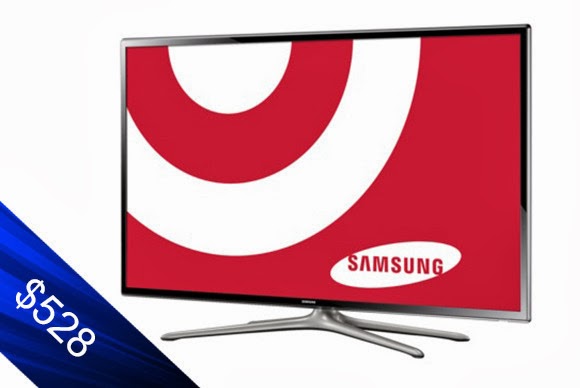
TVs and tablets generated the most revenue of any category measured by NPD, prompted in part by what appears to be the migration of low-end TVs into what might be called impulse buys. Retailers polled by NPD reported $1.4 billion in TV sales during that one week alone, up 5.6 percent, with units climbing more than 16 percent to 4.7 million units. Interestingly, both high-end and low-end TVs flew off the shelves, with 60-inch TV sales growing by 60 percent; the average price was a little more than $1000, down about $300 from a year ago. Vizio led with 55 percent of the 60-inch TV market. Samsung, then Sharp, trailed with 29 percent and 8 percent, respectively.)
But the average selling price of a 32-inch TV also plunged from $194 to $137, making it a fairly uncomplicated purchase for a bedroom or as a second monitor. That helped boost sales of 32-inch TVs by 40 percent.
Tablet sales boomed, as units increased by 105 percent and the category generated the second-highest revenue of any measured by NPD.
Drilling down through NPD’s numbers, however, unearthed the big winner of Black Friday: 7-inch Android tablets, which accounted for 80 percent of all Android tablet sales. Total Android tablet sales exploded 146 percent from a year ago, and revenues climbed 70 percent. But the prices tell the story: the average price of an Android tablet fell from $151 to $105, and the average price of the 7-inch tablets was just $82. That means a lot of $69 Android tablets will be under the Christmas tree this year, for better or for worse.
Overall, PC and tablet sales increased by 58 percent to almost 5.9 million units; however, notebook sales actually fell by 2 percent.
NPD found that Microsoft’s aggressive discounts paid off, with an 8 percent boost in Windows device sales as a whole. But Windows desktops and Windows notebooks fell 8 percent and 9 percent, respectively. So that left Apple to pick up the slack: thanks to its own holiday sales, sales were up 34 percent in notebooks, 51 percent in tablets and 277 percent in desktops, NPD found.
Tech stocking-stuffers gaining, too
NPD also found that more shoppers began plowing back any savings in the tablets and other devices with additional purchases in accessories and cheaper devices. And not only are consumers buying more headphones and sound bars, but they’re spending more, too.
Stephen Baker, the analyst in charge of the report, provided some examples on a related blog: the average price paid by a shopper for a multi-function inkjet printer prices was up 23 percent, PC monitors were up 2 percent, and memory cards climbed 30 percent from a year ago (but just to $13).
“To sum up we saw encouraging industry signs in this Black Friday report,” Baker wrote. “Revenue growth across all the major large categories and accelerating revenue increases in the fastest growing mid-size categories, all combined with a slowing in revenue declines in some of the legacy categories, with the end result that Black Friday week sales delivered an impressive start to the holiday season.”This post first appeared on PC World
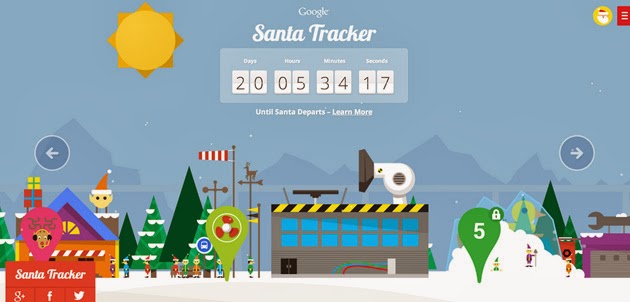
After spending the last 11+ months maxin’ and relaxin’, Santa and his elves are back in full swing. Yes! Santa Tracker is here again and better than ever!
Following Microsoft’s NORAD touch-friendly Santa Claus web tracker, Google is set to shower it’s Christmas blessings: The search giant’s latest Santa Tracker centers on an updated Android app (launching mid-December) with Chromecast TV streaming support — you’ll soon get to follow St. Nick from the comfort of your living room. If you’d prefer to keep tabs on him from the web, the company is promising both daily game and scene updates as well as a refreshed Chromecast-ready web extension to help you see how things are progressing. Just like last year, you can head to the Christmas Village website to keep an eye on how things are going up north.
“To join in the flurry of preparations for Christmas Eve, visit the Village every day through December 24. You’ll have the chance to join the elves as they catapult presents and race with reindeer—and you’ll be able to send holiday wishes to friends and family from Santa himself. The elves make a little more progress each day, so be sure to stop by the Village to see the latest.” https://www.youtube.com/embed/0qrFL0mn3Uk
There are tons of fun things to do to pass the time; an Android app is expected to roll out any day now.
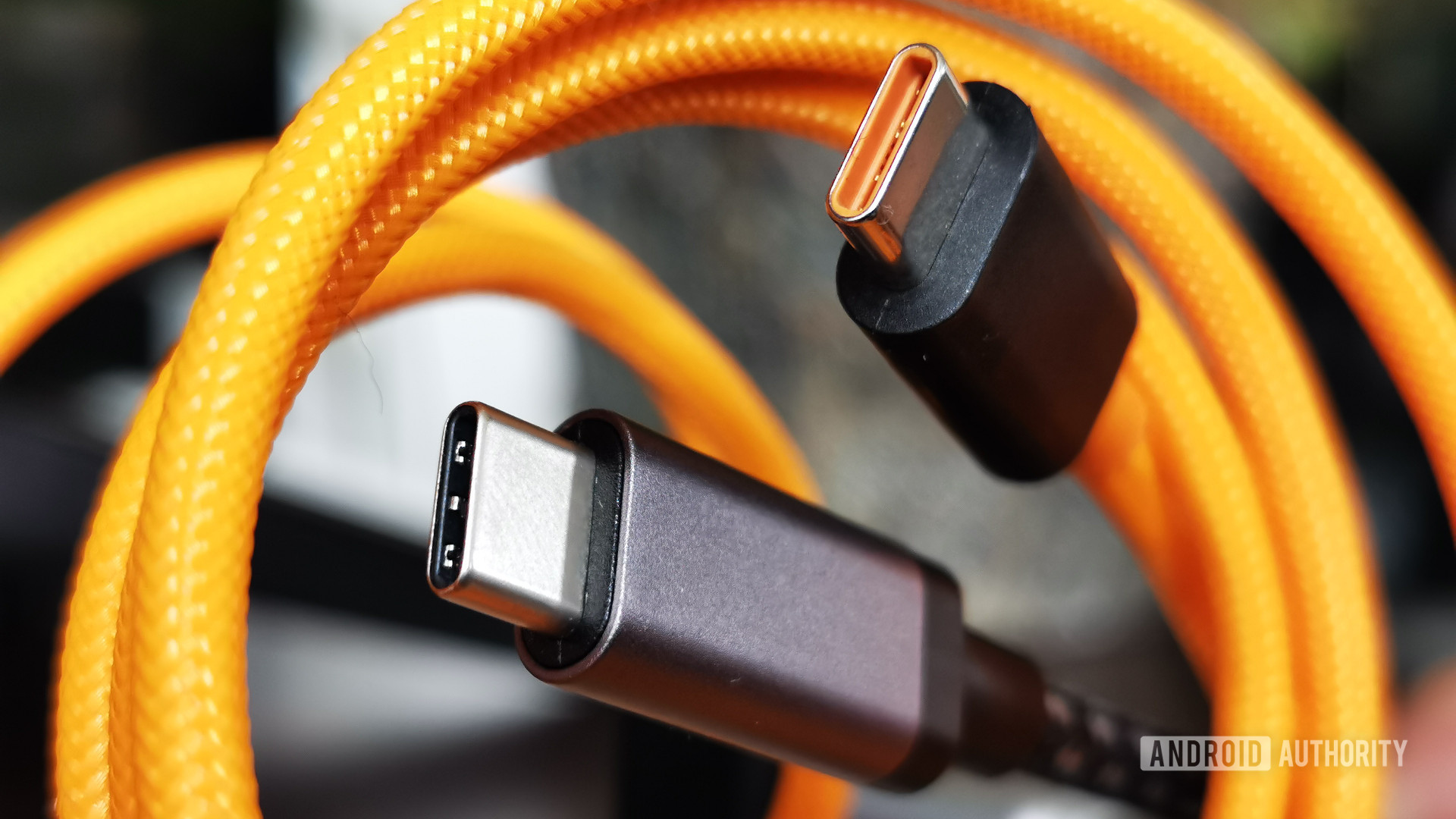
According to an article on PCWorld: The next version of the USB connector will accept the plug either way up, the USB 3.0 Promoter Group said Tuesday.
The USB Type-C connector, initially intended for USB 3.1 and 2.0 devices, will be a complete redesign, the group said. It will be similar in size to the USB 2.0 Micro-B plug found on most modern cellphones, and will support scalable power charging. In comparison, the USB 3.0 Micro-B plug is wider than that for USB 2.0 devices.
The new connector will also be tailored to work well with emerging product designs and will scale for future USB bus performance, said the group, whose members include Hewlett-Packard, Intel, Microsoft, Renesas Electronics and Texas Instruments.
Following a lead set by Apple with the Lightning connector used in the iPhone 5 and newer iPads and iPods, the USB Type-C plug and socket will fit either way up, avoiding fumbling to find the correct orientation, the group said.
The Type-C USB connector is meant to be used to deliver power, data and video across all devices without the need for another connector, the group said. It will however not work with existing USB plugs. The specification will define new-to-existing cables and adapters to allow users to use their existing products, the group said.
The new USB connector needs to follow the design trends in terms of size and usability, the group said, adding that the Type-C connector lays the foundation for future versions of USB. It will also enable an entirely new “super thin class” of devices, it added.
The Type-C specification is up for industry review in the first quarter of 2014 and a final specification is expected to be published by the middle of next year. Participants in the review process will be sent a copy of the 0.7 draft of the connector specification.
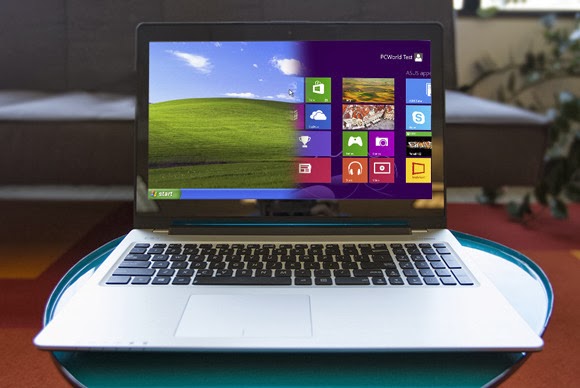
You really, really need to dump Windows XP. No, really. Windows XP was great, and many users still love the operating system, but…it’s more than a decade old. At the rate technology evolves, that makes Windows XP a near-relic. Although it may still appear to work fine, the mantra of “if it ain’t broke, don’t fix it” doesn’t really apply to Windows XP. It’s broken in many ways, and when Microsoft officially stops supporting it next April, it really will be broken.
You don’t even need to upgrade to Windows 8. Windows 7 would be fine. Whether you or a stubborn holdout you know still needs convincing, these three reasons should do the trick.
1. Productivity
From a 10,000-foot view, Windows XP seems productive enough. It runs the applications you need it to run. It checks email. It surfs the Web. When you take a closer look, though, the newer versions of Windows have features that help you work more efficiently.
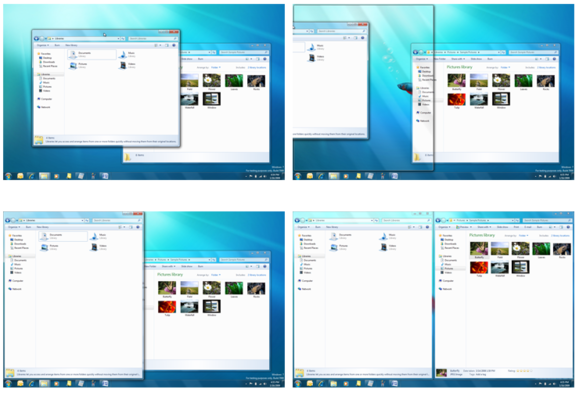
The Aero Snap feature makes moving and organizing windows simple by letting you just drag them to the edge of the display.
Aero Snap, which appeared in Windows 7, makes maximizing, minimizing, and organizing windows as simple as dragging them to the edge of the display. You can drag up to maximize, drag down to minimize, and drag to the left or right to snap the window to the respective half of the display. When you first start using Aero Snap, it seems like a novelty with little real value, but it quickly becomes second nature. After using Aero Snap for awhile, you’ll discover that it streamlines your work, and you’ll regret all the time you spent dragging windows here and there in XP.
Windows 8 has another feature that can save you even more time. File History is similar to the Time Machine function in Mac OS X. It scans your files every hour and stores copies of the incremental changes over time. If you accidentally overwrite a crucial presentation, or you decide to scrap your changes and want to go back to the way things were a few hours ago, it’s easy to restore a file from any point in the history.
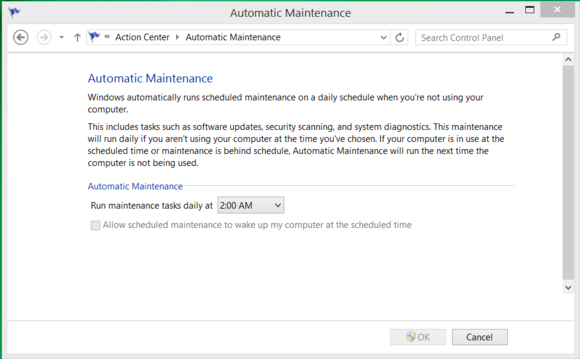
Another timesaver in Windows 8 is Automatic Maintenance. Managing the little things that keep your PC tuned and optimized—like defragmenting your storage, antimalware scans, updating the operating system, and performing diagnostic tests—can be tedious. Automatic Maintenance takes care of all of those things for you while you sleep.
Windows 8 can automate many tasks to keep your system updated and optimized.
Once you get used to the features in Windows 7 or Windows 8, you’ll wonder how you got by without them for so long.
2. New technology
Using an operating system that’s more than a decade old can also paint you into a corner when it comes to the peripherals and devices you can use with it. As new technologies are developed, they’re generally engineered with the latest operating systems in mind, and unlikely to be supported on Windows XP.
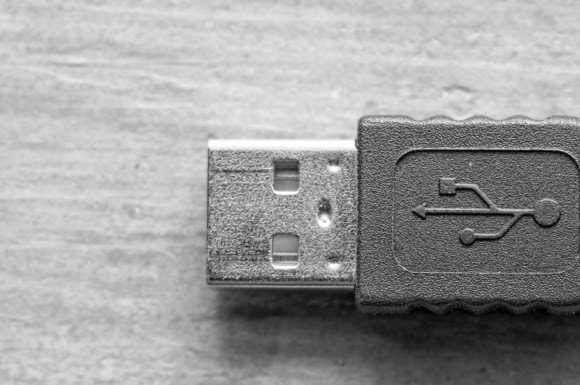
USB 3.0 is a prime example. Most USB 3.0 devices will still work—in a technical sense—with Windows XP because they’re backward-compatible. However, they will fall back to USB 2.0 compatibility and transfer data at about one-tenth of the potential speed of USB 3.0. Also note that even USB 3.0 is getting long in the tooth and will eventually be replaced by even faster technologies that Windows XP will not be able to take advantage of.
Whether you’re looking at wireless printers, Bluetooth keyboards, or 4K monitors, it will be challenging if not impossible to find drivers and support to make new technologies work with Windows XP.
3. Security
This is the big one. Windows XP is inherently more risky even now, and when Microsoft stops supporting the venerable OS next April, your PC will be virtually defenseless.
Just last week, Microsoft released a security advisory warning users about a zero-day vulnerability in Windows XP. The flaw is reportedly being actively exploited in the wild, but it doesn’t affect the newer versions of Windows.
Security experts believe that cybercriminals may already be hoarding Windows XP flaws, waiting hungrily for the expiration of Microsoft support. At that point, there will be no more Patch Tuesday security bulletins, and no patches or updates from Microsoft to address critical security concerns in Windows XP. It will be open season.
Tim Rains, director of Trustworthy Computing for Microsoft, has warned Windows XP users of another potential concern. Attackers often wait for a vendor to release a patch and then reverse-engineer it to discover the flaw and craft an exploit to take advantage of it. Once Microsoft support for Windows XP expires, malware developers will reverse-engineer Microsoft’s Windows 7 and Windows 8 patches and then verify whether those same flaws exist in Windows XP. In many cases, they will—and there will be no patch available to protect Windows XP.
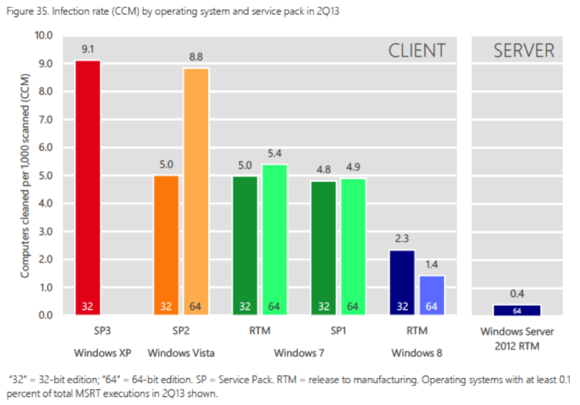
Volume 15 of the Microsoft Security Intelligence Report found that Windows XP systems were infected at more than six times the rate of those running 64-bit Windows 8.
The most recent Security Intelligence Report from Microsoft shows that when exposed to a similar volume of potential threats, Windows XP SP3 has a malware infection rate nearly double that of Windows 7, and a whopping 650 percent greater than 64-bit Windows 8. Windows XP systems are more likely to be compromised than ones running newer versions of Windows, the effects of the compromise are typically more insidious, and eradicating the threat and resolving a malware incident takes longer. It was great fun, but…
Windows XP was an awesome operating system. It was arguably the single best version in the history of the operating system. Windows 7 is a worthy successor to the Windows XP legacy, though, and Windows 8.1 is a tremendous operating system as well. Also, by clinging to Windows XP, you’re missing out on new features and technologies that could help you work more efficiently and simplify your life. Even if that doesn’t sway you, though, the reality is that Windows XP is going to be a security nightmare when support ends, and continuing to use it will be impractical—if not impossible.
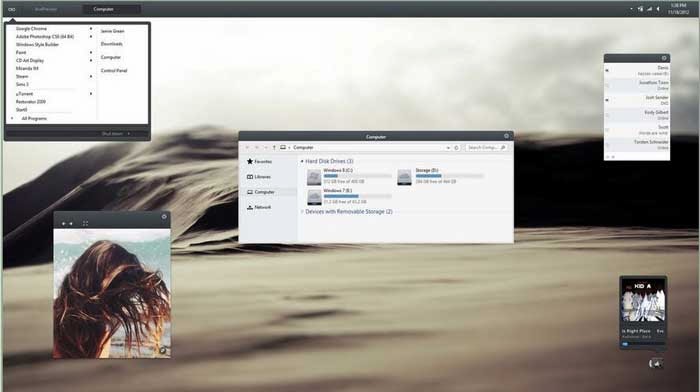
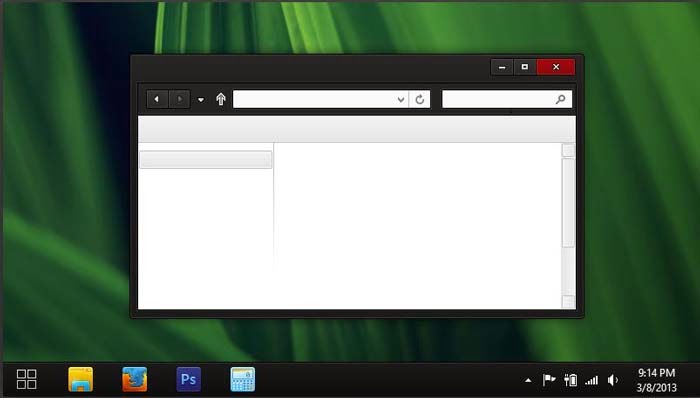
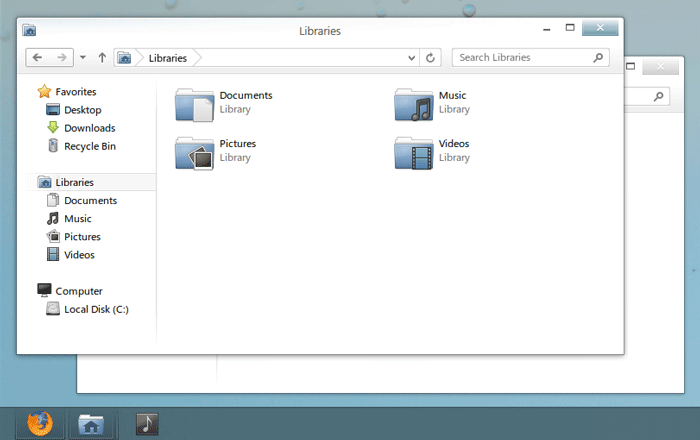
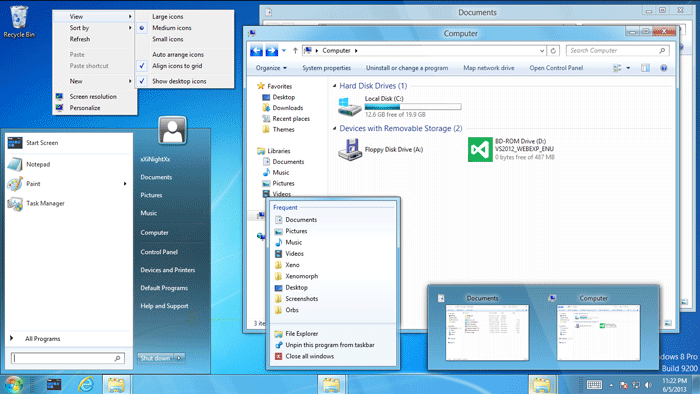
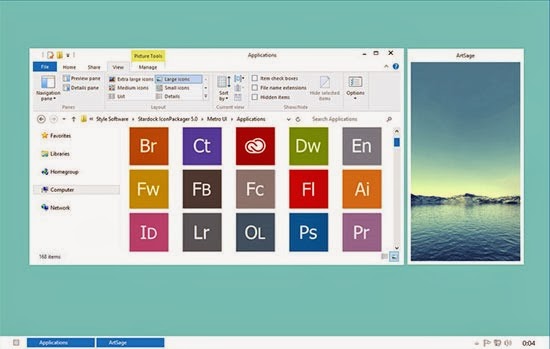
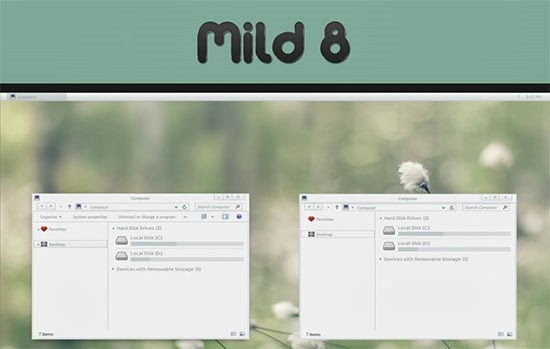
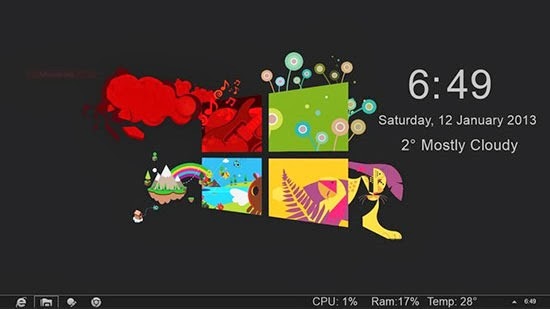
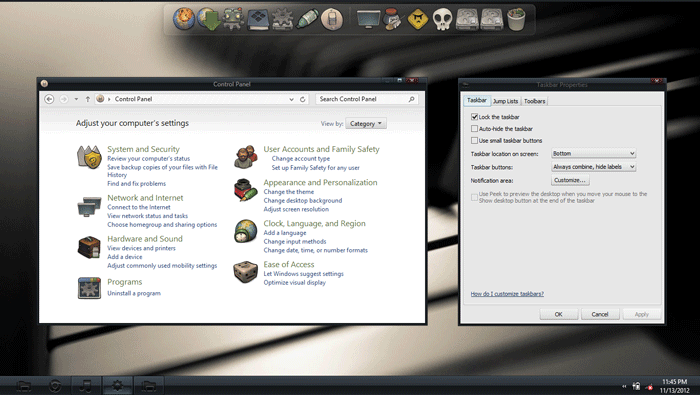
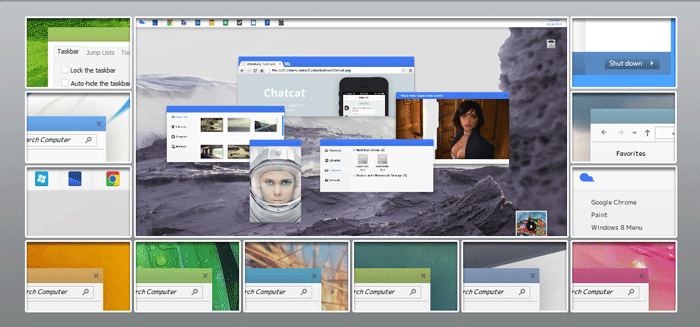
Bill & Microsoft has made many structural changes by implementing Metro UI and Start Screen in Windows 8. But the PC side of Windows 8 has not seen any dramatic changes except the removal of Start Menu and Aero Glass Transparency feature. Windows 8 like Windows 7 and others before them, has a lot of customization features that helps you define an entirely new look for your Windows PC .
Sometimes, the quest for customizing the desktop look can consume a lot of time; so you don’t have to actually customize your windows 8 PC, rather you can download many custom windows 8 themes and use them on your windows 8 PC (Check out 25 best themes for Windows 7) .
Most of these windows 8 themes are the products of talented artists/developers who make these themes available as a free download for everyone . But like most windows programs , windows 8 themes download from un-trusted sites might contain malware in them . So it is always advisable to download windows 8 themes from reputed sources only .
As a tradition that has been laid by the predecessors, Windows 8 does not allow the installation of third-parties themes by default, hence, it is recommended you read How to Install Third-Party Windows 8 Themes before you proceed to the next section of this article.
In this article, we shall consider the top 25 most-outstanding Windows 8 themes you can apply on your desktop.
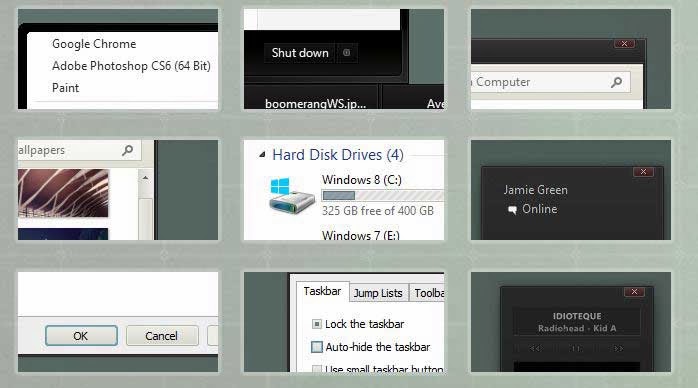
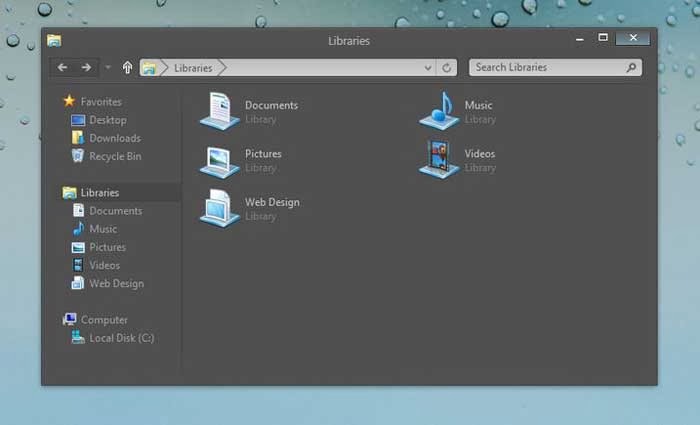
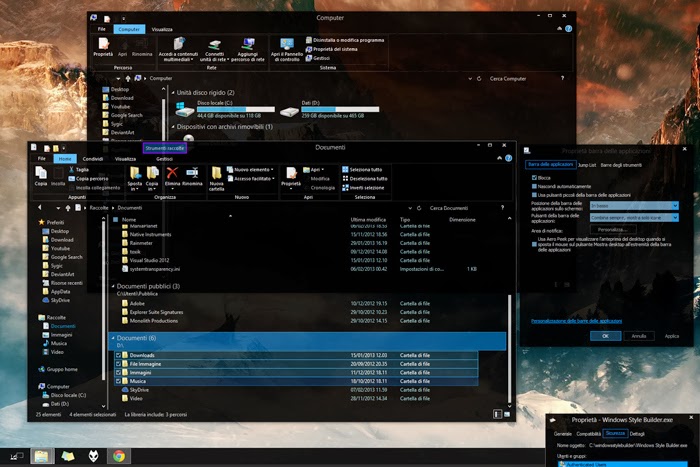
1) Space Blueberries 4.8
Theme Name: Space Blueberries 4.8 OS Version: Windows 8 Artist: Neiio
Description: Work is one of the best Windows 8 theme which has glowing dark interface. It gives you breathing space while working on multiple documents.
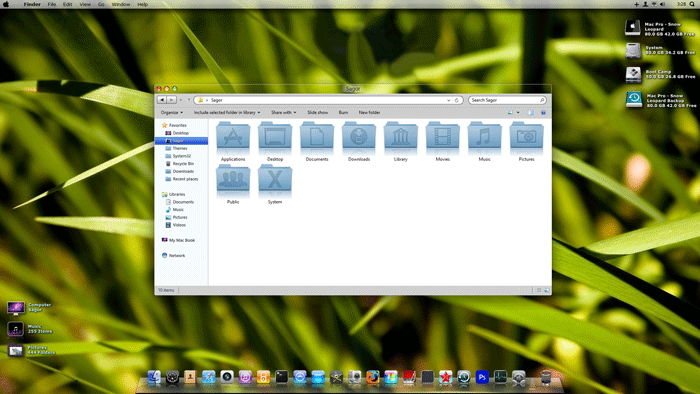
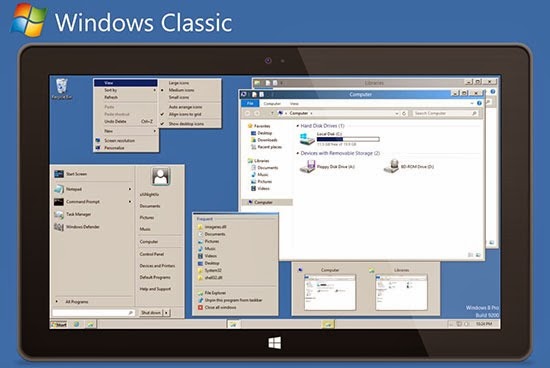
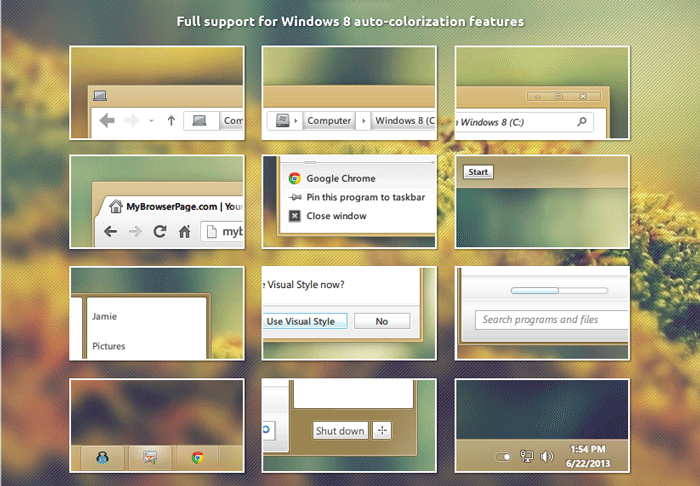
4) Snow Leopard glass
Theme Name: Snow Leopard glass OS Version: Windows 8 Artist: Sagorpbd
Description: Aer08Glow is a port of the default Windows 7 theme with a few modifications. This theme has glow on the caption buttons and 2 styles: one with square corners and one with rounded corners. To use this theme with rounded corners you have to enable Aero Glass Transparency in Windows 8.
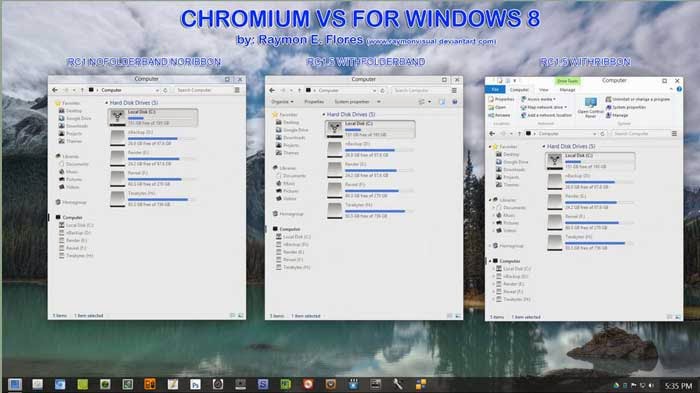
10) Chromium
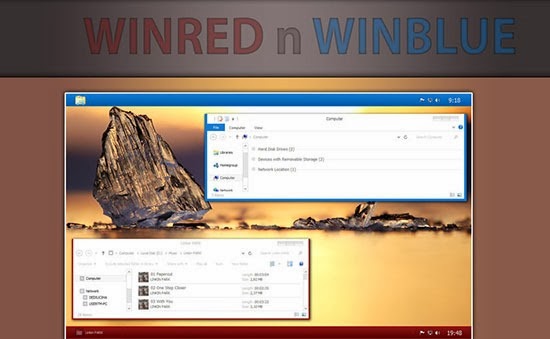
Theme Name: Chromium OS Version: Windows 8 Artist: Reymonvisual
Description: Be greeted by the sweetness of the rising sun every moment your PC is booted. Win Blue n Red Windows 8 theme is the perfect blend for ‘red’ in ‘blue’, with a perfect ‘black’ to see off the dark sides.
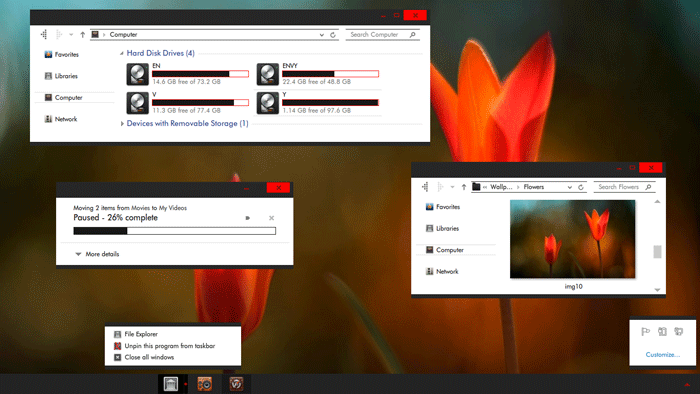
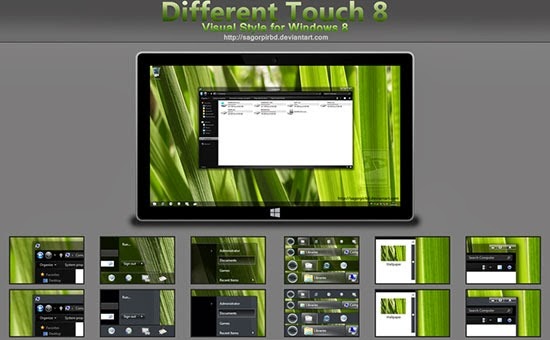
15) Different Touch 8
Theme Name: Different Touch 8 OS Version: Windows 8 Artist: Sagorpirbd
Description: Darkness has overshadowed light! The new ‘red’ brightens the appearance of your Windows 8 theme. Gray8 new red is an easy going theme with boundless customization.
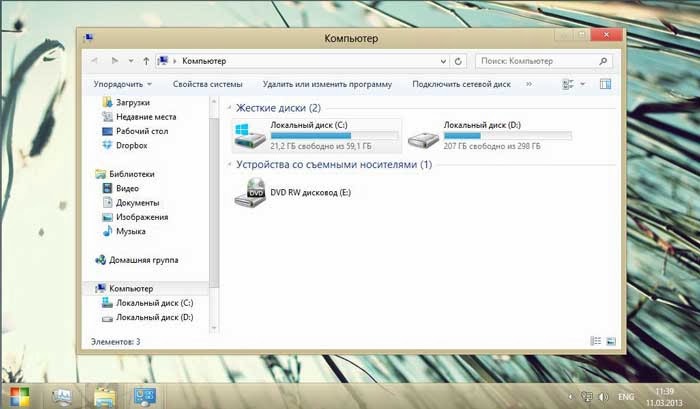
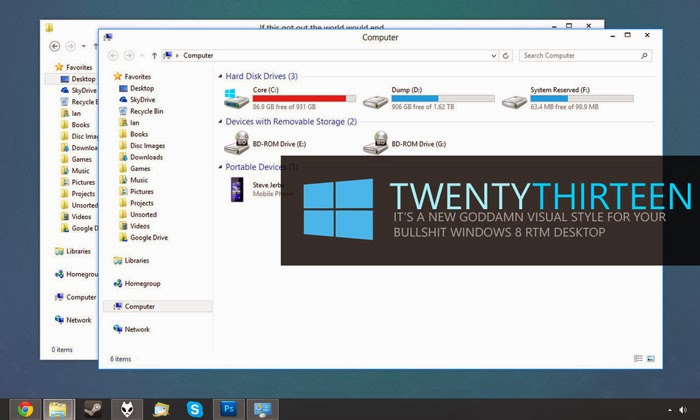
19) Twentythirteen
Theme Name: Twentythirteen OS Version: Windows 8 Artist: sand-and-mercury
Description: Twentythirteen is a new Goddamn visual style for your bullshit Windows 8 RTM desktop.
20) Abisso
Theme Name: Abisso OS Version: Windows 8 Artist: Ezio DOWNLOADDescription: Abisso is one word for ‘true transparency’: The Windows 8 theme has a clean dark background with blue color scheme.
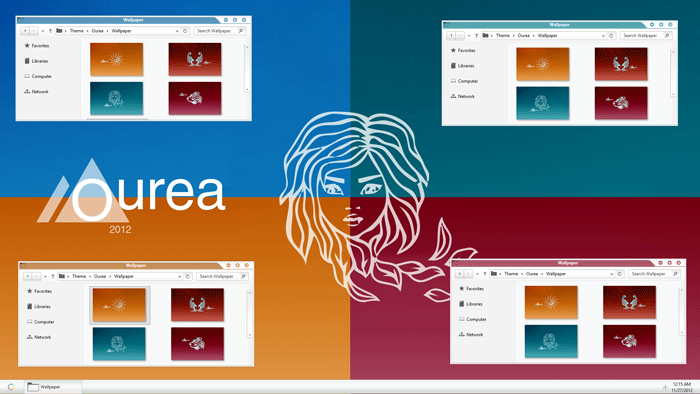
21) Elune
Theme Name: Elune OS Version: Windows 8 Artist: Neiio
Description: Gradually drift away from the original look of Windows 8. With Ourea windows 8 themes; the future is in your hands.
24) Alduin Windows 8 themes
Theme Name: Alduin Windows 8 themes OS Version: Windows 8 Artist: Charleston2378 DOWNLOADDescription: This list cannot be completed without the inclusion of the beautiful work of Charleston. Alduin is a Windows 8 minimalistic theme with deep dark background.
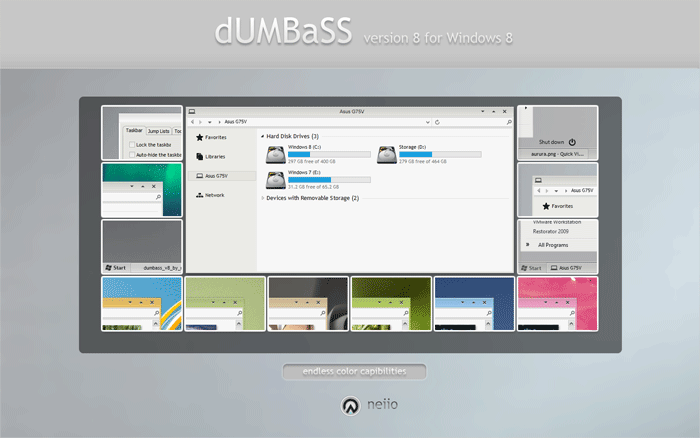
25) Nimbus
Theme Name: Nimbus OS Version: Windows 8 Artist: Neiio
Description: Closing our list of top 25 elegant Windows 8 themes today is: Nimbus. This theme has an extra-ordinary layout that allows you to choose from various color schemes and background.
When it is down to the customization of your Windows PC, it goes beyond the changing of icons and wallpaper. Windows 8, 7, XP and those before them, allows you to install custom themes of your preference, however, due to the fact that most of the themes developed by third-parties developers may contain malwares which are harmful to your PC; Microsoft has disallowed the ability to install themes from third-parties developer, hence, this tutorial.
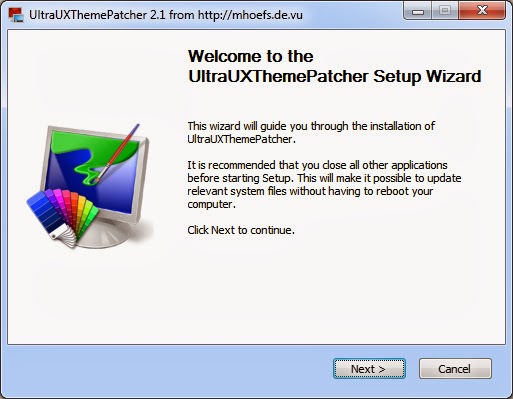
Among our numerous contenders, Ultra UXTheme Patcher stands out as the best Windows 8 Themes application program. All you have to do is install it on your system and it will automatically modify the required items.
Once you have installed the program you can then use any custom Windows 8 themes on your PC . Just download any custom windows 8 themes and copy it over to this directory in your windows PC:
C:WindowsResourcesThemes
Note: Some themes might require a few additional instructions to install . Check the description of the themes for any addition instructions .
Google’s Nexus phones have become irrelevant for all but the most ardent Android fanboys. Although the Nexus program was launched three years ago to show off the very best that Android has to offer, Google’s newly announced Nexus 5 doesn’t push the envelope as much as earlier Nexus phones.
Google is stuck between a rock and a hard place: Its hardware partners don’t want to innovate when building the company’s Nexus phones; they want to save all the cool stuff for their own brands. But Google can’t just use its Motorola division to build cutting-edge phones with exciting new features without burning bridges with Samsung, LG, Sony, and HTC. Those guys are already trying to build their own ecosystems and Google doesn’t want to push them even further over the edge.
More of the same
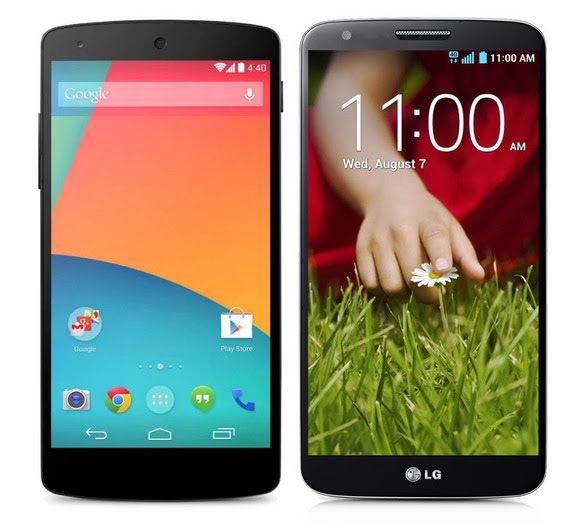
In terms of hardware alone, Nexus 5 doesn’t seem like a bad phone—its high-end specs ensure it will be relevant for at least a year. But it’s essentially identical to recent phones released by Samsung and LG. In some ways the Nexus 5 is an inferior product because LG, which built the handset for Google, released its own phone with all the same hardware but more software enhancements. Under the hood, the Nexus 5 is a stripped-down version of the LG G2, just like the Galaxy Nexus was a stripped-down version of the Samsung Galaxy S III.
Nexus 5 (left) and LG G2 (right)
The biggest draw of Nexus phones is that they get timely Android updates directly from Google, but the market has shown that most people don’t really care about that. Ever since Android 4.1 Jelly Bean, most of the updates to Android have been minor tweaks that don’t deliver much in the way of new, consumer-facing features. Instead, Google has slowly started spinning off key components of the OS to the Google Play Store as standalone apps. So, as long as you bought your Android phone in the last year or two, you’ll still have access to the latest version of Gmail, Maps, and Google Now.
Indeed, without any killer, exclusive features, you have very few reasons to buy a Nexus 5. Unless you’re a developer who needs constant access to the latest version of Android, or insist on buying an unlocked phone, the Nexus 5 is no better than any of the other high-end phones already released this year. In many ways it’s just another Android phone, and would fade into obscurity if it weren’t for the big, bold NEXUS on its back.
It’s becoming increasingly obvious that the companies Google partners with to make Nexus phones are reserving all the coolest features and innovations for their own branded handsets. Of course Google owns Motorola, but has held back on using its acquisition to build its Nexus devices for fear of upsetting its hardware partners. But maybe it’s time to start playing favorites.
Time to use Motorola
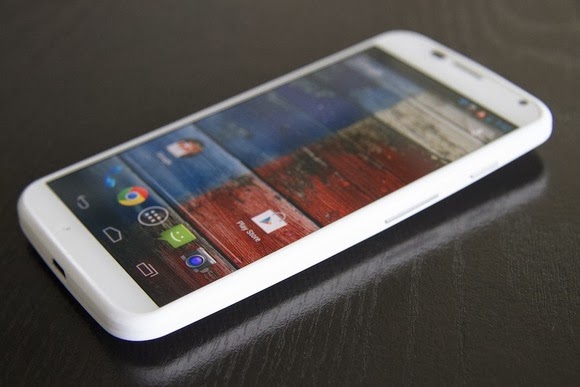
Motorola and Google collaborated on the Moto X, one of the most innovative phones available. Note that it’s not a “Nexus,” even though the OS bloatware and customizations are minimal—it’s rocking nearly stock Android. The kicker? You can get it on pretty much any carrier and there’s a developer version available for people who want it. The Moto X deserves the title of Nexus more than the Nexus 5, as it introduced a lot of the Nexus 5’s ostensible innovations first. (Take, for instance, touchless controls.)
The Moto X is one of the most innovative phones ever released.
In releasing Nexus devices via its Motorola arm, Google could more directly shape the Android experience. It could dictate all aspects of the phone, creating cutting-edge new hardware features to go hand in hand with new Android software features. KitKat introduces a lot of under-the-hood improvements that allow it to run better on low-end hardware, but manufacturers will continue to cram as many processing cores as they possibly can into their phones in an effort to win an imaginary specs war, making the optimizations almost meaningless. So Google could build a phone showing that you don’t need a quad-core processor and 2GB or RAM to run simple apps without lag. And your battery wouldn’t be eaten up due to poorly written radio drivers.
It would essentially be the Apple approach to making smartphones, an approach that’s proven to work and often leads to a better device. And if Google decided to compete directly with Samsung and others via Motorola, it would push the other Android manufacturers to make better phones and set the bar for Android devices—just like the Nexus One was originally intended to do. Microsoft is trying a similar tactic by purchasing the devices division of Nokia, while Google lets its $12 billion Motorola purchase go to waste.
We’re never going to see a truly revolutionary Nexus phone again until Google decides to take a stand against the other Android smartphone manufacturers. The more the company attempts to placate Samsung, HTC, LG, and Sony, the more meaningless the term “Nexus” becomes. It’s time for Google to drive Android forward with a more holistic hardware-and-software approach, and make Nexus mean something again.Adapted from PC WORLD
PC WORLD – Recent headlines about shadowy government agencies, high-profile hack attacks, and your face in Google ads drive home a crucial point: Your online privacy is best protected when you keep an iron grip on the information you’re handing out. If your info is on a server somewhere, it’s not truly yours.
So many core aspects of our lives have shifted to the cloud, mostly to our great benefit: Gmail and Outlook.com maintain our email archives. Dropbox and SkyDrive make your files available anywhere, anytime. Windows 8.1 searches include Bing results by default. Google Now dishes out the information you need before you even know you need it.
But every gain in convenience comes with a loss of control, and that loss of control all too often comes bundled with privacy or security woes.
You can take some simple precautions to minimize the amount of personal information that you have online. But before we get started, remember that this data checkup is about what you’re comfortable with. You could follow all the tips in this post, tighten up on just a few of the practices mentioned below, or go even farther down the rabbit hole than the suggestions offered here. Digital privacy is not a zero-sum or a one-size-fits-all proposition. If nothing else, this article can help you make better decisions about the information you share with the services you love.
Giving Google the cold shoulder
When it comes to minimizing your digital footprint, we have to start with Google. Just imagine the dossier the company has on you: search history, sites you visit, Google Play purchases, location data from Android and Chrome and Maps, your Google Drive documents…it looks like a lot when it’s all spelled out like that, doesn’t it?
To its credit, Google takes data security seriously, receiving fairly good marks in the Electronic Frontier Foundation’s annual “Who has your back?” survey. But Google also makes heavy in-house use of your data, a point that touched a nerve with announcements of the company’s plans to use your real name and face in online advertising (not to mention Microsoft’s “Scroogled” campaign).
Divorcing Google isn’t a realistic option for most people, though, given its superior services and sheer ubiquity. Switching to Microsoft’s services still leaves your information in the cloud. So what can you do if you want to reduce the amount of data you’re sharing with either online monolith?
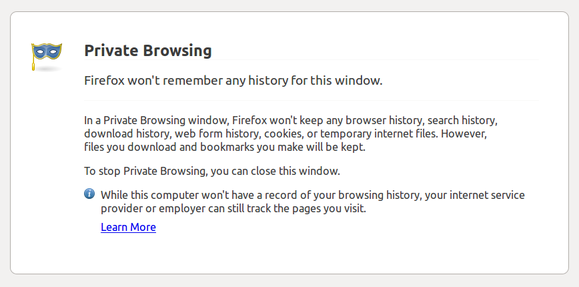
Firefox’s private browsing mode kills cookies dead.
To start, you can keep Google from collecting and sharing your data as much as possible. Using your browser’s private/incognito mode will erase tracking cookies, including Google’s, when you close it. You can also tell Google to stop trailing you in your account’s Web History page (at the expense of Google Now features) and take a minute to tweak your general Google privacy settings.
Another solution is to replace what Google services you can with more private alternatives. Do you use Google Docs but don’t really need its online capabilities? Try the open-source Libre Office suite. If you need only basic image-editing capabilities, skip Picasa and stick to Paint.net. What about Google Drive’s on-the-go docs? We’ll talk more about cloud storage later.
Google may have a wide reach, but when it comes to mapping your social connections, no company knows more than Facebook. And just like Google, Facebook is practically impossible to shut out of your life. You need it to sign in to your favorite services, play games, chat, and keep in touch with pals.
Tweaking your Facebook profile’s privacy settings can keep other people’s eyes at bay—but Facebook itself has a reputation for questionable user data decisions. How to give Zuck the cold shoulder without divorcing Facebook completely?
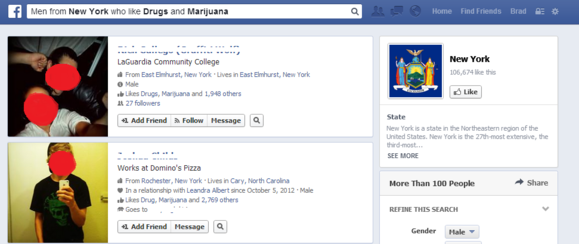
You don’t want to be among the first Graph Search results for “Males in New York that like Drugs and Marijuana” or anything similar. Mind those Likes, and those privacy preferences.
Easy: Stop hitting that “Like” button so much and consider removing past thumbs-ups. Don’t add extra information to your profile such as life events, places you’ve lived, and so on. (Below’s a video on deleting life events.)
Finally, decide whether you want to continue sharing your photo library online. Is anybody really looking at them, or are they just fodder for Facebook’s face-detection algorithms?
Facebook also tracks you as you travel from site to site, using the Like buttons embedded on each. Make sure you’re signed out of Facebook to prevent that from happening, or use your browser’s private mode.
You can delete your Facebook account if you’re able (and willing) to cut the socialite cord completely.
Cloud storage
If you slap your files in a cloud-storage locker for anytime, anywhere access, you probably don’t want to give up that convenience. You can, however, seize control of your cloud documents by encrypting them, which helps protect against the data breaches (such as two that happened to Dropbox and Apple) and government information requests faced by many cloud providers.
Note that while many services (such as Dropbox) encrypt your data on their servers, they control the encryption keys in most cases. That means you are not in control of when or for whom that encrypted data is unlocked, but it also makes using the service easier—just enter your login information and go!
A truly “zero-knowledge” cloud provider such as SpiderOak or Wuala, on the other hand, never has access to your encryption key, meaning that only you can unlock your data. (Don’t lose the key!) Alternatively, you could manually encrypt files bound for SkyDrive, Google Drive, Dropbox, SugarSync, or any other cloud service, using a tool like TrueCrypt or the cloud-focused BoxCryptor.
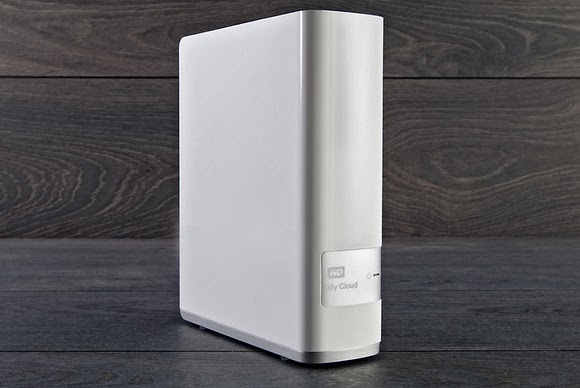
Western Digital’s My Cloud connected storage drive lets you build your own private cloud.
Or, if you want anytime, anywhere access to your files but don’t want to entrust your stuff to anyone else, you could use a Net-connected storage drive like Western Digital’s My Cloud to create your own personal cloud-storage solution.
All the rest
We’ve taken care of your major online accounts, but what about all those random accounts you have connected to your social networks? Go through the settings of your Facebook, Twitter, and Google+ accounts to see the list of apps and services connected to them. Then simply remove access permissions for the ones you no longer use.
Speaking of apps and services, part of good data hygiene is regularly deleting accounts you’ve left by the wayside. Go ahead: Close that MySpace profile and kill your Klout score if you’re not using them.
The tip of the iceberg
Now that you have at least some of your data under control, you could look at numerous other things, as well.
We briefly touched on restricting who can track your browsing while online. For a real eye-opener, try using Abine’s DoNotTrackMe add-on for a week and see how many tracking cookies the add-on blocks. You could also use a stand-alone email program configured using the POP3 protocol to save your email locally and wipe your messages from your provider’s servers. (Here’s the info you need to do just that with Outlook.com, Gmail, and Mozilla’s Thunderbird client.)
For an even more comprehensive look at the topic, check out Macworld’s seven-part series on protecting your online privacy—but note that some of the tips apply only to Apple’s ecosystem.
Going off-grid online is borderline impossible these days, but taking just a short time to tidy up your online footprint can pay big dividends for your security and your privacy. And remember: It’s up to you just how far down the rabbit hole you go. Happy deleting!
PCWORLD – A story posted on pcworld today has confirmed that we are likely to see a new generation of PC anytime soon. With microsoft paying more interest in the production of windows 8 smartphones, it is now clear to everyone that windows are likely to swap places with the android OS in the technology world.
Accidentally leaked user manuals from PC maker Lenovo show that the company is preparing a new laptop that runs Android instead of Windows.
Called the IdeaPad A10, the laptop has a 10.1 inch HD screen and is listed as an Android device, according to the manuals uploaded on Lenovo’s site.
The laptop’s 10-inch display also functions as a touchscreen. It can be opened up to 300 degrees, supporting the screen for reading or touching while the keyboard rests face down. In addition, the keyboard has signature Android buttons for “home screen”, “previous” and “apps screen”, found on the bottom of many phones and tablets running the Google OS.
Lenovo had planned on making an official announcement for the device, said Chris Millward, a spokesman for the company, on Thursday. But somehow, Lenovo unintentionally leaked the user manuals online, he added.
“The product has not been canceled. It will be going out to the market,” he said. Lenovo will later announce launch dates and pricing information.
The laptop’s specs show that it could be a budget product. It has an Arm quad-core 1.6GHz processor from Chinese firm Rockchip, 1GB or 2GB of RAM, and 16GB or 32GB of storage. There is also a 0.3 megapixel camera, a microSD card slot and an HDMI port.
Tech vendors are increasingly experimenting with Android at a time when demand for traditional Windows PCs has been waning. Earlier this year, Acer and Hewlett-Packard showed all-in-one desktops using the Google operating system. HP’s product, called the Slate 21, has a price of $399.
On the convertible PC side, Asus has shown a hybrid device that can run both Windows and Android. Called the Transformer Book Trio, the product operates as a stand-alone Android tablet, but when attached to its keyboard it can also boot up Windows.
Trends get a bad blow, mostly since they are frequently associated with fashions. However trends can be significant, particularly those long in the making. If a lot of clever individuals are ready to spend years of their lives and millions of dollars on an idea, there is perhaps something to it.
Currently, we are on the edge of a new digital paradigm, where the abilities of our machinery are beginning to outshine our own.
Computers are deciding which products to store on shelves, carrying out legal detection and even winning game shows. Very soon they will be driving our cars and making medical diagnoses. Here are 5 trends that are driving it all.
#1. No-Touch Interfaces:
We have become accustomed to the notion that computers are machines which we control with our hands. Just as the Generation X became contented with keyboards and mouse, today’s millennial peer group has learned to text at an extremely high speed. Every new restatement of technology has required new abilities to use it competently. That is why the new trend towards no-touch lines is so basically different. From Microsoft’s Kinect to Apples Siri to Google’s Project glass, people are beginning to expect the computers to get used to them instead of the other way round.
#2. Native Content:
Though over the past several years technology has become more indigenous, social and portable, the new digital combat zone will be fought in the sitting room with Netflix, Amazon, Microsoft, Google, Apple and the cable companies all competing to create a leading model for delivering customer entertainment. One developing approach is to develop unique programming so as to attract and uphold a subscriber base.
#3. Massively Online:
In the last decade, enormously multi-player online games for instance World of Warcraft became all the rage. Instead of simply playing against the computer, you could play with thousands of others in real time. It can be extremely interesting, though somewhat disturbing when you realize that the spiteful Philistine you have been prowling around with is in fact a 14 year-old girl. The massively online trend has even entered into politics, with President Obama recently reaching out to average voters through Google Hangouts and twitter.
#4. The Web of Things:
This is perhaps the most universal trend, where almost everything we interact with becomes a quantifiable unit. Our homes, cars and even items on the street will intermingle with our Smartphones and with each other, perfectly. What will drive the trend in the future are two corresponding technologies: Near Field Communication, which lets for reciprocal data communication with close devices and ultra-low power chips that can harvest energy in the environment, which will put quantifiable objects just about everywhere you can think of. Still, as computing stops to be something we do seated at a desk and becomes an ordinary, typical way of relating to our environment, you cannot tell what the effect will be.
5. Consumer Driven Supercomputing:
Everyone knows the frustration of calling a customer service line and having to cope with computerized interface. They work very well, though it takes some determination. There lies the next great challenge of computing. While we used to wait for our desktop computers to process our commands and then waited for what seemed like infinity for web pages to load, we now struggle with ordinary language boundaries that just can’t quite work like we would like them to.
In conclusion, technology companies are becoming more and more consumer-driven, capitalizing on things like native content in order to get us aboard their platform, from which we will sign onto enormously online services to amuse and educate ourselves. The future of technology is, paradoxically, all too human.
Andrea Jayson
Author Biography:
Andrea is a Blogger and Write from UK. She loves to write articles on various categories like Finance, Technology, Travel and Health. As If not she is doing a research work on ukba.
On Tuesday, Microsoft announced that Windows 8.1 has reached its final “Release to manufacturing” stage and has, well, been released to manufacturers for inclusion in the annual blitz of holiday hardware. News of Windows 8.1’s RTM status first broke this weekend. What does this mean for you? Nothing, yet. While manufacturers have their paws on the final version of Windows 8.1 today, the free update won’t appear in the Windows Store until October 17, with boxed discs and third-party hardware appearing on physical store shelves the day after.
Curious computer users do have a way to scratch their Windows 8.1 itch, however. A preview version of Windows 8.1 is still available for download, complete with new apps, new features, numerous new highlights, and yes, even a plethora of new (and killer) hidden secrets. One of those hidden features comes in especially handy for traditional PC lovers: The ability to boot directly to the desktop.
Think hard before you install the Windows 8.1 preview, though. If you opt for the preview available in the Windows Store, your apps—though not your personal data—will be wiped when you install the final build in October. Since that’s just a couple of months away, you’d probably be better off grabbing the ISO files of Windows 8.1 that Microsoft has made available and running it in a virtual machine, instead. Microsoft deserves big props for delivering an RTM version of the Windows 8.1 update just 10 scant months after the official release of Windows 8.1, especially when you considerjust how expansive the update is. Windows 8 was and is far from perfect—and its mixed reception might have even cost Microsoft CEO Steve Ballmer his job—but the company’sshift towards rapid-fire releases is already paying off. Article Source: pcword.com
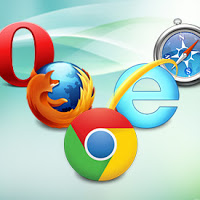
In a browser reliability test, the recent versions of Google’s Chrome and Mozilla’s Firefox are measurably less prone to crashes and errors than Microsoft’s Internet Explorer 10, a new analysis by applications testing firm Sauce Labs has found.
If this looks like another stick to beat Microsoft’s browser with, it is worth pointing out that the firm’s study of around 55 million tests run using the Selenium platform found that all browsers showed extremely low levels of errors, in the order of 0.12 percent or lower for the “worst” performer, Apple’s Safari 6.
On the same scale, Opera 12 scored 0.08 percent, IE10 at 0.05 percent, Chrome 27 under 0.02 percent, with Firefox was so low it effectively achieved a remarkable zero, that is to say no errors at all. IE lagged its main rivals but at levels that were already extremely low.
As interesting as the reliability figures was the level of improvement shown by these recent versions, some only months or even weeks old.
Internet Explorer 6 (released in 2001 with XP) and 7 (2007) had previously been the worst performers on 0.3 percent each, behind Firefox on Opera 10 (2009) and Firefox 7 (2011) and IE8 (2009) on just under 0.25 percent. It is remarkable that all of these are still used by small percentages of global browser users, but they are also aging software vulnerable to issues more serious than how often they might crash.
“Half of the browser versions we analyzed had error rates lower than 0.07 percent. That’s pretty low, and suggests that browsers are getting more reliable as more versions come out,” said Luren Nguyen of Sauce Labs.
Despite lagging slightly, IE had also shown major improvement over time.
“Microsoft has really been pushing their new version of Internet Explorer as the most modern and high-performing version of IE. You’ve may have seen their nostalgia-tinged IE 10 commercial. The data we have on browser error rates suggests that their claims may have quite a bit of merit,” she said.
The absolute level of errors in these tests is an imperfect way to measure browser reliability some might argue (can the errors be proved to be the browser’s fault and not the testing suite’s?), but the comparative measurement won’t be coincidence. Errors, which usually result in a crash of some kind, are caused by bugs in the browser code.
Do error rates really matter? Only when they occur, which seems to be rarely these days.Credit: pcword.com
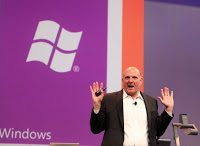
After 13 years of leadership, the Microsoft CEO, Steve Ballmer has called it time to step down as the Chief Executive Officer of Microsoft Cooperation.
“There is never a perfect time for this type of transition, but now is the right time,” Ballmer said in a Microsoft press release. “We have embarked on a new strategy with a new organization and we have an amazing Senior Leadership Team. My original thoughts on timing would have had my retirement happen in the middle of our company’s transformation to a devices and services company. We need a CEO who will be here longer term for this new direction.”
Ballmer, however, has recently refocused Microsoft in order to drag the PC stalwart into the faster-moving mobile age, initiating drastic sea changes such as the device-spanning Windows 8 operating system, a push towards rapid-fire releases rather than 3-year development cycles, “One Microsoft, all the time,” an increased focus on services and the cloud, and the launch of the Surface brand—Microsoft’s first foray into competing with its manufacturing partners.
Any of those could be considered a major shakeup. All of those combined constitute a near-complete reimagining of Microsoft.
Those monumental changes may be the reason for Ballmer’s retirement, according to Patrick Moorhead, the principal analyst at Moor Insights and Strategy and an industry veteran who held senior leadership roles at AMD and Compaq. He finds the 12 month search for a successor suspicious.
“Somebody pissed somebody off,” Moorhead says. “Potentially it was this $900 million write down [for Surface RT tablets]. If I had to bet money, I’d say that that was the straw that broke the camel’s back.”
“I am proud of what we have achieved. We have grown from $7.5 million to nearly $78 billion since I joined Microsoft, and we have grown from employing just over 30 people to almost 100,000. I feel good about playing a role in that success and having committed 100 percent emotionally all the way. We have more than 1 billion users and earn a great profit for our shareholders. We have delivered more profit and cash return to shareholders than virtually any other company in history.”
Now the big question is: Who will be the new CEO? Looking at what Ballmer has archived, Whoever takes over the reins will have some mighty big shoes to fill. Ballmer was Microsoft’s 30th employee and its first business manager, and for all the grief tossed Ballmer’s way in the wake of Windows 8, there’s no denying that the company accomplished some amazing things under his stead.Credits: pcworld.com
Earlier today Microsoft added Android to the list of mobile operating systems now supported by Office Mobile. But Office Mobile for Android only covers phones, not tablets, limiting its utility. The Android version, Office Mobile for Android, is also arguably the weakest of the bunch, in terms of compatibility with Microsoft Office. Microsoft is still tacitly encouraging users to buy Windows Phones, which come preloaded and activated with Windows Mobile and don’t require an Office 365 subscription to use. The problem is, within the Android world, there are a number of other office solutions that provide very good direct competition to Microsoft’s offering.
Nevertheless, Office Mobile for Android is free and downloadable from the Google Play Store. The only requirement is that your phone must contain Android 4.0 or higher, and you must already have purchased Office 365. In a break with Office Mobile for iPhone, Microsoft doesn’t even offer the option to purchase Office 365 from within the app; instead, users must sign up outside the application itself. And without Office 365, Office Mobile for Android is virtually useless. “The release of this app shows that we’re committed to keep providing additional value for Office 365 subscribers,” said Guy Gilbert, a senior product manager of the Office apps for Microsoft, in a blog post. Qualifying Office 365 plans include Office 365 Home Premium, Office 365 Small Business Premium, Office 365 Midsize Business, Office 365 Enterprise E3 and E4, Office 365 Education A3 and A4, Office 365 ProPlus, and Office 365 University. There are also Office 365 government plans that include Office Mobile. Users can also visit Office.com and sign up for a free 30-day trial, Microsoft said. While Microsoft eventually intends to make Office Mobile for Android available across 33 languages and in 117 markets, it’s only currently available for the United States. That will change over the next few weeks, Microsoft said.
What’s included
Like Office Mobile for iPhone, the Android version comes with mobile versions of Excel, PowerPoint, and Word; Office Mobile for Windows Phone adds OneNote as well. So far, Android users don’t have access to the Outlook Web App app that Microsoft recently released for the iPhone, either.
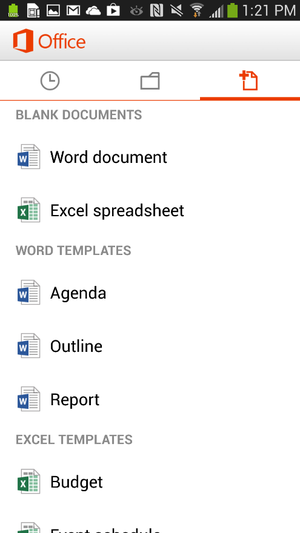
Office for Android users can create documents in Word or Excel.
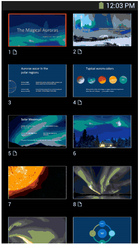
Users can create new documents, edit those that they’ve already created, and save, load, or edit files saved to Microsoft’s SkyDrive or SkyDrive Pro—which on Tuesday received a few upgrades, as well. But the ability to create files only applies to Word and Excel; for now, you can review your PowerPoint slides and edit them, but not create a presentation from scratch. Users can also open a document via email. Office Mobile includes a couple of handy features designed for the phone; The software knows what documents you’ve recently accessed on your PC, and those are the first options presented when you choose to open a saved file. A feature that Microsoft calls Rapid Resume also works like Amazon’s Kindle, ‘fast-forwarding” you to the portion of the document last viewed on your PC. An “outline view” in Excel and Word allow you to quickly navigate through the document, and both apps allow annotations as well. Within the three supported apps, Microsoft has made efforts to make editing a snap; in Word (shown at top of story), for example, tapping the pencil brings up the most common editing functions. Excel allows you to filter and sort data and create charts, using the local processor to calculate data. Within PowerPoint, users can review slides and edit speaker notes, move and hide slides, and make text edits directly from the phone. Holding the phone in a portrait orientation allows edits to be made and includes a quick navigation bar; a landscape orientation serves as presentation mode.
Office Mobile for Android, displaying an Excel worksheet.
In general, Office Mobile for Android and Office Mobile for iPhone should function quite similarly, with two exceptions: Android users can not sign up for Office 365 within the app itself, and Android users may need to fully qualify documents that are accessed via an on-premise SharePoint server.
Buy Windows Phone—or a Surface
To date, however, Microsoft has been keenly cognizant that productivity apps are the foundation of the Windows platform, and users who purchase a Windows Phone will have these benefits:
Office Mobile will be preinstalled and activated;
users will be able to save documents to the phone itself, as well as SkyDrive or email;
WP users will be able to filter and search for documents;
Users can also easily open documents with permissions attached to them.
Office 365 includes a license of up to five mobile devices—but Windows Phones don’t count against that limit. The biggest annoyance, however, is that—like the iPad—tablets aren’t supported in either Office Mobile for the iPhone or the Android version, either. Those trying to hunt and peck at keys in the back of a jouncing taxi are likely to grit their teeth and muddle through; by doing so, however, Microsoft is tacitly encouraging customers in the direction of a Surface tablet—now at a new low, low, price—or even a full-fledged Windows 8 PC. (“Phablets” like the Samsung Galaxy Note II should still be supported, however.) “If you have an iPad or Android tablet, we recommend using the Office Web Apps, which provide the best Office experience on a tablet,” a spokeswoman for Microsoft said via email. “We have made lots of enhancements to Office Web Apps including a touch experience for tablet users.”
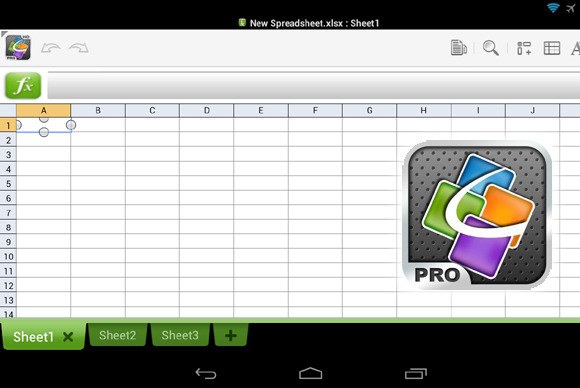
QuickOffice Pro provides one tablet-friendly alternative to Office Mobile for Android.
Microsoft also has native apps for OneNote, Lync, and SharePoint, in addition to supporting Exchange Active Sync for email, calendar and contacts, she said. ”I’m not sure how many people are going to want to do a lot of Office work on a phone,” Michael Silver, an analyst at Gartner, said recently. “A tablet’s going to be a lot more important.”
Alternatives
Of course, there’s no reason that users have to live in the world that Microsoft has created. Plenty of Android office apps allow document creation or editing, both on a phone or tablet: Google Drive, of course, allows for Google’s own documents to be created; and Google’s own QuickOffice, Documents to Go, and OfficeSuite Pro 7 are all arguably as good or better choices than Microsoft’s offerings. In one way, editing or creating an Office document on a mobile phone is counter-intuitive; too many people still append some sort of signature file on a mobile phone to explain away any typos or shorthand. Within a business document, however, typos simply shouldn’t appear. Office Mobile can certainly stand in to enable last-minute changes while on the go, but they shouldn’t be considered as serious tools for document creation. And that’s exactly how Microsoft appears to want it.
For more than a decade, Google has become synonymous with search. Despite Microsoft’s well-funded efforts to get users to “Bing It,” people are still “googling” with wild abandon. However, there are some signs that the company’s dominance may not extend into the mobile age. According to a New York Times report, traditional web searches declined 3 percent in the second half of last year after rising for years, while searches on topical (“verticle”) search engines rose 8 percent over the same period. It’s not that people aren’t hungry for content. They are. But people are starting to alter their habits to search through curated content. Web users have learned that—as good as Google is at what it does—it is often and easier to go directly to a cloistered, curated segment of the Web to find what you want. Savy users know to search for items they want to purchase on Amazon or Target; or go straight to IMDB for information on that actress who was in that one thing from back in the day; or to Wikipedia to look up information on that far away country mentioned on the news. Google is an unnecessary and easily avoidable middleman standing between you and a trusted information source. This change in search behavior becomes more palpable in the mobile, app-centric era. Users are far more likely to search for weather information, news, or mapping information directly through relevant apps rather than googling first. This altering of the search landscape would explain Google’s moves in recent years to purchase content providers such as Zagat’s and Frommer’s (for food and travel respectively). Google wants to remain the default entry into the Internet and provide everything quickly and in as few steps as possible. Google is an unnecessary and easily avoidable middleman standing between you and a trusted information source.
This one-stop-shopping strategy may prove wise as the mobile space moves into hands-free search via native apps like Siri and S-Voice or into strange new voice-activated devices like Google Glass. In these situations, a single entry into the Web may prove easier than accessing specific curated app gateways. For now, Google remains the dominant gatekeeper to rest of the Web. However, as Facebook pushes their new super app, we may be catching a glimpse of the future battlelines for mobile ubiquity.
Just launched your new website?Take advantage and make your presence known to the world! Bing Ads offers USD25 worth of free advertising coupon code for 2013 with the intention to attract more customers around the world (especially from Google AdWords). The offer is currently valid for UK, Canada, India, France and US. Click on the below sign up links to get your coupon today.





 Currently, we are on the edge of a new digital paradigm, where the abilities of our machinery are beginning to outshine our own.
 As interesting as the reliability figures was the level of improvement shown by these recent versions, some only months or even weeks old.
 Ballmer, however, has recently refocused Microsoft in order to drag the PC stalwart into the faster-moving mobile age, initiating drastic sea changes such as the device-spanning