Category: Apps

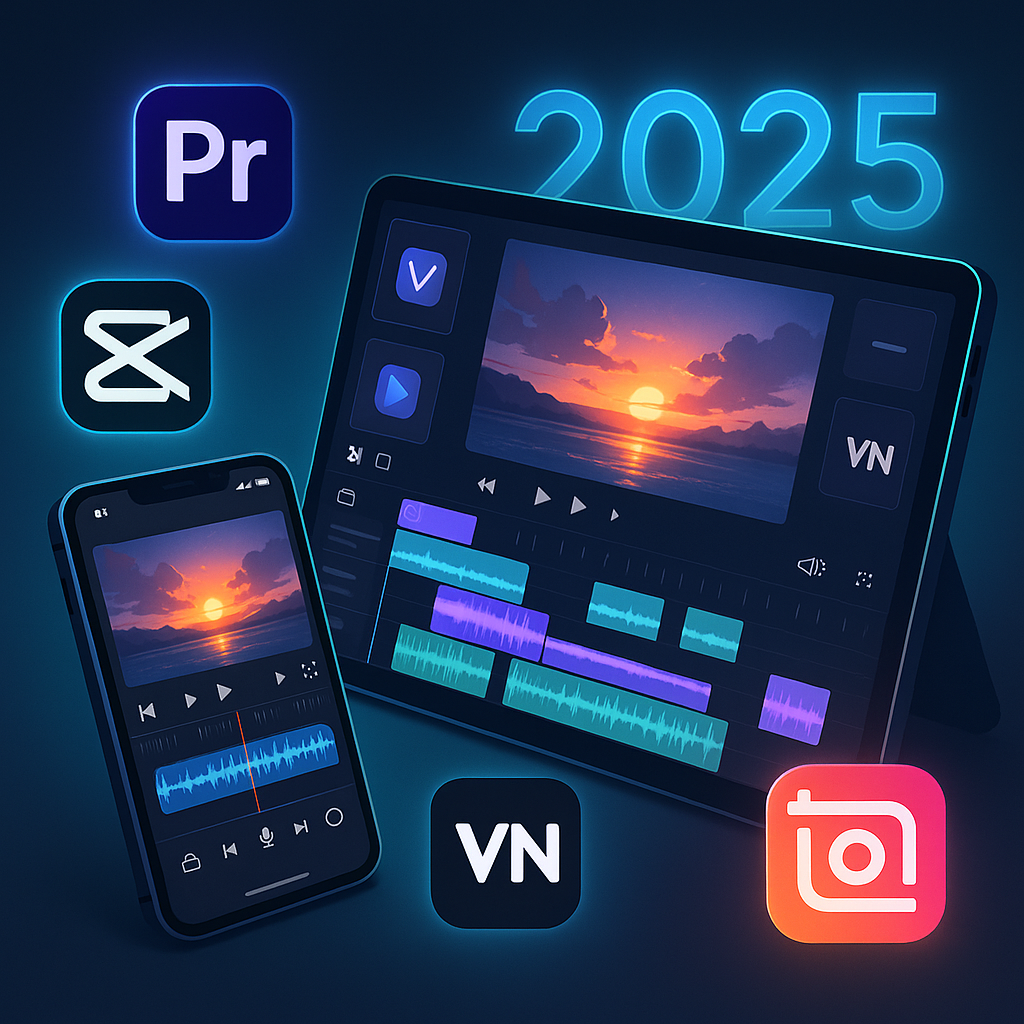
  • Best Video Editing Apps of 2025

    Best Video Editing Apps of 2025

    Quick Picks by Category (2025 Edition)

    Use CaseBest AppWhy It Wins
    Best Free (No Watermark)VN Video EditorPowerful tools, no watermark, pro-level timeline
    Best for TikTok & ReelsCapCutAI magic, auto-captions, effects that trend fast
    Best for Cinematic EditsLumaFusionMulti-track timeline, color grading, pro exports
    Best for BeginnersInShotSimple interface, fun effects, quick sharing
    Best AI-Powered EditorVideoleapNew AI Cut Pro in 2025 is mind-blowing for auto-edits
    Best Cross-Platform SyncAdobe Premiere RushCloud sync between devices, great for vlogs
    Best for Tablet EditingDaVinci Resolve (iPad)Full desktop-grade editing on iPad — now with 2025 Magic Mask update

    Want to Improve Your Content Creation Skills?

    While you’re here, check out these highly recommended tools to boost your productivity and enhance your content creation journey:

    The Top 7 Video Editing Apps of 2025

    Each of these apps was tested for 4K export, ease of use, effects library, AI features, and social sharing capability. Here’s how they stack up:

    1. VN Video Editor
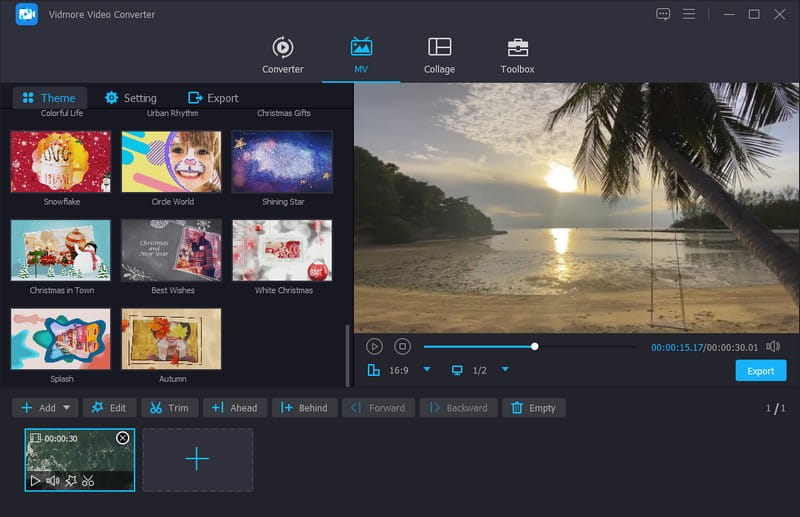
    Best Free App Without Watermark

    • Platforms: iOS, Android, iPad
    • Watermark: None
    • Price: Free (optional upgrade for cloud)
    • New in 2025: Faster export engine, AI beat-sync

    Why It’s Great:
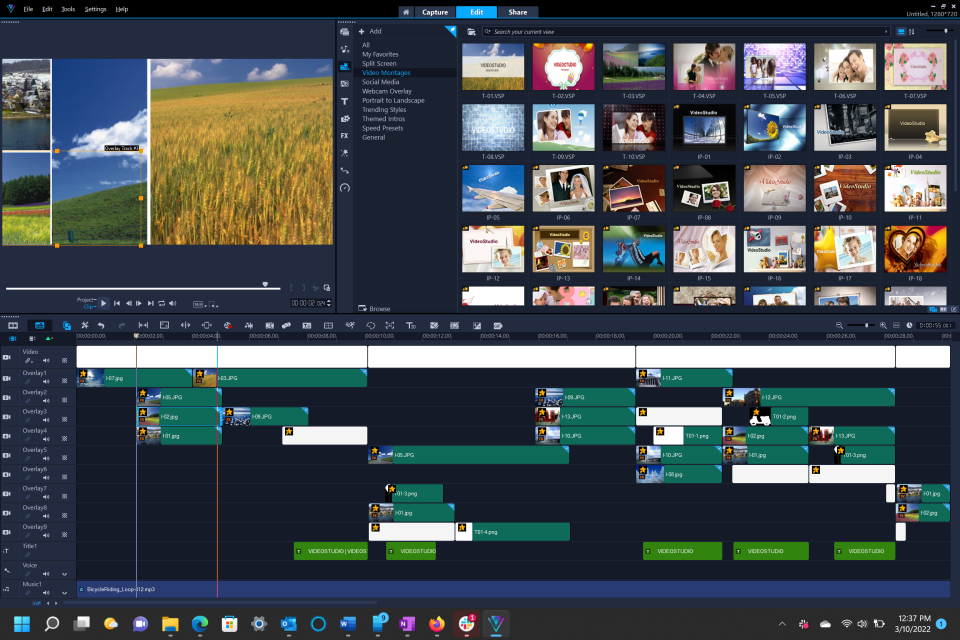
    VN gives you desktop-style editing with full timeline control, multiple layers, and even LUT support — all for free, and without slapping a watermark on your hard work.

    Ideal for: Creators on a budget who still want professional cuts.

    Pros:

    • No ads, no watermark
    • Precision trimming and keyframes
    • Works great for IG Reels and YouTube Shorts

    Cons:

    • Audio library is limited
    • Interface can feel a bit technical at first

    2. CapCut
    Best for Social Creators & Viral Shorts

    • Platforms: iOS, Android, Desktop
    • Watermark: Optional (can be removed)
    • Price: Free with Pro upgrade
    • New in 2025: Auto-scene generator for TikTok clips

    Why It’s Great:
    CapCut is owned by ByteDance (TikTok’s parent company), which means you’re editing with an unfair advantage. Expect filters, trending sounds, and automatic subtitle generation that matches TikTok and IG vibe perfectly.

    Ideal for: Social media creators looking for fast, trendy, polished results.

    Pros:

    • AI-powered tools: remove background, auto captions
    • Trend integration for music, stickers, and styles
    • Cloud syncing and template library

    Cons:

    • Slight branding push toward TikTok
    • Some features require login

    3. LumaFusion
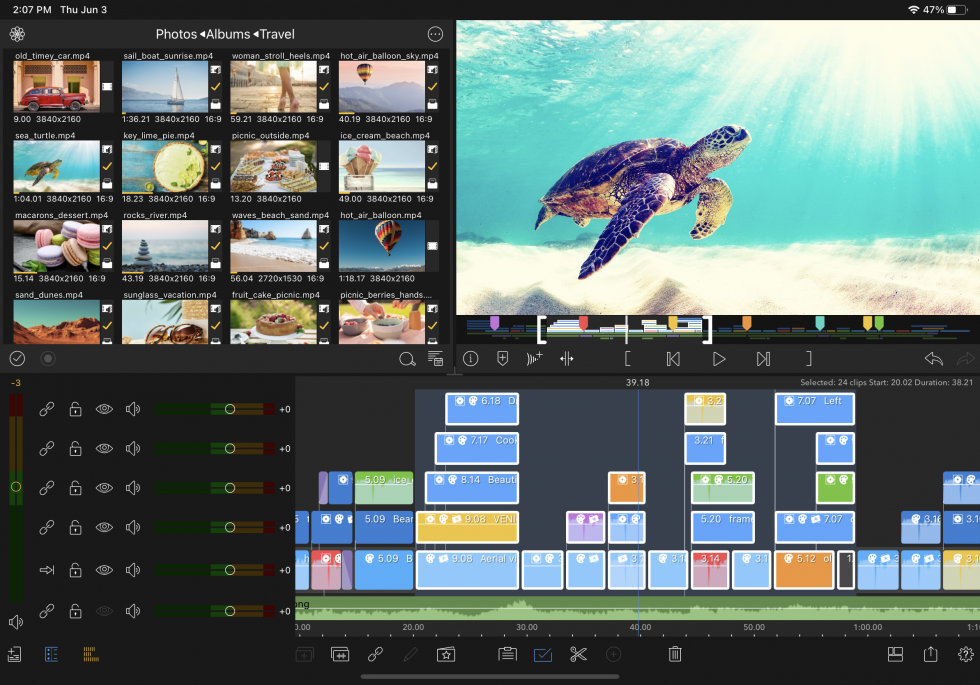
    Best for Cinematic Projects and Semi-Pro Editors

    • Platforms: iOS, iPadOS
    • Watermark: None
    • Price: One-time fee (~$29.99)
    • New in 2025: Native support for Apple M3 chip, stabilized exports

    Why It’s Great:
    LumaFusion turns your iPhone or iPad into a full-blown editing suite. Perfect for indie filmmakers, vloggers, or YouTubers who need color grading, motion effects, and full control.

    Ideal for: Editors coming from Final Cut or Premiere looking to edit on-the-go.

    Pros:

    • Multi-track editing
    • Pro transitions and titles
    • Advanced color correction tools

    Cons:

    • Not available on Android
    • Learning curve is steeper than VN or InShot

    4. InShot
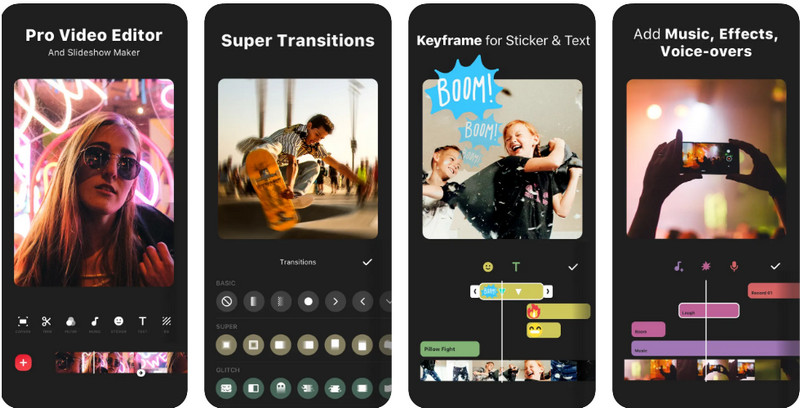
    Best for Beginners and Casual Editors

    • Platforms: iOS, Android
    • Watermark: Yes (can be removed with Pro)
    • Price: Free with Pro tier (~$3.99/month)
    • New in 2025: Auto music sync, better portrait export presets

    Why It’s Great:
    InShot is perfect for creators who want quick, fun edits without the learning curve. Drag-and-drop effects, animated text, and filters are its strong points — and it’s optimized for vertical videos.

    Ideal for: Instagram users, vloggers, small business promos

    Pros:

    • Super easy to use
    • Great for fast-paced vertical content
    • Nice built-in music and filters

    Cons:

    • Watermark on free plan
    • Limited advanced control (no keyframes)

    5. Videoleap
    Best AI-Powered Editing App in 2025

    • Platforms: iOS, Android
    • Watermark: Yes (Pro removes it)
    • Price: Freemium, Pro starts ~$7.99/month
    • New in 2025: AI Cut Pro for auto-editing full reels from raw clips

    Why It’s Great:
    Videoleap has leaned hard into AI in 2025. Upload a bunch of footage, and the app generates a polished, trendy edit in seconds — complete with transitions, music, and effects. You can then tweak the result with its advanced editor.

    Ideal for: Creators who want fast results with minimal effort.

    Pros:

    • Stunning auto-edits
    • Lots of trendy effects and overlays
    • Powerful manual editing for when needed

    Cons:

    • Free version has limits and watermark
    • Pro plan is a bit pricey compared to peers

    6. Adobe Premiere Rush
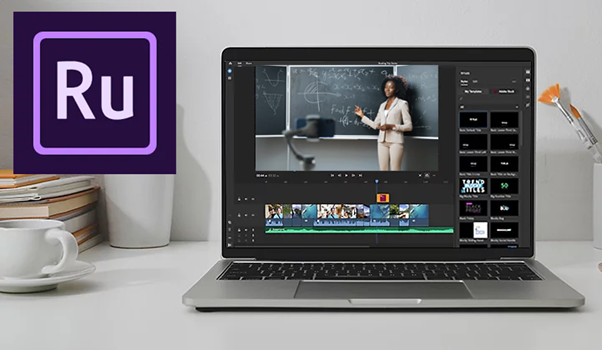
    Best for Cross-Platform Editing & Sync

    • Platforms: iOS, Android, Desktop
    • Watermark: None (with Adobe account)
    • Price: Included with Adobe Creative Cloud or $9.99/mo
    • New in 2025: AI Voiceover Narrator + Desktop-to-Mobile Sync 2.0

    Why It’s Great:
    If you edit across devices — say, film on your phone and finish on your laptop — Rush is unbeatable. It integrates with Adobe Creative Cloud, so files sync automatically and you get access to Adobe’s fonts, stock, and templates.

    Ideal for: Vloggers and semi-pros who want seamless workflow between devices.

    Pros:

    • Clean timeline, easy interface
    • Adobe cloud sync
    • Direct export to YouTube, TikTok, Instagram

    Cons:

    • Not as trendy as CapCut or VN
    • Paid plan needed for most cloud features

    7. DaVinci Resolve for iPad
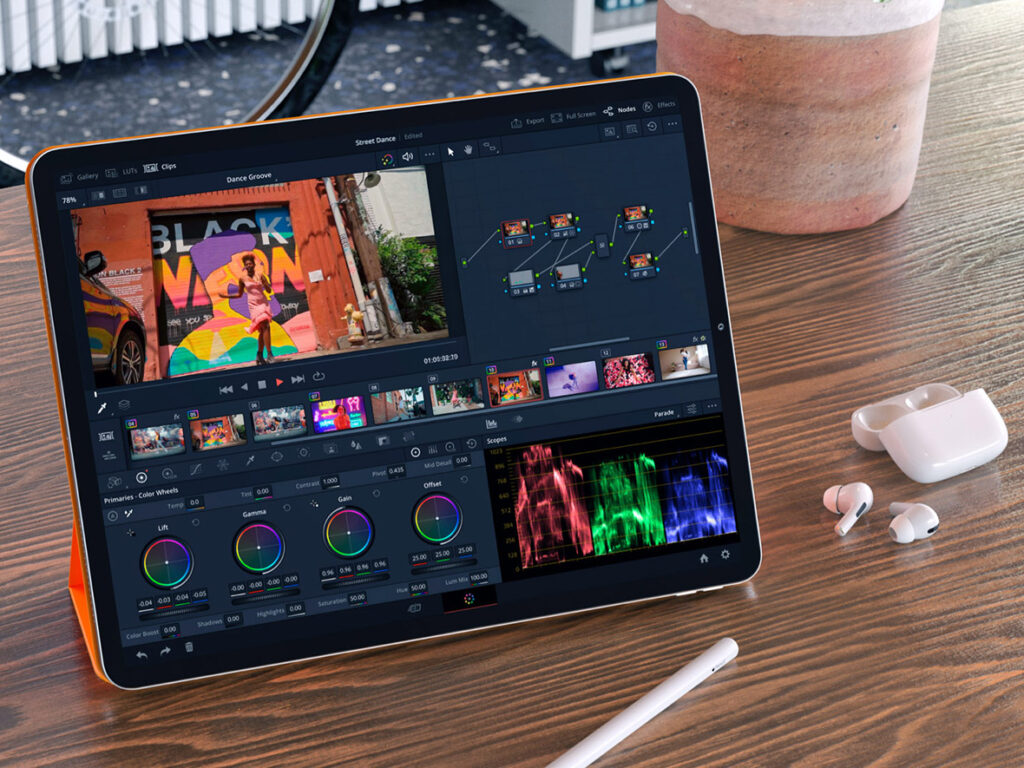
    Best for Pro Editing on Tablet (2025 Beast Mode)

    • Platforms: iPadOS (M1/M2/M3 only)
    • Watermark: None
    • Price: Free core version; $95 for Studio
    • New in 2025: Magic Mask AI now optimized for touch, HDR-ready exports

    Why It’s Great:
    DaVinci is a serious editor — the same one used for Netflix-level productions. In 2025, the iPad version is faster, smarter, and fully touch-optimized. It’s the closest you’ll get to a desktop NLE on mobile.

    Ideal for: Professionals editing documentaries, ads, or YouTube series on iPad.

    Pros:

    • Full-blown editing suite
    • AI features like object tracking, voice isolation
    • No watermarks, even on free version

    Cons:

    • Only works on newer iPads
    • Learning curve for casual users

    How We Ranked These Video Editing Apps for 2025

    To find the best video editing apps for iOS and Android this year, we tested 25+ apps based on the features that matter most in 2025. We didn’t just go by app store ratings — we used them, abused them, and exported dozens of test videos on both iPhone 15 and flagship Androids (Samsung S24, Pixel 8 Pro). Here’s how we picked the top 7:

    FactorWhy It Matters
    Ease of UseCan you create a good video fast, even as a beginner?
    Editing PowerDoes it offer multi-layer editing, keyframes, masks, and transitions?
    AI FeaturesIs there automatic scene cutting, voice cleanup, or smart templates?
    Export QualityCan you export 4K without watermarks? How fast is rendering?
    Platform SupportDoes it work on both iOS and Android? Any sync with desktop?
    Value for MoneyFree features vs paid plan — is the upgrade worth it?
    Community & SupportIs there a helpful creator community or regular updates?

    We didn’t just list apps, we edited real content with them, including:

    • Instagram reels
    • TikTok short skits
    • YouTube vlog intros
    • Promo videos with voiceovers and captions
    • AI-generated reels vs manual edits

    Each app was scored from 1–10 per category. The apps that made our Top 7 had to hit at least 8/10 on three or more factors, no exceptions.

    Which Video Editing Apps Should You Use in 2025?
    Not all apps are made for the same creator. Here’s a quick guide to help you choose based on your goals:

    1. CapCut

    If you’re just starting and want to post clean, polished videos fast — CapCut is unbeatable.

    • Why it works: Intuitive UI, drag-and-drop effects, auto-captions, and templates.
    • Perfect for: Reels, TikToks, and simple YouTube Shorts.

    2. VN Video Editor

    For long-form content with multiple layers and audio syncing, VN gives you near-premium tools for free.

    • Why it works: Advanced timeline, no watermark, multi-track support.
    • Perfect for: Vlogs, tutorials, and cinematic B-roll.

    3. Videoleap

    Want to create scroll-stopping content in minutes? Videoleap’s AI can auto-cut, auto-caption, and even suggest templates.

    • Why it works: Smart trimming, AI script-to-video, and social optimization.
    • Perfect for: Instagram Reels, product promos, and content batching.

    4. LumaFusion (iOS Only)

    Editing on iPad or iPhone and want Final Cut-level control? LumaFusion is the go-to.

    • Why it works: Color correction, keyframes, LUTs, and pro audio tools.
    • Perfect for: Filmmakers, YouTube creators, and mobile-first professionals.

    5. Adobe Premiere Rush

    If you want to start on your phone and finish on your desktop — or vice versa — Rush is seamless.

    • Why it works: Syncs with Adobe Cloud, auto reformatting, clean UI.
    • Perfect for: Creators in the Adobe ecosystem and hybrid mobile-desktop workflows.

    6. InShot

    Want to stylize your videos with trendy transitions, music, and filters? InShot does it all — no fuss.

    • Why it works: Powerful presets, viral music library, glitch/strobe/speed effects.
    • Perfect for: Trend-based content, edits on the go, and daily creators.
    Top 5 AI-Powered Video Editing Apps in 2025

    If you’re editing videos on the go, it’s important to pick a phone that handles AI-powered apps smoothly. We’ve tested these video editing apps on some of the best budget Android phones, and the results might surprise you.”. These five apps are leading the way in 2025 with smart features that make editing faster, easier, and more professional.

    1. Videoleap (iOS & Android)

    Best for: Fast, stylish edits powered by AI

    • Script-to-video with voiceovers
    • AI scene detection and smart trimming
    • Template suggestions based on your footage
    • Background removal and auto-captions

    Why it’s trending: Creators love how fast they can go from raw clips to polished social videos — without touching a timeline.

    2. CapCut (iOS, Android, Desktop)

    Best for: Social-first creators who want automation with control

    • Auto-captions, auto-beat sync, and motion tracking
    • AI-based “CapCut Assist” edits based on your niche
    • Trending templates + background generation with AI

    Why it stands out: TikTok integration and community-driven effects make it a viral video machine.

    3. Runway ML (Web + iOS companion)

    Best for: High-end AI effects and green screen magic

    • Text-to-video tools
    • AI video background replacement
    • Motion tracking and object removal
    • Script-based scene editing

    Why pros use it: Runway is like having a VFX studio in your pocket. It’s ideal for creators who want to look high-budget without actually spending big.

    4. Pika Labs (Web-based)

    Best for: Creating stunning animations and 3D AI video from text

    • Text-to-video animation
    • Style selection (anime, cinematic, abstract)
    • Fast rendering and customizable prompts

    Why it’s hot in 2025: Used by both marketers and TikTokers for eye-catching intros and effects no one else is using — yet.

    5. Descript (Desktop + App companion)

    Best for: Editing by editing text, not timelines

    • Turn transcripts into cuts
    • Remove filler words with one click
    • Auto-podcast + social clip generation
    • Green screen + voice cloning features

    Why it’s revolutionary: Great for creators who talk to the camera or need fast turnaround on educational or talking-head content.

    Which AI Video Editing Apps Should You Choose?

    There’s no one-size-fits-all, but here’s the cheat code:

    • Want the fastest edits for TikTok or Reels? Go with CapCut or Videoleap
    • Want cinematic quality with AI magic? Try Runway ML or Pika Labs
    • Want zero timeline headaches and clean talking-head content? Descript is your best friend

    Once you’ve used one of these AI video editing apps to polish your content, tools like the SnapTik app make it easy to download and share your TikToks without watermark. Many of these tools have free plans — so test 2 or 3 before committing. The best app is the one that fits your content style and workflow.

    Don’t Miss These Handy Tools for Your Creative Journey!

    While you’re working on your video projects, be sure to check out these other great resources:

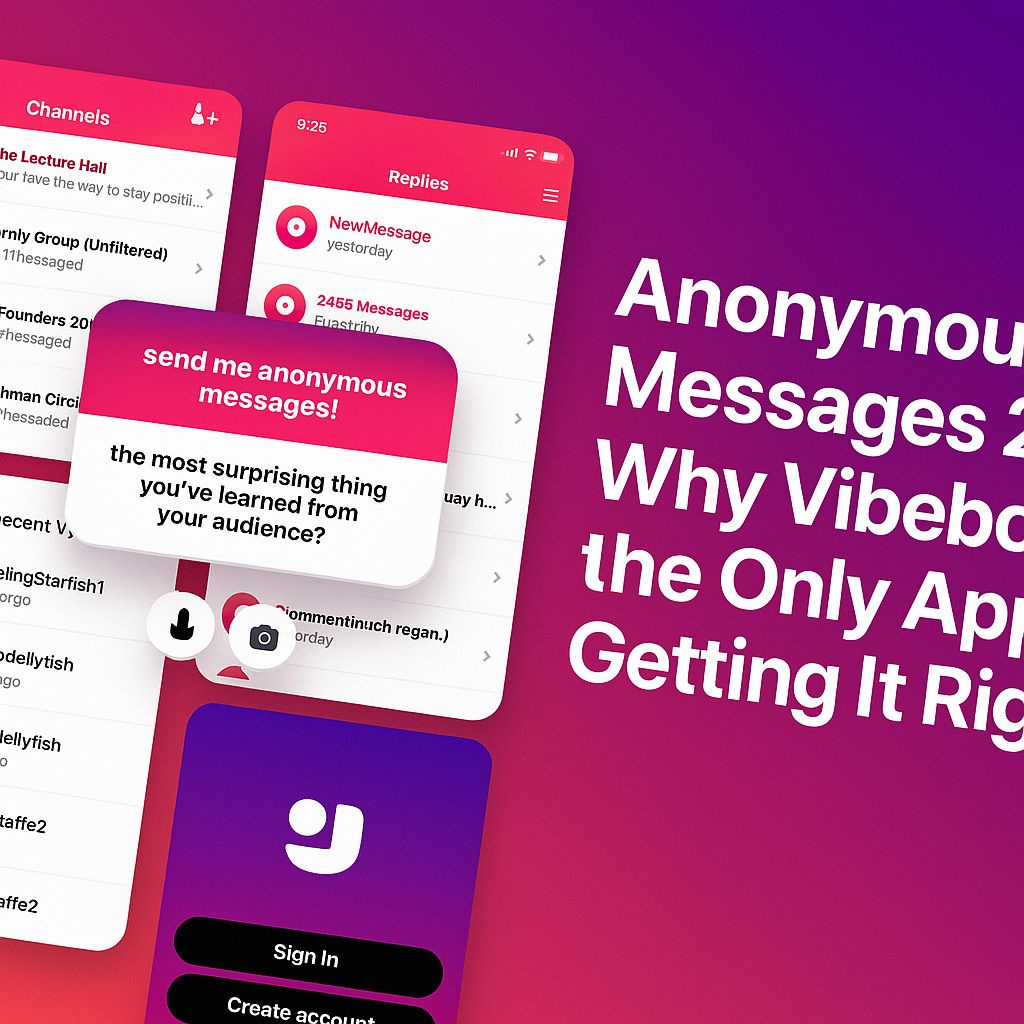
  • Anonymous Messages 2025: Why Vibebo Is the Only App Getting It Right

    Anonymous Messages 2025: Why Vibebo Is the Only App Getting It Right

    It’s 2025. An era of overwhelming DMs, “seen” zones, and social media pressure. And then there’s Vibebo — the one app that actually understands anonymous messaging, not just as a feature, but as a feeling.

    After using it across both Android and iOS, here’s the honest truth: Vibebo just gets it.

    It’s Not Just Anonymous — It’s Designed to Feel Safe

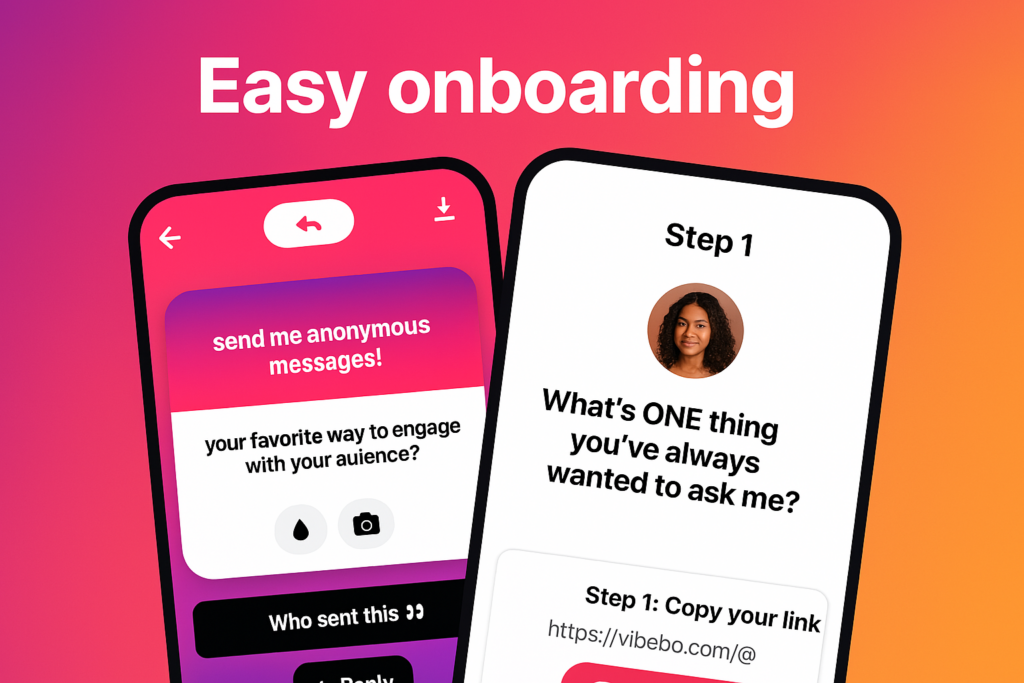
    easy onboarding for anonymous messaging

    From the moment you log in, Vibebo looks and feels intentional. The onboarding is smooth. No fluff. The interface feels like it was built to reduce social pressure, not add to it.

    The “Playground” tab becomes your hub — where you receive anonymous messages and get to reply, publicly or privately. But what really stands out is the level of control it gives you. You can:

    • Hide specific words
    • Block specific users (yes, even anonymous ones)
    • Pause your profile link anytime
    • And toggle Advanced Message Filtering if you’re not in the mood for chaos.
    • It’s like having a personal bouncer for your inbox.

    Channels Are the Game-Changer

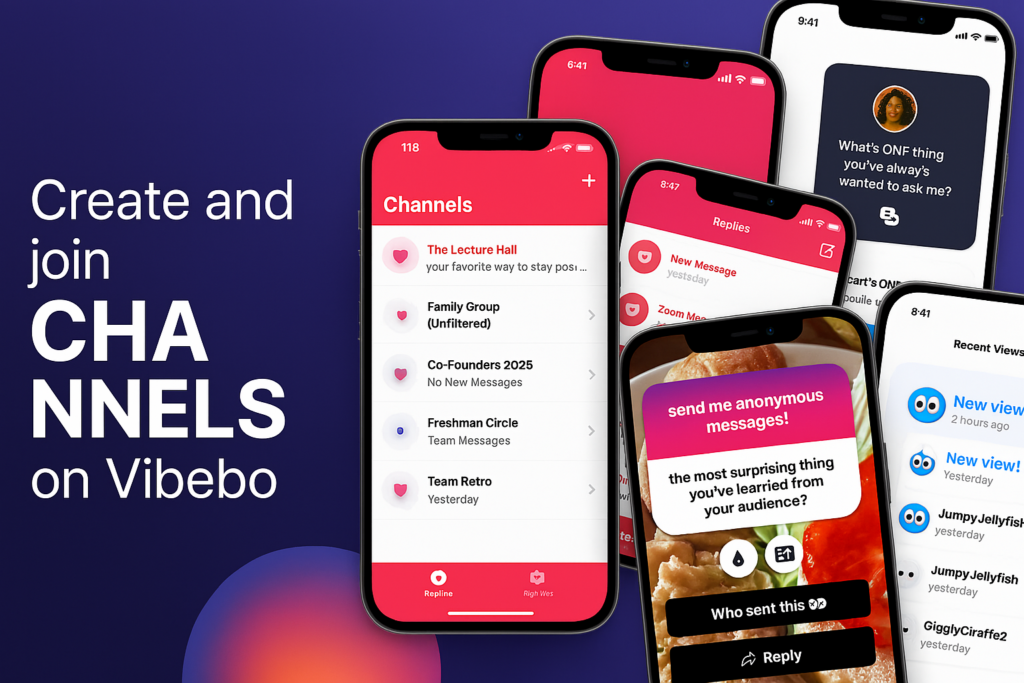
    create channels for anonymous messages

    While most anonymous messaging apps are focused on individual clout, Vibebo introduces a completely new social layer: Channels.

    Whether you are:

    • Class Reps collecting feedback
    • Clubs or Orgs handling suggestions
    • Work Teams encouraging honest input
    • Influencers or Creators managing fan messages

    Channels let groups receive anonymous messages. That’s big. It opens the door for big or small teams to collect messages and feedback anonymously — all in one place.

    As a channel owner, you get full control over message moderation. Others in your team can view the responses, but no one can delete what they didn’t start. Pure transparency. Pure vibes.

    Smart, But Still Fun

    Vibebo is anonymous, but it doesn’t feel cold or impersonal. There’s a touch of play in everything:

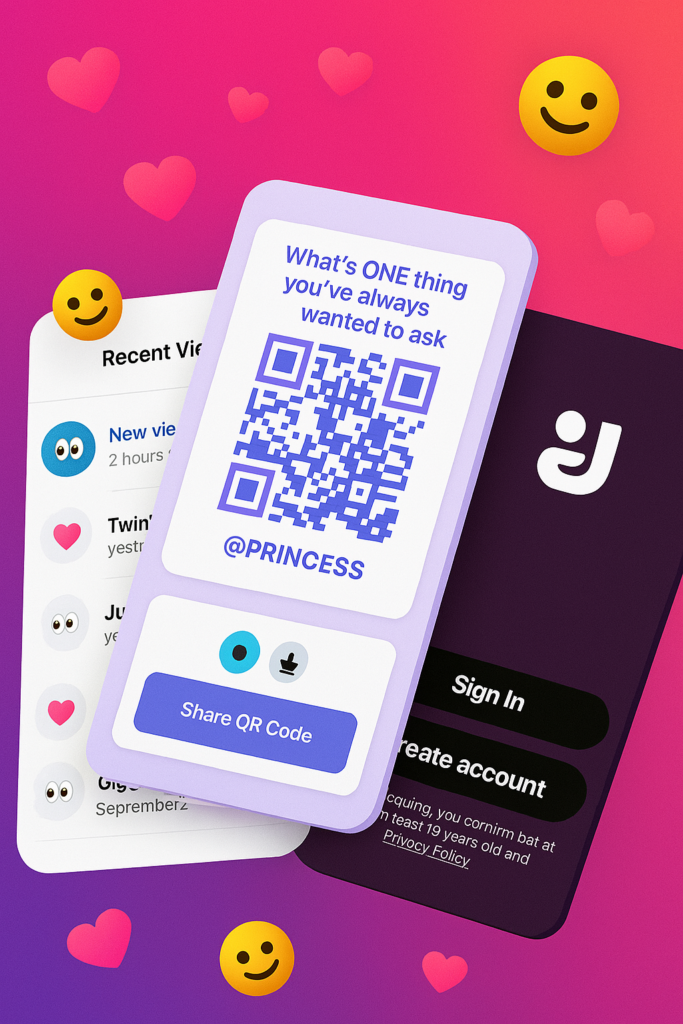
    • The colourful QR posters with lines like “What’s ONE thing you’ve always wanted to ask me?”
    • The ability to reply with a tap
    • The quirky usernames in “Recent Views” like JumpyJellyfish or TwinklingStarfish
    • It’s a mix of deep honesty and Gen Z energy. You feel seen — even when you’re unseen.

    Sharing Is Effortless

    Sharing your Vibebo is smoother than ever. Just tap “Share Profile,” copy the link or grab the QR code. It’s designed for real-world use — from classrooms to campus events, team-building sessions, or friend circles.

    One post. One link. Endless messages.

    Vibebo Feels Like the First App That Cares

    Let’s be honest. Most anonymous apps end up becoming chaos. But Vibebo’s layered design — with advanced safety controls, invite-only channels, real-time views, and an actual message review experience — makes you feel safe and curious at the same time.

    Try it for yourself: vibebo.com/download

  • Best Free Text-to-Speech Platforms in 2025

    Best Free Text-to-Speech Platforms in 2025

    Text-to-speech (TTS) technology has become a game-changer for creating audio content quickly and effectively. Whether you’re searching for text-to-speech free options, experimenting with AI-driven tools, or exploring innovative ways to convert text into speech, there’s a platform tailored to your needs. This article explores six popular TTS platforms that can simplify your workflow and enhance productivity.

    Why Use Text-to-Speech Platforms?

    Text-to-speech solutions allow users to convert written text into natural-sounding audio. These tools are widely used for:

    • Creating narrations for videos and presentations.
    • Accessibility for visually impaired individuals.
    • Enhancing productivity for content creators, educators, and developers.

    Top 6 Text-to-Speech Platforms

    1. Narakeet

    Narakeet excels in converting text into speech with natural-sounding voices across 80+ languages. Its user-friendly design and focus on video creators make it ideal for professionals.

    • Key Features:
      • Supports multiple voice options and languages.
      • Customizable speed, pitch, and intonation.
      • Perfect for creating e-learning content and professional voiceovers.
    • Why It Stands Out:
      Narakeet leverages AI text-to-speech technology to deliver high-quality results, making it a go-to platform for creators aiming for excellence.

    2. TTSMP3

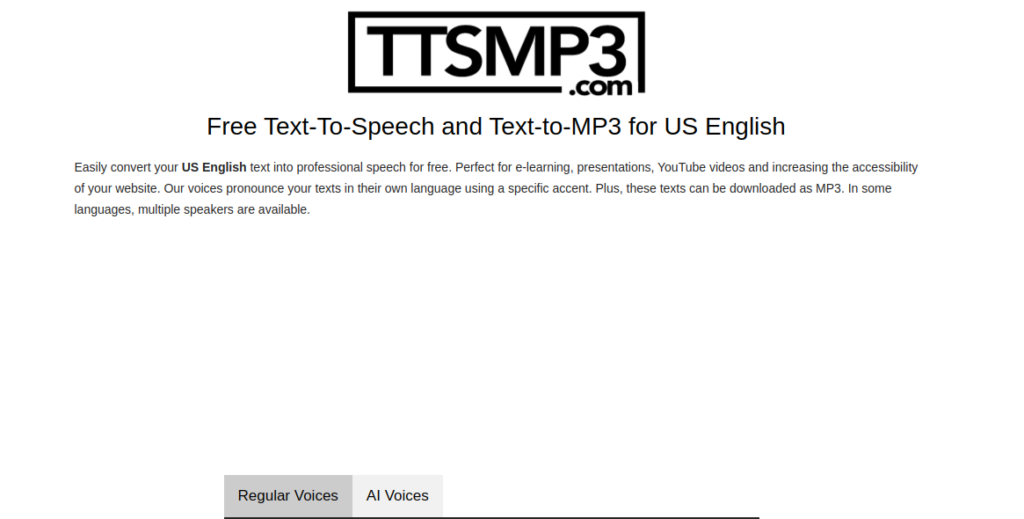
    TTSMP3 is a reliable choice for those who need quick and easy conversions. Its no-frills interface makes it accessible for anyone looking for text-to-speech free tools.

    • Key Features:
      • Free for basic usage.
      • Allows users to download MP3 files instantly.
      • Supports multiple languages.
    • Why It Stands Out:
      The simplicity and efficiency of TTSMP3 cater to casual users and professionals alike.

    3. TTSMaker

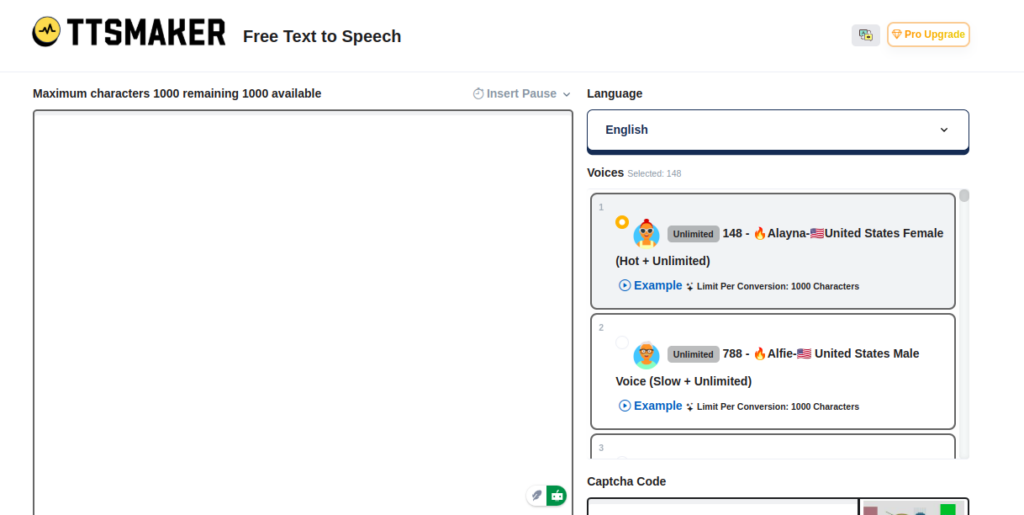
    TTSMaker is an impressive tool for developers and small businesses. Its unlimited usage and lack of watermarks make it a favorite among budget-conscious users.

    • Key Features:
      • Real-time AI text-to-speech generation.
      • Multilingual support with lifelike voices.
      • 100% free, even for commercial use.
    • Why It Stands Out:
      TTSMaker’s high-quality audio output ensures scalability for any project size, from apps to full-scale campaigns.

    4. TTSFree

    If you’re looking for simplicity, TTSFree delivers an intuitive solution for converting text into speech. This platform is perfect for casual users and students.

    • Key Features:
      • Quick, browser-based TTS generation.
      • Supports several voice and language options.
      • Completely free with no sign-up requirements.
    • Why It Stands Out:
      TTSFree provides an accessible option for users new to text-to-speech technology.

    5. TextFromToSpeech

    This platform emphasizes usability and accessibility. Its straightforward design ensures that anyone can convert text into speech with minimal effort.

    • Key Features:
      • Multilingual support with diverse voices.
      • Free and accessible for everyone.
      • Fast processing for quick results.
    • Why It Stands Out:
      The platform caters to global audiences, offering efficient solutions for anyone needing audio content on the go.

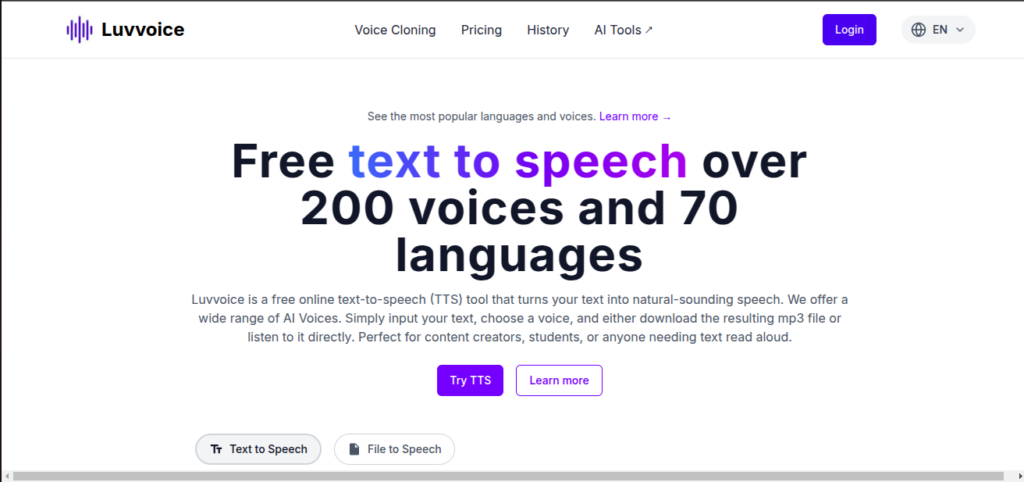
    6. Luvvoice

    Luvvoice blends AI text-to-speech innovation with premium voice options, making it ideal for podcasters and businesses looking for professional narrations.

    • Key Features:
      • Advanced AI-powered voices that mimic human speech patterns.
      • Flexible pricing for various budgets.
      • Tailored for professional content creators.
    • Why It Stands Out:
      Luvvoice’s focus on premium audio quality ensures its appeal to businesses and individuals seeking exceptional sound.

    How to Choose the Right Platform

    When selecting a text-to-speech tool, keep the following in mind:

    • Purpose: Are you looking for personal use, professional voiceovers, or accessibility?
    • Voice Quality: Opt for platforms using AI text-to-speech for natural-sounding audio.
    • Language Options: Ensure the platform supports the languages you need.
    • Budget: Free tools like TTSFree and TTSMaker are excellent for beginners, while premium platforms like Narakeet and Luvvoice offer advanced features.

    Frequently Asked Questions

    1. What is the best free text-to-speech platform?
      • Answer: TTSMaker and TTSFree are excellent choices for users seeking high-quality text-to-speech free tools without limitations.
    2. Can I use text-to-speech for commercial purposes?
      • Answer: Yes! Platforms like TTSMaker and Luvvoice allow commercial use, but always check the specific licensing terms for your chosen tool.
    3. How does AI text-to-speech differ from traditional TTS?
      • Answer: AI text-to-speech uses advanced algorithms to mimic human-like intonation and emotion, providing a more natural listening experience.
  • Best Antivirus for Android: What to Look Out For

    Best Antivirus for Android: What to Look Out For

    The importance of an antivirus app for your Android phone cannot be overstated. The Android platform, being the most widely used mobile operating system globally, attracts some serious malware and cyber threats. An antivirus app acts as a crucial defense mechanism, providing comprehensive protection against various forms of malicious software that can compromise your personal data, financial information, and overall device functionality.

    To ensure the safety of your Android smartphones or tablets, it’s crucial to keep its software updated to the latest version. Each new Android release enhances security, and monthly security updates address newly discovered vulnerabilities.

    However, these updates and upgrades won’t always be immediately available and most manufacturers need additional time to adapt and test these updates to avoid compatibility issues with their devices and software.

    The waiting period for these updates can range from a few weeks to several months, and many Android phones stop receiving OS upgrades after two years, and some never get monthly security updates. This is where Android antivirus apps become essential.

    Choosing the Best Android Antivirus Apps

    Choosing the Best Android Antivirus Apps

    Key features to look for in Android antivirus apps include anti-theft mechanisms, app advisors to help you choose safe apps, Wi-Fi security scanners, and app locks requiring passcodes for specific apps.

    The primary function of any antivirus is to protect your device from malware. Look for an antivirus that offers real-time protection and scans apps and files for malicious content. It should be able to detect and eliminate various types of malware, including viruses, spyware, ransomware, and phishing attempts.

    Cyber threats are constantly evolving, and so should your antivirus software. Choose an antivirus that provides regular updates to its virus database and app itself. This ensures that your device is protected against the latest threats and vulnerabilities.

    Android antivirus apps come in three pricing models: free, paid, and freemium.

    • Freemium apps offer a basic set of features for free, with the option to upgrade to a premium version for full functionality. These free antivirus software for Android mobile phone versions often come with ads.
    • Paid apps provide comprehensive protection and typically cost between $15 and $30 annually. Some also offer super-premium tiers with additional services like VPNs or identity theft protection.

    The Best Antivirus for Android Phones

    The Best Antivirus for Android Phones

    The best Android antivirus apps not only protect against malicious apps and malware but also offer features that help prevent fraud and identity theft. These apps include privacy and anti-theft features, with some offering additional security tools like VPNs or password managers. Norton, Bitdefender, and Kaspersky are some of the best antivirus for Android phones.

    Here are the top-rated Android antivirus apps:

    1. Bitdefender Mobile Security – comes with top-notch malware protection, minimal system impact, and useful features like app lock and Wi-Fi scanner.
    2. Norton Mobile Security – offers flawless malware detection and an intuitive design with the unique App Advisor feature.
    3. Avast Mobile Security – when it comes to performance, Avast antivirus provides good malware protection with minimal system overhead and additional anti-theft features.
    4. Lookout Security & Antivirus – for identity protection, Lookout offers a clean interface and identity protection features. Although its malware protection is less certain.
    5. McAfee Mobile Security – gives you decent malware protection and useful free features but lacks some previously included functions.
    6. Google Play Protect – is the best free antivirus, pre-installed on most Android devices but with limited features and subpar malware protection.

    Check out the full review on Best Free Antivirus Application for Android Devices

  • TikTok Ban: EU Issues Deadline for Risk Assessment of New Lite App

    TikTok Ban: EU Issues Deadline for Risk Assessment of New Lite App

    The European Union has given TikTok a tight deadline to submit a thorough risk assessment for its newly launched Lite app in France and Spain. This comes amidst growing concerns about the potential impact of the app on children and users’ mental well-being, as announced by the European Commission. This is not the first time TikTok has faced scrutiny from the European Union. Neither is it the first time a country threatened TikTok with a ban.

    TikTok’s latest product, the rewards-focused TikTok Lite app, hit the markets in both countries this month, allowing users aged 18 and above to earn points for rewards like vouchers or gift cards.

    The Commission stated that TikTok, owned by China’s ByteDance, should have conducted this risk assessment before the app’s launch and now requires additional details. This inquiry primarily revolves around the potential effects of the new app, particularly concerning the possibility of promoting addictive behavior, according to the Commission’s statement.

    This request for information was made under the Digital Services Act (DSA), a recently enacted legislation imposing strict regulations on 22 major online platforms globally, including TikTok. It’s important to note that this demand is just the first step in the process and does not imply immediate punitive action against TikTok. Any further action would depend on the adequacy of TikTok’s response to the EU’s inquiries.

    TikTok has assured compliance with the Commission’s directive. A TikTok spokesperson stated that the company had already been in direct contact with the commission regarding this product and would respond to the request for information.

    In February, Brussels initiated a formal investigation under the DSA into TikTok’s alleged breaches of its obligations to protect minors online, particularly focusing on the company’s efforts to mitigate the negative impacts of social media on young users.

    The Commission has previously requested information from TikTok on various concerns, including the potential risks associated with artificial intelligence ahead of the upcoming EU elections.

    Recall that the U.S. House of Representatives provided TikTok’s Chinese owner, ByteDance, approximately six months to sell off its U.S. assets or confront a nationwide ban. This action was due to concerns regarding national security. The bill passed with bipartisan support, represents a broader trend of addressing security risks posed by various technologies, including TikTok.

    However, there were a lot of divergent opinions, particularly among younger demographics who utilize the platform for political expression. Uncertainty looms over TikTok’s future across the globe, with questions surrounding the feasibility of divesting its assets within the stipulated timeframe given by the U.S. government and the potential enforcement challenges of a ban.

    Australia, Estonia, the UK, EU institutions, France, the Netherlands, Belgium, Denmark, the United States, Canada, New Zealand, Taiwan, Pakistan, and Afghanistan have all taken measures to ensure the TikTok ban due to security concerns. Several other countries, including India, Norway, and Nepal, have either banned TikTok or are considering bans due to concerns about national security and data privacy.

  • 6 Best Chat SDK and Messaging APIs in 2024

    6 Best Chat SDK and Messaging APIs in 2024

    One of the key roadblocks to success when it comes to digital businesses recently relies on a lack of improved customer support, engagement, and retention. Integrating Chat SDK into organizations’ system is one way businesses can improve and increase customer engagement and retention, however,   choosing the best SDK Chat simplifies and improve customer retention even more. That said, in this article, we will highlight some basic guides to choosing the best chat SDK for your app. But before that, let’s get to know what the Chat SDK is all about and how it works. 

    What is Chat SDK and How Does it Work?

    Chat SDK (software development kit) is a set of tools designed to help developers integrate real-time chat into their websites and applications. This shortens the time needed to create a website and application. By using the pre-existing SDK Chat to integrate chat functionality into their websites instead of starting from scratch to create a working interactive system, developers can save time and resources. Having said that, using SDK Chat allows developers to do away with the needless time spent developing new chat systems. It also lowers costs and improves security and scalability. Additionally, SDK Chats are integrated into various types of websites, like messaging websites, social media platforms, and e-commerce platforms.

    Top Chat SDKs available in the industry

    The best SDK Chat is based on your specifications, the platform, and the type of app and website you are building with it. Now let’s explore some of the best SDK chats out there;

    Sendbird

    The first on my list today is Sendbird, it is one of the best SDK chats you can find out there, an SDK chat API for chat boxes. Businesses may enhance engagement, collaboration, and quality of service by utilizing Sendbird’s flexible capabilities, adaptable APIs, configurable SDKs, and more features.

    Group chat, one-to-one messaging, push alerts, read receipts, and other features make Sendbird’s chat box API an excellent choice for both individual and business customers. 

    Features:

    • Sendbird has user interface features that can be fully customized for a smooth integration with your program of choice.
    • It supports group calls for real-time communication and can have up to 25 members.
    • Chatbots with AI capabilities for automated customer service and interaction, enhance customer retention  
    • Support in multiple languages for diversity and a global reach.
    • Push notifications and in-app communications provide a satisfying user experience.

    PubNub

    PubNub is another SDK Chat out there that is very nice and seamless to use. With PubNub, developers have access to a flexible toolbox built around a robust interactive system. This makes for dependable chat experiences as well as ones that work well across a variety of platforms, including web, mobile, 

    Features:

    • Automated Business logic 
    • A profanity filter 
    • Robust support for multi-user operations

    With an emphasis on mobile platforms, PubNub’s SDK chat API is designed to empower development teams and let them quickly and effectively realize their unique chat visions, improving user experiences all around.

    Easy to use UI 

    TWILIO

    Twilio is a unified platform for business communications, it allows businesses to interact with clients through their preferred channels. It is a powerful SDK chat software that allows users to establish and handle chat features on their websites and mobile apps. By providing a flexible and adaptable platform, Twilio enables businesses to deliver smooth and tailored chat experiences that foster interaction and enhance customer satisfaction.

    Twilio is an excellent option for businesses aiming to improve their customer communication approaches and achieve lasting achievements.

    Features:

    • real-time chat functionality. 
    • Multi-channel support, 
    • Customizable chat experiences that can be tuned to suit your company’s brand and style
    • Flexible developer API integrations
    • Advanced security features

    MirrorFly 

    MirrorFly is an SDK chat that helps to keep businesses connected with an improved communication experience. By creating SDK chat, audio, and video SDKs that can be linked with your software programs within a few minutes, it improves connectivity between programs.

    It provides seamless interaction and integration of application programming interfaces (APIs), pre-built UI kits, video guides, simple instruction manuals, and 24/7 technical assistance, as well as secure communication.

    Features:

    • Voice, video, and in-app chat APIs
    • Lite-chat app
    • Low-code strategy  
    • Reliability and Scalability

    Apphitect

    Apphitect is another top Chat SDK with enhanced features and functionalities. With features like push notifications, social interactions, and personal chats, It offers a 99.9% uptime option for the integration of communication channels into web, iOS, and Android applications with its configurable chat API. It supports features of virtual communication tools like screen sharing, video conferencing, and video. 

    Features:

    • Notifications with Push and Offline Messaging
    • Social integration and presence indicators
    • Geo-location tracking 
    • Video Calls 
    • Normal Calls 

    Guide to Choosing the Best Chat SDK for Your App

    The ultimate guide to choosing the best Chat SDK for your app provides a simple and user-friendly UI. It also ensures that all messages are delivered securely. To select a chat solution, first outline why your product requires chat functionality. This will empower you to seek APIs and SDKs that excel in this area.

    Step #1: Documentation

    While chat may seem simple, reliable in-app messaging requires many technical components and engineering resources. As a result, building chat in-house can consume more development bandwidth than an entire product if you don’t carefully prioritize it relative to your core value proposition.

    When choosing a chat API or SDK, you want one with detailed documentation that’s easy to understand. This ensures that SWEs can quickly pick up on using the feature without relying on support.

    You also want to be sure that the chat solution adheres to industry-standard security practices and will protect user data. Otherwise, you risk becoming another data breach headline or facing fines for mishandling customer information. Choose a vendor like Agora.io with robust security features like end-to-end encryption, source code control, and security patches to ensure your apps are safe. A secure in-app messaging platform will keep users’ conversations private and prevent the leaking of personal information.

    Step #2: Reliability

    A reliable chat solution should offer robust real-time messaging functionality and the ability to expand as your needs change. It should also support a range of programming languages and platforms, 3rd party integrations, and multi-protocol capabilities.

    The right solution offers a variety of Chat APIs and SDKs that provide developers with the tools to add in-app messaging to their apps, including direct and group messages, threads, reactions, typing indicators, and more. Its UI/UX Kits enable customizability and ease of integration. Some also provide developers with tools to help productive app communication. Its chat APIs and SDKs are easily integrated into existing web-based or mobile-native systems. They’re scalable and reliable, allowing you to drive 1B+ conversations across multiple apps at minimal latencies. Looking for A Guide to Boost your Dating Website Ranking with Better Skadate SEO?

    Furthermore, a trustworthy chat solution should put security first to guarantee the privacy and accuracy of communications. It should provide end-to-end encryption and adhere to industry standards. Furthermore, it should have a responsive customer support system to promptly address issues or concerns, contributing to a trustworthy and efficient communication platform.

    Step #3: Scalability

    Users use chat apps daily, so product teams must ensure the system can handle many messages and users. This is where a Chat SDK can help.

    While an API-based chat solution may require heavier integration work by developers, it can also save time and resources in the long run. In addition, it can offer a customizable user experience and robust security features such as end-to-end encryption and compliance with industry standards.

    Additionally, real-time Chat SDK tools offer multiple monetization options like in-chat payments and sponsorships, which can turn your chat into a revenue-generating resource for your company. Furthermore, these systems are designed to scale and allow for unlimited concurrent users, which can prove helpful in the case of business expansion. In contrast, subscription-based chat solutions limit simultaneous users on a per-plan basis. 

    Moreover, a scalable Chat SDK should provide efficient load balancing and server-side optimizations, ensuring optimal performance even during peak usage. This capability is essential for accommodating sudden spikes in user activity and maintaining a seamless user experience. Additionally, a well-designed Chat SDK should facilitate easy integration with third-party analytics tools, empowering businesses to gather insights into user behavior and further enhance their scalability strategies.

    Step #4: Security

    The best chat SDK should provide robust security features to keep users’ conversations and data private. This can include end-to-end encryption, securing the server-side components with Transport Layer Security (TLS), or other data protection mechanisms.

    In addition, the SDK should be able to handle large volumes of traffic without breaking down. This can be done by implementing multiple connections to the chat servers, using load balancers, or using other scalable solutions.

    Moreover, the SDK should be capable of saving chat messages to prevent losing important information. This is important because it allows developers to comply with industry-standard data protection regulations and protect against security breaches. This can be achieved by integrating chat providers offering unlimited user data storage. The right tools allow indefinite chat message retention.

    Step #5: Pricing

    Pricing is a major factor in choosing an SDK or API solution. For some apps, the savings in up-front cost and development bandwidth will make it a no-brainer to use a chat SDK. But in-house development may be worth the investment for others, particularly those with a unique vision for how a chat should look and function and the budget to back it up.

    Stream offers a developer-friendly SDK and UI kit to help brands build productive communication features into their mobile and web apps. It supports direct, group, and channel messaging with threads, read receipts, and reactions. Plus, it provides advanced features like online presence, profanity control, and user moderation.

    Its security features protect sensitive data and conversations from eavesdropping. It also complies with GDPR and other privacy standards to keep users’ data secure. It is ideal for e-commerce, marketplace, healthcare, and finance industries. This chat API is a reliable, scalable, and customizable option for businesses of all sizes. It integrates easily and is available on a variety of platforms.