Tag: social media

  • How Social Commerce is Changing Business in Nigeria

    How Social Commerce is Changing Business in Nigeria

    Social media has come a long way, leaving its impact even in the tiniest hole you’d find on the ground. Almost every aspect of modern life, including commerce, can’t deny this fact.

    This innovation has led to the dawn of social commerce, seamlessly blending social media engagement with e-commerce transactions.

    Forbes says online retail will account for 23% of all purchases by 2027 and before then, Statista reveals that by 2025, revenue in Nigeria’s e-commerce market is expected to reach $7.04 billion, with an annual growth rate of 7.81% (2025-2029). This will ultimately hit $9.51 billion by 2029.

    Stressing how much individuals will rely on digital platforms for e-commerce, particularly social commerce, Statista also disclosed that the number of online shoppers is projected to grow to 28.6 million users by 2029. User penetration will increase from 13.3% in 2025 to 15.0% by 2029.

    Even e-commerce giant Jumia agrees to this, noting the necessity of integrating social commerce for business growth. Revealing the top e-commerce trends for 2025,  the company wrote:

    In 2025, e-commerce companies must leverage social commerce to engage with younger, tech-savvy audiences in authentic ways.

    “Businesses that incorporate storytelling, user-generated content, and interactive shopping experiences will benefit from increased brand affinity and higher sales. Importantly, small and medium enterprises (SMEs) can capitalize on social commerce to reach niche markets without substantial investments in traditional e-commerce infrastructure.”

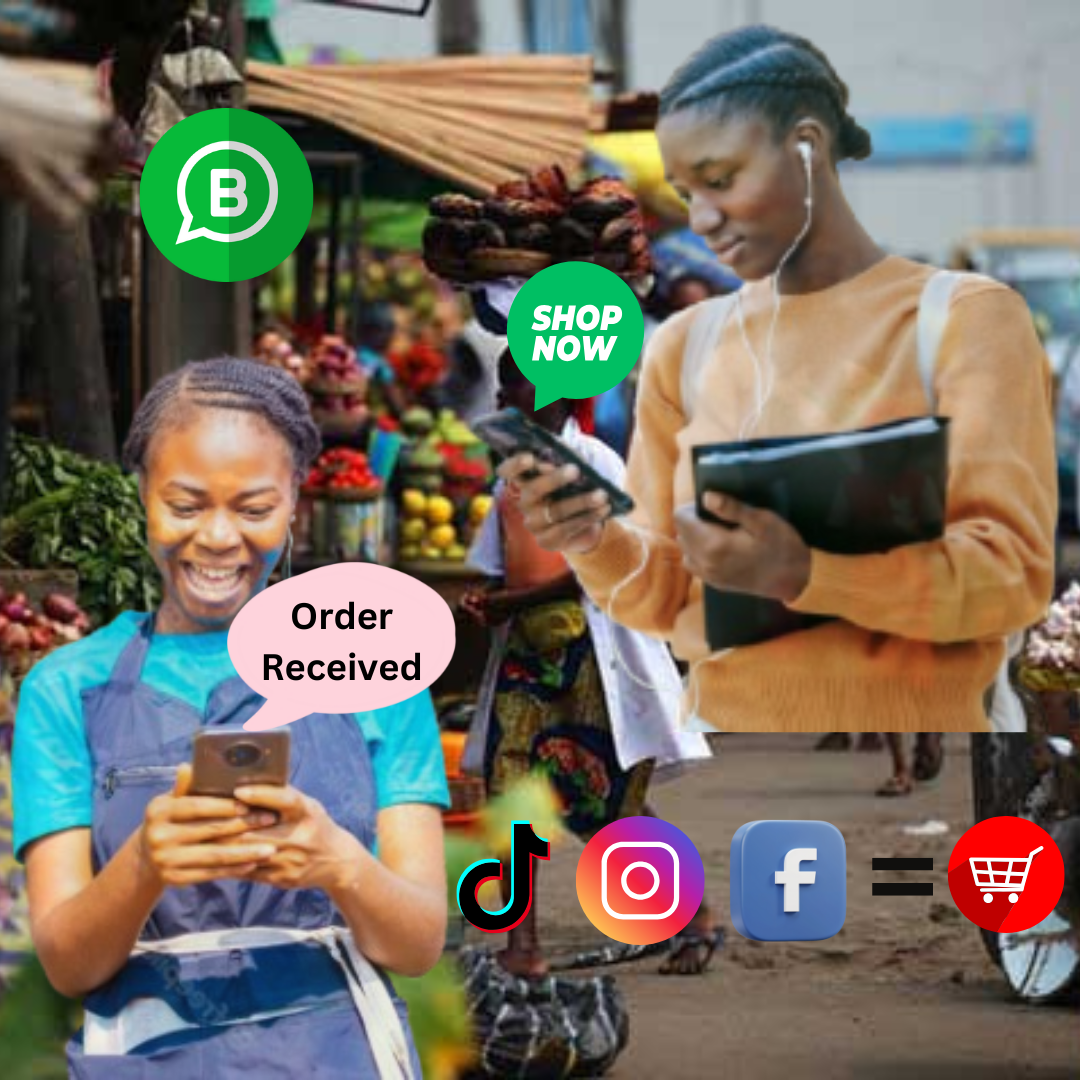
    The number of internet users and a mobile-first population has increased commendably in Nigeria, enabling the digital economy to transition into a more efficient and enjoyable space for shopping on platforms like Instagram, Facebook, and TikTok.

    Social Commerce

    What is Social Media Commerce?

    It is the direct buying and selling of goods and services through social media platforms like Facebook, Instagram, WhatsApp, and TikTok. 

    This blend of social media and online shopping makes impulse purchases easier than ever before.

    Compared to traditional e-commerce, which requires users to utilize a separate website, social commerce brings shopping right into your social networking space. 

    All you need is a few taps to see a product in a video, click a link, and complete purchases, without leaving the app.

    For businesses, particularly small and medium-sized enterprises (SMEs), this is a huge innovation. They don’t need a full-scale online store to sell; their social media page becomes their storefront.

    Why Social Commerce Works

    Social media thrives on engagement, and engagement drives sales. Compared to traditional e-commerce, where buyers rely on descriptions and reviews, social commerce builds trust through direct interaction.

    • Instant connections: Businesses respond to queries in real time via comments or direct messages.
    • User-generated content: People trust other customers more than brands. Seeing a real person using a product in a TikTok video or Instagram story is more convincing than an ad.
    • Seamless experience: No need to open multiple tabs or remember discount codes—everything is simplified.

    Data backs this up. Conversion rates from social media are climbing, thanks to features like in-app checkouts and AI-driven recommendations. 

    In Nigeria, where mobile-first internet usage is scaling, platforms like WhatsApp Business, Instagram Live Shopping, and TikTok product links have made it easy for sellers to reach buyers quickly and make instant purchases.
    Most Leveraged Social Media Commerce Platforms in Nigeria

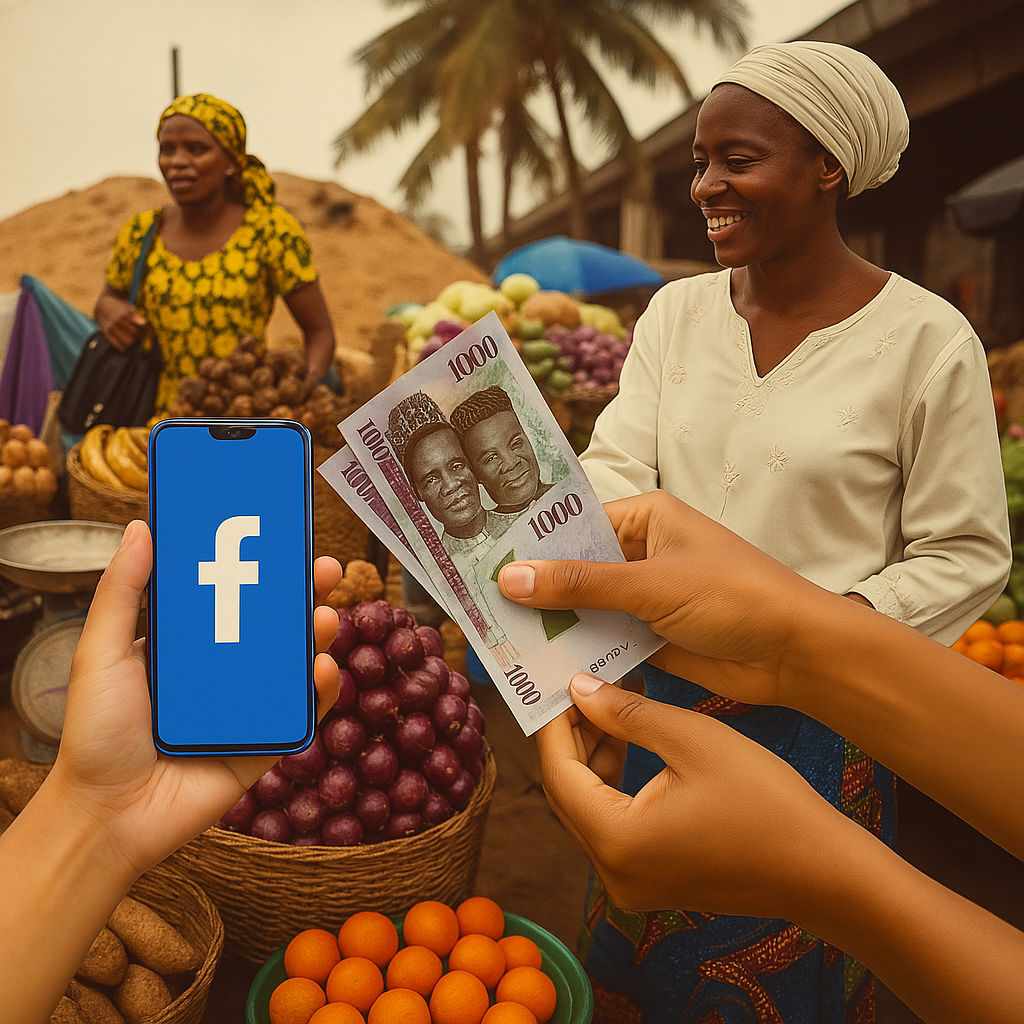
    Facebook shops allow merchants to create digital storefronts on Facebook and Instagram, while users or potential buyers browse and purchase without leaving the app. 

    In order to make things even better for sellers, you’d find features like customizable catalogs, messenger integration for customer service, and targeted ads for boosting visibility.

    Instagram, which used to be just a photo-sharing platform, is now a marketplace with features like product tagging, checkout integration, and influencer promotions that make it a must-use tool for brands.

    With short-form videos being the most preferred when it comes to content consumption, TikTok Shop enables sellers to showcase products through engaging clips. Live shopping events and hashtag challenges amplify visibility.

    Nigeria’s SMEs swear by WhatsApp Business. It allows brands to list products in a catalog, interact with customers, and even process payments, all through a simple chat interface.

    Social Commerce

    The Power of E-Commerce Social Media Advertising

    Social commerce doesn’t just rely on organic reach. Paid advertising supercharges visibility. Platforms like Facebook, Instagram, and TikTok provide highly targeted ad solutions, ensuring products reach the right audience.

    Best Practices for Social Commerce Advertising:

    1. Influencer partnerships: Collaborating with content creators builds credibility and extends reach.
    2. Short-form video marketing: Engaging, digestable content drives conversions, especially on TikTok and Instagram Reels.
    3. Mobile-first optimization: Most purchases happen on smartphones. Ensuring a seamless mobile experience is highly important.
    4. Community engagement: Replying to comments and messages shouldn’t be left to just customer service, it’s part of the sales funnel.

    So, if you are a business owner looking to become a social commerce giant:

    • You can host Live Product Showcases; this can boost engagement and trust;
    • Again, Encouraging User-Generated Content will go a long way; reviews and testimonials from real customers can also build authenticity;
    • Lastly Integrating Local Payment Solutions through the use of platforms like Paystack and Flutterwave. This ensures smooth checkout for customers.

    The Future of Social Commerce in Nigeria

    Social commerce is only getting started. AI-powered recommendations, augmented reality (AR) shopping, and deeper influencer-brand integrations will drive the next phase. By 2027, online retail is expected to account for 23% of all purchases—businesses that embrace social commerce now will be ahead of the curve:

    • AI-driven product recommendations will thrive: Personalised suggestions based on browsing history.
    • AR will make shopping experiences better: Virtual try-ons for beauty, fashion, and accessories.
    • Influencer-led commerce will be king: More brands will rely on content creators to drive sales.

    Social commerce is the future of online shopping, and moving from static e-commerce sites to dynamic, interactive storefronts on social media has changed how consumers buy. Businesses that adapt to this growth will stay relevant, while those that ignore it face the risk of falling behind.

    For entrepreneurs and SMEs, the opportunity is huge. Contributing factors like high mobile penetration, deep social media engagement, and digital payment must be leveraged. 

    Social commerce might take over the e-commerce sector faster than anticipated, and now is the time to build, experiment, and sell on social media where people spend most of their time.
  • Skype To Shutdown After Two Decades

    Skype To Shutdown After Two Decades

    Microsoft has confirmed it will be shutting down Skype, the once-dominant internet-based phone and video service, in May.

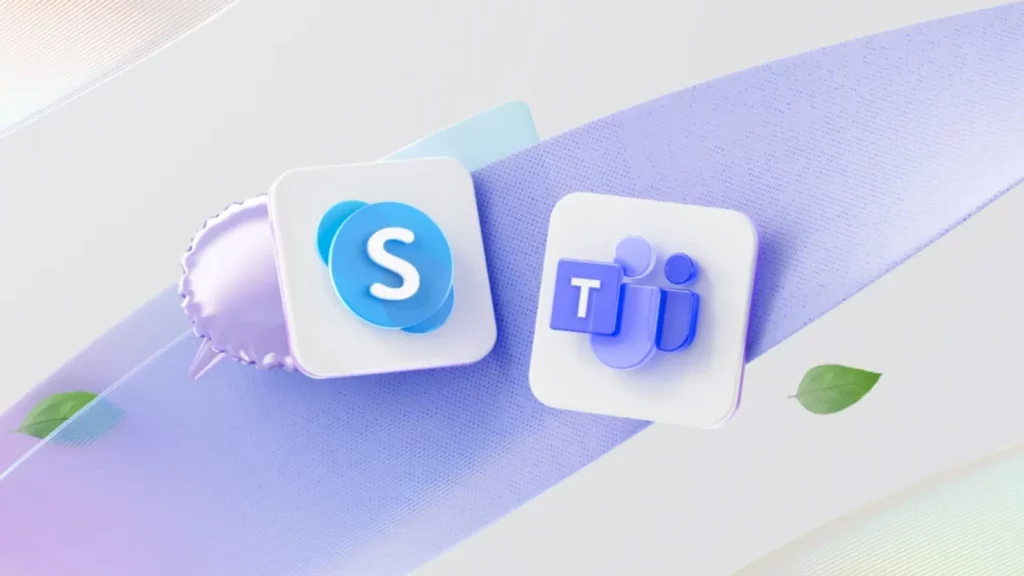
    In an announcement on X, the company assured users they would soon be able to access Microsoft Teams’ free tier using their Skype login credentials.

    Skype’s closure comes 14 years after Microsoft acquired the platform for $8.5 billion in cash—its largest-ever purchase at the time. Since then, the tech giant has integrated Skype into various products, including Office and the now-defunct Windows Phone.
    “Skype shaped modern communications and created countless meaningful moments, and we honor being part of its journey,” said Jeff Teper, Microsoft’s president of collaborative apps and platforms, in a blog post.

    He added, “We’re excited about the new opportunities that Teams brings and remain committed to helping you stay connected in new and meaningful ways.”

    A Changing Communications Landscape

    Once the go-to platform for online calls, Skype’s influence has waned in recent years, despite a brief resurgence during the pandemic. The rise of competing services—including Zoom, Google Meet, and Cisco Webex—has further pushed Skype into the background. Meanwhile, Apple’s FaceTime and Meta’s WhatsApp have cemented their places as key players in the video calling space.

    At the same time, Microsoft has been shifting its focus to Teams, which offers many of Skype’s features along with additional business-oriented tools.

    A Legacy of Innovation

    Skype launched in 2003 in Estonia and quickly attracted users as a free alternative to costly international phone calls. The service’s rapid growth led eBay to acquire it for $2.6 billion in 2005. However, the partnership was short-lived, and eBay sold a majority stake in Skype to an investor group for $1.9 billion in 2009.

    Microsoft’s 2011 acquisition marked a significant investment in the future of digital communication. However, the company has struggled to maintain Skype’s relevance in an increasingly crowded market. With Microsoft now prioritizing Teams, Skype’s shutdown marks the end of an era for a platform that once revolutionized the way people connected across the globe.

  • How to Become a Social Media Manager Professionally

    How to Become a Social Media Manager Professionally

    The role of a Social Media Manager is important for businesses aiming to thrive. Corporate enterprises, celebrities, influential personalities, and high-growth startups have all realized how social media management can boost brand presence, convert leads to sales, and build relationships.

    Understanding the Role of a Social Media Manager

    How to Become a Social Media Manager Professionally - Understanding the role of social media manager

    According to a report by Statista, social media ad spending is projected to reach $358 billion by 2027, indicating the critical role social media plays in modern business marketing strategies. As businesses prioritize digital presence, skilled Social Media Managers are in demand across all industries.

    A Social Media Manager is responsible for the planning, development, and execution of social media strategies across platforms such as Facebook, Instagram, Twitter, LinkedIn, TikTok, and more. 

    This role is not only about content creation. As digital marketing becomes more data-driven, the Social Media Manager role has transformed from simply posting content to a strategic field.

    A Social Media Manager is also responsible for analyzing metrics, engaging with followers, and building community. 

    How Much Does a Social Media Manager Earn?

    how much does social media manager get paid? How to Become a Social Media Manager Professionally

    The salary of a Social Media Manager varies depending on location, experience, industry, and the size of the organization. According to the latest reports, in the U.S, Social Media Managers earn an average salary of $56,000 to $72,000 per year. However, compensation can rise for professionals with advanced skills, and, or those managing social media for large brands or high-profile clients.

    Many companies, especially larger organizations, offer bonuses, stock options, and other perks such as flexible work hours, remote work opportunities, and healthcare benefits, which significantly increase the total compensation package for a Social Media Manager.

    How to Become a Freelance Social Media Manager

    How to Become a Social Media Manager Professionally - how to become a freelance social media manager

    Many Social Media Managers opt to work as freelancers or consultants. Rates for freelance Social Media Managers typically range between $25 and $100 per hour, depending on experience, specialization, and project scope. For instance, a freelancer managing social media for a small business may charge less than someone managing digital strategies for a Fortune 500 company or a celebrity brand.

    According to Upwork, a popular freelancing platform, top-tier freelancers in social media management can earn up to $120 per hour, especially if they bring additional expertise in areas like SEO, content strategy, or paid advertising.

    Skills Needed to Become a Social Media Manager

    How to Become a Social Media Manager Professionally

    Strategic Planning
    Successful Social Media Managers are adept at crafting comprehensive social media strategies that align with broader business goals. This requires understanding market trends, audience segmentation, and platform algorithms.

    Content Creation & Curation
    With over 4.9 billion social media users globally, the ability to create engaging, relevant content is important. From written posts to video storytelling, content needs to resonate with target audiences.

    Data Analysis & Reporting
    Social media is driven by data, from tracking engagement metrics to monitoring ROI. Proficiency in platforms like Google Analytics, Hootsuite Insights, and native tools such as Facebook Insights is essential.

    As HubSpot reports, a lot of marketers say they use data to drive their social media campaigns, showing the importance of this skill.

    Community Management & Customer Service
    Managing a brand’s reputation online involves nurturing relationships with followers, responding to comments, and ensuring customer satisfaction. Social media is often the first point of contact for customers, requiring a combination of empathy and professionalism.

    SEO & Digital Marketing Knowledge
    While SEO may seem separate from social media, search engines index public posts from platforms like Twitter, LinkedIn, and YouTube. Optimizing social content using SEO best practices—such as keyword integration, hashtags, and backlinks—can boost visibility.

    Backlinko has shown that posts with relevant keywords tend to have a higher chance of appearing on search engine results pages (SERPs).

    How to Become a Social Media Manager Professionally

    How to Become a Social Media Manager Professionally

    Breaking into social media management without prior experience may seem daunting, but it’s entirely achievable. Here’s a step-by-step guide to becoming a Social Media Manager with no experience.

    1. Build a Solid Foundation in Digital Marketing

    Social media management is closely tied to broader digital marketing strategies. Learning digital marketing fundamentals, including SEO, email marketing, and paid social advertising, will give you a competitive edge.

    A comprehensive digital marketing course can be beneficial here. According to a report by LinkedIn, top digital marketers possess at least some background in formal education in digital marketing.

    2. Master Platform-Specific Skills

    Different social media platforms cater to different audiences. For instance, LinkedIn is more professional and B2B-focused, while Instagram and TikTok cater to younger, B2C audiences.

    Social Media Managers must understand the nuances of each platform. This involves knowing the best content formats, posting schedules, and engagement tactics.

    Key Insights:

    • Facebook remains the largest social platform with over 2.9 billion monthly active users. Knowing its advertising model and algorithm updates is crucial.
    • Instagram’s Reels and YouTube’s Shorts are growing as video content becomes increasingly important, with video marketing predicted to represent 82% of all online traffic by 2025.

    3. Develop Your Personal Brand

    To showcase your expertise, build your personal brand on platforms such as LinkedIn and Twitter.

    Regularly share valuable insights, participate in industry discussions, and connect with professionals in your field. This will position you as a thought leader in social media management.

    4. Gain Experience and Build a Portfolio

    Start by managing the social media accounts of smaller brands or personal projects. Document your work, including engagement statistics, follower growth, and successful campaigns. A well-rounded portfolio with proven results is key when applying for more prestigious roles.

    5. Stay Updated on Trends & Tools

    Social media is an ever-evolving landscape. Staying current on trends, new platforms, and tools like Buffer, Hootsuite, Sprout Social, and Canva is essential.

    Following top digital marketing blogs such as Neil Patel’s blog or the HubSpot Marketing Blog can provide valuable insights into emerging strategies.

    6. Network and Collaborate

    Building a strong network of industry peers, influencers, and marketers can lead to valuable opportunities. Attend conferences, webinars, and workshops, both in-person and online. Collaborating with other marketers on projects can also expand your experience and visibility.

    Tips on How to Become a Social Media Manager With No Experience

    Tips on How to Become a Social Media Manager With No Experience
    • The first step is to familiarize yourself with social media platforms. Use your own social media profiles or create mock accounts to experiment with different content formats, posting strategies, and engagement tactics.
    • Understanding what type of content works best on each platform is important. Each platform has unique features, algorithms, and audience demographics.
    • Stay updated by reading blogs, watching tutorials, and subscribing to newsletters from sources like Hootsuite, Buffer, and Sprout Social.
    • Analyze what successful brands in your target industry are doing on social media. Observe their strategies for audience engagement, content types, and tone of voice.
    • Take free online courses on the fundamentals of social media management, digital marketing, and content strategy. Many of these courses provide certifications that you can add to your resume.
    • Choose a topic you are passionate about or have some expertise in, whether it’s fitness, personal finance, fashion, or tech. Share valuable content within that niche to attract an audience.
    • Develop a consistent posting schedule that aligns with your audience’s preferences. Use tools like Hootsuite or Buffer to schedule your posts.
    • Respond to comments, participate in discussions, and collaborate with others in your niche to grow your online presence organically.
    • One of the best ways to build a portfolio without experience is by offering your services for free or interning with small businesses, startups, non-profits, or local organizations.
    • After gaining some initial experience, either through internships or free services, you can start offering your skills as a freelancer. Platforms like Upwork, Fiverr, and Freelancer are great for connecting with clients in need of social media management.

    Trends in Social Media Management

    Trends in Social Media Management

    1. AI-Driven Social Media Tools

    Artificial Intelligence (AI) is revolutionizing how we manage social media. AI-powered tools for scheduling posts, creating content, and analyzing data help optimize social media strategies.

    ChatGPT and Jasper.ai are examples of AI-driven content tools that can generate high-quality copy for social media posts.

    2. Increased Focus on Video and Interactive Content

    With 85% of internet users in the U.S. watching online video content monthly, the demand for video-focused content managers is high. Interactive features, such as polls and live streaming, are also growing in popularity, enhancing user engagement.

    3. Social Commerce Growth

    Social media platforms are evolving into shopping destinations. As per Statista, global social commerce sales are projected to reach $1.3 trillion by 2025. Social Media Managers will need to understand this shift and create strategies that integrate e-commerce functionalities seamlessly.

    4. Data Privacy and Compliance

    In light of growing privacy concerns and regulations such as the General Data Protection Regulation (GDPR) and California Consumer Privacy Act (CCPA), Social Media Managers must be knowledgeable about compliance. Ensuring that social media campaigns respect user privacy is essential for legal protection and maintaining customer trust.

    Becoming a Social Media Manager is more than just understanding social media platforms—it requires strategic thinking, content creativity, data analytics, and a deep understanding of digital marketing. Mastering these key areas can help you establish yourself as a successful Social Media Manager even without a degree.

  • How to Download Facebook Videos without Browser Extensions

    How to Download Facebook Videos without Browser Extensions

    It is no news that Facebook doesn’t allow users to download photo and videos from its platform. Uploading photos and videos may be straightforward, but downloading them is nearly impossible. This has lead to the development of several means of downloading media contents from Facebook. 

    Most of the methods available today, to download photos and videos from Facebook, requires you to download a browser extension, or you download special software. Downloading these browser extensions and software may be harmful to your computer because most of them come with malware, that can ruin your operating system and make your leak your information. 

    In this article, we explore a tutorial on how to download facebook videos without using browser extensions. We are going to explore three different methods. 

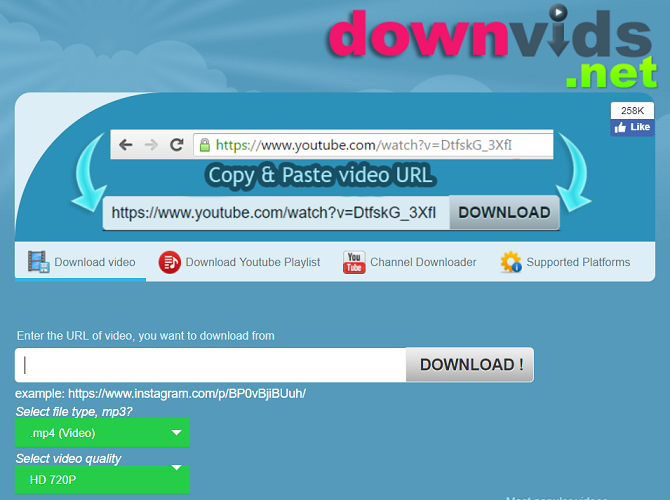
    How to Download Facebook Videos without Browser Extensions Using Downvid.net

    Downvid.net is a website that allows users to download facebook videos, by pasting copied URLs in a special box provided. It features a very simple and minimal interface. Steps to downloading Facebook videos using Downvid.net is listed below.

    facebook video downlaod
    1. Log in your facebook account
    2. Navigate to the post containing the facebook video you wish to download
    3. Copy the URL to the post
    4. Launch downvid.net on your computer, using your browser
    5. Paste the link in the box provided
    6. Select the video quality you desire
    7. Click on download

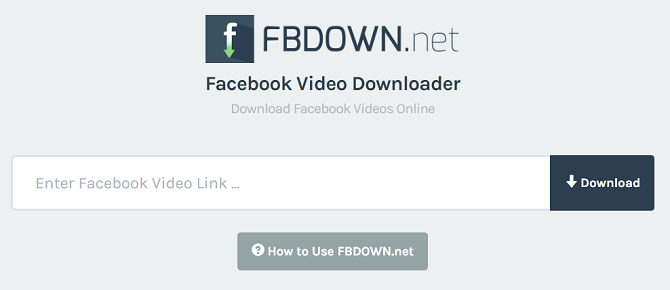
    How to Download Facebook Videos without Browser Extensions Using FBDOWN.NET

    Similar to downvids.net, FBdown.net is another website that allows users to download facebook videos seamlessly. Steps to downloading Facebook videos using this platform are very similar to that of downvids.net. They are listed below.

    How to Download Facebook Videos without Browser Extensions
    1. Log in your facebook account
    2. Navigate to the post containing the facebook video you wish to download
    3. Copy the URL to the post
    4. Launch fbdown.net on your computer, using your browser
    5. Paste the link in the box provided
    6. Select the video quality you desire
    7. Click on download

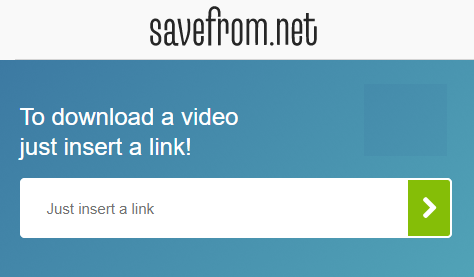
    How to Download Facebook Videos Using Savefrom.NET

    Famous for Youtube video downloads, savefrom.net is yet another platform that lets people download facebook videos easily. It offers a very simple and minimal interface. Similar to the method used in downloading youtube videos on this platform, downloading facebook videos here, requires copying and pasting the Video URL. The steps are listed below. 

    facebook video download
    1. Log in your facebook account
    2. Navigate to the post containing the facebook video you wish to download
    3. Copy the URL to the post
    4. Launch savefrom.net on your computer, using your browser
    5. Paste the link in the box provided
    6. Select the video quality you desire
    7. Click on download

    As you might have already observed in the steps listed in methods presented in this tutorial, downloading Facebook videos with browser extensions, is a straightforward thing. All you have to do is select one of the methods listed here and follow the steps given. 

  • Selena Gomez and 6 million other Instagram Accounts Hacked

    Selena Gomez and 6 million other Instagram Accounts Hacked

    A group of hackers used a bug earlier this week to scrape the phone numbers and email addresses of six million Instagram accounts and are now selling that information on the web.

    The hackers mainly targeted celebrities and verified users, including Selena Gomez, who’s account was hacked two days ago. The hackers used this glitch in Instagram’s system to start posting nude pictures of the singer and actor’s ex-boyfriend Justin Bieber to her 125 million followers.

    In a list sent to the Daily Beast, the hackers included 1,000 names of several well-known figures including celebrities, sports stars, and media personalities.

    The hackers also scraped the information of unverified users and are now reportedly selling this giant trove of data for $10 an inquiry via bitcoin.

    Instagram admitted the security bug in a letter today, though it downplayed how many users had been affected.

    “Although we cannot determine which specific accounts may have been impacted, we believe it was a low percentage of Instagram accounts,” wrote Instagram CTO Mike Krieger.

    Instagram services more than 700 million accounts; six million is not a small number, especially if it contains the phone numbers and emails of the most popular Instagrammers.

    However, Doxagram, the site selling the information via the hackers, appears to be down. It’s unclear if this was an effort by Instagram to shut the site down.

    Regardless of whether the site selling the information is gone for good, the hackers still have direct contact information for several high-profile accounts and may still be selling in some other way. Others also may have already bought from them and now that information is floating out there on the web.

    Instagram says it has since fixed the issue and that it is working with law enforcement. However, the bug exposes certain vulnerabilities within Instagram’s system and the popular platform will likely need to take further measures to button up on security for celebrities and everyone else with an account.

    “Protecting the community has been important at Instagram from day one, and we’re constantly working to make Instagram a safer place. We are very sorry this happened,” Krieger wrote.

  • You can no longer mention Tsu.co on Facebook

    You can no longer mention Tsu.co on Facebook

    Tsu.co is a social media website that rewards its members for sharing posts, photos, videos and the like. Users who get others to join via referrals see cash benefits in the like. Naturally, when you have an opportunity to make free money doing what you do everyday, you do it right?

    But, what would be the natural place to get referrals to sign up? Where could you access as many people – strangers and friends alike – to get them to see said link? You go to Facebook. This isn’t some imaginary scenario, as a matter of fact it is real. Tsu.co posts, mostly referral links, were becoming huge during 2014 and early 2015. I couldn’t check my Facebook without seeing a post with someones link in the newsfeed, or having a message from some friends of mine asking me to join with that link.

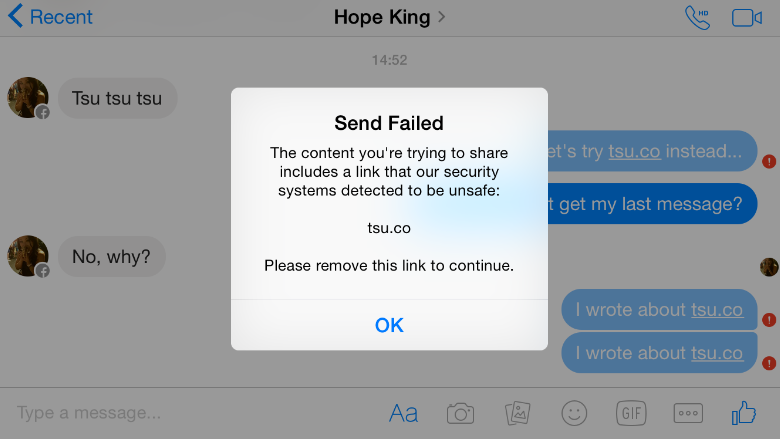
    What was quite annoying to me, seemed to become quite the little bugger to Facebook Inc. As of September 25th, the Tsu.co address has been blocked by Facebook. In fact, it’s even been reported to have been blocked on Instagram, and other Facebook owned applications. Any mention of the address is blocked, and the company even insured the censoring of the site address by removing every single old post on their servers that mentioned the site/URL; effectively killing off millions of photos, videos, and posts in an instant.

    You can still write ‘Tsu,’ but any mentions of Tsu.co will not be submitted and will be removed.

    source: CNN money

    Much like their other site-widely blocked sites, Facebook claims the link is spam and is annoying to the community. In return, Tsu thinks that Facebook is being a bully, who is killing off competition.

    “We’re persona non grata,” said Sebastian Sobczak, who founded Tsu. “You can type in all sorts of seedy websites, and you can get to them. But not us. We don’t exist.”

    Tsu had made an appeal to Facebook when their traffic source fail from an average 2,000 per day to a flat 0. However, their reasoning didn’t work. Facebook, however, says it will unblock Tsu if one thing changes: if Tsu users cannot post to Tsu.co and Facebook.com at the same time.
    “We do not allow developers to incentivize content sharing on our platform because it encourages spammy sharing,” said Melanie Ensign, a Facebook spokesperson.

    Most of Tsu.co users spoken to (who haven’t made even a dime from the service), thought that this block was unfair to the service.

  • Why Smart Businesses should embrace uniXclusive Discount Card Partnership Program

    Why Smart Businesses should embrace uniXclusive Discount Card Partnership Program

    Let’s take your attention on the same-sex marriage legalized in the US away a little bit and bring it to a smarter move that can take your business to a new all-time high.

    uniXclusive has introduced a student discount card that allows students to acquire goods and services at a cheaper rate (less than what normal people would pay) from top brands/companies enrolled into partnership with uniXclusive – which is where your business steps in.

    Just in case you are wondering what uniXclusive is in the last 5 seconds? It is a social network tailored towards connecting students in higher institution across Africa and abroad. Students on uniXclusive can connect with other students, chat, share moments, etc., indeed, technology has no limit.

    How does this affect your Business?

    The student discount card is a must-have discount and lifestyle card for students across Africa. Thousands of African students will use the card daily for attractive and exclusive discounts with their favourite brands.

    Top brands/companies partnered with uniXclusive discount card program receive unrivalled brand exposure and access to the student market via various channels, both on and off- line, allowing them to grow their customer base within the 7 million strong students demographic.

    Brand/Companies enrolled into the discount card partnership program stands to gain:

    • Access and exposure to thousands of uniXclusive cardholders.
    • Association with uniXclusive so students know you have their best interests at heart.
    • Exposure to student unions throughout the country.
    • Opportunities to feature in e-correspondence.
    • Opportunities to run flash-sales or competitions to the student market.
    • Data capture opportunities.
    • Exposure across social channels reaching in excess of 15K students.
    • Exposure on uniXclusive.com with a link to your website.

    uniXclusive welcomes partner applications from any national or international brand looking to target the student market through their dynamic and powerful web portal.

    Getting Started

    If you interested in partnering with uniXclusive, you can download the form here. After filling the form, scan and submit it to admin[at]uniXclusive.com

  • Reddit plans on giving back to the communities and users with Reddit Notes

    Reddit plans on giving back to the communities and users with Reddit Notes

    After securing $50 million in outside funding back in September, Reddit had promised it would find a way to let the community own 10 percent of those shares. Today, it is revealing some details as to how: Reddit Notes.

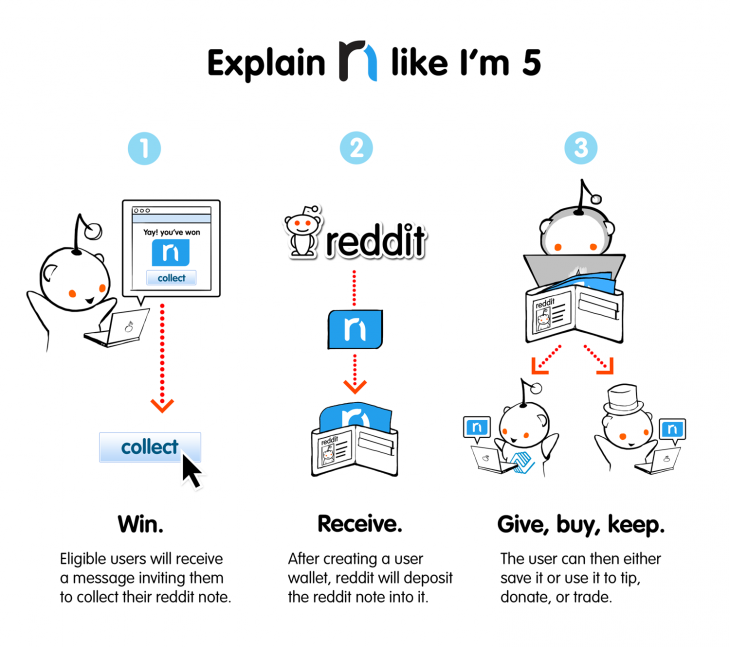
    Details are still vague, but Reddit will host a random lottery to give away around 950,000 notes to divide among active users. They will then be able to deposit their notes into a virtual wallet, after which they can use the funds to “tip, donate or trade.”

    Reddit Notes started taking shape after listening to thousands of requests from users and considering some ideas of its own. The company notes its still working out the kinks – such as how the plan will work under government regulations – and plans to start handing out the notes in fall of 2015.

    Artilce via TheNextWeb
    Sources: Announcing Reddit Notes

  • Instagram now bigger than Twitter with 300 Million Users

    Instagram now bigger than Twitter with 300 Million Users

    Instagram has reached over 300 million active users, a tremendous milestone for the company. Across the abundance of users, there are roughly about 70 million photos shared each day, accompanied by 2.5 billion “likes.”

    Since March, the active user count for Instagram has grown over 100 million. Quite fast and quite good indeed. This also makes Instagram now more popular than Twitter; only amassing to 284 million active users a month, it’s market cap being around $23 million. Why this detail? Because Instagram was acquired by Facebook back in April 2012 for only $1 billion.

    More than 70% of Instagram’s users are outside of the U.S., and across the network the users have shared over 30 billion photos.

    “We’re seeing a lot of people coming in the fashion world, a lot of people coming in, in the youthful teens world, and a lot of people internationally as well,” 

    CEO Kevin Systrom said in an interview with CNBC. Can Instagram keep up with this change of pace? “That’s the big challenge for me and my team going forward,” he said. One way Mr. Systrom aims to do so is to make it easier than ever for people to find new content they would love and more and more people to follow to keep updated with said-content. “There are photos pouring in from everywhere in the world. If you’re interested in really eclectic topics, I guarantee you there are accounts that are related to that. So we need to make sure to connect you with the content that matters most to you.

    There is more to the announcements by Instagram than just the 300 million user marker. To help combat spam on their app, they are rolling out a verification badge to be displayed on the profiles of celebrities, athletes, brands and other user types, to help ensure the majority of users know they’re connecting with the real person behind the account. Instagram also said it was planning to remove all “spammy” accounts from the service to improve the app for everyone.

    The removal of spam is required whilst Instagram ramps up in popularity and usage. Mr. Systrom said that Instagram doesn’t aim to compete with tech companies in their advertising platform (which is another major reason for the removal of the spam), but to compete against print and television ads – something you don’t really hear in the comparison of online ad competitors.

    We are selling brand advertising that shifts perceptions, for instance like Chobani,” said Systrom.

    Chobani did a really wonderful yogurt campaign on Instagram to shift perceptions away from the fact that they were just yogurt. And they had a 7 point incremental lift on shifting that perception through a brand advertisement on Instagram. That’s the type of thing you typically see in a magazine or on TV. If you look at those markets, they are very, very large. And I think that’s what we’re going after. So you can see where we’re headed.

    Though Instagram has outnumbered Twitter in active users, they still have a long while to catch up to the company in revenue terms; which was $365 million in the last quarter. “I think it’s hard to compare Twitter and Instagram,” he said. “Twitter has a more mature business. They’re public. We’ve just started monetizing. We have a lot to prove before we’re, you know, worth many billions of dollars,

    When asked if he felt like he wasted billions on the Facebook acquisition, Kevin Systrom denied, saying he doesn’t think of it that way, and that he has Facebook to thank for the intense growth of the company.

    sources:
    CNBC
    Google News
    blog.theadvocate.com (image)

    What do you think of the good news Instagram has released? Leave a comment below.

  • We use your private information like everyone else; Facebook privacy lovers are out of luck

    We use your private information like everyone else; Facebook privacy lovers are out of luck

    Facebook has faced allegations in the past about using its users private information for marketing reasons. Questions has been raised on what user information Facebook itself gets to see – If you were ever in doubt on how Facebook handles your privacy, the Manager of privacy and public policy at Facebook, Matt Scutari has made it clear that there is no hiding place for you on the internet – or least on Facebook.

    Matt Scutari has confirmed that the information you are hiding from other Facebook users you called friends are not completely private, claiming that Facebook like every other platform “have to at least use that information to provide the service”.

    “With most online services, there’s an understanding that when you use those services to share information, you’re also sharing information with the company providing the service,” said Matt Scutari, manager of privacy and public policy at Facebook.

    “For users who are truly concerned with sharing their information with a particular platform, honestly, you might not want to share information with that platform,” he said, speaking during a conference on digital privacy in Palo Alto, California, on Friday.

    “I don’t think there are many services out there who could claim they’re not using your information that you’re sharing with them for any purpose. They have to at least use that information to provide the service,” he added.

    Scutari was responding to a question from the audience about what tools, if any, Facebook might provide to people who want to post and share information but keep it from Facebook itself.

    Lately, the company has been trying to improve its controls for sharing among friends. In September it introduced a “privacy checkup” feature. And just this week it released  a revamped privacy policy designed to be easier to use. The company also gives users information about how their data is used for advertising. But it has never offered users tools to limit what data Facebook can ingest when they share.

    Data collection—what companies collect, and how it’s used—is an area of concern for Internet users in general, highlighted by some dramatic findings in a recent Pew survey.

    Facebook does have a team of employees tasked with looking at privacy issues related to its products, features and tools. The team has a number of programs in place, including daily surveys of users and talks with people in other countries to get their views on privacy, Facebook said on Friday.

  • Ello vows never to be like Facebook and makes its ad-free promise a legal one

    Ello vows never to be like Facebook and makes its ad-free promise a legal one

    It’s one thing to say your social network will never be like Facebook, it’s another to enshrine that promise in legal documents. Ello, a social site whose claim to fame is an anti-ad manifesto, is doing just that by filing to become a public benefit corporation.

    A benefit corporation is a company that chooses to be socially conscious of how its decisions affect not just shareholders or investors, but also its customers, employees, and the environment. Ello won’t get any tax benefits for being a do-good social network, but the charter the company filed prevents current and future investors and owners from ever profiting from ads or user data.

    “In other words, Ello exists for your benefit, and will never show ads or sell user data,” Ello founder Paul Budnitz wrote in a Thursday Ello post.

    Ello is growing rapidly, ballooning to 1 million members in the last two months, according to Wired. Another 3 million are waiting to be let in. The network also announced that it raised $5.5 million in venture capital, but its investors had to sign the ad-free charter, which you can read in full here.

    So if ads are off the table forever, how will the social network make money? Budnitz plans to model Ello after the most successful company in the world: Apple.

    “We will make money, and we are a business, and we have been really open about that since the beginning,” Budnitz told Inc. in an interview earlier this month. “Our model is based on a very successful business model that has been applied to all kinds of other things except social networking, which is the iPhone model. In its most basic form, Ello will be fun and free to use. But after that there are features that some groups want really badly—for example one of the most requested features is the ability to control multiple accounts from a single log in. We might charge a dollar for that. It would be like the App Store.”

    That sounds good, but it’s not exactly similar to how Apple makes money. Apple’s model is to sell you expensive hardware at a comfortable profit margin, and the software and services—and even the App Store—enhance the experience to make you want to buy the hardware. Apple wouldn’t give you a basic iPhone for free and then upcharge you to add more features that you want really badly. If you wanted features Apple isn’t providing, you’d probably go buy a different phone.

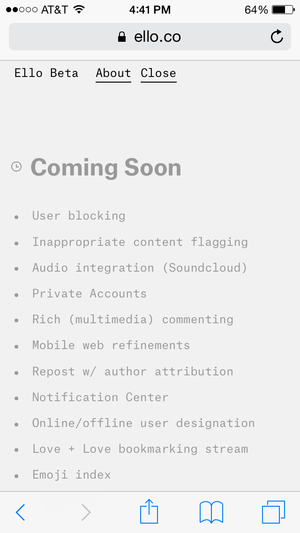
    Anyway, Ello is technically still a beta network that has tons of ideas about features to add but isn’t fully built out yet. Users are dying for a “like” or “favorite” button, which Budnitz says is coming, but don’t expect the feature to be like Facebook’s or Twitter’s. Budnitz in an Ello post earlier this month recommended people use the bread emoji to signify a nod or thumbs up. It’s a little unconventional, but, hey—that’s Ello.

    In the meantime, the network has added a notification center, blocking and muting functions, and is working on better search, an NSFW mode, sound and video embeds, and a couple much-needed apps. Ello might never be as big as Facebook, but if it keeps working to woo skeptics, it might just be a viable alternative.

    Originally posted on TechHive

  • You can now Add Friends by Username in Telegram Messaging App

    You can now Add Friends by Username in Telegram Messaging App

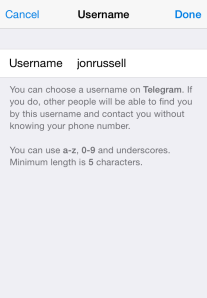
    The Telegram Messaging App, the security-focused messaging app, now lets you add friends without necessarily knowing their phone number (see the step-by-step guide on how to add a username in Telegram). An update to the iOS and Android apps today has introduced the option to register a a username, although all users must still bind their account to a phone number.

    The advantage of a username is that you can share your contact details for Telegram without revealing your phone number, thus safeguarding some level of privacy.

    Usernames must be a minimum of five characters — so you can’t make up for losing out on a one-letter Twitter handle here — and can contain letters, numbers and underscores.

    You are also free to change your alias, so long as the new one is not already taken.

    That’s not quite all from this Telegram update. The company has also taken a leaf out of Snapchat’s book with a new feature that lets users ‘Tap and Hold to View’ photos, video and voice messages that are sent with a self-destructing timer. Prior to this update, Telegram users had to tap on media to load it.

    Importantly, Telegram has now amended said self-destructing timer for media so that it only begins once the content has been opened. That means that photos, videos, etc do not self-destruct before being read.

    Founded by the brothers behind Russian social network VK, Telegram launched in October 2013 with a promise to make mobile messaging more secure. The service gained some serious momentum after Facebook agree to buy WhatsApp, when it clocked 8 million downloads in a matter of days, primarily from users concerned with Facebook’s approach to user data.

    Earlier this year, Telegram revealed that it has 35 million monthly active users, 15 million of whom use it daily. Co-founder Pavel Durov confirmed to TechCrunch that, as of March 2014, more than 18 billion messages were received by users of the service per month.

    Those stats are far smaller than WhatsApp — which has over half a billion monthly users — and others, but they are impressive for such a new entrant in the messaging space.

  • The alternative networking site to Facebook: WeeShare! – The World’s Social Network.

    The alternative networking site to Facebook: WeeShare! – The World’s Social Network.

    A new social website has sub-merged, though it isn’t exactly “new.” We’re sure you’ve heard of the site “Ello” that recently appeared, and the rise and fall of Diaspora*, and now a new social network (a social discovery network to be exact) has merged claiming to be the alternative to Facebook: WeeShare!
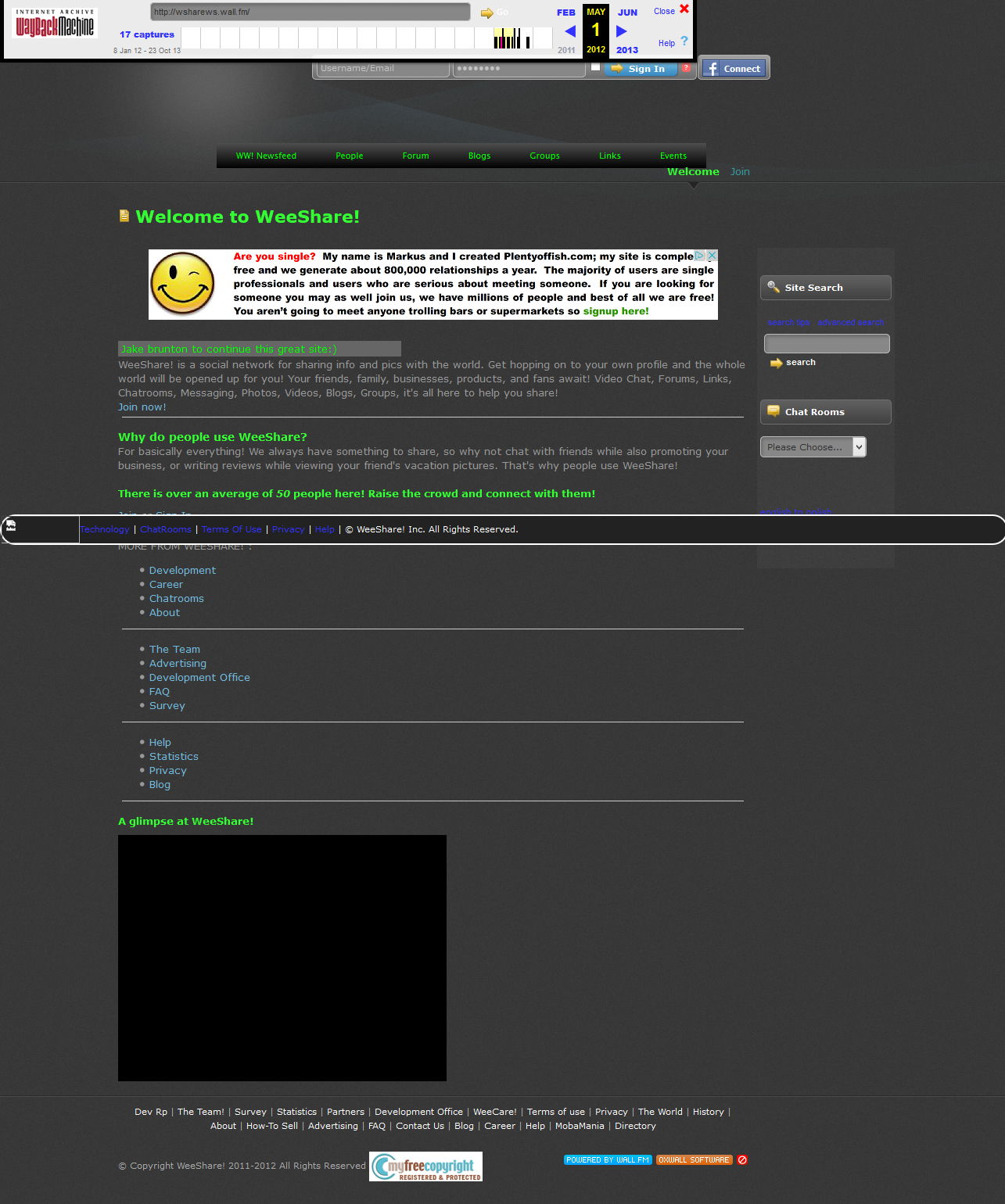
    WeeShare! is a website started by Jake Brunton all the way back in 2011; hence it not being so “new.” It started out as a mobile chat site, and then eventually adapted to be a desktop social network around the end of 2011/beginning of 2012.
     
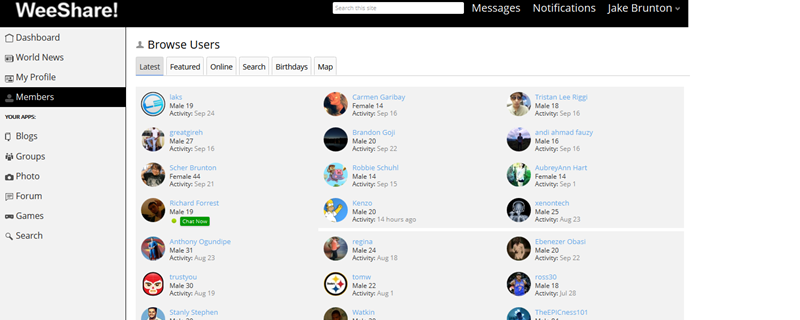
    WeeShare! from May 1st, 2012.
    WeeShare’s mission since 2012 of June was to be the world’s safe, fast, and open-source alternative to Facebook. It stands true to it’s open-source ways, being powered on the Open Source software “Oxwall” and with many functions/designs contributed by users and everyday people.
    WeeShare’s owner and his colleague Mateo Celis continued the project without ever shedding more than a couple dollars on it; none of which went to advertising. The site made it to 800+ members by April 2014, right before it was removed by the host it was on due to a late bill.
    Jake took the project on again and it was live as an [alpha] project in mid-July, now being live and online as a beta project for anyone to contribute to since mid-September of this year.
    The goal of WeeShare! is to be the people of the world’s alternative to Facebook; to protect their info, data, and privacy while letting them connect with the people they know with similar tools to that of Facebook’s. Such features include non-filtered Newsfeed, instant chat, a sleek mobile website, photos, etc. Users are free to do this all while knowing they’re safe and their data/info and swapped messages and content are safe and are NOT used for marketing purposes, or used at all even except for making the website better.
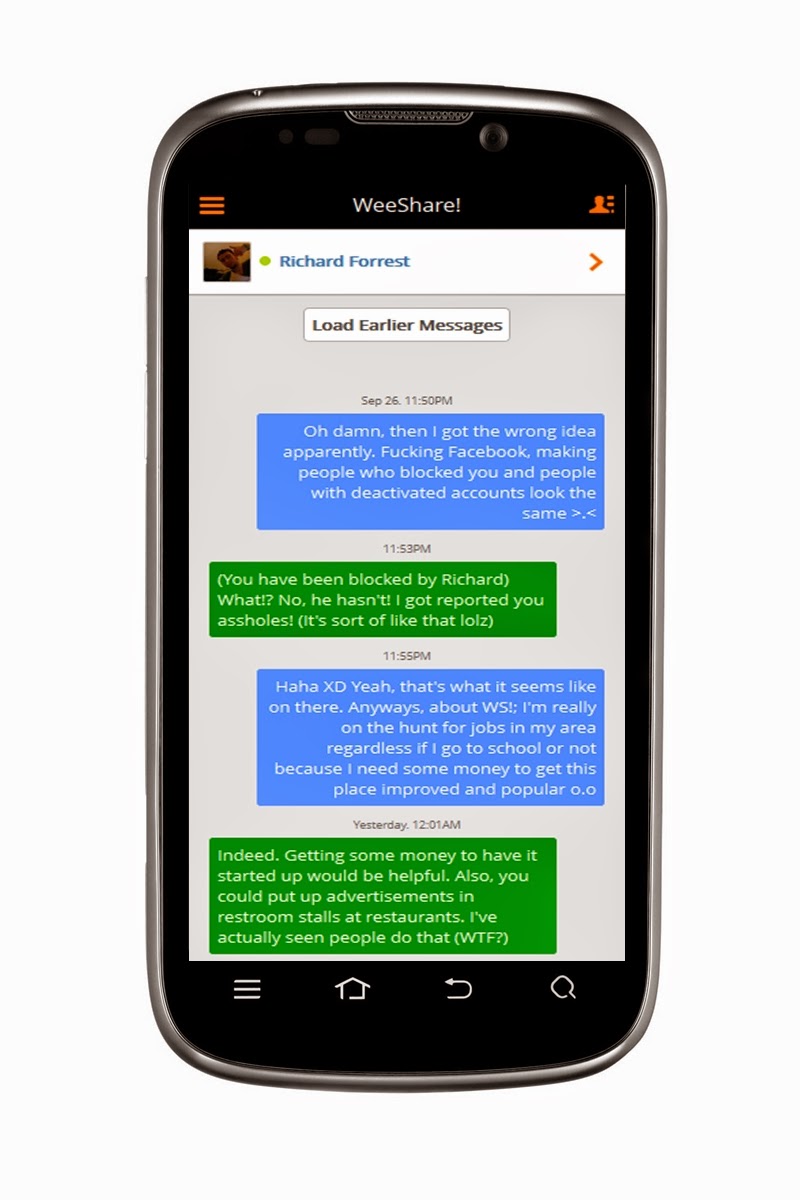
    WeeShare! as of September, 2014.
    WeeShare! stands by its claims over Ello, and other networks aimed at being Facebook alternatives by being a project: not owned by any company or business. WeeShare! is simply a project of the creator, and that’s that. Anyone can contribute code, designs, donations, suggestions, and more via the right resources like the About Website or the Developers Site (not live yet).
    The project also has a list of Contributors that have made some more outstanding changes to the website. WeeShare! doesn’t seem to have any “invite only” registration, and users are free to customize their profile’s info and content at will. The entire site uses CSS and Javascript compressions to make sure it’s fast for almost all connections, and if a user can’t access via the desktop site; they can always use the mobile site that lacks some features but let’s user instant chat, message, post updates, photos, etc.
    Jake chatting with his friend on WeeShare! mobile.
    Despite being a project of the Ohio high school student for only 4 years, WeeShare! has been through a lot of changes and major blows. Since it’s initial start as a desktop site, the overall design has changed at least 20+ times, and features have been added and removed quicker than hotcakes at a restaurant. However, it is believed that those contributing to the project will leave the design the way it is as of now – with some minor customizations here and there in the future. It was also the target of a hacker from the UK that Jake and a friend got in a scruff with online – however nothing really happened.
    The project had (up until it’s first time being live until removed) little to no budget for advertising and promotion. Jake and his friend Mateo both worked hard in their spare times by spreading the word online, at school, around town, and more – with little but still satisfying results. WeeShare! is also stated to have no main funding behind it since it is not the property of a business or company; it’s only monetary sources are any of Jake’s jobs, or donations from contributors.
    The contributors and project creator knows that being a “alternative to Facebook” or anti-Facebook is a bold claim to make, but they have a full-page article telling users why they should switch from Facebook to WeeShare! It seems the project’s new promotional push is to inform users as to why Facebook isn’t a evil villain, but why it’s not a good social tool. Several reasons the about site lists are that Facebook limits you from truly unlocking social media power, filters your newsfeed; all the way to others like it being accused of spying on user’s chats.
    Naturally, WeeShare! collects cookies on users to make the site work but in their soon-to-update privacy policy, they state how they use no third-parties to make cookies for account data collection; meaning their affiliates (J-List and Amazon) may use their own cookie systems, but they get no info about you from WeeShare! However, WS! has come to believe neither of their affiliates are collecting info – and they hope their affiliate ads will become a good source to keep the project alive. On the subject of ads, WeeShare! claims to only show ads from their two affiliates that aren’t targeted or data-based, and are simply copy and pasted JS code. The ads are also placed in non-interruptive places around the website.
    All in all, WeeShare! wants to be a social discovery network by the people, for the people, made by the people. Users are the coders and contributors: and no changes are made to anything based on the idea of pleasing “shareholders” or advertisers, making this a sleek safe haven for social networking and meeting new friends.
    With that in mind, we of EWT would like to humbly recommend trying out WeeShare.ws as it seems to be shaping up to be a good social networking alternative with more user control. Have you already made the switch? Let us know below in the comments.
  • Reddit Takes Down Groups Hosting Celebrity Nudes, Walks A Blurred Line On Free Speech

    Reddit Takes Down Groups Hosting Celebrity Nudes, Walks A Blurred Line On Free Speech

    Reddit did two things last night that, on the surface, seemed pretty contradictory. It publisheda post by CEO Yishan Wong offering an explanation for why the site does not generally take down “morally objectionable or otherwise inappropriate” subreddits. At around the same time, Reddit took down /r/TheFappening and related subreddits, where many of the images from the celebrity photo hack were posted.

    The post itself has been updated to acknowledge that this was a little weird, explaining the situation like so:

    Those two events occurring together have created great confusion. That is: we put up a blog post explaining why we don’t ban things for reason X (which some people want us to, but we will not), but at the same time behavior in a subreddit started violating reason Y (a pre-existing and valid rule for which we do ban things) and we banned it, resulting in much confusion.

    Apparently “Reason Y”, in this case, has nothing to do with the general horribleness of sharing stolen nudes, and more with the fact that Reddit was receiving DMCA takedown notices, i.e., legal complaints from copyright owners.

    In a follow-up comment, Wong wrote, “I said that we don’t ban subreddits for being morally bad. We DO ban subreddits for breaking our rules, and one of them is repeatedly and primarily being a place where people post copyrighted material for which valid DMCA requests are being received.”

    (Another result of the scandal: 4Chan has introduced its own DMCA policy.)

    Not everyone has been satisfied with Wong’s explanation, particularly since Reddit was willing to keep the Fappening up for a week (benefiting from a big boost in traffic), and because it hasn’t taken down other subreddits, such as /r/SexWithDogs and /r/CuteGirlCorpses, that are pretty horrible but aren’t drawing as much ire from celebrities or the media.

    On the first point, sysadmin Jason Harvey tried to counter arguments that Reddit (which is owned by Condé Nast) is being purely self-serving, and he offered a little more context about the decision-making process. He said that at first, the Reddit team was just trying to take down individual images in response to DMCA requests (as well as concerns that some photos showed minors), “but it quickly devolved into a game of whack-a-mole”. As a result, “It became obvious that we were either going to have to watch these subreddits constantly, or shut them down. We chose the latter.”

    On the question of other awful content, it sounds like Reddit won’t be taking down most objectionable groups unless it’s getting letters from lawyers.

    For what it’s worth, I do think Reddit was in a tough spot here, albeit one that it benefited from in some ways. By the nature of the site, there’s going to be content that really pushes the boundaries of both legality and morality, and that means it’s going to face questions without easy answers.

    At the same time, limiting itself to DMCA requests and a few other narrow legalities might not be an adequate way to grapple with those questions. (And by the way, some of the comments here offer suggestions about how Reddit can increase transparency around this process.) If nothing else, it makes high-minded posts with titles like “Every Man Is Responsible For His Own Soul” (and descriptions of Reddit as “the government of a new type of community”) ring a little hollow.

    Article originally posted by Techcrunch [image via Flickr/Eva Blue]

  • The Future of Social Networking: What is it Like?

    The Future of Social Networking: What is it Like?

    Every one of us are connected through some On-line medium in this ERA Advanced Internet world. The introduction of smartphones, mobile computing, advance internet facilities such as Google Glass, internet browsers, etc., has made it incredibly easy and efficient to communicate with one another when it all boils down to social networking.

    With every positive technology comes a negative view of that specific technology: Almost all of us are worried about one particular thing called online privacy when it comes to social networking. As a matter of fact, there has been a lot of negative witnesses on this type of issues, with Facebook being the latest suspect.

    Recently, Facebook introduced trending topics to its website, with Twitter and Google+ pushing more and more sophisticated technologies to keep up with people’s expectation, we still see some loopholes like users profiles being viewed without one’s knowledge and all that!

    Imagine, if there is a technology which can pretty much reduce the risk of being revealed online about our conversation overall? Thinking as how possible it is. Yes! It is possible and more specifically, it is going to be welcomed by Many social media giants in the near future. Below, we take a look at some technology that will be integrated with social networking in the nearest future.

    Temporary Social Messages

    The next step of Social Media is about the technology called temporary social messages. It is obvious that the name of the technology itself will explain the benefit of it. As an Individual, we will be worried about our online conversations over various social media online. The worry about “not completely privatized” will always make us insecure. The benefit of temporarily messages will reduce the insecurity to a minimum level, but then there are hurdles like sexting, response from industry role models like Facebook and Twitter will make a huge difference to welcome such technology completely.

    As we mentioned above, the hurdles like Sexting is one of major Challenges to overcome for the complete adoption of this technology. As there may not be a proof to show up if and when the sexting cases happen through Social Media through Temporary Social Media. Nonetheless, this innovation will surely open up a wide arm in other Areas which will be welcomed by certain industries and make the use of it to the utmost level. Imagine, Industries like Banks and healthcare make the use of this innovation! The process level of policies, and basic formalities will be taken care in the speedy way.

    Consequently, Common will be beneficial with the help of this technology and the Quick processes of the Industries. Not just that, Due to its nature of Temporary/ limited existing, this innovation will keep up the confidential things of Industries “secure and private”.

    One such Model has already been used by one of the companies called SkyBees to communicate as it has customers all around the world. They maintain a Temporary Database server to carry this service.

    At the end of the day, it is also Significant to check as How well this innovation could guarantee the Temporary nature of the messages/conversations technically.

    It may look a simple technology, but then the benefits out of this for an Individual and Industries are Limitless and very much appreciative.

    This post was made possible, courtesy to Basheer Ahmed, senior editor, MSys Technologies.

  • How to Backdate your Posts and Photos on Facebook

    How to Backdate your Posts and Photos on Facebook

    As +Brian Gardner rightly said “the social media makes you look better, and that’s the problem”: We all like to appear slicker than we actually are, just to get a few likes and comments on Facebook.

    Whether you are using Facebook as a business entity (page) or as an individual you can backdate your new status update, schedule an update (scheduling updates is only available to page admins) or even change the date of your already posted items.

    Maybe you just remembered a photo you were suppose to post three years ago or something you were suppose to say yesterday, don’t worry, you can still go back to the past – at least on Facebook.

    Scheduling Posts on Facebook Pages

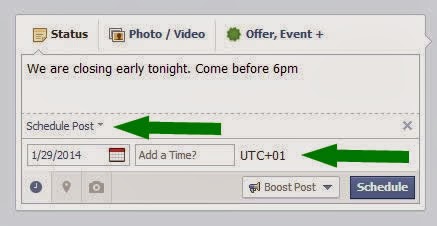
    If you need to make a statement at a time you won’t be available on your Facebook page, scheduling your status update may come handy. The system allows you to post a status update and schedule it to be publish at a given time.

    You can prepare a post and schedule it to appear later by adding a date and time in the future before you post it. You can schedule a post up to 6 months in advance in 10-minute intervals.

    From your Page’s sharing tool:

    1. Choose the type of post you want to add to your Page
    2. Clickin the lower left of the sharing tool
    3. Choose the date and time you want the post to appear
    4. Click Schedule
    If you choose a date in the past, the post will appear immediately at the appropriate place on your Page’s Timeline. All times correspond to the current time zone you’re in.

    Note: Scheduling post is currently available to only Facebook page admins.

    Backdating Timeline Post

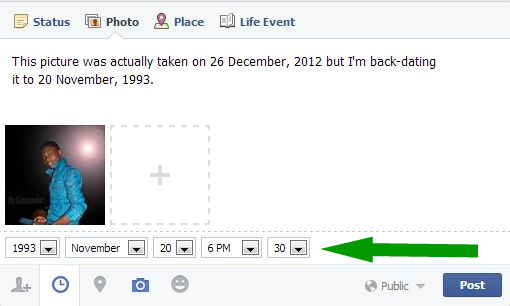
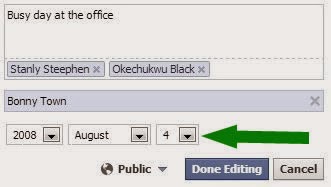
    You can backdate your videos, photos, status and just about everything you own on Facebook. Simple goto to your Facebook sharing tool:
    1. Choose the type of post you want to add to your Timeline
    2. Clickin the lower left of the sharing tool
    3. Choose the date and time you want the post to appear
    4. Click Post
    To backdate an existing photo:
    1. Click on the photo you want to backdate.
    2. From the right-hand panel, click Edit.
    3. Choose the date and time you want the post to appear.
    4. Click Done Editing.

    Have fun and Happy Midweek!

  • Basic Privacy Tips for Internet & Social Media

    Basic Privacy Tips for Internet & Social Media

    PC WORLD – Recent headlines about shadowy government agencies, high-profile hack attacks, and your face in Google ads drive home a crucial point: Your online privacy is best protected when you keep an iron grip on the information you’re handing out. If your info is on a server somewhere, it’s not truly yours.

    So many core aspects of our lives have shifted to the cloud, mostly to our great benefit: Gmail and Outlook.com maintain our email archives. Dropbox and SkyDrive make your files available anywhere, anytime. Windows 8.1 searches include Bing results by default. Google Now dishes out the information you need before you even know you need it.

    But every gain in convenience comes with a loss of control, and that loss of control all too often comes bundled with privacy or security woes.

    You can take some simple precautions to minimize the amount of personal information that you have online. But before we get started, remember that this data checkup is about what you’re comfortable with. You could follow all the tips in this post, tighten up on just a few of the practices mentioned below, or go even farther down the rabbit hole than the suggestions offered here. Digital privacy is not a zero-sum or a one-size-fits-all proposition. If nothing else, this article can help you make better decisions about the information you share with the services you love.

    Giving Google the cold shoulder

    When it comes to minimizing your digital footprint, we have to start with Google. Just imagine the dossier the company has on you: search history, sites you visit, Google Play purchases, location data from Android and Chrome and Maps, your Google Drive documents…it looks like a lot when it’s all spelled out like that, doesn’t it?
    To its credit, Google takes data security seriously, receiving fairly good marks in the Electronic Frontier Foundation’s annual “Who has your back?” survey. But Google also makes heavy in-house use of your data, a point that touched a nerve with announcements of the company’s plans to use your real name and face in online advertising (not to mention Microsoft’s “Scroogled” campaign).
    Divorcing Google isn’t a realistic option for most people, though, given its superior services and sheer ubiquity. Switching to Microsoft’s services still leaves your information in the cloud. So what can you do if you want to reduce the amount of data you’re sharing with either online monolith?
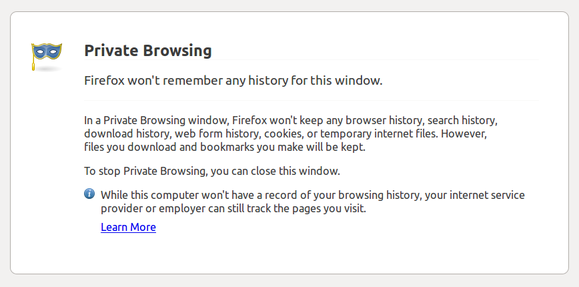
    Firefox’s private browsing mode kills cookies dead.
    To start, you can keep Google from collecting and sharing your data as much as possible. Using your browser’s private/incognito mode will erase tracking cookies, including Google’s, when you close it. You can also tell Google to stop trailing you in your account’s Web History page (at the expense of Google Now features) and take a minute to tweak your general Google privacy settings.
    Another solution is to replace what Google services you can with more private alternatives. Do you use Google Docs but don’t really need its online capabilities? Try the open-source Libre Office suite. If you need only basic image-editing capabilities, skip Picasa and stick to Paint.net. What about Google Drive’s on-the-go docs? We’ll talk more about cloud storage later.
    And if you can cut the Google cord completely, there’s always the nuclear option. (Here’s how to shutter your Microsoft account for good measure.)

    Facebook

    Google may have a wide reach, but when it comes to mapping your social connections, no company knows more than Facebook. And just like Google, Facebook is practically impossible to shut out of your life. You need it to sign in to your favorite services, play games, chat, and keep in touch with pals.
    Tweaking your Facebook profile’s privacy settings can keep other people’s eyes at bay—but Facebook itself has a reputation for questionable user data decisions. How to give Zuck the cold shoulder without divorcing Facebook completely?
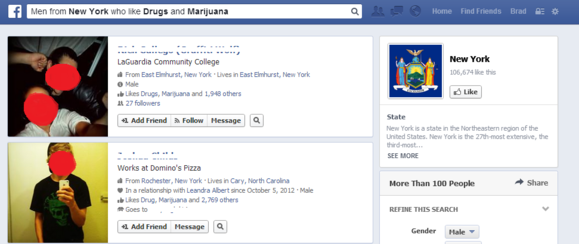
    You don’t want to be among the first Graph Search results for “Males in New York that like Drugs and Marijuana” or anything similar. Mind those Likes, and those privacy preferences.
    Easy: Stop hitting that “Like” button so much and consider removing past thumbs-ups. Don’t add extra information to your profile such as life events, places you’ve lived, and so on. (Below’s a video on deleting life events.)
    Finally, decide whether you want to continue sharing your photo library online. Is anybody really looking at them, or are they just fodder for Facebook’s face-detection algorithms?
    Facebook also tracks you as you travel from site to site, using the Like buttons embedded on each. Make sure you’re signed out of Facebook to prevent that from happening, or use your browser’s private mode.
    You can delete your Facebook account if you’re able (and willing) to cut the socialite cord completely.

    Cloud storage

    If you slap your files in a cloud-storage locker for anytime, anywhere access, you probably don’t want to give up that convenience. You can, however, seize control of your cloud documents by encrypting them, which helps protect against the data breaches (such as two that happened to Dropbox and Apple) and government information requests faced by many cloud providers.
    Note that while many services (such as Dropbox) encrypt your data on their servers, they control the encryption keys in most cases. That means you are not in control of when or for whom that encrypted data is unlocked, but it also makes using the service easier—just enter your login information and go!
    A truly “zero-knowledge” cloud provider such as SpiderOak or Wuala, on the other hand, never has access to your encryption key, meaning that only you can unlock your data. (Don’t lose the key!) Alternatively, you could manually encrypt files bound for SkyDrive, Google Drive, Dropbox, SugarSync, or any other cloud service, using a tool like TrueCrypt or the cloud-focused BoxCryptor.
    Western Digital’s My Cloud connected storage drive lets you build your own private cloud.
    Or, if you want anytime, anywhere access to your files but don’t want to entrust your stuff to anyone else, you could use a Net-connected storage drive like Western Digital’s My Cloud to create your own personal cloud-storage solution.

    All the rest

    We’ve taken care of your major online accounts, but what about all those random accounts you have connected to your social networks? Go through the settings of your Facebook, Twitter, and Google+ accounts to see the list of apps and services connected to them. Then simply remove access permissions for the ones you no longer use.
    Speaking of apps and services, part of good data hygiene is regularly deleting accounts you’ve left by the wayside. Go ahead: Close that MySpace profile and kill your Klout score if you’re not using them.

    The tip of the iceberg

    Now that you have at least some of your data under control, you could look at numerous other things, as well.
    We briefly touched on restricting who can track your browsing while online. For a real eye-opener, try using Abine’s DoNotTrackMe add-on for a week and see how many tracking cookies the add-on blocks. You could also use a stand-alone email program configured using the POP3 protocol to save your email locally and wipe your messages from your provider’s servers. (Here’s the info you need to do just that with Outlook.com, Gmail, and Mozilla’s Thunderbird client.)
    For an even more comprehensive look at the topic, check out Macworld’s seven-part series on protecting your online privacy—but note that some of the tips apply only to Apple’s ecosystem.
    Going off-grid online is borderline impossible these days, but taking just a short time to tidy up your online footprint can pay big dividends for your security and your privacy. And remember: It’s up to you just how far down the rabbit hole you go. Happy deleting!
  • How to Protect Your Social Network Accounts from Hackers

    How to Protect Your Social Network Accounts from Hackers

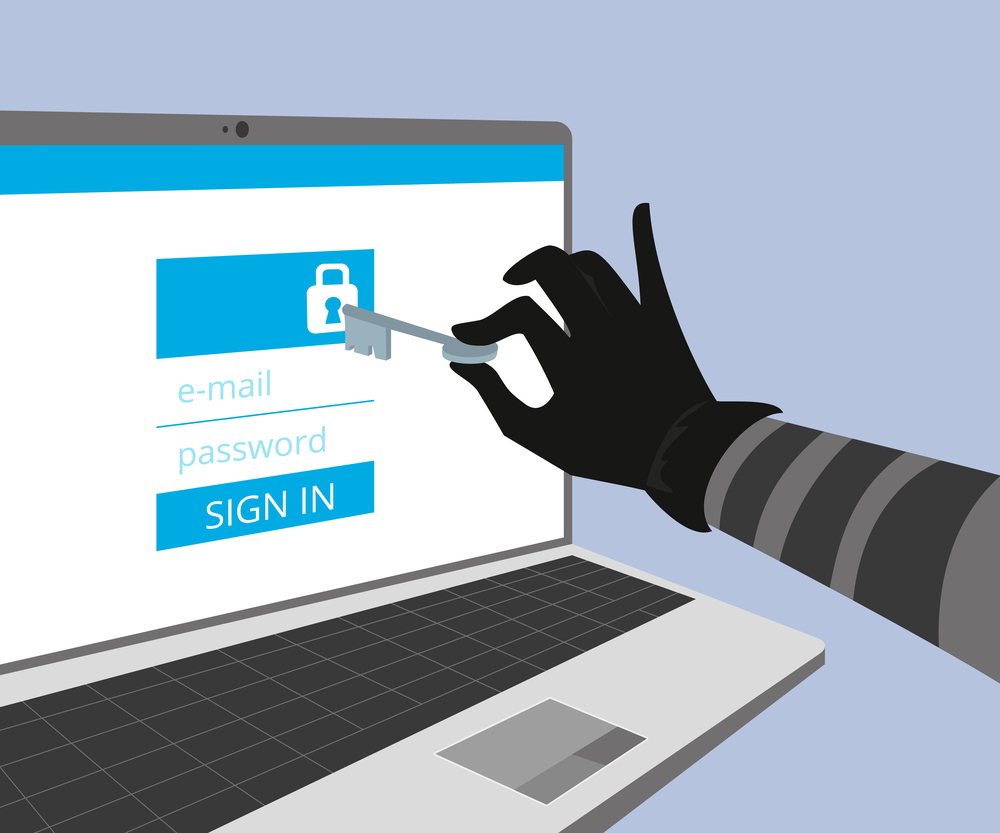
    A tech journalist learned a tough lesson recently. But using two-factor log-ons help guard your Google, Facebook, and Twitter accounts from being hijacked. If you haven’t read about Wired reporter Mat Honan’s ordeal at the hands of malicious hackers, take some time and read it now. (I’ll wait.) His story about how a passel of juvenile hackers managed to get into his Apple account and wipe all the data off his iPhone, iPad, and Mac— as well as hijack his Google, Twitter, and Amazon accounts – should be required reading for anyone who uses those services, and especially those of us who’ve blithely linked our social media accounts together using the same e-mail address. Honan didn’t do anything to tick those hackers off. He was targeted simply because they coveted his @mat Twitter handle. Which means that the same thing could happen to you or me just as easily, and we wouldn’t know we’d been jobbed until far too late.
    One thing Honan notes with regret is his failure to turn on two-factor authentication for his Gmail account. If he’d done that, anyone who tried to access his e-mail would have also had to enter a six-digit PIN, which is randomly generated and sent via text message to his phone.
    So your first order of business for today: Setting up two-factor authentication for Google. To do that, you’ll need to go into your Gmail Settings (it’s the icon that looks like a little gear in the upper right corner of your inbox). From there:

    1. Select Settings, then Accounts and Import.
    2. Under Change account settings select “Other Google Account settings”.
    3. That will take you to a Web page for your Accounts. Select Security from the left-hand menu. You may be prompted for your password again.
    4. Under “2-step verification” you’ll see “Status: OFF.” Click the Edit button next to that. That will take you to a Web page wizard that will walk you through the process of having a six-digit verification code sent to you via text or a robo-call.


    Enter the code into the appropriate box, and you’re all set – for that device, anyway.
    Admittedly, this is not as easy as simply using a password. You’ll have to do this for every device and every application that uses your Gmail logon, and every device and application doesn’t work exactly the same way. For example, I was able to log on to Gmail using a PIN on my desktop, laptop, and iPad, but not my Android tablet or Windows smartphone. For those, I had to set up separate one-time-use “subtokens” that look something like this: fztz dgpm oxfi uthb.
    You’ll need to go back to the Accounts Security page and select the Edit button next to “Authorizing Applications and sites” to set up disposable passwords for each device and app. You can also use this tool to manage your list of trusted devices and applications, and revoke access to them at any time.
    So that covers Google. What about Facebook? Here, too, you can beef up your security settings with two-factor authentication. This will prompt you to enter a similar SMS code whenever you log onto Facebook from a new device. The drill is remarkably similar:

    1. Go to your Facebook Account Settings page (found under the down arrow next to the Home tab).
    2. Select Security from the menu on the left.
    3. Under “Login Approvals” click edit and put a check in the box that appears (see below). You may have to adjust your browser settings to accommodate the cookie that Facebook wants to deposit.
    1. In the dialog box that appears, click “Set up now.” You may be prompted again for your Facebook password and to add your mobile phone number if you haven’t provided one already.
    2. Click Continue. If you’ve done this correctly you should receive a six-character PIN. Enter that and the name of your device into the dialog boxes that appear.

    Like Google, this won’t work with every device or application Facebook supports (like the Xbox or Skype). So again you’ll have to generate a disposable app password, which you can do via the same Security Settings dialog box. If you have an android device, you can download a free Code Generator app that can produce usable passcodes without having to send you a text.
    Twitter does not offer two-factor authentication at this time. But you can make it harder for attackers to reset your password by changing a setting in your profile that requires you to provide additional info, such as an e-mail address or phone number, when requesting a new password.
    From your Twitter profile page, click Edit your profile. Then go into your Account settings, scroll to the bottom, and put a checkmark in the box next to “Require personal information to reset my password.”

    The flaw in all of these schemes: If the attackers manage to get hold of your phone as well as your log-ons. Then, my friend, you’re totally screwed.
    Credits:
    For more computing news, visit ITworld. Story copyright © 2011 ITworld Inc. All rights reserved.

  • iOS Apps for Gamers, Artists, Social Media Users and Space Junkies

    iOS Apps for Gamers, Artists, Social Media Users and Space Junkies

    This week’s roundup of iOS apps is full of old favorites: Cookie Monster gets an app of his own, the creator of Angry Birds returns with Amazing Alex, and the popular Tiny Wings gets an update.

    Already this week we told you about a new magazine-reading app called Next Issue, the new TED Books app, a new cloud storage service from Neat, and an updated offering from Stay.com–and we also brought you a roundup of the best comic-reading apps, just in time for Comic-Con.
    Also, this week saw the launch of Business Card Reader HD, as well as updates to HipSwap,TheNote, and News360 for iPad applications.
    Here are other new and updated apps that caught our eye this week.
    Amazing Alex: The creators of Angry Birds have unveiled a new game that features neither rage nor avians. Amazing Alex is a $1 game for iPhone that features a “whiz kid”–one who comes up with Rube Goldberg-style chain reactions to do chores like cleaning his room. As Alex, you get to devise just how those creations will work, and share your most successful ideas with friends. There are 35 “interactive objects” to build with, and more than 100 levels to challenge players. Users can also download and play levels created by other players. None of those levels, however, involve destroying pigs.
    Corel Cinco for Painter: This isn’t a standalone app, but artists and graphic designers may find it useful nonetheless: Corel Cinco for Painter is a free iPad app that makes your tablet into a companion tool for users of the desktop Corel Painter 12 program. The app lets users drag and drop buttons onto the screen–for sketching, accessing a color wheel, and other activities–to let users complete projects efficiently. The button placement can be customized according to your hand size and finger placement. Corel promises the app will make it easier to create an uninterrupted workflow by spending less time in Corel Painter clicking on icons and hot keys.
    Google+Google+/Twitter: It was a big week for social networking services on iOS. Google+updated its free iOS app with full iPad support, the addition of the new Events feature, the ability to attach photos to posts, as well as the option to start and join Hangouts. Twitter’s free app, meanwhile, offers a range of updates: Avatars are now tappable, so that user profiles can be viewed more easily, and users can now set up notifications that let you know when particular people have tweeted. There are other improvements and changes, including a new Twitter bird, as well as an enhanced ability to see media posted to the service’s partner websites.
    The Great Cookie Thief: COOKIES!!!!! Omnomnomnomnom! The folks who gave the world The Monster at the End of This Book have returned, shifting their sights from Grover to the Cookie Monster. The Great Cookie Thief, a $1 offering for iPhone and iPad, looks at first glance to encourage both obesity and larceny–but of course, there’s more going on here. Unlike its predecessor, The Great Cookie Thief is less narrative-driven and more focused on activities: Users can make wanted posters in their efforts to track down the thief, just one of a number of tools designed to help children build their visual identification and observation skills. There are also tips for parents on how to help their kids use the app. But no, the app does not include Cookie Monster’s “Call Me Maybe” parody video.
    Spacecraft 3D: We’ll admit to worrying that NASA might be getting better at producing awesome multimedia than it is at putting astronauts into space. Luckily, that multimedia is really cool. Have you seen the Seven Minutes of Terror video about the latest Mars probe? Now there’s Spacecraft 3D, a free app for iPhone and iPad from the Jet Propulsion Laboratory, which gives users an up-close-and-personal look at the variety of satellites being used by NASA to explore the solar system and beyond. The app lets users see how the probes move, as well as get a look at the engineering feats used to construct them. Spaceflight is cool.
    Tiny Wings. Image from iTunes.Tiny Wings: Macworld’s Phil Michaels called an earlier version of this $1 iPhone game “sneakily challenging and frighteningly addictive.” Now developer Andreas Illiger has updated Tiny Wings to version 2.0, adding a new Flight School game mode in which you compete against AI opponents, as well as 15 levels of gameplay, and upgraded graphics for Retina display. There’s also now iCloud support, allowing users to sync the game with its iPad version. (Said iPad version also includes a local split-screen multiplayer mode.) The fundamentals of gameplay remain familiar, however: The birds have (natch) tiny wings, and use hills and momentum to give them flight throughout the game. Fly, little birds, fly!
    Macworld
    For more Macintosh computing news, visit Macworld. Story copyright © 2011 Mac Publishing LLC. All rights reserved.