
The role of a Social Media Manager is important for businesses aiming to thrive. Corporate enterprises, celebrities, influential personalities, and high-growth startups have all realized how social media management can boost brand presence, convert leads to sales, and build relationships.
Understanding the Role of a Social Media Manager

According to a report by Statista, social media ad spending is projected to reach $358 billion by 2027, indicating the critical role social media plays in modern business marketing strategies. As businesses prioritize digital presence, skilled Social Media Managers are in demand across all industries.
A Social Media Manager is responsible for the planning, development, and execution of social media strategies across platforms such as Facebook, Instagram, Twitter, LinkedIn, TikTok, and more.
This role is not only about content creation. As digital marketing becomes more data-driven, the Social Media Manager role has transformed from simply posting content to a strategic field.
A Social Media Manager is also responsible for analyzing metrics, engaging with followers, and building community.
How Much Does a Social Media Manager Earn?

The salary of a Social Media Manager varies depending on location, experience, industry, and the size of the organization. According to the latest reports, in the U.S, Social Media Managers earn an average salary of $56,000 to $72,000 per year. However, compensation can rise for professionals with advanced skills, and, or those managing social media for large brands or high-profile clients.
Many companies, especially larger organizations, offer bonuses, stock options, and other perks such as flexible work hours, remote work opportunities, and healthcare benefits, which significantly increase the total compensation package for a Social Media Manager.
How to Become a Freelance Social Media Manager

Many Social Media Managers opt to work as freelancers or consultants. Rates for freelance Social Media Managers typically range between $25 and $100 per hour, depending on experience, specialization, and project scope. For instance, a freelancer managing social media for a small business may charge less than someone managing digital strategies for a Fortune 500 company or a celebrity brand.
According to Upwork, a popular freelancing platform, top-tier freelancers in social media management can earn up to $120 per hour, especially if they bring additional expertise in areas like SEO, content strategy, or paid advertising.
Skills Needed to Become a Social Media Manager

Strategic Planning
Successful Social Media Managers are adept at crafting comprehensive social media strategies that align with broader business goals. This requires understanding market trends, audience segmentation, and platform algorithms.
Content Creation & Curation
With over 4.9 billion social media users globally, the ability to create engaging, relevant content is important. From written posts to video storytelling, content needs to resonate with target audiences.
Data Analysis & Reporting
Social media is driven by data, from tracking engagement metrics to monitoring ROI. Proficiency in platforms like Google Analytics, Hootsuite Insights, and native tools such as Facebook Insights is essential.
As HubSpot reports, a lot of marketers say they use data to drive their social media campaigns, showing the importance of this skill.
Community Management & Customer Service
Managing a brand’s reputation online involves nurturing relationships with followers, responding to comments, and ensuring customer satisfaction. Social media is often the first point of contact for customers, requiring a combination of empathy and professionalism.
SEO & Digital Marketing Knowledge
While SEO may seem separate from social media, search engines index public posts from platforms like Twitter, LinkedIn, and YouTube. Optimizing social content using SEO best practices—such as keyword integration, hashtags, and backlinks—can boost visibility.
Backlinko has shown that posts with relevant keywords tend to have a higher chance of appearing on search engine results pages (SERPs).
How to Become a Social Media Manager Professionally

Breaking into social media management without prior experience may seem daunting, but it’s entirely achievable. Here’s a step-by-step guide to becoming a Social Media Manager with no experience.
1. Build a Solid Foundation in Digital Marketing
Social media management is closely tied to broader digital marketing strategies. Learning digital marketing fundamentals, including SEO, email marketing, and paid social advertising, will give you a competitive edge.
A comprehensive digital marketing course can be beneficial here. According to a report by LinkedIn, top digital marketers possess at least some background in formal education in digital marketing.
2. Master Platform-Specific Skills
Different social media platforms cater to different audiences. For instance, LinkedIn is more professional and B2B-focused, while Instagram and TikTok cater to younger, B2C audiences.
Social Media Managers must understand the nuances of each platform. This involves knowing the best content formats, posting schedules, and engagement tactics.
Key Insights:
- Facebook remains the largest social platform with over 2.9 billion monthly active users. Knowing its advertising model and algorithm updates is crucial.
- Instagram’s Reels and YouTube’s Shorts are growing as video content becomes increasingly important, with video marketing predicted to represent 82% of all online traffic by 2025.
3. Develop Your Personal Brand
To showcase your expertise, build your personal brand on platforms such as LinkedIn and Twitter.
Regularly share valuable insights, participate in industry discussions, and connect with professionals in your field. This will position you as a thought leader in social media management.
4. Gain Experience and Build a Portfolio
Start by managing the social media accounts of smaller brands or personal projects. Document your work, including engagement statistics, follower growth, and successful campaigns. A well-rounded portfolio with proven results is key when applying for more prestigious roles.
5. Stay Updated on Trends & Tools
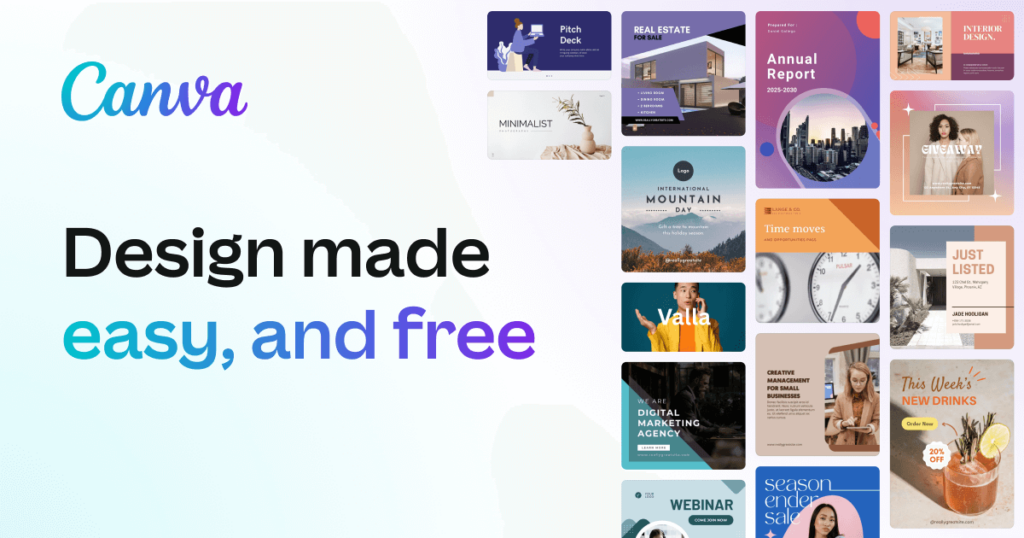
Social media is an ever-evolving landscape. Staying current on trends, new platforms, and tools like Buffer, Hootsuite, Sprout Social, and Canva is essential.
Following top digital marketing blogs such as Neil Patel’s blog or the HubSpot Marketing Blog can provide valuable insights into emerging strategies.
6. Network and Collaborate
Building a strong network of industry peers, influencers, and marketers can lead to valuable opportunities. Attend conferences, webinars, and workshops, both in-person and online. Collaborating with other marketers on projects can also expand your experience and visibility.
Tips on How to Become a Social Media Manager With No Experience

- The first step is to familiarize yourself with social media platforms. Use your own social media profiles or create mock accounts to experiment with different content formats, posting strategies, and engagement tactics.
- Understanding what type of content works best on each platform is important. Each platform has unique features, algorithms, and audience demographics.
- Stay updated by reading blogs, watching tutorials, and subscribing to newsletters from sources like Hootsuite, Buffer, and Sprout Social.
- Analyze what successful brands in your target industry are doing on social media. Observe their strategies for audience engagement, content types, and tone of voice.
- Take free online courses on the fundamentals of social media management, digital marketing, and content strategy. Many of these courses provide certifications that you can add to your resume.
- Choose a topic you are passionate about or have some expertise in, whether it’s fitness, personal finance, fashion, or tech. Share valuable content within that niche to attract an audience.
- Develop a consistent posting schedule that aligns with your audience’s preferences. Use tools like Hootsuite or Buffer to schedule your posts.
- Respond to comments, participate in discussions, and collaborate with others in your niche to grow your online presence organically.
- One of the best ways to build a portfolio without experience is by offering your services for free or interning with small businesses, startups, non-profits, or local organizations.
- After gaining some initial experience, either through internships or free services, you can start offering your skills as a freelancer. Platforms like Upwork, Fiverr, and Freelancer are great for connecting with clients in need of social media management.
Trends in Social Media Management

1. AI-Driven Social Media Tools
Artificial Intelligence (AI) is revolutionizing how we manage social media. AI-powered tools for scheduling posts, creating content, and analyzing data help optimize social media strategies.
ChatGPT and Jasper.ai are examples of AI-driven content tools that can generate high-quality copy for social media posts.
2. Increased Focus on Video and Interactive Content
With 85% of internet users in the U.S. watching online video content monthly, the demand for video-focused content managers is high. Interactive features, such as polls and live streaming, are also growing in popularity, enhancing user engagement.
3. Social Commerce Growth
Social media platforms are evolving into shopping destinations. As per Statista, global social commerce sales are projected to reach $1.3 trillion by 2025. Social Media Managers will need to understand this shift and create strategies that integrate e-commerce functionalities seamlessly.
4. Data Privacy and Compliance
In light of growing privacy concerns and regulations such as the General Data Protection Regulation (GDPR) and California Consumer Privacy Act (CCPA), Social Media Managers must be knowledgeable about compliance. Ensuring that social media campaigns respect user privacy is essential for legal protection and maintaining customer trust.
Becoming a Social Media Manager is more than just understanding social media platforms—it requires strategic thinking, content creativity, data analytics, and a deep understanding of digital marketing. Mastering these key areas can help you establish yourself as a successful Social Media Manager even without a degree.






You must be logged in to post a comment.