Search results for: “phones”

  • Top Highest Paying Tech Jobs in 2025

    Top Highest Paying Tech Jobs in 2025

    The tech industry continues to be a driving force in the global economy, with demand for the highest paying tech jobs and skilled professionals skyrocketing as large corporations increasingly rely on technology to boost businesses.

    Technology is now permeating every facet of business, from cloud computing, software development, project management, and cybersecurity to artificial intelligence. These companies are willing to pay hundreds of thousands of dollars for tech expertise.

    Technology is evolving, but so do the opportunities. There is an array of opportunities for skilled professionals in the technology industry. If you’re looking for places where you can build a technology career, there are tons of sectors to pursue a career in tech. Some of the best places to build a tech career include startups, financial services, healthcare, education, government, retail, manufacturing, entertainment, energy, consulting, telecommunications, and non-profits.

    40 Top Highest Paying Tech Jobs & Careers 2024

    Highest Paying Tech Jobs | Best Paying Jobs in Technology

    1. Applications Architect

    Responsibilities: Design the architecture of software applications, ensuring alignment with business requirements and technology standards.

    Degrees/Skills: Bachelor’s in Computer Science or Engineering; extensive experience in application development; expertise in design patterns.

    Salary: $150,000 – $200,000 per year.

    2. Application Analyst

    Responsibilities: Analyze and support applications, manage application performance, and troubleshoot issues.

    Degrees/Skills: Bachelor’s in Computer Science or a related field; knowledge of application support and management; strong analytical skills.

    Salary: $100,000 – $130,000 per year.

    3. Application Developer

    Responsibilities: Develop and maintain software applications, write code, and test functionality.

    Degrees/Skills: Bachelor’s in Computer Science or a related field; proficiency in programming languages like Java, Python, or C#.

    Salary: $100,000 – $130,000 per year.

    4. Artificial Intelligence (AI) Engineer

    Responsibilities: Develop AI models and systems, implement machine learning algorithms, and work on artificial intelligence solutions.

    Degrees/Skills: Master’s or PhD in Computer Science; proficiency in machine learning frameworks like Python, TensorFlow, or PyTorch; strong analytical and problem-solving skills.

    Salary: $150,000 – $200,000 per year.

    5. Big Data Engineer

    Responsibilities: Design and maintain large-scale data processing systems, working with big data technologies like Hadoop and Spark.

    Degrees/Skills: Bachelor’s in Computer Science or a related field; expertise in big data frameworks and tools; strong programming skills.

    Salary: $140,000 – $180,000 per year.

    6. Blockchain Engineer

    Responsibilities: Develop and implement blockchain-based solutions, including smart contracts and decentralized applications.

    Degrees/Skills: Bachelor’s in Computer Science or a related field; knowledge of blockchain platforms like Ethereum; skills in cryptography and distributed ledger technology.

    Salary: $140,000 – $180,000 per year.

    7. Business Intelligence Analyst

    Responsibilities: Analyze business data, generate insights and reports, and support strategic decision-making.

    Degrees/Skills: Bachelor’s in Business Intelligence, Data Science, or a related field; expertise in Business Intelligence tools like Power BI or Tableau; strong analytical skills.

    Salary: $110,000 – $140,000 per year.

    8. Business Intelligence Developer

    Responsibilities: Develop and manage BI solutions, design data models, and create reports.

    Degrees/Skills: Bachelor’s in Computer Science, Data Science, or a related field; expertise in BI tools and SQL; strong analytical skills.

    Salary: $120,000 – $150,000 per year.

    9. Cloud Architect

    Responsibilities: Design and manage cloud infrastructure, implement cloud solutions and ensure scalability and security.

    Degrees/Skills: Bachelor’s in Computer Science or IT; certifications such as AWS Certified Solutions Architect or Microsoft Azure Architect; experience with cloud platforms.

    Salary: $150,000 – $200,000 per year.

    10. Cloud Engineer

    Responsibilities: Implement and manage cloud services, and ensure cloud infrastructure is efficient and scalable.

    Degrees/Skills: Bachelor’s in Computer Science or IT; certifications like AWS Certified Solutions Architect; experience with cloud platforms.

    Salary: $120,000 – $150,000 per year.

    11. Computer Programmer

    Responsibilities: Write and test code for software applications, debug and troubleshoot programming issues.

    Degrees/Skills: Bachelor’s in Computer Science or a related field; proficiency in programming languages; problem-solving skills.

    Salary: $80,000 – $110,000 per year.

    12. Computer Systems Analyst

    Responsibilities: Analyze and improve computer systems, gather requirements, and work on system upgrades.

    Degrees/Skills: Bachelor’s in Computer Science or a related field; experience with system analysis and design; strong analytical skills.

    Salary: $90,000 – $120,000 per year.

    13. Cyber Security Engineer

    Responsibilities: Develop and implement security measures to protect systems from cyber threats, and conduct security assessments.

    Degrees/Skills: Bachelor’s in Cybersecurity or a related field; certifications like CISSP or CEH; skills in network security and incident response.

    Salary: $120,000 – $150,000 per year.

    14. Data Architect

    Responsibilities: Design and manage data systems and structures, ensuring data quality and accessibility.

    Degrees/Skills: Bachelor’s in Computer Science or a related field; experience with data modeling and architecture; skills in SQL and data warehousing.

    Salary: $130,000 – $170,000 per year.

    15. Data Security Analyst

    Responsibilities: Analyze and implement measures to protect data; monitor systems for security breaches and respond to incidents.

    Degrees/Skills: Bachelor’s in Cybersecurity or a related field; certifications like CEH or CompTIA Security+; skills in network security and risk management.

    Salary: $110,000 – $140,000 per year.

    16. Data Scientist

    Responsibilities: Analyze complex data sets to provide actionable insights, build predictive models, and use statistical methods.

    Degrees/Skills: Master’s or PhD in Data Science, Statistics, or a related field; proficiency in data analysis tools like R or Python; strong analytical skills.

    Salary: $130,000 – $170,000 per year.

    17. Data Warehouse Architect

    Responsibilities: Design and manage data warehouse systems, and ensure data integration and availability for analysis.

    Degrees/Skills: Bachelor’s in Computer Science or a related field; experience with data warehousing technologies, data modeling, data management and data analysis; strong analytical skills.

    Salary: $130,000 – $170,000 per year.

    18. Database Manager

    Responsibilities: Oversee database system design, implementation, and maintenance; ensure data integrity and security.

    Degrees/Skills: Bachelor’s in Computer Science or Information Technology; expertise in database management systems (DBMS) such as SQL Server or Oracle; strong analytical skills.

    Salary: $130,000 – $170,000 per year.

    19. DevOps Manager

    Responsibilities: Oversee DevOps practices, manage deployment pipelines, and coordinate between development and operations teams.

    Degrees/Skills: Bachelor’s in Computer Science or IT; experience in DevOps methodologies; strong management skills.

    Salary: $140,000 – $180,000 per year.

    20. DevOps Engineer

    Responsibilities: Bridge the gap between development and operations, automate processes, and ensure efficient software delivery.

    Degrees/Skills: Bachelor’s in Computer Science or a related field; experience with CI/CD tools, scripting, and cloud platforms.

    Salary: $130,000 – $170,000 per year.

    21. Digital Marketing Manager

    Responsibilities: Develop and execute digital marketing strategies, manage online campaigns, and analyze performance metrics.

    Degrees/Skills: Bachelor’s in Marketing, Business, or a related field; experience with digital marketing tools; strong analytical and strategic skills.

    Salary: $100,000 – $140,000 per year.

    22. Enterprise Architect

    Responsibilities: Design and manage the overall IT architecture of an organization, ensuring alignment with business goals.

    Degrees/Skills: Bachelor’s in Computer Science or a related field; extensive experience in enterprise architecture; skills in strategic planning.

    Salary: $150,000 – $200,000 per year.

    23. Front-End Developer

    Responsibilities: Build and maintain the user interface of web applications, ensuring responsiveness and usability across devices.

    Degrees/Skills: Bachelor’s in Computer Science or a related field; expertise in HTML, CSS, JavaScript, and front-end frameworks like React or Angular.

    Salary: $100,000 – $130,000 per year.

    23. Full-Stack Developer

    Responsibilities: Develop both front-end and back-end components of web applications, ensuring seamless integration and functionality.

    Degrees/Skills: Bachelor’s in Computer Science or a related field; proficiency in full-stack technologies such as Node.js, Express, and various front-end frameworks.

    Salary: $120,000 – $160,000 per year.

    24. Hardware Design Engineer

    Responsibilities: Design and develop hardware components and systems, conduct tests, and improve hardware functionality.

    Degrees/Skills: Bachelor’s in Electrical Engineering or a related field; experience with hardware design and testing; proficiency in CAD tools.

    Salary: $120,000 – $150,000 per year.

    25. Information Systems Security Manager

    Responsibilities: Safeguard an organization’s information systems from cyber threats, manage security protocols, and ensure regulatory compliance.

    Degrees/Skills: Bachelor’s in Cybersecurity, Information Systems, or a related field; certifications like CISSP or CISM; deep knowledge of security technologies.

    Salary: $150,000 – $190,000 per year.

    26. Information Technology Manager

    Responsibilities: Oversee IT operations, manage technology infrastructure, and lead IT teams.

    Degrees/Skills: Bachelor’s in IT Management, Computer Science, or a related field; strong leadership and organizational skills; experience in IT management.

    Salary: $130,000 – $170,000 per year.

    27. Internet of Things (IoT) Solutions Architect

    Responsibilities: Design IoT solutions, integrate IoT devices with systems and manage data from connected devices.

    Degrees/Skills: Bachelor’s in Computer Science, Engineering, or a related field; knowledge of IoT protocols and platforms; skills in system integration.

    Salary: $150,000 – $190,000 per year.

    28. IT Security Specialist

    Responsibilities: Implement and manage security measures for IT systems, monitor for security breaches, and respond to incidents.

    Degrees/Skills: Bachelor’s in Cybersecurity or a related field; certifications like CompTIA Security+; experience with security tools and practices.

    Salary: $110,000 – $140,000 per year.

    29. IT Systems Security Manager

    Responsibilities: Manage security for IT systems, develop security policies, and oversee security operations.

    Degrees/Skills: Bachelor’s in IT Security, Cybersecurity, or a related field; certifications like CISSP; experience in security management.

    Salary: $140,000 – $180,000 per year.

    30. Mobile Applications Developer

    Responsibilities: Design, develop, and maintain applications for mobile devices on platforms like iOS and Android.

    Degrees/Skills: Bachelor’s in Computer Science or a related field; proficiency in Swift, Kotlin, or Java; experience with mobile app development tools and frameworks.

    Salary: $120,000 – $150,000 per year.

    31. Network and Computer Systems Administrator

    Responsibilities: Manage and support network and computer systems, and ensure system performance and security.

    Degrees/Skills: Bachelor’s in Computer Science or a related field; experience with network administration; certifications like CompTIA Network+.

    Salary: $80,000 – $110,000 per year.

    32. Network Security Engineer

    Responsibilities: Protect network infrastructure from security threats, configure firewalls, and conduct security assessments.

    Degrees/Skills: Bachelor’s in Computer Science Network Security, Cybersecurity, or a related field; certifications like CCNP Security or CISSP; skills in IT networking and programming.

    Salary: $120,000 – $150,000 per year.

    33. Product Manager

    Responsibilities: Lead product development from conception to launch, define product vision, and coordinate with cross-functional teams.

    Degrees/Skills: Bachelor’s in Business, Computer Science, or a related field; strong project management and communication skills; experience with product lifecycle management.

    Salary: $140,000 – $180,000 per year.

    34. Site Reliability Engineer

    Responsibilities: Ensure the reliability and performance of software systems, automate operations tasks, and improve system resilience.

    Degrees/Skills: Bachelor’s in Computer Science or a related field; expertise in system administration, automation, and monitoring tools.

    Salary: $130,000 – $170,000 per year.

    35. Software Architect

    Responsibilities: Design and oversee the software architecture of complex systems, ensuring alignment with business goals and technical standards.

    Degrees/Skills: Master’s in Computer Science or Software Engineering; extensive experience in software development; expertise in web applications, design, and web services.

    Salary: $160,000 – $210,000 per year.

    36. Software Engineering Manager

    Responsibilities: Oversee software development teams, manage projects, and ensure the delivery of high-quality software products.

    Degrees/Skills: Bachelor’s or Master’s in Computer Science or Engineering; strong leadership and project management skills; expertise in software development methodologies.

    Salary: $160,000 – $210,000 per year.

    37. Software Test Engineer

    Responsibilities: Develop and execute test plans, identify bugs, and ensure software quality.

    Degrees/Skills: Bachelor’s in Computer Science or a related field; experience with testing tools and methodologies; strong attention to detail.

    Salary: $100,000 – $130,000 per year.

    38. Solutions Engineer

    Responsibilities: Provide technical solutions to clients, support sales teams, and tailor solutions to customer needs.

    Degrees/Skills: Bachelor’s in Computer Science or a related field; strong technical and communication skills; experience in pre-sales support.

    Salary: $110,000 – $140,000 per year.

    39. User Experience Designer

    Responsibilities: Design intuitive and engaging user experiences, conduct user research, and iterate on designs.

    Degrees/Skills: Bachelor’s in UX Design, HCI, or a related field; proficiency in design tools; strong understanding of user behavior.

    Salary: $110,000 – $140,000 per year.

    40. User Interface Designer

    Responsibilities: Design user interfaces for web and mobile applications, ensuring usability and visual appeal.

    Degrees/Skills: Bachelor’s in Graphic Design, HCI, or a related field; proficiency in design tools like Sketch, Figma, or Adobe; understanding of UX principles.

    Salary: $90,000 – $120,000 per year.

    How to Get Highest Paying Tech Jobs in 2024

    Getting a top-paying tech job in 2024 might seem like a big challenge, but breaking it down into simple steps can make it easier to understand and achieve. Here’s how you can do it:

    STEP #1. Learn the Right Skills

    • Coding: Start by learning popular programming languages like Python, JavaScript, or Java. These are the basics and thats where years of experience comes in.
    • Stay Curious: Explore areas like data science, AI, cloud computing, and cybersecurity. These fields are hot right now and pay well.
    • Hands-On Practice: Work on small projects or build apps to apply what you learn. It’s the best way to get better.

    STEP #2. Stay Updated

    • Follow Tech News: Keep up with what’s happening in tech by reading blogs or watching YouTube channels.
    • Attend Events: Join webinars or local tech meetups to learn from others and make connections.

    STEP #3. Get Certified

    • Consider getting certifications in areas like cloud computing or cybersecurity. They show you have specific skills and can help you stand out.

    STEP #4. Build a Portfolio

    • Show Your Work: Create a GitHub account and upload your projects. This becomes your online resume that potential employers can check out.
    • Be Active Online: Share your projects on LinkedIn or a personal website. The more people see your work, the better.

    STEP #5. Gain Experience

    • Start Small: Look for internships or freelance gigs to get some real-world experience too.
    • Join a Startup: Startups can be a great place to learn quickly and take on more responsibilities.

    STEP #6. Network with People

    • Join Communities: Be part of online tech communities where you can ask questions, share ideas, and connect with others.
    • Meet People: Attend local tech events or meetups to make connections that could lead to job opportunities.

    STEP #7. Focus Your Job Search

    • High-Paying Fields: Aim for roles in fast-growing areas like AI, cybersecurity, or cloud computing.
    • Big Companies: While big names like Google or Amazon are great, don’t forget about smaller companies or startups, which can also offer high-paying roles.

    STEP #8. Prepare for Interviews

    • Practice: Use coding challenge websites like LeetCode to get ready for technical interviews.
    • System Design: For advanced roles, be prepared to discuss how you would design and build complex systems.

    STEP #9. Consider Location

    • Tech Hubs: Cities like San Francisco or Austin are known for highest paying tech jobs, but remote work is also an option, giving you more flexibility.

    By focusing on learning, building experience, and making connections, you’ll set yourself up for one of the highest paying tech jobs in 2024. Stay curious, keep practicing, and don’t be afraid to put yourself out there!


  • 25 Best Movie Download Sites for Free

    25 Best Movie Download Sites for Free

    Now that entertainment is just a click away, the demand for good sites to download movies for free has never been greater. With countless websites offering free movie downloads, it’s tempting to grab whatever is available without a second thought.

    However, not all popular torrent sites are safe. Some can be harmful, exposing your devices to malware, phishing attacks, and other cybersecurity threats. One minute you’re trying to get rid of annoying pop-up ads, and the next your devices are at risk of malware from these spammy ads.

    If you’re looking for where to download high-quality movies to your phones and PCs, this carefully curated list of the 20 best movie download sites for free will give you access to a diverse range of content. From Hollywood blockbusters to Netflix movies and trending TV shows. And the best part? They’re all free!

    Top 25 Free Sites To Download Movies to Phone and PC

    20 Best Movie Download Sites for Free

    Housemovie.to

    Housemovie.to offers a simple and efficient way to download movies in any language. Just select the movie, choose your format, and hit download. Visit: Housemovie.to

    The Public Domain Review

    The Public Domain Review is similar to PublicDomainMovie.net but is ad-free with better filtering options. You can search for movies by century, genre, theme, and type. All movies are streamable, with download links provided on each page. Visit: The Public Domain Review

    Netflix

    Netflix allows subscribers to download movies and TV shows for offline viewing through the Netflix app. While not all titles are available for download, the app makes it easy to find downloadable content. Visit: Netflix

    Film2Movie.asia

    Film2Movie.asia offers free movie downloads without the need for registration. The site is straightforward, with an easy-to-use interface that lets you find movies by category or search feature. Visit: Film2Movie.asia

    Waploaded Movies

    Waploaded Movies is one of Africa’s leading movie download websites, hosting the latest trending movies. The site is easy to navigate across all devices. Besides movies, Waploaded also offers music videos, comedy clips, and more. Visit: Waploaded

    O2tvseries

    O2tvseries is a favorite for TV show lovers. The platform offers a vast selection of series and movies in multiple languages. Whether you’re searching by title or genre, O2tvseries has you covered. Visit: O2tvseries

    Solarmovies

    Solarmovies is a well-known platform for high-definition movie downloads. It’s user-friendly and easy to navigate on both mobile and tablet devices. The site offers a vast database of movies, including new movie releases and popular series. Visit: Solarmovies

    Waptrick

    Waptrick is an old but still popular site offering a variety of mobile content, including movies, games, wallpapers, and ringtones. It’s one of the few surviving sites from the early days of mobile content download. Visit: Waptrick

    Amazon Prime Video

    Amazon Prime Video allows you to download movies and shows on the same screen where you stream them. You can download purchased, rented, and subscription titles, though some restrictions apply. Visit: Amazon Prime Video

    1337X Movies

    1337X Movies is a torrent site that requires a VPN for safe access. It offers a vast library of HD movies, episodes, and more. The site is entirely free but may be restricted in some countries. Visit: 1337X Movies

    PublicDomainMovie.net

    PublicDomainMovie.net is a treasure trove of classic movies that are now in the public domain. The site offers a variety of genres, and each movie page includes detailed information like the release date and cast list. Movies can be streamed directly or downloaded for offline viewing. Visit: PublicDomainMovie.net

    123Movies.net

    123Movies.net is a long-standing free movie download and streaming site. Known for its extensive library, the site supports multiple languages and offers movies of high quality. No sign-up is required, making it user-friendly and accessible. Visit: 123Movies.net

    MoviesFoundOnline.com

    MoviesFoundOnline.com specializes in finding and sharing the best sources for downloading and streaming movies. With an easy search function, it’s a handy site. Visit: MoviesFoundOnline.com

    Nkiri

    Nkiri offers a selection of movies from Hollywood, Nollywood, Korean drama and other global industries. Visit: Nkiri

    The Internet Archive (Archive.Org)

    The Internet Archive offers a massive collection of public-domain movies, books, and other digital resources. While most movies are older titles, the site provides powerful filtering options to help you find exactly what you’re looking for. Visit: The Internet Archive

    TVShows4Mobile

    TVShows4Mobile is a well-established platform offering the latest TV shows and movies for free. With an easy-to-use interface, the site is accessible from any device, making it a popular choice for TV series lovers. Visit: TVShows4Mobile

    Toxicwap

    Toxicwap is an established name in the mobile movie download world. It offers the latest movies across genres, including K-Drama, anime, and TV series. Though the site redirects to other pages and includes pop-up ads, it’s a reliable source for free downloads. Visit: Toxicwap

    Hulu

    Hulu offers legal movie downloads through its app on iOS, Android, and Amazon Fire devices. Downloads are only available on specific plans like Hulu (No Ads) and Hulu (No Ads) + Live TV. Visit: Hulu

    Vimeo.com

    Vimeo is a video-sharing platform that hosts a variety of films, including indie movies and shorts. With a free account, you can stream or download high-quality videos and share them on social media. Visit: Vimeo.com

    AZmovies

    AZmovies is a free site with thousands of movies to choose from. While an account is required for downloads, the site offers an easy streaming experience. Visit: AZmovies

    YouTube

    YouTube provides an easy way to watch and download movies, especially if you’re looking for specific titles. While most content requires a purchase or rental, there’s a wide selection of free movies available as well. Visit: YouTube

    Filmywap

    Filmywap is a popular site for Bollywood movie enthusiasts. It offers free downloads of trending Bollywood movies and Hindi-dubbed Hollywood films. The site boasts fast download speeds and a wide range of resolutions. Visit: Filmywap

    The Library of Congress

    The Library of Congress offers a curated collection of public-domain movies from the National Film Registry. While the selection is small, the quality is excellent, and all movies are available for free download in multiple formats. Visit: Library of Congress

    Avimobilemovies.co

    Avimobilemovies.co provides a vast array of movies categorized by genre and release date. The site is easy to navigate, and movies can be streamed or downloaded directly to your device. Visit: Avimobilemovies.co

    Fzmovies.net

    Fzmovies.net is a top free site for downloading movies on mobile devices and PCs. The browser-based platform offers a wide selection of genres, from Action to Romance. Visit: Fzmovies.net

  • 7 Best Project Management Tools

    7 Best Project Management Tools

    Most companies, with their complex workflows, remote teams, and innovative projects, need strong tools to keep everything on track. Whether you are leading a small startup or managing projects in a large enterprise, here’s a comprehensive look at the best project management tools you should consider in 2024.

    Before we begin, it’s important to note that choosing the right project management tool depends on your team’s specific needs, the complexity of your projects, and your budget. Jira and Trello are excellent for software development teams, while Asana and Monday.com offer versatile solutions for various project types. ClickUp provides an all-in-one solution with extensive features, and Basecamp offers simplicity and ease of use. Smartsheet stands out for teams that prefer a spreadsheet-like interface with advanced capabilities.

    Jira Project Management Tools

    Developed by Atlassian, Jira is a favorite among software development teams. It is great for tracking issues, bugs, and tasks, making it an essential tool for Agile methodologies.

    Key Features:

    • Customizable Workflows: Tailor workflows to fit the needs of your team.
    • Scrum and Kanban Boards: Visualize and manage work in real time.
    • Advanced Reporting: Gain insights with real-time reporting and dashboards.
    • Integration: Seamlessly integrates with other Atlassian products like Confluence, Bitbucket, and more.

    Best For: Software development teams looking for a powerful issue and project tracking tool.

    Pros:

    • Highly customizable
    • Extensive third-party integrations
    • Strong Agile and DevOps support

    Cons:

    • It can be complex to set up
    • The higher learning curve for new users

    Trello Project Management Tools

    Trello - best Project Management Tools

    Also an Atlassian product, Trello is known for its simplicity and visual approach to project management. Its card and board system makes it easy to organize tasks and collaborate with team members.

    Key Features:

    • Boards, Lists, and Cards: Organize tasks and projects visually.
    • Power-Ups: Enhance functionality with Slack, Google Drive, and more integrations.
    • Automation: Use Butler to automate repetitive tasks.
    • Collaboration: Real-time collaboration features for team interaction.

    Best For: Small to medium-sized teams looking for a simple and intuitive project management tool.

    Pros:

    • User-friendly and intuitive interface
    • Flexible and versatile
    • Free version available

    Cons:

    • Limited advanced features compared to other tools
    • Can become cluttered with large projects

    Asana Project Management Tools

    Asana is a versatile project management tool that supports various project types and team sizes. It’s particularly strong in task management and team collaboration.

    Key Features:

    • Task Management: Create and assign tasks, set deadlines, and track progress.
    • Timeline View: Visualize project timelines and dependencies.
    • Workload Management: Balance team workload with real-time insights.
    • Integration: Connects with Slack, Microsoft Teams, and other tools.

    Best For: Teams of all sizes looking for a comprehensive task and project management solution.

    Pros:

    • Easy to use with a clean interface
    • Strong task management capabilities
    • Versatile for different types of projects

    Cons:

    • Some advanced features are only available in the premium version
    • Can be overwhelming for tiny projects

    Monday.com Project Management Tools

    Monday.com is known for its flexibility and customizability, making it suitable for various industries and team needs. It provides a visual and intuitive way to manage projects and workflows.

    Key Features:

    • Customizable Workflows: Design workflows that fit your team’s processes.
    • Visual Dashboards: Get an overview of project status and team performance.
    • Automation: Automate routine tasks to save time.
    • Integrations: Connect with tools like Slack, Zoom, and Google Workspace.

    Best For: Teams that need a highly customizable and visual project management solution.

    Pros:

    • Highly customizable and flexible
    • Visual and intuitive interface
    • Strong integration options

    Cons:

    • Can be expensive for smaller teams
    • Some users find it too complex initially

    ClickUp Project Management Tools

    ClickUp aims to be an all-in-one project management solution, offering a wide range of features to manage tasks, documents, goals, and more. It’s highly customizable and supports multiple views.

    Key Features:

    • Task Management: Manage tasks with lists, boards, and calendars.
    • Time Tracking: Built-in time tracking and time estimates.
    • Goals and OKRs: Set and track goals to ensure alignment with business objectives.
    • Integrations: Connect with tools like Slack, Zapier, and Google Drive.

    Best For: Teams looking for a comprehensive, all-in-one project management solution.

    Pros:

    • Extensive features and customization options
    • Competitive Pricing
    • Suitable for various project types

    Cons:

    • Steeper learning curve due to feature-rich environment
    • Can feel overwhelming for simple projects

    Basecamp Project Management Tools

    Basecamp is designed to simplify project management and team collaboration. It offers an all-in-one toolkit for managing projects, communicating with teams, and sharing files.

    Key Features:

    • Message Boards: Centralized place for team discussions.
    • To-Do Lists: Simple task management with due dates and assignments.
    • Schedules: Calendar view for project timelines.
    • Docs & Files: Organize project documents and files.

    Best For: Teams looking for a straightforward and user-friendly project management tool.

    Pros:

    • Simple and easy to use
    • All-in-one toolkit for project management
    • Flat-rate pricing

    Cons:

    • Limited advanced features
    • Not ideal for very complex projects

    Smartsheet Project Management Tools

    Smartsheet combines the familiar interface of spreadsheets with advanced project management features. It’s ideal for teams that prefer working in a grid-like environment.

    Key Features:

    • Grid, Card, Gantt, and Calendar Views: Multiple ways to visualize projects.
    • Automations: Automate workflows and repetitive tasks.
    • Reports and Dashboards: Gain insights with customizable reports.
    • Integrations: Connects with tools like Microsoft Office, Google Workspace, and more.

    Best For: Teams that prefer a spreadsheet-like interface with advanced project management capabilities.

    Pros:

    • Familiar and flexible interface
    • Strong automation features
    • Suitable for various project types

    Cons:

    • It can be complex to set up initially
    • Higher cost compared to some other tools
  • Best Antivirus for Android: What to Look Out For

    Best Antivirus for Android: What to Look Out For

    The importance of an antivirus app for your Android phone cannot be overstated. The Android platform, being the most widely used mobile operating system globally, attracts some serious malware and cyber threats. An antivirus app acts as a crucial defense mechanism, providing comprehensive protection against various forms of malicious software that can compromise your personal data, financial information, and overall device functionality.

    To ensure the safety of your Android smartphones or tablets, it’s crucial to keep its software updated to the latest version. Each new Android release enhances security, and monthly security updates address newly discovered vulnerabilities.

    However, these updates and upgrades won’t always be immediately available and most manufacturers need additional time to adapt and test these updates to avoid compatibility issues with their devices and software.

    The waiting period for these updates can range from a few weeks to several months, and many Android phones stop receiving OS upgrades after two years, and some never get monthly security updates. This is where Android antivirus apps become essential.

    Choosing the Best Android Antivirus Apps

    Choosing the Best Android Antivirus Apps

    Key features to look for in Android antivirus apps include anti-theft mechanisms, app advisors to help you choose safe apps, Wi-Fi security scanners, and app locks requiring passcodes for specific apps.

    The primary function of any antivirus is to protect your device from malware. Look for an antivirus that offers real-time protection and scans apps and files for malicious content. It should be able to detect and eliminate various types of malware, including viruses, spyware, ransomware, and phishing attempts.

    Cyber threats are constantly evolving, and so should your antivirus software. Choose an antivirus that provides regular updates to its virus database and app itself. This ensures that your device is protected against the latest threats and vulnerabilities.

    Android antivirus apps come in three pricing models: free, paid, and freemium.

    • Freemium apps offer a basic set of features for free, with the option to upgrade to a premium version for full functionality. These free antivirus software for Android mobile phone versions often come with ads.
    • Paid apps provide comprehensive protection and typically cost between $15 and $30 annually. Some also offer super-premium tiers with additional services like VPNs or identity theft protection.

    The Best Antivirus for Android Phones

    The Best Antivirus for Android Phones

    The best Android antivirus apps not only protect against malicious apps and malware but also offer features that help prevent fraud and identity theft. These apps include privacy and anti-theft features, with some offering additional security tools like VPNs or password managers. Norton, Bitdefender, and Kaspersky are some of the best antivirus for Android phones.

    Here are the top-rated Android antivirus apps:

    1. Bitdefender Mobile Security – comes with top-notch malware protection, minimal system impact, and useful features like app lock and Wi-Fi scanner.
    2. Norton Mobile Security – offers flawless malware detection and an intuitive design with the unique App Advisor feature.
    3. Avast Mobile Security – when it comes to performance, Avast antivirus provides good malware protection with minimal system overhead and additional anti-theft features.
    4. Lookout Security & Antivirus – for identity protection, Lookout offers a clean interface and identity protection features. Although its malware protection is less certain.
    5. McAfee Mobile Security – gives you decent malware protection and useful free features but lacks some previously included functions.
    6. Google Play Protect – is the best free antivirus, pre-installed on most Android devices but with limited features and subpar malware protection.

    Check out the full review on Best Free Antivirus Application for Android Devices

  • Samsung Galaxy Watch 7 Series: July Unpacked Event

    Samsung Galaxy Watch 7 Series: July Unpacked Event

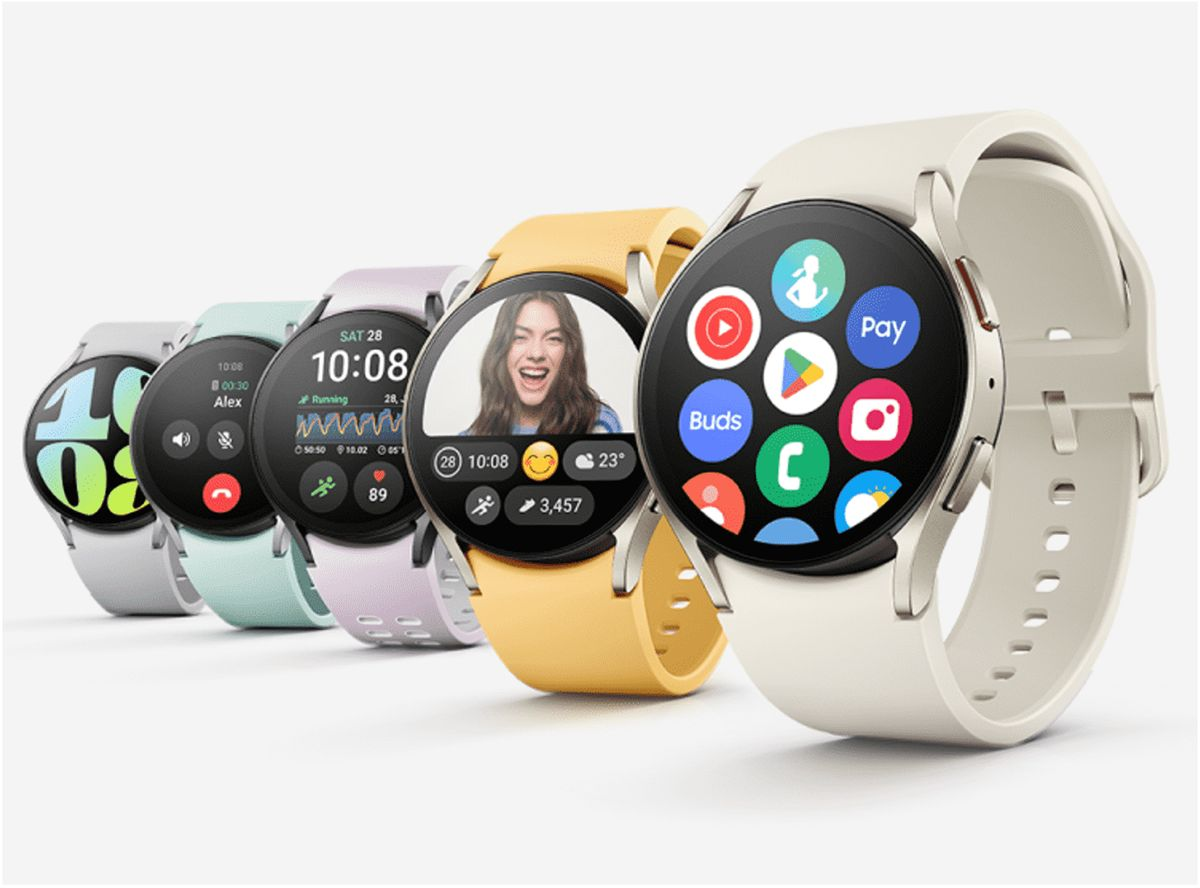
    Samsung’s next-gen smartwatches identified by model numbers SM-L300, SM-L305, SM-L310, and SM-L315, have been spotted on the FCC certification. The latest Galaxy Watch 7 series will be revealed at the next Samsung Unpacked event scheduled to be held on July 10, 2024.

    We got wind of some of the features, including Wi-Fi and LTE connectivity, and different models; Galaxy Watch 7, Galaxy Watch 7 Classic/Pro, and Galaxy Watch 7 FE. Samsung is also expected to showcase the Galaxy Z Fold 6 and Galaxy Z Flip 6.

    Samsung, Apple, and Google have been the leading competitors in the wearables and smartwatch market for years now. The Samsung Galaxy Watch 6 is one of the best smartwatches for Android users, especially those with Samsung phones. It features a rotating bezel, health and fitness tracking, durable sapphire glass, potentially longer battery life, LTE connectivity, and a more competitive price than the Apple Watch Series 9.

    Although the Galaxy Watch 6 and Watch 6 Classic are ideal for Android users, the Apple Watch Series 9 continues to set the standard for smartwatches. It runs on the efficient S9 chip, with improved battery life and on-device Siri processing for quick and private responses. Features include Double Tap, which lets you control the watch by tapping two fingers together, an FDA-cleared electrocardiogram sensor, and SpO2 measurement, although this last feature is no longer available on US models sold after January 18, 2024, due to the Apple Watch blood-oxygen monitoring patent dispute.

    Google’s Pixel Watch 2 which is another good smartwatch for Android users now includes auto-start workout detection, fall detection, SpO2 measurements, and a modernized Fitbit app. It also introduces Safety Check and Body Response features for stress detection and management. Although it’s great for health and fitness tracking, the battery life lasts only about a day.

  • What is 5G Home Internet? Everything You Need to Know

    What is 5G Home Internet? Everything You Need to Know

    5G home internet is no longer a luxury—it’s rapidly becoming the backbone of modern living. Whether it’s remote work, online education, or staying connected with family and friends, 5G technology is redefining how we interact with the digital world.

    Why 5G Home Internet?

    Traditional broadband providers often bundle outdated services like cable TV and struggle to keep up with increasing demands for faster, more reliable internet. Issues like frequent outages, slow speeds, and restrictive contracts frustrate users. Enter 5G home internet, a game-changing solution for seamless connectivity.

    What Is 5G Home Internet?

    5G home internet uses the latest wireless technology to deliver high-speed internet directly to your home. Pioneering providers like Verizon, T-Mobile, and Starry are making this service more accessible globally, offering speeds comparable to fiber-optic connections.

    Top 5G Providers and Their Offers

    • Verizon: Speeds of 85–1,000 Mbps, starting at $50/month, with unlimited data and free equipment for mobile subscribers.
    • T-Mobile: Speeds of 72–245 Mbps at $60/month, plus a $200 gift card for switching.
    • Starry: Speeds of 50–1,000 Mbps, priced at $30–$80/month, with no contracts and free installation.

    How Does 5G Home Internet Work?

    Setup is simple: a router and SIM card connect to nearby cell towers, eliminating the need for cumbersome wired connections. This makes it a flexible, plug-and-play solution for households.

    Benefits of 5G Home Internet

    1. Lightning-Fast Speeds: Experience speeds that rival or exceed traditional broadband.
    2. Easy Setup: No complex wiring; get online with minimal effort.
    3. Affordable Plans: Competitive pricing with unlimited data.
    4. Flexible Contracts: Many providers offer no-contract options.

    However, challenges like limited availability and potential signal interference remain. Health concerns about 5G lack scientific backing, but they’ve stirred public debate.

    5G vs. Traditional Broadband

    While 5G offers advantages like lower latency and greater capacity, its reliability depends on location. Fiber-optic broadband still leads in stability for areas where 5G coverage is limited.

    Is 5G Home Internet Right for You?

    Evaluate your needs, location, and budget. For urban areas with robust 5G coverage, it’s a compelling alternative to traditional broadband.

    Top 5G Providers Worldwide

    In the US:

    • AT&T Internet Air
    • T-Mobile 5G Home Internet
    • Verizon
    • US Cellular Home Internet
    • Starry Home Internet

    In the UK:

    • EE 4G/5G Mobile Broadband
    • Three 5G Home Broadband
    • Vodafone 5G Broadband
    • National Broadband 5G

    The Future of 5G Home Internet

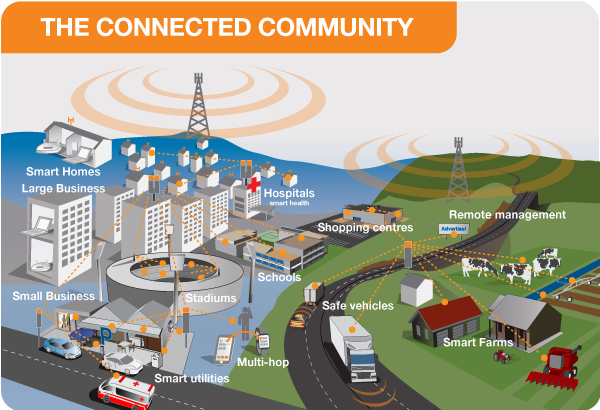
    From smart homes and IoT innovations to enhanced online gaming and telemedicine, 5G is set to transform everyday life. Stay ahead of the curve by exploring 5G options tailored to your connectivity needs.

  • Best Calendar App for iPhone/Android

    Best Calendar App for iPhone/Android

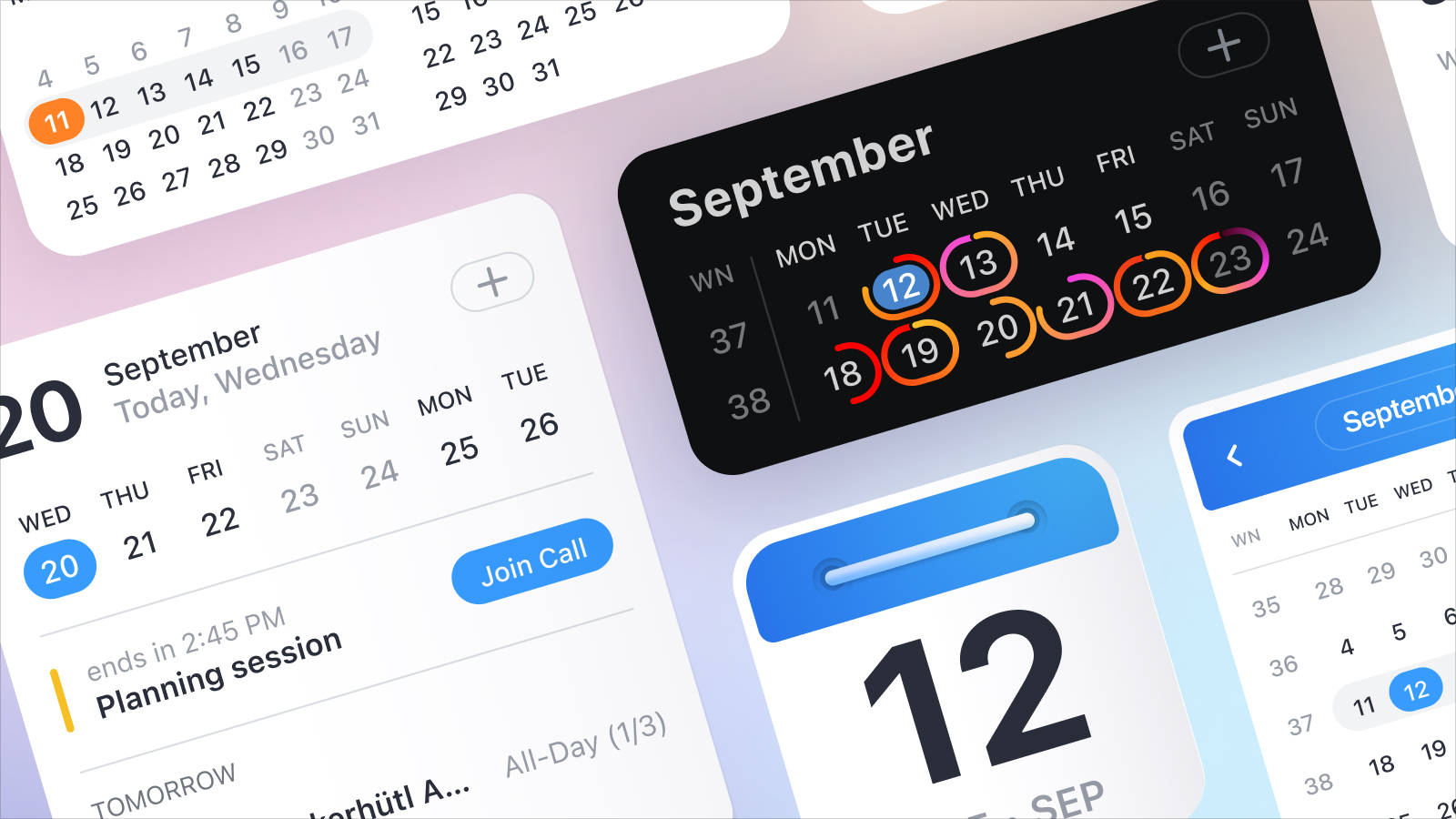
    Efficiently managing your time is paramount, and the best calendar apps are good at simplifying this process. Regardless of whether you’re a business owner juggling multiple responsibilities or an employee with a demanding schedule, the struggle to complete tasks within the limited hours of a day is universal. While a conventional calendar app capably records important events like business meetings or time off, the leading applications surpass these basics and we’re about to introduce them. Also, plan your week ahead;7must-have Android applications for this week

    These exceptional calendar apps do more than just block time. They offer features like intelligent reminders, seamless meeting scheduling, and comprehensive planning for days, weeks, and months. This ensures a meticulous organization of your time, optimizing productivity. Moreover, these apps facilitate effortless planning across all devices through cloud syncing, enabling the addition, review, or editing of entries on smartphones and subsequent synchronization with desktops or laptops.

    Furthermore, the finest calendar apps provide a unified platform for work, personal, and shared calendars, promoting increased productivity. The ability to seamlessly switch between these categories minimizes distractions, allowing you to focus on relevant tasks during work hours and unwind without work-related interruptions at home.

    In essence, these leading calendar apps exceed traditional functionalities, often resembling simplified virtual assistants. They adeptly simplify the complexities of your bustling life, ensuring an uncomplicated and efficient approach to organization. Below, we have a curated list of the current top calendar apps for iPhones and Androids so you don’t have to worry about the best calendar app for your device.

    Calendar app

    Which calendar app is better Apple or Google?

    The choice between Apple’s Calendar app and Google Calendar often depends on your personal preferences and the devices and services you use. Both apps have their strengths and may be better suited for different users.

    Apple Calendar:

    • Integration with Apple Ecosystem: If you use Apple devices like iPhone, iPad, and Mac, the Apple Calendar app seamlessly integrates with them.
    • Siri Integration: Siri, Apple’s virtual assistant, can be used to create and manage events in the Apple Calendar.
    • Privacy: Apple is known for its focus on privacy, and if privacy is a top concern for you, you might appreciate Apple’s approach.

    Google Calendar:

    • Cross-Platform Compatibility: Google Calendar apps work well across different platforms, including Android, iOS, and web browsers. This is beneficial if you use devices from various manufacturers.
    • Collaboration Features: Google Calendar excels in collaboration, allowing easy sharing of calendars and events with others. It integrates with other Google services like Gmail.
    • Search and Machine Learning: Google Calendar uses machine learning to help predict events, suggest locations, and make event creation quicker and more intuitive.
  • Best Drones for Photography/Videography in 2024

    Best Drones for Photography/Videography in 2024

    As technology continues to soar to new heights, drones have become indispensable tools across various industries and recreational hobbies for young people. We’ve chronicled everything from the best cameras to the top-value phones to purchase in 2024 at affordable prices, but we’re yet to touch base with the best gadgets redefining the future of unmanned aerial activities. This list of the best drones of 2024 for photography and videography consists of drones with advanced features, exceptional performance, etc.

    Read Also: Best Budget Android Phones to Buy in 2024

    Best Drones of 2024 for Photography

    Autel Robotics Evo Lite+

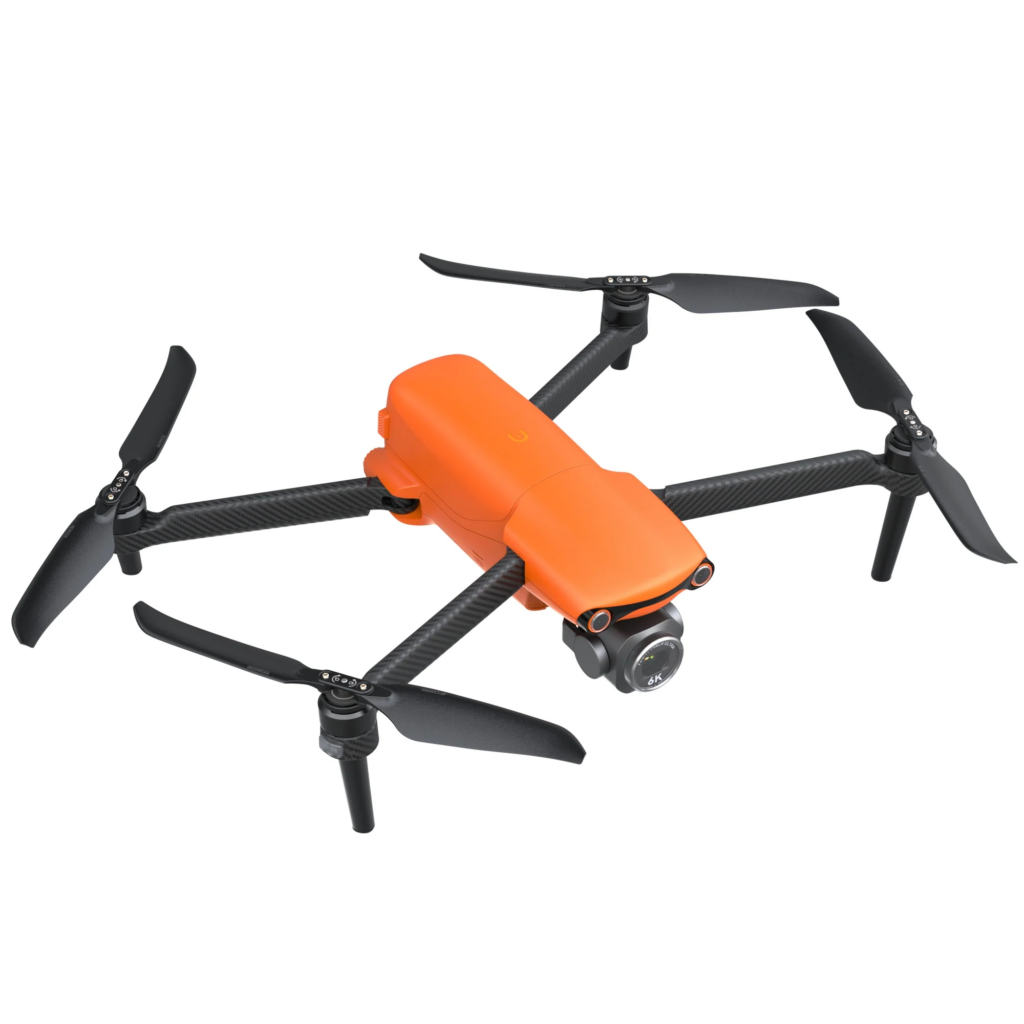
    If you’re into drone photography or videography but prefer non-DJI drones, the Autel Evo Lite+ could be your go-to. The Autel Evo Lite+ drone is an excellent drone camera with image quality that’s equivalent to DJI Air drones. What’s cool is it comes with a variable aperture lens, so that it is easy to control how much light hits the sensor without needing extra filters. Plus, it can stay airborne for about 40 minutes on a single charge and has sensors to help avoid obstacles.

    Autel Robotics Evo Lite+ best drone for photography

    The Lite+ captures stable footage in both 6K30 and 4K60 resolutions, and it takes sharp 20MP stills. Aside from the built-in obstacle sensors for added safety, there’s a generous 40 minutes of flight time Along with other features like automated camera movements and Hyperlapse, GPS, and automated return-to-home functions.

    But there are some downsides. While its 6K camera is pretty impressive, you can’t tweak the video settings much, and the video profile is limited to 8-bit flat. Also, the remote doesn’t have a screen like previous models, and the drone can’t navigate around obstacles on its own.

    Read Also: Free Graphic Design Software for Content Creation

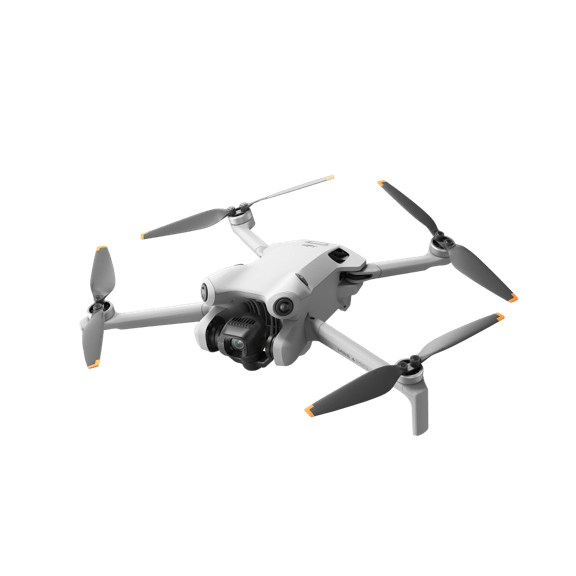
    DJI Mini 4 Pro

    DJI Mini 4 Pro best drone for photography

    The DJI Mini 4 Pro is one of the best drones for photography if you’re searching for ultra-light drones today. Weighing just 249g with a standard battery, this drone offers approximately 34 minutes of flight time and doesn’t require FAA registration. Its feature-rich design includes full 360-degree obstacle avoidance, automated flight modes, and a Quad Bayer camera capable of capturing stunning 4K60 HDR video. The APAS function facilitates autonomous navigation through intricate environments, even at low altitudes, making it a standout feature.

    Read Also: Best Business Podcasts for Scalable Businesses 2024

    Aside from its exceptional performance, the Mini 4 Pro also has a compact, portable design and bypasses registration requirements due to its lightweight build. It offers impressive 4K60 video capabilities in SDR, HDR, or D-Log M, along with support for vertical video and upward camera tilt. Additionally, users have the flexibility of choosing between two remote control options.

    However, it’s worth noting some drawbacks. The absence of an AirSense transponder could be considered a limitation, and opting for the extended battery may exceed the registration weight limit in certain regions.

    Read Also: Meta Quest 3 Complete Beginner’s Guide

    In terms of specifications, the DJI Mini 4 Pro measures 2.4 by 3.5 by 5.7 inches and weighs 8.8 oz. It features four rotors and integrated obstacle detection. The integrated camera, combined with a gimbal, offers a resolution of 4K and boasts 48 megapixels. Media is stored on microSDXC cards, and users can choose between dedicated remote control options, including one with an LCD screen. The live video feed quality reaches up to 1080p resolution. This is honestly one of the best drones for photography any creator today can ask for.

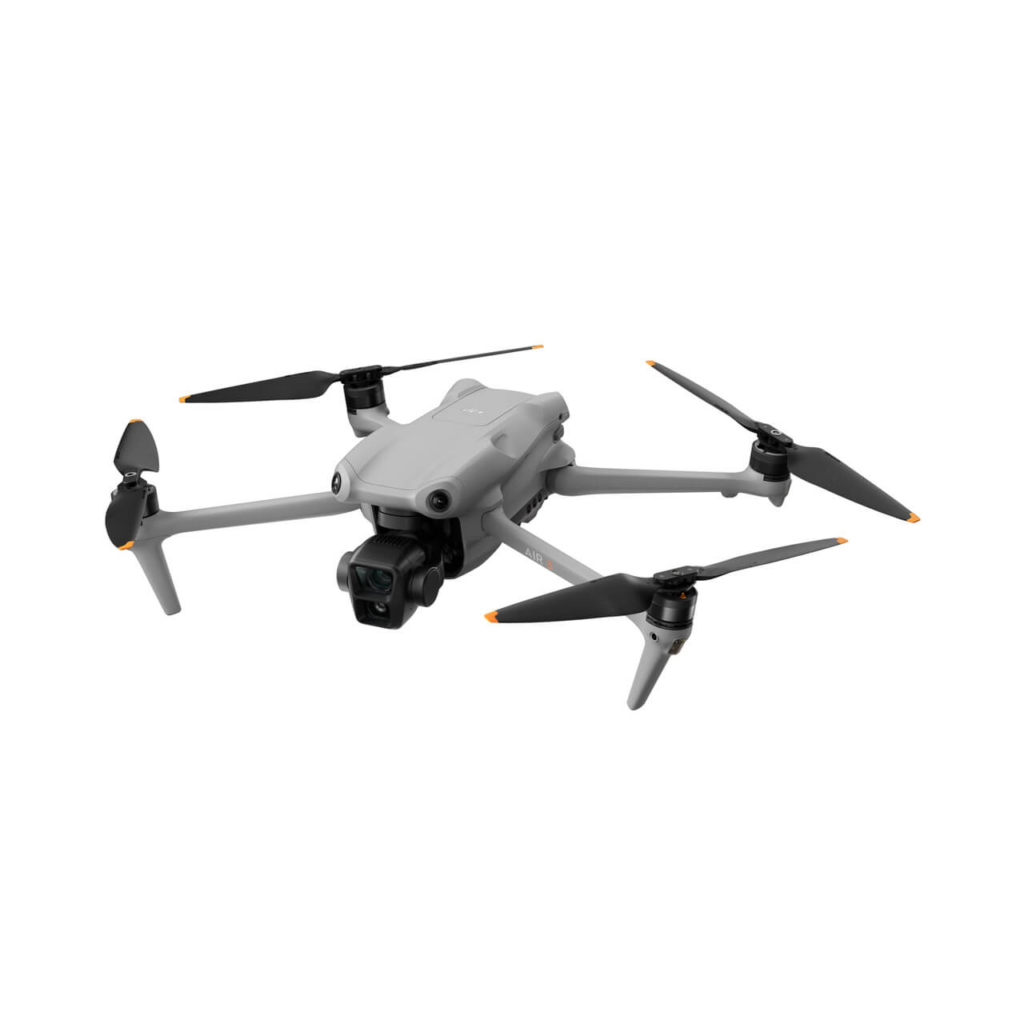
    DJI Air 3

    DJI Air 3

    If you feel limited by the single camera on the DJI Mini 4 Pro but don’t want to splurge on the expensive drones, then the Air 3 is a great choice. The DJI Air 3 drone comes with two lenses—a wide-angle and a mid-telephoto—both mounted on its camera. This gives aerial photographers and videographers a ton of options to get creative with their shots.

    It matches the picture quality of the Mini 4 Pro’s main camera, but the real upgrade here is the second camera. The drone’s advanced obstacle avoidance system keeps it safe during flight, even in tricky situations. Plus, it’s got a long-lasting battery, shoots beautiful 4K video, and takes great photos too.

    What’s good about it? You’ve got those two lenses, wide-angle, and mid-telephoto, which means you can capture stunning footage in various styles and angles. The camera’s stabilized on a gimbal, so your shots are smooth and steady, even if the drone’s moving around.

    Read Also: How to Use LinkedIn for Networking and Marketing

    The obstacle avoidance system is top-notch, making sure your drone doesn’t bump into anything while you’re flying manually or letting it do its own thing. Plus, it comes with cool features like Hyperlapse, slow-motion, and waypoint flight, and the battery lasts a long time.

    However, the lenses have fixed apertures, which might limit your options in certain lighting conditions. Also, you’ll need to register it with the FAA since it’s not super lightweight. And it only has 8GB of internal storage, so you might need to offload your footage more often.

    Read Also: Discover the Best VR Headsets to Buy in 2024

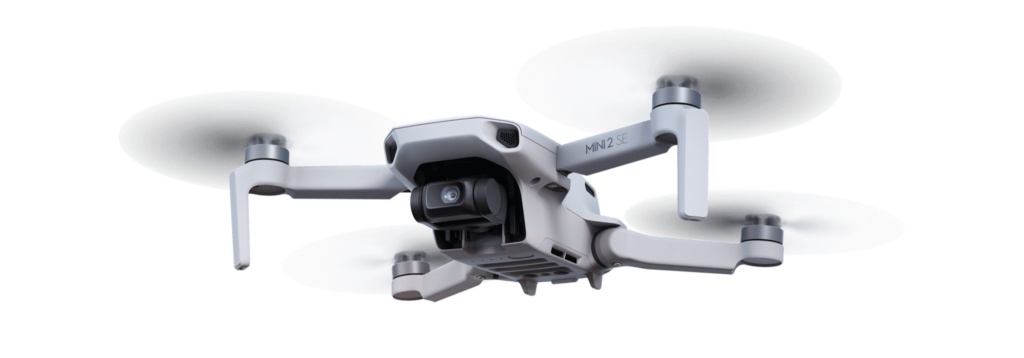
    DJI Mini 2 SE

    DJI Mini 2 SE best drones for photography

    The DJI Mini 2 SE is among the best beginner drones available, particularly for those looking to spend less. Equipped with a stabilized 2.7K video camera capable of capturing 12MP photos, this drone also features GPS and Find My Drone functions(just like the Find My iPhone functions).

    Its lightweight design, with a takeoff weight of 249g, eliminates the need for FAA registration, requiring only an online test. There’s almost 30 minutes of flight time and maintains stable performance within its 400-foot altitude limit while ensuring a reliable connection to the smartphone app.

    Read Also: Redmi Note 13 Series Outperforms the Note 12 series

    This drone is a very good choice for beginners in drone photography or videography. Its capability to record ultra-smooth 2.7K30 footage is great for high-quality aerial shots. The Mini 2 SE is also a compact, palm-sized drone with a lightweight build.

    While it has so many great features, it’s important to acknowledge some limitations. There’s the absence of obstacle detection and Hyperlapse features. Another downside is that the SDR video profile might be restrictive for certain scenes, limiting the dynamic range.

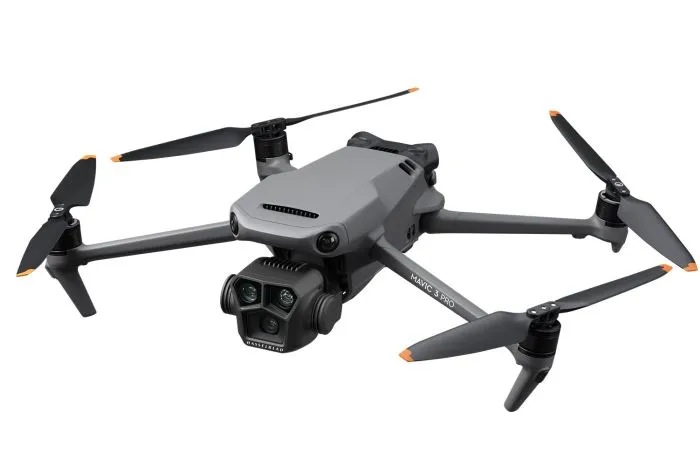
    DJI Mavic 3 Pro

    DJI Mavic 3 Pro

    The DJI Mavic 3 Pro is another drone to purchase for professional-level videos and photos, thanks to its impressive features and performance. With a large Four-Thirds format sensor and Hasselblad color profile, it captures stunning footage and stills straight out of the camera. Equipped with all-around obstacle sensors and integrated GPS, it ensures stable flights, even in challenging environments. Plus, with up to 40 minutes of flying time, you can focus on capturing your shot without worrying about battery life.

    But there are some drawbacks. The base model comes with just 8GB of onboard storage, which might not be sufficient for extensive shooting sessions. Additionally, while the flight time is impressive, it falls short of the promised battery life.

  • Free Graphic Design Software for Content Creation

    Free Graphic Design Software for Content Creation

    The widespread use of digital devices and the internet has led to an abundance of information. This sheer volume of information available on social media, articles, online videos, and constant notifications is often overwhelming for some people. Since attention spans are limited due to the fear of missing out, brands are readily churning out visually appealing content that grabs the audience’s attention more effectively.

    Graphic design has become an integral part of content creation for over a decade now. It improves the aesthetics of content to be more engaging and memorable, but that’s not all. Businesses and large corporations have utilized graphic design to establish brand identity and recognition. It is a cornerstone of marketing and advertising. Brands use graphic design to create banners, posters, or online ads, and these visually compelling designs impact the success of campaigns.

    It also influences how every single piece of information is presented, consumed, and shared. In the context of social media, where attention is fleeting, visually engaging graphics are needed to create shareable and viral content. Most people find graphic design an important tool for simplifying complex information through intuitive visuals and this contributes to positive user experience.

    Graphic design doesn’t necessarily require an expert designer for every task, as there are varying levels of complexity in design projects. Simple tasks like creating social media posts or promotional campaigns can often be handled by people with basic design skills. For small businesses and startups looking to save money, learning basic graphic design from online resources is important. However, as your brand grows, you might want to hire a professional graphic designer for more complex and technical projects such as branding, and logo design.

    Read Also: Latest Graphics Card for Gaming: Video Editing/3D Graphics Modeling

    Free Graphic Design Software for Social Media and Content Creation

    Free Graphic Design Software for Social Media and Content Creation

    We took the liberty to compile some of the best graphic design software for beginners and brands that need to save money on designs. Graphic design has become indispensable to content creation, whether you’re the CEO or intern, it wouldn’t hurt to have basic knowledge of the tools that make the magic happen. Let’s find out which software is best for graphic design for beginners and what free app is best for graphic design for Mac and PC.

    Canva

    Free Graphic Design Software for Social Media and Content Creation

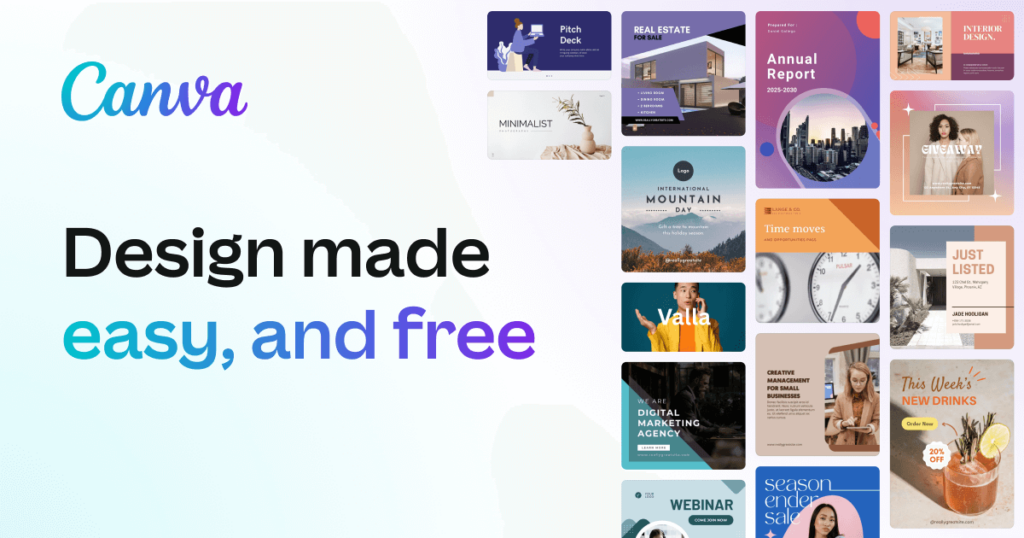
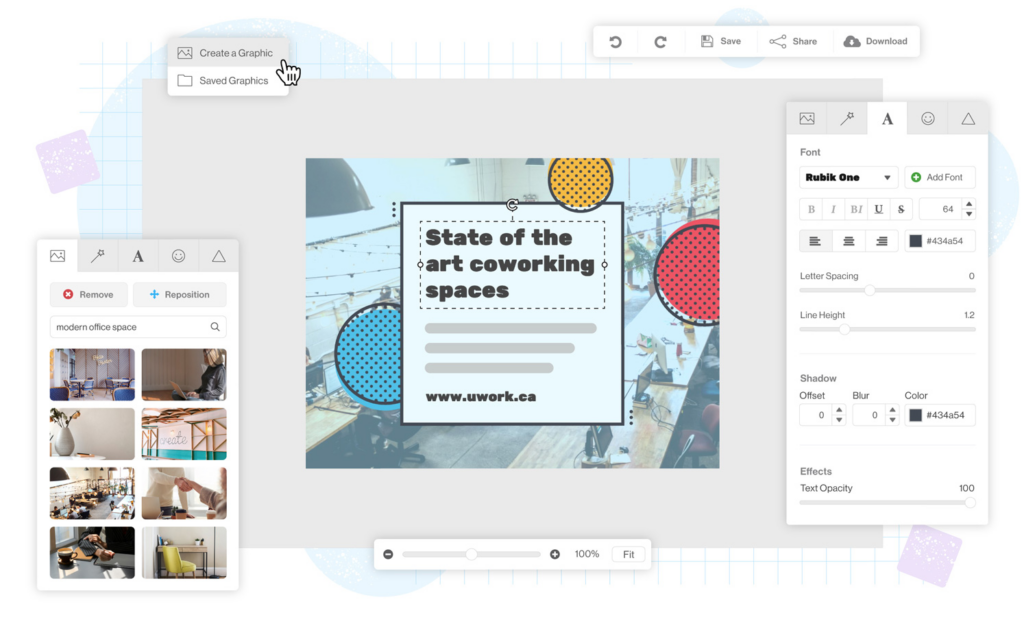
    Canva is a versatile and user-friendly design app, available across various platforms, offering a million templates, graphics, and photos under its free plan, with even more assets accessible through Canva Pro. Canva Pro unlocks additional features, including automatic resizing and brand kit integration. The interface has numerous templates for just about any purpose, as well as a good search feature that helps you easily find the designs you want. The drag-and-drop editor simplifies customization and there’s a design collaboration with sharing options.

    DesignWizard

    Free Graphic Design Software for Social Media and Content Creation

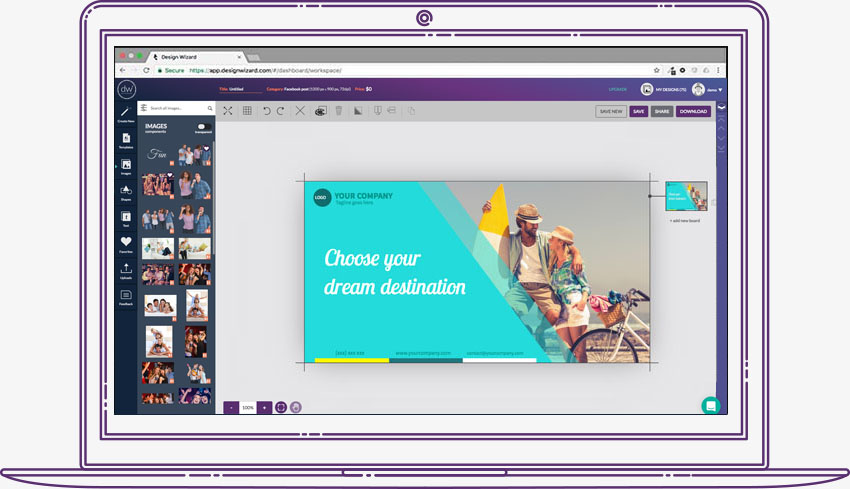
    This free graphic design software functions similarly to Canva but provides access to all its tools in the free version. With an extensive collection of over 5,000 templates, users can effortlessly craft digital content such as social media posts, flyers, ads, and YouTube videos. As well as print materials like gift cards, certificates, and sales posters.

    There’s a library with millions of images, videos, illustrations, and graphics. DesignWizard empowers users to upload fonts, photos, and logos. The platform allows for the creation of custom color palettes and resizing designs, ensuring each final product is what you need for your brand.

    Adobe Express

    Adobe Express
    Adobe Express

    Formerly known as Adobe Spark, is designed for social media and web graphics. Adobe Express is free, with premium features offered at $9.99/month. While its template selection falls short compared to Canva, it compensates with a powerful editor. Quick Actions on the home screen provide efficient tools like image resizing and background removal. Advanced features such as layer options and blend modes are available for deeper customization. Integration with Adobe’s Creative Suite enhances its utility for those planning to use more advanced Adobe tools.

    GNU Image Manipulation Program

    GNU Image Manipulation Program

    An acronym for GNU Image Manipulation Program, GIMP is a go-to free tool for those working with photography. Although not available in-browser and considered more advanced, GIMP is exceptional for its capacity to handle demanding photo editing needs. It lacks templates and may be more challenging to use compared to other software on this list, but its power lies in advanced photo editing and design.

    Pablo by Buffer

    Pablo by Buffer

    If you need a minimalist way to create and design content, then use Pablo by Buffer. This straightforward tool allows easy text placement over images, with no need for accounts. The user-friendly interface provides basic options for image selection, template choice, and text formatting. Despite its simplicity, Pablo is great for creating visually appealing social media images, and the tool is free to use.

    Piktochart

    Piktochart

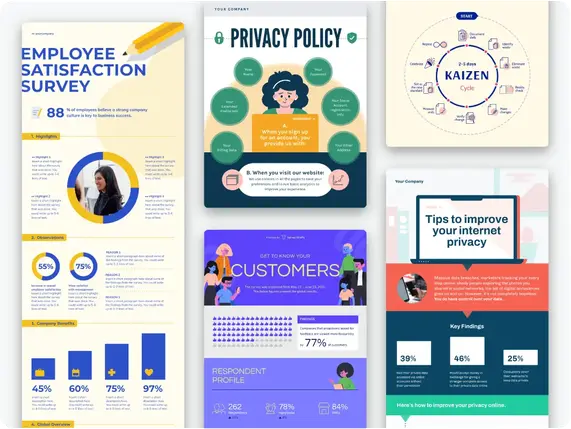
    This free graphic design software focuses on the creation of impactful and shareable infographics. Mostly preferred by non-designers, Piktochart helps users create basic infographics without the need for advanced design software. Offering 400 templates, icons, and graphics, Piktochart is a solid starting point for those eager to understand the fundamentals of infographic creation.

    Snappa

    This is the only app on this list where the free plan provides access to the same resources as the paid plan. Users can download three designs per month. Snappa’s templates, though not as thoroughly themed, have personalized options, including effects and graphics. The process is easy and involves selecting a base template, customizing it, and downloading or sharing the image. Snappa’s free plan is user-friendly as it is less intrusive with upgrade notifications.

    Pixlr

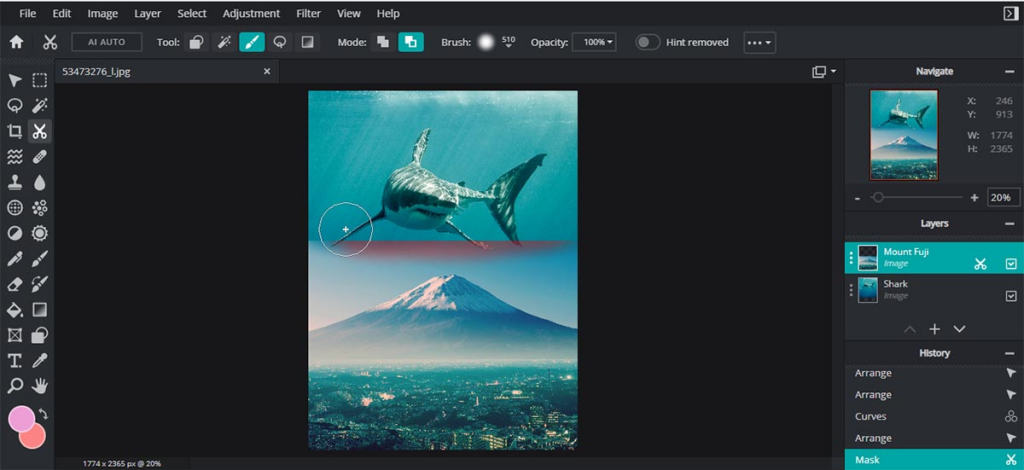
    Pixlr, a popular online image editor, facilitates photo editing with a collection of overlays, effects, and borders. Available as an application on both iOS and Android, Pixlr caters to Instagram users and photography enthusiasts seeking an accessible alternative to expensive photo editing software.

    VistaCreate

    VistaCreate

    Previously known as Crello, Vista’s free design tool has a lot of templates, photos, videos, and vectors for social media and print design. The free plan is forever and includes vast resources, while the Pro plan has more features, such as team collaboration and automatic resizing. The Styles feature simplifies color and font customization, and a generous 10GB file storage is equipped to help both free and Pro users.

    Fotor

    Fotor

    Fotor is an old photo editing tool that has been modified to offer traditional editing features along with powerful AI enhancements. While its AI features are not free, taking advantage of the free trial is recommended to explore its capabilities. Fotor, available instantly through your browser, is known for its speed and user-friendly interface.

  • Meta Quest 3 Complete Beginner’s Guide

    Meta Quest 3 Complete Beginner’s Guide


    Just like was hinted at in Meta Quest 3 Most Anticipated Games for 2024, Meta Quest 3 has the potential to be a highly sought-after and powerful VR headset to buy in 2024, similar to its predecessor, the Quest 2. Compared to the Meta Quest 2, it boasts a better display with higher resolution, a faster processor, and even more advanced passthrough capabilities. However, it comes with a higher price tag.

    The base model with 128GB storage is priced at $500, while the 512GB version is priced at $649. Additionally, there are bundles available for the Quest, such as the comfort bundle which includes an advanced head strap, and the “Power” bundle featuring an elite strap with an extra battery.

    What is Meta Quest 3?

    Imagine wearing a set of glasses and suddenly finding yourself immersed in a digital world, whether it’s exploring the depths of the ocean, battling on the front lines of a war, diving into action-packed adventures, or even engaging in fitness activities. Virtual Reality VR headsets make you feel like you’re there. The Quest 3, as the successor to the widely acclaimed Meta Quest 2, takes this experience to the next level with improved features. A standalone VR headset, meaning you don’t need any cables or a high-powered computer to use it. Think of it as a gateway to extraordinary virtual adventures, all from the comfort of your own home.

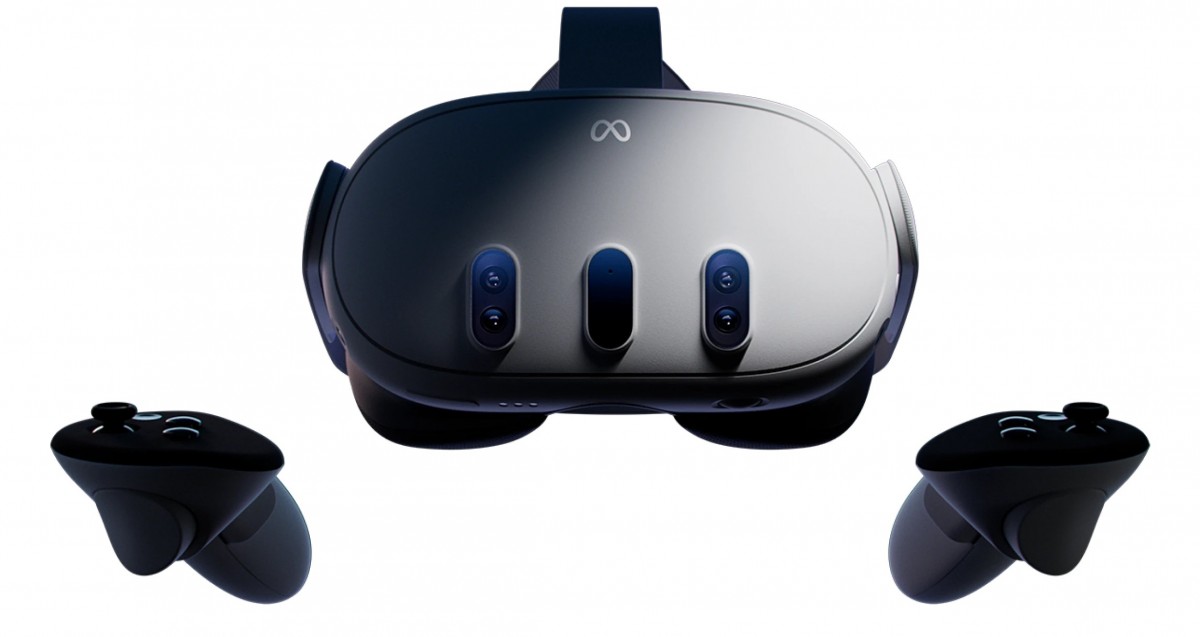
    The Meta Quest 3 has high-resolution screens that show you amazing pictures, making it feel like you’re really there. It also has cameras that track your movements, so when you move your head or hands in real life, your avatar (your character) in VR moves too! You also get two wireless controllers that act like your hands in the virtual world, letting you interact with everything you see.

    Getting Started with Your Meta headset

    Meta Quest 3: Your Complete Beginner's Guide 

    Setting up your Meta Quest 3 is super easy. Here’s what you need to do:

    1. Download the Meta app: This app is available for free on both Android and iOS phones and will be your control center for the Quest

    Setting up your headset and controllers

    1. Turn on your Quest 3:
    2. To start using your Meta Quest 3 headset and controllers, follow these steps:
    3. Take everything out of the box.
    4. Charge your headset with the charger and cable provided until it’s fully charged.
    5. Once charged, do the following:
    6. Take off the protective paper from the headset strap and lens.
    7. Hold down the power button on the left side of the headset until you hear a sound and see the Meta symbol.
    8. Remove the battery blockers from the controllers.
    9. Put the controllers on your wrists using the straps.
    10. Turn on each controller by pressing and holding the buttons on them.
    11. After a few seconds, you should see a blinking light and feel a vibration, showing that the controllers are ready.
    12. Follow the instructions on the screen in your headset to set up language and Wi-Fi.
    13. After that, you can adjust the headset’s fit.

    However, Before you update any software, be sure to plug your headset into a charger.

    How to Download Meta app

    To download the Meta Quest mobile app, you can go to the Google Play Store or the Apple App Store. Search for “Meta Quest” and you should find the app. Then, just follow the prompts to download and install it on your device.

    However, to use the Meta Quest mobile app for setting up your Meta Quest Pro, Meta Quest 2, or Meta Quest, make sure your phone is connected to Wi-Fi and has Bluetooth turned on. If you install the app on a device it doesn’t support, you might have trouble setting up your headset.

    Once you’ve activated your headset with the app, you can complete the setup process in virtual reality.

    Pair your Headset With the Meta Quest Mobile App

    The Meta Quest mobile app works with your Meta Quest 3 headset. It helps you do things like shop in the Store, buy and download apps, adjust settings, and share what you’re seeing with your phone or a Chromecast device.

    You don’t have to use the Meta Quest mobile app every time you use your headset, but you’ll need it when you first set up and pair your headset.

    Here’s how to pair your headset with the app:

    1. Get the Meta Quest mobile app from the Google Play or Apple App store.
    2. Open the app and sign in or make a new account.
    3. Tap Menu, then Devices.
    4. Your headset and controllers should pair automatically. If not:
    • Put on your headset and look for a 5-digit code.
    • In the Meta Quest mobile app, enter the 5-digit code from your headset.
    • Once the code is entered, your headset should start pairing with the app.

    Make sure your app is updated. If you can’t find the option to add a Quest headset, update and restart the app. You need Bluetooth and sharing with nearby devices turned on to connect your phone and headset. Once your Meta Quest 3 is set up with the app, you can connect it to your PC using Quest Link or Air Link.

    That said, If you’re still stuck, contact Meta Store Support.

    How to set Set your play area:

    Hover over the clock on the left side of the universal menu. When Quick Settings appears, select it to open the Quick Settings panel. Select Boundary.

    When you’re setting up your boundary, you can pick from these modes:

    1. Stationary: This is for when you’re using your headset while sitting or standing still. It sets up a default boundary area of 3 feet by 3 feet (1 meter by 1 meter) centered on where you are.
    2. Roomscale: This mode is for when you want to move around in your play area. With Roomscale, you can use your Touch controller to draw the boundaries in your physical space. It’s best to have a safe and clear area that’s at least 6.5 feet by 6.5 feet (2 meters by 2 meters).
    set your play area
    Set your play area:
    1. Explore the Meta Quest App Store: This is an online store full of VR games, apps, and experiences. You can browse by category, search for specific things, and download whatever you want.

    Tips To Finding The Best Apps and Games on Meta Quest 3

    Meta Quest 3 has a huge library of VR games and apps for everyone. No matter what you like, there’s something for you! Here are some tips to find the best ones:

    • Think about what you enjoy: Do you like action-packed adventures, challenging puzzles, or hanging out with friends? Knowing what types of games you usually play can help you narrow down your search.
    • Read reviews and watch videos: There are websites and videos online that review VR games and apps. This can help you see what other people think and decide if something is worth your time.
    • Check out user ratings and recommendations: Other VR users can leave reviews and recommend games they like. This is a great way to find hidden gems and see what other people are enjoying.
    • Start with free experiences: There are several free VR games and apps available.  Press / on your right controller to pull up your toolbar menu.

    Navigate Store .

    select what you want to download.

    choose the price to buy it, or tap Free if it’s a free download.

    Trying these out can be a good way to get used to VR and see what types of experiences you like.

    Here are Some Popular Meta Quest 3 Games

     meta quest 3 games
    meta quest 3 games

    Games: There are several types of games on meta quest 3 here are some 

    • Assassin’s Creed Nexus. …
    • Pistol Whip. …
    • Walkabout Mini Golf. …
    • Eye of the Temple
    • The Walking Dead: Saints & Sinners, 
    • Arizona Sunshine, 
    • Dungeons of Eternity,  exploring more 

    Social experiences: Want to hang out with friends in VR? There are apps where you can chat, play games together, or even watch movies in virtual spaces.

    Educational experiences: meta quest 3 can also be a powerful tool for learning. Here are some examples: 

    • Visiting historical sites
    • Taking a virtual tour of the human body 
    • Visiting the bottom of the ocean
    • Learn to play the piano without needing to buy an actual piano.
    • Meditate without any distractions to find inner peace.
    • Enjoy concerts from your favourite artists without leaving your living room.
    • Work together smoothly with your colleagues in a virtual environment.

    How to use your Quest 3 for work and productivity

    Meta Quest 3 isn’t just for entertainment. Businesses are starting to use VR in creative ways to enhance communication, training, and even design processes. Here are some ways your work might benefit from VR:

    • Remote collaboration and meetings: Imagine holding meetings with colleagues who appear virtually present in the same room, even if they’re miles apart. VR can facilitate collaboration and communication by offering a more immersive and engaging experience compared to traditional video conferencing.
    • Training and simulations: VR allows companies to create realistic and safe training simulations. This can be especially beneficial for industries like healthcare, engineering, and manufacturing, where employees can practise procedures or learn new skills in a controlled virtual environment.
    • Product design and prototyping: VR can be used to design and test products in a virtual space before actually manufacturing them. This can save companies time and money by allowing them to identify and address any design flaws before production begins.
    • Brainstorming and creative thinking: VR can provide a unique and inspiring environment for brainstorming sessions and creative problem-solving. The immersive nature of VR can help teams think outside the box and come up with innovative ideas.

    Meta Quest 3 for work

    While VR technology is still evolving, it holds immense potential for various industries. If you’re curious about leveraging the Meta Quest 3 for work, here are some resources to get you started:

    • Meta Workplace: This platform allows businesses to create virtual workspaces where employees can collaborate, meet, and socialise in VR.
    • VR training platforms: Several companies offer VR training solutions for various industries. Explore these platforms to see if one aligns with your company’s needs.
    • VR design software: There are software tools specifically designed for creating and prototyping products in VR. These tools can be a valuable asset for companies looking to explore the benefits of VR design.

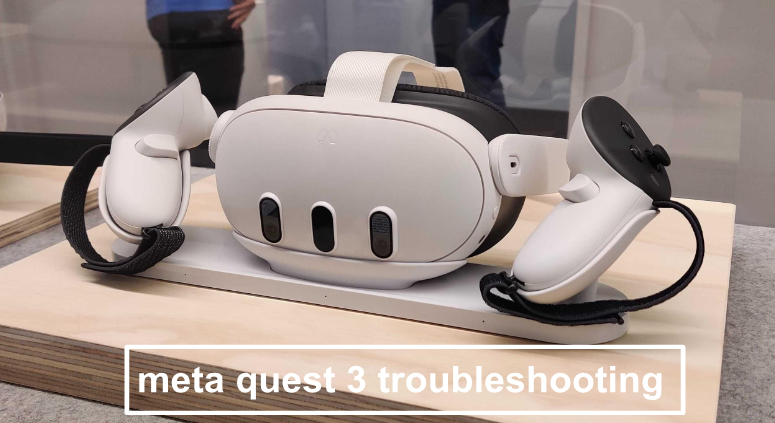
    Troubleshooting Common Meta Quest 3 Issues

    Troubleshooting Common Meta Quest 3 Issues
    troubleshooting meta quest 3

    As with any technology, you might encounter occasional issues with your Meta Quest 3. Here are some common problems and their potential solutions:

    • Connection problems: Ensure your Wi-Fi connection is stable and that your headset is properly paired with your smartphone. If issues persist, try restarting your devices or resetting the network connection.
    • Tracking problems: Make sure your play area is well-lit and free of obstructions. If tracking issues persist, consult the official Meta Quest 3 troubleshooting guide for further steps.
    • Battery issues: The Quest 3 offers 2-3 hours of playtime on a single charge. If you plan on longer VR sessions, consider investing in an external battery pack.
    • App crashes: Close any unnecessary apps running in the background and ensure your Quest 3 software is up to date. If the issue persists, try reinstalling the problematic app.

    The best guide for augmented reality apps, is just a small peek into what the Meta Quest 3 can do. With the Quest 3, you can do many amazing things, like visiting stunning virtual places or working with others in exciting new worlds. Feel free to try new things, discover, and let your imagination run wild.

  • Discover the Best VR Headsets to Buy in 2024

    Discover the Best VR Headsets to Buy in 2024

    Are you trying to figure out which VR Headset to purchase in 2024?

    In this post, we are going to explore some top VR Headsets you can purchase for your enhanced immersion, gaming experience, and impressive visualization.  

    Over the past few years, VR headsets popularly known as virtual reality headsets have been a hot topic globally. Even though you haven’t been keeping up with the VR trends, you must have heard someone discussing them. It’s easy to understand why.  Data estimates show that about 171 million people use VR technology globally. The virtual reality user penetration rate is projected to be 52.8% in 2024 and is expected to increase to 55.9% by 2028. A lot of users derive pleasure from the entertainment and immersive experience VR headsets offer. Others find it a welcome form of escapism from tedious aspects of everyday life.

    How do VR Headsets (Virtual Reality Headset) work?

    VR Headsets

    Currently, the use of VR headsets is limitless; every day, new ways of utilizing virtual reality technologies emerge. VR headsets immerse users in a simulated three-dimensional setting, by completely shutting off the real world. Virtual reality glasses usually feature a display screen, audio, sensors, and controllers, that enable users to enjoy life-like content. A VR headset can be used to play video games, meditate, stream sports, attend concerts, do real estate tours, have meetings, etc.

    There are three types of VR headsets; mobile, connected, and standalone VR headsets. Mobile VR headsets operate with smartphones (Android and iPhones to provide immersive virtual reality experiences. Connected or tethered VR headsets as the name implies utilize PCs or consoles to deliver VR content. While the standalone VR headsets come fully equipped and do not use external devices to function.

    To use a virtual reality headset, set up the device and place it on your head. Once the external surroundings are blocked or you can no longer see the world around you. When your field of view (FOV) adjusts to the environment projected on the display screen, use the controllers to interact with the simulated content.

    The Best VR Headsets in 2024

    #1. HTC Vive XR Elite VR Headsets

    The HTC Vive XR Elite is an impressive standalone VR headset that features robust graphics performance with a high resolution of 1920*1920 pixels per eye (3840*1920 pixels combined). And an adequate field of view of up to 110 degrees to deliver a high-quality experience.

    The device equally has dual microphones and embedded speakers for echo cancellation and to provide an excellent audio experience. The Vive XR Elite also comes with inputs that include dual integrated microphones, volume buttons, and a headset button.

    Personalization is essential; the Vive XR Elite has been designed with this in mind. Users can personalize their viewing experience with a slider that moves the lenses to accommodate IPD (inter-pupillary distance). And diopter dials to ensure users have the best experience possible. It also has a refresh rate of 90 Hz, ensuring everything looks smooth and not blurry.

    The Vive XR Elite is powered by a Qualcomm Snapdragon XR2 processor with 128GB/12GB of storage and memory. It also features 4x tracking cameras, a 16 MP RGB camera, a depth sensor, a G-sensor, a gyroscope, a proximity sensor, etc. For the battery, the headset is equipped with a 24.32Wh Battery that can last for about 2 hours. One of the best things about this device is that it’s lightweight and capable of running mixed-reality apps. The $1,299 price for this VR headset might be a bit upscale but you cannot put a price on entertainment can you?.

    #2 PlayStation VR2

    Experience next-generation virtual reality with this headset from PlayStation that features incredible 4k HD visuals. The headset comes with a stunning OLED display. A built-in 3D audio technology, 2000 x 2040 per eye resolution, and intelligent eye tracking. A 90Hz | 120Hz refresh rate, FOV of about 110 degrees, motion sensors, cameras, and an impressive game library. The lenses within the headset are equally adjustable using an external dial on the headset that either moves them closer or further apart.

    PlayStation VR2 needs a PlayStation 5 to work, and it has to be connected with a wired USB-C cable while you’re using it. The basic package of PlayStation VR2 costs $550, and it includes the VR headset, two wireless PS VR2 Sense controllers, and a pair of headphones.

    The PlayStation VR2 Sense controllers are designed with unique ergonomic design, finger touch detection, haptic feedback, and adaptive triggers that let users have control of their interaction in virtual worlds. From subtle pulses and vibrations to innovative features that deliver the highest quality immersive experience, the Sony PSVR 2 is one of the best VR headsets to cop this 2023.

    #3 Meta Quest 2

    The Meta Quest 2 Advanced All-In-One Virtual Reality Headset is one of the best VR headsets in the market. It features fast-switching LCDs with a resolution of 1832*1920 per eye. This premium virtual reality headset from Facebook delivers more than just aesthetics. With high-quality features such as an impressive 90Hz refresh rate, and 6DoF. With a 90-degree field of view that users say isn’t that great. It also features built-in hand tracking and a portable, adjustable design that doesn’t require an external PC or console to operate.

    At $399, the Meta Quest 2 VR headset is every virtual reality addict’s dream. The head strap is lightweight and designed to offer users unmatched comfMeta Quest 2ort. Add the 3D positional audio built directly into the headset, and users can interact with and explore the virtual environment as if it were real. The 3.5 mm audio port allows users to play VR content with or without headphones. 128GB | 256 of storage and a Qualcomm Snapdragon XR2 processor with 6GB RAM combine to make the Meta Quest 2 a masterpiece.

    #4 Meta Quest 3

    The Meta Quest 3 VR Headset is powered by the Snapdragon XR2 Gen 2, providing double the GPU processing power compared to other VR Headsets. This means faster loading times and smoother gameplay, enhancing the overall VR experience. The headset offers high-resolution visuals, similar to watching a movie on a top-tier screen. This ensures that the virtual environment appears crisp and detailed, making the experience more real for users.

    It is designed to be lighter and more comfortable than previous models. This makes it easier to wear for extended periods without feeling weighed down or uncomfortable, allowing users to fully enjoy their VR experiences without distractions. Meta Quest 3 has special cameras integrated into the headset to allow users to see the real world without having to remove the headset. This feature ensures safety by enabling users to remain aware of their surroundings while immersed in virtual reality.

    The Meta Quest 3 supports hand tracking, this eliminates the need for controllers. Users can interact with the virtual environment simply by moving their hands, adding a new level of immersion and convenience to VR interactions.

    Meta Quest 3 is available in two storage configurations: 128GB and 512GB. The 128GB version is priced at approximately $499.99 USD, while the 512GB version is priced at approximately $649.99 USD. This pricing structure offers flexibility for users based on their storage needs and budget considerations.

    So, the Meta Quest 3 combines advanced technology with user-friendly features to deliver an immersive and enjoyable VR experience. From enhanced performance to convenient design elements, it aims to cater to the needs of both casual users and VR enthusiasts alike.

    #5 Valve Index VR Headsets

    Named one of the best VR headsets in the market by critics. The Valve Index is another virtual reality headset to tick off the list. Valve Software is pushing the boundaries of technology. By developing not just a high-end VR tool, but an extremely reliable one. The Valve Index headset is rather bulky but not heavy, with a 1,440* 1,600-pixel resolution, an excellent 144Hz refresh rate, and a huge 130-degree field of view.

    Optimized with innovative off-ear balanced mode radiators to provide an enjoyable audio experience. As well as adjustable IPD, impressive camera, etc the Valve is a killer VR headset. Valve Index’s finger-tracking controllers and two Steam VR base stations come together with the device when you purchase it. The headset is ideal for PC gaming and at $999, the comfort and exceptional features make any dime spent worthwhile.

  • Redmi Note 13 Series Outperforms the Note 12 series

    Redmi Note 13 Series Outperforms the Note 12 series

    The Redmi Note 13 Series, however, is the latest version . Ever since Redmi, the subsidiary of Chinese electronics company Xiaomi entered the market, it has produced hundreds of budget-friendly phones with solid performance. It launched earlier this year and is hands-down one of the most impressive smartphones from Redmi. It came with new upgrades to its camera, design, display, and processor, an improvement on the Redmi Note 12 series.

    It was released on January 15, 2024, and comes in five sleek devices. Redmi Note 13, Redmi Note 13 5G, Redmi Note 13 Pro, Redmi Note 13 Pro 5G, and Redmi Note 13 Pro+ 5G.

    Check out the specifications of the Redmi Note 13 Series if you’re in the market for a new smartphone.

    Redmi Note 13 Series Specs

    Redmi Note 13 Series Specs

    Photography

    The cameras on it are top-notch. There’s the 108MP triple camera on the Redmi Note 13 with 3x lossless zoom. While the Pro and Pro+ 5G models have a 200MP camera to make your pictures cooler. perfect for capturing distant details. Its advanced sensor and pixel-binning technology enhance low-light performance.

    Apart from the main cameras, the series has additional lenses like ultra-wide, macro, and depth sensors for versatile photography. It also has film camera filters and a high-resolution front camera, ranging from 16MP to 32MP across models for selfies and video calls.

    Displays

    The upgrade from Redmi Note 12 series to Note 13 is even better with stunning visuals of 120Hz FHD+ AMOLED displays. If you prefer the Pro+ 5G, you get a 1.5K 120Hz AMOLED curved display.

    Design

    Redmi knows looks matter. You can enjoy a sleeker design with ultra-thin bezels, giving you more screen space and making your device look trendy. The Redmi Note 13 Series has a sleek and stylish design with thin borders and an elegant rear camera setup. It comes in black, white, blue, and green, but it’s not just about looks; the Redmi Note 13 Pro+ 5G has been upgraded for damage resistance. The series is built to last, with an IP68 rating for excellent dust and water resistance, a first in the Redmi Note lineup.

    Performance

    In terms of performance, all models in the series are built for various tasks; including gaming. From the Snapdragon chipset on the Redmi Note 13 to the MediaTek Helio G99-Ultra on the Pro and the Helio 7200-Ultra on the Pro+ 5G, each model in this series offers a powerful and improved user experience. Memory and storage are up to 12GB RAM and 256GB.

    Battery Life

    You can stay connected all day with 5000mAh batteries across the series. The Redmi Note 13 has 33W fast charging, the Pro boasts 67W turbocharging, and the Pro+ 5G takes it to the next level with a 120W HyperCharge – less time charging, more time enjoying your phone.

    The Redmi Note 13 Series is great when it comes to connectivity and sustainability. It has 5G network connectivity, Wi-Fi 6, and Bluetooth 5.2 for superior speed, efficiency, and audio quality. It includes a headphone jack for comprehensive connectivity.

    Secure Unlock

    You can keep your data safe and easily accessible with the in-screen fingerprint sensors for a convenient and secure unlocking experience.

  • How To Buy Data On Cell C/Cell C Data Packages

    How To Buy Data On Cell C/Cell C Data Packages

    Cell C is a big deal in South Africa. Holding the medal for the third-largest cellphone network provider, following MTN and the leading Vodacom. But what’s got people buzzing is their reputation for offering data plans that don’t break the bank. If you’re curious about how to buy data on Cell C to make the most of their irresistible offers, you’re in the right place.

    Cell C has partnered with various retail outlets where you can purchase data vouchers with cash, credit, or debit cards. Ask for a Cell C data voucher and enter the code into your phone.

    How to Buy Data on Cell C with Airtime

    If your Cell C SIM card is loaded with airtime, you can easily convert it into data bundles:

    • Dial *147# from your Cell C SIM card and opt for “Buy Bundles”.
    • Navigate to the menu and choose “Data Bundles”.
    • Pick the data bundle that suits your needs and hit “Buy”.
    • Select “Airtime” as your preferred payment method.
    • Follow the prompts to finalize the transaction.

    Keep in mind that you can only purchase data bundles with airtime if your Cell C SIM card has enough balance to cover the cost. Regular recharging helps avoid issues like the Cell C SIM card not working.

    3 Ways to Buy Data on Cell C

    There are three payment methods to buy data on Cell C. You can use the app, on their official website, or via a USSD code. The steps are simple and easy to follow.

    Using a USSD Code to Buy Data on Cell C

    The most common and user-friendly method involves dialing *147# and pressing send. Afterward, a menu will appear on your screen, including the option “Buy Bundles.” Select this option from various daily, weekly, and monthly bundles. There are even specialized bundles for specific social networks.

    Ensure you have enough Cell C airtime balance before selecting if you’re using airtime to buy data on Cell C. The amount will be deducted immediately or declined if your balance is insufficient.

    The Cell C App

    For smartphone users, the Cell C app simplifies data purchases. Download and install the app from the Android or Apple app stores, and register a profile by adding your phone number. Once done, open the app and choose the “Purchase” option. Specify that you’ll pay via airtime and select the data bundle that suits your needs.

    This option is not only for personal use but also convenient for buying data for family and friends using your airtime balance.

    Buy from the Website

    Visit Cell C’s website on your internet-enabled device. Navigate to the “Recharge” menu, where you’ll find the “Data Bundles” option. Choose the most suitable option for you from the available bundles displayed on the website.

    Stay on top of your data usage by checking your balance regularly. Dial *101# or *147# and follow the prompts to check both your data and airtime balances on Cell C.

  • Dyson Black Friday Deals for Hair 2023

    Dyson Black Friday Deals for Hair 2023

    Excited for jaw-dropping Dyson Black Friday deals ahead of the official sales kick-off? You’re in the right place. For those unfamiliar with the brand, here’s a quick rundown. Dyson crafts some of the most cherished home and beauty products, rarely ever seeing price drops. This year’s black Friday sales, Dyson vacuums, Dyson air purifiers, and even hair care tools, will be on sale. In terms of Black Friday deals, it’s hard to beat Dyson discounts which are mostly available on their website or through retailers like Amazon.

    From what we know, the yearly reductions on various gifts like kitchen gadgets, TVs, tech gizmos, vacuums, headphones, and gaming consoles make Black Friday a highly anticipated event. This includes discounts that are even better than Amazon’s much-hyped Prime Day deals or even Cyber Monday. Here’s a heads-up on Black Friday 2023. Trust us, items genuinely become more affordable on Black Friday, and this year will be no different. Black Friday falls on November 24 this year, but we foresee many stores granting early access to subscribers amid their ongoing holiday sales in the upcoming weeks. Expect a plethora of items to be on sale at significant markdowns in the lead-up to Black Friday.

    While Dyson hasn’t unveiled any official Black Friday deals just yet, it doesn’t hurt to make some guesses, does it?. If you presume we’re getting ahead of ourselves, think again. Remember, the most awaited shopping days of the year are swiftly approaching, so it’s time to get into the shopping spirit. And in the spirit of holiday shopping, we’ve curated a selection of our preferred Dyson products that we suggest tossing into your cart just in case they see a price drop.

    Dyson Airwrap Complete Long

    Dyson Airwrap Complete Long

    Dyson upgraded the original Airwrap Styler and introduced the updated Airwrap Complete sold at $599.99. This hot air multi-styler comes with specialized attachments for drying and smoothing hair. If you already own the older version, the new features may not justify the upgrade cost. Using the Dyson Airwrap Complete is still similar to the original Airwrap Styler. With basically the same key features and benefits. It just uses Coanda effect technology for simultaneous drying and styling, creating a spinning vortex of air for improved results. Heat regulation safeguards against hair damage.

    Features

    1. New and Improved Attachments: The Airwrap Complete has six attachments, plus a separately purchasable wide-tooth comb compatible with the old Airwrap Styler. While not all attachments are entirely new, they’ve undergone re-engineering. These include:
      • Smoothing Dryer: This dual-function tool dries and smooths flyaways, transforming from a blow dryer to a flat iron for a polished look.
      • Two Curling Barrels: These now have a nozzle allowing for easy switching between clockwise and anticlockwise curls without changing barrels. The length has been extended for longer styles.
      • Soft and Firm Smoothing Brushes: Made for fine and thick hair respectively, these brushes have been enhanced for better tension and airflow guidance.
      • Round Volumizing Brush: The coating has been upgraded for smoother usage.
      • Wide-Tooth Comb: Designed with curved tips for effortless use during drying, adding volume and length to curls.
    2. Improved Airflow: Dyson increased the airflow from 13 to 13.5 liters per second to speed up drying.
    3. Bonus Accessories: Optional additions include a display stand for the base unit and eight attachments and a heat-resistant velvet travel pouch for the base unit and three attachments.
    4. Cool-Shot Button: This addition helps seal the hair’s cuticle for a longer-lasting hold and added shine.
    5. New shades are available in nickel/copper and topaz.

    Dyson Supersonic Hair Dryer

    Dyson Supersonic Hair Dryer

    If you’ve been eyeing Dyson’s Supersonic hair dryer but haven’t quite taken the plunge, your patience might have paid off. The brand recently introduced a sleeker model of the popular original, aptly named the Dyson Supersonic Origin, now available at a slightly lower price of $400 (compared to the regular version retailing at $430).

    Features

    Now, you might be wondering, what’s the catch? Well, it boils down to fewer styling options. Instead of having five fancy attachments (the Diffuser, Wide-Tooth Comb, Flyaway Attachment, Styling Concentrator, and Gentle Air Attachment), the new version keeps things uncomplicated, featuring just the hair dryer and the highly popular Styling Concentrator.

    The fresh Dyson Supersonic Origin hair dryer also comes with fewer attachments for easy styling. It’s basically for those who still want a gentler, safer, and quicker hair-drying routine, all thanks to Dyson’s renowned heat-safe technology.

    The good news is that customers have the option to customize their devices and purchase only the attachments most essential to them. This hair dryer has a great V9 digital motor to propel air through the brand’s patented Air Multiplier technology. This results in a high-speed jet of air for remarkably swift drying. Additionally, it has precise heat control. Throughout the drying process, the temperature of the airflow is monitored 40 times per second to shield your hair from potential heat damage. And those attachments? They’re magnetic and effortlessly snap onto the device, making them a breeze to utilize and interchange as needed.

    Dyson Corrale Hair Straightener

    Dyson Corrale Hair Straightener

    The Dyson Corrale Hair Straightener is a premium investment, priced at over $400/£300. When it comes to first impressions, Dyson doesn’t disappoint. Opening the box feels like unwrapping a Christmas present, with a luxurious faux velvet lining. The packaging’s color varies depending on the model, offering options like blue and rose gold, pink and silver, copper and silver, grey and pink, or red and silver. Inside, you’ll find the straightener, a magnetic charging cable, and a charging dock.

    Features

    The Corrale breaks away from the typical straightener design. Instead of a gap from top to hinge, there’s only space between the plates. This area houses the power button, temperature controls, lock hinge, and an OLED screen displaying battery level, temperature, and charging status. The Corrale is weightier than standard straighteners, showcasing its technological prowess.

    One of the excellent features is its cordless function. A 70-minute charge yields 30 minutes of cord-free styling, sufficient for most hair types. For longer sessions, you can use it with the charging cable or dock, both attaching magnetically. The Corrale’s unique copper plates are designed to flex with the hair, reducing damage and preventing split ends.

    Temperature settings are adjustable between 165°C, 185°C, and 210°C. While the coolest setting may be insufficient for thick, curly hair, the hottest setting feels gentle compared to other straighteners. Integrated sensors maintain specific temperature control, ensuring it never exceeds the desired setting.

    Safety features are a highlight. The tool includes a flight-safe mode, disabling the lithium-ion battery during travel. It also automatically shuts off after 10 minutes of inactivity and can be locked for easy storage.

    Performance varies based on hair type. It excels in smoothing and straightening, but the time required may vary. It’s efficient for creating waves and curls, providing a sleek finish akin to a blow-dry. However, the battery life, while sufficient for most, can be limiting for extensive styling sessions. The plates may produce a crackling sound, though this is a normal part of their operation.

  • Black Friday 2023: Date, Deals, What to Expect

    Black Friday 2023: Date, Deals, What to Expect

    Black Friday, the post-Thanksgiving celebration will forever remain an important day for shoppers shopping day. One way to describe Black Friday is a “yearly shopping extravaganza.” It occurs on the day after Thanksgiving. For all we know, the annual slashes on many gift items like kitchen accessories, TVs, tech devices, vacuums, headphones, and gaming consoles make Black Friday a day to look forward to.

    And yes, this includes discounts that are even better than Amazon’s much-anticipated Prime Day offerings. Here’s what you should know about Black Friday 2023 in advance. Take it from us, items are genuinely more affordable on Black Friday and this year’s event will not be an exception.

    When does Black Friday Start?

    Black Friday 2023 Credit:pexels.com
    Black Friday 2023 Credit:pexels.com


    Black Friday falls on Friday, November 24 this year, but we anticipate numerous stores to give exclusive early access to their customers who subscribe amidst their ongoing holiday sales in the coming weeks. Many items will go on sale at steep discounts in the weeks leading up to Black Friday.


    Price-tracking websites and coupon-finding browser extensions can do much of the legwork for you. Check out CamelCamelCamel, Honey, SlickDeals, Keepa, etc, and keep an eye out for dedicated Black Friday landing pages on retailers’ websites like Amazon, Walmart, Best Buy, and Target. We will also be monitoring the best Black Friday deals right here on this page once they start.

    Black Friday vs Cyber Monday

    Black Friday vs Cyber Monday

    Both Black Friday and Cyber Monday simultaneously denote blowout sales and binge shopping. However lately, the Black Friday and Cyber Monday deals have started to blur together. But one of the disparities between the two largest shopping days is that Cyber Monday is solely online. The day after Thanksgiving which is Friday is Black Friday while three days after Thanksgiving which is Monday is Cyber Monday.

    Shoppers who were unable to score some great deals on Black Friday can avail themselves of the opportunity to purchase high-end gadgets and other seasonal frills on Monday. Black Friday was initially for retailing top-of-the-line merchandise, but the dawn of Cyber Monday has presented tech-savvy consumers the opportunity to also shop smart devices at closeouts. As well as other quality home electronics and accessories.

    The Best Black Friday Deals 2023

    In essence, nearly every conceivable product and brand will feature some form of promotion or discount during the shopping season. The majority of these discounts most likely apply to high-value items that don’t typically see major price cuts. Here’s a brief rundown of the most important deals to look forward to in Black Friday 2023.

    Gaming Consoles

    The demand for current-gen gaming accessories and consoles like Nintendo, PlayStation, and Xbox consoles has surged over the past two years, a trend set to peak during Black Friday. While we can’t assure the availability of the coveted Switch, PS5, or Xbox Series X/S this holiday season due to soaring demand, not every console may be in stock this year.

    The Switch OLED, while not enhancing gameplay, boasts a 7-inch OLED display, expanded storage (64GB), strong kickstand, and an updated dock with an Ethernet port. Sony’s PlayStation 5, in circulation for two years, sees limited discounts. Although more accessible, the stock remains fleeting. Retailers employ invite systems to thwart scalpers, while bundles, like the one with God of War: Ragnarok, present an option. Walmart intermittently stocks bundles.

    The PS5 Digital Edition is typically scarcer than its standard counterpart. The PS5, while benefiting from more exclusive titles, delivers a substantial upgrade for PS4 holdouts. Microsoft’s Xbox Series X, more available than the PS5, sees scant discounts. It often experiences third-party retailer stockouts, and Black Friday offers are currently lacking. Amazon and Walmart utilize invite systems for purchases.

    Tablets and E-Readers

    Tablets remain among the most sought-after tech products on the market. The finest iPads are now capable of running full-fledged video games. And can also double as work laptops, smart home devices, or an additional monitor. While a top-tier tablet can function as an E-Reader, you can also secure devices dedicated solely to this purpose for a much lower cost. There’s invariably a multitude of exceptional Kindle deals available during the shopping spree season, allowing you to acquire a reading tablet for under $100.

    TVs

    While TV prices have seen a considerable decline in recent years, this shopping event remains the best time to purchase a new television. Top online retailers consistently roll out significant price reductions on both 2023 models and previous iterations from major brands. You’ll find discounts on Samsung, LG, Sony, TCL, and Vizio TVs across the board, with prices dipping well below $300 for some exceptional 4K models. If you’re on the hunt for the best TV deals on OLED or LED, the day after Thanksgiving is your best bet.

    Phones and PCs

    If you’re looking to snag a new phone at a bargain, the holiday season presents the prime opportunity. With fall releases like the iPhone 15 Pro, various mobile carriers have begun offering promotions tied to new phone plans. These typically take the form of Buy One, Get One offers upon switching carriers. Or diverse trade-in deals for those seeking an upgrade. Additionally, unlocked phones usually receive direct discounts from retailers like Amazon, Walmart, and Best Buy. It’s an excellent time to secure an older iPhone at an affordable price if having the latest model isn’t a priority.

    Headphones and Earbuds

    Even some of the most budget-friendly earbuds can carry a hefty price tag. And if you’re in the market for a quality pair of noise-canceling headphones, you might end up making a substantial investment. This makes the shopping event one of the prime events of the year to procure headphones, earbuds, or headsets. Deals on AirPods, Sony, Beats, and Samsung headset are virtually guaranteed. Additionally, expect to come across phone bundles that throw in branded earbuds as a complimentary bonus with your purchase. So keep an eye out for those as well.

  • How to Unlock iPhone Without Passcode

    How to Unlock iPhone Without Passcode

    Unlocking your iPhone is usually a breeze with a passcode, Face ID, or Touch ID. Yet, there are situations where you might find yourself locked out. Either because of a forgotten passcode, a disabled iPhone, or a second-hand-bought phone with a lock. Getting locked out of your phone can be incredibly frustrating. There are easy ways to regain access and we’ll show you how to unlock iPhone without passcode or computer.

    There are various misconceptions about unlocking an iPhone without a passcode, but using a Calculator or Camera isn’t one of them.

    How to Unlock iPhone Without Passcode Using a Computer

    One of the ways to unlock iPhone without passcode is by using a computer and entering Recovery Mode. This way, you can restore your iPhone and set up a new passcode, Touch ID, and even Face ID. But first, you must have a compatible Mac or Windows computer(Windows 10 or a later version) and ensure iTunes is installed. You’ll equally need the original cable that came with your iPhone or a compatible alternative to connect it to the computer.

    If your iPhone is currently connected to the computer, unplug it. Next, power down your iPhone. Depending on the model, press and hold both the side button and the volume down button until the power off slider appears. Connect your iPhone to your Mac or Windows PC while simultaneously holding the button. Continue holding the button until the recovery mode screen appears on your iPhone, then release.

    Locate your iPhone either in the Finder or iTunes on the connected computer. A prompt will appear with the option to Restore or Update, choose Restore. Immediately you do this, the computer will download the necessary software for your iPhone and initiate the recovery process. The download will take up to 15 minutes and after the process is complete, your device will restart and display a setup screen. Then disconnect the iPhone from the computer and set it up.

    Unlock iPhone Using iCloud

    If you find yourself in a situation where you need to access your iPhone without its passcode, consider using iCloud as an alternative solution to unlock it. It’s important to note that this method will completely wipe everything off your iPhone. Navigate to iCloud.com, sign in using your Apple ID credentials, and locate the “Find iPhone” option. Always ensure that the “Find My” feature is activated before following the next step.

    Within the list of devices linked to your iCloud account, select the corresponding model of your iPhone. Then initiate the process by clicking on the “Erase iPhone” option.

    How to Unlock iPhone without Password or Computer

    Unlocking an iPhone without a passcode becomes necessary when using a computer isn’t feasible. One option is to utilize the Erase iPhone feature, available for iPhones running version 15.2 or later. Just like we mentioned above for iCloud, this feature wipes the data from your iPhone to grant you access.

    Enter the passcodes you remember until you’re locked out of the iPhone. If the Erase iPhone button hasn’t yet appeared, persist with entering more passcodes. Once it appears, input your Apple ID password to confirm the erasure. Alternatively, Siri can be used to unlock your iPhone without the need for a computer or password. However, this method mostly works for older iOS versions like 8 to 10.

    Start by asking Siri about the current time. Following this, add a new clock and long-press the clock text. Opt to share the text to messages. Then use this action to navigate to the new contact screen and add a new photo to the contact before making your way to the photo library. You can now return to the home screen.

    For those who have pre-set Voice Control, it can serve as a way to unlock your iPhone without a passcode. Start by navigating to Settings, then Accessibility, and Voice Control. Enable Voice Control and select Customize Commands to establish a personalized command. This custom command should mirror your lock screen passcode.

    iOS 17 Passcode Reset

    Should you find yourself unable to input your new passcode for any reason, iOS 17 introduces a handy feature known as Passcode Reset that allows users to use their previous passcode for a period of 72 hours.

    If you’ve installed the iOS 17 Beta on your iPhone after five unsuccessful attempts at entering the correct passcode simply tap on “Forgot Passcode.” Then select “Enter Previous Passcode” to input your old passcode, and proceed to set up a new one. With these steps completed, you have successfully reset your iPhone passcode and regained access to your device.

  • iPhone 15 Price, Specs, Release Date Plus more

    iPhone 15 Price, Specs, Release Date Plus more

    Apple’s latest product release at the Apple Event 2023 officially launched the all-new iPhone 15, and the iPhone 15 Plus which comes with expansive displays that mirror the dimensions of the iPhone 14 series. The iPhone 15 Pro and iPhone 15 Pro Max models, valued at $999 and $1,199, respectively, introduce an innovative action button instead of the conventional Apple mute switch.

    This multifaceted button is a significant departure and replacement and can be used for several functions. Unlike its physical counterpart, this button relies on haptic feedback, enabling a range of device functions. By default, the action button toggles between ring and silent modes, emulating the function of the mute switch. Despite the absence of a tactile toggle, distinct haptic feedback cues users into the active setting. This innovation empowers users to customize the action button, granting quick access to various functions.

    iPhone 15 and iPhone 15 Plus Credit: Apple
    iPhone 15 and iPhone 15 Plus Credit: Apple

    Aside from silencing or unmuting, the button can also activate iOS 17 shortcuts, launch the flashlight, open the camera, record voice memos, provide translations, and activate accessibility features like Magnifier. Apple also assures that the Dynamic Island will offer visual cues, complementing the haptic feedback for seamless operation. The lingering question is whether the action button can be configured for multiple actions through different tap combinations, such as a single tap for the flashlight and a double tap for the camera.

    Apple also emphasizes sustainability with the revelation that the batteries of the iPhone 15 and iPhone 15 Plus, are constructed entirely from recycled cobalt. While Apple has not officially disclosed the highly anticipated iPhone 15 release date, there are speculations that availability will be starting September 15, followed by the official retail launch on September 22.

    Design, USB-C, and Other Features

    iPhone 15 and iPhone 15 Plus Credit: Apple
    iPhone 15 and iPhone 15 Plus Credit: Apple

    The iPhone 15 Pro maintains last year’s screen sizes; a 6.1-inch display for the standard model and a 6.7-inch display for the Pro Max. However, Apple has achieved a sleeker look by slimming down the borders, resulting in a slightly smaller form compared to the iPhone 14 counterparts. The obvious upgrade is Apple’s transition from stainless steel to Grade 5 titanium. This switch improves strength and durability while reducing weightiness. Grade 5 titanium has superior resistance to corrosion and greater tensile strength compared to pure titanium. Apple equally opted for titanium over stainless steel for the sidebars in these shiny new premium models.

    All models now sport an impressive 48-megapixel primary camera. The flagship Pro Max is made with a remarkable 5X optical zoom and 3X telephoto capability. With the Pro series, users gain the ability to capture “spatial” or three-dimensional videos which is very much ideal for compatibility with Apple’s forthcoming Vision Pro headset. In terms of improving safety features, the latest iPhones with Emergency SOS Satellite connectivity can now summon roadside assistance, a service initially launched in partnership with the American Automobile Association in the United States.

    In compliance with European legislation, Apple shifted gears by adopting the USB-C charging standard, replacing the longstanding Lightning port for the new iPhones and AirPods Pro. Also, this alteration is claimed to simplify the process for professionals who want to transfer video content directly from their iPhones to their hard drives. Under the hood, the 15 and 15 Plus, priced from $799 and $899, are driven by the A16 Bionic chip, while the Pro iterations are built with the powerhouse A17 Pro Chip.

    iPhone 15 Specifications

    • Prices – The 128GB is sold for $799, 256GB is priced at $899, and 512GB goes for $1,099.
    • Display size – 6.1 inches
    • Refresh rate – 60Hz
    • CPU – A16 Bionic
    • Storage – 128GB
    • Rear cameras – 48MP main, 12MP ultrawide
    • Front camera – 12MP
    • Charging port – USB-C
    • Battery life – 24 hours
    • Colors – Pink, yellow, blue, black, green

    The iPhone 15 Plus Specifications

    • Prices – The 128GB is sold for $899, 256GB is priced at $999, and 512GB goes for $1,199.
    • Display size – 6.7 inches
    • Refresh rate – 60Hz
    • CPU – A16 Bionic Chip
    • Storage – 128GB
    • Rear cameras – 48MP main, 12MP ultrawide
    • Front camera – 12MP
    • Charging port – USB-C
    • Battery life – 24 hours
    • Colors – Pink, yellow, blue, black, green

    All-new iPhone 15 Pro

    iPhone 15 Pro Max Specs
    iPhone 15 Pro and iPhone 15 Pro Max Credit: Apple
    • Prices – The 128GB is sold for $999, 256GB is priced at $1,099, and 1TB goes for $1,499.
    • Display – 6.1 inches
    • Refresh rate – 120Hz
    • CPU – A17 Processor
    • Storage – 128GB, 256GB, 512GB, 1TB
    • Rear cameras 48MP main, 12MP ultrawide, 12MP telephoto w/ 3x zoom
    • Front camera – 12MP
    • Battery – 4,852 mAh
    • Charging Port – USB-C
    • Size- 5.77 x 2.78 x 0.32 inches
    • Weight – 6.60 ounces
    • Colors – Black, Blue Green, Yellow, Pink

    New iPhone 15 Pro Max Specs

    • Prices – The 256GB is sold for $1,199, 512GB is priced at $1,399, and 1TB goes for $1,599.
    • Display – 6.7-inch OLED
    • Refresh rate – 120Hz adaptive
    • CPU – A17 Pro
    • Storage – 256GB, 512GB, 1TB
    • Rear cameras 48MP main, 12MP ultrawide, 12MP telephoto w/ 5x zoom
    • Front camera – 12MP
    • Battery – 4,852 mAh
    • Charging Port – USB-C
    • Size- 6.29 x 3.02 x 0.32 inches
    • Weight – 7.8 ounces
    • Colors – Black, white, blue, gray
  • iPhone 15, New Apple Products to Expect at Apple Event 2023

    iPhone 15, New Apple Products to Expect at Apple Event 2023

    As we near September 12, Apple lovers worldwide eagerly anticipate the unveiling of the next iPhone 15 and Apple Watch. What is Apple’s release in September 2023? The online rumor mills have been speculating about the launch at the Apple event in 2023. Some suggest a typical round of annual upgrades, while others hint at a potentially upgraded, extremely large model, the Ultra. We’ll delve into all we can expect from this year’s upcoming Apple event. But first, what was released at the Apple event in 2022?

    At the Apple Event 2022, the new iPhone 14 and iPhone 14 Plus devices were unveiled. Along with rebuilt AirPods Pro, three all-new lineups of Apple Watches, and cool updates to the Apple Fitness+, there was the WWDC event in June of the same year where Apple introduced iOS 1 as well as the new MacBook Air, 13-inch MacBook Pro, iPadOS 16, macOS Ventura, and watchOS 9. Then the March event heralded the unveiling of Mac Studio and Studio Display, the new iPad Air, the new iPhone SE, and iPhone 13 and iPhone 13 Pro.

    At WWDC 2023, Apple unveiled; the Apple Vision Pro, the 15-inch MacBook Air, Mac Studio and Mac Pro, the M2 Ultra chip, and new updates to iOS 17, iPadOS 17, macOS Sonoma, watchOS 10, tvOS 17, and AirPods.

    Apple Event 2023 – iPhone 15 Lineup

    Apple Event 2023: iPhone 15, New Apple Products to Expect
    Apple Event 2023: iPhone 15, New Apple Products to Expect

    The focal point of this year’s unveiling will undoubtedly be the iPhone 15 series. Much like its predecessor, the iPhone 14 series, the iPhone 15 series is predicted to comprise four models—iPhone 15, 15 Plus, 15 Pro, and 15 Pro Max. The iPhone 15 (6.1-inch), iPhone 15 Plus (6.7-inch), iPhone 15 Pro (6.1-inch), and iPhone 15 Pro Max (6.7-inch), respectively. We don’t have all the details of the iPhone 15 features, but we do know that the iPhone 15 design will be the coolest thing ever.

    According to some rumors from the tech community and various sources privy to Apple’s product launches, we anticipate all four phones to feature the Dynamic Island, an enhanced 5G modem, and a USB-C port.

    The Dynamic Island, currently integrated into the iPhone 14 Pro and Pro Max, is an interactive notification system. For the entire iPhone 15 series, this hardware will transition from display notches to the Dynamic Island cutout introduced with the 14 Pro series. Apple ingeniously incorporated display pixels and software harmonization to develop Dynamic Island.

    On iPhone 14 Pro models, Dynamic Island offers a gamut of functions, from low battery notifications to validating Apple Pay transactions. From unlocking the Apple Watch to displaying connected AirPods and their battery status,. And even providing privacy alerts when the camera or microphone is in operation.

    Revamped 5G Modem/Universal USB-C Standard

    While Apple is diligently working on its proprietary 5G chip, it seems the development is still in the pipeline. The iPhone 15 models are slated to come with the Qualcomm Snapdragon X70 chip. Which promises augmented speeds, extended coverage, superior signal quality, and heightened energy efficiency. This is an amazing upgrade from the preceding X65 chip present in iPhone 14 models.

    Qualcomm’s announcement of the X75 chip earlier this year, though promising, will take effect before the year ends. Which is slightly lagging behind the iPhone 15’s development timeline. Hence, the speculation that Apple will still use the earlier X70 chips.

    The most substantial transformation across all four models will be the departure from the Lightning connector. Likely influenced by EU regulations favoring USB-C, the iPhone 15 series is set to feature a USB-C port. This transition could impact the global market, heralding a new era of USB-C-compatible accessories.

    The iPhone 15 Pro and 15 Pro Max are poised for a significant overhaul. They will bid farewell to stainless steel, adopting titanium frames for a lighter feel. These models are slated to house the groundbreaking A17 chip, boasting a minuscule 3-nanometer processor. We’re also to expect thinner display bezels. Solid-state volume and power buttons may redefine the Pro models’ tactile experience, distinguishing them from the standard 15 and 15 Plus.

    While there’s been talk of an iPhone 15 Pro Max rebranding to Ultra, it’s wise to take this with a pinch of skepticism. Rumors suggest the potential addition of an action button, similar to the Apple Watch Ultra. Only time will reveal the truth.

    New Chips and OS for the Apple Watch

    The September event will introduce the Apple Watch Series 9, accompanied by an innovative Ultra variant. Foremost among the new updates is the incorporation of faster chips, which Apple claims will upgrade the performance of their new watches. Additionally, we’re to expect a palette of new color options for the watch casing.

    Apple is equally set to publicly unveil watchOS 10, the latest addition to the Apple Watch operating system. Notable features include a widget interface that dynamically displays the most frequently accessed information based on the time of day. Also, the updated OS incorporates novel functionalities for health and fitness tracking.

    Wanderlust: What time is the Apple event in 2023?

    The Wonderlust Apple event’s timing varies depending on location. For those in California, all the action begins at 10 a.m. Those in India will have a late night, with a 10:30 p.m. start. London will witness the event at 6 p.m., while New Yorkers can catch it at 1 p.m. Across many parts of Europe, the event commences at 7 p.m. South Korean and Japanese viewers can join by 2 a.m. In Melbourne, Australia, the event kicks off at 3 a.m., and for those in South Africa, 7 p.m. The venue of the Apple event is Apple’s headquarters, Apple Park, in Cupertino, California.

  • Vodafone and Amazon to Accelerate 4G/5G Connectivity in Europe and Africa

    Vodafone and Amazon to Accelerate 4G/5G Connectivity in Europe and Africa

    Vodafone and Amazon announced today their plans to extend their 4G/5G networks across Europe and Africa. Through Project Kuiper’s low Earth orbit (LEO) satellite constellation. Kuiper Systems LLC, or Project Kuiper for short is an Amazon subsidiary that was created back in 2019 with the mission of launching an expansive satellite internet network. A network delivers lightning-fast broadband internet access with minimal latency.

    This strategic collaboration between the renowned British telco and Washington-based Satellite Internet access company will see the complete participation of both companies in beta testing Project Kuiper’s innovative services, slated to commence in 2024. The objective is clear—leverage Project Kuiper’s high-bandwidth, low-latency satellite network to deliver affordable 4G/5G connectivity to regions that have historically remained disconnected from the internet. Project Kuiper will establish vital connections, linking far-flung cellular antennas to the core telecom networks of Vodafone and Vodacom. Effectively circumventing the time and expense typically associated with deploying fibre-based or fixed wireless links to the core networks.

    However, the collaboration Vodafone and Amazon doesn’t stop at expanding network reach. Amazon, the driving force behind Project Kuiper, envisions partnering with Vodafone to roll out high-speed broadband services to unserved and underserved communities on a global scale, not just in Africa. Both corporations are actively pursuing the possibilities of custom enterprise solutions, that meet the connectivity needs of businesses worldwide. These solutions encompass a range of offerings. From strong and reliable backup services for unforeseen events to expanding internet connectivity to rural infrastructure.

    Speaking on the Partnership

    Chief Executive of Vodafone Group Margherita Della Valle, expressed the overarching mission of the partnership between Vodafone and Amazon. “Vodafone’s work with Project Kuiper will provide mobile connectivity to many of the estimated 40% of the global population without internet access. Supporting remote communities, their schools and businesses, the emergency services, and disaster relief. These connections will be complemented further through our own work on direct-to-smartphone satellite services.”

    Meanwhile, Dave Limp, Amazon’s Senior Vice President for Devices and Services, affirmed that the project’s grand vision was to improve access to the internet, especially to those in remote areas. “Amazon is building Project Kuiper to provide fast, affordable broadband to tens of millions of customers in unserved and underserved communities. And our flexible network means we can connect places that have traditionally been difficult to reach.”

    He further mentioned that “Teaming with a leading international service provider like Vodafone allows us to make a bigger impact faster in closing the digital divide in Europe and Africa. Together we’ll explore how we can help our customers get the most value from expanded connectivity. Particularly in areas like residential broadband, agriculture, education, healthcare, transportation, and financial services.”

    The CEO of Vodacom Group Shameel Joosub, reinforced the commitment to bridging the connectivity gap in Africa. “At Vodacom, our purpose is to connect for a better future. And we work every day to bring more people in Africa online.” “Collaborating with Project Kuiper gives us an exciting new path to scale our efforts. Using Amazon’s satellite constellation to quickly reach more customers across the African continent.”

    The implementation of these innovative plans is contingent on the deployment of Amazon’s production satellites. Amazon plans to commence testing two prototype satellites in the coming months, with full-scale production satellite deployment expected in 2024. The timeline is set for beta testing of Project Kuiper services with select customers by the end of 2024.

    Vodafone’s Contributions Extends Beyond Internet Connectivity

    Vodafone and Amazon to Accelerate 4G/5G Connectivity in Europe and Africa
    Vodafone and Amazon to Accelerate 4G/5G Connectivity in Europe and Africa Image Credit: Reuters

    Vodafone, through its various initiatives and platforms, is actively engaged in addressing several United Nations Sustainable Development Goals (SDGs). The healthcare sector is on the precipice of transformation through technology. The convergence of digital tools and rapid connectivity promises to revolutionize healthcare access and patient care in remarkable ways. However, several nations still face pressing challenges in delivering good healthcare to the masses. Sub-Saharan Africa, in particular, bears the brunt of this crisis, driven by frail health systems and limited access to emergency care and transportation.

    Vodafone and UN Sustainable Development Goals

    In more ways than one, Vodafone provides support to healthcare providers across the globe with digital tools and better access to data to deliver better care. Vodafone provided connectivity to emergency hospitals across Europe and in Spain, the company was able to connect 500 wireless IoT alarms to the hospital beds of the largest hospital in Madrid. While in South Africa, their subsidiary Mezzanine, provided a PPE stock visibility solution to 350 hospitals for monitoring over 3,000 facilities across the country.

    In response, to the maternity crisis, Vodafone introduced m-mama. An emergency referral service that connects pregnant women with emergency transport in locales where getting conventional ambulances isn’t feasible. This transformative solution is not confined to a single nation. It has single-handedly reduced maternal mortality by as much as 38% in certain regions of Tanzania. Vodafone has extended m-mama’s reach to Lesotho. And is on the brink of launching in Kenya, thanks to a dynamic partnership with USAID. With anticipated launches in other sub-Saharan African nations.

    In the pursuit of other Sustainable Development Goals, Vodafone and Safaricom launched M-PESA, the flagship mobile money service in 2007. And also lends its support to addressing the eradication of hunger. With eVuna, a lifeline for small-scale farmers to access credit, and connect to potential buyers. Vodafone also has a Connected Education platform in Africa that empowers both students and teachers with resources.

    Are Vodafone and Vodacom the Same?

    Established in the year 1985, Vodafone is a prominent British mobile network operator, with a reach that extends far beyond the United Kingdom. The telecommunications giant has a huge presence in many countries across every continent. In terms of access and in areas where digital technology, especially internet connectivity is being utilized there has been quite a tremendous impact.

    From its homeland in the United Kingdom to the far reaches of Albania, Australia and Czech Republic, to Germany. And Spain, Greece, Hungary, Iceland, Ireland, Italy, the Netherlands, New Zealand, Portugal, Romania, Turkey, Qatar, and Ukraine. Vodafone remains an integral part of expanding the coverage of mobile technology globally.

    On the other hand, Vodacom is a prominent South African mobile operator. While its roots may have originated in South Africa, Vodacom has expanded to several other African nations. Presently, Vodacom actively operates in South Africa, Kenya, Ghana, Egypt, Tanzania, the Democratic Republic of Congo, Zambia, etc.

    In 1994, through a collaboration between Telkom and Vodafone, South Africa initiated its mobile telecommunications services with the inception of Vodacom. Although it wasn’t until 2008 that Telkom made the strategic decision to cede its ownership of Vodacom to Vodafone.

  • How To Restart an iPhone in 2023

    How To Restart an iPhone in 2023

    Often, if you encounter any technical glitches or issues with any of your devices, one of the go-to and sometimes, effective solution is to reboot. Mobile devices like iPhones lack a direct restart mode compared to their Android counterparts, but we’ve gotten around to simplifying the process of restarting an iPhone for our readers. The piece offers guidance on how to successfully restart an iPhone in the event of any difficulties.

    Restart an iPhone X, XR, XS, XSMAX, 11, 12, 13, 14

    • The first thing to do when restarting an iPhone 14 down to iPhone X, press and hold the Down Volume and Side buttons at the same time. The upper Volume button is functional, but using one can mistakenly take a screenshot.
    • As you press and hold, the power off slider will appear. Release your hold on the Down Volume and side buttons. Then move the slider after releasing the buttons.
    • Once this is done, wait for about 30 seconds for the iPhone to go off. Then press and hold the same side and volume buttons to restart the iPhone.

    iPhone 5, 6, 7, 8, or SE(1st, 2nd, and 3rd Generation)

    How To Restart an iPhone in 2023
    • To restart an iPhone of the above models and generations, first press and hold the Sleep/Wake button. This is the button that turns off the phone and for the iPhone 6 series and later models, the button is on the upper right side. But for the previous iPhone models before the 6 series, the sleep/wake button is on top of the phone.
    • Depending on the model, once the power off slider appears on the screen, release your hold on the Sleep/Wake button. Then move the slider after releasing the buttons
    • Once this is done, wait for about 30 seconds for the iPhone to go off. Then press and hold the same sleep and wake buttons to power the iPhone.