Are you on the lookout for the best YouTube ad blocker? Then this post is exactly what you need.
YouTube is one of the most popular online video-sharing platforms in the world, with over 2.1 billion monthly active users. Giving creators, artists, and businesses the opportunity to promote and grow their audience. It also presents students with inexhaustible streams of information. The cherry on the cake? It’s completely free to watch and upload content on YouTube.
Yet, YouTube video ads and pop-ups can be ridiculously frustrating. Viewers find it difficult to stream content on YouTube without irksome ads flying all over their screens. It slows traffic, increases data usage, and makes you susceptible to online threats, spear phishing, and other malware.
Below, we compiled a detailed list of some of the best YouTube ad blockers to aid your free streaming on YouTube and protect your device from trackers.
Best Ad Blocker for YouTube on Android, Mac, And iOS
1. AdBlock
AdBlock is an open-source software that gives users control over unwanted YouTube ads and pop-ups. With over 60 million users worldwide, it blocks third-party trackers and enhances privacy.
Key features include:
Custom ad blocking rules with filters, whitelists, and dark mode.
Advanced privacy protection against malicious ads, scams, and phishing sites.
Ad substitution—replace ads with images of animals, objects, or landscapes.
Cross-device compatibility, working on Android, iOS, and 40+ languages.
2. AdGuard
As the name implies, AdGuard blocks incredibly annoying ads and pop-ups on browsers and apps, particularly YouTube. It works by enabling a safe, web-browsing experience for users. AdGuard equally allows users high-level privacy protection from online malware and other threats harmful to their computers, networks, or servers.
Here are some key features of the AdGuard for YouTube ad-free experience:
AdGuard is available on Android and iOS, going as far as offering compatibility with various other platforms such as Chrome Extension, Windows, and Mac.
The YouTube ad blocker protects its users’ data from web trackers, consequently preventing personal information from being disseminated to unwanted sites.
One significant benefit of AdGuard is that it filters adult content via parental control options that limit children’s exposure to unsuitable content.
AdGuard also maintains web page functionality, ensuring pages load faster and limit traffic.
3. Luna
Luna is one of the top-rated mobile ad blockers, designed to block YouTube ads and pop-ups across apps and browsers without compromising user safety.
Key features include:
Broad compatibility, blocks ads on Spotify, Instagram, Reddit, Facebook, TikTok, Snapchat, Chrome, Firefox, and more.
Data-efficient browsing for a smoother experience.
Full support for Android and iOS, with both Wi-Fi and cellular data connections.
4. Adblock Plus
Adblock Plus is a free, open-source ad blocker designed to enhance the web browsing experience by eliminating video ads, pop-ups, and flashing banners.
Key features include:
Faster page loading by blocking intrusive ads.
Protection from online trackers, scams, and malware.
Selective ad blocking allows support for non-intrusive ads that help websites generate revenue.
Compatibility with desktop browsers and Android devices.
5. Ghostery
Ghostery is a powerful YouTube ad blocker designed specifically for Mozilla Firefox. It helps users eliminate unwanted ads, videos, and pop-ups, creating a smoother and distraction-free browsing experience.
Beyond ad blocking, Ghostery enhances web page speed and offers robust protection against spear phishing, spoofing, and other cyber threats.
Key Features:
Customizable ad blocking – Choose which ads to block.
AI-powered filtering for smarter, more efficient protection.
Advanced privacy protection & anti-tracking to safeguard personal data.
6. StopAd
For those searching for the best YouTube ad blocker, StopAd is a powerful solution that does exactly what its name suggests—completely stops ads. Beyond YouTube, it blocks intrusive ads across various streaming platforms, ensuring a seamless viewing experience.
Compatible with iOS, Mac, and Android, StopAd offers:
Full ad blocking – Eliminates all ad URLs, scans CSS, and filters HTML codes.
Robust web protection – Shields against ID theft, bank phishing, and online scams.
7. YouTube AdBlock
YouTube AdBlock is a dedicated ad blocker for Microsoft Edge, designed to eliminate ads, prevent scams, and reduce data usage while browsing. This Edge-exclusive extension not only blocks all types of YouTube ads but also protects users from third-party tracking, spear phishing, and spoofing attempts.
Key features include:
Unlimited YouTube ad-blocking for a seamless viewing experience.
Enhanced privacy protection to prevent tracking activities.
Cross-platform installation authorization for multiple operating systems.
30-day money-back guarantee for subscribers.
8. Total Adblock
Total Adblock is the ultimate YouTube ad blocker, designed to eliminate intrusive ads, pop-ups, alerts, and auto-play ads instantly. Available as a Chrome extension, it provides seamless browsing by blocking unwanted distractions on YouTube and other platforms.
Key features include:
Advanced ad blocking – Removes ads, notifications, and third-party trackers.
Award-winning antivirus – Enhances security against malware and online threats.
Faster browsing – Improves page load speed for a smoother experience.
Customizable filters – Allows users to tailor acceptable ads for better control.
Compatible with multiple browsers and social media platforms like Facebook, Total Adblock ensures a secure and ad-free browsing experience.
9. AdBlocker Ultimate
AdBlocker Ultimate is a top-tier YouTube ad blocker designed to eliminate ads, pop-ups, and notifications for an uninterrupted browsing experience. While it’s highly rated for iOS devices, it also supports Android and Windows, offering robust protection against phishing, malware, hackers, and other online threats.
Key features include:
Cross-platform compatibility – Available for iOS, Android, and Windows.
Browser extension support – Works on Chrome, Firefox, Opera, and more.
Advanced security – Blocks intrusive ads while safeguarding against cyber threats.
Custom whitelisting – Allows users to personalize ad preferences for trusted sites.
With AdBlocker Ultimate, users enjoy safer, faster, and ad-free browsing across devices.
Finding the best YouTube ad blocker depends on your device and browsing preferences. Whether you need a mobile ad blocker for YouTube, a fast YouTube pop-up blocker, or advanced privacy protection, these top-rated options ensure an ad-free, secure, and smooth streaming experience.
Most companies, with their complex workflows, remote teams, and innovative projects, need strong tools to keep everything on track. Whether you are leading a small startup or managing projects in a large enterprise, here’s a comprehensive look at the best project management tools you should consider in 2024.
Before we begin, it’s important to note that choosing the right project management tool depends on your team’s specific needs, the complexity of your projects, and your budget. Jira and Trello are excellent for software development teams, while Asana and Monday.com offer versatile solutions for various project types. ClickUp provides an all-in-one solution with extensive features, and Basecamp offers simplicity and ease of use. Smartsheet stands out for teams that prefer a spreadsheet-like interface with advanced capabilities.
Developed by Atlassian, Jira is a favorite among software development teams. It is great for tracking issues, bugs, and tasks, making it an essential tool for Agile methodologies.
Key Features:
Customizable Workflows: Tailor workflows to fit the needs of your team.
Scrum and Kanban Boards: Visualize and manage work in real time.
Advanced Reporting: Gain insights with real-time reporting and dashboards.
Integration: Seamlessly integrates with other Atlassian products like Confluence, Bitbucket, and more.
Best For: Software development teams looking for a powerful issue and project tracking tool.
Also an Atlassian product, Trello is known for its simplicity and visual approach to project management. Its card and board system makes it easy to organize tasks and collaborate with team members.
Key Features:
Boards, Lists, and Cards: Organize tasks and projects visually.
Power-Ups: Enhance functionality with Slack, Google Drive, and more integrations.
Automation: Use Butler to automate repetitive tasks.
Collaboration: Real-time collaboration features for team interaction.
Best For: Small to medium-sized teams looking for a simple and intuitive project management tool.
Asana is a versatile project management tool that supports various project types and team sizes. It’s particularly strong in task management and team collaboration.
Key Features:
Task Management: Create and assign tasks, set deadlines, and track progress.
Timeline View: Visualize project timelines and dependencies.
Workload Management: Balance team workload with real-time insights.
Integration: Connects with Slack, Microsoft Teams, and other tools.
Best For: Teams of all sizes looking for a comprehensive task and project management solution.
Pros:
Easy to use with a clean interface
Strong task management capabilities
Versatile for different types of projects
Cons:
Some advanced features are only available in the premium version
Monday.com is known for its flexibility and customizability, making it suitable for various industries and team needs. It provides a visual and intuitive way to manage projects and workflows.
Key Features:
Customizable Workflows: Design workflows that fit your team’s processes.
Visual Dashboards: Get an overview of project status and team performance.
Automation: Automate routine tasks to save time.
Integrations: Connect with tools like Slack, Zoom, and Google Workspace.
Best For: Teams that need a highly customizable and visual project management solution.
ClickUp aims to be an all-in-one project management solution, offering a wide range of features to manage tasks, documents, goals, and more. It’s highly customizable and supports multiple views.
Key Features:
Task Management: Manage tasks with lists, boards, and calendars.
Time Tracking: Built-in time tracking and time estimates.
Goals and OKRs: Set and track goals to ensure alignment with business objectives.
Integrations: Connect with tools like Slack, Zapier, and Google Drive.
Best For: Teams looking for a comprehensive, all-in-one project management solution.
Pros:
Extensive features and customization options
Competitive Pricing
Suitable for various project types
Cons:
Steeper learning curve due to feature-rich environment
Basecamp is designed to simplify project management and team collaboration. It offers an all-in-one toolkit for managing projects, communicating with teams, and sharing files.
Key Features:
Message Boards: Centralized place for team discussions.
To-Do Lists: Simple task management with due dates and assignments.
Schedules: Calendar view for project timelines.
Docs & Files: Organize project documents and files.
Best For: Teams looking for a straightforward and user-friendly project management tool.
Smartsheet combines the familiar interface of spreadsheets with advanced project management features. It’s ideal for teams that prefer working in a grid-like environment.
Key Features:
Grid, Card, Gantt, and Calendar Views: Multiple ways to visualize projects.
Automations: Automate workflows and repetitive tasks.
Reports and Dashboards: Gain insights with customizable reports.
Integrations: Connects with tools like Microsoft Office, Google Workspace, and more.
Best For: Teams that prefer a spreadsheet-like interface with advanced project management capabilities.
We’re in an era dominated by digital content consumption, and the value of video accessibility and search engine optimization (SEO) cannot be overstated. YouTube, as a leading platform for video sharing and discovery, offers creators a powerful means to reach global audiences. However, ensuring inclusivity, discoverability, and content repurposing hinges on one often overlooked asset—video transcripts.
Primarily, YouTube transcripts provide a textual representation of spoken content which is great for the deaf or hard-of-hearing community and those who prefer reading over watching videos. Transcripts also widen the reach and impact of YouTube videos. It contributes to SEO efforts by indexing written content, which improves the video’s discoverability through search engines. YouTube transcripts are also important for content repurposing, allowing creators to transform video narratives into blog posts, articles, or social media snippets.
Accessibility: Transcripts make videos accessible to those who are deaf or hard of hearing. They also benefit people who prefer reading over watching videos.
SEO Benefits: Transcripts can improve your video’s search engine optimization (SEO), making it easier for people to find your content through search engines.
Content Repurposing: Transcripts allow you to repurpose your video content into blog posts, articles, or social media snippets.
Better Engagement: Viewers can follow along with the transcript, which can help in better understanding and retention of the video content.
YouTube automatically generates captions for many videos using speech recognition technology. While these captions can be a quick way to get a transcript, they are not always accurate, especially with videos that have background noise, multiple speakers, or non-standard accents.
Open the Video: Go to the YouTube video you want the transcript for.
Click on the ‘CC’ (Closed Captions) Button: If the video has automatic captions, this will enable them.
View Transcript: Click on the three dots (more options) below the video and select ‘Open transcript’. This will open a transcript panel next to the video.
Pros:
Quick and easy access.
Available directly on YouTube.
Cons:
Accuracy can be inconsistent, especially with complex language or accents.
Manually transcribing a video involves listening to the video and typing out the spoken words. This method ensures accuracy but can be time-consuming.
How to Manually Transcribe:
Play the YouTube video.
Use a text editor or word processor to type out what you hear.
Pause and rewind the video as needed to ensure accuracy.
Pros:
High accuracy.
Can be tailored to include speaker labels, timestamps, and descriptions of non-verbal sounds.
Cons:
Time-consuming.
Labor-intensive.
Using Transcription Software
Several transcription software tools and services can generate transcripts for YouTube videos. These tools use advanced speech recognition technology to convert spoken words into text. Some popular ones include:
To ensure the safety of your Android smartphones or tablets, it’s crucial to keep its software updated to the latest version. Each new Android release enhances security, and monthly security updates address newly discovered vulnerabilities.
However, these updates and upgrades won’t always be immediately available and most manufacturers need additional time to adapt and test these updates to avoid compatibility issues with their devices and software.
The waiting period for these updates can range from a few weeks to several months, and many Android phones stop receiving OS upgrades after two years, and some never get monthly security updates. This is where Android antivirus apps become essential.
Choosing the Best Android Antivirus Apps
Key features to look for in Android antivirus apps include anti-theft mechanisms, app advisors to help you choose safe apps, Wi-Fi security scanners, and app locks requiring passcodes for specific apps.
The primary function of any antivirus is to protect your device from malware. Look for an antivirus that offers real-time protection and scans apps and files for malicious content. It should be able to detect and eliminate various types of malware, including viruses, spyware, ransomware, and phishing attempts.
Cyber threats are constantly evolving, and so should your antivirus software. Choose an antivirus that provides regular updates to its virus database and app itself. This ensures that your device is protected against the latest threats and vulnerabilities.
Android antivirus apps come in three pricing models: free, paid, and freemium.
Freemium apps offer a basic set of features for free, with the option to upgrade to a premium version for full functionality. These free antivirus software for Android mobile phone versions often come with ads.
Paid apps provide comprehensive protection and typically cost between $15 and $30 annually. Some also offer super-premium tiers with additional services like VPNs or identity theft protection.
The Best Antivirus for Android Phones
The best Android antivirus apps not only protect against malicious apps and malware but also offer features that help prevent fraud and identity theft. These apps include privacy and anti-theft features, with some offering additional security tools like VPNs or password managers. Norton, Bitdefender, and Kaspersky are some of the best antivirus for Android phones.
Here are the top-rated Android antivirus apps:
Bitdefender Mobile Security – comes with top-notch malware protection, minimal system impact, and useful features like app lock and Wi-Fi scanner.
Norton Mobile Security – offers flawless malware detection and an intuitive design with the unique App Advisor feature.
Avast Mobile Security – when it comes to performance, Avast antivirus provides good malware protection with minimal system overhead and additional anti-theft features.
Lookout Security & Antivirus – for identity protection, Lookout offers a clean interface and identity protection features. Although its malware protection is less certain.
McAfee Mobile Security – gives you decent malware protection and useful free features but lacks some previously included functions.
Google Play Protect – is the best free antivirus, pre-installed on most Android devices but with limited features and subpar malware protection.
The widespread use of digital devices and the internet has led to an abundance of information. This sheer volume of information available on social media, articles, online videos, and constant notifications is often overwhelming for some people. Since attention spans are limited due to the fear of missing out, brands are readily churning out visually appealing content that grabs the audience’s attention more effectively.
Graphic design has become an integral part of content creation for over a decade now. It improves the aesthetics of content to be more engaging and memorable, but that’s not all. Businesses and large corporations have utilized graphic design to establish brand identity and recognition. It is a cornerstone of marketing and advertising. Brands use graphic design to create banners, posters, or online ads, and these visually compelling designs impact the success of campaigns.
It also influences how every single piece of information is presented, consumed, and shared. In the context of social media, where attention is fleeting, visually engaging graphics are needed to create shareable and viral content. Most people find graphic design an important tool for simplifying complex information through intuitive visuals and this contributes to positive user experience.
Graphic design doesn’t necessarily require an expert designer for every task, as there are varying levels of complexity in design projects. Simple tasks like creating social media posts or promotional campaigns can often be handled by people with basic design skills. For small businesses and startups looking to save money, learning basic graphic design from online resources is important. However, as your brand grows, you might want to hire a professional graphic designer for more complex and technical projects such as branding, and logo design.
Free Graphic Design Software for Social Media and Content Creation
We took the liberty to compile some of the best graphic design software for beginners and brands that need to save money on designs. Graphic design has become indispensable to content creation, whether you’re the CEO or intern, it wouldn’t hurt to have basic knowledge of the tools that make the magic happen. Let’s find out which software is best for graphic design for beginners and what free app is best for graphic design for Mac and PC.
Canva
Canva is a versatile and user-friendly design app, available across various platforms, offering a million templates, graphics, and photos under its free plan, with even more assets accessible through Canva Pro. Canva Pro unlocks additional features, including automatic resizing and brand kit integration. The interface has numerous templates for just about any purpose, as well as a good search feature that helps you easily find the designs you want. The drag-and-drop editor simplifies customization and there’s a design collaboration with sharing options.
DesignWizard
This free graphic design software functions similarly to Canva but provides access to all its tools in the free version. With an extensive collection of over 5,000 templates, users can effortlessly craft digital content such as social media posts, flyers, ads, and YouTube videos. As well as print materials like gift cards, certificates, and sales posters.
There’s a library with millions of images, videos, illustrations, and graphics. DesignWizard empowers users to upload fonts, photos, and logos. The platform allows for the creation of custom color palettes and resizing designs, ensuring each final product is what you need for your brand.
Adobe Express
Adobe Express
Formerly known as Adobe Spark, is designed for social media and web graphics. Adobe Express is free, with premium features offered at $9.99/month. While its template selection falls short compared to Canva, it compensates with a powerful editor. Quick Actions on the home screen provide efficient tools like image resizing and background removal. Advanced features such as layer options and blend modes are available for deeper customization. Integration with Adobe’s Creative Suite enhances its utility for those planning to use more advanced Adobe tools.
GNU Image Manipulation Program
An acronym for GNU Image Manipulation Program, GIMP is a go-to free tool for those working with photography. Although not available in-browser and considered more advanced, GIMP is exceptional for its capacity to handle demanding photo editing needs. It lacks templates and may be more challenging to use compared to other software on this list, but its power lies in advanced photo editing and design.
Pablo by Buffer
If you need a minimalist way to create and design content, then use Pablo by Buffer. This straightforward tool allows easy text placement over images, with no need for accounts. The user-friendly interface provides basic options for image selection, template choice, and text formatting. Despite its simplicity, Pablo is great for creating visually appealing social media images, and the tool is free to use.
Piktochart
This free graphic design software focuses on the creation of impactful and shareable infographics. Mostly preferred by non-designers, Piktochart helps users create basic infographics without the need for advanced design software. Offering 400 templates, icons, and graphics, Piktochart is a solid starting point for those eager to understand the fundamentals of infographic creation.
Snappa
This is the only app on this list where the free plan provides access to the same resources as the paid plan. Users can download three designs per month. Snappa’s templates, though not as thoroughly themed, have personalized options, including effects and graphics. The process is easy and involves selecting a base template, customizing it, and downloading or sharing the image. Snappa’s free plan is user-friendly as it is less intrusive with upgrade notifications.
Pixlr
Pixlr, a popular online image editor, facilitates photo editing with a collection of overlays, effects, and borders. Available as an application on both iOS and Android, Pixlr caters to Instagram users and photography enthusiasts seeking an accessible alternative to expensive photo editing software.
VistaCreate
Previously known as Crello, Vista’s free design tool has a lot of templates, photos, videos, and vectors for social media and print design. The free plan is forever and includes vast resources, while the Pro plan has more features, such as team collaboration and automatic resizing. The Styles feature simplifies color and font customization, and a generous 10GB file storage is equipped to help both free and Pro users.
Fotor
Fotor is an old photo editing tool that has been modified to offer traditional editing features along with powerful AI enhancements. While its AI features are not free, taking advantage of the free trial is recommended to explore its capabilities. Fotor, available instantly through your browser, is known for its speed and user-friendly interface.
One of the key roadblocks to success when it comes to digital businesses recently relies on a lack of improved customer support, engagement, and retention. Integrating Chat SDK into organizations’ system is one way businesses can improve and increase customer engagement and retention, however, choosing the best SDK Chat simplifies and improve customer retention even more. That said, in this article, we will highlight some basic guides to choosing the best chat SDK for your app. But before that, let’s get to know what the Chat SDK is all about and how it works.
What is Chat SDK and How Does it Work?
Chat SDK (software development kit) is a set of tools designed to help developers integrate real-time chat into their websites and applications. This shortens the time needed to create a website and application. By using the pre-existing SDK Chat to integrate chat functionality into their websites instead of starting from scratch to create a working interactive system, developers can save time and resources. Having said that, using SDK Chat allows developers to do away with the needless time spent developing new chat systems. It also lowers costs and improves security and scalability. Additionally, SDK Chats are integrated into various types of websites, like messaging websites, social media platforms, and e-commerce platforms.
Top Chat SDKs available in the industry
The best SDK Chat is based on your specifications, the platform, and the type of app and website you are building with it. Now let’s explore some of the best SDK chats out there;
Sendbird
The first on my list today is Sendbird, it is one of the best SDK chats you can find out there, an SDK chat API for chat boxes. Businesses may enhance engagement, collaboration, and quality of service by utilizing Sendbird’s flexible capabilities, adaptable APIs, configurable SDKs, and more features.
Group chat, one-to-one messaging, push alerts, read receipts, and other features make Sendbird’s chat box API an excellent choice for both individual and business customers.
Features:
Sendbirdhas user interface features that can be fully customized for a smooth integration with your program of choice.
It supports group calls for real-time communication and can have up to 25 members.
Chatbots with AI capabilities for automated customer service and interaction, enhance customer retention
Support in multiple languages for diversity and a global reach.
Push notifications and in-app communications provide a satisfying user experience.
PubNub
PubNub is another SDK Chat out there that is very nice and seamless to use. With PubNub, developers have access to a flexible toolbox built around a robust interactive system. This makes for dependable chat experiences as well as ones that work well across a variety of platforms, including web, mobile,
Features:
Automated Business logic
A profanity filter
Robust support for multi-user operations
With an emphasis on mobile platforms, PubNub’s SDK chat API is designed to empower development teams and let them quickly and effectively realize their unique chat visions, improving user experiences all around.
Easy to use UI
TWILIO
Twilio is a unified platform for business communications, it allows businesses to interact with clients through their preferred channels. It is a powerful SDK chat software that allows users to establish and handle chat features on their websites and mobile apps. By providing a flexible and adaptable platform, Twilio enables businesses to deliver smooth and tailored chat experiences that foster interaction and enhance customer satisfaction.
Twilio is an excellent option for businesses aiming to improve their customer communication approaches and achieve lasting achievements.
Features:
real-time chat functionality.
Multi-channel support,
Customizable chat experiences that can be tuned to suit your company’s brand and style
Flexible developer API integrations
Advanced security features
MirrorFly
MirrorFlyis an SDK chat thathelps to keep businesses connected with an improved communication experience. By creating SDK chat, audio, and video SDKs that can be linked with your software programs within a few minutes, it improves connectivity between programs.
It provides seamless interaction and integration of application programming interfaces (APIs), pre-built UI kits, video guides, simple instruction manuals, and 24/7 technical assistance, as well as secure communication.
Features:
Voice, video, and in-app chat APIs
Lite-chat app
Low-code strategy
Reliability and Scalability
Apphitect
Apphitect is another top Chat SDK with enhanced features and functionalities. With features like push notifications, social interactions, and personal chats, It offers a 99.9% uptime option for the integration of communication channels into web, iOS, and Android applications with its configurable chat API. It supports features of virtual communication tools like screen sharing, video conferencing, and video.
Features:
Notifications with Push and Offline Messaging
Social integration and presence indicators
Geo-location tracking
Video Calls
Normal Calls
Guide to Choosing the Best Chat SDK for Your App
The ultimate guide to choosing the best Chat SDK for your app provides a simple and user-friendly UI. It also ensures that all messages are delivered securely. To select a chat solution, first outline why your product requires chat functionality. This will empower you to seek APIs and SDKs that excel in this area.
Step #1: Documentation
While chat may seem simple, reliable in-app messaging requires many technical components and engineering resources. As a result, building chat in-house can consume more development bandwidth than an entire product if you don’t carefully prioritize it relative to your core value proposition.
When choosing a chat API or SDK, you want one with detailed documentation that’s easy to understand. This ensures that SWEs can quickly pick up on using the feature without relying on support.
You also want to be sure that the chat solution adheres to industry-standard security practices and will protect user data. Otherwise, you risk becoming another data breach headline or facing fines for mishandling customer information. Choose a vendor like Agora.io with robust security features like end-to-end encryption, source code control, and security patches to ensure your apps are safe. A secure in-app messaging platform will keep users’ conversations private and prevent the leaking of personal information.
Step #2: Reliability
A reliable chat solution should offer robust real-time messaging functionality and the ability to expand as your needs change. It should also support a range of programming languages and platforms, 3rd party integrations, and multi-protocol capabilities.
The right solution offers a variety of Chat APIs and SDKs that provide developers with the tools to add in-app messaging to their apps, including direct and group messages, threads, reactions, typing indicators, and more. Its UI/UX Kits enable customizability and ease of integration. Some also provide developers with tools to help productive app communication. Its chat APIs and SDKs are easily integrated into existing web-based or mobile-native systems. They’re scalable and reliable, allowing you to drive 1B+ conversations across multiple apps at minimal latencies. Looking for A Guide to Boost your Dating Website Ranking with Better Skadate SEO?
Furthermore, a trustworthy chat solution should put security first to guarantee the privacy and accuracy of communications. It should provide end-to-end encryption and adhere to industry standards. Furthermore, it should have a responsive customer support system to promptly address issues or concerns, contributing to a trustworthy and efficient communication platform.
Step #3: Scalability
Users use chat apps daily, so product teams must ensure the system can handle many messages and users. This is where a Chat SDK can help.
While an API-based chat solution may require heavier integration work by developers, it can also save time and resources in the long run. In addition, it can offer a customizable user experience and robust security features such as end-to-end encryption and compliance with industry standards.
Additionally, real-time Chat SDK tools offer multiple monetization options like in-chat payments and sponsorships, which can turn your chat into a revenue-generating resource for your company. Furthermore, these systems are designed to scale and allow for unlimited concurrent users, which can prove helpful in the case of business expansion. In contrast, subscription-based chat solutions limit simultaneous users on a per-plan basis.
Moreover, a scalable Chat SDK should provide efficient load balancing and server-side optimizations, ensuring optimal performance even during peak usage. This capability is essential for accommodating sudden spikes in user activity and maintaining a seamless user experience. Additionally, a well-designed Chat SDK should facilitate easy integration with third-party analytics tools, empowering businesses to gather insights into user behavior and further enhance their scalability strategies.
Step #4: Security
The best chat SDK should provide robust security features to keep users’ conversations and data private. This can include end-to-end encryption, securing the server-side components with Transport Layer Security (TLS), or other data protection mechanisms.
In addition, the SDK should be able to handle large volumes of traffic without breaking down. This can be done by implementing multiple connections to the chat servers, using load balancers, or using other scalable solutions.
Moreover, the SDK should be capable of saving chat messages to prevent losing important information. This is important because it allows developers to comply with industry-standard data protection regulations and protect against security breaches. This can be achieved by integrating chat providers offering unlimited user data storage. The right tools allow indefinite chat message retention.
Step #5: Pricing
Pricing is a major factor in choosing an SDK or API solution. For some apps, the savings in up-front cost and development bandwidth will make it a no-brainer to use a chat SDK. But in-house development may be worth the investment for others, particularly those with a unique vision for how a chat should look and function and the budget to back it up.
Stream offers a developer-friendly SDK and UI kit to help brands build productive communication features into their mobile and web apps. It supports direct, group, and channel messaging with threads, read receipts, and reactions. Plus, it provides advanced features like online presence, profanity control, and user moderation.
Its security features protect sensitive data and conversations from eavesdropping. It also complies with GDPR and other privacy standards to keep users’ data secure. It is ideal for e-commerce, marketplace, healthcare, and finance industries. This chat API is a reliable, scalable, and customizable option for businesses of all sizes. It integrates easily and is available on a variety of platforms.
CASBs are standard tools that offer several layers of protection for your organization. These include malware prevention, which ensures ransomware and other advanced persistent threats cannot access data on disk or traverse networks.
Cloud Access Security Brokers also provide visibility into sanctioned and unsanctioned (Shadow IT) cloud apps and secure them per compliance guidelines. This is achieved through four pillars: discovery, classification, remediation, and encryption.
What is a CASB?
As guardians of cloud activity, CASBs provide visibility into users and their usage of cloud applications, security policy enforcement, threat detection, data loss prevention, and more. With granular visibility, the IT team can ensure sensitive and regulated data isn’t being shared inappropriately and that threats are prevented from reaching their intended destination, whether at rest or in transit.
As more critical business processes are migrated to the cloud, the IT team must maintain control and visibility into how the data is used. Cloud Access Security Brokers can help with this, providing a gateway solution between the user and their cloud applications and an agent-based solution that can be deployed on managed or unmanaged devices.
As organizations increasingly adopt cloud services, implementing a robust security strategy is paramount; integrating a cloud access security broker can help ensure comprehensive protection by providing visibility and control over data as it travels between on-premises networks and the cloud.
CASBs can be configured to import logs from firewalls and secure web gateways (SWGs). They can use a forward proxy architecture or API-based integration with cloud applications for real-time monitoring and security. They can validate authenticated users, support single sign-on functionality and multi-factor authentication, and encrypt data-at-rest and data-in-transit. They can also monitor for misconfigurations and alert administrators.
Authentication and Authorization
CASBs offer visibility into cloud platforms and provide insight into sanctioned and unsanctioned applications. This allows organizations to assess rogue cloud services that pose a risk to business operations. Unsanctioned cloud services can leak sensitive information like proprietary data, health and social security information, or credit card numbers, which could lead to financial loss or severe reputational damage.
Effective authentication and authorization help secure data in the cloud by requiring multi-factor authentication to protect sensitive information and encrypting or tokenizing files before uploading them into a cloud environment. This also helps prevent sensitive information from leaving the organization by blocking unauthorized sharing of documents or emails.
Regulated content that legitimately needs to be in the cloud can be secured by a CASB using highly sophisticated cloud DLP detection mechanisms and reducing detection surface area through contextual awareness (user, location, device, activity). This ensures compliance with internal or industry data regulations whether you are a healthcare organization concerned about HIPAA or GDPR or a retail company needing to comply with PCI-DSS. CASBs can also automatically report suspected violations to the organization.
Data Classification
As cloud applications continue to increase, CASBs can help organizations get a handle on their digital estate by providing visibility into sanctioned and unsanctioned applications. This helps them discover and report on applications in use, find redundancies in functionality or license costs, and better understand their digital risks.
CASBs can also help with data classification to determine how sensitive an application is and how it handles and shares information within the app. This enables enterprises to create policies that address security risk levels, such as encryption alerting, credential mapping, tokenization, and malware detection.
This can control risky file sharing and block access to susceptible applications (such as credit card or healthcare information) or sensitive (such as proprietary information or business documents). This can be combined with other protections to reduce the chance of loss, unauthorized sharing, or exposure. It can also help enterprises meet compliance standards. This is especially important in regulated industries where mishandling can result in expensive fines and litigation.
Data Loss Prevention
CASBs protect enterprise data by monitoring and controlling cloud application usage. This can include enforcing policies that prevent the loss of sensitive data to CSPs, stopping unauthorized sharing of files with external parties, and containing a user’s credentials from being compromised by a rogue app. They can also remediate SaaS misconfigurations and detect threats that would otherwise go undetected, such as malware and advanced persistent threat (APT) attacks.
Unauthorized file sharing with cloud apps is a typical security concern, especially in mobile devices and remote access environments. CASB solutions enable visibility into employee cloud app account usage to identify unsanctioned apps and apply granular control that doesn’t impact productivity.
CASBs can implement encryption, tokenization, and other data protection methods to prevent malicious information from being exposed to the cloud. They can also enforce DLP policies that block sensitive data from being sent to the wrong recipients and help organizations avoid costly data breaches. They can help proactively respond to threats by leveraging UEBA to identify risks and suspicious behavior. This is particularly helpful for organizations that comply with regulatory mandates such as HIPAA, GDPR, and PCI-DSS.
Threat Protection
With security threats becoming more sophisticated and remote work requiring greater collaboration, organizations can be at increased risk of data breaches and loss. CASBs detect and prevent attacks by providing granular visibility and control over how cloud-based files are used.
CASBs can detect stale or unused applications that may have become a security risk. They also provide insight into shadow IT to help organizations reduce the risks associated with unapproved software-as-a-service (SaaS) apps that could potentially lead to data leaks or malware.
In addition to securing data moving between in-house IT architecture and the cloud, CASBs ensure that all file transfers to and from the cloud comply with security policies. This is accomplished by implementing various security technologies like malware prevention, activity monitoring, and CASB-specific access control capabilities.
In addition, Cloud Access Security Brokers can detect and remediate SaaS misconfigurations that could leave the organization vulnerable to attack. This can include sensitive information being uploaded and shared externally by users or even being stored in insecure ways in the cloud, making it susceptible to hackers.
Microsoft, the multinational technology company bridging the interaction between humans and technology has consolidated this with the introduction of Microsoft Copilot, an AI assistant. Microsoft claims Copilot is capable of assimilating insights from the web. Including data, and PC activities, all the while protecting user privacy and security. Integrated into Windows 11, Microsoft 365, Edge, and Bing, the first rollout of the AI assistant will be accessible as an application with a free update to Windows 11.
This launch is on the sidelines of some amazing new products designed to amplify productivity and creativity. As well as help people and businesses realize their full potential. Bing and Edge are transforming; introducing the latest DALL.E 3 model from OpenAI to provide customized responses based on user search history and an AI-driven shopping experience. In addition to the product updates, Microsoft announced the launch of new Surface devices.
Windows 11 Update 2023
Windows 11 Update Credit: Windows Latest
Updated on September 26 with over 150 new features, the new Windows 11 update brings the capabilities of Microsoft AI Copilot. Including File Explorer, widgets boards, paint, backup, etc. Paint has also received an upgrade with AI-driven features such as background removal and layers. Along with a preview of Cocreator. Another feature that benefits from Microsoft’s AI enhancements is Photos. Additions like Background Blur, and improved search capabilities to make locating photos stored in OneDrive a breeze.
The Windows Snipping Tool now offers expanded content capture options, allowing for specific text extraction from images and providing tools for sensitive information redaction. Sound capturing via audio and microphone support has also been integrated, simplifying the creation of compelling videos and content.
Clipchamp now boasts an auto-compose functionality, suggesting scenes, edits, and narratives based on your images and footage. In addition to empowering users to create professional-quality videos for sharing. Notepad now automatically saves your session state, allowing for seamless transitions without interruptions, ensuring you pick up right where you left off.
The new Outlook for Windows offers simplified account management, merging several accounts in one app. Intelligent tools assist in crafting clear, concise emails, and help to easily attach important documents and photos from OneDrive. A modernized File Explorer interface for enhanced accessibility and a new Gallery feature for quick access to photo collections. Additionally, New text authoring experiences, voice access, and natural voices in Narrator are among the upgrades making Windows 11 the most accessible version yet. With Windows Backup, it’s very easy to move files, and applications to a new Windows 11 PC.
Microsoft CopilotAI Features
Microsoft CopilotAI Features Credit: searchenginejournal
Bing and Edge
Bing and Edge now present features powered by the latest AI language models for a more advanced user experience. There are personalized answers from chat history that provide specific results based on preferences. Shopping via Bing or Edge not only feature customized buying guides, but also summarized reviews, and price match. Making it easier than ever to find what you’re looking for online.
To improve image generation with greater detail and accuracy, the text-to-image AI model DALL.E 3 has been integrated into Bing Image Creator. Content Credentials for cryptographic markers to AI-generated images have also been added. With Bing Chat Enterprise receiving updates that extend to the Microsoft Edge mobile app.
Microsoft Designer App
Designer, the latest addition to our Microsoft 365 consumer apps, leverages AI to facilitate the creation of visually stunning content. Microsoft Designer is a design application that allows users to craft an amazing collection of visuals. From graphics, illustrations, and various other creative elements. This includes features powered by OpenAI’s Dall.E 3. Enabling tasks like generative to expand, fill, as well as erase for a more dynamic visual experience. Designer’s integration into Microsoft 365 Copilot for consumers, starting with Word, augments your document’s visuals with contextual suggestions. This creative tool revolutionizes content creation, providing immediate visual drafts with minimal prompts.
Latest Surface Devices
Microsoft also unveiled the latest Surface laptops to deliver exceptional AI experiences across Microsoft products and third-party platforms. It includes a Surface Pro 9 that comes with 5G and Windows Studio Effects. A Surface Laptop Go 3; the lightest and most portable Surface Laptop yet, featuring a responsive touchscreen display. The Surface Go 4 with unparalleled portability in a 2-in-1 form factor. And the 50″ Surface Hub 3 with innovative features like Portrait mode, Smart Rotation, and Smart AV. Opening up new dimensions for co-creation.
FAQs
What is Microsoft Copilot?
Microsoft Copilot is Microsoft’s AI companion integrated into Microsoft 365, Windows 11, Edge, and Bing to streamline operations across them. With Copilot, users gain access to AI-powered assistance across various facets of their workflows within these applications.
Is Microsoft Copilot Free?
Starting November 1, enterprise customers can access Microsoft 365 Copilot at a rate of $30 per user per month. Although, the cost of Microsoft Copilot hinges on the application into which it is integrated.
What is Microsoft 365 Chat?
Microsoft 365 Chat is a chat interface with access to user data across various Microsoft work applications. This grants it the capability to respond to queries and assist with tasks. It can keep you up-to-date on meetings, locate documents, and provide answers based on the content within your documents, meetings, chats, and more.
Is Microsoft Copilot Available Now?
As of September 26, Microsoft Copilot is accessible on Windows 11.
Google Chrome is one of the world’s most widely used and trusted web browsers. Of course, it was developed by one of the world’s most reputable technology companies known for its strong focus on security. However, there’s still a need to be cautious when installing software from unofficial or untrusted sources, as they may not be as secure. The same also applies to Ubuntu. We’ll find out how to install Chrome on Ubuntu.
Introduced in 2004 by the Computer software company, Canonical, Ubuntu is a free open-source, user-friendly Linux-based OS for computers or virtual private servers. It is well suited for cloud computing, servers, desktops, and IoT devices. Ubuntu’s popularity has roots in quite a number of innovative features. One of which is its clean GNOME interface designed for improved system navigation. Ubuntu has high security with checks, AppArmor, and security practices. The OS also runs smoothly on low-end devices, requiring minimal RAM. Unlike closed-source alternatives such as macOS and Windows, Ubuntu is completely free and customizable.
How to Install Chrome on Ubuntu
Ubuntu’s default web browser is Firefox. With each new version of Ubuntu, you’ll find the most up-to-date version of Firefox pre-installed. But, if you prefer using Google Chrome on Ubuntu software OS or any other Ubuntu device, there are two installation options. You can opt for a manual download using the default Firefox browser. Alternatively, you can use the Ubuntu Terminal for a not-so-seamless installation process.
Installing Chrome on Ubuntu via Web Browser
How to Install Chrome on Ubuntu in 2023
Launch the default Firefox web browser in Ubuntu
Go to the official Chrome download page
Locate the Download Chrome button and click on it to download the installation file
Select the version of Chrome for Ubuntu which is the first option (64 bit .deb for Debian/Ubuntu)
Click on Accept and Install
Once downloaded, open the file and double-click to initiate the installation process. Or right-click the file and select Open With Software Center
Click on the green Install button to install Google Chrome for Ubuntu
Enter a password for authentication.
Start Chrome and click on settings in the top-right corner of the screen
In Settings, scroll down and click on Default Applications
Select Google Chrome as the default web browser
Install Chrome on Ubuntu via the Terminal
Open the Ubuntu Terminal with a keyboard shortcut Ctrl+Alt+T
Run the Sudo apt update command to update the package lists to the latest version
If you’re considering using Adobe Photoshop, you might be wondering: How much is Photoshop? Adobe offers multiple subscription plans tailored for different users, including photographers, graphic designers, and creative professionals. The pricing varies based on the plan you choose, with options ranging from $9.99 to $52.99 per month. In this guide, we’ll break down each subscription plan, pricing, features, and the best value options to help you make an informed decision.
Adobe Photoshop Subscription Plans & Costs
Adobe Photoshop is available through three main subscription models:
Standalone Plan – For those who only need Photoshop.
Photography Plan – Ideal for photographers needing Photoshop and Lightroom.
Creative Cloud All Apps – Best for professionals who need access to multiple Adobe applications.
Below is a detailed breakdown of each plan, including pricing and features.
1. Standalone Plan
Perfect for graphic designers and digital artists who only require Photoshop.
Plan Type
Cost
Features Included
Monthly
$31.49 per month
Photoshop CC, Adobe Express, 100GB Cloud Storage
Annual (Paid Monthly)
$20.99 per month ($251.88/year)
Photoshop CC, Adobe Express, 100GB Cloud Storage
Annual (Prepaid)
$239.88 per year
Photoshop CC, Adobe Express, 100GB Cloud Storage
2. Photography Plan
Best suited for photographers and editors who need both Photoshop and Lightroom.
Ideal for professionals needing multiple Adobe tools like Illustrator, Premiere Pro, and After Effects.
Plan Type
Cost
Features Included
Monthly
$79.49 per month
Access to 20+ Adobe Apps, 100GB Cloud Storage, Adobe Fonts
Annual (Paid Monthly)
$52.99 per month ($645.88/year)
Access to 20+ Adobe Apps, 100GB Cloud Storage, Adobe Fonts
Annual (Prepaid)
$599.88 per year
Access to 20+ Adobe Apps, 100GB Cloud Storage, Adobe Fonts
Which Plan is Right for You?
Choosing the right subscription depends on your needs and budget. Here’s a quick guide:
✅ Choose the Standalone Plan if you only need Photoshop for graphic design or digital art.
✅ Choose the Photography Plan if you are a photographer and need both Photoshop and Lightroom.
✅ Choose the Creative Cloud All Apps Plan if you are a professional designer, video editor, or content creator who needs multiple Adobe applications.
Additional Considerations Before Buying
Before subscribing, here are some important things to keep in mind:
🔹 Free Trial – Adobe offers a 7-day free trial. Try it before committing. 🔹 Student Discounts – Adobe provides up to 60% discount for students and teachers. 🔹 Cancellation Policy – Some plans require an annual commitment, and early cancellation may involve fees. 🔹 Occasional Discounts – Adobe sometimes offers limited-time discounts, so keep an eye on their website.
So, how much does it cost? The answer depends on your needs. With plans starting at $9.99/month, Adobe offers flexible options for photographers, designers, and creative professionals.
Before purchasing, consider your workflow, budget, and whether you need additional tools beyond Photoshop. If unsure, start with a free trial to explore its features.
Want the best deal? Check Adobe’s official website for current promotions and discounts. Happy designing!
FAQs About Photoshop Pricing
1. Can I buy It permanently? No, Adobe only offers via subscription—there is no one-time purchase option.
2. Is there a free version? Adobe provides a 7-day free trial, but there is no permanent free version.
3. Does Adobe offer discounts for students? Yes! Students and teachers can get Adobe Creative Cloud for around $19.99 per month, which includes PS and other apps.
4. Can I switch between Adobe plans? Yes, but if you switch before your billing cycle ends, there may be additional charges.
When choosing between these subscription plans, it is best to consider what use they’ll be serving. Together with the budget. Before making a purchase, getting acquainted with Adobe’s policies, cancellation terms, and fees is one important tip. This is because different subscription types have varying cancellation policies. It’s equally good to try out Photoshop’s free trial before committing to a subscription.
Yesterday, Apple unveiled iOS 16.5, the latest update to its operating system, laden with a host of enhancements and new features. Though not as groundbreaking as iOS 16 or previous OS updates, iOS 16.5 introduces significant improvements. Including the incorporation of a dedicated sports tab in Apple News.
Alongside the Sports tab, iOS 16.5 also includes a Pride Celebration Lock Screen wallpaper, bug fixes, and important security updates for Apple’s other devices. Which specifically includes iPadOS 16.5, macOS Ventura 16.4, and watchOS 9.5. Let’s delve into the full details of Apple’s latest reveal.
Sports Tab in Apple News
One of the standout features of iOS 16.5 is the introduction of the Sports tab in Apple News. This new tab caters to sports fans and offers a convenient way to access stories, scores, and other sports-related information. Apple iOS users can personalize their news section by selecting their favorite teams and leagues so that they can receive news specifically tailored to their preferences. Clicking on sports score and schedule cards within the app now takes users straight to pages filled with games as well as more detailed match info. This keeps sports fans up to date with all the sport deets they crave within a single app.
iOS 16.5 Pride Celebration Lock Screen
Credit:Apple
Apple introduces a vibrant Pride Celebration Lock Screen to honor the LGBTQ+ community, ensuring the update is not just about functionality but also about inclusivity and self-expression. Apple users with iOS 16.5 devices can customize their devices with the Pride Celebration wallpaper, which can adjust to Light and Dark Mode themes and captivating animations.
Bug Fixes and Security Enhancements
New Apple Bug Fixes
Addressing user feedback and aiming for a seamless user experience, Apple’s iOS 16.5 includes several bug fixes in key areas. The “Spotlight” search feature also benefits from an issue resolution that restores its responsiveness. Users no longer have to worry about unresponsive Spotlight interfering with their search activities. Additionally, Podcasts in “CarPlay” now load content reliably for a smooth listening experience especially while on the go.
Another important fix tackles the problem where “Screen Time” settings may reset or fail to synchronize across multiple devices. Resolving this issue guarantees consistent usage tracking and control.
Apple also prioritized user security by incorporating crucial security fixes in iOS 16.5. The update addresses a series of vulnerabilities, including three security flaws that were actively exploited. The bug pertaining to WebKit has been diligently rectified to prevent unauthorized access, disclosure of sensitive information, or arbitrary code execution. By staying ahead of potential threats, the company reinforces its commitment to user privacy and data protection.
OpenAI, the popular artificial intelligence research lab, has made an extremely pivotal move by introducing its official mobile app, bringing its famous AI chatbot, ChatGPT, to mobile devices. The launch of the ChatGPT app comes after the App Store was flooded with uncertified and unreliable AI chatbot services. This highly-anticipated app will be free to use, devoid of advertisements, and for the time being, cater to only users in the United States. As OpenAI is making plans to expand to other countries around the globe in the near future.
About OpenAI’s New Mobile App
cnet.com
Similar to its desktop counterpart, the ChatGPT app allows users to engage with an AI chatbot. From asking questions, seeking guidance, and motivation, to conducting research, and much more, all without the need for conventional internet search engines such as Google. This release comes at a time when users are increasingly dissatisfied with Apple’s own voice assistant, Siri, and Apple’s overall lack of progress in the AI domain.
Consequently, the ChatGPT app could potentially attract a significant user base, positioning itself as the go-to mobile assistant. Again, this launch might also have repercussions for Google, as it currently benefits from being the default search engine on Apple’s iPhone through Safari.
One noteworthy feature of the new mobile version of ChatGPT is its ability to synchronize search history across iOS devices. This means that the app will be aware of users’ previous searches made through the web interface, providing a seamless experience. Additionally, the ChatGPT app integrates Whisper, OpenAI’s open-source speech recognition system, allowing users to input queries through voice commands.
OpenAI emphasizes that their ChatGPT Plus subscribers will have the privilege of accessing all the capabilities of GPT-4 through the new ChatGPT app. These subscribers will also enjoy early access to new features and faster response times, expressly offering them a premium experience. ChatGPT Plus, which was launched in February this year, is available for a monthly subscription fee of $20.
Countries with Access to the App
As earlier stated, OpenAI revealed that the launch of the ChatGPT app will begin in the United States and gradually expand to other countries in the coming weeks. OpenAI has recently shared an exciting update via Twitter, announcing the expanded availability of the official ChatGPT mobile app in multiple countries.
Initially, the app was exclusively accessible on iOS devices within the United States. However, OpenAI has broadened its reach, making it possible for individuals residing in various regions to now download the app from the App Store.
The list of countries where the ChatGPT app is presently available includes:
Albania
Croatia
France
Germany
Ireland
Jamaica
New Zealand
Nicaragua
Nigeria
South Korea
The United Kingdom
The United States
It is important to note that, for the time being, the app remains exclusive to iOS users. Moreover, OpenAI has teased the development of an Android version of the app. They’re focused on the possibility of users on different platforms having access to the powerful AI chatbot soon.
What We Think About The ChatGPT App
ChatGPT is a leading example of generative AI and has enough potential to revolutionize various industries and sectors. From internet search engines to email programs, content creation, e-commerce, and so much more.
OpenAI’s commitment to democratizing AI and transforming research into practical applications that empower people is evident in the launch of the ChatGPT app for iOS. By providing users with a mobile version of their flagship technology, efficiency has been boosted across various niches.
While these chatbots have their many flaws, considering they learn from extensive amounts of internet data without distinguishing fact from fiction, their current role is to complement human workers rather than replace them entirely. (Continue reading about AI replacing jobs). OpenAI’s introduction of the ChatGPT app marks another step forward in its mission to make research tools accessible, user-friendly, and credible.
ChatGPT App Download
Users can download the ChatGPT app from the App Store. Android users can look forward to its arrival on their devices in the near future. OpenAI isn’t the only company dishing out applications on the AI streets. Grammarly’s recent announcement of incorporating a generative AI tool for writing called GrammarlyGo was well received. As well as Duolingo’s rollout of a new subscription tier called Duolingo Max.
FAQs
Is there an app for ChatGPT?
Yes, OpenAI now has an app for iOS and Android
Is ChatGPT available on iPhone?
Yes, it is available on the iOS App Store
Is ChatGPT available for free?
The app is free
How to download ChatGPT for free?
Visit the app store to download it
How much will ChatGPT cost?
The app is free but ChatGPT plus subscription is $20 monthly
American global technology company Google has announced its latest adjustments to Chrome—one of the leading internet browsers in the world. Over the years, several users have lodged complaints about Chrome’s very slow performance. Along with the inordinate amount of time it takes to load pages. And for a while, Google Chrome sought long and hard for ways to improve the swiftness and efficiency of their extensively utilized internet browser. But now, they’ve made a few tweaks.
Google prides itself on being the premier search engine that offers a wide range of tools to assist millions of its users in universally accessing and sharing helpful information. In line with this mission, the Google Chrome web browser is getting a speed boost. This significant modification to the dynamic web browser will allow for a faster and more enjoyable browsing experience. The company announced this in a blog post.
From improved caching to better memory management for all devices, including Mac and Android devices with varying capabilities. These technical improvements will not only make the browser faster, but they’ll also make the experience satisfying. According to them, the changes made to this new upgrade required Google’s expert team of engineers to delve beneath the surface of Google Chrome.
Google Chrome Changes To Improve Functionality
Credit: Nintendo-Power
One of the specific improvements Google factored into their upgrade is HTML Parsing. In the announcement, Google says it has uncovered some targeted optimizations for their highly used JS “Object.prototype.toString” and “Array.prototype.join” functions. Google equally implemented targeted improvements in CSS’s InterpolableColor. All of which are specialized fast paths for parsing to offer a more satisfactory web experience for all of its web users.
Another tweak that was made to the Google Chrome web browser was a more efficient pointer compression. Due to the endless tussle between memory and performance, Google stated that it has made optimizations to how it compresses and decompresses pointers. This is to also ensure a faster, seamless browsing experience for its users with reduced memory consumption. Google further highlights the relocation of frequently accessed objects like JavaScript’s “undefined” to the beginning of the memory bases. Where they can be easily accessed with faster machine code.
Want to download a YouTube video safely on your device but can’t? Check out these easy methods and steps to download that YouTube video for free.
Since its inception in 2005, YouTube has grown into one of the most in-demand streaming platforms on the web. Daily providing creators, businesses, and organizations a platform to showcase content to a huge audience. The platform boasts a staggering 2 billion active users monthly. And because one of YouTube’s primary benefits is its wide reach, a lot of people can upload their videos to the platform and potentially reach millions of people worldwide. This has greatly enabled millions of people to gain exposure, build their brands and businesses, and increase their followers
YouTube has not only provided creators with a platform to express themselves creatively without the limitations of traditional media, but it has made it easy for them to earn money from their content through YouTube monetization. Additionally, it has facilitated the development of communities where different people can collaborate, share knowledge, grow their skills, and support one another.
However, YouTube’s ads and campaigns can be quite challenging. We are aware that creators, businesses, and brands need to make money off YouTube via ads, but most times, these ads can be frustrating. You can’t watch a single clip without dozens of ads and popups interrupting your streaming time. And we get it, saving these videos to watch at your convenience would have been the ideal option if it weren’t for youtube’s stringent policies. Downloading videos from YouTube is deliberately made difficult by YouTube to protect the rights of copyright owners. While there are YouTube ad blockers to remove these ads, nothing beats having the videos saved on your devices for later.
Why can’t I download YouTube videos?
If YouTube is cool and all that, why can’t users download videos on their phones, Macs, or PCs?. There are several reasons people find it difficult to download videos from YouTube. According to YouTube’s terms of service, users are prohibited from downloading videos from YouTube using third-party apps. Also, without a YouTube Premium membership subscription, it’s a colossal problem streaming videos on the platform. Then to top it off, when the download isn’t available to users, they can only watch the videos, but not download them for later. Sad right? But the good news is, there is a way around it and we call it a free downloader for Youtube.
How To Download AnyYouTube Video In 2023
YouTube Video Downloader
It’s simple, visit the app store(either Google Play store or Apple App store) to download your preferred free downloader app. In most cases, you might not easily download a free downloader on the app stores. This is due to Google and Apple’s policies that prohibit the download of videos illegally, especially from YouTube. In this situation, the best bet is to install the app from an alternative source—by sideloading.
To sideload a free downloader for YouTube, ensure to perform a background check on the app and its developers and scrutinize it for signs of malicious threats. Proceed to trusted sites that store APKs and install the app. Other options for installing a free downloader app without an app store include rooting (for android) and jailbreaking (for iOS). Note that Google and Apple protect your devices from cybersecurity attacks and choosing to install third-party applications from unknown sources puts your device at risk.
Once the download or installation is complete, go to the YouTube web browser and search for the video you want to download. Copy the URL of the video and paste it into your installed free downloader app for YouTube. Choose the quality and resolution of the video, then click the download button.
Use Desktop Software To Download
To get the highest quality version of that YouTube video you wish to download, utilize third-party software. To do this simply requires copying and pasting the YouTube video URL into the software of your choice. The software then searches and retrieves the best available version of the video.
For high-definition videos in 1080p format, the software generally downloads an MP4 file, meanwhile, for 4K or 8K videos, the file format is usually MKV. Before now, FLV files were common downloads for Flash-based YouTube videos, but they may be difficult to playback. MP4 files, on the other hand, are widely compatible with different devices and platforms.
MKV is a container format, meaning it can contain video content that employs various codecs. To ensure seamless playback of all MKV files, the VLC Media Player is a reliable option available for Windows, macOS, and Linux platforms. For downloading videos, various software options are available, and VLC Media Player is a free and recommended choice.
VLC Media Player To Download YouTube Video
VLC media player is one of the most popular open-source media players and streaming software that is compatible across different operating systems such as Windows, Mac, and Linux. One of its main features is the ability to download a YouTube video. Although the download process on VLC can be a bit tricky. As most people encounter some issues while trying to download YouTube videos. In the eventuality that you experience difficulties while using VLC, it’s advised to perform a full re-install of the VLC player software and clear your device cache to resolve the problem.
Now, to download a YouTube video using VLC, first, copy the URL of the video you want to download. Then, open VLC and navigate to the Media menu and select Open Network Stream (or Ctrl+N). Paste the URL copied into the field and click Play. Once the video begins playing, go to Tools > Codec Information. At the bottom of the window, you’ll find a box labeled “Source” that contains a temporary URL. Copy this URL and paste it into your browser’s address bar to play the video. To download the video, click the download option in your browser’s menu or right-click the video and select Save Video As.
VLC only saves the downloaded YouTube video in 1080p resolution, it doesn’t matter if the original YouTube video was available in higher resolutions like 1440p or 2160p (4K). Also, it’s important to note that VLC isn’t capable of converting videos to other formats. So if you need these features, you’ll have to use different desktop software.
4K Video Downloader
4K Video Downloader (4KVD) is a reliable and frequently updated software that allows users to easily download videos up to 8K in quality from streaming platforms such as YouTube, Vimeo, and Facebook. The software has a simple interface that allows users to copy and paste a YouTube URL to initiate the download process.
One of the best features of 4KVD is its ability to collect subtitles, entire playlists, and all videos from subscribed channels. While the sites supported are limited to major platforms, this should be sufficient for most users. The free version of the software displays a large banner advertisement and is limited to 30 downloads per day.
4KVD also has a Smart Mode that allows one-click downloads in your preferred format. If you need to download more than 30 videos per day or subscribe to YouTube channels for instant downloads, you will need to upgrade to the paid version.
The program can also extract audio to MP3 format, eliminating the need for additional software. However, if you prefer a separate YouTube to MP3 converter, the price is the same as 4KVD. Overall, the 4K Video Downloader is a reliable and user-friendly software for downloading high-quality videos from major websites.
VideoProc Converter
The VideoProc software is an all-in-one tool available in two editions – the editor and the converter, which provides users with advanced editing features, effects, and an efficient downloader capable of handling downloads in 4K quality from over 1,000 platforms, such as YouTube and TikTok. With hardware acceleration, VideoProc assures users of a fast and reliable video processing experience.
To use VideoProc to download YouTube videos, the software needs to scan your hardware to be able to determine acceleration options to enhance processing speed. Users can then click on the Downloader button, add as many URLs as they want, and download the videos in batches or choose to download an entire YouTube playlist or live stream.
FlixGrab
If you’re looking for how to download your favorite videos from streaming platforms in 2023, then check out FlixGrab Video Downloader. This software is the ultimate solution for all video downloading needs. With FlixGrab Video Downloader, you can easily download short or full-length movies, TV shows, documentaries, comedy skits, tutorials, and lots of other video content from streaming platforms like Netflix,Amazon Prime, Disney Plus, HBO, Instagram, Twitter, and of course, YouTube.
FlixGrab Video Downloader is equally packed with several cool features and also delivers a user-friendly interface that makes it super easy to use.
Here’s how to quickly use FlixGrab for youtube downloads. Simply open the FlixGrab app on your device, find the video or movie you want to download, and copy the URL. Then, paste the URL into the “Paste” section of the app, and choose the video quality or resolution that you want. Then click the “Download” button. After that, the download should begin immediately. It’s that easy.
5KPlayer
5KPlayer is a video downloader that offers much more than any average video downloader. It boasts an impressive integrated downloader while also promising users a safe and ad-free experience. However, registration is required to access the full range of download options for over 300 streaming platforms. Except for YouTube, registration is not required for downloading 4K videos from YouTube.
When downloading, the 5KPlayer program attempts to simplify the entire download process by only showing a few download options, but users can access more options by clicking on the gear icon. And then click the Show All button. 5KPlayer also supports DLNA server playback and AirPlay for quick playback to Apple devices. Videos in the library can be easily converted to MP4, MP3, or ACC.
Despite these features, 5KPlayer has a very confusing interface and slow download speeds, which may be a drawback for some users. Also, the player may experience buffering issues when playing back large 4K files. While there are certainly many positives to 5KPlayer, it may not be the best option for those seeking a user-friendly and efficient downloading experience.
Browser Extensions To Download YouTube Video
Using browser extensions can be a convenient way to save time, but downloading videos from YouTube may present some challenges. Especially if you rely on Chrome as your primary browser. The Chrome Web Store, which is the primary source for Chrome extensions, is overseen by Alphabet/Google, the parent company of YouTube.
Despite having extensions designed for downloading videos from YouTube, the Chrome Store’s regulations prohibit direct downloads from the site. Generally, Chrome extensions cannot download videos that use RTMP protocol or are streaming videos, including those on YouTube. Nonetheless, extensions can still be used on other video hosting websites.
Video Download Helper Sites
Video DownloadHelper is widely recognized as one of the top browser extensions for downloading media files across Firefox, Google Chrome, and Edge. It seamlessly works with the majority of websites that you frequent. And provides a fast and stress-free method for preserving your desired video content. In addition, Video DownloadHelper extends its capabilities to include video encoding and other related functions.
If you would like to avoid the hassle of installing software to download YouTube videos, then, you can use video-download helper sites and they’ll do the work for you. The basic function of these helper sites is to parse a YouTube URL and offer you a selection of download sizes. As well as providing a link to the download once you’ve made your choice.
These sites are compatible with all platforms and can even work on mobile devices without requiring installation. While it may take longer to download a video depending on its size and quality, the convenience cannot be beaten. However, the drawback is that you cannot always trust these sites. There are hundreds of such sites in existence, and many may become suspicious or untrustworthy. Particularly if they gain popularity and the owner decides to profit from your visits.
That’s it for how to download youtube videos on a laptop, Mac, or phone. Those who love surfing the net or streaming tons of videos without restriction will love this compilation of free downloaders for YouTube. As well as the best YouTube ad blockers in 2023.
Wordle is one of the most exciting internet-based word games that has been quite popular among puzzle gamers. Most people aren’t privy to the motivation behind the creation of this game. Very few people have no idea that the Wordle game was the brainchild of a love-struck, Brooklyn-based software engineer.
Back in 2013, a prototype of the word game was created by Josh Wardle. Drawing inspiration from the color-matching game Mastermind, Wordle was designed to allow players back then to play an unfiltered wordlist of puzzles consecutively. But due to the difficulty in recognizing some of the less common words, the game’s prototype was abandoned after completion.
Then Covid 19 struck and everyone was holed indoors for months, and creators blossomed. Wardle and his partner Palak Shah became deeply engrossed in The New York Times’ Spelling Bee and daily crossword puzzles during the pandemic. Wardle got the motivation to create a puzzle game for Shah called Wordle, which was a clever adaptation of his name.
New York Times
Following several months of playing the word game, which quickly became an addiction too among his relatives on the family’s WhatsApp group, Wardle started to acknowledge that he might have developed something valuable. So in October 2021, he decided to launch it to the public.
Wordle
How to play wordle online
Wordle game is a daily word challenge that prompts players to attempt to guess a five-letter word using a game-play system. How do you play it from the beginning? It is quite similar to the classic “Mastermind” color-guessing game which gave the inspiration for the game’s prototype. Upon submitting their guess, players are informed by the game if any of the letters in their guess match any of the letters in the secret word, and if they are positioned correctly within the word. To win, players must guess the correct word within six tries.
Wordle did not have a feature to enable the sharing of results. Aware that players manually share their results by posting a sequence of green, yellow, and black emojis to represent the grid, Wardle was prompted to create an automated solution. For the game’s players to boast about their achievements without revealing any spoilers.
The New York Times Wordle
In a move towards achieving its goal of reaching 10 million digital subscriptions by 2025, the NYT company acquired Wordle on January 31, 2022. At an undisclosed amount. Citing the acquisition as a key factor in its growth strategy. The game remains free, although it’s very likely that the New York Times will eventually put it behind a paywall.
Is a subscription necessary for accessing the Wordle game?. No, the Wordle game is completely free and does not require any registration or login. And if you’re on a quest for an official Wordle app, it doesn’t exist. The game can only be played online from a browser through a web page. You can utilize any internet browser of your choice to play the game, such as Chrome, Edge, and Firefox. The New York Times Crossword app currently incorporates the game and it’s available on iOS and Android app stores.
Wordle word game application users are restricted to playing one puzzle per day. The daily game resets at midnight based on the user’s local time zone, while the puzzle remains the same for all players. Sharing the game on social media is acceptable, but it should be done without disclosing the solution to avoid spoiling the game for other participants.
Why Did Wardle sell Wordle?
it is not uncommon for people to clone other people’s inventions. In the world of gaming, there is often intense competition and the desire to create the next big thing. Unfortunately, this can lead to some small companies or individuals outrightly copying the ideas and inventions of others.
By creating very similar games without adding any unique features or improvements to said stolen inventions. Cloning another person’s content can be frustrating for the original creators. Not all of these games are protected by intellectual property laws, and even those that are can sometimes be difficult to enforce. This was the case with Josh Wardle as shortly after his launch, we saw the emergence of several equivalent word games.
Wardle equally expressed that the recent surge in attention towards him and his partner had caused them to feel uneasy. And the couple was not inclined to engage in the struggle against the emergence of the game’s replicas. He conveyed that the situation was rather intricate and unpleasant for him, and selling the rights to Wordle was a straightforward way to distance himself from the drama and attention.
Alternative Games Like Wordle Games
If you’re up for a stimulating word puzzle experience, then you might be interested in exploring alternative Wordle games like Quordle, Octordle, Dordle, and Sedecordle. These four-word games share a resemblance to Wordle but present additional complexity with extra rows, columns, and words to solve. Dordle, for example, requires you to tackle two words simultaneously. To top it off, users can also play these puzzle games online from a browser through a web page.
So, those seeking a more intellectually challenging puzzle game should give the following 25 offline and online puzzle games a try.
Antiwordle
Quordle
Word Master
Crosswordle
Antiwordle
Octordle
Hello Wordl
Waffle
Primel
Dordle
Nerdle
Lewdle
Worldle
Heardle
Name That Ride
Lookdle
Framed
Sedecordle
Words With Friends
Word Forward
Wordscapes
Kitty Letter
SpellTower
Absurdle
Lordle of the Rings
Wordle Tips and Tricks
Although getting hints for the latest Wordle might not be your preference, implementing some useful techniques can surely help you complete the game. One of the first methods is to select your first word wisely. It’s not easy to guess the correct answer right away, so choose a word that has three vowels. While there are over 13,000 five-letter words in the English language, only around 2,400 have approval for use in Wordle.
Next, begin with a word that utilizes five distinct letters to improve your chances of uncovering some of the right ones. Avoid utilizing plurals. Wordle excludes plural forms of three- or four-letter words that end in ES or S. The game does not repeat any answers. So, always choose two distinct words for your initial guesses. If your first guess does not result in many clues, starting over with a new word that has all new letters might help.
Duolingo, the language-learning platform, has announced the launch of a new subscription tier called Duolingo Max, which incorporates two new AI-powered features named “Roleplay” and “Explain My Answer” that leverage OpenAI’s next-generation GPT-4 technology. This comes after Grammarly’s recent announcement of incorporating a generative AI tool for writing called GrammarlyGo.
The new Duolingo Roleplay feature allows users to practice real-life conversations with AI-powered chatbots that are responsive and interactive, providing users with AI-powered feedback on their responses, as well as tips for future discussions. The scenarios are designed and written by human experts to ensure accuracy and alignment with the user’s course progress. The Duolingo Explain My Answer feature provides users with a chat-based explanation of why their answers are correct or incorrect, along with examples and clarification.
Duolingo
The Duolingo Max subscription tier price goes for $29.99 per month or $167.99 per year. And offers unlimited hearts, no ads, and personalized reviews through the app’s Practice Hub. It was Initially available for Spanish and French courses for English speakers on iOS. But Duolingo plans to roll out the features to more courses and platforms.
Duolingo has rigorously tested the new technology with its teams and a small group of users. And has reviewed the AI-generated explanations to ensure accuracy and tone. The company aims to prevent any issues with the chatbot’s tone. And has equally designed it to be fun, encouraging, and occasionally sarcastic in true Duo style.
What is Duolingo used for?
Duolingo
For those asking “what is Duolingo used for?.” Duolingo is a top-rated language-learning platform that works across several devices to teach users how to read, write, speak, and listen in numerous languages by playing games online. It has gained a large following of users from all over the world. As of September 2021, the company reports catering to over 500 million registered users. With over 40 million active users learning languages on the platform every month.
The app is also available in over 40 different languages, making it accessible to people from diverse linguistic backgrounds. Duolingo’s user-friendly interface and gamification features have made it a popular choice for language learners of all ages and levels of proficiency.
Grammarly announces the launch of its first-ever generative artificial intelligence feature to streamline writing.
In 2009, Ukrainian billionaires Max Lytvyn and Alex Shevchenko saw the need to facilitate written communication for people, businesses, and companies. To do this, they collaborated with Dmytro Lider, a programmer and a joint founder of Grammarly Inc.. The three of them proceeded to establish the Grammarly writing assistant. Which has helped millions of people maximize their writing potential since its inception till date.
Grammarly is a writing assistant that has been revolutionizing written communication for over a decade. By implementing a blend of cutting-edge technologies, to provide helpful suggestions to writers. Leveraging the expertise of Grammarly’s competent team of software engineers, scientists, analysts, and linguists, Grammarly’s algorithm is fine-tuned with input from millions of grammatically correct sentences and user experiences. The tool works on well over 500,000 applications, websites, software, emails, and even word processors.
To take the powerful and extensively used Grammarly writing assistant to the next level, Grammarly Inc. is incorporating Open AI’s remarkable technologies into their own existing technologies. A consolidation that seeks to improve writing by a mile. Back in 2021, Grammarly Inc. raised $200 million in funding from their new investors which was to be used for investments in AI technology. This new and innovative GrammarlyGo feature was born from that investment.
What We Know So Far About GrammarlyGo Tool From Grammarly
Credit: Grammarly
GrammarlyGO is a novel functionality that leverages the power of AI technology to deliver real-time writing assistance capabilities. Among its numerous functionalities, the AI writing assistant promises to effectively enhance written content’s tone, transparency, and conciseness. Based on pre-defined prompts, GrammarlyGo can facilitate the ideation process of writing for individuals and organizations alike.
The innovative software application also employs context-sensitive writing recommendations, which help to reflect the distinctive writing voice and style of each GrammarlyGo user. It equally vows to deliver lightning-fast written communication across several platforms. And generates thoughtful email replies that accurately reflect the content of the email.
Additionally, the tool works beyond helping people with various writing tasks. It harnesses generative AI technology to brainstorm with users; generating ideas and solutions when there’s writer’s block. Overall, the tool seems pretty impressive, although Grammarly is yet to launch it.
GrammarlyGo is set to launch in beta mode in April 2023 and will be exclusively available to customers. Grammarly is also extending an invitation to Software Developers who have an interest in utilizing the GrammarlyGO tool.
The Developers can apply for beta access through the Grammarly Text Editor SDK. Which is a software development kit built for Developers to incorporate into web or desktop applications. This further sets GrammarlyGO apart, positioning it as a special tool.
In terms of generative AI, tons of artificial intelligence tools for copywriting, programming, visual arts, etc, are becoming more mainstream. Most notably, copywriting tools. Writing can be arduous; it takes a lot of effort and time to develop high-quality written content. And creating persuasive copy, especially for marketing or advertising is even more challenging. This prompts most copywriters to switch to more labor-saving alternatives—utilizing some of the best AI copywriting tools to generate and optimize copy.
Several disruptive AI tools and frameworks for business, entertainment, or educational purposes have come to light in recent years. In 2022 alone, plenty of startups pushed into the market remarkable AI tools for art generation that made waves, numerical computation, voice generation, and content development. Ever since the emergence of these artificial intelligence tools in the public eye, it’s been a rollercoaster of thoughts and opinions.
At first, these tools were met with high demands, and positive reviews, but at some point came skepticism. One of the major concerns that stirred controversies was AI taking over jobs. Of course, there were fears of estrangement, which social media is doing a fantastic job at—alienating folks from people around them. There were also predictions of inconsistency as these were, after all, just machines. And machines have limitations.
Nevertheless, these uncertainties do not deter individuals, companies, investors, and marketers from plugging into some of these groundbreaking technology tools. Such as artificial intelligence copywriting software. In fact, because of how time efficient most of these AI copywriting tools are, their utilization is rather high. Especially among young creators. It saves them time and energy by delivering content faster. Before progressing to the best AI copywriting tools, we’ll examine how AI copywriting tools work.
What Is AI Copywriting and How Does It Work?
AI copywriting is the generation of written content using artificial intelligence tools. Machines designed to think like humans and copy human actions use natural language processing and machine learning to develop promotional content. Such as blog posts, articles, ads, social media posts, emails, web pages, etc, that are optimized to reach a target audience. AI copywriting essentially eliminates the hassles Copywriters face while crafting and optimizing content. As such, streamlining the entire process of increasing brand recognition and driving sales.
How to use AI for copywriting?. Like any other machine out there, if you input a set of precise data into AI copywriting tools, these tools generate the desired content you need. Depending on the tool, the amount of specific background information you provide determines the kind of direct copy you receive.
Can AI Replace Human Copywriters?
First, what does a Copywriter do? Brainstorm, develop, analyze and write marketing and advertising copies targeted at convincing specific audiences to take action. Either to increase engagement with the target audience or to boost sales and visibility. It can be difficult to research and develop content that is optimized to rank on search engines regularly. Most human Copywriters aren’t versatile enough to write copious texts consistently for different brands, and this is where AI copywriting comes to play.
AI copywriting tools are lightning-fast and have been designed to generate extensive content on diverse topics. In a split second, an AI copywriter can produce a full article that ordinarily would have taken days for a human Copywriter to craft. And because these AI copywriting tools are developed with machine learning algorithms, they learn and perform better by using these algorithms to detect patterns. They analyze the data and draw insights from them to make meaningful predictions.
While AI copywriting cannot entirely replace human Copywriters, it is an efficient tool for crafting clear-cut copy in a short time frame. Copywriting is mostly targeted at compelling people and will always require human Copywriters to deeply understand various subject areas. We cannot equally neglect the fine distinction between human Copywriters and AI copywriting tools based on emotionally connecting with the target audience. To also prevent repetitious content, human Copywriters are still needed to edit and proofread.
10 Best AI Copywriting Tools
Let’s check out some of the best AI copywriting tools that have not only become popular but have penetrated the content creation market.
Rytr
An easy-to-use, all-in-one writing platform with great SEO content for blogs, emails, ads, landing pages, product descriptions, testimonials, reviews, etc. It employs the two most popular copywriting formulas; AIDA and PAS. The PAS acronym stands for Problem, Agitation, and Solution, while AIDA stands for Attention, Interest, and Desire.
There are over 40 writing templates available to Copywriters in 30 different languages. What’s more, Rytr is equipped with an interface that offers a rich text editor; that enriches text and allows users to reword or shorten sentences. And possesses an in-built plagiarism checker to nuance your copy. can develop a 1,000-word count in 15 mins tops.
Also, Rytr AI is available as a browser extension with excellent features to manage SEO, grammar, collaborative projects, etc. The Copywriting AI tool offers 3 plans—Free, Saver, and Unlimited plan. With the free plan, users can generate as many as 10,000 characters a month, in 30 languages, using 20 writing tones. As well as access to Rytr’s built-in plagiarism checker and 40 writing templates. Users can equally create up to 5 images per month with Rytr AI. Accessing more features requires upgrading to the other plans.
For the Rytr saver plan, users get to develop 100,000 characters every month, in 30 different languages, using 40 writing templates. There’s also a plagiarism checker, 20 writing tones, access to generate 20 images, and free rein to create custom use cases. All for $9 per month with 2 months of free access to the saver plan when users subscribe for a full year.
The unlimited plan allows Copywriters to generate unlimited content, in 30 different unique languages. It also grants automatic access to 40 writing templates, 20 tones, a plagiarism checker, up to 100 images, and an account manager. Aside from these, Copywriters have access to the premium community, priority emails, support, and free will to make custom use cases. It costs about $29 per month and users get 2 months free when they subscribe to a yearly plan.
CopyAI
This powerful copywriting software is considered the best AI writing tool that caters to creators across several niches. Including bloggers, social media managers, and marketers. Copywriters can utilize well over 100 writing templates and 25 languages in CopyAI, to create blog posts, product descriptions, social media content, or ad copy. Along with some excellent features and regular learning resources to aid the navigation of the platform by its users.
CopyAI offers both freemium and premium plans. The free plan is a 7-day free trial with an auto-renewable monthly limit of 2,000 words. Users can enjoy unlimited word count along with extensive features once they upgrade to the premium plan which costs about $49 per month.
Neuraltext
Copywriters who have difficulty optimizing their copy will find Neuraltext AI very handy. It’s a keyword research tool, an SEO content tool, and an AI copywriter that enables users to create effective copy for marketing and advertising. It has over 50 writing templates for Facebook ads, taglines, newsletter emails, landing pages, blog writing, etc.
This SEO software saves the stress of researching keywords, and competitors and also optimizes content for search engines. As well as an outline builder to organize and analyze SERP(search engine results page). Neuraltext is capable of doing this by using the data from pages ranking on Google. When users input a keyword, the tool automatically displays the top 20 results on the Google Search result page. Going as far as suggesting relevant keywords and topics, questions to answer, and other statistics.
Although it comes at a price. Neuraltext Starter Plan costs $19 monthly and only 1 user can access it. You can also write and develop 5 articles with a 20,000-word limit per month. Including 2,000 keyword suggestions to optimize your content.
Jasper
Another great AI tool to create unique content that ranks on SERPs, write blog articles, craft stories, ramp up ad conversions, and generate copy for marketing products, etc is Jasper AI. social media posts, website copy,
Widely recognized as the best copywriting tool, Jasper integrates with Surfer SEO, Grammarly, and Copyscape to detect plagiarism and optimize content for search engines. it comes with a host of impressive features for a free five-day trial that requires credit card information before users can access the free trial.
Jasper can generate a 1,500-word piece in less than 15 minutes in over 26 languages. Some of Jasper AI’s cool features include 11,000 free fonts, 50 writing templates, 2,500 writing styles, etc.
The Jasper AI copywriting tool offers a starter plan for beginner Copywriters, boss mode, and business plans. With the starter plan, over 10 users can create a maximum of 320,000 words of short-form content like product descriptions. With $40 every month, users also have access to about 50 writing templates and 20 languages. While the boss mode plan enables users to generate a maximum of 10,000,000 words every month for just $82. Including access to Google docs style editor, support chat, and other customized features
Wordtune
Wordtune is an AI copywriting tool designed mostly for editing long-form and short-form content. It’s aimed at assisting content marketers in crafting, rewriting, and shortening their copy. It’s available as a Chrome extension and works well with Google Docs, Gmail, Slack, Facebook, Twitter, Web Outlook, Facebook, Twitter, LinkedIn, Whatsapp Web, etc. The tool also comes with lots of other features such as offline functionality; all you need to do is subscribe to the premium plan.
ClosersCopy
What differentiates this AI copywriting tool from the rest is that instead of using a third-generation Generative Pre-trained Transformer(GPT-3), it uses a custom-made machine-learning model. ClosersCopy has glowing reviews all over the internet from assisting Copywriters in generating clear-cut sales copy, promotional content, ads, cold emails, blog posts, etc.
The AI tool has over 700 use case frameworks, 120+ languages, and a built-in text editor that is ideal for extensive collaborative work. Users can also increase organic traffic from search engines to your websites with CloserCopy SEO audits and an SEO planner. It’s not free as users need to pay for any of the 3 plans the tool offers, ranging from $49.99 per month.
Copysmith
As far as AI content creation is concerned, Copysmith is one of the best tools available for marketing copy, and eCommerce product descriptions, and to assist organizations in scaling their businesses. It helps to generate, optimize, and organize campaigns, bulk content, blog posts, articles, etc, in over 65 languages.
The best part is that it comes equipped with an in-built plagiarism checker and translator. It’s easy and quick to translate written content from one language to another and can receive feedback from team members on the copy generated. Copysmith offers about 30 writing templates, that lets users create content around the product-centric topic. Alongside integration with various marketing tools such as HootSuite, Zapier, etc. There’s also a 7-day free trial with a pricing plan that starts at $19 per month.
Anyword
Another very popular AI copywriting tool among Copywriters is Anyword. It is targeted at generating short-form promotional content that drives engagement and sales. The Anyword tool offers several advanced functionalities like SMS content writing and predictive copy performance. It also delivers data analytics options for content writers and marketers which is only available for paid users. However, the hiccup in this tool is the inability to generate long-form content.
Writesonic
Linkedin folks will take to this powerful AI writing software that offers a host of amazing features for writers, eCommerce stores, marketing teams, and entrepreneurs. Available in 24 languages with over 50 templates to generate content such as emails, Google ads, and landing page copy. Writesonic is one of the popular AI article generators.
Copywriters can create a minimum of 2,500 compelling copies every month, free of errors. With the aid of Writesonic’s built-in grammar and plagiarism checker. The Writesonic AI equally offers new users a maximum of 6,250 free words monthly, but other features can be accessed with the paid plans. Which starts at $10 per month.
AI-Writer
AI-Writer is an efficient writing software for content writers and marketers to boost their content marketing strategy more cost-effectively. From article drafts, rewording, search engine optimization(SEO), and editing, to trending topic suggestions. AI-Writer is one of the best AI content writing tools in the market in 2023. It’s equipped with intelligent algorithms that focus on generating content for specific audiences. To streamline content generation, copywriting, etc.
Wordsmith
Those who need a tool that analyzes data to make meaningful predictions and well-informed decisions should consider Wordsmith. Which is the best AI copywriting tool for data experts?.
Automated Insights is a business intelligence company and the brains behind Wordsmith AI. It works by utilizing AI to process and analyze data input, then returns easy-to-use narratives such as summaries, headlines, and articles for various companies.
Although it’s not clear if Wordsmith operates a freemium or Premium plan, users need to request a free demo to find out.
Other copywriting alternatives include Writecream, Frase, Simplified, Article Forge, etc.
Those who love surfing the net or streaming tons of videos without restriction will love this compilation of free downloader for YouTube.
The no 1 video-sharing platform in the world is YouTube and we don’t need geniuses to tell us why. YouTube has everything from podcasts, life hacks, music videos, comedy skits, beauty and fashion, and educational videos for both young and old. YouTube’s popularity stems from the millions of users across the globe, uploading and watching videos every single day. Most of these users receive payment from YouTube when they upload quality content.
If YouTube is cool and all that, why can’t users download videos on their phones, Macs, or PCs?. There are several reasons people find it difficult to download videos from YouTube. According to YouTube’s terms of service, users are prohibited from downloading videos from YouTube using third-party apps. Also, without a YouTube Premium membership subscription, it’s a colossal problem streaming videos on the platform. Then to top it off, when the download isn’t available to users, they can only watch the videos, but not download them for later. Sad right? But the good news is, there is a way around it and we call it a free downloader for Youtube.
What Is A Video Downloader?
Video downloaders are apps or sites that enable users to download videos from various social media platforms like YouTube, Instagram, Facebook, TikTok, etc. These videos are downloaded directly into your device for offline viewing. There are two types of video downloaders available; paid and free. Each of these apps has unique features and capabilities. The paid video downloader usually offers advanced features like faster download speed, unlimited video downloads, frequent upgrades of some features, etc.
Contrary to paid downloaders, free video downloader apps or sites allow users to download videos from the internet for free. Although the drawbacks of using a free downloader for YouTube or any other platform include annoying ads, slow speed, limited downloads, payment for advanced features, or removing irksome ads.
How Does A Free Downloader For YouTube Work?
It’s simple, visit the app store(either Google Play store or Apple App store) to download your preferred free downloader app. In most cases, you might not easily download a free downloader on the app stores. This is due to Google and Apple’s policies that prohibit the download of videos illegally, especially from YouTube. In this situation, the best bet is to install the app from an alternative source—by sideloading.
To sideload a free downloader for YouTube, ensure to perform a background check on the app and its developers and scrutinize it for signs of malicious threats. Proceed to trusted sites that store APKs and install the app. Other options for installing a free downloader app without an app store include rooting(for android) and jailbreaking(for iOS). Note that Google and Apple protect your devices from cybersecurity attacks and choosing to install third-party applications from unknown sources puts your device at risk.
Once the download or installation is complete, go to the YouTube web browser and search for the video you want to download.
Copy the URL of the video and paste it into your installed free downloader app for YouTube.
Choose the quality and resolution of the video, then click the download button.
Now, to the crux of the matter. Here are our top picks of free downloaders for youtube videos and music on android, PC, and Mac.
Best Free YouTube Downloader For Mac, PC & Android
There are 10 popular free apps and sites on our list for downloading videos and music from YouTube to your devices.
4K Video Downloader
Any Video Converter Free
Free YouTube Download
YTD Video Downloader
Freemake Video Downloader
YouTube Downloader HD
Fast Video Downloader
YouTube MP3 Downloader
YouTube Song Downloader
Free YouTube to MP3 Converter
4K Video Downloader
4K video downloader is one of the most popular free video and music downloaders for YouTube. Users can not only download videos but music playlists and bulk videos. The app is also surprisingly ad-free and allows users to download quality videos or music from YouTube. Aside from downloading entire music playlists or videos, users can equally extract audio from videos.
One of the best things about the 4K video downloader is the video formats. Which include an MP4, MKV, and 3GP all in a 4K resolution. All you need to do is install the app, and copy the URL of the video you wish to download as shown above. The entire process is very easy. 4K video downloader is the best free youtube downloader and it’s ideal for Windows, Mac, and PCs.
YTD Video Downloader
YTD Video Downloader is another popular free YouTube downloader with even cooler features. With YTD, you can watch and download videos from YouTube, Vimeo, etc into your mobile devices for free. Users can equally convert playlists or videos to other formats, such as MP3 and MP4. YTD is very easy to use and allows video downloads in several formats such as 3GP, MP4, FLV, AVI, etc. It supports Mac and Windows platforms.
Any Video Converter Free
Another free youtube downloader for windows and mac platforms is Any Video Converter Free. This YouTube downloader not just downloads videos and music to your device, but it can convert videos to audio. How cool is that?. It’s super easy to use and offers various video formats. Including MP4, MPEG, VOB, WMV, H264, H265, 3GP, 3G2, MKV, MOD, M2TS, RMVB, AVI, MOV, FLV, etc. Any Video Converter is popular across the internet and is one of the best video downloaders.
Free YouTube Download
For bulk video downloads or conversions, Free YouTube Download is the ideal downloader. It comes with an auto download option which means once you copy and paste the URLs, the downloads begin. There are also several videos and music formats that the Free YouTube Download supports, like AVI MP4, MP3, etc. The resolution is in 4K, although video formats pretty much depend on the quality of the videos or music being downloaded.
Freemake Video Downloader
Freemake Video Downloader is a popular YouTube video and audio downloader. It’s also a very handy video and audio converter. Freemake allows you to download videos and music from YouTube, Facebook, Vimeo, Vevo, etc in high-quality resolution. The range of formats that Freemake supports includes AVI, MP4, WMV, MKV, FLV, 3GP, MPEG, DVD, Blu-ray, etc.
YouTube Downloader HD
YouTube Downloader HD is a free software for users to download videos in 4K Ultra HD, Quad HD, or Full HD quality from YouTube. It is lightning-fast, super easy to use, and also has very flexible bulk download options. The software is compatible with windows and supports numerous video formats, including MP4, FLV, and AVI.
Fast Video Downloader
If you want to download videos from YouTube, Dailymotion, Vimeo, Facebook, Bing, etc, just use Fast Video Downloader. With Fast Video Downloader, you can download videos from websites and platforms directly into your device. The program also supports Windows 7 and 10. Although there are limited features in the free version, it still comes with some features that are more advanced than other downloaders. It can schedule the time of downloads, has HD playback when streaming, etc. Fast Video Downloader is the best free video downloader for pc windows 10.
YouTube MP3 Downloader
For audio conversions, YouTube MP3 will do the magic. Short for YtMp3, YouTube MP3 is a web application for downloading both music and videos. Users can even download up to 90 minutes long videos. It’s compatible with desktop, tablet, and mobile devices. YtMp3 is simply the best youtube downloader for audio.
YouTube Music Downloader
YouTube Music Downloader is a web application from SaveFrom. It also allows users to download music from YouTube for free. The downloader works well with various browsers on almost all devices. It’s one of the best youtube audio downloaders for PC, tablets, and mobile phones. YouTube music downloader downloads music from a number of popular social media platforms such as YouTube, Facebook, Instagram, Twitter, etc. There’s an extension for desktop browsers, as well as an MP3 downloader app for Android users.
Check out our list of best YouTube Adblockers for iPhones and Androids here.
On September 15, 2022, news of the Figma Acquisition By Adobe broke the internet. Dylan Field, the Co-founder and CEO of Figma, publicly announced on Twitter its procurement by Computer software company Adobe Inc.
Figma is a collaborative web application/tool for UI and UX designers, including designers of all ages, geographies, and levels of experience, for interface design.
Figma Logo Credit: Geeky Nigeria
It was launched on 27 September 2016 with unarguably one of the most excellent design, prototyping, and code-generation tools.
The Figma design tool is web-centric, but there are desktop versions for both Windows and Mac OS. What makes this design tool spectacular is that it allows for live, real-time collaboration. Meaning, team members can all log into a design at the same time and simultaneously make changes to it.
Figma collaborative interface allows designers work on a project at the same time credit: pexels.com
According to Dylan Field, Figma’s acquisition by Adobe was an opportunity to make design and developer tools more collaborative and accessible.
Dylan also stated that the acquisition was to accelerate the growth and innovation of the Figma platform with access to Adobe’s technology, expertise and resources in the creative space.
Dylan Field, CEO Figma
The newly acquired Figma web application will experience expert incorporation of imaging, photography, illustration, video, 3D and font technology. As well as a re-imagination of the best creative tools within the Figma technology stack.
The merger and acquisition which cost approximately $20 billion in cash and stock will keep Figma operating autonomously. Dylan will continue serving as CEO, reporting to David Wadhwani. David is the executive vice president and chief business officer of Digital Media at Adobe. While the entire Figma team will report to the former Figma CEO.
David Wadhwani Adobe
Adobe Inc., in a press release also made emphasis on how the merger would re-imagine the future of creativity, advance product design and empower the designer and developer community.












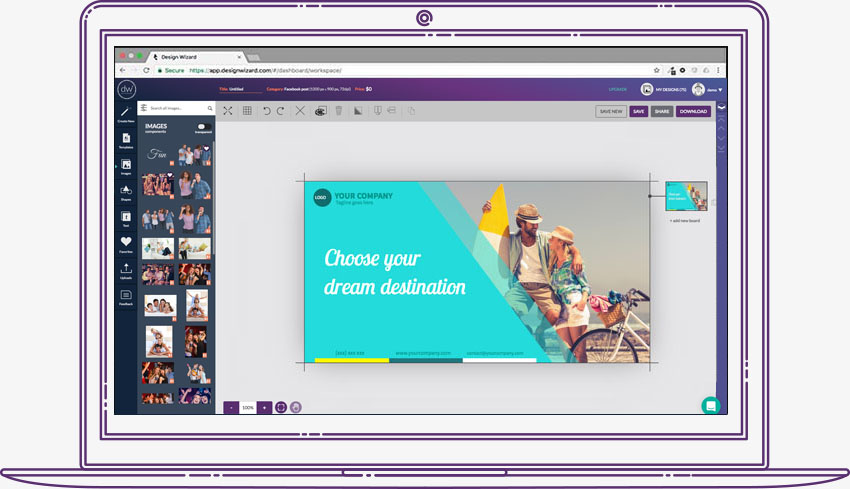
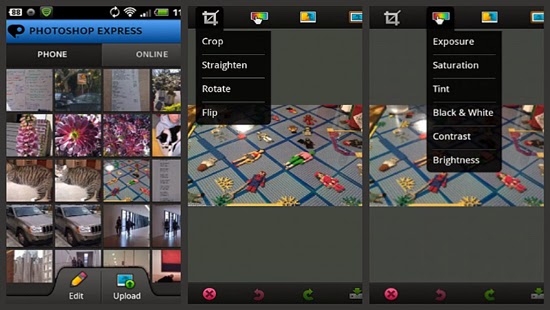

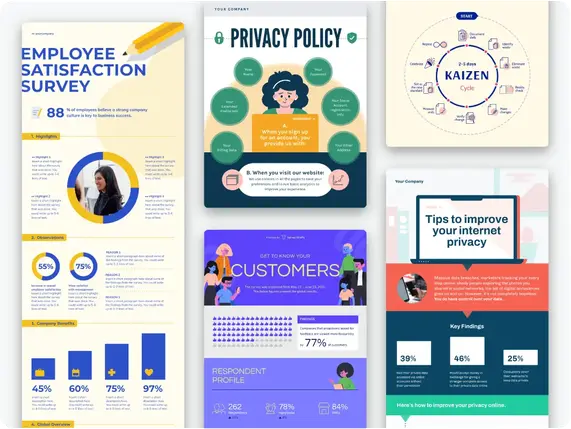
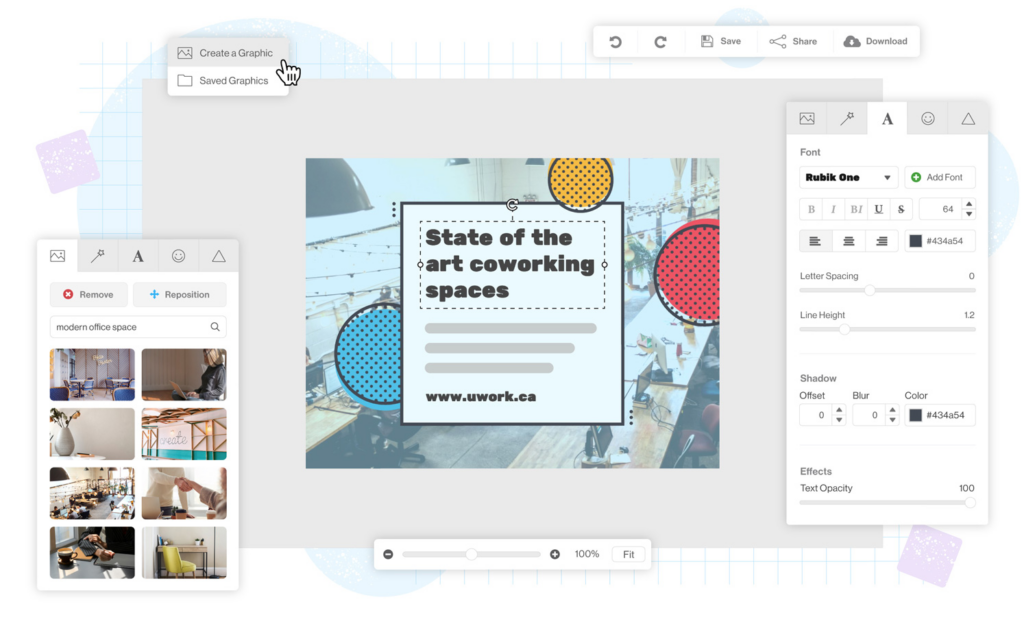
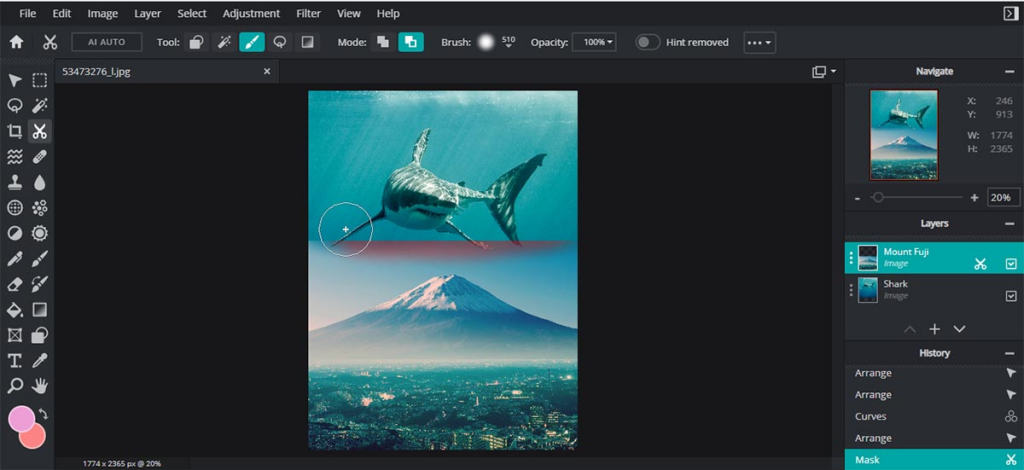


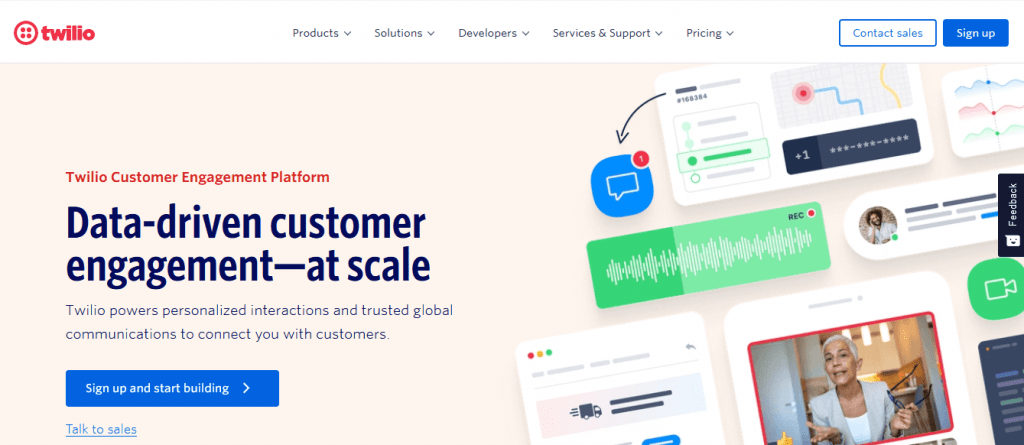

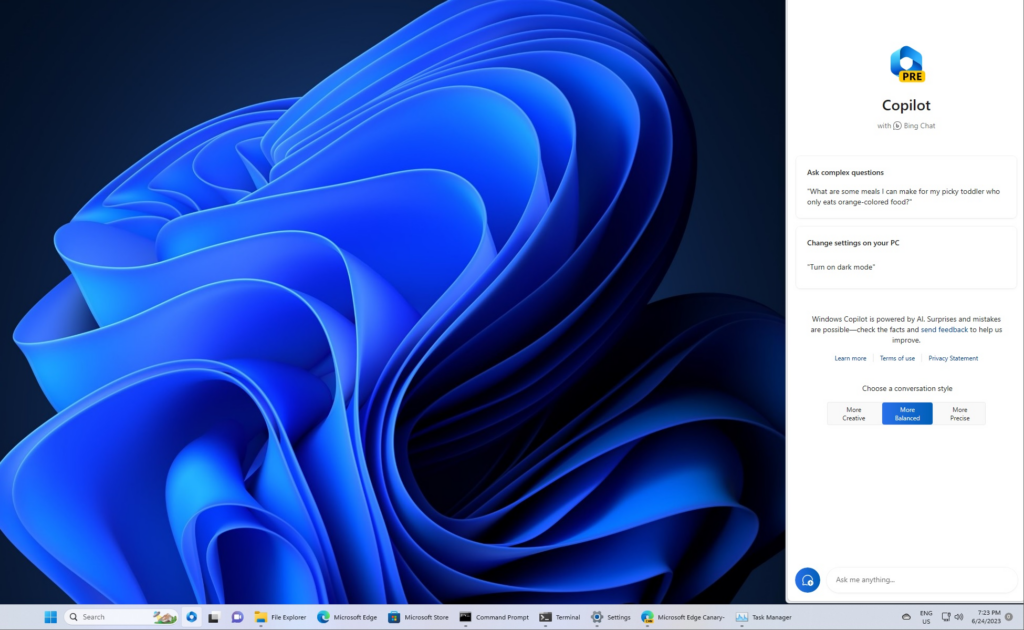

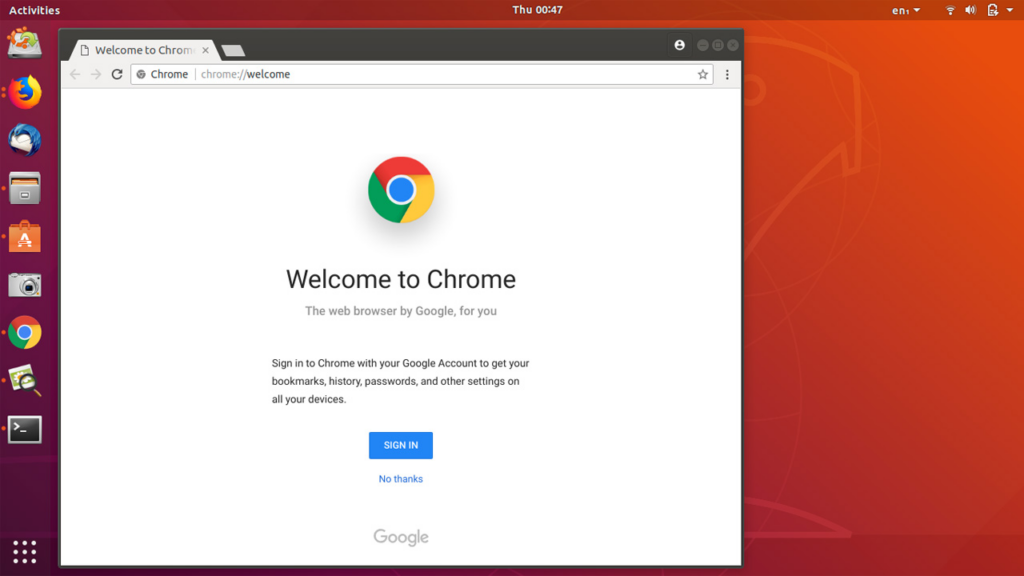
![How Much is Photoshop? [Adobe Pricing Breakdown 2024]](https://ewtnet.com/wp-content/uploads/2023/06/image-31.png)
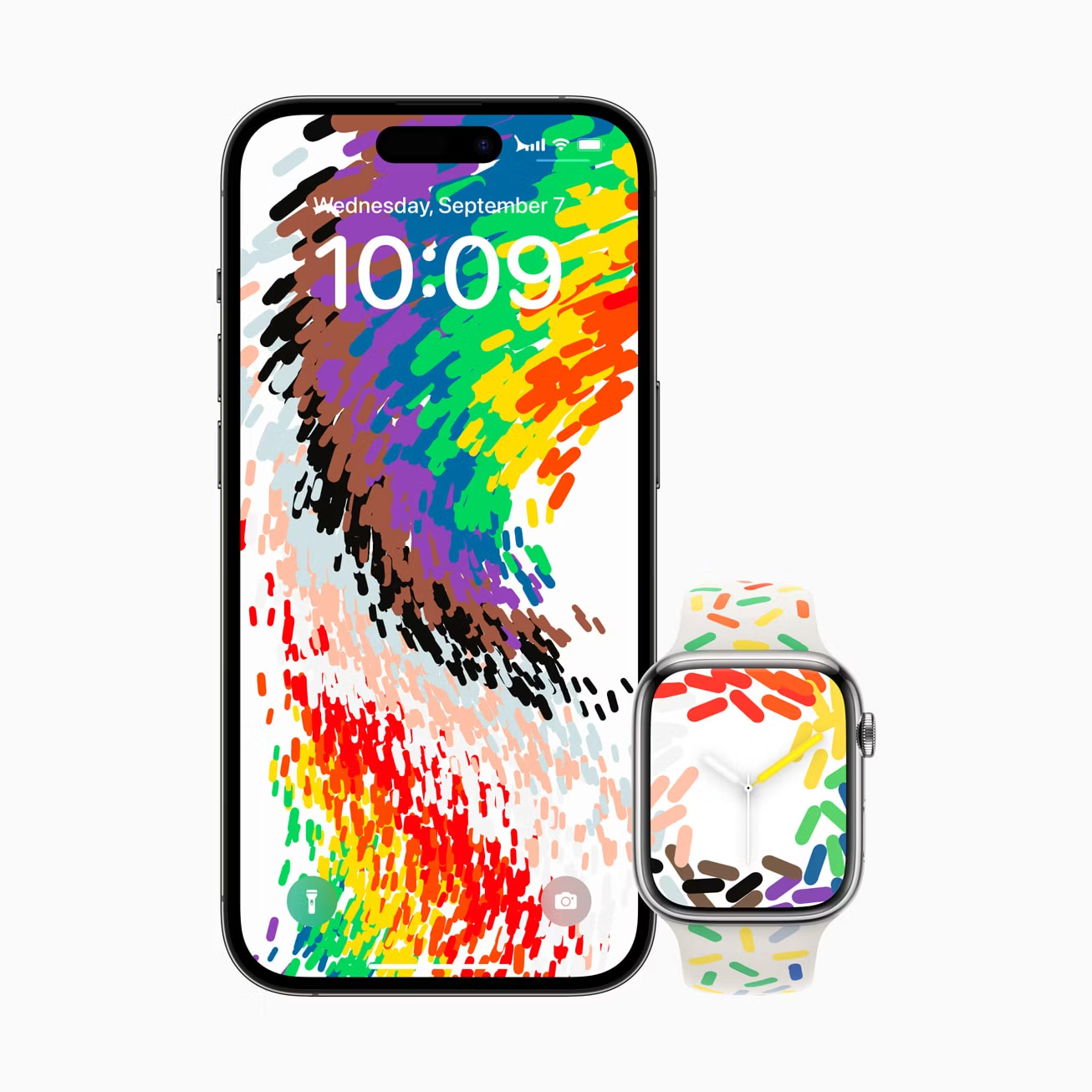
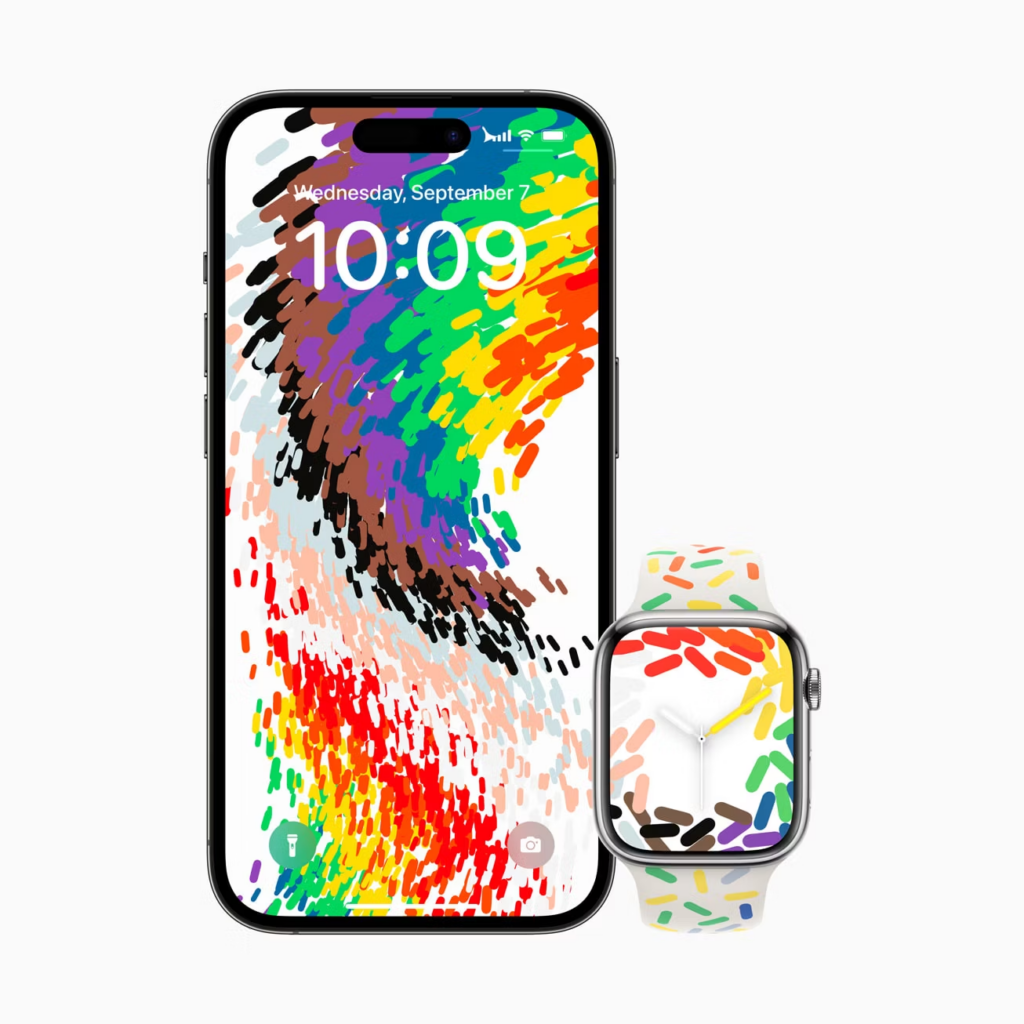

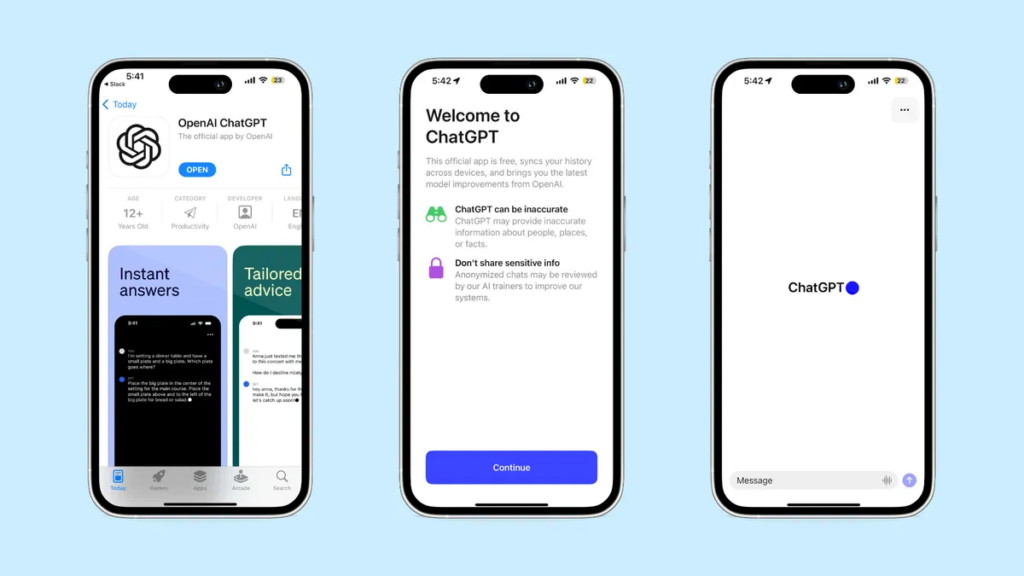


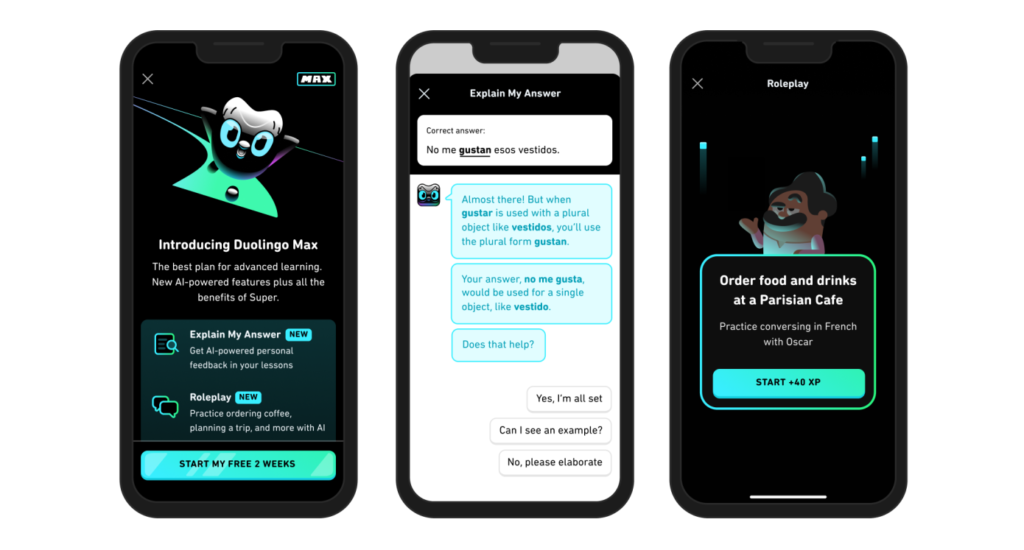
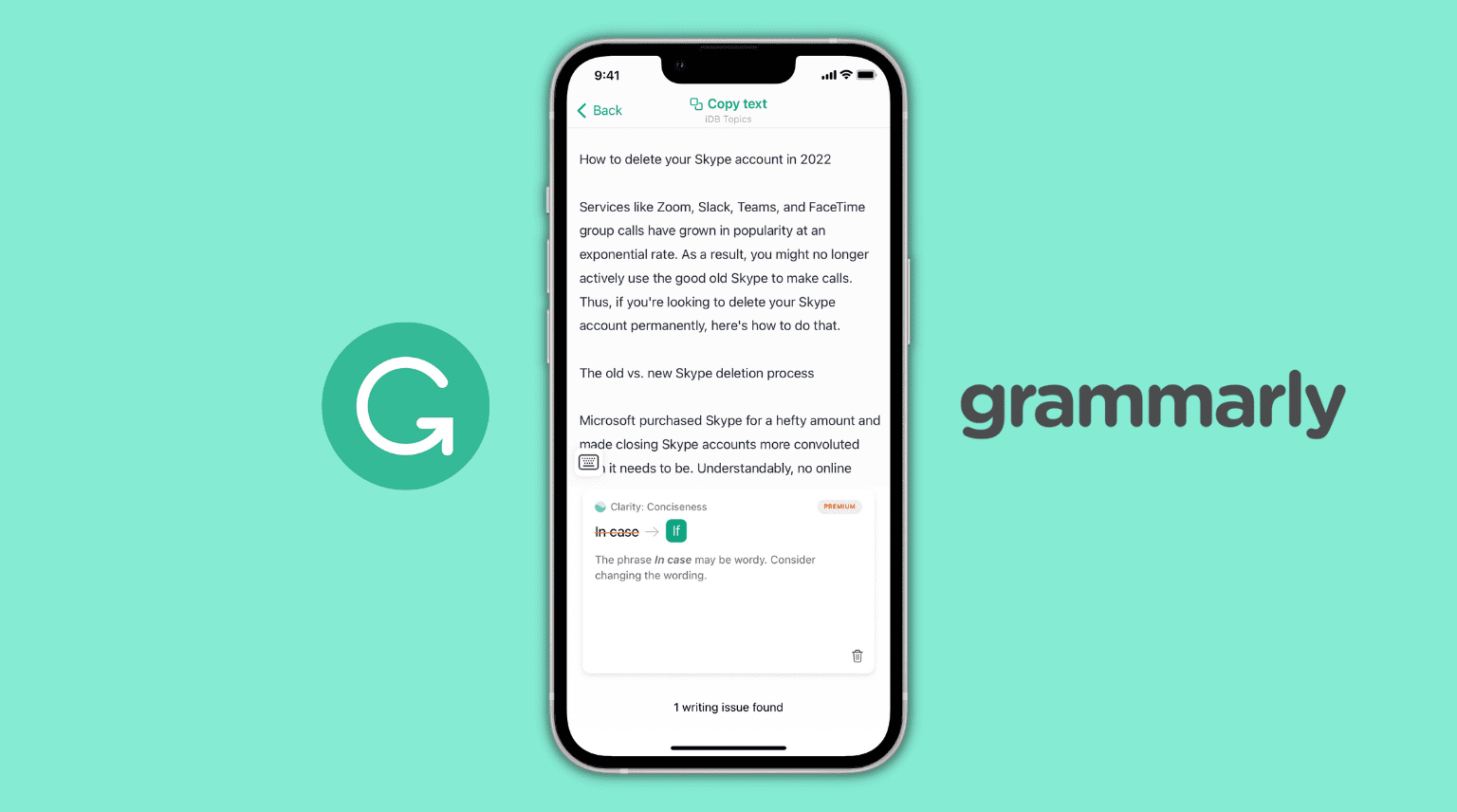











You must be logged in to post a comment.