Tag: Adobe

  • Free Graphic Design Software for Content Creation

    Free Graphic Design Software for Content Creation

    The widespread use of digital devices and the internet has led to an abundance of information. This sheer volume of information available on social media, articles, online videos, and constant notifications is often overwhelming for some people. Since attention spans are limited due to the fear of missing out, brands are readily churning out visually appealing content that grabs the audience’s attention more effectively.

    Graphic design has become an integral part of content creation for over a decade now. It improves the aesthetics of content to be more engaging and memorable, but that’s not all. Businesses and large corporations have utilized graphic design to establish brand identity and recognition. It is a cornerstone of marketing and advertising. Brands use graphic design to create banners, posters, or online ads, and these visually compelling designs impact the success of campaigns.

    It also influences how every single piece of information is presented, consumed, and shared. In the context of social media, where attention is fleeting, visually engaging graphics are needed to create shareable and viral content. Most people find graphic design an important tool for simplifying complex information through intuitive visuals and this contributes to positive user experience.

    Graphic design doesn’t necessarily require an expert designer for every task, as there are varying levels of complexity in design projects. Simple tasks like creating social media posts or promotional campaigns can often be handled by people with basic design skills. For small businesses and startups looking to save money, learning basic graphic design from online resources is important. However, as your brand grows, you might want to hire a professional graphic designer for more complex and technical projects such as branding, and logo design.

    Read Also: Latest Graphics Card for Gaming: Video Editing/3D Graphics Modeling

    Free Graphic Design Software for Social Media and Content Creation
    Free Graphic Design Software for Social Media and Content Creation

    We took the liberty to compile some of the best graphic design software for beginners and brands that need to save money on designs. Graphic design has become indispensable to content creation, whether you’re the CEO or intern, it wouldn’t hurt to have basic knowledge of the tools that make the magic happen. Let’s find out which software is best for graphic design for beginners and what free app is best for graphic design for Mac and PC.

    Canva
    Free Graphic Design Software for Social Media and Content Creation

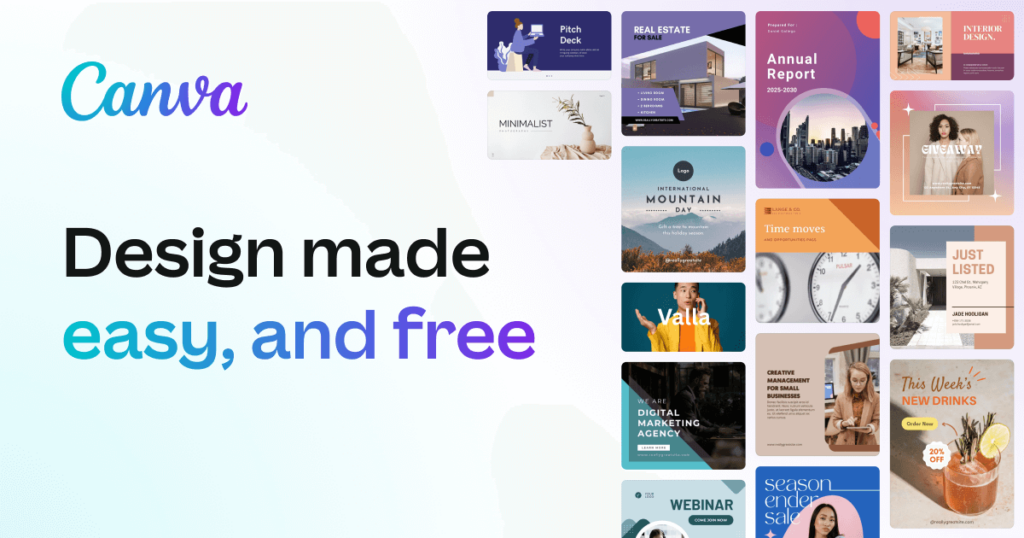
    Canva is a versatile and user-friendly design app, available across various platforms, offering a million templates, graphics, and photos under its free plan, with even more assets accessible through Canva Pro. Canva Pro unlocks additional features, including automatic resizing and brand kit integration. The interface has numerous templates for just about any purpose, as well as a good search feature that helps you easily find the designs you want. The drag-and-drop editor simplifies customization and there’s a design collaboration with sharing options.

    DesignWizard
    Free Graphic Design Software for Social Media and Content Creation

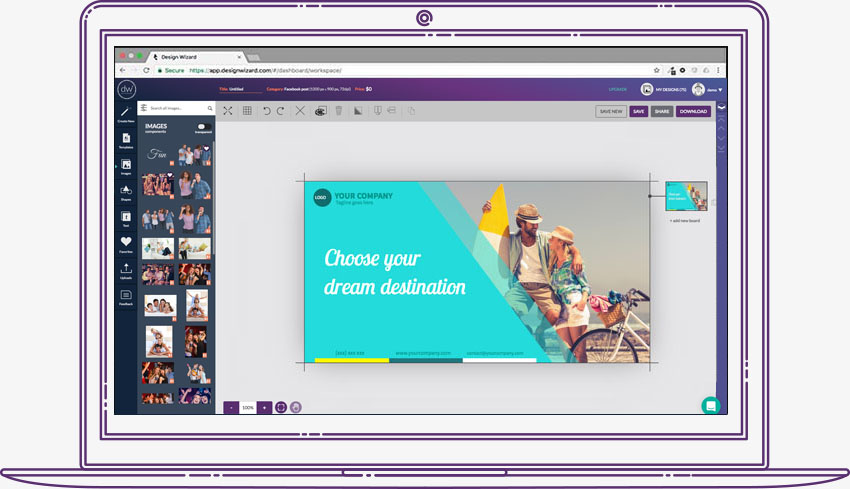
    This free graphic design software functions similarly to Canva but provides access to all its tools in the free version. With an extensive collection of over 5,000 templates, users can effortlessly craft digital content such as social media posts, flyers, ads, and YouTube videos. As well as print materials like gift cards, certificates, and sales posters.

    There’s a library with millions of images, videos, illustrations, and graphics. DesignWizard empowers users to upload fonts, photos, and logos. The platform allows for the creation of custom color palettes and resizing designs, ensuring each final product is what you need for your brand.

    Adobe Express
    Adobe Express
    Adobe Express

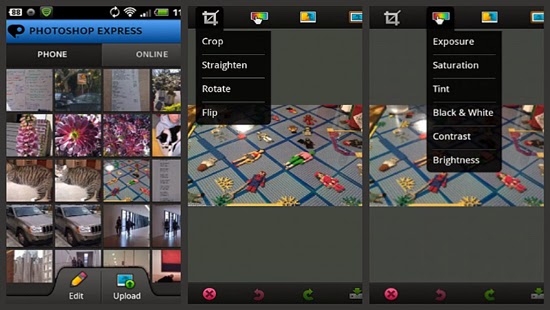
    Formerly known as Adobe Spark, is designed for social media and web graphics. Adobe Express is free, with premium features offered at $9.99/month. While its template selection falls short compared to Canva, it compensates with a powerful editor. Quick Actions on the home screen provide efficient tools like image resizing and background removal. Advanced features such as layer options and blend modes are available for deeper customization. Integration with Adobe’s Creative Suite enhances its utility for those planning to use more advanced Adobe tools.

    GNU Image Manipulation Program

    GNU Image Manipulation Program

    An acronym for GNU Image Manipulation Program, GIMP is a go-to free tool for those working with photography. Although not available in-browser and considered more advanced, GIMP is exceptional for its capacity to handle demanding photo editing needs. It lacks templates and may be more challenging to use compared to other software on this list, but its power lies in advanced photo editing and design.

    Pablo by Buffer
    Pablo by Buffer

    If you need a minimalist way to create and design content, then use Pablo by Buffer. This straightforward tool allows easy text placement over images, with no need for accounts. The user-friendly interface provides basic options for image selection, template choice, and text formatting. Despite its simplicity, Pablo is great for creating visually appealing social media images, and the tool is free to use.

    Piktochart
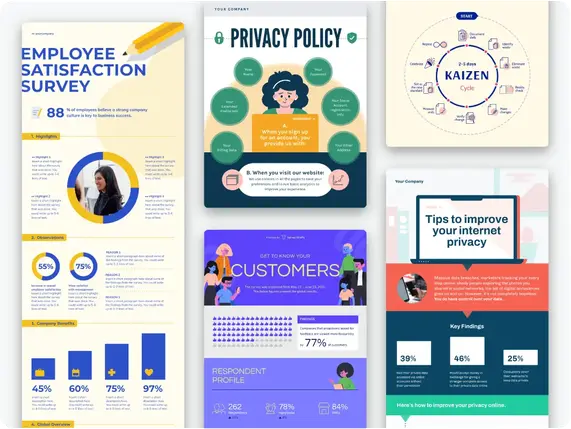
    Piktochart

    This free graphic design software focuses on the creation of impactful and shareable infographics. Mostly preferred by non-designers, Piktochart helps users create basic infographics without the need for advanced design software. Offering 400 templates, icons, and graphics, Piktochart is a solid starting point for those eager to understand the fundamentals of infographic creation.

    Snappa
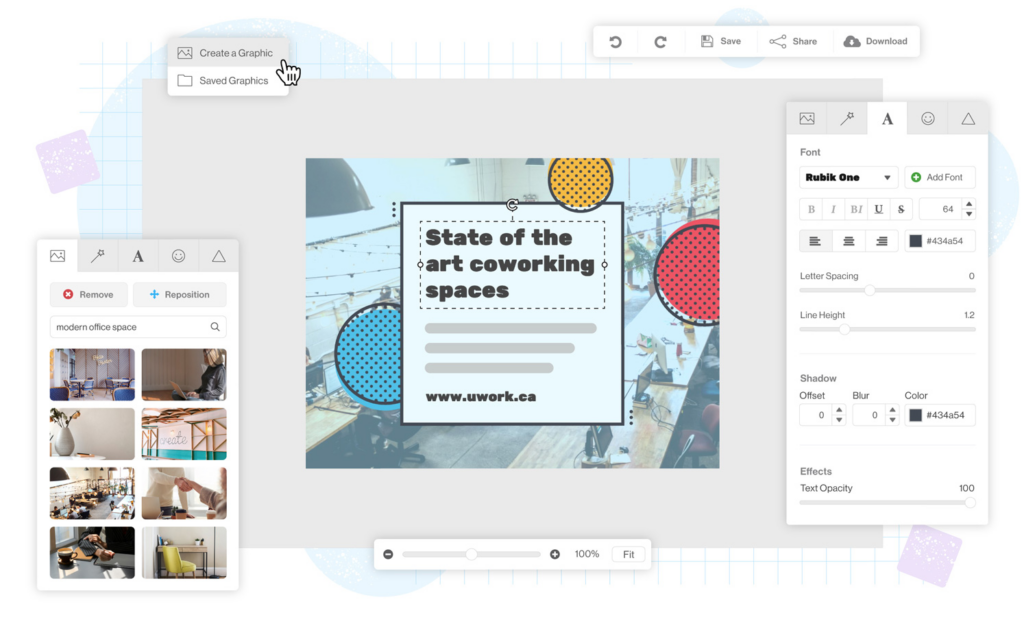
    This is the only app on this list where the free plan provides access to the same resources as the paid plan. Users can download three designs per month. Snappa’s templates, though not as thoroughly themed, have personalized options, including effects and graphics. The process is easy and involves selecting a base template, customizing it, and downloading or sharing the image. Snappa’s free plan is user-friendly as it is less intrusive with upgrade notifications.

    Pixlr
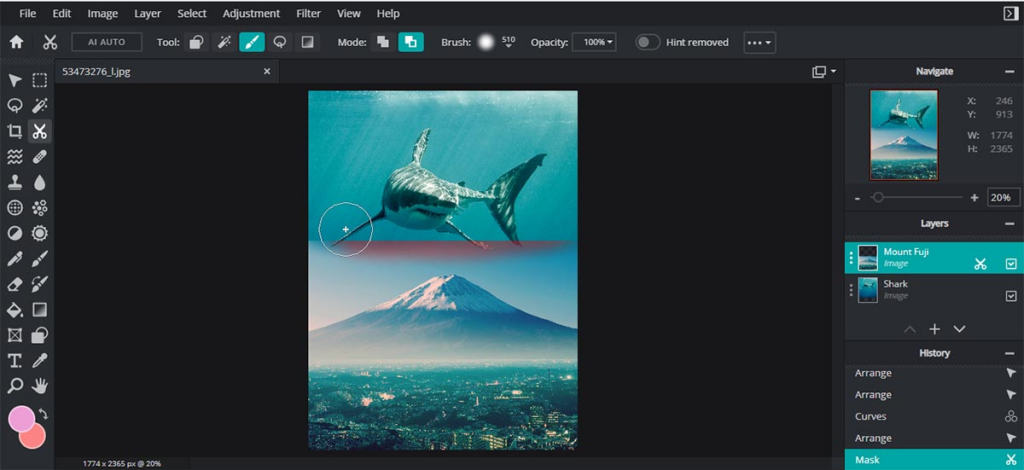
    Pixlr, a popular online image editor, facilitates photo editing with a collection of overlays, effects, and borders. Available as an application on both iOS and Android, Pixlr caters to Instagram users and photography enthusiasts seeking an accessible alternative to expensive photo editing software.

    VistaCreate
    VistaCreate

    Previously known as Crello, Vista’s free design tool has a lot of templates, photos, videos, and vectors for social media and print design. The free plan is forever and includes vast resources, while the Pro plan has more features, such as team collaboration and automatic resizing. The Styles feature simplifies color and font customization, and a generous 10GB file storage is equipped to help both free and Pro users.

    Fotor
    Fotor

    Fotor is an old photo editing tool that has been modified to offer traditional editing features along with powerful AI enhancements. While its AI features are not free, taking advantage of the free trial is recommended to explore its capabilities. Fotor, available instantly through your browser, is known for its speed and user-friendly interface.

  • How Much is Photoshop? [Adobe Pricing Breakdown 2024]

    How Much is Photoshop? [Adobe Pricing Breakdown 2024]

    If you’re considering using Adobe Photoshop, you might be wondering: How much is Photoshop? Adobe offers multiple subscription plans tailored for different users, including photographers, graphic designers, and creative professionals. The pricing varies based on the plan you choose, with options ranging from $9.99 to $52.99 per month. In this guide, we’ll break down each subscription plan, pricing, features, and the best value options to help you make an informed decision.

    Adobe Photoshop Subscription Plans & Costs

    Adobe Photoshop is available through three main subscription models:

    1. Standalone Plan – For those who only need Photoshop.
    2. Photography Plan – Ideal for photographers needing Photoshop and Lightroom.
    3. Creative Cloud All Apps – Best for professionals who need access to multiple Adobe applications.

    Below is a detailed breakdown of each plan, including pricing and features.

    1. Standalone Plan

    Perfect for graphic designers and digital artists who only require Photoshop.

    Plan TypeCostFeatures Included
    Monthly$31.49 per monthPhotoshop CC, Adobe Express, 100GB Cloud Storage
    Annual (Paid Monthly)$20.99 per month ($251.88/year)Photoshop CC, Adobe Express, 100GB Cloud Storage
    Annual (Prepaid)$239.88 per yearPhotoshop CC, Adobe Express, 100GB Cloud Storage

    2. Photography Plan

    Best suited for photographers and editors who need both Photoshop and Lightroom.

    Plan TypeStorageCostFeatures Included
    Photography Plan (20GB)20GB$9.99 per monthPhotoshop CC, Lightroom CC, Lightroom Classic, Photoshop Express
    Photography Plan (1TB)1TB$19.99 per monthPhotoshop CC, Lightroom CC, Lightroom Classic, Photoshop Express

    3. Creative Cloud All Apps Plan

    Ideal for professionals needing multiple Adobe tools like Illustrator, Premiere Pro, and After Effects.

    Plan TypeCostFeatures Included
    Monthly$79.49 per monthAccess to 20+ Adobe Apps, 100GB Cloud Storage, Adobe Fonts
    Annual (Paid Monthly)$52.99 per month ($645.88/year)Access to 20+ Adobe Apps, 100GB Cloud Storage, Adobe Fonts
    Annual (Prepaid)$599.88 per yearAccess to 20+ Adobe Apps, 100GB Cloud Storage, Adobe Fonts

    Which Plan is Right for You?

    Choosing the right subscription depends on your needs and budget. Here’s a quick guide:

    • Choose the Standalone Plan if you only need Photoshop for graphic design or digital art.
    • Choose the Photography Plan if you are a photographer and need both Photoshop and Lightroom.
    • Choose the Creative Cloud All Apps Plan if you are a professional designer, video editor, or content creator who needs multiple Adobe applications.

    Additional Considerations Before Buying

    Before subscribing, here are some important things to keep in mind:

    🔹 Free Trial – Adobe offers a 7-day free trial. Try it before committing.
    🔹 Student Discounts – Adobe provides up to 60% discount for students and teachers.
    🔹 Cancellation Policy – Some plans require an annual commitment, and early cancellation may involve fees.
    🔹 Occasional Discounts – Adobe sometimes offers limited-time discounts, so keep an eye on their website.


    So, how much does it cost? The answer depends on your needs. With plans starting at $9.99/month, Adobe offers flexible options for photographers, designers, and creative professionals.

    Before purchasing, consider your workflow, budget, and whether you need additional tools beyond Photoshop. If unsure, start with a free trial to explore its features.

    Want the best deal? Check Adobe’s official website for current promotions and discounts. Happy designing!


    FAQs About Photoshop Pricing

    1. Can I buy It permanently?
    No, Adobe only offers via subscription—there is no one-time purchase option.

    2. Is there a free version?
    Adobe provides a 7-day free trial, but there is no permanent free version.

    3. Does Adobe offer discounts for students?
    Yes! Students and teachers can get Adobe Creative Cloud for around $19.99 per month, which includes PS and other apps.

    4. Can I switch between Adobe plans?
    Yes, but if you switch before your billing cycle ends, there may be additional charges.

    When choosing between these subscription plans, it is best to consider what use they’ll be serving. Together with the budget. Before making a purchase, getting acquainted with Adobe’s policies, cancellation terms, and fees is one important tip. This is because different subscription types have varying cancellation policies. It’s equally good to try out Photoshop’s free trial before committing to a subscription.

  • A Look Into Figma Acquisition By Adobe 2022

    A Look Into Figma Acquisition By Adobe 2022

    On September 15, 2022, news of the Figma Acquisition By Adobe broke the internet. Dylan Field, the Co-founder and CEO of Figma, publicly announced on Twitter its procurement by Computer software company Adobe Inc.

    Figma is a collaborative web application/tool for UI and UX designers, including designers of all ages, geographies, and levels of experience, for interface design.

    figma's acquisition by adobe
    Figma Logo Credit: Geeky Nigeria

    It was launched on 27 September 2016 with unarguably one of the most excellent design, prototyping, and code-generation tools.

    The Figma design tool is web-centric, but there are desktop versions for both Windows and Mac OS. What makes this design tool spectacular is that it allows for live, real-time collaboration. Meaning, team members can all log into a design at the same time and simultaneously make changes to it.

    pexels
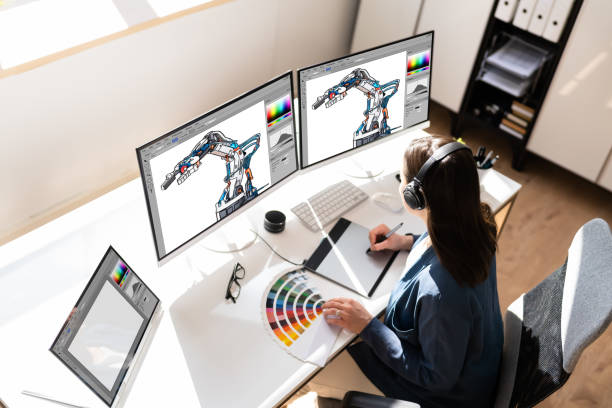
    Figma collaborative interface allows designers work on a project at the same time credit: pexels.com

    According to Dylan Field, Figma’s acquisition by Adobe was an opportunity to make design and developer tools more collaborative and accessible.

    Dylan also stated that the acquisition was to accelerate the growth and innovation of the Figma platform with access to Adobe’s technology, expertise and resources in the creative space.

    Dylan Field
    Dylan Field, CEO Figma

    The newly acquired Figma web application will experience expert incorporation of imaging, photography, illustration, video, 3D and font technology. As well as a re-imagination of the best creative tools within the Figma technology stack.

    The merger and acquisition which cost approximately $20 billion in cash and stock will keep Figma operating autonomously. Dylan will continue serving as CEO, reporting to David Wadhwani. David is the executive vice president and chief business officer of Digital Media at Adobe. While the entire Figma team will report to the former Figma CEO.

    CEO Dylan reports to David Wadhwani
    David Wadhwani Adobe

    Adobe Inc., in a press release also made emphasis on how the merger would re-imagine the future of creativity, advance product design and empower the designer and developer community.

  • Google Reaction To Adobe Dropping Flash Player for Android

    Google Reaction To Adobe Dropping Flash Player for Android


    Adobe announced Thursday that it would not provide a version of Flash for Android 4.1, dubbed Jelly Bean, or any updates thereafter. Google introduced version 4.1 this week at its I/O conference in San Francisco. The OS will be available in July.
    The Flash Player has never posed much of a security risk, because hackers have not used it as a pathway to Android. “There hasn’t been a piece of malware using the Flash Player technology as a vector,” Tim Armstrong, malware researcher for Kaspersky Lab, said.

    Adobe’s decision to wind down Flash on Android is not surprising. The company said in November that it would switch to Adobe AIR as the cross-platform runtime environment for mobile applications. Adobe believes AIR is the better option as Web developers move to HTML5, the latest version of the markup language used for presenting content on the Web. The company will continue to develop the Flash Player for PCs.
    Whether the technologies replacing the Flash Player will pose a greater security risk is not yet known, Armstrong said. “We can’t say yet whether these technologies could be leveraged for malicious purposes,” he said.
    In general, dropping Flash with Jelly Bean is not expected to have much of an impact on Android users, because almost 90 percent are running versions 2.1 to 2.3.7. By the time they upgrade to version 4.1, Flash alternatives are expected to be firmly in place.
    Adobe has also decided to limit access of the Flash Player on Google Play, the official Android app store. Beginning Aug. 15, only Android phones already running Flash will be able to get newer versions in the store. “Devices that do not have Flash Player already installed are increasingly likely to be incompatible with Flash Player and will no longer be able to install if from the Google Play Store,” the company said in its blog.
    Adobe’s latest announcement only involves Android, because Apple doesn’t use Flash in the iPhone or iPad. In 2010, Apple Chief Executive Steve Jobs, who died in October of complications from cancer, bashed Flash as too slow and a battery hog, arguing that HTML5 would become the better platform for showing video and other multimedia content. Adobe initially fought back, but later realized development trends for mobile apps were against Flash.