Tag: iPhone 14 plus

  • How To Restart an iPhone in 2023

    How To Restart an iPhone in 2023

    Often, if you encounter any technical glitches or issues with any of your devices, one of the go-to and sometimes, effective solution is to reboot. Mobile devices like iPhones lack a direct restart mode compared to their Android counterparts, but we’ve gotten around to simplifying the process of restarting an iPhone for our readers. The piece offers guidance on how to successfully restart an iPhone in the event of any difficulties.

    Restart an iPhone X, XR, XS, XSMAX, 11, 12, 13, 14

    • The first thing to do when restarting an iPhone 14 down to iPhone X, press and hold the Down Volume and Side buttons at the same time. The upper Volume button is functional, but using one can mistakenly take a screenshot.
    • As you press and hold, the power off slider will appear. Release your hold on the Down Volume and side buttons. Then move the slider after releasing the buttons.
    • Once this is done, wait for about 30 seconds for the iPhone to go off. Then press and hold the same side and volume buttons to restart the iPhone.

    iPhone 5, 6, 7, 8, or SE(1st, 2nd, and 3rd Generation)

    How To Restart an iPhone in 2023
    • To restart an iPhone of the above models and generations, first press and hold the Sleep/Wake button. This is the button that turns off the phone and for the iPhone 6 series and later models, the button is on the upper right side. But for the previous iPhone models before the 6 series, the sleep/wake button is on top of the phone.
    • Depending on the model, once the power off slider appears on the screen, release your hold on the Sleep/Wake button. Then move the slider after releasing the buttons
    • Once this is done, wait for about 30 seconds for the iPhone to go off. Then press and hold the same sleep and wake buttons to power the iPhone.
  • Apple’s iPhone 14 With Emergency SOS Unveiled

    Apple’s iPhone 14 With Emergency SOS Unveiled

    On September 8, 2022, Apple unveiled the new iPhone 14 and iPhone 14 Plus. A next-generation smart device with the A15 Bionic chipset, emergency satellite SOS, and crash detection, all integrated with iOS 16 features.

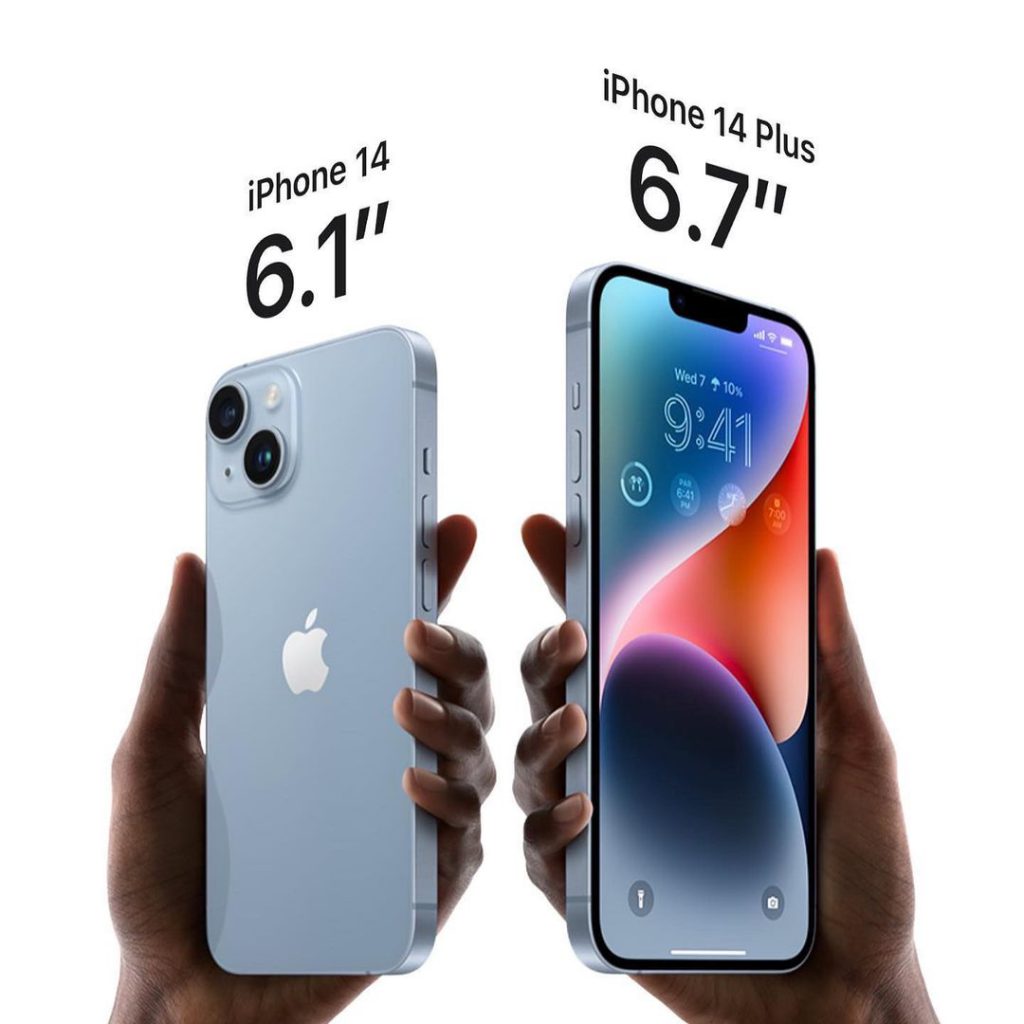
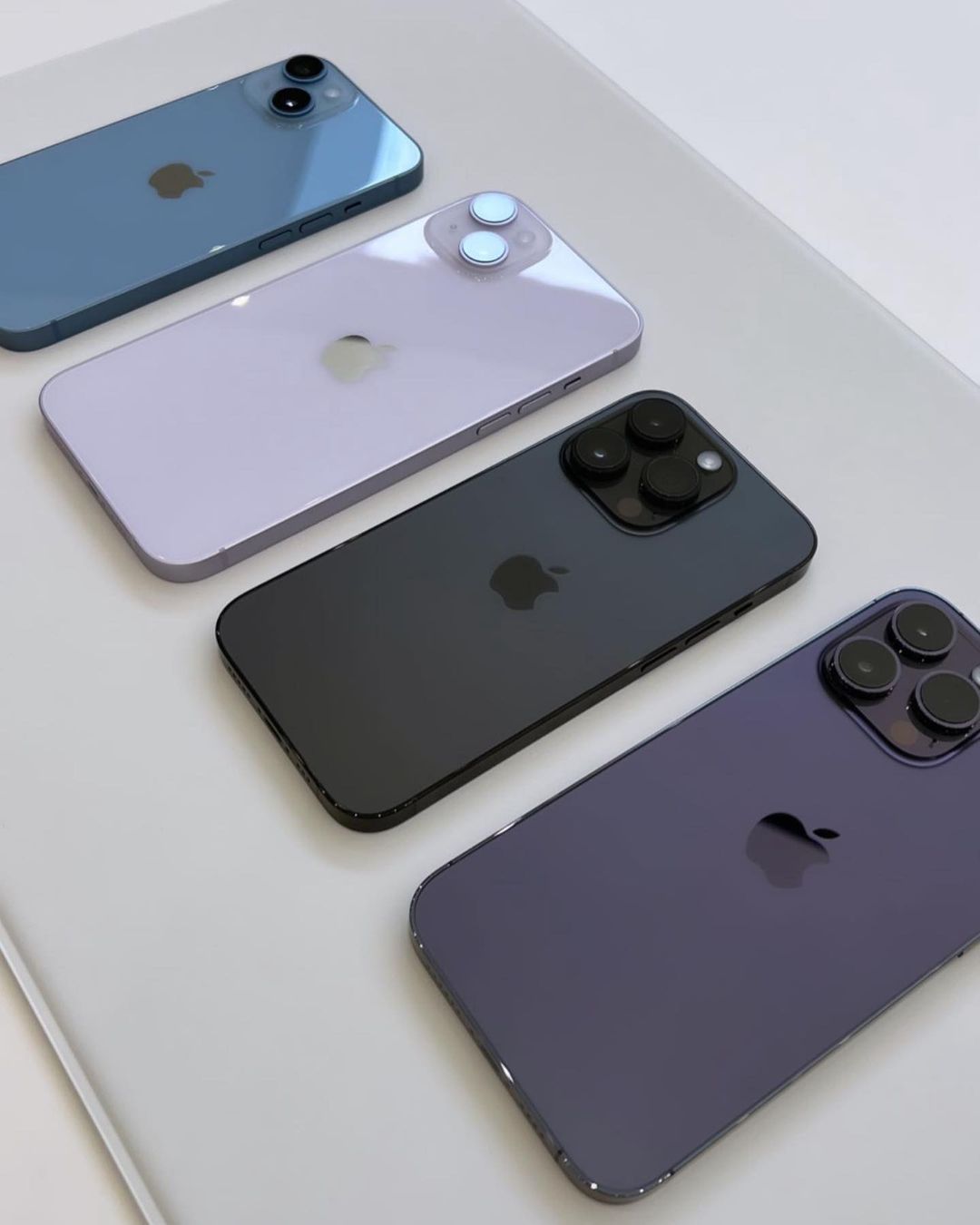
    The 6.1″ inch screen and a 6.7” inch larger screen display allow for HDR content. Apple’s iPhone 14 and 14 Plus are available in midnight, blue, starlight, purple and red. Also in 128GB, 256GB, and 512GB storage capacities. The US models of the iPhone also come with an eSIM, meaning there is no physical SIM tray.

    In the meantime, the tech community is abuzz with the special iOS 16 features and availability dates of high-end devices across the world. Technophiles worldwide are already pre-ordering iPhone 14 and iPhone 14 Plus. Find out the specifications and features below.

    iPhone 14
    Credit: IG @cellcompanycat

    iPhone 14 Emergency SOS Feature

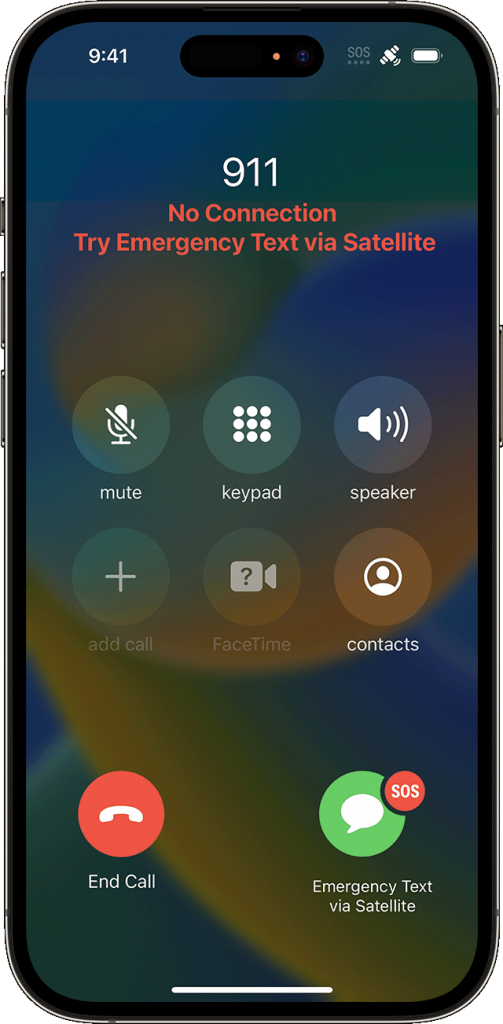
    The new safety feature called emergency SOS via satellite is a feature that Apple introduced on both recently unveiled iPhone 14 models. The feature claims to get one in touch with emergency services in areas where there’s no reception.

    In dire situations when you’re out of cellular and Wi-Fi coverage, you can send messages via satellites to get the help you need.

    Emergency SOS via satellite photo 2

    How To Use The Emergency SOS Via Satellite Feature

    Firstly, to access the emergency SOS feature, an iPhone 14 model is required, alongside an iOS 16 software update.

    Secondly, try calling emergency services. Another prerequisite to using emergency SOS via satellite is no cellular and Wi-Fi coverage. There has to be an actual disturbance in the network connection before utilizing the emergency feature. Once the above-mentioned details are covered, proceed to;

    • Tap Emergency Text via Satellite.
    • Tap Report Emergency.
    • Answer the necessary emergency questions to provide details about your situation. 
    • You can also choose to notify your emergency contacts regarding the nature of your emergency.
    • Then follow the onscreen instructions to connect to a satellite.
    • While the connection is successful, be sure to keep following the onscreen instructions so the message can deliver.
    iphone 14 emergency sos
    Credit: Apple Inc.

    Note that once connected to an emergency service, iPhone 14 starts a text conversation with emergency responders. It goes as far as sharing critical information like your Medical ID and emergency contact information (that’s if you’ve previously set up one). The nature of the emergency, your location, and the remaining battery life of the iPhone will also get to the emergency services.

    Which Location Is Emergency SOS via satellite available?

    Apple’s emergency satellite feature is only available in the US and Canada as at the launch of the iPhone. This includes Puerto Rico and US Virgin Islands, but not Guam or American Samoa. The feature is equally unavailable on iPhone models that you acquire in China mainland, Hong Kong, or Macao.

    iPhone 14 / iPhone 14 Plus Features And Specifications

    • Announced: September 7, 2022
    • Weight: 203 grams
    • Display: Super Retina XDR display
    • OS: iOS 16
    • Chipset: Apple A16 Bionic (4 nm)
    • Internal: 128GB 6GB RAM, 256GB 6GB RAM, 512GB 6GB RAM, 1TB 6GB RAM NVMe
    • Camera: Dual-camera system with HDR features
    • Sim Card: Dual eSIM support
    • Battery: Built-in rechargeable lithium-ion battery
    • Cellular & Wireless Network: 5G (sub‑6 GHz and mmWave), Gigabit LTE, Ultra Wideband
    • Safety: Emergency SOS via satellite, crash detection
    • Splash, water, and dust resistant