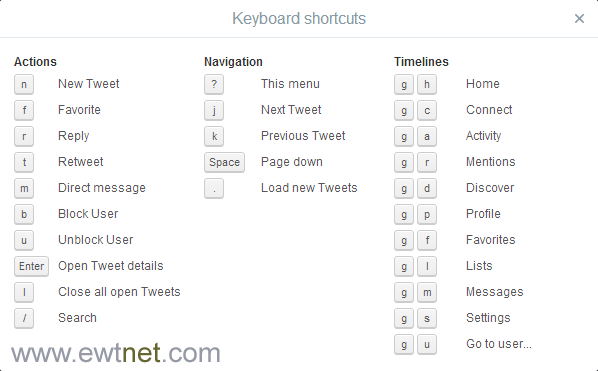
Out of over 500 million Twitter users, only 30% can boast of knowing their way around Twitter main website without clicking. Though the new Twitter interface is pretty much like the old one, using keyboard shortcuts could prove useful when you want to perform a quick task.
If you use the main Twitter website, we can help you out with some seriously useful keyboard shortcuts. Whether it’s navigational tricks or keyboard actions, these handy shortcuts will save you tons of time.
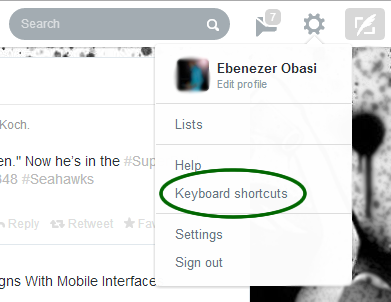
To view the complete list of keyboard shortcuts from your Twitter account at any time. Click on the Gear Icon on the menu bar and select Keyboard shortcuts.
PC World – BlackBerry will rededicate itself to physical keyboards as the company tries to regain its footing.
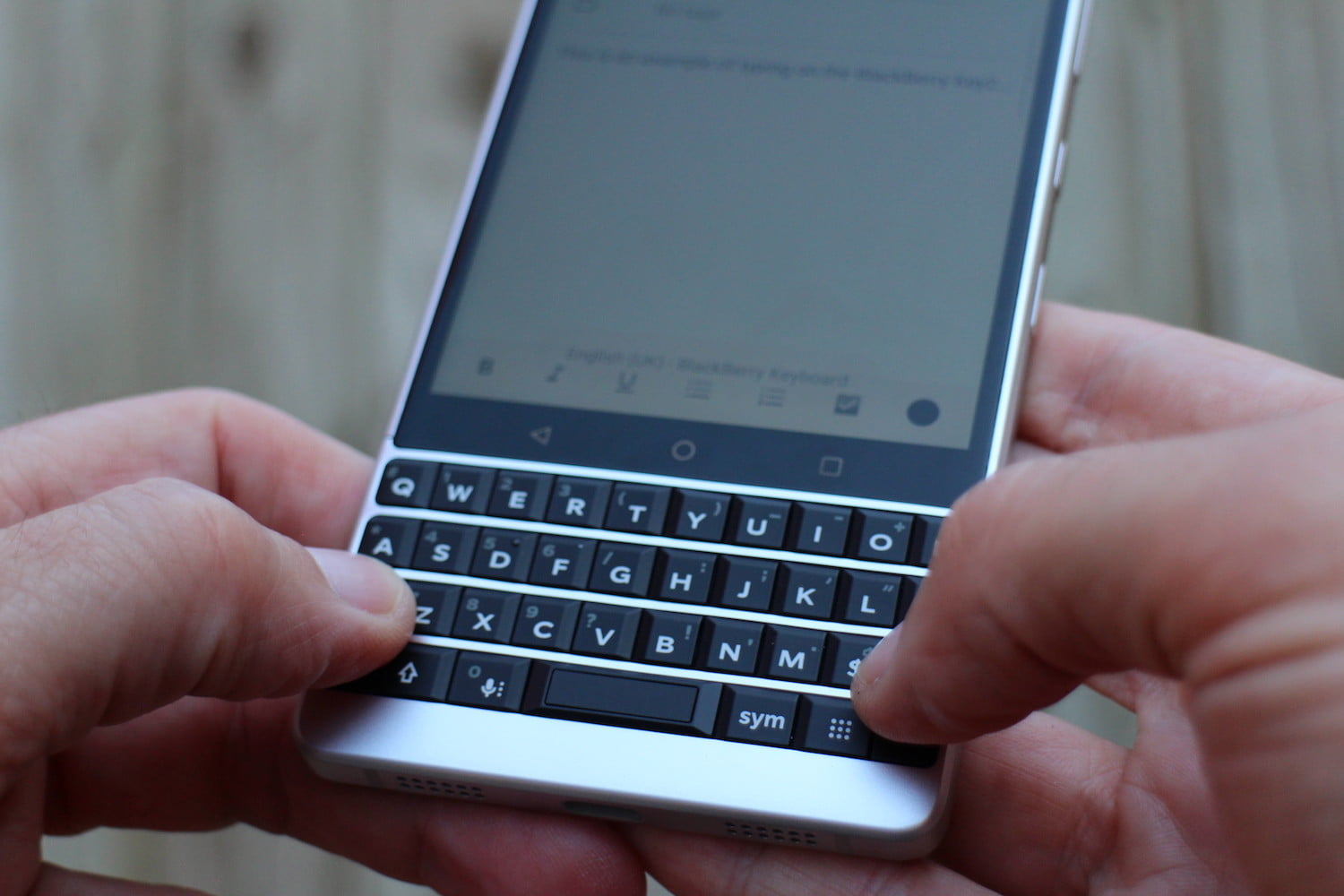
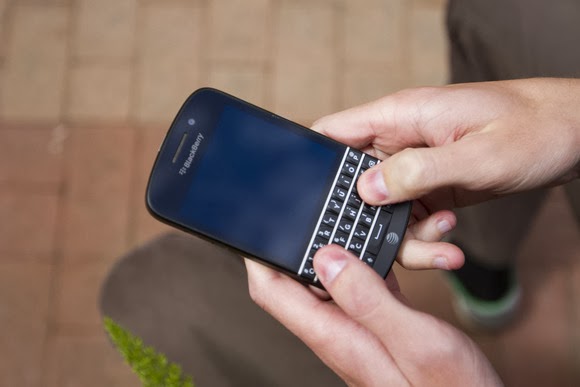
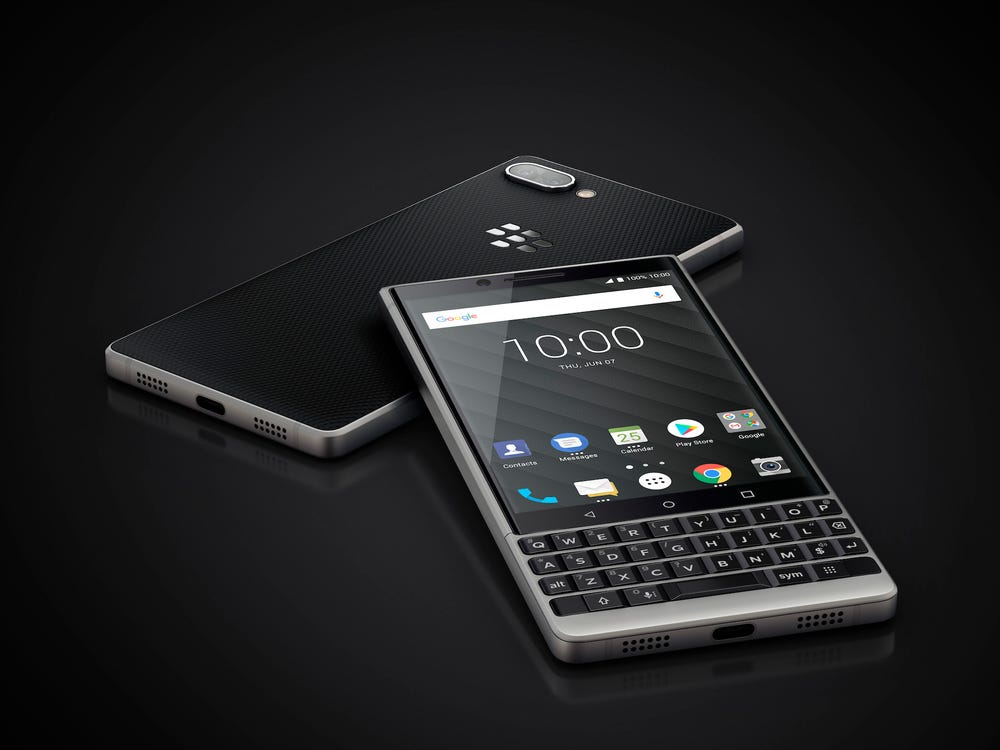
Speaking to Bloomberg , BlackBerry CEO John Chen said the company’s future phones will “predominantly” have physical keyboards, rather than full touchscreens. “I personally love the keyboards,” Chen said. Out of the four existing BlackBerry 10 smartphones, only the Q10 (shown above) and Q5 have physical keyboards, and only the former is available through U.S. carriers. The BlackBerry Z10 and Z30 use touchscreens, with the quality of the software keyboard being a major focus in BlackBerry 10.
BlackBerry’s recent emphasis on touchscreens over physical keyboards was reportedly a major source of friction within the company as it tried to bring BlackBerry 10 to market. In a story last September , The Globe and Mail recounted a 2012 board meeting, where co-founder and former CEO Mike Lazaridis expressed frustration over the touchscreen Z10. “I don’t get this,” Lazaridis said while pointing to the phone.
Lazaridis eventually left the board, and last November, BlackBerry ousted CEO Thorsten Heins, who oversaw the launch of BlackBerry 10. The company also abandoned plans to sell itself, as it focuses on enterprise services and BlackBerry Messaging (BBM) across multiple platforms.
Status of BlackBerry 10?
Since then, BlackBerry’s commitment to BlackBerry 10 has been murky. A partnership with manufacturer Foxconn will bring at least one BlackBerry 10 handset to emerging markets, but a recent open letter from Chen didn’t even mention BlackBerry 10 by name. The company’s enterprise business is still largely using the older BlackBerry 7 operating system, but companies are increasingly turning to iPhones and Android phones instead.
It’s unclear whether BlackBerry’s physical keyboard push implies more new BlackBerry 7 handsets or more BlackBerry 10 devices without full touchscreens. Either way, BlackBerry is reaching for the past as it tries to stay alive.
BlackBerry has today filed a lawsuit against startup Typo Keyboards, which is backed by Ryan Seacrest. The company alleges that Typo copied BlackBerry’s patented and “iconic” keyboard design.
“We are flattered by the desire to graft our keyboard onto other smartphones, but we will not tolerate such activity without fair compensation for using our intellectual property and our technological innovations,” Steve Zipperstein, BlackBerry’s General Counsel and Chief Legal Officer, said in a statement today.
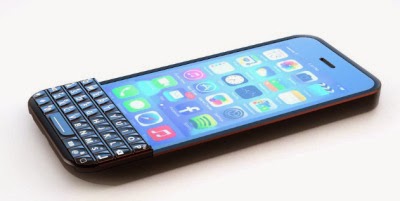
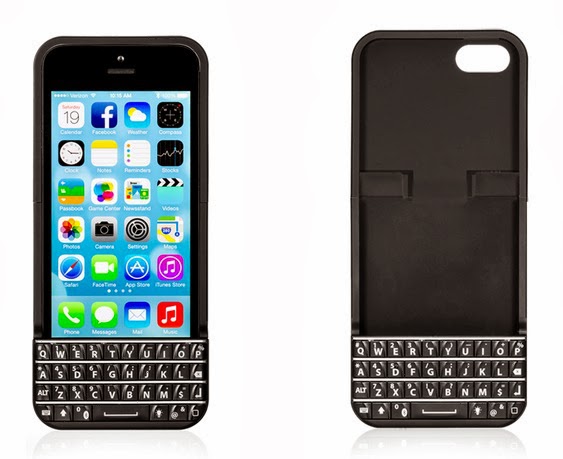
Seacrest invested $1M in the accessory, which encloses an iPhone in a case with a keyboard attached to the bottom half. The keyboard covers the iPhone’s home button but offers an alternate home button on the bottom right corner.
BlackBerry says that the Typo Keyboard violates its intellectual property rights, and that it will protect those rights from “blatant copying and infringement.”
“BlackBerry’s iconic physical keyboard designs have been recognized by the press and the public as a significant market differentiator for its mobile handheld devices,” the statement concludes.
The design certainly bears some resemblance a strong resemblance to BlackBerry’s signature rounded-corner keys and sloped corner design — right down to the placement of the back and return buttons. But one does have to wonder how many ways you can arrange keys on a keyboard.
Here’s the BlackBerry Q10 keyboard:
And here’s the Typo keyboard accessory:
Either way, BlackBerry’s death rattle is unlikely to be slowed by its new strategy of ‘get money from Seacrest‘.
Ofcours, everyone wants to navigate more fluently on skype while using a computer but not everyone knows it’s “hotkeys”. The use of keyboard shortcuts helps you navigate easily and save time while using the VoIP service.
“It makes you a Ninja” but unfortunately, not everyone knows how to setup this all important keyboard shortcuts. In this tutorial, I’m going to take you on a walk-through on how to setup and personalize your keyboard shortcut for skype.
#1. Enabling Keyboard Shortcut in Skype
These are keyboard shortcuts for when you want to:
Answer a call
Answer a call with video
Ignore a call
End a call
Take a snapshot during video calls
Focus on Skype
Search for people on Skype
Mute your microphone
Toggle mute (Push-to-talk)
Switch view
If you have already enabled keyboard shortcut for your skype skip this part, otherwise:
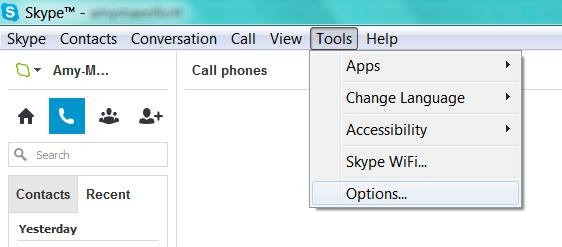
Locate tools on your skype interface
Click on options
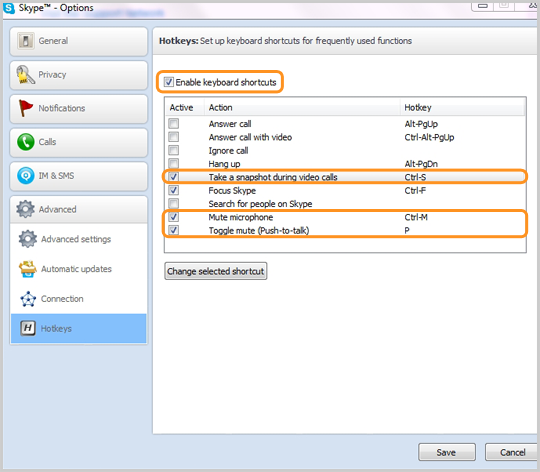
At the bottom of the list, click on the advance tab and
Select hotkeys (is represented with
Check the box next to “Enable keyboard shortcuts.” Do not close the window.
Check the actions you want to enable hotkeys for.
#2. Personalize your Keyboard Shortcuts
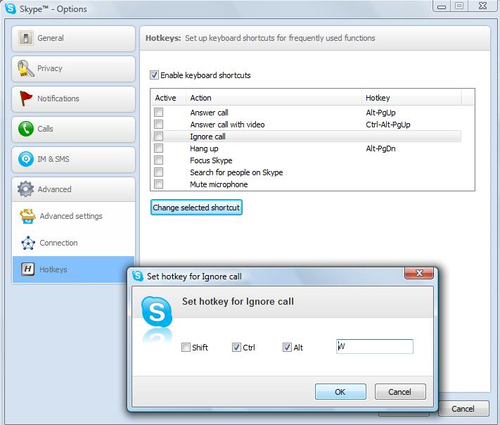
In the “hotkey” window you will find a couple of hotkey commands already set up, but you can personalize all the actions with shortcuts of your own preference.
Simply click on the check box next to an action,
Click on Change selected shortcut
Add your own shortcut key sequence into a pop-up window.
The number of shortcuts you want to setup depends on you, Avoid using complex key combination that will be difficult for you to remember, I suggest using hotkey commands that you’re already familiar with, e.g., “Control” + “F” for search. Once you’ve personalized the hotkeys to your taste, click “Save” at the bottom of the window.