Tag: laptop

  • Procedures to change Wireless security on a Laptop

    Procedures to change Wireless security on a Laptop

    In this article, we explore a comprehensive tutorial featuring procedures to change wireless security on a laptop. Here we explore inevitable steps to take in changing the security/password of a wi-fi router using your laptop. You would also learn how to change your Wi-fi router’s security type here. The steps taken are listed below.
    procedures to change wireless security on a laptop

    1. Open Your Router’s Configuration Page

    You can access your Router configuration page if your laptop is connected to the router. You can connect your laptop to your router using an Ethernet cable or The Router password. In a situation where you have forgotten the password, using an Ethernet cable is preferable because you will not be required to input any password.

    After you might have connected your laptop to your router, you are to input the IP address on your browser, to gain access to its software platform. The Standard Router Addresses are 192.168.1.1192.168.0.1192.168.2.1, or 10.0.1.1(Apple) or 10.0.0.1. Enter any of these Addresses and hit enter.

    If you find it difficult to access your Router’s software platform using the already mentioned IP addresses, you can source for the exact I using the command prompt. Once Command prompt is opened, type ipconfig and hit enter. Now look for active connection in the list and find your Router Default Gateway address. The Default Gateway is your Router’s IP address.

    If you are still finding difficult to source for your Router’s gateway address, you advised to reset your router for about 30 seconds, to restore it back to factory settings. After which you are to look up the default address for your Router’s model and enter it into your browser URL box

    2. Enter Your Router’s Username and Password

    Apart from the normal connection password, you are required to input a special username and password, to gain access to the admin platform. Please note that the default Username for most routers is “admin” or  “userAdmin” and the default password is “admin”, “password” or your current Wi-Fi’s password. If you changed your the username and password before now, you are required to input the one you enrolled.

    3. Open The Wireless Section

    Once you have successfully gained entry to your Router’s software platform using your browser, you ate presented with different tabs that perform different functions. Since you want to change your Router’s wireless security, you are required to click on the Wireless tab.

    4. Change the password

    By now you should be in the Wireless tab on your Router’s admin page. In the Wireless tab, Look for the box labeled “Password”, “Passphrase” or “Shared Key”. Some Routers require you re-enter the admin password, for confirmation. You are advised to create a very strong password, featuring letters, numbers, and symbols.

    5. Change Your Security Type

    Please note that there are three main types of wireless encryption: WEP, WPA, and WPA2. If you desire the most secured network, you are required to make use of WPA2. Using this network type, you may experience problems connecting to older devices. If you run into these problems, you are advised to switch to WPA.

    6. Change Your Network Name

    If you desire to have a unique Router name, you have the option to set a unique name here. This will make discovery very easy, you won’t have to guess your Router’s name, in a situation where they are many similar Routers in the same space.

    7. Save your Settings

    After you might have successfully carried out all the steps listed above, the next step will be to save the changes you made to the security setting. This way all changes made will take effect. The save button is usually located on the top or bottom of the page. Locate it and click on it to save changes. You can now go ahead to test the new password.

    There You have it – a comprehensive list of procedures to change wireless security on a laptop. If you have any questions, feel free to drop them in the comment section below.
  • Find out Why you won’t dump your PC in Favour of Tablets

    Find out Why you won’t dump your PC in Favour of Tablets

    The tablet has had a remarkable run the past few years. But it is important to note that in the majority of use cases tablet are not replacing PCs but rather are extending the life of PCs.

    We know from our data as well as a number of other firms’ research that over 90% of tablets sold today have been sold to existing PC owners. And in nearly every supporting data point I have, those tablets are being used to accompany the PC not to replace it. (By PC, I generally mean notebooks).

    So it begs the question whether the PC-killing tablet is a valid narrative or not. I’d contend that this is not a valid narrative and, more importantly, it could affect tablet sales to a degree in 2014.

    A key point about tablet sales is that the vast majority sold are 8″ or smaller. Which means that the vast number of tablets bought by consumers are not even contenders to replace the PC. In fact, when you look at tablet usage data you notice that they are used heavier during the evening hours while PCs are used heavier during the day time/work hours.

    Think of it this way: PC by day, tablet by night. Oh sure, lots of people use their tablets during the day for both entertainment and business reasons (e.g. sales people and other road warriors), but I think this sums up the use case for most tablet owners.

    Now, if we acknowledge the point that the vast majority of tablets on the market are used in conjunction with PCs, then we acknowledge that the PC is still used and valued by a large number of consumers. If this is true, those PCs will still need to replaced. So the question then becomes: When will this happen and could it have an effect on the tablet market?

    The evidence is clear that 2013 was the lost year for the PC. One of the steepest declines on record, as it has been a stable growth market since the early 2000s. We believe that 2014 could mark a turnaround for the PC sector and catch many by surprise.

    Part of the logic for this is the number of PCs in the market being used that are 4 years or older. Depending on whose estimates you use, the number is around 300-350 million. A good percentage of these customers got away with not refreshing their PCs due to their tablet purchases. Those who have not refreshed their PC for school, work, home, etc., simply can’t wait much longer. A PC refresh is coming and it could impact tablet sales.

    The tablet/PC hybrid

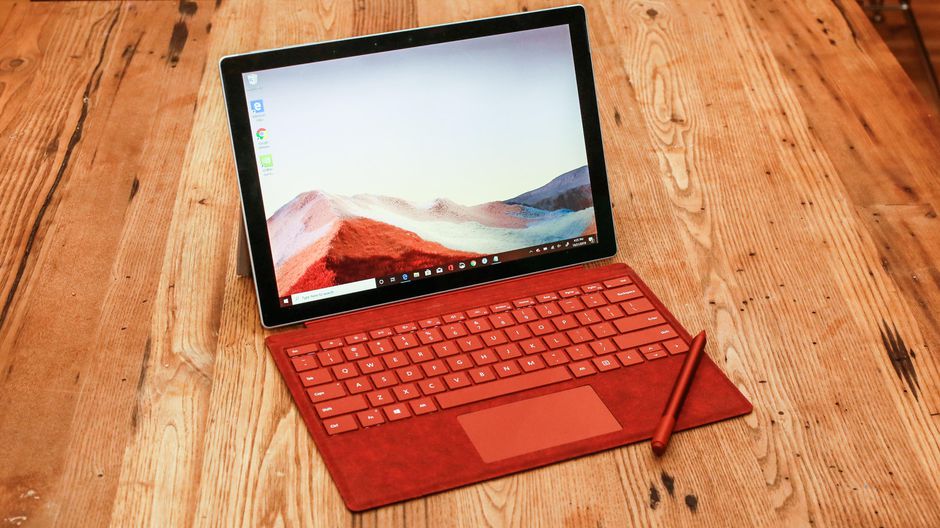
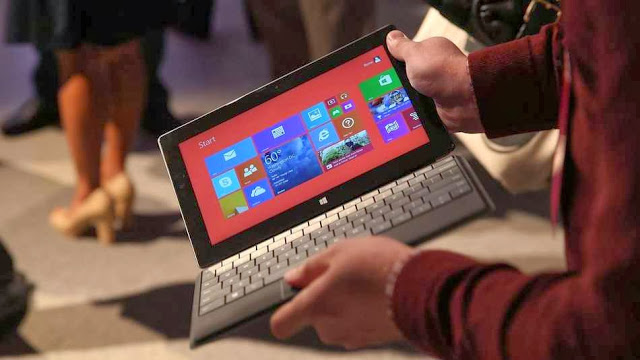
    A caveat to this thinking is that consumers will find the idea of a tablet and PC combined together as an attractive option. Perhaps when a consumer looks to replace their PC they will find something like Microsoft’s Surface an attractive offering. Many in the PC ecosystem are hoping this is the case but I am still skeptical.

    I think what corporate employees, small business workers, and even consumers want is the best PC for their needs and the best tablet for their needs. This means they will continue to buy two separate devices that are each best for all the things they want.

    While I applaud the efforts of Microsoft, Intel, and others in the PC ecosystem to work to build 2-in-1 PCs and tablets, I’m not optimistic that they will appeal to the masses. I believe some segments of both business and consumer customers will gravitate to these form factors but I don’t believe they will make up the majority of sales of either PCs or tablets.

    I believe the market for PCs and tablets will swing like a pendulum. The years that PCs aren’t being refreshed as much tablets sales will boom higher and vice-versa. For everyone who cares about hardware, from IT to the OEMs who make the devices, managing refresh rates and building products that take advantage of refresh years will be critical.

    But of course truly innovative products and lower price points could produce a hot seller in either camp regardless of refresh cycles. Given the product maturity on the PC side, I think another breakout tablet is far more likely.

    Thi wass article originally published at TabTimes

  • Lenovo Android laptop confirmed after user manuals leak online

    Lenovo Android laptop confirmed after user manuals leak online

    PCWORLD – A story posted on pcworld today has confirmed that we are likely to see a new generation of PC anytime soon. With microsoft paying more interest in the production of windows 8 smartphones, it is now clear to everyone that windows are likely to swap places with the android OS in the technology world.

    Accidentally leaked user manuals from PC maker Lenovo show that the company is preparing a new laptop that runs Android instead of Windows.

    Called the IdeaPad A10, the laptop has a 10.1 inch HD screen and is listed as an Android device, according to the manuals uploaded on Lenovo’s site.

    The laptop’s 10-inch display also functions as a touchscreen. It can be opened up to 300 degrees, supporting the screen for reading or touching while the keyboard rests face down. In addition, the keyboard has signature Android buttons for “home screen”, “previous” and “apps screen”, found on the bottom of many phones and tablets running the Google OS.

    Lenovo had planned on making an official announcement for the device, said Chris Millward, a spokesman for the company, on Thursday. But somehow, Lenovo unintentionally leaked the user manuals online, he added.

    “The product has not been canceled. It will be going out to the market,” he said. Lenovo will later announce launch dates and pricing information.

    The laptop’s specs show that it could be a budget product. It has an Arm quad-core 1.6GHz processor from Chinese firm Rockchip, 1GB or 2GB of RAM, and 16GB or 32GB of storage. There is also a 0.3 megapixel camera, a microSD card slot and an HDMI port.

    Tech vendors are increasingly experimenting with Android at a time when demand for traditional Windows PCs has been waning. Earlier this year, Acer and Hewlett-Packard showed all-in-one desktops using the Google operating system. HP’s product, called the Slate 21, has a price of $399.

    On the convertible PC side, Asus has shown a hybrid device that can run both Windows and Android. Called the Transformer Book Trio, the product operates as a stand-alone Android tablet, but when attached to its keyboard it can also boot up Windows.