Tag: software

  • 5 Best Accounting Software for Small Businesses

    5 Best Accounting Software for Small Businesses

    Accounting software automates many of the time-consuming tasks associated with bookkeeping, invoicing, and financial reporting. For small businesses, this means less time spent on administrative tasks and more time focusing on growth. The best accounting software not only simplifies financial management but also provides valuable insights into your business’s financial health.

    Key Features to Look for in Accounting Software

    Key Features to Look for in Accounting Software for small businesses

    Before diving into our top picks, it’s important to understand the key features that small businesses should look for in accounting software:

    1. User-Friendly Interface: A straightforward and intuitive interface is essential for small business owners who may not have a background in accounting.
    2. Invoicing and Billing: Look for software that allows you to create, send, and track invoices with ease.
    3. Expense Tracking: Effective expense management is critical. Choose software that simplifies tracking and categorizing expenses.
    4. Bank Reconciliation: Automatic bank reconciliation helps ensure your accounts are accurate and up-to-date.
    5. Reporting: Comprehensive financial reports are vital for understanding your business’s financial performance.
    6. Scalability: As your business grows, your accounting software should be able to scale with you, offering additional features or integrations as needed.

    Top Accounting Software for Small Businesses in 2024

    Here are the best accounting software for small businesses in 2024, each meeting different needs and budgets:

    1. QuickBooks Online

    QuickBooks is a leader in the accounting software space, with a strong set of features designed specifically for small businesses. Its user-friendly interface, extensive third-party integrations, and scalability make it a top choice for businesses of all sizes.

    Key Features:

    • Invoicing and payment processing
    • Expense tracking and categorization
    • Bank reconciliation
    • Financial reporting and analytics
    • Scalable with advanced features for growing businesses

    Best For: Small businesses looking for a comprehensive solution with room to grow.

    2. Xero

    Xero is another popular software, known for its beautiful interface and strong accounting capabilities. It’s particularly used by businesses that need to manage multi-currency transactions and integrate with a wide range of third-party applications.

    Key Features:

    • Multi-currency support
    • Real-time financial reporting
    • Expense tracking and bank reconciliation
    • Over 800 app integrations
    • Inventory management

    Best For: Small businesses with global operations or those requiring extensive integrations.

    3. FreshBooks

    FreshBooks is ideal for service-based small businesses, freelancers, and contractors. Its emphasis on invoicing and time tracking sets it apart, making it a favorite among users who need to bill clients for hours worked.

    Key Features:

    • Time tracking and project management
    • Customizable invoices
    • Expense tracking
    • Automated payment reminders
    • Easy-to-use mobile app

    Best For: Service-based businesses, freelancers, and contractors.

    4. Wave

    Wave offers a free accounting solution, making it an excellent choice for small businesses on a tight budget. Despite being free, it includes many features found in paid software, such as invoicing, receipt scanning, and bank reconciliation.

    Key Features:

    • Free accounting and invoicing
    • Expense tracking
    • Receipt scanning via mobile app
    • Bank reconciliation
    • Tax filing support

    Best For: Small businesses and startups looking for a cost-effective accounting solution.

    5. Zoho Books

    Zoho Books is part of the Zoho suite of business tools, making it a great choice for small businesses already using Zoho products. It offers a wide range of features, including automated workflows, making it ideal for businesses looking to streamline their processes.

    Key Features:

    • Automated workflows
    • Client and vendor management
    • Multi-currency support
    • Financial reporting
    • Inventory management

    Best For: Small businesses using the Zoho ecosystem or those needing automation.

    Choosing the Right Accounting Software for Your Business

    Selecting the best accounting software for your small business depends on your specific needs, industry, and budget. QuickBooks Online is a great all-rounder, Xero excels for global businesses, FreshBooks is perfect for service providers, Wave offers unbeatable value for money, and Zoho Books is ideal for businesses seeking automation and integration within the Zoho suite.

    FAQs

    1. What is the best accounting software for small businesses in 2024?

    The best accounting software depends on your specific needs, but QuickBooks Online, Xero, FreshBooks, Wave, and Zoho Books are among the top options.

    2. Can I use free accounting software for my small business?

    Yes, Wave offers a free accounting software solution that is suitable for many small businesses, especially startups or those on a tight budget.

    3. How do I choose the right accounting software for my business?

    Consider your business size, industry, budget, and specific needs, such as invoicing, expense tracking, and scalability, when choosing the right software.

    4. Is cloud-based accounting software secure?

    Most cloud-based accounting software uses advanced security measures, such as encryption and two-factor authentication, to protect your data.

    5. Can accounting software help with tax filing?

    Yes, many accounting software solutions offer features that assist with tax filing, including generating reports that align with tax requirements.

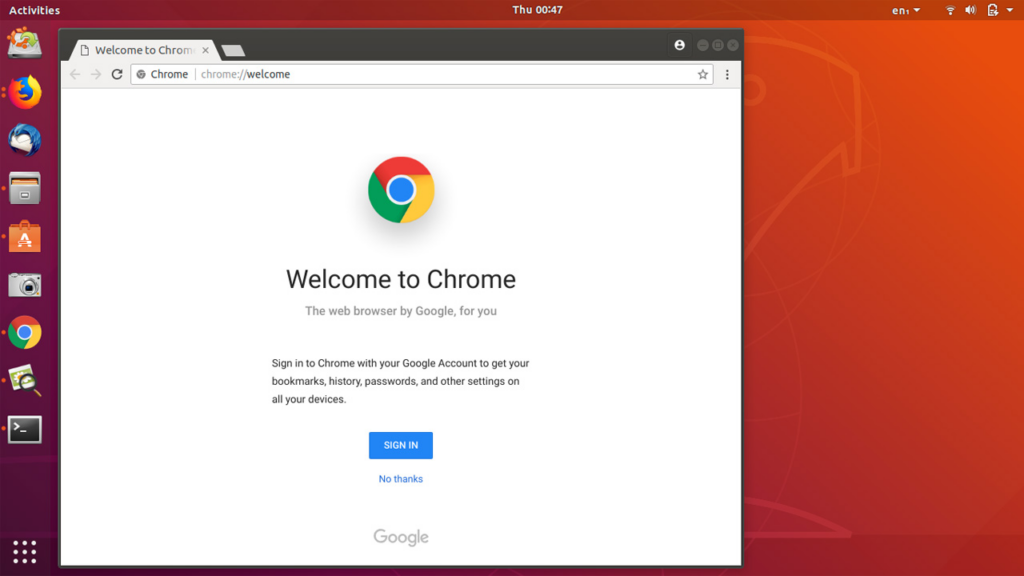
  • How to Install Chrome on Ubuntu in 2023

    How to Install Chrome on Ubuntu in 2023

    Google Chrome is one of the world’s most widely used and trusted web browsers. Of course, it was developed by one of the world’s most reputable technology companies known for its strong focus on security. However, there’s still a need to be cautious when installing software from unofficial or untrusted sources, as they may not be as secure. The same also applies to Ubuntu. We’ll find out how to install Chrome on Ubuntu.

    Introduced in 2004 by the Computer software company, Canonical, Ubuntu is a free open-source, user-friendly Linux-based OS for computers or virtual private servers. It is well suited for cloud computing, servers, desktops, and IoT devices. Ubuntu’s popularity has roots in quite a number of innovative features. One of which is its clean GNOME interface designed for improved system navigation. Ubuntu has high security with checks, AppArmor, and security practices. The OS also runs smoothly on low-end devices, requiring minimal RAM. Unlike closed-source alternatives such as macOS and Windows, Ubuntu is completely free and customizable.

    How to Install Chrome on Ubuntu

    Ubuntu’s default web browser is Firefox. With each new version of Ubuntu, you’ll find the most up-to-date version of Firefox pre-installed. But, if you prefer using Google Chrome on Ubuntu software OS or any other Ubuntu device, there are two installation options. You can opt for a manual download using the default Firefox browser. Alternatively, you can use the Ubuntu Terminal for a not-so-seamless installation process.

    Installing Chrome on Ubuntu via Web Browser

    How to Install Chrome on Ubuntu in 2023
    How to Install Chrome on Ubuntu in 2023
    • Launch the default Firefox web browser in Ubuntu
    • Go to the official Chrome download page
    • Locate the Download Chrome button and click on it to download the installation file
    • Select the version of Chrome for Ubuntu which is the first option (64 bit .deb for Debian/Ubuntu)
    • Click on Accept and Install
    • Once downloaded, open the file and double-click to initiate the installation process. Or right-click the file and select Open With Software Center
    • Click on the green Install button to install Google Chrome for Ubuntu
    • Enter a password for authentication.
    • Start Chrome and click on settings in the top-right corner of the screen
    • In Settings, scroll down and click on Default Applications
    • Select Google Chrome as the default web browser

    Install Chrome on Ubuntu via the Terminal

    • Open the Ubuntu Terminal with a keyboard shortcut Ctrl+Alt+T
    • Run the Sudo apt update command to update the package lists to the latest version
    • Download the latest version of the Google Chrome package using the wget command. (wget https://dl.google.com/linux/direct/google-chrome-stable_current_amd64.deb)
    • Once the Chrome package is downloaded, install it using the command: sudo dpkg -i google-chrome-stable_current_amd64.deb
    • Start Chrome and click on settings in the top-right corner of the screen
    • In Settings, scroll down and click on Default Applications
    • Select Google Chrome as the default web browser
  • 10 Must Have Apps for your Mac

    10 Must Have Apps for your Mac

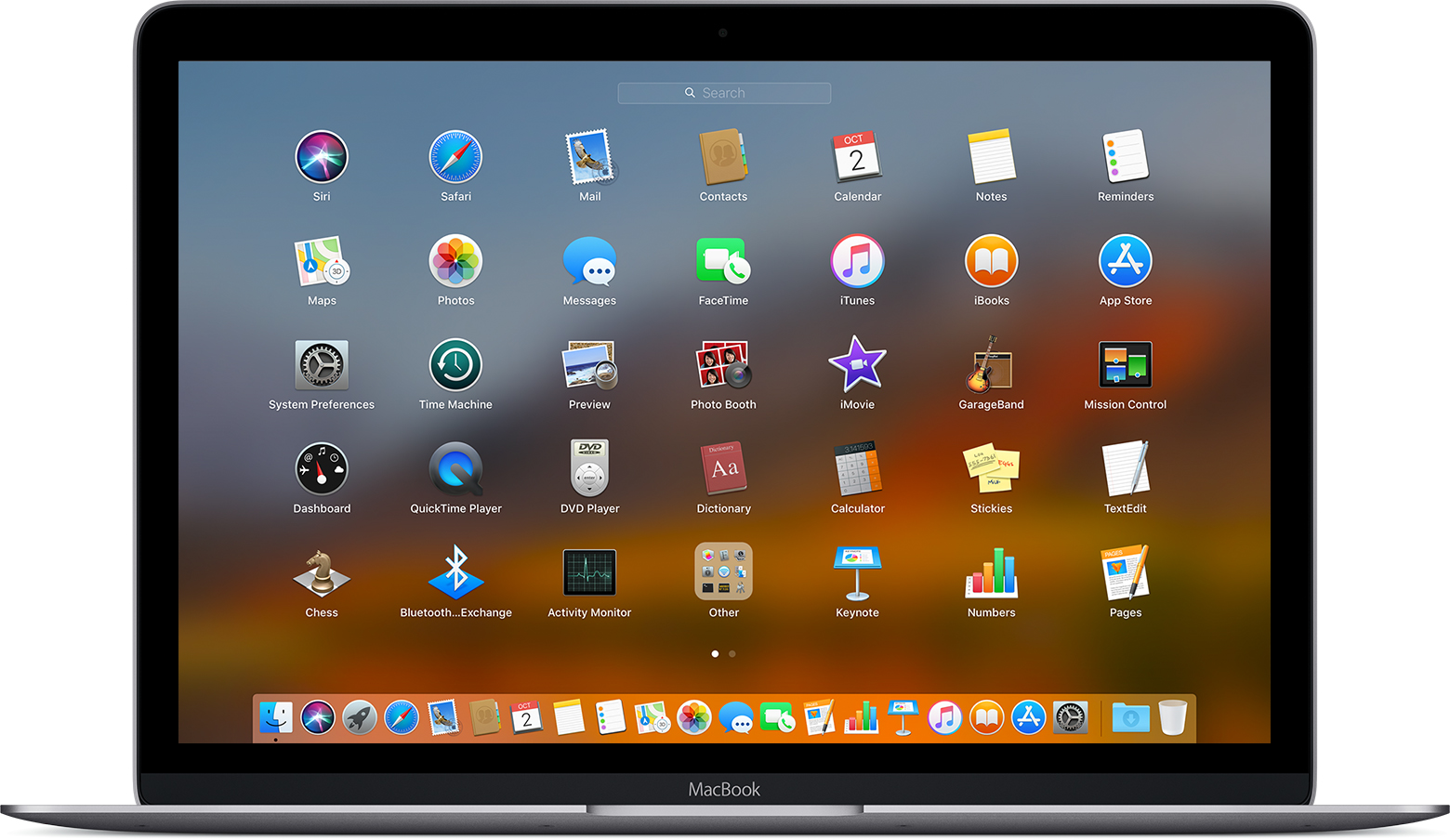
    Apps for your Mac. Mac OS is a series of graphical user interface-based operating systems developed by Apple Inc. for their Macintosh line of computer systems. The Mac OS has been pre-installed on almost every Macintosh computer sold. It was first invented in 1984 and now many of its upper versions are ailable.

    There are a ton of MacOS applications that you can find on the App Store on your Mac or on internet and some of them are commonly used by many Mac users, but here are the 10 best and must have apps for you Mac.

    Backup & Time Machine

    The very first thing to do your Mac is to create a backup solution. It will be ill-advised or even stupid not to do so.

    latest MacOS comes with a built-in backup feature Time Machine which allows you to automatically back up your personal data, including apps, music, photos, email, and documents. Having a backup allows you to recover files that were deleted, or that were lost because the hard disk (or SSD) in your Mac needed to be erased or replaced.

    Having a third party backup application may not be necessary but if you are looking for a reliable alternative to Time Machine, Silverkeeper is your best bet.

    SilverKeeper is a Backup application for Mac. It automates backups to external storage devices like hard drives, and other removable storage devices that have SATA/eSATA, IDE, ATA/ATAPI, SCSI, USB, or FireWire interfaces connected with Mac and the backup can be  stored as disc image backups to network storage devices.

    2.Audacity

    Audacity is the one of the most popular open source digital audio editor available for Mac. It is a multiplatform, open-source editor Audacity has leaped to the top of our list with its clean interface, excellent features, and support for 32-bit floating-point audio. This editor offers you to record and play sounds and import and export WAV, AIFF, MP3, and OGG files with some ultimate features of  mix tracks, or apply effects to your recordings, cut, copy and past (also able to undo).  It also has effects like echo, fade, modulation, normalization, reverse, tempo and Publishing Options.

    3.VLC Media Player

    VLC media player is a free and open source media player and multimedia framework. It is a highly portable multimedia player for various video formats, including MPEG-1, MPEG-2, MPEG-4 and DivX as well as for DVDs, VCDs, and various streaming protocols. It is not just a video player, has ability to play many audio formats, including OGG, MP2, MP3 and MP4.

    4.GIMP

    GIMP is a free software raster graphics editor. GIMP becomes the one of the most powerful general-purpose image editors around, the upgrades make the GNU Image Manipulation Program eminently comparable to Photoshop with its amazing features. The advanced scripting interface allows everything from the simplest task to the most complex image manipulation procedures to be easily scripted.

    Gimp is easy to learn for beginners and easier to use. Overall, GIMP is a must-have application for Mac.

    5. FileZilla Client

    Apps for your Mac, FileZilla is an easy-to-use FTP client that allows you to view, edit, upload, download, and delete files from a Website or network.

    FileZilla is a FTP (File Transfer Protocol) based application. Its easy-to-use interface makes locating and editing files on your website easy. You can also upload or download files with a single button click. It also allows you to synchronize the navigation of a local folder with a remote folder, saving you time and reducing the risk of uploading to the wrong folder.

    If you are a developer, consider installing VS Code for your code editing.

    6. Opera Browser

    Google Chrome may be the most popular, fast, secure and widely used as default web browser. Opera on the other hand is redefining the purpose of web browsers and taking browsing experience to new heights.

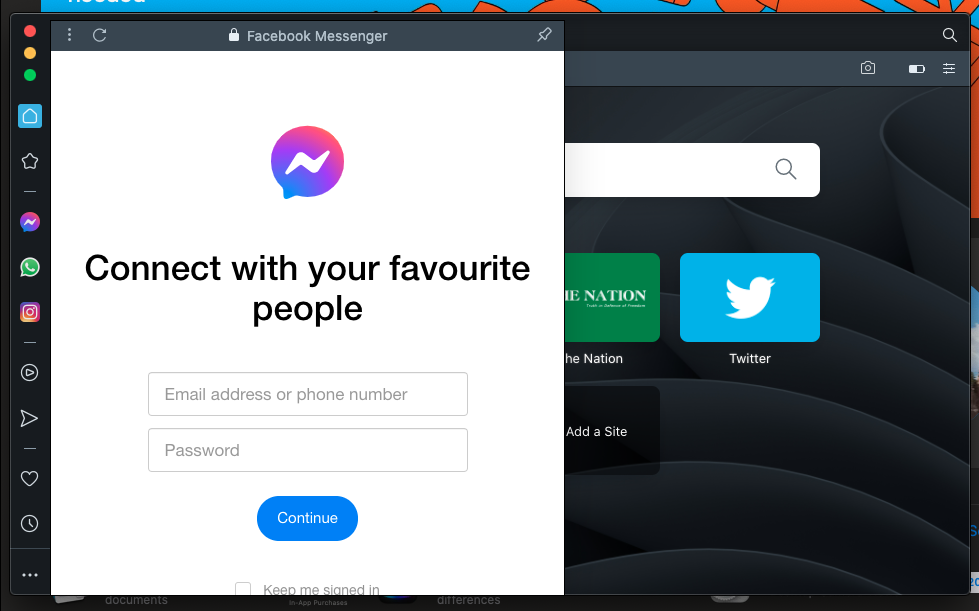
    Facebook Messenger on Opera browser

    Released in 2019, Opera 75 is built on Chromium engine; same technology as Google Chrome at the core. Chromium is an open-source browser project that aims to build a safer, faster, and more stable way for all users to experience the web.

    One of the most important improvements is that the browser now support an instant messaging feature that supports multiple IM networks, including Facebook Messenger, WhatsApp, Telegram, Instagram, Twitter, and VK. You can use these IMs without leaving the browser window or opening a browser tab.

    7.The Unarchiver

    Apps for your Mac, the Unarchiver  is a free data decompression frontend of libxad, which supports more formats than Archive Utility (formerly known as BOMArchiveHelper), the built-in archive unpacker program in Mac OS X. It supported file formats include Zip, Tar-GZip, Tar-BZip2, RAR, 7-zip, LhA, StuffIt and many other old and obscure formats.
    Download

    8. Anxiety

    Anxiety is a super-lightweight To-do list application for Mac OS X Leopard that synchronizes with iCal and Mail. Its aim is to provide a streamlined, easily accessible interface to add and check off your tasks, while remaining poised to melt into the background at a moments notice.  Anxiety also makes it very easy to create and add new notes in a second and you can also choose to have the program’s icon appear either in your menu bar or on the Dock.
    Download

    9. LibreOffice

    LibreOffice is your Mac substitute of Microsoft Office. Well, not really, but it’s a free office package for your Mac. Its clean interface and feature-rich tools help you unleash your creativity and enhance your productivity.

    10.Angry Birds

    Apps for your Mac ,Don’t take your work as a boring  thing. Play Angry Birds on your Mac OS , one the most famous game, playing world wide. There is no definition, no any discussion  and no need for any disruption. It’s a wonderful game for all kind of users. Which once start make our better and interesting.
    Download

  • The Top 5 Online Free File Converters for Everyday Users

    The Top 5 Online Free File Converters for Everyday Users

    With the advancement of the digital world, our data has been digitized too. Now, we have our important data in our phones, laptops, and tablets, etc. Sometimes, we need to convert one format to another and this task can be challenging, time-consuming, and troublesome in the absence of file converters.

    If you think that you have to buy numerous file converters for different formats then trust me it’s not like that.

    The Top 5 Online Free Converters

    There are countless online free file converters are available for every format which you can use without spending money. By being free if you feel, these online converters are not reliable then you are not right. These are not only trust-worthy but also don’t compromise on quality.

    Prism Video Converter

    It is one of the top online converters which convert video into other formats in an easy way. It is straightforward to use because it has a simple interface. It can convert the videos into many formats within no time.

    This online converter converts many files at a time. In the conversion of video files through prism video converter, you can adjust settings such as; compression, resolution, and encoder rates, etc.

    It allows the user to change the size of your video and add watermark as well. Text overlay and rotation of the videos are also possible.

    OnlineConvertFree.com

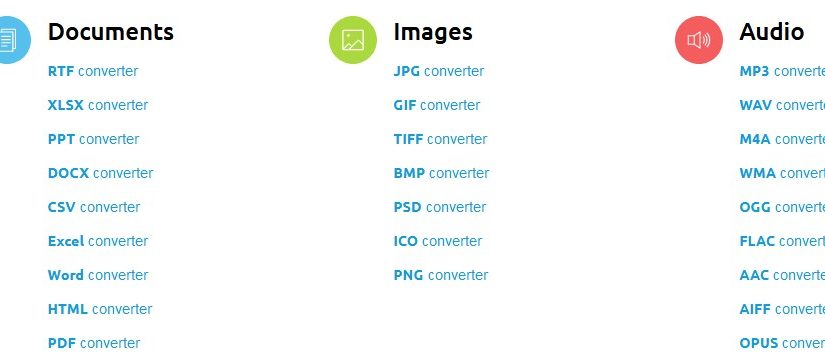
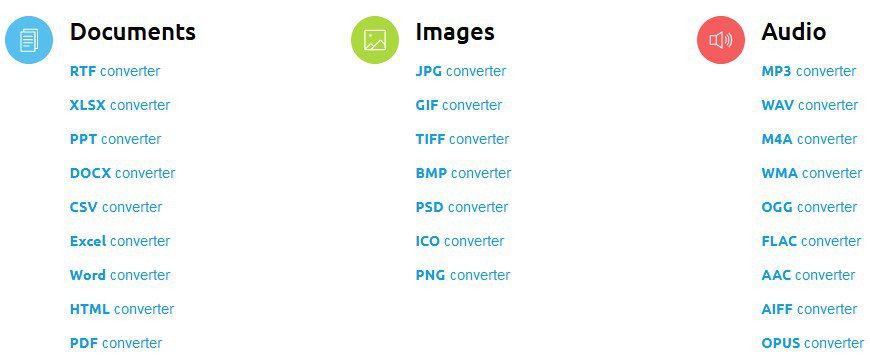
    Online file converter

    This is an easy-to-use online converter which is the right choice for any type of file format. It enables you to convert various formats like

    • Video
    • Audio
    • Images
    • Documents
    • PDF
    • Archive
    • eBooks, etc.

    It is suitable to use in home as well as in office. If you have a lot of data to be converted then you have to purchase its monthly or yearly packages.

    Freemake Video Converter

    Freemake video converter is also included in the list of the best video converters. It supports many languages to provide convenience to users. It is compatible with Windows operating system.

    You can download the videos for conversion for different websites like Facebook, YouTube as well as from your computer. Its process of conversion is not complicated so anyone can use it.

    It also offers you some features like editing, resizing, compressing the video, etc. Unprotected DVDs are also ripped by using this free converter.

    7-PDF Maker

    7-PDF Maker

    It is an online converter through which you can convert many formats into PDF like;

    • Documents
    • Images
    • Math
    • AutoCAD

    This file converter is straightforward to use so you can transform your files into PDF without any difficulty. It doesn’t provide you many features but it is an ideal free converter for a compact PDF conversion.

    Go4Convert

    It is the online converter through which you can convert various formats into EPUB. For example;

    • Word to EPUB
    • PDF to EPUB
    • HTML to EPUB
    • MOBI to EPUB
    • Text to EPUB

    It gives you the convenience to convert more than one file simultaneously without compromising the quality. In the conversion procedure, all the data, images, graphics, tables, columns, and hyperlinks, etc. are saved.

  • Data Recovery Software: Top 3 Features of EaseUS & How to Use on PC

    Data Recovery Software: Top 3 Features of EaseUS & How to Use on PC

    Latest Data Recovery software from EaseUS

    EaseUS data recovery software is an industry-leading tool to get back lost document and files. It comes with different versions, depending on your specific needs. Here are the top 3 features of EaseUS data recovery wizard free.

    EaseUS Data Recovery Software Is Free to Use

    Price is always a major concern when shopping for computer software. However, with EaseUS Data Recovery Wizard, you have the luxury of keeping your data safe and secure, and that too without making your pocket any lighter.

    The free version provides you with all the necessary features. Be it hard drive recovery, recycle bin recovery, RAW recovery, or recovery of data from external memory sources, EaseUS is a very reliable option.

    Although there are paid versions of the data recovery software too that comes with additional features such as improved technical support and greater allowed volume of recoverable data, etc., but most users find the free data recovery software to be more than sufficient for their basic requirements.
    It Is Plain & Simple to Use EaseUS Data Recovery Tool

    EaseUS Data Recovery Tool was designed in such a way to provide its users with a simple and intuitive data recovery experience. This is apparent from the fact that using the data involves only a few straightforward steps.

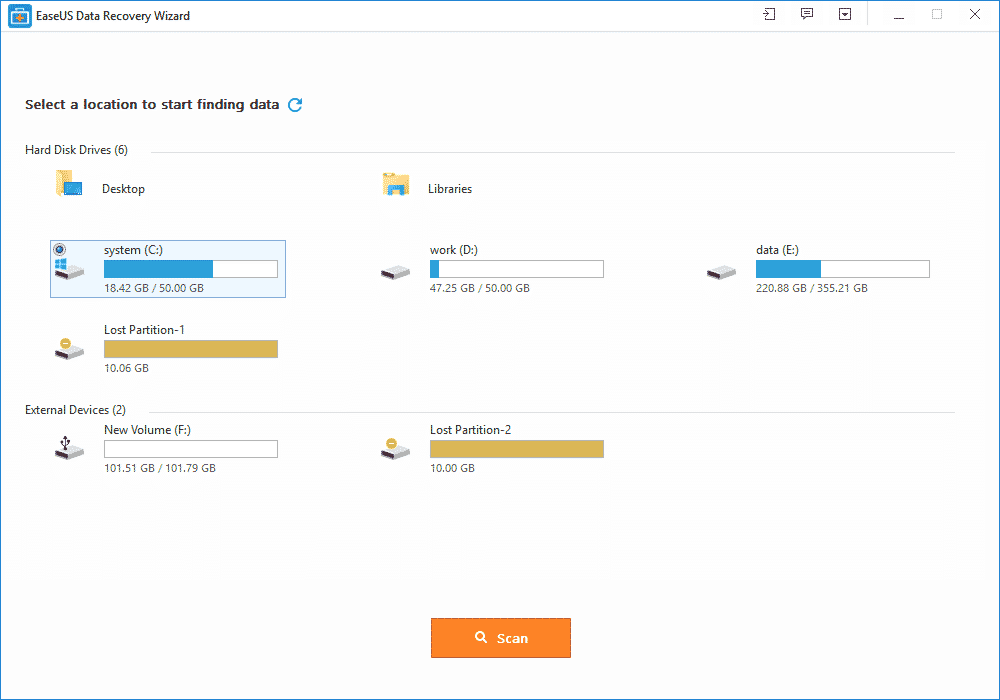
    First, you simply needs download the software. The second step is to launch it. After this, run the scan, either the quick scan or the deep scan. The next step is to identify the intended file from the search results.

    Finally, select and click on the recover button to recover the file you have selected. And that’s it, the lost or corrupted data or file will be safely back on your computer.

    EaseUS Is Compatible with All Operating Systems

    Be it a Windows computer or a Mac, EaseUS Data Recovery Software works seamlessly. It supports both desktops and laptop devices. This is particularly good, because laptops are more prone to data loss and corruption, unlike desktop computers.

    Also, you can recover files from external storage devices such as SD cards, external hard drives, USB and pen drives, and digital cameras, to name a few.

    How to Recover Lost Files With Easeus Data Recovery Wizard Free

    Recently faced with the loss of files on one of my external hard drives, I tried a data recovery and here is how to use the free version of EaseUS Data Recovery Wizard.

    EaseUs Software Installation

    EaseUS software installation tips

    The software is available free of charge in its trial version. Be careful, however, this version does not recovery data more than 500MB (up to 2GB if you’re friends) and you have to go through the credit card box to buy the software.

    For my part, I had to recover data from my external hard drive on which I emptied an entire file by mistake and I knew that what I had to recover weighed less than 500MB. Once the software is installed, we can get down to business.

    Preparation for recovery

    EaseUS software tutorial

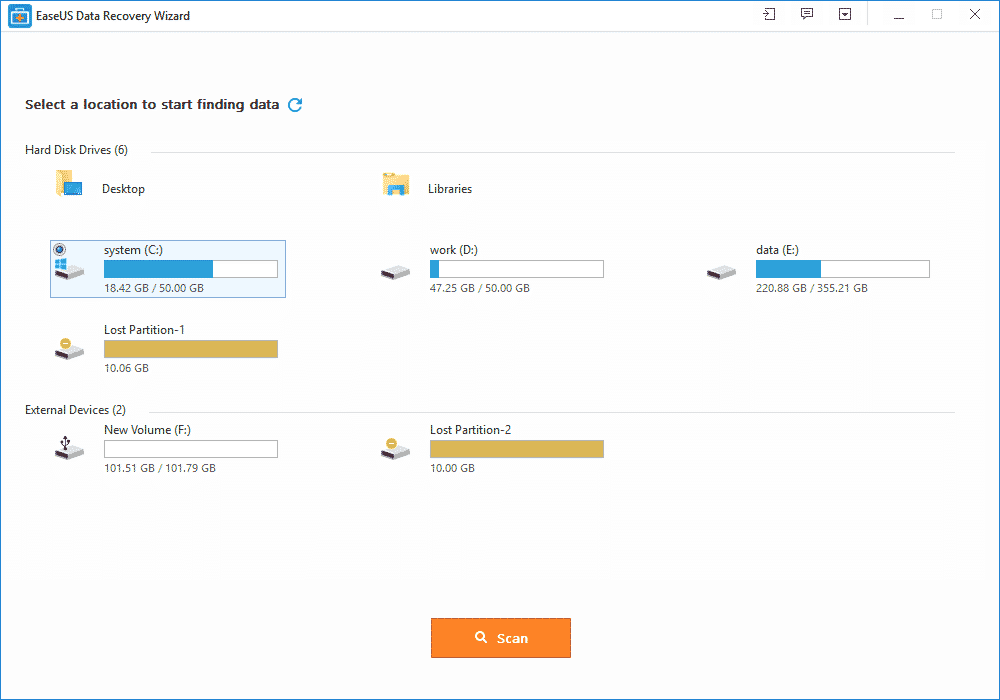
    Before recovering your data, first, scan your hard drive to determine which files can be recovered. To do this, simply select your device (internal/external hard drive, USB key, memory card …):

    But be aware that if you have emptied a folder by mistake, you can also select the folder in question to scan only it. This will not save you time, as the time is the same whether you are scanning the entire disk or just a folder.

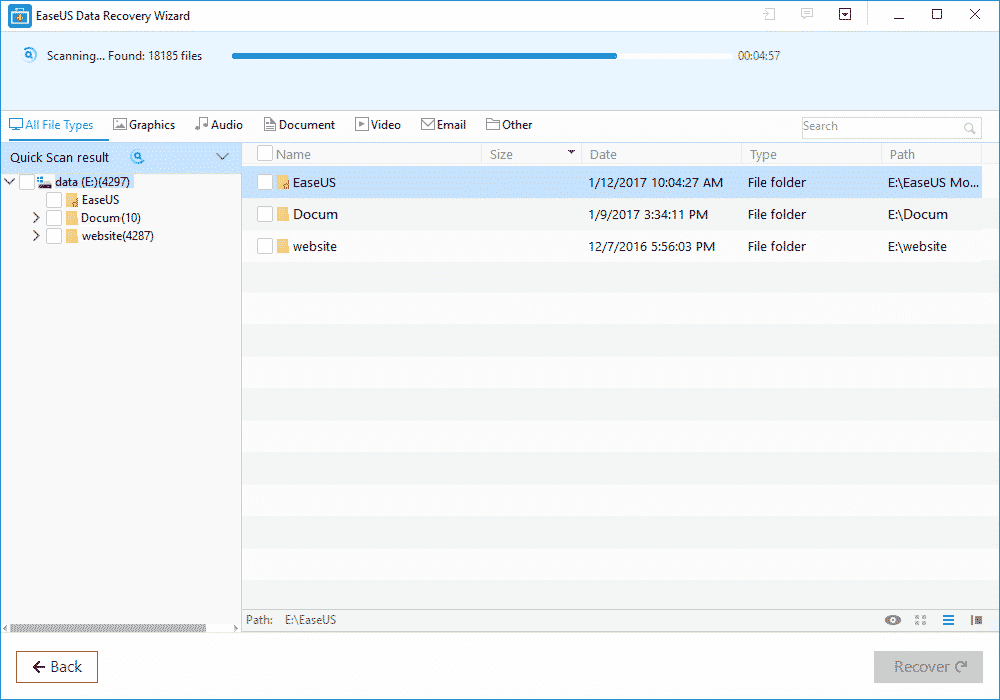
    And then click Analyze at the bottom of the window. The scan starts and may take some time depending on the number of detected files and the size of your hard drive:

    From my test, EaseUS Data Recovery tool used about 2h30 approximately, throughout the duration of data analysis:

    This is the longest part of the process and the only thing to do is to take the trouble and wait … Once the analysis was completed, I was able to proceed to the attempt to recover my data.

    Using EaseUS Data Recovery Tool

    recover lost data with EaseUs app

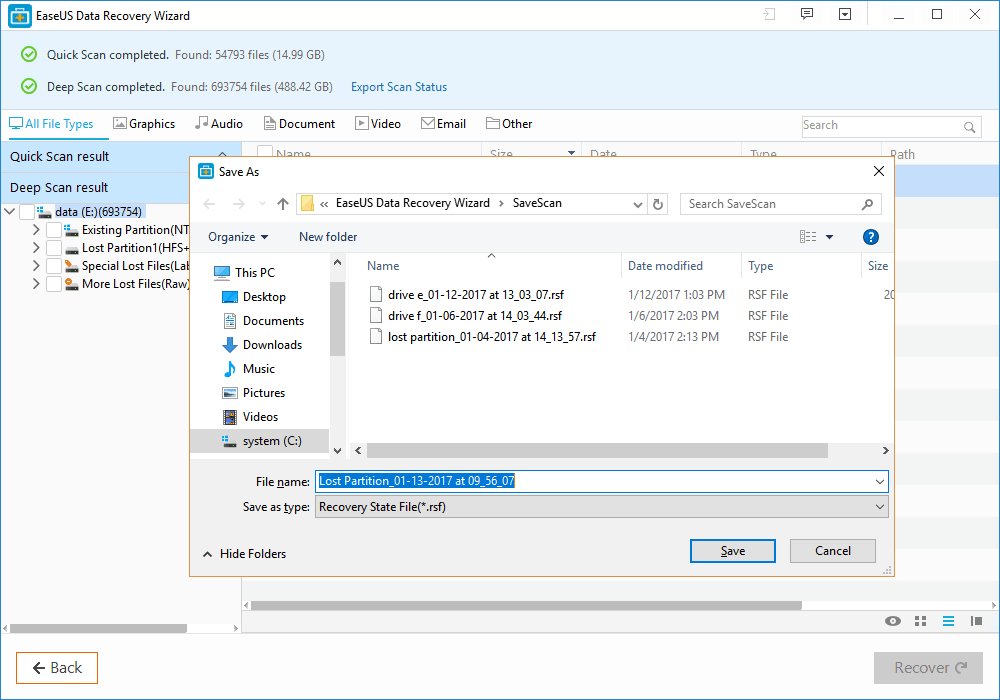
    To recover your data, once the deep scan is complete, you can browse the tree to the left to search for your files.

    The banner at the top will help you sort quickly and quickly identify where the most common file types are. Personally, I knew exactly where my files were located, so I only had to navigate to them and select them from the list:

    Do not ask me why, but there are many other files that seem to be in the folder when in fact there never was … Probably data previously written on this sector of the hard drive and have been crushed by others since! Once your files are selected, click Recover at the bottom right of the screen. The software asks you where you want to save them:

    Once you have validated, you will only have to go and retrieve your valuable data at the location you have indicated.

    For my part, I was able to recover my 2 files on which I spent a full evening to work on and I ended up very happy for the rest of the day!

  • EaseUS Free Data Recovery Wizard Lets you get back lost files

    EaseUS Free Data Recovery Wizard Lets you get back lost files

    The concept of data recovery is fairly old among internet users. But having a reputable software that really works in getting back deleted files  has been the biggest quest of Pc users.

    This is why we deemed it necessary to introduce one of these free data recovery app that really works when it comes to the business of getting lost files back.

    Whether you want to restore the data from a laptop, USB stick, memory card and/or any digital device, EaseUS data recovery app will captivate your attention by recovering all the lost data.

    EaseUS data recovery app review

    Features of EaseUS Free Data Recovery Wizard

    • It is free to download and use (limited only by functions).
    • It can restore any lost or formatted data from the device.
    • The best feature is recycle bin recovery. It can regain the deleted data also whether it is a video, album or any other file.
    • Ability to recover files with both rapid and deep scan mode.
    • Quick scan allows recently deleted files to be detected quickly while deep scan can help recover somewhat older files.
    • Ability to recover every kind of fille type and extension in record time like photos, videos, compressed files, pdfs and more.
    • Ease of recovery from server units, personal computers, office computers, hard drive etc.
    • Filter option to wade through the required files of a certain type.
    • This app is easy to use and recovers the data securely free by using the deep scan mode.
    • It is a virus free app and runs on all type of servers.
    • Its recovering speed is faster and provides you with a basic feature of “Quick scan mode” along with the “Deep scan mode”.
    • All types of files, images, videos, emails, audios or documents can be easily retrieved by EaseUS.
    • This free data recovery software supports all kinds of language such as traditional or simplified Chinese, French, German, Turkish, Korean, English, Arabic, Russian and many more.
    • Lifetime technical support and upgrade support.

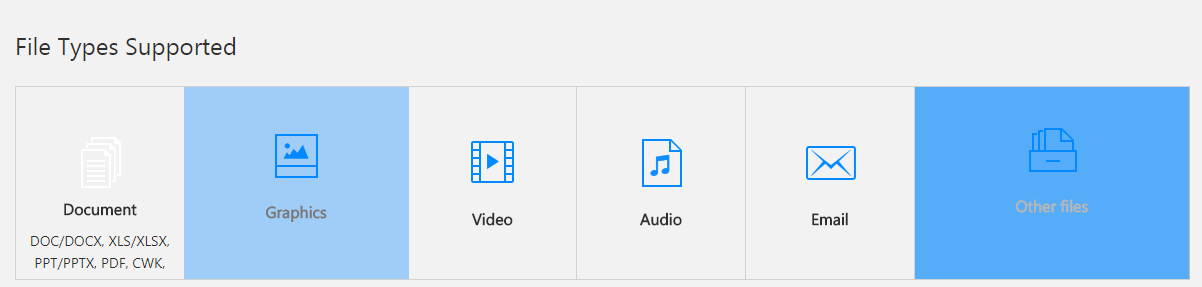
    File type Supported:

    type of files recoverable by EaseUS data recovery software

    EaseUS comes with a versatile option of file support and mainly supports all kinds of files.

    • It assists all types of documents such as DOC, PPT, PDF, XLS, HTML/HTM, EPS, etc.
    • For the video recovering it easily recovers the FLV, MP4, MP4V, MPEG, AVI etc.
    • All forms of JPG, JPEG, PNG, BMP, GIF, PSD, WMF, RAW etc. can be revived.
    • Audios like MP3, MP4A, M4V, MPG, FLV, VQF etc. are supported on this application.
    • The emails can be restored back into the device even from Outlook and supports the PST, DBX, EMLX, etc.
    • It also supports the archive files such as ZIP,ISO, HTML SITX etc.

    How to recover lost files with EaseUS data recovery Wizard?

    The free data recovery software goes with the 3 easy steps of recovering the data back into your device or card.

    All you have to do is to install this application from the EaseUS website. After the installation is complete, step one is to launch the app. The second step is to scan. Scan the data that you want to recover.

    You can also filter or search the data for the rapid scanning of the data you want. After the scanning is complete, the third and final step is to recover. This might take some minutes. After this the required data that you want is recovered back on your device.

    EaseUS memory card data recovery:

    A memory card is the brain of a camera, a mobile phone or even a laptop which can contain thousands of important photographs, videos or even files.

    IF you’ve accidentally formatted your memory card, using EaseUS, the free data recovery software, you can easily get it back in no time.

    Supporting every type of memory card from the SD card, memory sticks, compact flash card, and digital card to the multimedia card and so on. It also has support for every kind of memory card manufacturer like Samsung, Toshiba, Transcend, Sony etc.

    To avoid data loss and restore data, EaseUS is a perfect solution from a college student to a photographer and everyone in between.

    Steps for recovering a memory card through EaseUS:

    • Launch EaseUS, the data recovery software for free and select the type of files you want to recover and click next.
    • Choose a directly for your scan; for disk recovery, after adding it to the computer through port or connector, choose the directly it is in.
    • After the files have been recovered, just simply choose the files you want to recover and click on the “recover” button to get them back.

    EaseUS Pro packages:

    EaseUS comes up with a free and two pro packages. The free package includes the recovery of the data up to 2GB and supports all file types. There is no free upgrade or technical support feature available in this package.

    While the two Pro and Pro+WinPE packages that costs 69.95$ and 99.90$ respectively, comes with numerous features. Both the packages allow you an unlimited data recovery option along with the free lifetime upgrade and free technical support.

    The pro packages are single license. The Pro+WinPE comes with an extra feature of “Bootable media for emergency” i.e. it restores the data even when system breaks down.

    At the end of the day, while some people may think their data is gone forever, data recovery software like EaseUS can easily help get it back in no time.

  • Download VLC Player For Windows 8,7,XP

    Download VLC Player For Windows 8,7,XP

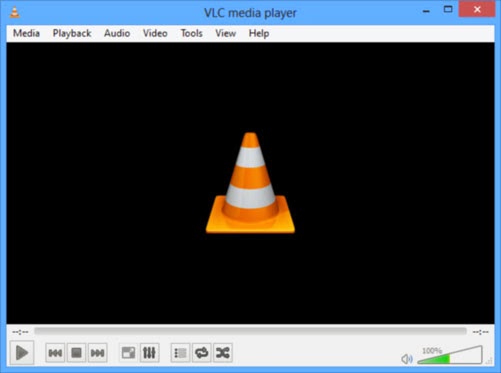
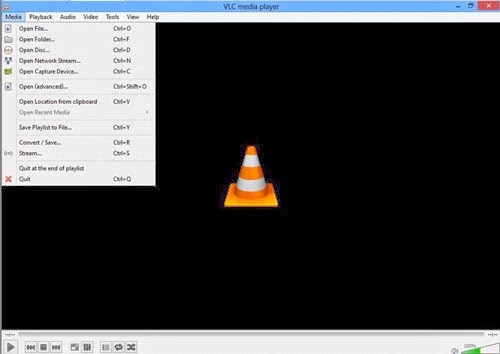
    VLC media player is one of the popular video player out there, it is a open source product which makes it free to download customize the as per your requirements , you could download VLC player for windows,mac,android,IOS devices. VLC media player project has been active from a long time and a series of updates has been pushed to fix error and improve product quality.

    It supports large number of input,video,audio formats, specially which aren’t compatible with windows media players, I tunes. This feature make VLC more adaptable and possibly one of the reason for it being so very popular. VLC also has subtitle feature which can be added or removed as and when you need it. it also offers many customization features with awesome skin and interfaces available. VLC has good input & output streaming options too.


    Some of benefits to Download vlc player

    • Supports multiple input formats
    • Mozilla/Firefox plugin
    • Supports multipe Video formats
    • Supports multipe Audio formats
    • Subtitle/Tag formats
    • A/V outputs
    • A/V filters
    • Choose different interfaces, Skins
    • Active X plugin support
    • Streaming options

    To Download VLC player click on the download button below.

  • 4 Beautiful Ways you can Customize your Mac

    4 Beautiful Ways you can Customize your Mac

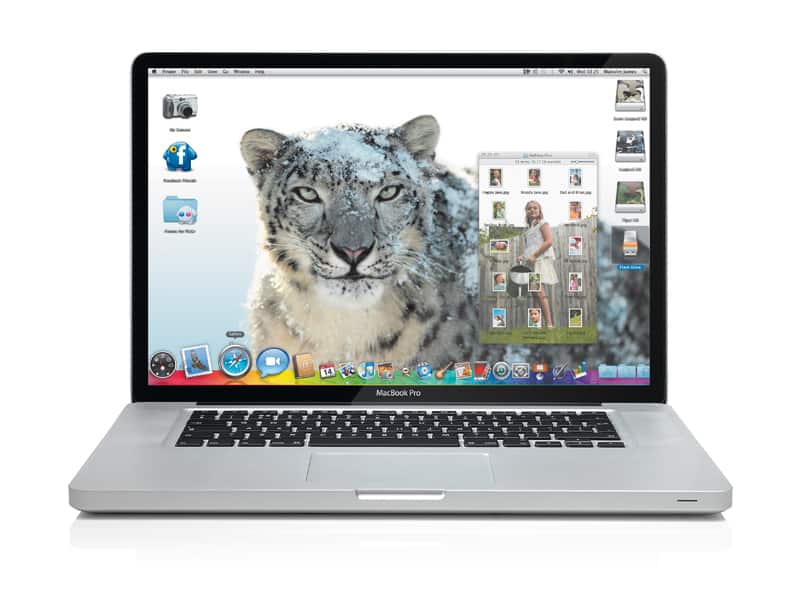
    You may use your Mac for serious work, but sometimes it’s a good thing to add a touch of whimsy to it. Here are four quick tips for customizing OS X and making it a bit more fun to use.

    Check them out below…

    1. Try the iTunes Artwork screensaver

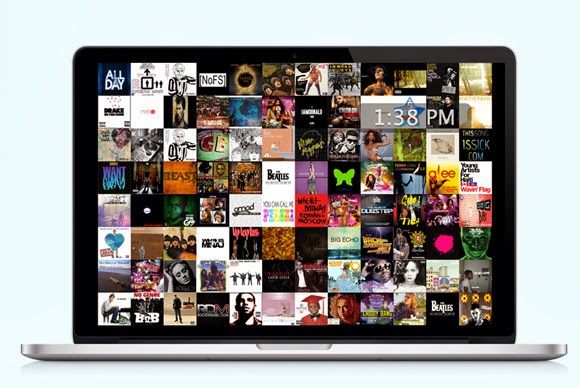
    When you’re not working, by default your Mac’s screen turns black with a subtle, shifting white Apple icon and a bit of text, usually your username. But you need not settle for that. To pick something different, go to Apple menu > System Preferences, select Desktop & Screen Saver, and then click the Screen Saver tab. You’ll find a lot of fun options to explore here, such as “Word of the Day.” If you’re a music fan, though, try the iTunes Artwork screensaver, which displays a collage of random album covers from your iTunes library.

    Scroll down the list of options in the left-hand column. When you see iTunes Artwork, click to select it, and then click Screen Saver Options. Here you’ll see the option to choose the number of album-cover rows as well as the “delay” in seconds. By default the delay is set to 2 seconds, meaning that every 2 seconds one of the album covers will flip to expose a new cover.

    Click the Preview section of the preference pane to see the screensaver in action. You’ll notice that the different albums change at random, one at a time. As a bonus, if you spot an album you want to play, you can hover your cursor over its artwork and click to start the music.

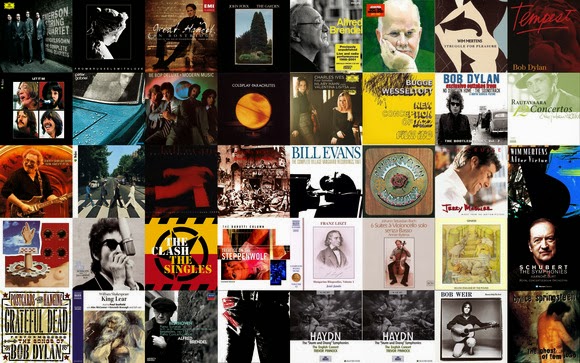
    The iTunes Artwork screensaver fills your Mac’s display with the covers of your albums. Even better, you can just click an album to get the music started.

    2. Change your wallpaper…all day long

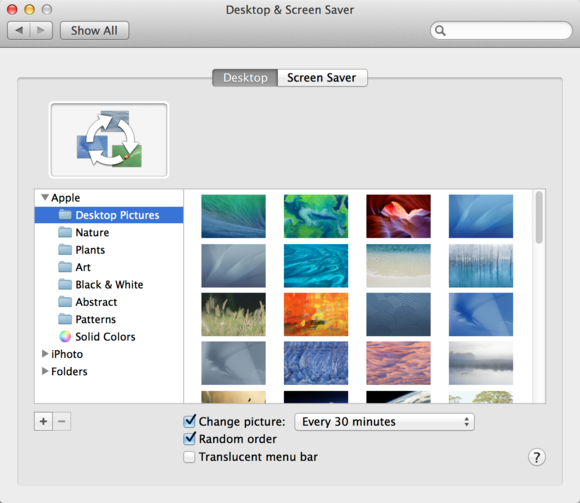
    You probably know that you can change your Mac’s wallpaper—that is, the image or color on your Desktop. To do so, first open System Preferences (from the Apple menu or the Dock) and click Desktop & Screen Saver. Click the Desktop tab, and then you can choose an image from a number of folders, or from your iPhoto albums.

    But there’s one setting that will make your Desktop a lot more interesting: At the bottom of the window, check Change Picture, and choose a frequency such as every 5 seconds, every day, or when waking from sleep. To make the image unpredictable, also select the Random Order option. Now you’ll never know which photo will come up, and your Desktop will be a source of surprise.

    Bring unpredictability to your Mac by making the Desktop wallpaper change throughout the day.

    3. Mix it up with emoji in file and folder names

    Emoji are small graphics that work like fonts. You might see these little faces, animals, and other images pop up in text messages or tweets. But you may not realize that you can use them in your file and folder names too.

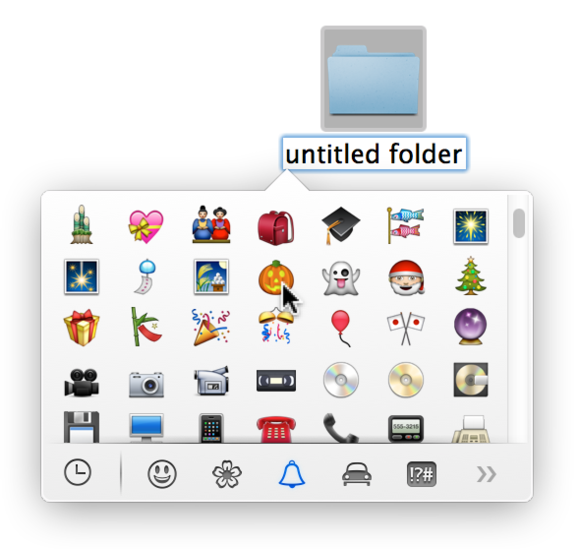
    To change an item’s name and add an emoji character, select a file or folder in the Finder, and then press Return or Enter. This action will highlight the item’s name. Next, choose Edit > Special Characters, or press Command-Control-Space. You’ll see a pop-up palette; click any of the icons at the bottom. The clock icon shows characters you’ve recently used; the others sort special characters—including emoji—by category.

    Make file and folder names more fun (and perhaps more memorable) by adding emoji. You can also use these small graphics in texts, email, and documents.

    Browse through people (smiley faces and more), nature (including cute little animals and flowers), objects (such as food items and sports balls), places (buildings, vehicles, road signs), and symbols (for instance, from the zodiac), to find one you like. Click an emoji to add it to a file or folder name. You can type normal letters before or after the graphic. Emoji will make your file and folder names stand out, and they certainly won’t be drab.

    4. Spice up folders with custom icons

    Are you tired of all those boring blue folders in the Finder? Change them.

    Want to have a folder with a picture of your pet, your child, or your favorite outdoor scene? Easy peasy.
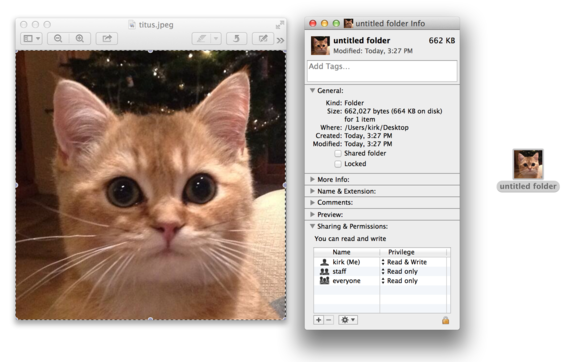
    Many sites offer free sets of icons that you can use to dress up your folders, like this one from IconArchive.

    You can use almost any graphic—a photo of your child, a pet, album art from your favorite band—as a folder icon. If you want, you can even search Google for nice pictures to use, but keep in mind that they shouldn’t be too large, or they won’t be easily recognizable as icons. Better yet, download art specifically made to serve as folder icons, for instance from InterfaceLift or IconArchive.

    Double-click a picture to open it in Preview, or open it in your favorite image editor. If you want to crop it, drag the crosshair cursor over the picture, and then choose Tools > Crop, or press Command-K. You might want to crop the picture to a square so that it will look more balanced as an icon. To do so, press the Shift key while dragging the crosshair cursor.

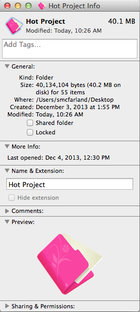
    Next, press Command-A to select the picture, and then press Command-C to copy it. In the Finder, look for the folder that you want to sport the icon. Select it and press Command-I to display its Info window. Click the small blue folder icon at the Info window’s top-left corner. Press Command-V to paste your picture over the standard folder icon, and then close the Info window. The folder will now appear with its fancy new icon.

    Credit: IDG News Service

  • BBM for Android and iOS is here – Download and Review

    BBM for Android and iOS is here – Download and Review

    In the days of featured phones, Nimbuzz was the go-to guy when it comes to instant messaging. That was a long time ago, though. Smart phones has come to stay and WhatsApp and BBM for Android and iOs decides the rules in this new world. As you already know, the official Blackberry Messenger has long been available in the Google Play Store. A lot of BBM app (camouflage) has been uploaded to the Play Store ever since the smart phone company (Blackberry) was sold.

    [Further Reading: Use 2go, BBM & Whatsapp on your Windows PC or Mac]

    To save you the stress of going through a wasted day searching for the official BBM application in the Google Play Store, I have uploaded the official BBM Android app on this page.

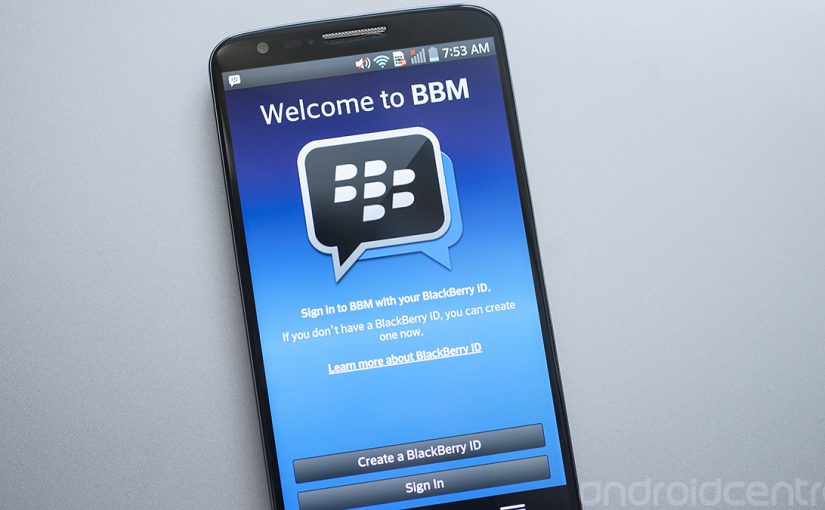
    BBM for Android
    BBM for Android

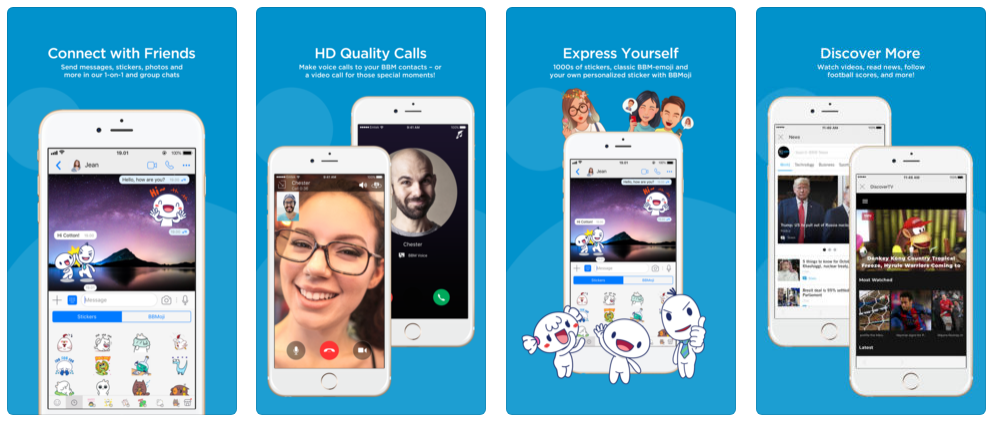
    BlackBerry Messenger (BBM) is also now available in an iOS version so that you can communicate between BlackBerry, Android and iOS devices.

    BBM for iOS
    BBM for iPhones and iPads

    BBM allows you to send free messages, photos, voice memos, to participate in group conversations and much more.

    Description

    It is no understatement to say that BBM ruled the world of mobile instant messaging for the longest period, but that was on BlackBerry devices. However, the official version of BBM for BlackBerry is now here for Android. Get the free BBM Android and iOS app and continue in the old habit of pinging with your friends and family.

    You can also use multiple BBM accounts on one Android phone by following our multiple accounts tutorial.

    Chat with friends on Android, BlackBerry and iPhone:

    After getting your PIN code, i.e. your BlackBerry Messenger ID, the application will let you communicate with your friends without restriction.

    Blackberry Messenger lets you send messages, voice memos, photos, and files. It also informs you as soon as your messages have been received and read by your contacts. The BBM application is permanently enabled and connected so that you don’t need to open the app to get notifications.

    • BBM is always on and always connected – no app to open
    • Know when messages have been delivered (D’s) and read (R’s)
    • Share photos, files, documents, voice notes and more
    • See when contacts are responding to your message
    • Emoticons for every mood and emotion let you express yourself

    BBM lets you protect your privacy.

    BBM for Android and iOS gives you absolute control on your privacy:

    • As a user, you chose how to share your information – BBM uses PINs instead of phone numbers or email addresses so that it’s more private and you always control who can contact you
    • You chose your contacts – 2-way opt-in means you have control over who is able to message you

    BBM Android app allows you to Chat and Share with many at once:

    With Blackberry Messenger groups, the messaging app lets you share images, lists, and meetings with members of a group (up to 30 individuals). As for multiple chat, it’s useful to get in touch with multiple friends at the same time, and you can make use of a whole range of emoticons to send in your conversations.

    BBM also provides functionality for sending bulk messages. With the option to broadcast messages, you can easily send a message to several BBM contacts simultaneously.

    • Groups – BBM groups help you share pictures, lists and appointments with group members. You can even be in a group with people who aren’t part of your own BBM contact list.
    • Multi-person chats – Invite multiple contacts to have a chat together.
    • Broadcast messages – Send a message to multiple BBM contacts at one time.

    Create your own BBM profile with BBM for Android and iOS

    Finally, Blackberry Messenger lets you create your own profile using your avatar (picture or animated GIF) and gives you the ability to post statuses. You can change your profile by clicking on your avatar.

    • Post a profile picture using images, pictures or even animated pictures (GIFs).
    • Update your status to let people know what you’re up to or how you feel

    A BlackBerry 10 interface


    With Blackberry Messenger, BlackBerry seems to want to provide a similar experience on all platforms. The interface of the application is the same for all versions and imitates the BlackBerry 10 style and codes. On Android, the interface seems slightly out of place; for example, you’ll notice the presence of a “previous” button that duplicates the one offered on the screen of the Nexus or many other Android devices. BBM features are nevertheless easy to access, thanks to a list of tabs at the bottom of the interface.

    Good news for Android as well as BlackBerry users

    The arrival of Blackberry Messenger is good news for Android users but perhaps even more so for BlackBerry users. If the latter were only able to use the application with those friends who own a BlackBerry, they might not have had many contacts on their BBM list.

    As for the application, Blackberry Messenger proves to be quite comprehensive, with a range of good features comparable to those found on competing applications like WhatsApp, LINE, and Viber. It only lacks VoIP and a more flexible interface.

    Support for Android 2.3.x added

    The most recent update of BlackBerry Messenger adds support for Android 2.3. At last users of the Gingerbread flavor of Android can chat via BBM on their device. This means that millions of people with lower-end devices will have access.

    Changes

    • Support for Android 2.3.x added: The most recent update of BlackBerry Messenger adds support for Android 2.3. At last users of the Gingerbread flavor of Android can chat via BBM on their device. This means that millions of people with lower-end devices will have access.

    Download BBM for Android and iOS

    The official BBM iOS app may be installed directly from the Apple store. Initially, it was tricky to get the app on the play store but in recent times, the Android app has been made available. If somehow you managed to find yourself using a BlackBerry device, the app is still available on the BlackBerry App World.

    You can install BBM for Android directly on your phone or download the .apk file.

  • Half of all Android devices vulnerable to malware due to outdated software

    Half of all Android devices vulnerable to malware due to outdated software

    android malware Outdated software is the weak spot of Android phones, according to a security firm’s recent study that finds more than half of the Android-powered devices checked have unpatched vulnerabilities, putting their users at risk of mobile malware.

    Duo Security, a Michigan-based company whose investors include Google, gathered data from more than 20,000 Android devices around the world that loaded its free app, X-Ray, released two months ago. Unlike traditional mobile antivirus software that scans for known malware, X-Ray scans Android devices to see whether they have unpatched vulnerabilities that may put them at risk.

    The firm found that more than half of Android devices worldwide have unpatched vulnerabilities that could be exploited by rogue apps. The X-Ray FAQ explains that a number of such vulnerabilities have been discovered in the core Android platform, affecting nearly all Android devices. Even more are found in manufacturer-specific extensions that may affect a smaller subset of Android users.

    “Yes, it’s a scary number, but it exemplifies how important expedient patching is to mobile security and how poorly the industry (carriers, device manufacturers, etc.) has performed thus far,” says Jon Oberheide, CTO at Duo Security, in the company’s blog posting about its research. “We feel this is actually a fairly conservative estimate based on our preliminary results, the current set of vulnerabilities detected by X-Ray, and the current distribution of Android versions globally.” Oberheide was recently named one of Forbes’ “30 under 30” for his Android security research.

    Carriers are very conservative in rolling out patches to fix vulnerabilities in the Android platform, users’ mobile devices often remain vulnerable for months and even years,” Oberheide adds.
    android malwareApple releases software patches for its iOS software regularly and users have immediate access to any updates, but the nature of Android means that carriers and device manufactures hold the key when it comes to updating phones. Sometimes Android updates are not rolled out to all phones in order to entice users to buy newer devices.
    If you’re one of those people running an older version of Android, make sure to take extra precaution when installing apps or browsing the Web on your device. Never install apps from sources you don’t trust, and take some time to grab a mobile security app like Lookout, TrustGo, or Norton Mobile Security. While you may not be able to close the holes in the OS itself, you can at least prevent apps that use these exploits from getting onto your device.
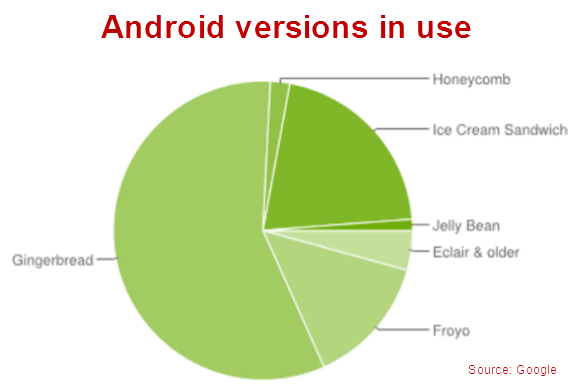
    More than 500 million Android devices are activated, according to Google’s own stats, and the majority of them (57 percent) run on Gingerbread (2.3.X), a version introduced in late 2010, while only 1.2 percent run on the latest Jelly Bean (4.1) update. Just under 20 percent of Android devices run older versions of Android, dating back to 2009.
    android versionsPost Credit: techhive.com