Tag: USB

  • Gjemeni Dual USB Port means you can now Charge your Devices from the Comfort of your Couch

    Gjemeni Dual USB Port means you can now Charge your Devices from the Comfort of your Couch

    In this era of mobile and internet devices, there is always something to charge and having that extra USB charging port everywhere you go can make such a massive difference. This is why Kingsonsmaking digital laptop bags with USB charging port—and Gjemeni has taken to put those vital utilities exactly where you need them.

    I mean, what better way to charge your device than the comfort of your couch while watching a TV show and replying your WhatsApp messages?

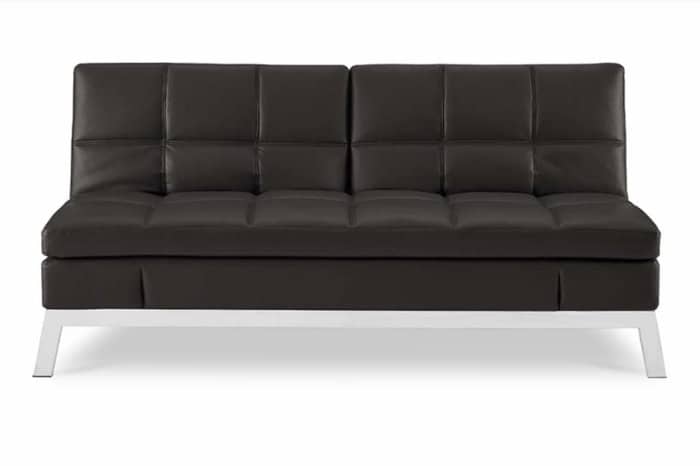
    Gjemeni offers decidedly tech-forward furniture that comes in a single box and can be assembled by anyone in a few minute. It is simple, stylish and innovative.

    Gjemeni couch comes with two USB charging ports and one 110-volt grounded AC outlet on each side of its backrest. These ports make it easier for you to charge your phones, laptops, speaker without having to get up and do them.
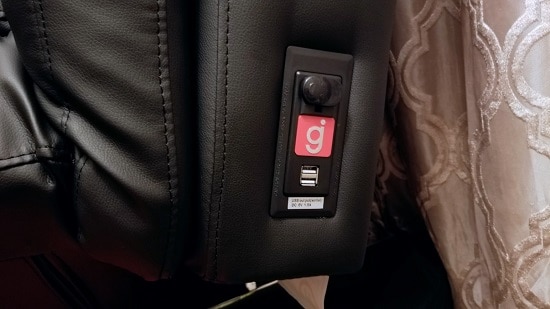
    There’s one 110-volt AC outlet and two 1.5-amp USB charging ports on each side of he couch’s backrest.

    The couch is priced at $599. You will need to plug a single cord into a grounded outlet on an adjacent wall to power everything. Gjemeni couch is flexible, durable, and comfortable. It can be used as bed as well.

    Accord to Gjemeni, to set up, no tools required. Just four clicks and a flip and your Gjemeni will be ready. This couch also comes in different colors; black, white and red.

    The only downside is that, the USB ports are rated to deliver 1.5 amps of power; as such, they are not capable of fast-charging devices that support that feature.

    Some of the advantages of Gjemeni Dual USB Port Couch

    • Well made with a steel frame and layered memory foam
    • Bonded leather is easy to clean
    • Dual back and side adjustments make it very versatile
    • Safely produced AC and USB ports on each side for up to six devices
    • Looks modern and chic

  • Features of the Next Generation USB – Connector will Fit both Ways

    Features of the Next Generation USB – Connector will Fit both Ways

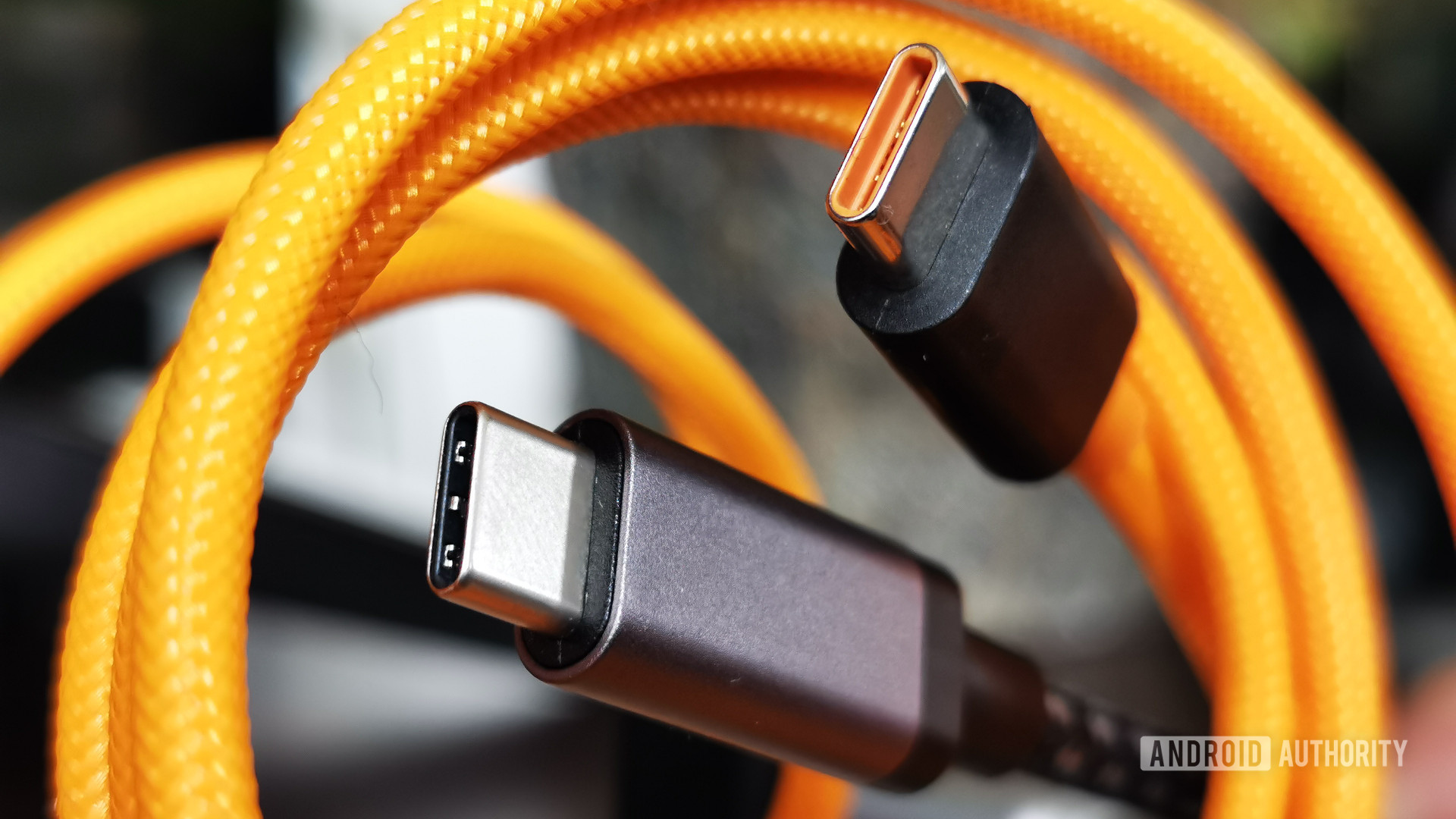
    According to an article on PCWorld: The next version of the USB connector will accept the plug either way up, the USB 3.0 Promoter Group said Tuesday.

    The USB Type-C connector, initially intended for USB 3.1 and 2.0 devices, will be a complete redesign, the group said. It will be similar in size to the USB 2.0 Micro-B plug found on most modern cellphones, and will support scalable power charging. In comparison, the USB 3.0 Micro-B plug is wider than that for USB 2.0 devices.

    The new connector will also be tailored to work well with emerging product designs and will scale for future USB bus performance, said the group, whose members include Hewlett-Packard, Intel, Microsoft, Renesas Electronics and Texas Instruments.

    Following a lead set by Apple with the Lightning connector used in the iPhone 5 and newer iPads and iPods, the USB Type-C plug and socket will fit either way up, avoiding fumbling to find the correct orientation,
    the group said.

    The Type-C USB connector is meant to be used to deliver power, data and video across all devices without the need for another connector, the group said. It will however not work with existing USB plugs. The specification will define new-to-existing cables and adapters to allow users to use their existing products, the group said.

    The new USB connector needs to follow the design trends in terms of size and usability, the group said, adding that the Type-C connector lays the foundation for future versions of USB. It will also enable an entirely new “super thin class” of devices, it added.

    The Type-C specification is up for industry review in the first quarter of 2014 and a final specification is expected to be published by the middle of next year. Participants in the review process will be sent a copy of the 0.7 draft of the connector specification.

  • How to give your USB devices a Background Image

    How to give your USB devices a Background Image

    USB (Universal Serial Bus) is an industry standard that allows data exchange and power delivery between many types of electronics. Wikipedia

    I suppose we all have tried to give background images to our desktop folders. How about setting the same background to our USB devices (Pen drive, Portable Hard Disks etc.) as well? That background image will be seen on every computer you plug in that USB device.
    It’s really a 3 step process. Let’s begin:-

    Steps in changing the background of your USB device:

    • 1.) Open a Notepad.
    • 2.) Paste this code and save it as desktop.ini


    Code:

    [.ShellClassInfo]
    IconFile=%SystemRoot%system32SHELL32.dll
    IconIndex=127
    ConfirmFileOp=0

    [{BE098140-A513-11D0-A3A4-00C04FD706EC}]
    Attributes=1
    IconArea_Image=”your_picture.jpg”
    IconArea_Text=”0xFFFFFF”
    VeBRA sources –
    [ExtShellFolderViews]
    {BE098140-A513-11D0-A3A4-00C04FD706EC}=
    {BE098140-A513-11D0-A3A4-00C04FD706EC}
    {5984FFE0-28D4-11CF-AE66-08002B2E1262}=
    {5984FFE0-28D4-11CF-AE66-08002B2E1262}

    [{5984FFE0-28D4-11CF-AE66-08002B2E1262}]
    PersistMoniker=Folder.htt
    PersistMonikerPreview=%WebDir%folder.bmp

    • 3. Place the file desktop.ini and your picture

    (named your_picture.jpg) in your USB device and refresh it….

    Leave your comments here…