Category: Guides

  • Meta Quest 3 Complete Beginner’s Guide

    Meta Quest 3 Complete Beginner’s Guide


    Just like was hinted at in Meta Quest 3 Most Anticipated Games for 2024, Meta Quest 3 has the potential to be a highly sought-after and powerful VR headset to buy in 2024, similar to its predecessor, the Quest 2. Compared to the Meta Quest 2, it boasts a better display with higher resolution, a faster processor, and even more advanced passthrough capabilities. However, it comes with a higher price tag.

    The base model with 128GB storage is priced at $500, while the 512GB version is priced at $649. Additionally, there are bundles available for the Quest, such as the comfort bundle which includes an advanced head strap, and the “Power” bundle featuring an elite strap with an extra battery.

    What is Meta Quest 3?

    Imagine wearing a set of glasses and suddenly finding yourself immersed in a digital world, whether it’s exploring the depths of the ocean, battling on the front lines of a war, diving into action-packed adventures, or even engaging in fitness activities. Virtual Reality VR headsets make you feel like you’re there. The Quest 3, as the successor to the widely acclaimed Meta Quest 2, takes this experience to the next level with improved features. A standalone VR headset, meaning you don’t need any cables or a high-powered computer to use it. Think of it as a gateway to extraordinary virtual adventures, all from the comfort of your own home.

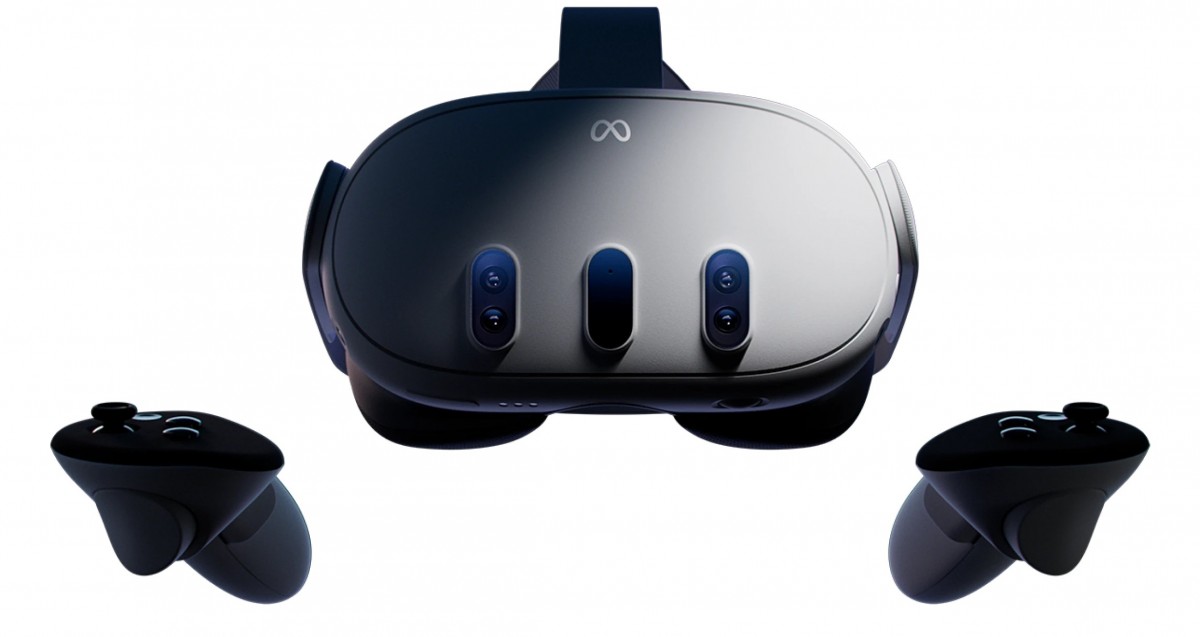
    The Meta Quest 3 has high-resolution screens that show you amazing pictures, making it feel like you’re really there. It also has cameras that track your movements, so when you move your head or hands in real life, your avatar (your character) in VR moves too! You also get two wireless controllers that act like your hands in the virtual world, letting you interact with everything you see.

    Getting Started with Your Meta headset
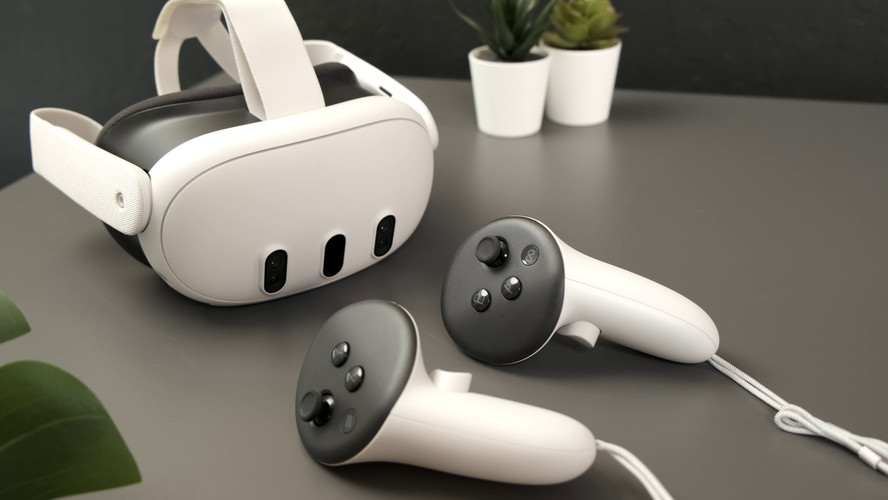
    Meta Quest 3: Your Complete Beginner's Guide 

    Setting up your Meta Quest 3 is super easy. Here’s what you need to do:

    1. Download the Meta app: This app is available for free on both Android and iOS phones and will be your control center for the Quest

    Setting up your headset and controllers

    1. Turn on your Quest 3:
    2. To start using your Meta Quest 3 headset and controllers, follow these steps:
    3. Take everything out of the box.
    4. Charge your headset with the charger and cable provided until it’s fully charged.
    5. Once charged, do the following:
    6. Take off the protective paper from the headset strap and lens.
    7. Hold down the power button on the left side of the headset until you hear a sound and see the Meta symbol.
    8. Remove the battery blockers from the controllers.
    9. Put the controllers on your wrists using the straps.
    10. Turn on each controller by pressing and holding the buttons on them.
    11. After a few seconds, you should see a blinking light and feel a vibration, showing that the controllers are ready.
    12. Follow the instructions on the screen in your headset to set up language and Wi-Fi.
    13. After that, you can adjust the headset’s fit.

    However, Before you update any software, be sure to plug your headset into a charger.

    How to Download Meta app

    To download the Meta Quest mobile app, you can go to the Google Play Store or the Apple App Store. Search for “Meta Quest” and you should find the app. Then, just follow the prompts to download and install it on your device.

    However, to use the Meta Quest mobile app for setting up your Meta Quest Pro, Meta Quest 2, or Meta Quest, make sure your phone is connected to Wi-Fi and has Bluetooth turned on. If you install the app on a device it doesn’t support, you might have trouble setting up your headset.

    Once you’ve activated your headset with the app, you can complete the setup process in virtual reality.

    Pair your Headset With the Meta Quest Mobile App

    The Meta Quest mobile app works with your Meta Quest 3 headset. It helps you do things like shop in the Store, buy and download apps, adjust settings, and share what you’re seeing with your phone or a Chromecast device.

    You don’t have to use the Meta Quest mobile app every time you use your headset, but you’ll need it when you first set up and pair your headset.

    Here’s how to pair your headset with the app:

    1. Get the Meta Quest mobile app from the Google Play or Apple App store.
    2. Open the app and sign in or make a new account.
    3. Tap Menu, then Devices.
    4. Your headset and controllers should pair automatically. If not:
    • Put on your headset and look for a 5-digit code.
    • In the Meta Quest mobile app, enter the 5-digit code from your headset.
    • Once the code is entered, your headset should start pairing with the app.

    Make sure your app is updated. If you can’t find the option to add a Quest headset, update and restart the app. You need Bluetooth and sharing with nearby devices turned on to connect your phone and headset. Once your Meta Quest 3 is set up with the app, you can connect it to your PC using Quest Link or Air Link.

    That said, If you’re still stuck, contact Meta Store Support.

    How to set Set your play area:

    Hover over the clock on the left side of the universal menu. When Quick Settings appears, select it to open the Quick Settings panel. Select Boundary.

    When you’re setting up your boundary, you can pick from these modes:

    1. Stationary: This is for when you’re using your headset while sitting or standing still. It sets up a default boundary area of 3 feet by 3 feet (1 meter by 1 meter) centered on where you are.
    2. Roomscale: This mode is for when you want to move around in your play area. With Roomscale, you can use your Touch controller to draw the boundaries in your physical space. It’s best to have a safe and clear area that’s at least 6.5 feet by 6.5 feet (2 meters by 2 meters).

    set your play area
    Set your play area:
    1. Explore the Meta Quest App Store: This is an online store full of VR games, apps, and experiences. You can browse by category, search for specific things, and download whatever you want.

    Tips To Finding The Best Apps and Games on Meta Quest 3

    Meta Quest 3 has a huge library of VR games and apps for everyone. No matter what you like, there’s something for you! Here are some tips to find the best ones:

    • Think about what you enjoy: Do you like action-packed adventures, challenging puzzles, or hanging out with friends? Knowing what types of games you usually play can help you narrow down your search.
    • Read reviews and watch videos: There are websites and videos online that review VR games and apps. This can help you see what other people think and decide if something is worth your time.
    • Check out user ratings and recommendations: Other VR users can leave reviews and recommend games they like. This is a great way to find hidden gems and see what other people are enjoying.
    • Start with free experiences: There are several free VR games and apps available.  Press / on your right controller to pull up your toolbar menu.

    Navigate Store .

    select what you want to download.

    choose the price to buy it, or tap Free if it’s a free download.

    Trying these out can be a good way to get used to VR and see what types of experiences you like.

    Here are Some Popular Meta Quest 3 Games

     meta quest 3 games
    meta quest 3 games

    Games: There are several types of games on meta quest 3 here are some 

    • Assassin’s Creed Nexus. …
    • Pistol Whip. …
    • Walkabout Mini Golf. …
    • Eye of the Temple
    • The Walking Dead: Saints & Sinners, 
    • Arizona Sunshine, 
    • Dungeons of Eternity,  exploring more 

    Social experiences: Want to hang out with friends in VR? There are apps where you can chat, play games together, or even watch movies in virtual spaces.

    Educational experiences: meta quest 3 can also be a powerful tool for learning. Here are some examples: 

    • Visiting historical sites
    • Taking a virtual tour of the human body 
    • Visiting the bottom of the ocean
    • Learn to play the piano without needing to buy an actual piano.
    • Meditate without any distractions to find inner peace.
    • Enjoy concerts from your favourite artists without leaving your living room.
    • Work together smoothly with your colleagues in a virtual environment.

    How to use your Quest 3 for work and productivity

    Meta Quest 3 isn’t just for entertainment. Businesses are starting to use VR in creative ways to enhance communication, training, and even design processes. Here are some ways your work might benefit from VR:

    • Remote collaboration and meetings: Imagine holding meetings with colleagues who appear virtually present in the same room, even if they’re miles apart. VR can facilitate collaboration and communication by offering a more immersive and engaging experience compared to traditional video conferencing.
    • Training and simulations: VR allows companies to create realistic and safe training simulations. This can be especially beneficial for industries like healthcare, engineering, and manufacturing, where employees can practise procedures or learn new skills in a controlled virtual environment.
    • Product design and prototyping: VR can be used to design and test products in a virtual space before actually manufacturing them. This can save companies time and money by allowing them to identify and address any design flaws before production begins.
    • Brainstorming and creative thinking: VR can provide a unique and inspiring environment for brainstorming sessions and creative problem-solving. The immersive nature of VR can help teams think outside the box and come up with innovative ideas.

    Meta Quest 3 for work

    While VR technology is still evolving, it holds immense potential for various industries. If you’re curious about leveraging the Meta Quest 3 for work, here are some resources to get you started:

    • Meta Workplace: This platform allows businesses to create virtual workspaces where employees can collaborate, meet, and socialise in VR.
    • VR training platforms: Several companies offer VR training solutions for various industries. Explore these platforms to see if one aligns with your company’s needs.
    • VR design software: There are software tools specifically designed for creating and prototyping products in VR. These tools can be a valuable asset for companies looking to explore the benefits of VR design.

    Troubleshooting Common Meta Quest 3 Issues
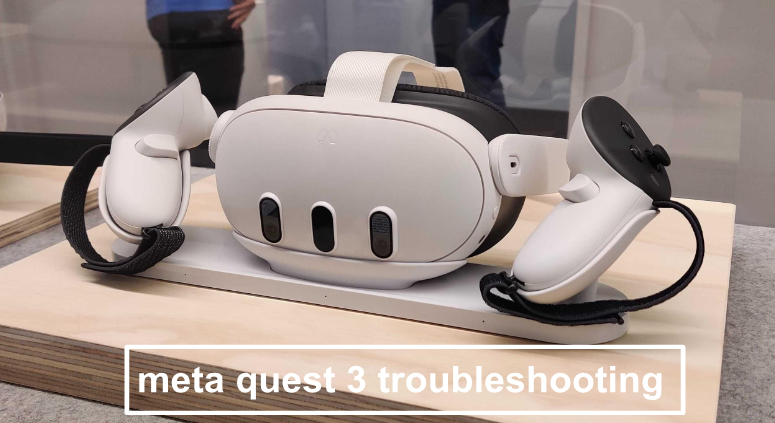
    Troubleshooting Common Meta Quest 3 Issues
    troubleshooting meta quest 3

    As with any technology, you might encounter occasional issues with your Meta Quest 3. Here are some common problems and their potential solutions:

    • Connection problems: Ensure your Wi-Fi connection is stable and that your headset is properly paired with your smartphone. If issues persist, try restarting your devices or resetting the network connection.
    • Tracking problems: Make sure your play area is well-lit and free of obstructions. If tracking issues persist, consult the official Meta Quest 3 troubleshooting guide for further steps.
    • Battery issues: The Quest 3 offers 2-3 hours of playtime on a single charge. If you plan on longer VR sessions, consider investing in an external battery pack.
    • App crashes: Close any unnecessary apps running in the background and ensure your Quest 3 software is up to date. If the issue persists, try reinstalling the problematic app.

    The best guide for augmented reality apps, is just a small peek into what the Meta Quest 3 can do. With the Quest 3, you can do many amazing things, like visiting stunning virtual places or working with others in exciting new worlds. Feel free to try new things, discover, and let your imagination run wild.

  • Dyson Black Friday Deals for Hair 2023

    Dyson Black Friday Deals for Hair 2023

    Excited for jaw-dropping Dyson Black Friday deals ahead of the official sales kick-off? You’re in the right place. For those unfamiliar with the brand, here’s a quick rundown. Dyson crafts some of the most cherished home and beauty products, rarely ever seeing price drops. This year’s black Friday sales, Dyson vacuums, Dyson air purifiers, and even hair care tools, will be on sale. In terms of Black Friday deals, it’s hard to beat Dyson discounts which are mostly available on their website or through retailers like Amazon.

    From what we know, the yearly reductions on various gifts like kitchen gadgets, TVs, tech gizmos, vacuums, headphones, and gaming consoles make Black Friday a highly anticipated event. This includes discounts that are even better than Amazon’s much-hyped Prime Day deals or even Cyber Monday. Here’s a heads-up on Black Friday 2023. Trust us, items genuinely become more affordable on Black Friday, and this year will be no different. Black Friday falls on November 24 this year, but we foresee many stores granting early access to subscribers amid their ongoing holiday sales in the upcoming weeks. Expect a plethora of items to be on sale at significant markdowns in the lead-up to Black Friday.

    While Dyson hasn’t unveiled any official Black Friday deals just yet, it doesn’t hurt to make some guesses, does it?. If you presume we’re getting ahead of ourselves, think again. Remember, the most awaited shopping days of the year are swiftly approaching, so it’s time to get into the shopping spirit. And in the spirit of holiday shopping, we’ve curated a selection of our preferred Dyson products that we suggest tossing into your cart just in case they see a price drop.

    Dyson Airwrap Complete Long

    Dyson Airwrap Complete Long

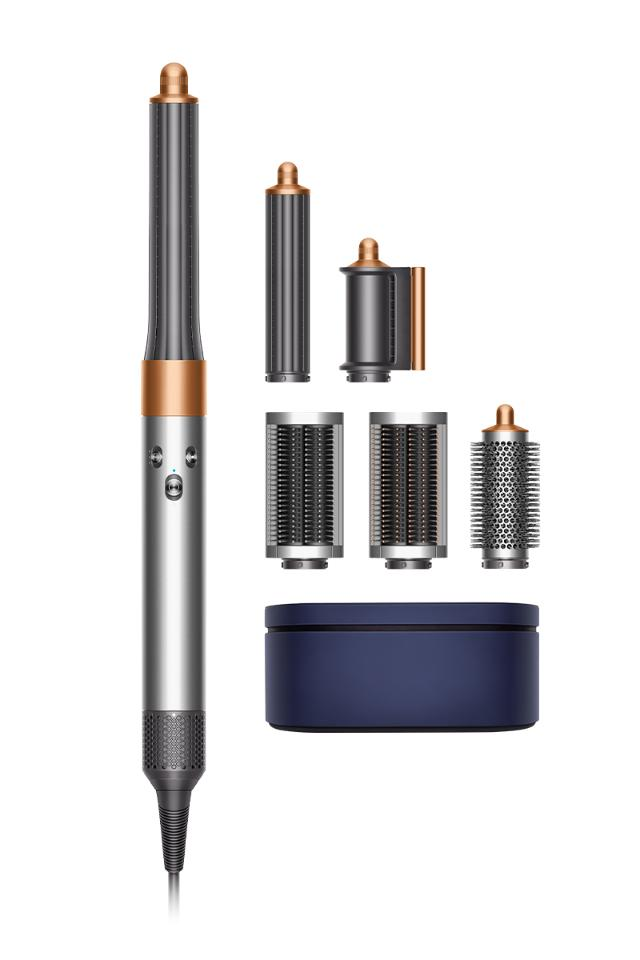
    Dyson upgraded the original Airwrap Styler and introduced the updated Airwrap Complete sold at $599.99. This hot air multi-styler comes with specialized attachments for drying and smoothing hair. If you already own the older version, the new features may not justify the upgrade cost. Using the Dyson Airwrap Complete is still similar to the original Airwrap Styler. With basically the same key features and benefits. It just uses Coanda effect technology for simultaneous drying and styling, creating a spinning vortex of air for improved results. Heat regulation safeguards against hair damage.

    Features

    1. New and Improved Attachments: The Airwrap Complete has six attachments, plus a separately purchasable wide-tooth comb compatible with the old Airwrap Styler. While not all attachments are entirely new, they’ve undergone re-engineering. These include:
      • Smoothing Dryer: This dual-function tool dries and smooths flyaways, transforming from a blow dryer to a flat iron for a polished look.
      • Two Curling Barrels: These now have a nozzle allowing for easy switching between clockwise and anticlockwise curls without changing barrels. The length has been extended for longer styles.
      • Soft and Firm Smoothing Brushes: Made for fine and thick hair respectively, these brushes have been enhanced for better tension and airflow guidance.
      • Round Volumizing Brush: The coating has been upgraded for smoother usage.
      • Wide-Tooth Comb: Designed with curved tips for effortless use during drying, adding volume and length to curls.
    2. Improved Airflow: Dyson increased the airflow from 13 to 13.5 liters per second to speed up drying.
    3. Bonus Accessories: Optional additions include a display stand for the base unit and eight attachments and a heat-resistant velvet travel pouch for the base unit and three attachments.
    4. Cool-Shot Button: This addition helps seal the hair’s cuticle for a longer-lasting hold and added shine.
    5. New shades are available in nickel/copper and topaz.

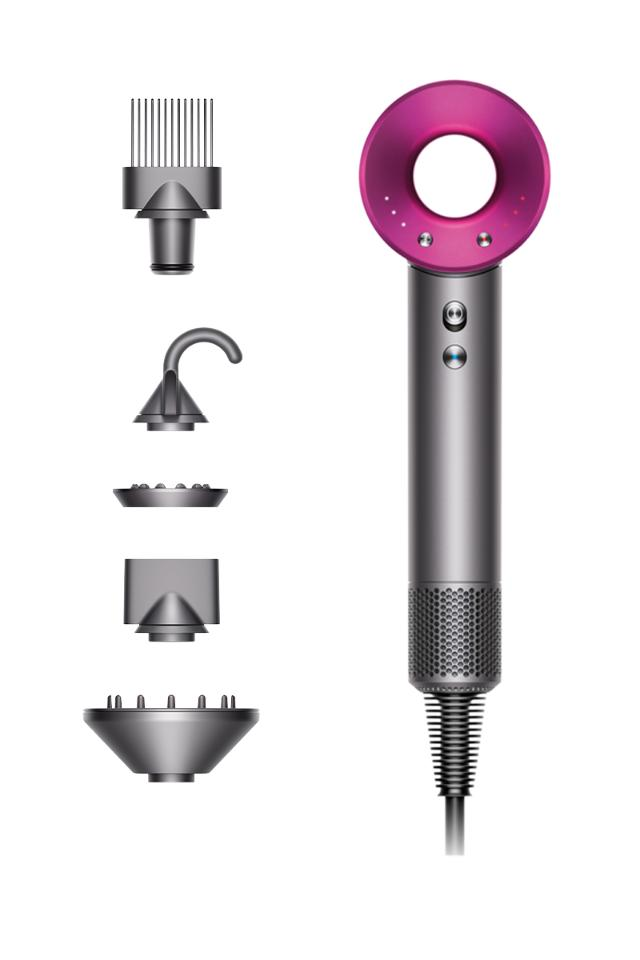
    Dyson Supersonic Hair Dryer

    Dyson Supersonic Hair Dryer

    If you’ve been eyeing Dyson’s Supersonic hair dryer but haven’t quite taken the plunge, your patience might have paid off. The brand recently introduced a sleeker model of the popular original, aptly named the Dyson Supersonic Origin, now available at a slightly lower price of $400 (compared to the regular version retailing at $430).

    Features

    Now, you might be wondering, what’s the catch? Well, it boils down to fewer styling options. Instead of having five fancy attachments (the Diffuser, Wide-Tooth Comb, Flyaway Attachment, Styling Concentrator, and Gentle Air Attachment), the new version keeps things uncomplicated, featuring just the hair dryer and the highly popular Styling Concentrator.

    The fresh Dyson Supersonic Origin hair dryer also comes with fewer attachments for easy styling. It’s basically for those who still want a gentler, safer, and quicker hair-drying routine, all thanks to Dyson’s renowned heat-safe technology.

    The good news is that customers have the option to customize their devices and purchase only the attachments most essential to them. This hair dryer has a great V9 digital motor to propel air through the brand’s patented Air Multiplier technology. This results in a high-speed jet of air for remarkably swift drying. Additionally, it has precise heat control. Throughout the drying process, the temperature of the airflow is monitored 40 times per second to shield your hair from potential heat damage. And those attachments? They’re magnetic and effortlessly snap onto the device, making them a breeze to utilize and interchange as needed.

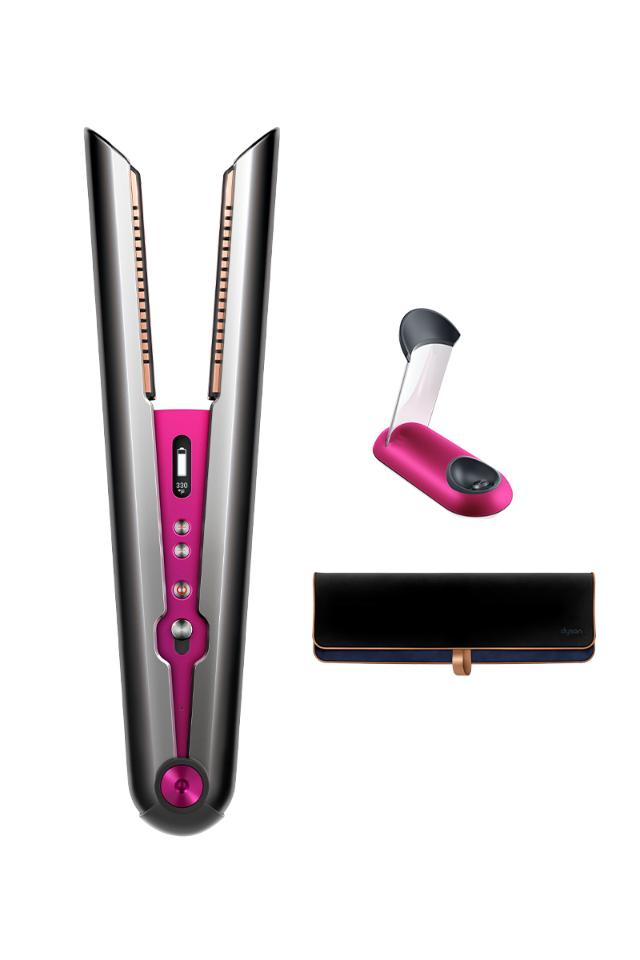
    Dyson Corrale Hair Straightener

    Dyson Corrale Hair Straightener

    The Dyson Corrale Hair Straightener is a premium investment, priced at over $400/£300. When it comes to first impressions, Dyson doesn’t disappoint. Opening the box feels like unwrapping a Christmas present, with a luxurious faux velvet lining. The packaging’s color varies depending on the model, offering options like blue and rose gold, pink and silver, copper and silver, grey and pink, or red and silver. Inside, you’ll find the straightener, a magnetic charging cable, and a charging dock.

    Features

    The Corrale breaks away from the typical straightener design. Instead of a gap from top to hinge, there’s only space between the plates. This area houses the power button, temperature controls, lock hinge, and an OLED screen displaying battery level, temperature, and charging status. The Corrale is weightier than standard straighteners, showcasing its technological prowess.

    One of the excellent features is its cordless function. A 70-minute charge yields 30 minutes of cord-free styling, sufficient for most hair types. For longer sessions, you can use it with the charging cable or dock, both attaching magnetically. The Corrale’s unique copper plates are designed to flex with the hair, reducing damage and preventing split ends.

    Temperature settings are adjustable between 165°C, 185°C, and 210°C. While the coolest setting may be insufficient for thick, curly hair, the hottest setting feels gentle compared to other straighteners. Integrated sensors maintain specific temperature control, ensuring it never exceeds the desired setting.

    Safety features are a highlight. The tool includes a flight-safe mode, disabling the lithium-ion battery during travel. It also automatically shuts off after 10 minutes of inactivity and can be locked for easy storage.

    Performance varies based on hair type. It excels in smoothing and straightening, but the time required may vary. It’s efficient for creating waves and curls, providing a sleek finish akin to a blow-dry. However, the battery life, while sufficient for most, can be limiting for extensive styling sessions. The plates may produce a crackling sound, though this is a normal part of their operation.

  • Business Intelligence Tools For Scaling With Success

    Business Intelligence Tools For Scaling With Success

    It’s no hidden fact that venturing into a business requires some standout features to excel. The era of social media is chock-full of influencers promoting brands and businesses across several media outlets. One would wonder why there are so many brands vying to succeed, with a good number of them failing. Understanding trends using data will help scale their business and improve customer satisfaction; this is where business intelligence tools come to play.

    What are Business Intelligence Tools?

    What are Business Intelligence Tools?

    Business intelligence tools, or BI tools for short, help businesses to identify and understand trends and gain valuable insights from information. By analyzing data, organizations can make well-informed decisions. BI tools are instrumental in identifying patterns within the vast amounts of data a business or organization generates and accumulates over time.

    Now, the real challenge is determining the right business intelligence tools. Since there is a multitude of options available, it can be difficult to find the one that best suits the business. And being able to assess whether a particular tool aligns with the goals of the brand is key. Discover our list of 5 Business Intelligence tools that can scale your business and give you a competitive advantage in your industry.

    Zoho Analytics

    Understanding the data derived from patterns can be quite a challenge, especially for those without a strong technical background. But Zoho Analytics simplifies this process with its user-friendly interface. Users can create cool reports and dashboards using an extensive range of charts and tables. In a nutshell, Zoho Analytics takes complex sets of data and transforms them into easily understandable information.

    Zoho Analytics brings a whole new level of capability to small businesses. Helping organizations effortlessly make well-informed decisions based on data. A great feature of this business intelligence tool is Zia, Zoho’s AI-powered assistant. When people are unsure about the inquiries to make regarding business data or insights, Zia is there to help. Zia collects all the necessary data and provides the user with a comprehensive response. Drawing from past data to forecast future trends. The focus is to show these businesses how to leverage consumer data to predict future purchasing patterns and preferences.

    Netsuite

    Managing business operations when it comes to implementing data effectively is a significant hurdle for most businesses. Netsuite appears to be one of the business intelligence tools streamlining processes in this regard. It presents a comprehensive solution, consolidating all your operational needs into a single software package. Netsuite caters to every aspect of the business; from enterprise resource planning, sales forecasting, and lead generation, to customer relationship management.

    Operating on the cloud, Netsuite is accessible and seamlessly merges with an existing electronic framework to provide a suitable platform to streamline operations and management. Netsuite also helps to efficiently oversee business financial performance. Users can track expenses during operations as Netsuite’s ERP features ensures transparency and precise monitoring.

    One of the most remarkable features of this business intelligence tool is its ability to scale alongside the business. Netsuite readily adapts to new strategies, users, etc, and ensures that the software remains a reliable asset regardless of the size and complexity of your data. With Netsuite, users can confidently navigate the challenges of data management, knowing that they have a strong business intelligence solution that evolves with their growing needs.

    Datapine Business Intelligence Tools

    Datapine is an exceptional data visualization solution for businesses seeking to convert raw data into practical insight. Through this top-notch business intelligence software, organizations can simplify the analysis process; effortlessly examine and share the knowledge acquired from their data, even without advanced digital proficiency.

    Datapine’s user-friendly interface helps to create dashboards and reports, and present data in a manner that is easily comprehensible. Although Datapine caters to people without technical skills, its flexibility allows users to deeply analyze their data, whether they employ the expertise of professional data analysts, or choose to uncover valuable insights independently.

    Oracle

    Oracle BI is another good business intelligence tool and software designed to help businesses make smarter decisions. With Oracle BI, users gain access to a long list of features; cool and interactive dashboards that provide a visual representation of data. It also identifies trends and patterns in data and alerts users to likely opportunities or risks. And if there are specific questions or the need to explore data more flexibly, Oracle BI has got you covered with its ad hoc capabilities.

    Another of the best things about Oracle BI is that it can handle huge amounts of data. Whether it’s collecting or analyzing data from Oracle databases or other sources. There is also a data archiving feature that helps users manage and store their data. It also supports versioning, so users can keep track of changes and easily revert to previous versions if need be.

    Tableau

    By harnessing the capabilities of Tableau, businesses can effortlessly merge data across various systems to create suitable business operations. It does this strategically to ensure no piece of information slips through the cracks. Tableau’s strength lies in its extensive harmonization of data from diverse sources. Their data analytics capabilities help users to access current information so that data visualizations and reports accurately echo recent trends.

    The user-friendly design of this business intelligence tool empowers users of all (including little to no) technical backgrounds to process and transform data into refined illustrations and presentations; charts, reports, dashboards, etc. Tableau comes with several tutorials and aids, for users to gradually learn about the features. To make accurate and constructive decisions in today’s competitive markets.

    Qlik BI Tools

    Qlik Sense is a great BI tool for in-depth reporting and data analysis. This business intelligence software can connect with various data sources, including customer choice surveys or observing market trends. With Qlik, businesses have the necessary information at their disposal.

    One of the standout features of Qlik business intelligence tools is that the user interface is optimized for touchscreen. To simplify the collection of data in the absence of a specified method, Qlik unifies the required information. This spares users the stress of jumping between platforms. Qlik equally works to edit data visualizations, revealing the interconnectedness of different data units. Similar to Tableau and Netsuite, Qlik Sense is ideal for scaling businesses with success.

    Yellowfin

    Yellowfin BI provides a comprehensive solution for integrating business intelligence capabilities. within an all-encompassing analytics platform. This powerful tool combines data visualization, artificial intelligence, etc, to unlock valuable insights. By leveraging its built-in filtering options, users can effortlessly navigate through vast volumes of data to swiftly extract meaningful information.

    What sets Yellowfin BI apart is that it is easily accessible; users can access dashboards from multiple platforms—be it mobile or web-based. Another great feature of Yellowfin is its ability to elevate dashboards and visualizations. Thanks to its user-friendly environment, users can easily transform data into captivating and insightful visual representations.

    Domo

    Domo, an innovative cloud-based business intelligence platform, empowers businesses and organizations of all sizes to analyze data from various sources. This flexibility allows teams to collaborate effectively, and analyze data from anywhere, at any time. Whether you run a small company or a big international corporation, Domo offers visibility. And revolutionizes the way businesses make data-driven decisions.

    By leveraging this powerful technology, Domo enables businesses to go beyond simple data analysis and gain predictive insights into their operations. One of Domo’s standout features is its advanced predictive analysis capabilities, powered by Mr. Roboto, their cutting-edge AI machine. Domo equips businesses with the tools they need to stay ahead; including cash balances and computing returns on investment (ROI).

    While Domo offers solutions to businesses seeking a comprehensive and powerful business intelligence platform, it’s important to understand that there’s a learning curve when initially getting started with the platform. Once users become familiar with its features and interface, the prospects of driving growth and success in business are limitless.

  • Latest Nvidia Graphics Cards Launching This July

    Latest Nvidia Graphics Cards Launching This July

    Are the latest Nvidia graphics cards some of their best yet?

    Realistic visuals in video games evoke this feeling of immersion and generally enhance the experience for gamers. Any random person will wonder “How do these incredible visuals in video games come about?.” Well, behind the scenes, there’s this remarkable piece of technology called graphics cards that goes to work to deliver those extraordinary visuals. Graphics cards better known as video cards or GPUs (Graphics Processing Units) are gaming hardware components. They’re responsible for rendering lifelike illustrations, generating clean animations, and facilitating real-time simulations.

    2 Types Of Graphics Cards

    Integrated graphics cards are built into the central processor or CPU of a computer, and shares memory with the CPU. They’re usually cost-effective and suitable for basic tasks. While dedicated graphics cards are detached or standalone graphics cards. They are more expensive, and powerful, and come with their own memory. These types of GPUs perform more graphic-intensive tasks and deliver better performance in gaming. For gaming laptops, a dedicated graphics card is the ideal GPU.

    If there were no GPUs in gaming, the visual quality of our favorite video games would be poor. Along with reduced frame rates, slower loading time, and the absence of special effects that unite to make video games immersive. Without the relentless efforts of gaming companies and game developers to leverage modern technology in advancing gaming, these areas would probably have been blindspots.

    Game developers are able to create richly detailed worlds, and astounding visual effects that immerse players in mixed realities by taking advantage of the incredible capabilities of graphics cards. With an ever-growing community of passionate gamers all over the world seeking new advancements in game technology; important tweaks to some of the hardware components in the market like graphics cards help improve user experiences.

    The Latest Nvidia Graphics Card Release Date

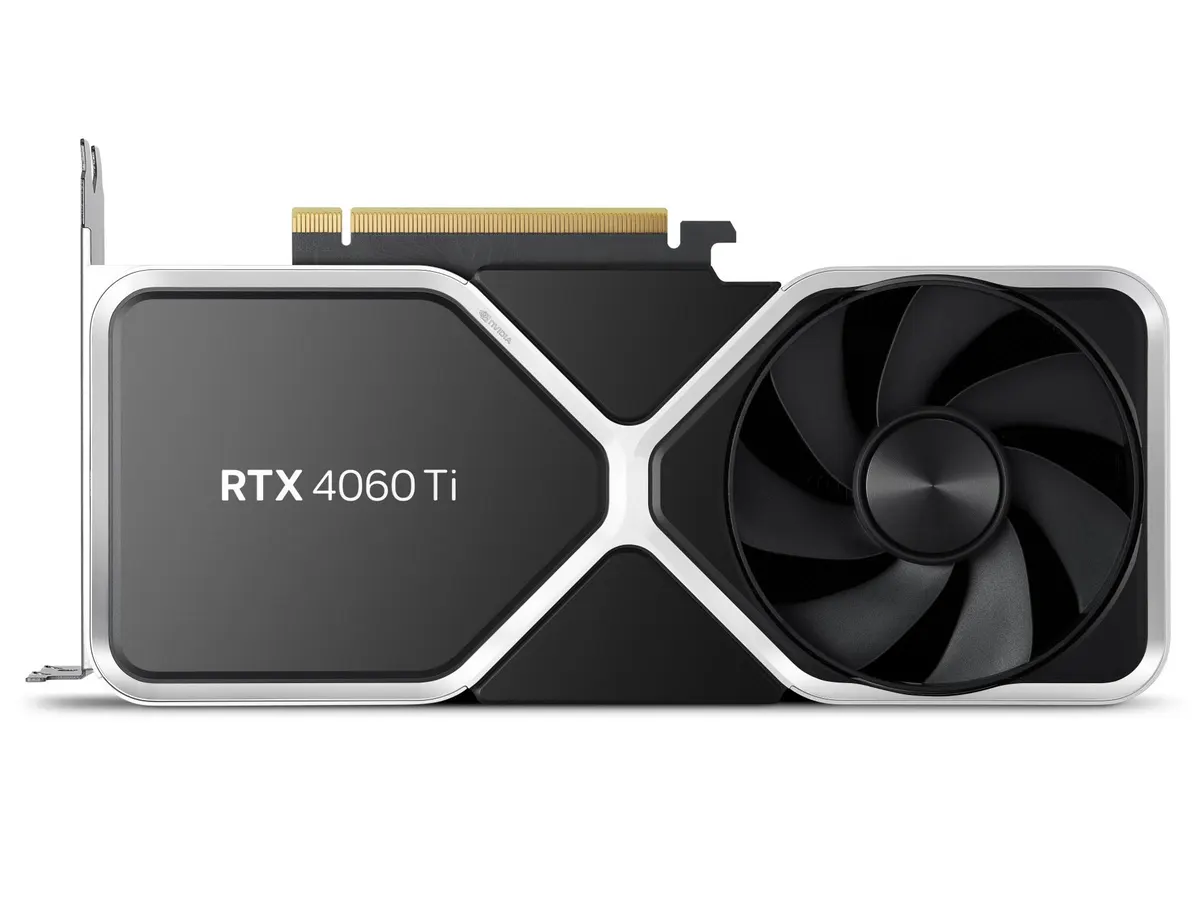
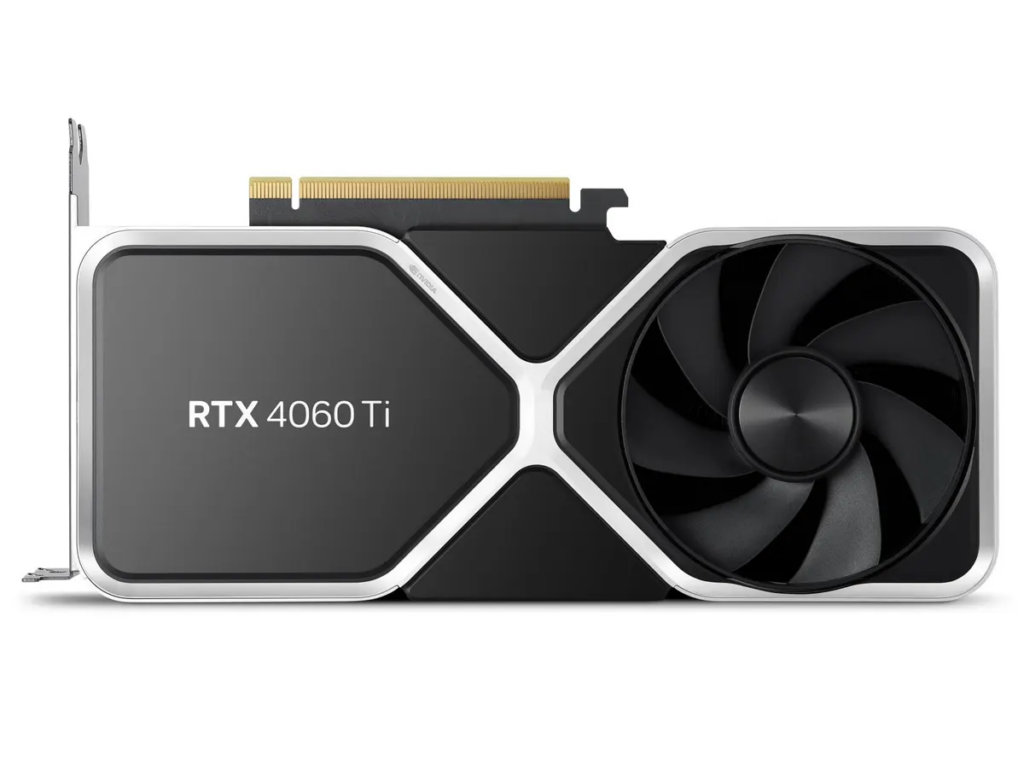
    One of the latest Nvidia graphics cards every game geek is currently anticipating its release is the Nvidia GeForce RTX 4060 Ti. It’s already promising to be one of the best graphics cards in the market this year. And for very good reasons. At an affordable price, it already has some very impressive specs and features. As well as performance that appeals to gamers who want a high-performance GPU without breaking the bank.

    The Nvidia GeForce RTX 4060 Ti is available in two versions: one with an 8GB and another with 16GB of GDDR6 VRAM. Although the 16GB version is yet to be released, the details for both cards, however, have been made public. We’ll take a look at a complete review of the latest Nvidia graphics cards; Nvidia GeForce RTX 4060 Ti graphics card models. Including price, features, and performance.

    The 8GB version of the Nvidia GeForce RTX 4060 Ti is due for release on July 24th, 2023, with a price tag of $399. While the 16GB version is set to be released in same July 2023, but with no specific date disclosed, and will be priced at just $499.

    According to fans of Nvidia products, the price tags that Nvidia placed on both versions of the RTX 4060 seem fair and are quite affordable compared to other GPUs from Nvidia. Or even graphics cards from other brands in the market.

    Specs and Performance: Nvidia GeForce RTX 4060 Ti

    latest Nvidia graphics cards
    Nvidia

    One of the key features of the Nvidia GeForce RTX 4060 Ti is its new AD106 GPU, which is smaller than that of its predecessor, the AD104 die. The AD106 GPU has 36 streaming multiprocessors (SMs), 4,608 CUDA cores, and 36 RT cores for ray tracing.

    The memory configuration of the Nvidia GeForce RTX 4060 Ti is also impressive. The 8GB version features a clock speed of 2250MHz with a 128-bit memory bus. Which gives an entire 288 GB/s bandwidth. While this may seem lower than some of its predecessors, Nvidia has compensated for the tighter memory by equipping the RTX 4060 Ti with a 32MB L2 cache. This is great because significantly reduces the chance of cache misses and alleviates the load on the memory interface.

    Rasterization and Ray Tracing Performance

    In terms of raw performance, the RTX 4060 outshines its predecessor, the RTX 3060 Ti, by a significant margin. On average, it delivers an excellent performance boost across various benchmarks, which extends to staggering ray tracing performance. The RTX 3060 Ti and AMD’s RX 7900 XT fall short in comparison. The RTX 4060 offers 25% better performance in rasterization. And double the performance in ray tracing, albeit at a lower price point. While the RTX 4090’s performance is unmatched, it does come with its caveats.

    Still, on gaming performance, the RTX 4060 Ti also delivers nice frame rates. Particularly for games like Assassin’s Creed Valhalla, Metro Exodus, and Doom Eternal, at both 1080p and 1440p resolutions respectively. Safe to say it easily outperforms its predecessor, the RTX 2060. And offers more remarkable improvements than the RTX 3060 Ti in most cases.

    However, the 8GB VRAM may be a limiting factor for demanding games, especially when ray tracing is enabled. As well as that one disabled TPC (texture processing cluster) which leaves room for advanced AD106 GPU in the future. Drawbacks like these will most likely result in the card struggling to maintain an enjoyable gaming experience for users. But to overcome this limitation, Nvidia plans to release a 16GB version of the RTX 4060 Ti.

    Buying Guide for The Best Graphics Cards

    A buying guide will help prospective buyers make well-informed decisions when choosing the latest Nvidia graphics cards for gaming. Here are some important things you should know first before purchasing the Nvidia GeForce RTX 4060 Ti.

    Graphics card memory amount is very important. At least 6GB to 8GB is recommended for gaming at 1080p and more for higher resolutions. Pay attention to key specifications like clock speed and CUDA cores, memory speed, and bandwidth. As well as efficient cooling features to prevent overheating. These factors directly impact the card’s performance and its ability to handle demanding gaming tasks.

    Power connectors are also essential, and most cards require supplemental PCIe connectors. Ensure the card has the necessary ports for your monitors. Also ensure it fits in your case, checking length, height, and thickness. Ray tracing and DLSS are also worthy of consideration. The best ray tracing and DLSS are supported by Nvidia’s RTX series GPUs.

  • Best Fitness Trackers to Monitor Your Fitness Journey

    Best Fitness Trackers to Monitor Your Fitness Journey

    In today’s wearable scape dominated by smartwatches like the Apple Watch, and Samsung Galaxy Watch, fitness trackers remain a reliable option. Particularly for those seeking a trusted device to accurately track fitness metrics without the distractions of constant notifications. Or fitness trackers with more configurable features. We extensively reviewed some of the best fitness trackers and handpicked the ideal options for most people.

    While smartwatches have their advantages, fitness bands are better alternatives in a number of ways. Smartwatches may offer exceptional performances, including on-watch apps, alerts, and advanced fitness features. But fitness trackers excel in their primary purpose of tracking physical activity during workouts or exercises. With their compact size, longer battery life, and affordability, fitness trackers remain a good choice for those who prioritize accurate fitness monitoring without the distractions of a smartwatch.

    Best Fitness Trackers to Buy in 2023

    Fitness trackers have greatly advanced in functionalities over the last few decades. Gaining momentum from mere predictions of inventors like Leonardo da Vinci about devices capable of step tracking to advanced health monitoring in present times. Today, wearable technology has gone over and beyond with the invention of sleek smartwatches for not only tracking steps, but skin temperature, heart rate, calories, and sleep patterns, the options are vast. In 2023, the market is teeming with the best fitness trackers with even cooler tweaks and we’re about to share them all.

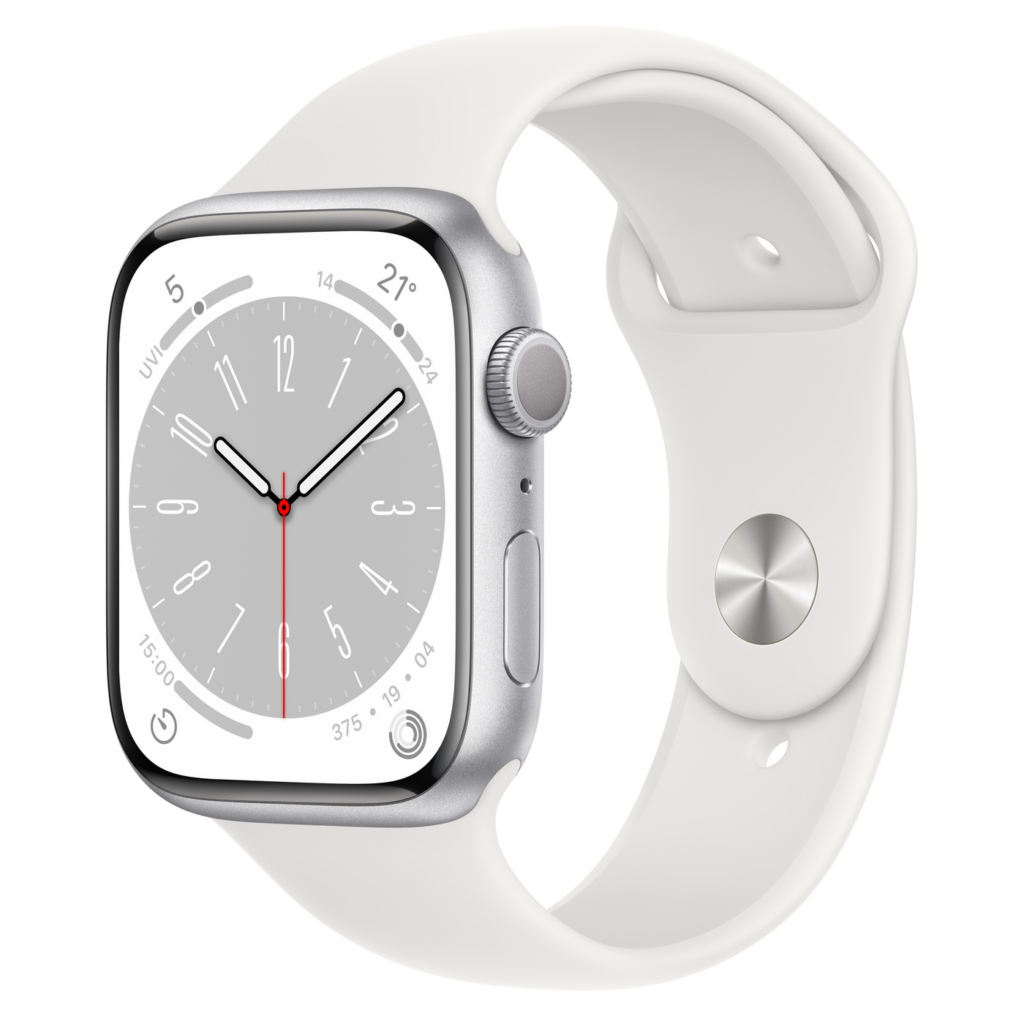
    Apple Watch Series 8

    Apple Watch Series 8

    The Apple Watch Series 8 is the latest offering from Apple, boasting impressive features like watchOS 9 and unique additions such as Crash Detection and temperature sensors for menstrual cycle tracking. It comes with a design that closely resembles its predecessor, the Apple Watch 7, with its curvier chassis and thinner display bezels. The larger screen offers enhanced features like Always-On Display, new watchOS 9 faces, and a QWERTY keyboard for messaging. While these features may not be new to Apple Watch Series 7 users, those upgrading from older models will appreciate the redesigned look and increased usable screen space.

    Apple has introduced a skin temperature sensor in the Series 8, which is beneficial for sleep tracking and cycle tracking. The sensor helps monitor deviations in overnight temperature for sleep analysis and can predict ovulation windows based on wrist temperature for users trying to conceive. Additionally, it can provide validation for those with conditions affecting their menstrual cycles. The data is secure and can be shared selectively, such as with a doctor assisting with fertility treatment.

    Crash detection is a notable safety feature in the Apple Watch Series 8, made possible by upgraded motion sensors. The watch can detect crashes with improved accuracy and automatically call emergency services and notify emergency contacts.

    Another significant upgrade is the low power mode, borrowed from the iPhone, which allows users to disable power-draining features while keeping the watch functional. With low power mode enabled, the battery life of the Apple Watch Series 8 can extend up to 36 hours.

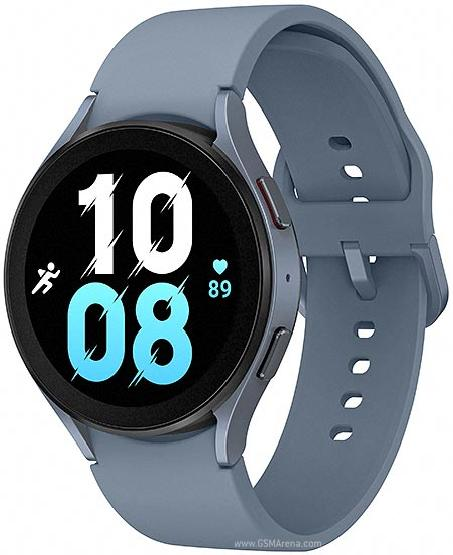
    Samsung Galaxy Watch 5

    Samsung Galaxy Watch 5

    Designed for Samsung phone users, the Samsung Galaxy Watch 5 is a feature-packed smartwatch for fitness tracking. Compared to its predecessor the Galaxy Watch 4, Samsung Galaxy Watch 5 offers a refined design. It offers improved wearable health features, including advanced sleep tracking and body composition analysis. Notable new features include a temperature analysis sensor and comprehensive fitness tracking capabilities. The watch runs on Wear OS powered by Samsung, offering seamless integration with other Samsung devices.

    Unlike the Galaxy Watch 4 lineup, the Galaxy Watch 5 does not feature a rotating bezel, which may disappoint some fans. However, the reshaped curvature on the bottom of the watch enhances watch-to-skin contact for improved accuracy on data collected from the biometric sensor. The watch remains water-resistant and boasts a display made of sapphire crystal glass, for increased scratch resistance. The Galaxy Watch 5 comes in four colors and offers interchangeable bands for personalization.

    Although battery life could be better, it is an improvement over its predecessor.

    Google Pixel Watch

    Google Pixel Watch best fitness trackers

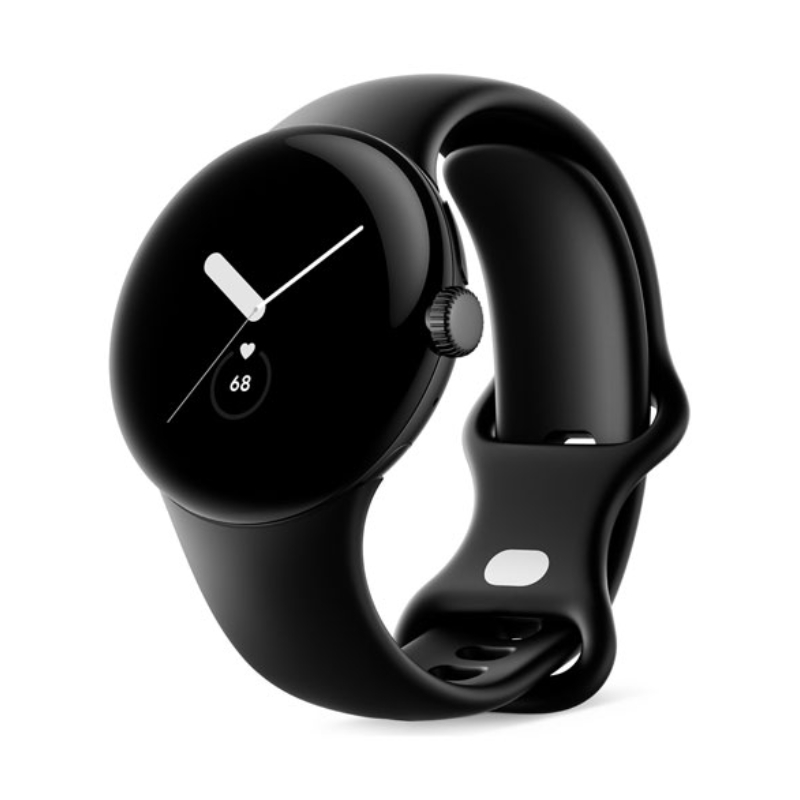
    The Google Pixel Watch boasts a simple and minimalistic design, available in a single size of 41mm. While some may desire a larger alternative, the watch fits well. Its face features a rounded design with a 3D glass dome, which somewhat distracts from the thick bezel but leaves a significant portion of the display unused.

    The watch predominantly uses a dark mode interface and watch faces with black backgrounds to conceal the bezel. The Pixel Watch comes in matte black, silver, and gold, with interchangeable straps that require a learning curve to replace. The Watch marks Google’s debut in the smartwatch market and is one of the best fitness trackers with a native Fitbit integration. Aside from its stunning domed display and native Fitbit integration, it delivers excellent health-tracking capabilities. Offering users over 40 workout styles, heart rate monitoring, ECGs, and GPS tracking. Fitbit Premium unlocks advanced features such as a Daily Readiness Score and detailed sleep tracking analysis. The Pixel Watch integrates with Google services through Wear OS, providing access to various daily programs and services.

    Fitbit Charge 5

    Fitbit Charge 5

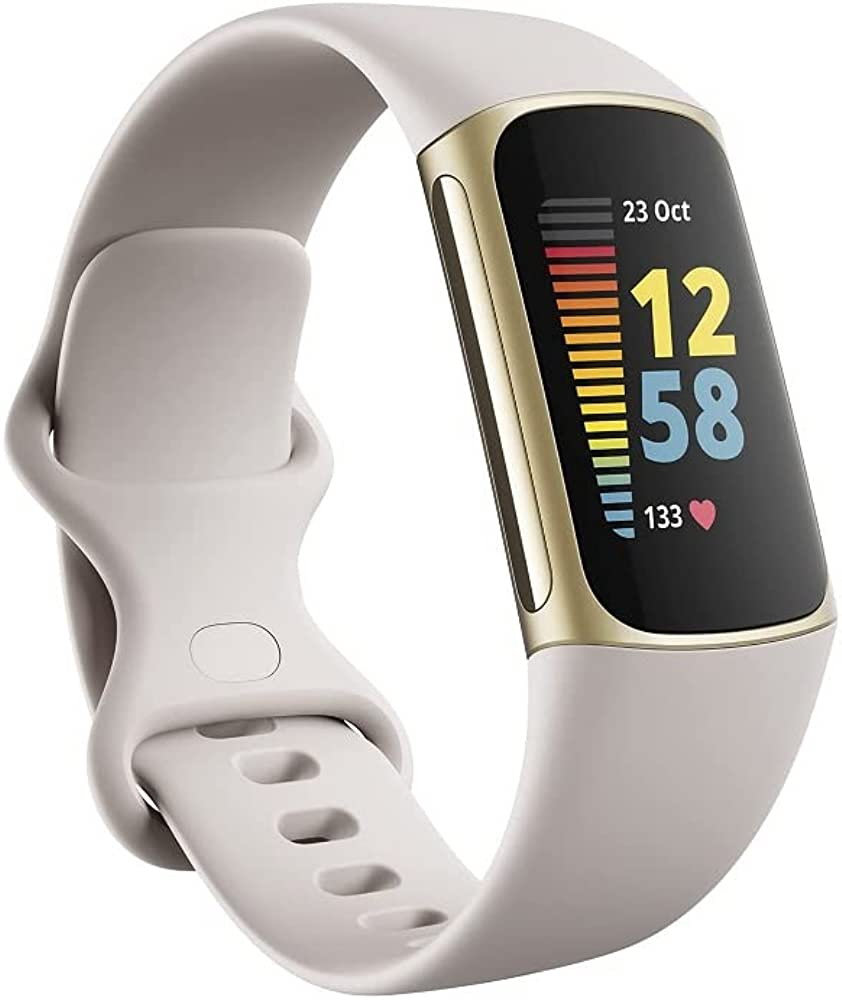
    The Fitbit Charge 5 emerges as the top choice among fitness trackers, offering a comprehensive set of features. With its built-in GPS that delivers fast and accurate tracking, the Charge 5 excels as a versatile fitness tracker and stands out from smartwatches. Its full-color AMOLED display and slim design make it more stylish than its predecessor, the Charge 4. The device boasts stress-tracking capabilities and future updates will introduce ECG measurements and Daily Readiness Scores. Fitbit Pay support and all-day and all-night battery life further enhance its appeal.

    Amazfit GTR 4

    Amazfit GTR 4 best fitness trackers

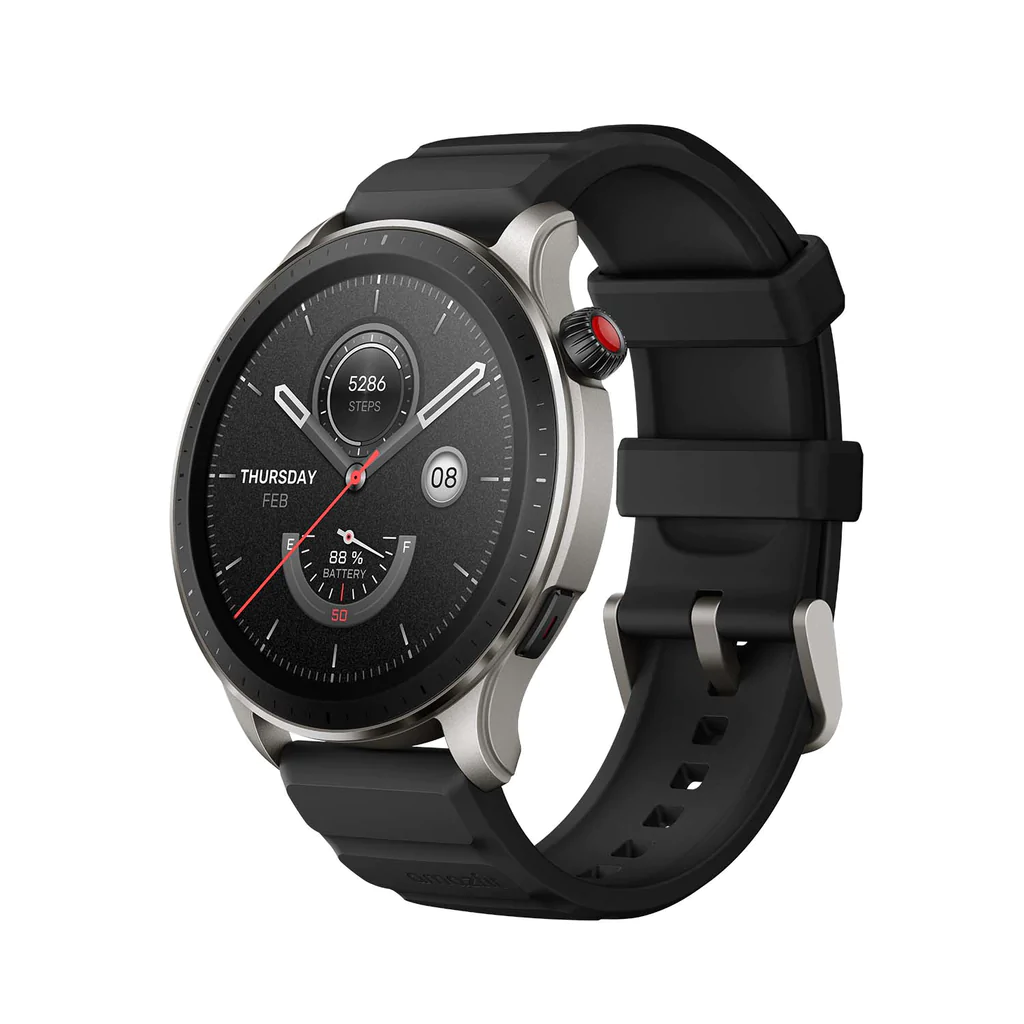
    The Amazfit GTR 4 is a great alternative to popular smartwatch brands like Apple and Samsung. Despite some limitations in in-app support and notification interaction, it offers a fantastic design, long battery life, and reliable activity tracking.

    The GTR 4 features a premium look and feel with a beautiful AMOLED display and always-on functionality. Its hardware is impressive, with a lightweight body and durable build. However, the included rubber band may cause discomfort and requires frequent cleaning.

    Running on Zepp OS, the GTR 4 has a simple and functional interface. While lacking extensive app support, it offers useful features and connects seamlessly with both Android and iOS devices. Notably, it supports Alexa and Bluetooth calling.

    The watch is excellent for tracking activities and health metrics such as heart rate, sleep, stress levels, and blood oxygen levels. It comes with a 475mAh battery, delivering approximately ten days of usage on a single charge. The absence of daily charging makes it convenient and comparable to higher-end models.

    Considering its affordability, attractive design, and essential smartwatch functionalities, the Amazfit GTR 4 is among the best fitness trackers for budget-conscious buyers.

    Garmin vívosmart 5

    Garmin vívosmart 5

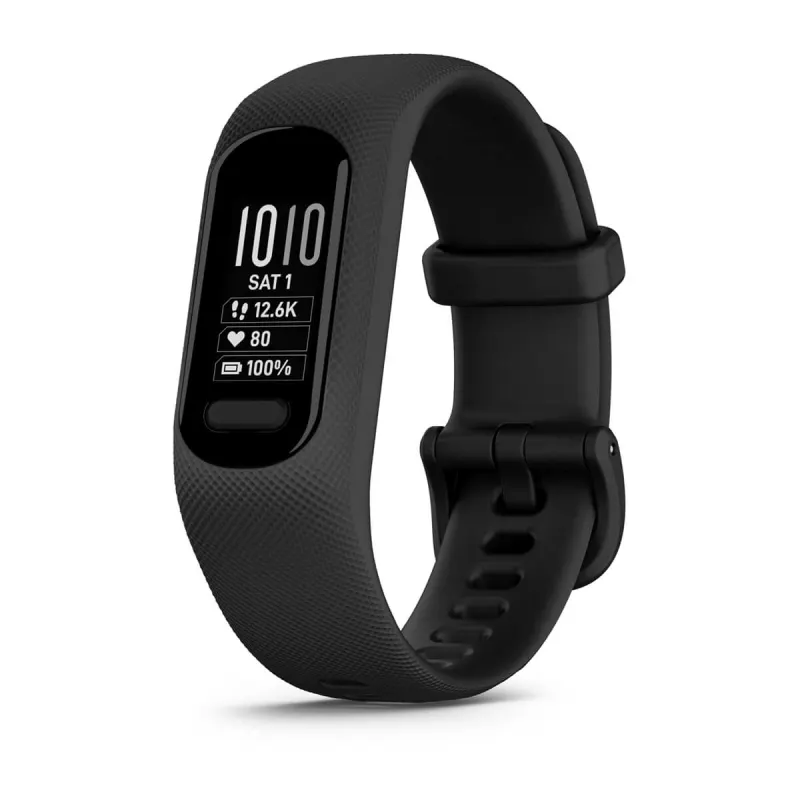
    A sleek and modest alternative to dozens of other smartwatches, the Garmin vívosmart 5 showcases Garmin’s expertise in fitness tracking. Garmin has made significant but subtle design improvements to the Vivosmart 5, focusing on usability. The addition of a physical button enhances navigation and activity control, addressing the previous touchscreen issues. The monochrome OLED display is 66% larger than its predecessor, making it easier to read messages and allowing scrolling text to avoid message truncation. The screen shows at least three stats simultaneously.

    However, the Vivosmart 5’s display remains somewhat challenging to view, especially while in motion. Compared to other fitness trackers like the Fitbit Charge 5 and Amazfit GTR 4, its black-and-white screen feels outdated. It may not be as beginner-friendly as top Fitbits, requiring some time to understand its functions, but familiarity improves with usage.

    The Vivosmart 5 comes in two sizes and offers interchangeable bands, a convenient option using Garmin’s official bands for now. Third-party alternatives may become available. Battery life is around seven days without all-day blood oxygen monitoring, reducing to approximately three days when enabled. However, given that blood oxygen monitoring is most useful for sleep tracking, it can be selectively activated during sleep only.

    Fitbit Inspire 3

    Fitbit Inspire 3 best fitness trackers

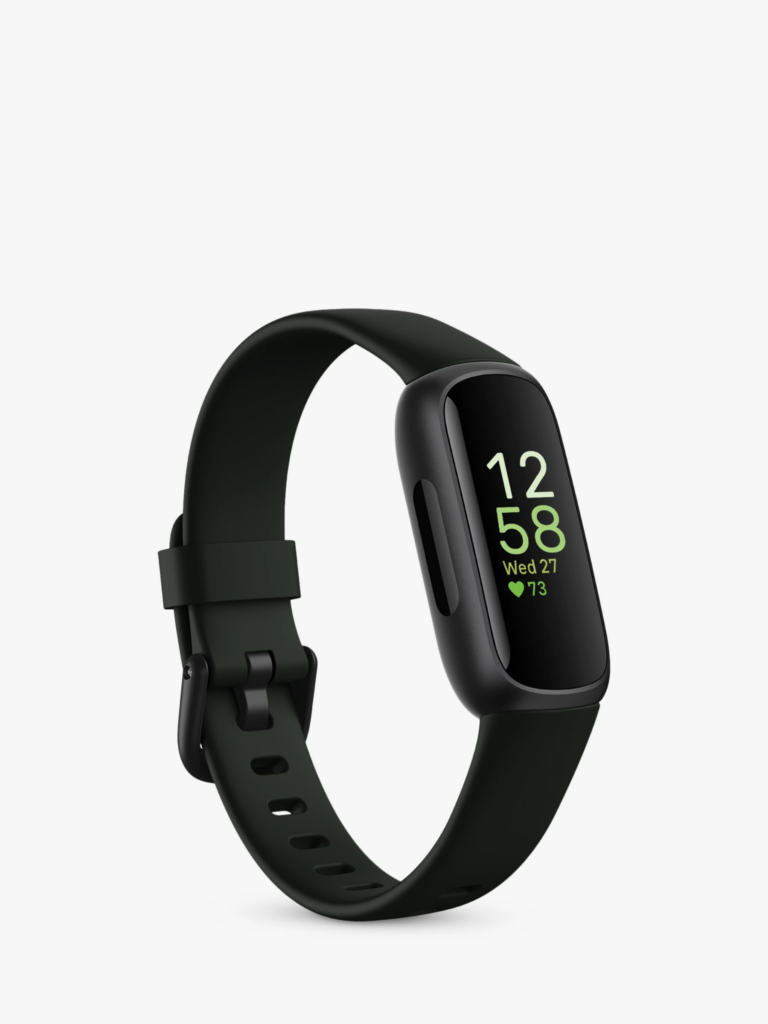
    The Fitbit Inspire 3 closely resembles its predecessor in terms of design, featuring a compact size and rounded edges. It is lightweight and comfortable to wear, almost unnoticeable throughout the day. Notably, the Inspire 3 stands out with its bright and clear AMOLED display, giving it a premium feel without a higher price tag.

    The tracker incorporates two haptic buttons for easy navigation, although the small screen may not be ideal for extensive message viewing. It is more suited for those seeking overall health insights without the complexities of a full-fledged smartwatch.

    Fitness tracking capabilities include heart rate, steps, calories, Active Zone Minutes, stress, SpO2, and sleep monitoring, all at an affordable price. While the small screen makes it challenging to view live feedback during activities, attaching the tracker to clothing can be a practical workaround. The heart rate accuracy is comparable to more expensive alternatives.

    Additional features include reminders, weekly exercise goals, water intake tracking, weight changes, and menstrual cycle tracking. Fitbit excels in sleep tracking, accurately monitoring sleep duration and quality. However, advanced sleep insights and scores are locked behind a premium subscription. The Fitbit Inspire 3 boasts up to 10 days of battery life, providing ample usage without frequent recharging.

    Amazfit Band 7

    Amazfit Band 7 best fitness trackers

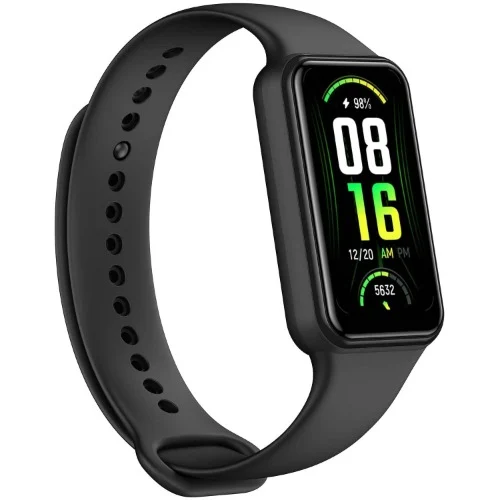
    The Amazfit Band 7 has undergone a significant upgrade with improved features such as a more vibrant OLED display, longer battery life of up to 28 days, etc.

    The case, constructed from polycarbonate is lightweight and available in black or beige. And it is customizable with wristbands in green, blue, pink, or orange colors. Health and fitness tracking capabilities include step counting, heart rate monitoring, stress level assessment, blood oxygen saturation measurement, and sleep tracking.

    The watch can be set up and customized using the Zepp app, which allows users to personalize vibrations, watch faces, and configure notifications. It also supports third-party app integration and features Amazon Alexa as a voice assistant. In addition to providing lightweight comfort, the Amazfit Band 7 is also dust and water-resistant. One of the best fitness trackers in 2023.

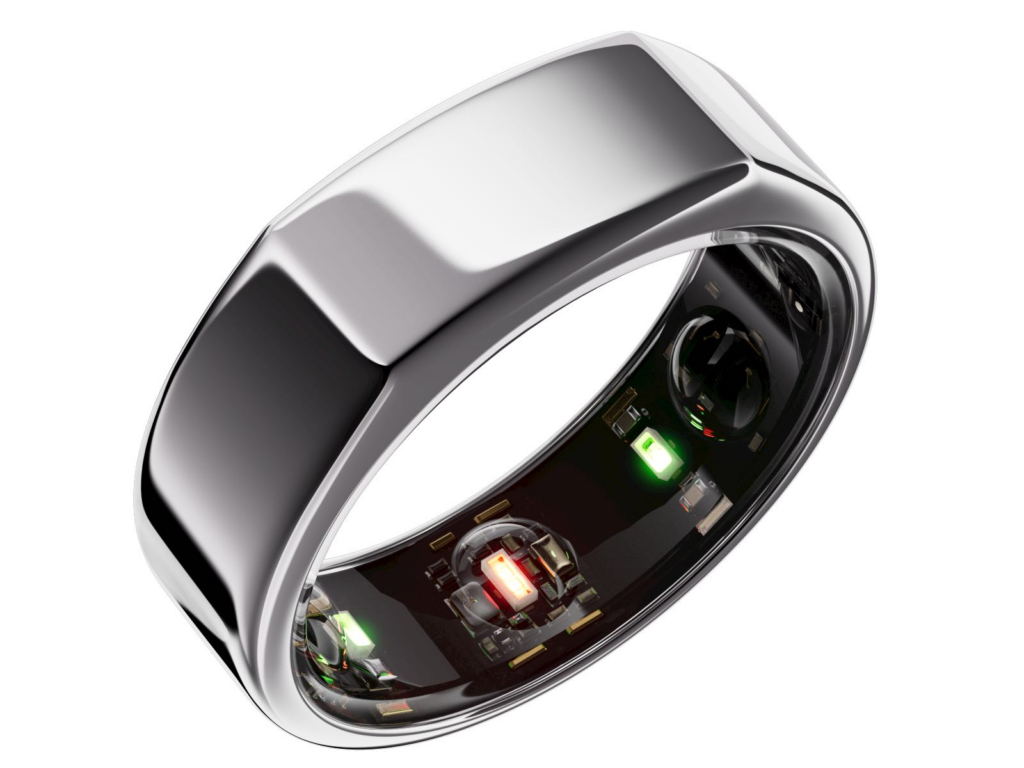
    Oura Ring Gen 3

    best fitness tracker 2023 - Oura Ring Gen 3

    Meanwhile, those seeking a discreet and minimalist option will find the Oura Ring Gen 3 an appealing preference as a fitness tracker. The Oura Ring Generation 3 is a discreet piece of jewelry that seamlessly blends with other silver rings, concealing its advanced features until closer inspection. With its titanium loop, one can easily reveal the underside sensors, which include heart rate, respiratory rate, and body temperature sensors housed within three inner ridges. The ring is designed to be worn on the index finger with the slightly-flattened edge facing up for accurate readings.

    In terms of activity tracking, the Oura Ring Generation 3 is not intended to display metrics during workouts. Instead, it can track calorie burn, steps, walking equivalency, and hourly movement through the Oura app. It assesses workout intensity based on heart rate and elevated activity minutes, incorporating data from Apple Health or Google Fit. The app also allows retroactive exercise logging and can estimate completed workouts.

    For sleep monitoring, the Oura Ring provides valuable insights such as total time spent lying down, hours of sleep, resting heart rate, sleep efficiency, and a daily sleep score.

    The Oura Ring offers an advanced and accurate sleep-tracking experience compared to devices like the Apple Watch. It even provides a Rest Mode feature that can automatically activate if irregular body temperature is detected. The battery life of the Oura Ring Generation 3 is estimated to last up to a week.

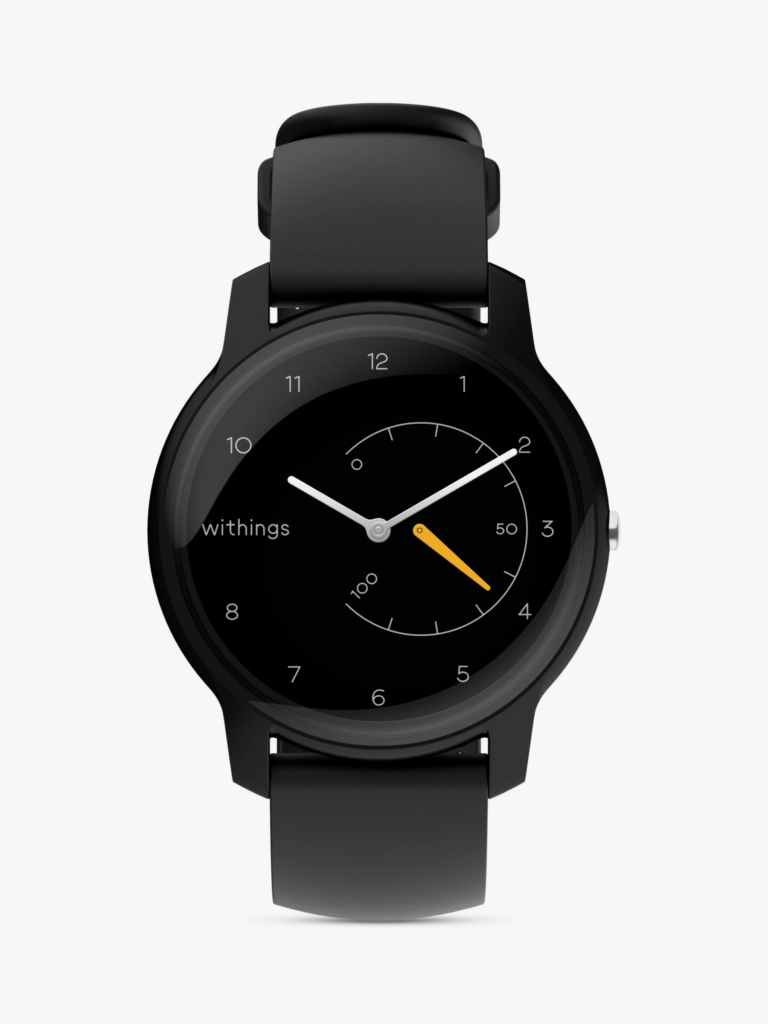
    Withings Move

    Withings Move best fitness trackers

    For those in need of a fitness tracker with a more standard yet fashionable design, the Withings Move is an ideal choice. The analog watch incorporates style with basic fitness tracking features such as step, calorie, distance, and sleep monitoring. It also includes other features such as connected GPS, auto-recognition for over 30 workouts, and water resistance. The Withings Move boasts an impressive battery life of up to 18 months, thanks to its button-cell battery. This eliminates the need to frequently juice it up.