Tag: photography

  • Top 7 Best Photo Editing App for iPhone

    Top 7 Best Photo Editing App for iPhone

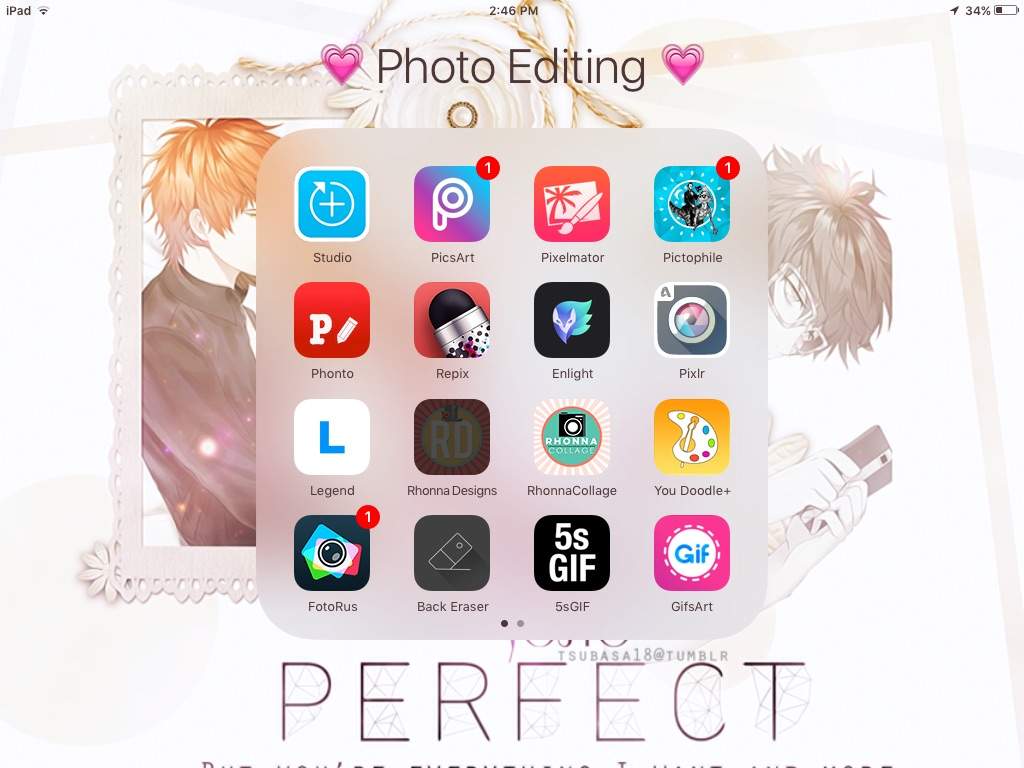
    The best photo editing app for iPhone is determined by the purpose for which the app is used. Instagram has become an established brand though there is stiff competition in the market. Although these apps are not perfect Graphic software, they make user experiences much easier and create more independence with regards to quick editing and can be used on iOS and Android operated phones. There is a wide variety of photo editing apps to choose from but here are the 7 best photo editing app for iPhone on the market at the moment.

    PicsArt

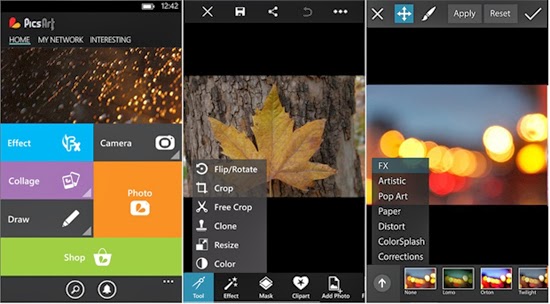
    Apart from being a photo editing app PicsArt serves the purpose of being a social network for sharing photos. Editing tasks like color adjustments, re sizing and cropping can be undertaken by using the Photo button. Other salient features include Effects that issue specialized tools like red-eye removal, watercolor, pastel and cartoonizer that you can brush on to the image. Conversely, you can snap pictures with a camera tool and paint or draw on an image using a layer-based interface with the Draw tool. It has one of the widest collections of image manipulation tools.
    Pixlr Express

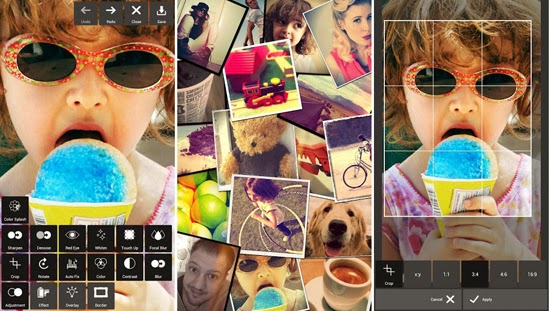
    Pixlr Express is an all-round photo editor & one of the best photo editing app for iPhone. It has facilities that ensure resizing, cropping and basic cleanup. Other specialized tools providing additional enhancements to your photos include one-touch cleanups, Autofix, teeth whitening and red-eye removal. Striking improvements are ensured by lighting effects and overlays in addition to colour adjustment and other tools that are done with fine-grained control.
    Repix

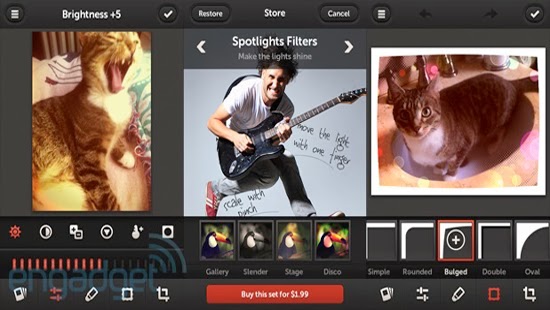
    If you are looking for artistic and classical images, this is the right photo editor app for your iPhone. Salient features include adjustment tools and frames including fast and rough image filters. Custom effect brushes are at your fingertips to selectively paint on special effects. Repix is compatible with Samsung’s S-Pen that provides brushes, frames, filters in addition to other tools that are available as in-app purchases.
    Adobe Photoshop Touch

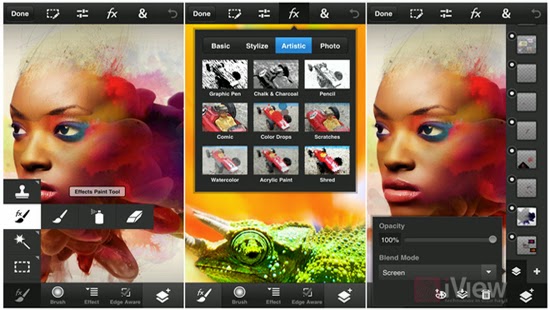
    This photo editing app incorporates some desktop functions that are employed with the larger app. These include filters, adjustments, selection tools and layers. During editing, there is no loss of detail because there is no downscaling while editing up to 12 megapixels when working on high-resolution photos. Despite being slightly advanced for the novice, this is a powerful editor that makes an exceptional choice.
    Adobe Photoshop Express

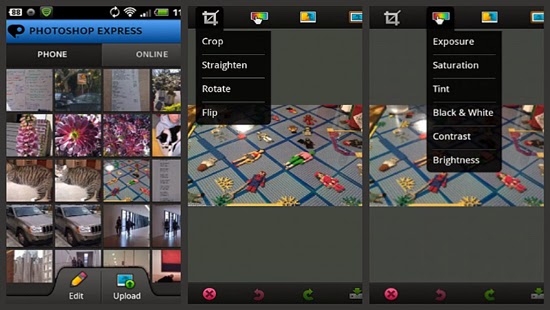
    For those in need of a basic photo editing app, Adobe Photoshop Express is the right tool. Its properties include one-touch filters and Auto-fix for quick edits including slider controls for image enhancements such as shadows, exposure and contrast. In-app purchases allow for the incorporation of additional features like image utilities, special features and advanced filters. The basic package is mostly sufficient for simple editing manoeuvres that include cropping, resizing and red-eye correction.
    Snapseed Mobile

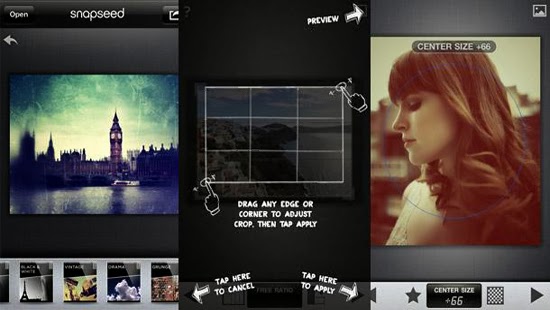
    Snapseed mobile provides more selective tools with one-touch enhancement through exceptional usability and power. Essential attributes allow you to fine-tune the image using a simple slider as well as quick boosts to colour and contrast including photo clean ups with Auto Correct. Other features provided are ‘Selective Adjust’ mode enabling you to tune concentrated portions of the image using saturation edits, colour and brightness in addition to the Tune Image tool that allows you to alter a variety of image effects like warmth, shadows and brightness. Tilt-shift provides a wide selection of tools and filters as well.
    iPhoto

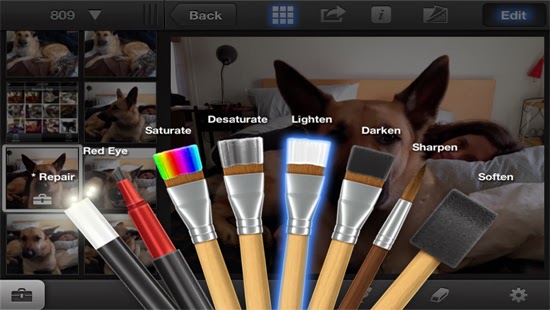
    iPhoto is a high-end photo editing app for iOS featuring smart organizational tools that enable you to tag and sort out your photos as well as touch-based tools for adding special effects and cleaning up photos. Brush-based editing tools give you the leeway to use your fingertip in sharpening, darkening or lightening images. You can selectively edit pictures by employing gesture-based and multi-touch tools. Users can order custom photo prints or photo books while you can share photos online as slideshows or web journals.
    We believe the list above features best photo editing app for iPhone, we hope this article can help you choose the right app , as always we’d love to hear your comments, suggestions…
  • Google Photo Backup Software – A “Must” for Google+ Users

    Google Photo Backup Software – A “Must” for Google+ Users

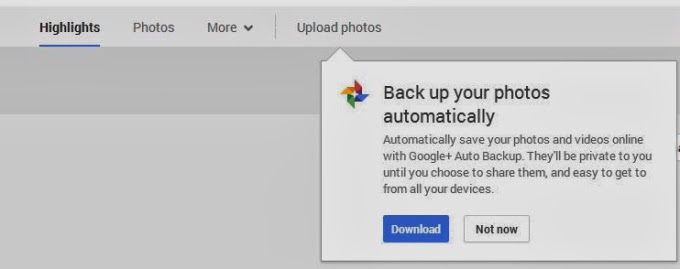
    Google has begun pushing its “Auto Backup” photo archival software to Mac and Windows users via the company’s social networking platform, Google+. The promotion is new, we’ve confirmed, though the software itself was first launched back in December.

    At that time, Google began offering the desktop utility as a part of its older Picasa photo-sharing platform, which confusingly (and oddly) somehow still has its own domain, despite the fact that Google has been integrating Google+ into everything it owns, from search to Gmail to YouTube. When the version of Picasa for Mac and Windows launched at the end of last year, a separate tool called “Auto Backup” appeared. This app runs in the background, similar to something like Google Drive or Google Music, in order to upload all your photos to Google+, including those from SD cards.

    Now some users are noticing that a link to the same software is appearing on Google+, when they click into the “Photos” section of the social networking website.

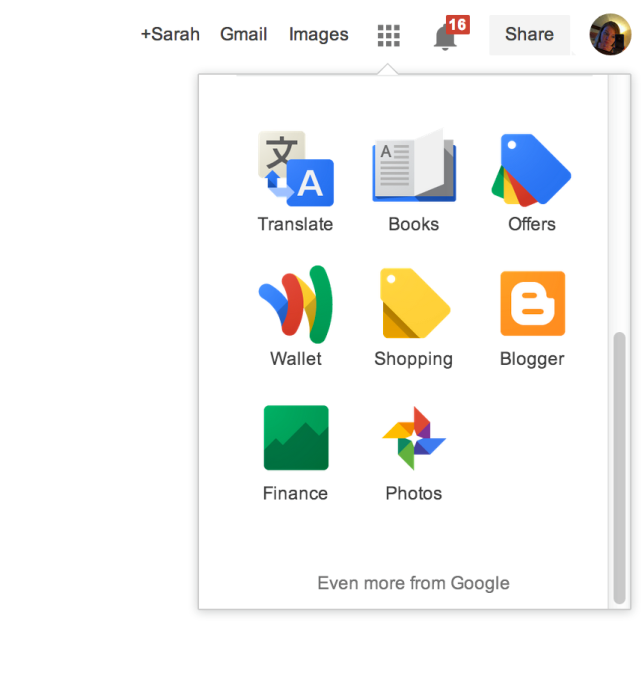
    The prompt appears underneath the “Upload Photos” button from the Google+ Photos top-level navigation. Here, a dialog box explains that the software will automatically save your photos and videos to Google+, where they’ll be marked private unless you choose to share them. You can also access Google+ Photos to then see this prompt if you’re a Chrome user who clicks through on the “Photos” icon from the app launcher (the top-right square grid-like button).

    After you download the utility, or dismiss the prompt in another way, it may be difficult to get the message to reappear, I’ve found. There doesn’t seem to be a website or section on Google+ where users can find links to directly download this software for themselves. For instance, the Google+ Photos “Take a Tour” page points to the “Auto Backup” app (which is actually just the Google+ app) on Google Play and the iTunes App Store, but links to “Auto Backup” for Mac and Windows are nowhere to be found.

    For what it’s worth, if you do decide to take advantage of the utility, be aware that it will not respect the folder structure you may have in place on your computer. That is, it will take the photos from all the albums you point it to and place them in one album on Google+ where you could then choose to share or organize them as you like.

    What the software’s appearance means in terms of Google’s larger plans to shutter the Picasa brand and domain remains to be seen, of course. For whatever reason, Google continues to develop and update its Picasa desktop software, despite its competition with Google+ in terms of feature set (photo editing, organization, etc.) and mindshare.

    This post was first seen on Techcrunch. Images are as seen on the post page.

  • Twitter Introduce Photo Editing Tool and Trending Events to its Mobile

    Twitter Introduce Photo Editing Tool and Trending Events to its Mobile

    The future of internet and social networking is looking brighter as Twitter joins Google+ in photo editing technology.

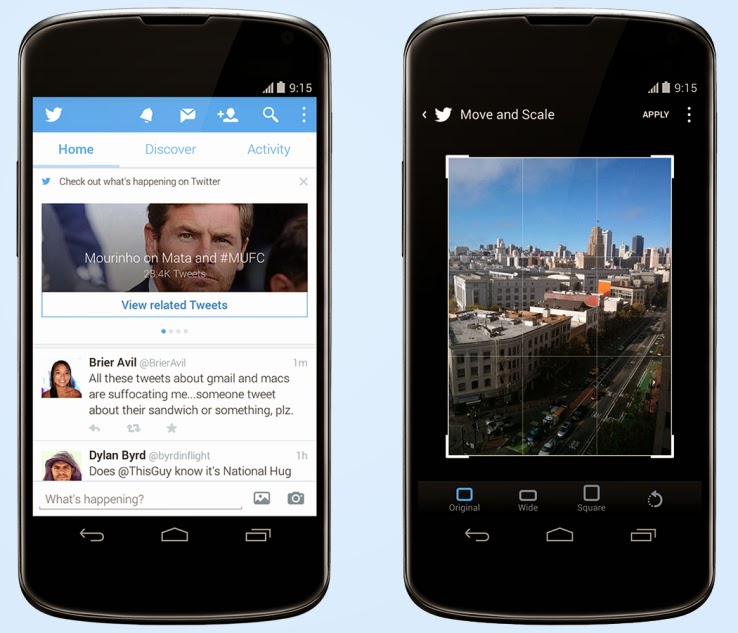
    A post on Techcrunch has reported that Twitter has just released an update to its Android client (coming soon to iOS) that brings new photo editing tools to the service, which are likely meant to make it easier to share photos direct and keep people out of competitive apps like Instagram. The second change adds a significant element of event discovery and real-time trend monitoring to user timelines.
    The event surfacing is the more interesting element, since it marks a considerable attempt by Twitter to meddle with the straightforward chronological nature of that part of its service (besides promoted content). In case a user doesn’t have any new tweets to load when you manually update it, it now brings up recommended posts from people you don’t follow, as well as trending topics and suggestions about new people to follow. In the U.S. only, it surfaces event updates for things unfolding on TV, in sports and on the news.

    Each content update features a link to click through for more tweets centered on that conversation. It’s an extension of some of the other work Twitter has been doing around surfacing events and breaking news, including the Eventparrot experiment and a feature that was tested back in August to highlight nearby events via proximity-based alerts.

    A couple of things to flag about this change: It only happens when there’s no other new content for a user to view, and when they express a desire for more content, which is very clever; and it represents a way for Twitter to secure its place as the source of live, real-time information about things unfolding on the ground, a reputation that Facebook clearly covets.

    Others are already capitalizing on Twitter’s ability to identify and follow events as they unfold, including Banjo, but Twitter adding this as a native feature in its mobile clients could change the nature of the service at a basic level. Should it roll out globally, and expand its scope, mobile users could be using Twitter a lot more for things like local discovery than they had been previously.

  • Freak Your Friends Out With Android Face Changer

    Freak Your Friends Out With Android Face Changer

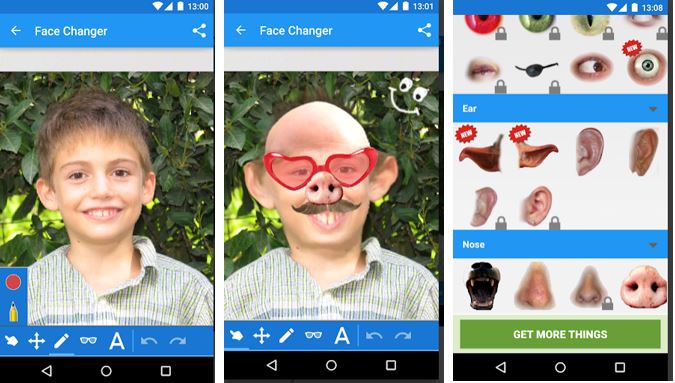
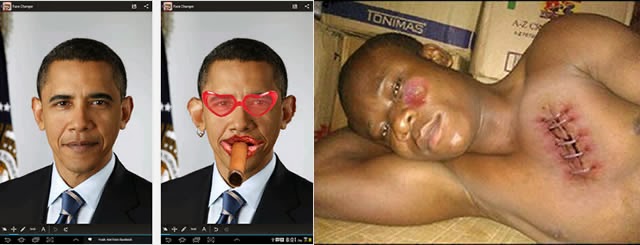
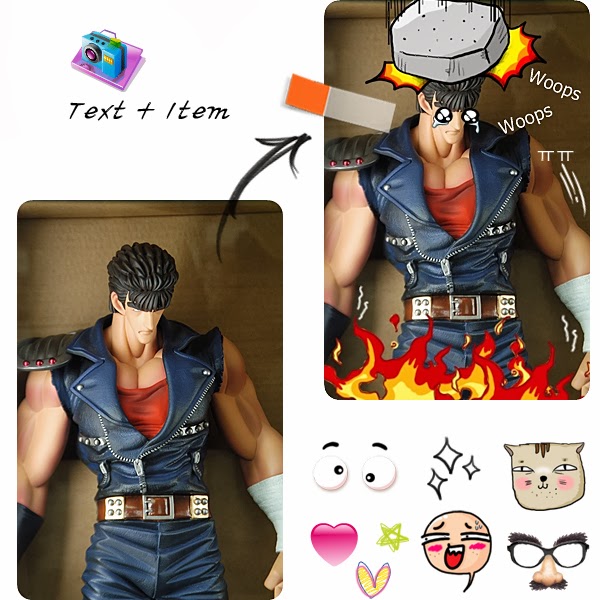
    Recently, a friend tagged me in picture where he was brutally injured. “What happened?” was my first question as I wondered what might have inflicted such injury and bruises on him. The answer didn’t wait for too long: He honestly told me it was a costume he made with Face Changer on his Android device.

    It doesn’t matter whether you forgot to apply the necessary make-ups before taking a photo, this app will help you apply make-ups or add items you never had to your photos.

    Publisher Description

    CNET: If you are searching for a great time killer and funny photo app, this one is for you. This app promises many laughs as you twist and edit your friends’ faces.   Face changer lets you easily change faces in photos. Use it to change your face, friends or change face in any image you find on the internet. It’s easy to create funny pictures and caricatures, and easy to share them.

    File Info

    – Release Date: October 24, 2013
    – Size: 6 MB
    – Version: 5.8
    – App Requirement: Android 2.2 and up
    – Age Rating: 13+

    For information on how to use Android Face Changer on PC or Mac click here, otherwise, click on the download button below to initiate your download.DOWNLOAD ANDROID FACE CHANGER

  • Google+ Image Enhancement Tool: How to Edit your Photos on Google+

    Google+ Image Enhancement Tool: How to Edit your Photos on Google+

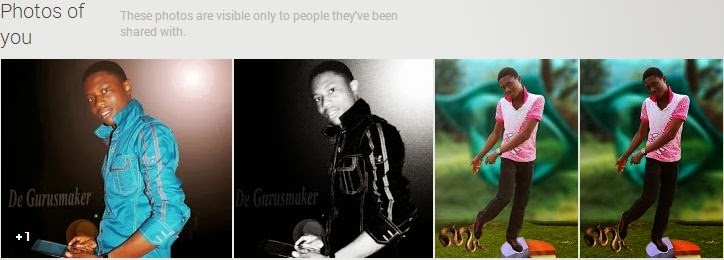
    Some of us here have been enjoying the photo editing feature on Google+ since its introduction in November, 2013 but I believe a great number of you are yet to know about this feature and how to use it.

    As one of it’s techniques to land you on Google+, Google has integrated an amazing photo editing tool into Google+. Though a number of you has sworn enmity with Google+ but in this case, hatred doesn’t matter: This tool will make you use Google+.

    Google+ photo editing tool allows its users to crop, enhance or customize photos they have uploaded through their Google+ account, Blogger platform, Android OS or any of Google’s services that involves photos. Google+ creates an automatic album for all the photos you shared on various Google platforms. Any changes you apply on a photo will reflect on it regardless of where it’s being used or was uploaded.

    To edit a photo

    • Login to your Google+ account.
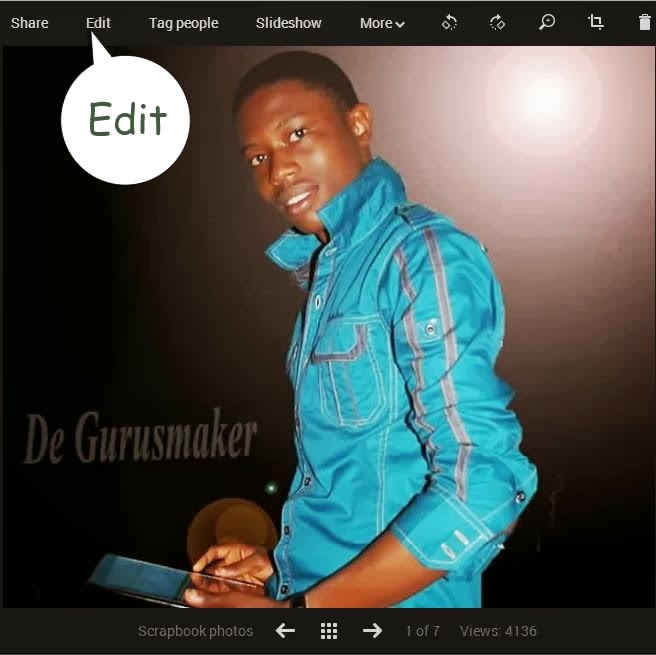
    • Goto your photos page.
    • Click on the photo you want to edit
    • This will open a light-box, click on edit inside the light-box.
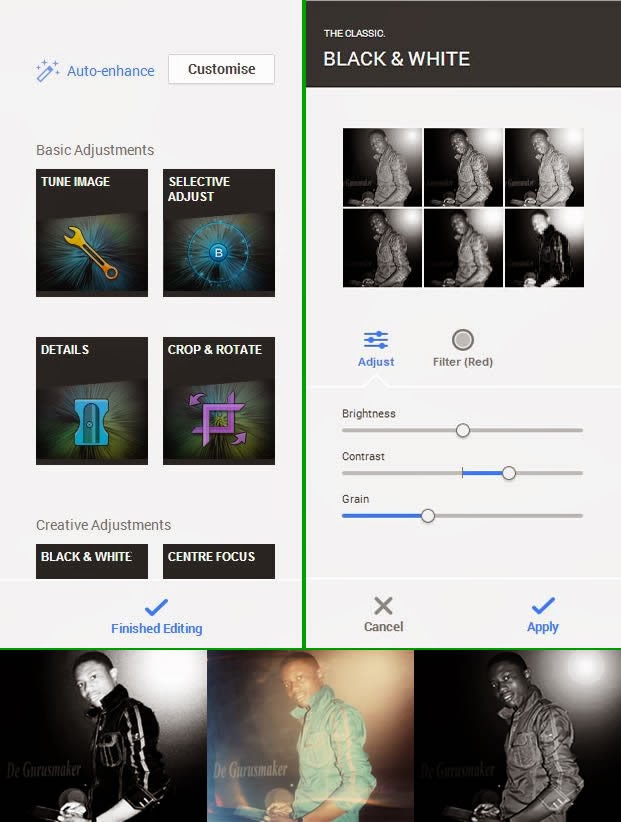
    • Clicking edit will bring photo editing tools to the right hand-side of the screen. For the first timers, I would advice you play around with the tool until you are able to master it’s functions.
    • When you are done editing, hit the finished editing link to apply your changes.
  • Panasonic Set a New Pace for Film Shooting with HC-MDH2

    Panasonic Set a New Pace for Film Shooting with HC-MDH2

    Remember when television was the exclusive preserve of  a select  few?  When no one really cared about  picture quality, but those who has  access   to    movies on television were simply thankful to behold the wonders of motion  picture? Well, those days are gone now.

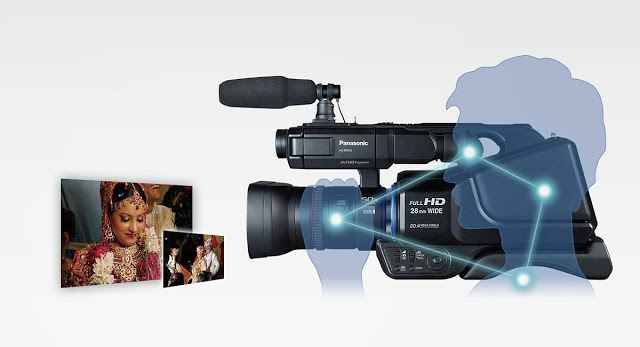
    The average person now cares  as  much for the quality of a video as he does for the quality of a movie plot. Panasonic knows that. That’s why it recently  introduced its latest camcorder product to widen the gap in film shooting and photography with the pro-style shoulder mounted HD camcorder HC-MDH2. The camcorder is equipped with the “Simultaneous Recording” function, the camcorder allows recording on dual memory devices simultaneously.

    Panasonic’s new HC-MDH2 with greater advanced shooting performance, design and operability enables photographers to shoot still Photo’s at 20 Megapixel resolution and videos in Full High Definition or in Standard Definition format. The direct manual control Of   focus, Zoom, Iris, White Balance and Shutter Speed, via the manual ring, are incorporated based on user needs to have control over varying shooting conditions. “Simultaneous Recording” in Dual Memory Devices for Added Dependability:

    With the Simultaneous recording function, a captured video can be recorded in dual memory devices at the same time, which means that even if a problem happens in one device while shooting, the video images are always backed up in the other device. This ensures high dependability. Relay Recording is also supported, making the camcorders effective for extended recordings.

    Automatically correcting the tilting of captured images to make them horizontally level for ease of viewing -The tilting angle to the horizontal plane is automatically detected and corrected while the camcorder is stationary.

    This article first appeared at our neighbor’s site: Vanguardngr.
  • Introducing PhotoScape: Image Editing Software (Download)

    Introducing PhotoScape: Image Editing Software (Download)

    The Image Editing becomes the trend in digital photography and image editing software have helped a lot either in increasing the resolution or to give many amazing effects to the photographs. The latest technology digital photography becomes most popular due to the high quality of image, a soft-copy of result after just make of click, easy to use for a common man and the ability to convert an image in the amazing effects quickly and boundless. There are hundreds of image editing software applications are available in market like Adobe Photoshop, GIMP, Picasa and many others, even you can convert you image On-Line, there are many Online Photo Editing Tools available. Last days we write about the Top 10 Free Adobe Photoshop Alternatives, today writing the review about the one of the best alternative for Adobe Photoshop, The PhotoScape.

    PhotoScape is a free graphics editing program, developed by MOOII Tech, from Korea. PhotoScape is built up with the concept of easy to edit and make ultimate fun with your images. It’s Light, Fast and a Powerful image editing program which is packed with the features as follows:-

    • Photo Viewer: Browse and organize your photos
    • Photo Editor: Enhance and balance color, Re-size, add effects and clip-arts.
    • Photo Batch-Editor: Process multiple photos at same time, rename multiple photos at same time.
    • Page Creator: Joins multiple photos into poster-like single page or into one final photo.
    • GIF Animation: You can make multiple images into GIF-animated image.
    • Screen Capture: You can save monitor screen into an image file or we can the print-screen is here.
    • Color Picker: You can choose and pick color from  screen pixel as font color, design or erase.
    • RAW Convert: It can also convert RAW format picture into JPEG format.
    • Face Finder: Find similar faces automatically through internet.
    • Featured Printer: Print photos for particular occasions, such as Passport photo, or lined page such as graph, calendar or music paper.

    Means a complete set even if you are a professional image editor. It also offers to make your image much better with some other options like brightness/color/white-balance adjustment, back-light correction, frames, balloons, text, drawing pictures, cropping, filters, red-eye removal and blooming. It has been used for two years and is expanding its features continuously. Its latest version supports 34 languages: English, Korean, Chinese, Traditional Chinese, German, Dutch, Spanish (Spain), Spanish (Mexico, Latin America), French, Japanese, Russian, Polish, Italian, Portuguese, Portuguese (Brazil), Portuguese (Colombian), Thai, Hungarian, Turkish, Catalan, Slovak, Czech, Norwegian, Bulgarian, Ukrainian, Swedish, Estonian, Danish, Romanian, Hebrew, Galician, Finnish, Indonesian and Arabic.Click Here to Download PhotoScape