Tag: dongle

  • Dell’s $129 Dongle Puts Android On Any Screen With HDMI Input

    Dell’s $129 Dongle Puts Android On Any Screen With HDMI Input

    Techcrunch – Dell continues making bets on Android in its computing lineup with a new $129 device that brings Google’s mobile OS to any TV or display with HDMI input. The new stick runs Android Jelly Bean, also supports MHL connections (mobile high-def) and offers Bluetooth and mini USB for mouse, keyboard and other device connectivity.
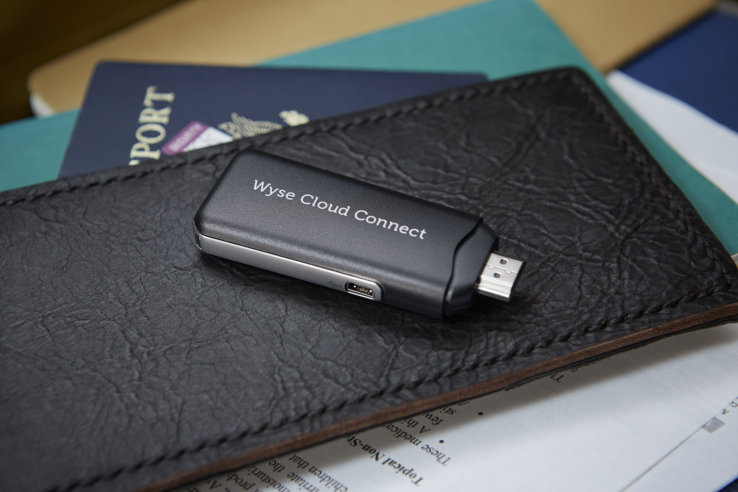
    In addition to onboard connectivity for Bluetooth, the new Dell Wyse Cloud Connect also offers 802.11n dual-band Wi-Fi and the standard Google Play store for Android software. It’s an enterprise and business focused device, however, and also has Dell’s Wyse PocketCloud software preloaded to help it act as a virtual terminal for remote computers.
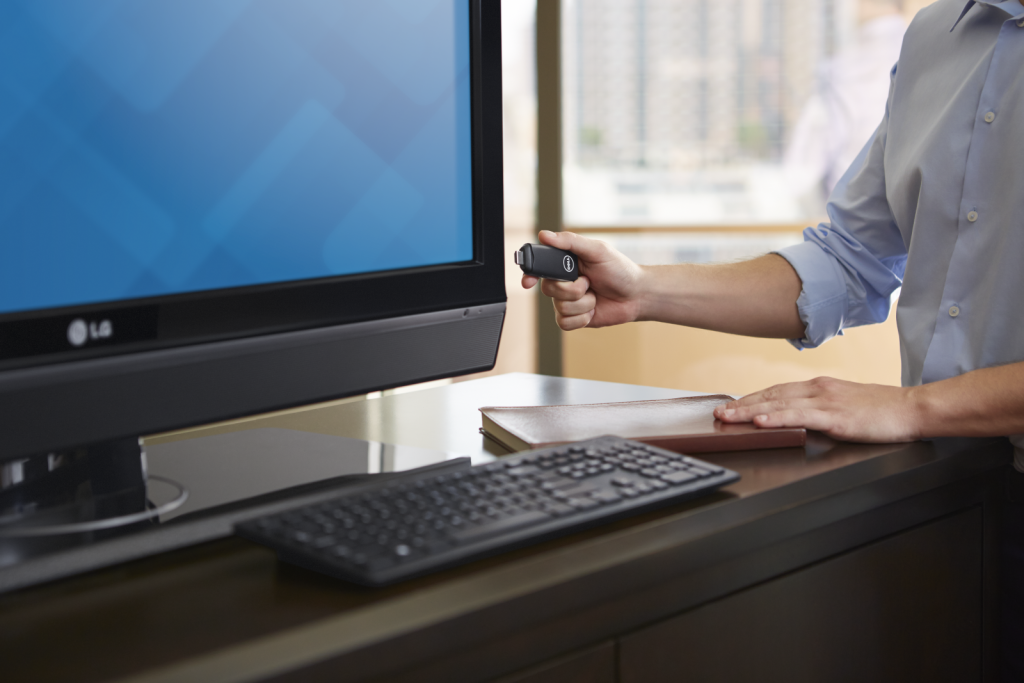
    This is, in effect, supposed to be the long-vaunted and sought-after thin client PC you can carry with you in your pocket that still manages to provide access to all your files, software and communications back home. Of course, that doesn’t mean it can’t also provide entertainment options to business travellers, since it’s capable of full HD output and should be able to easily run Netflix’s Android app.

    That “multi-core” Cortext-A9 ARM SoC might not be the most muscular mobile processor in the world, but Dell does specifically tout its HD and 3D graphics abilities in its specs sheet. It has 8GB of onboard storage, and 1GB of RAM, plus a micro SD slot that supports up to 72GB of additional space.
    Based solely on surface impressions, you could do far worse in a pocket computer for those gruelling weeks on the road if you’re a frequent business traveler. It’s interesting to see Dell move in this direction, effectively taking a page out of the playbook of devices like the Ouya and the Gamestick but cutting out all the nonsense and painting it with a business brush.

    Weirdly, more than anything else over the past half decade at least, this makes me want a Dell computer. Go figure.
  • How to Unlock Huawei E303, E173 Modems: MTN, Airtel, Etisalat & Glo Included

    How to Unlock Huawei E303, E173 Modems: MTN, Airtel, Etisalat & Glo Included

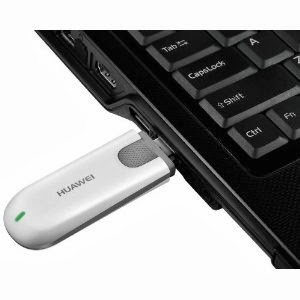
    The recent series of internet modem dominant in West Africa and South Asia is the Huawei E303 Data Card. The data card has quickly being adopted by network service providers in those countries due to it’s high speed HSDPA/3G internet features.

    Taking a closer look at your brand new data card will reveal that the IMEI is somewhat similar 86************ which contrasts with the 35*********** IMEI found on the older internet modems. This contrast is the major reason why you cannot calculate your unlock code using Universal MasterCode Calculator, old DC-Unlocker or any of the code unlocker you have used in the past.

    In this tutorial I will walk you through the steps on how to unlock any of the recent internet modem, including MTN NG, Airtel NG, Huawei E303 Glo Bolt, Airtel E173 and Etisalat internet modem using DC-Unlocker. Huawei E303 Glo Bolt Internet Modem can be unlocked for free using this method.

    Things you will Need

    To begin the process of your modem unlocking, you will need the following items:
    • A working PC of course, with internet facility.
    • DC-Unlocker Client Version 1.00.1084 or later – Download now.
    • An account on  DC-Unclocker with at  least 4 credits.
    After you have downloaded DC-Unlocker on your computer. You need to buy unlocking credits from their website. However, before purchasing unlocking credits, you need to confirm the number of credits required to unlock each modem.Unlocking E303 data cards should cost you 4 credits, but in the case of other models, you can check here to confirm the amount of credit needed to unlock them.

    Unlocking Huawei E303 Data Cards

    If everything is set, connect your USB Modem with the supported sim card. Allow the dashboard installation.
    • Disconnect to the internet and plug your USB Modem with a different provider SIM.  And insert your modem to the USB port.
    • After some seconds, you should see a popup window requesting for the unlock code. Click the Cancel Button and exit the modem dashboard.
    • Locate and install dc-unlocker_client-1.00.1084.exe on your computer. Next, find the icon on your desktop and run as administrator.
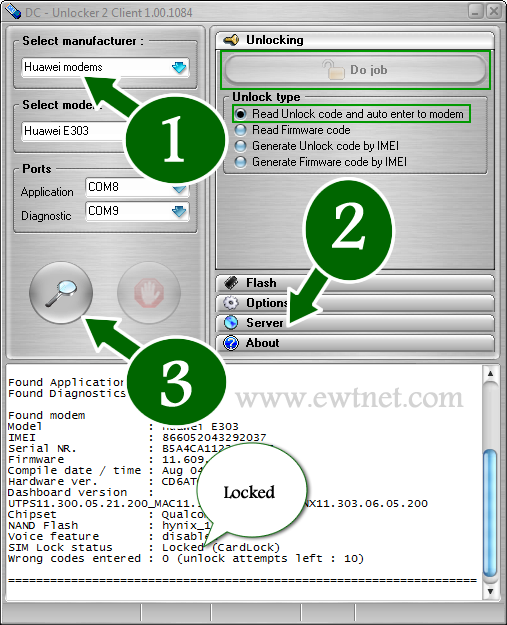
    • Choose what “manufacturer” that your modem is. i.e. Huawei Modems
    • Click the magnifying glass, and it will search for plugged USB modems.
    • Once the modem is detected, Click on Server and enter your account details.
    • Go to Unlocking menu, and click on Do Job.
    • Wait till the unlocker program says that, unlock is successfully done.
    Of course, you can use this method to unlock ZTE modems, all Etisalat, Glo, Airtel and MTN modems, just follow similar steps to the ones above.

    Payment Worries for Nigerians

    The payment processors available in DC-Unlocker’s are currently not supported in Nigeria and most countries. However, the company has dealers in over 50 different countries worldwide. The official dealer in Nigeria is Gurutech and charges N2,500 for DC-Unlocker credits.
    If you have no intention of going through the so many long process involved in modem unlocking, or you cannot afford the N2,500 price tag from the Nigerian dealer. You can sit back and lets do the job for you. Click here for more details.
  • How to Unlock Huawei E303 Glo Bolt Internet Modem for Free

    How to Unlock Huawei E303 Glo Bolt Internet Modem for Free

    Before now, the Huawei E303 Glo Bolt Internet Modem has been an ugly nightmare for Nigerian geeks. I happened to be a victim of this nightmare, but somehow, I found an escape route. You might have wondered why Glo Bolt Modem cannot be unlocked using code unlockers or the Huawei E303 unclocking I tips posted earlier. The reason is because Glo Bolt modems has been blocked by either its manufactures or Glo themselves. When a user enters a wrong unlock code in a particular modem over ten times, the modem is blocked and can no longer accept SIM cards outside the one it was branded for, this is the exact state of Glo Bolt modems.

    At some point, the possibility of unblocking or re-branding the Glo Bolt modem looks hopeless, but thanks to our team’s curiosity, we now have a solution to Unblock Huawei E303 Glo Bolt Internet Modem using firmware updater. It is free and easy to follow steps.

    Requirements to Unlock Huawei E303 Glo Bolt Modem

    • A PC with internet access (preferably not from a modem).
    • Universal Master Code Calculator – Download Now
    • HUAWEI E303 Firmware Update – Download Now
    • Uninterrupted power supply (Your devices cannot be interrupted throughout the process). If you are using a laptop, it is recommend you charge your battery to the brim.

    Unblocking your Huawei E303 Glo Bolt Modem

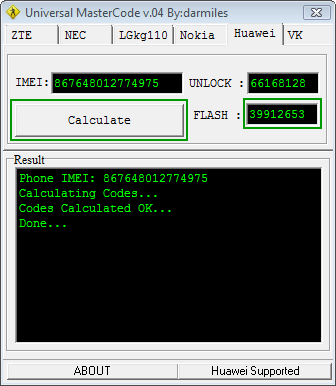
    Run the Universal Master Code Calculator you have downloaded earlier. Put your IMlEI and hit the Calculate button. Copy the Flash code into somewhere save. We will use it as a password at some point in this tutorial.

    Universal MasterCode Tool
    Universal MasterCode Tool

    Next, extract the contents of the HUAWEI E303 Firmware Update into a folder. Make sure the modem is connected and it has been installed with the SIM card inside it. Now exit the dashboard tray if it’s open and run E303SUpdate_21.157.31.00.850.B757.exe, put the Flash code you got earlier from the Universal Master Code Calculator when it prompt for password.

    In less than 3 mins, you will have a brand new modem at your disposal 🙂 Just insert any SIM and enjoy permanent freedom. You can also download a new modem dashboard here.