Tag: iphone

  • The Best Mobile Gaming Devices of 2025

    The Best Mobile Gaming Devices of 2025

    As individuals with a love for playing games on mobile devices, we often face challenges that usually decrease the love of doing what we love. Mobile gaming has soared in popularity, reshaping the entertainment experience worldwide, especially in Africa where its influence is profound and keeps expanding on a daily. With the industry’s rapid evolution, selecting the right device is important for your casual or competitive activities. 

    This article reviews the top mobile gaming devices of 2025 using criteria like performance, display, and user comfort.

    Handheld Wars 2025: Asus ROG Ally vs. AYN Odin 2

    Asus ROG Ally

    mobile gaming devices

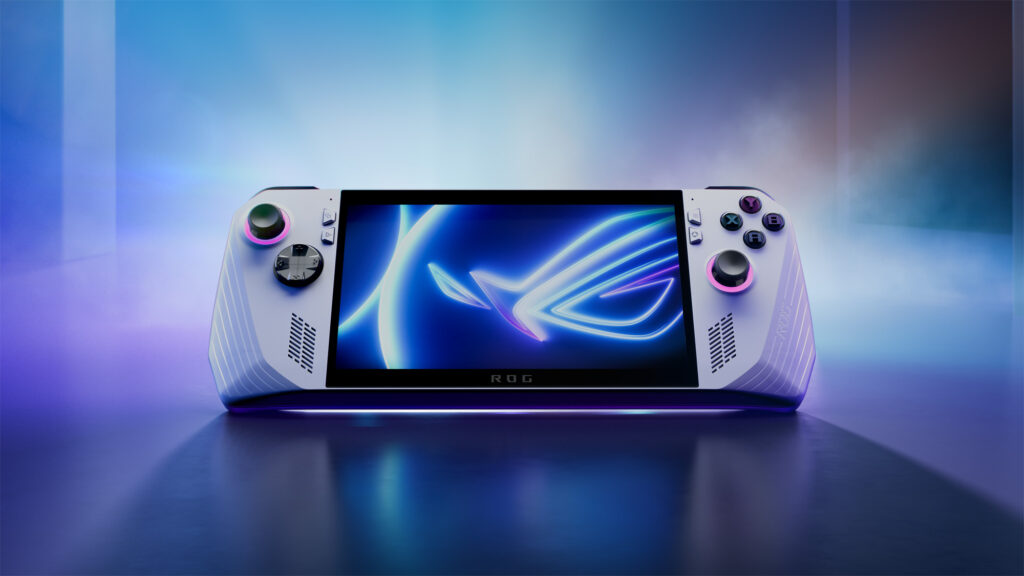
    This is at the pinnacle of gaming devices due to its reliability and power within the mobile space. The Asus ROG Ally stands out with its AMD Ryzen Z1 Extreme chip, offering incredible processing power. Its 7-inch screen is slick and crisp, perfect for gaming enthusiasts who demand top-tier visuals with the ability to play pc game passes and ease of playing games from other stores. The battery life reviewed here, exceeding many competitors, ensures prolonged gaming sessions on PUBG Mobile and Call of Duty Mobile without charging.

    PROSCONS
    Storage(1-TB SSD)Very comfortable for usersCan run most Windows apps or gamesMarginally Expensive (1 Million Naira and above)Low battery lifeThe design might make some Windows apps look strange

    AYN Odin 2

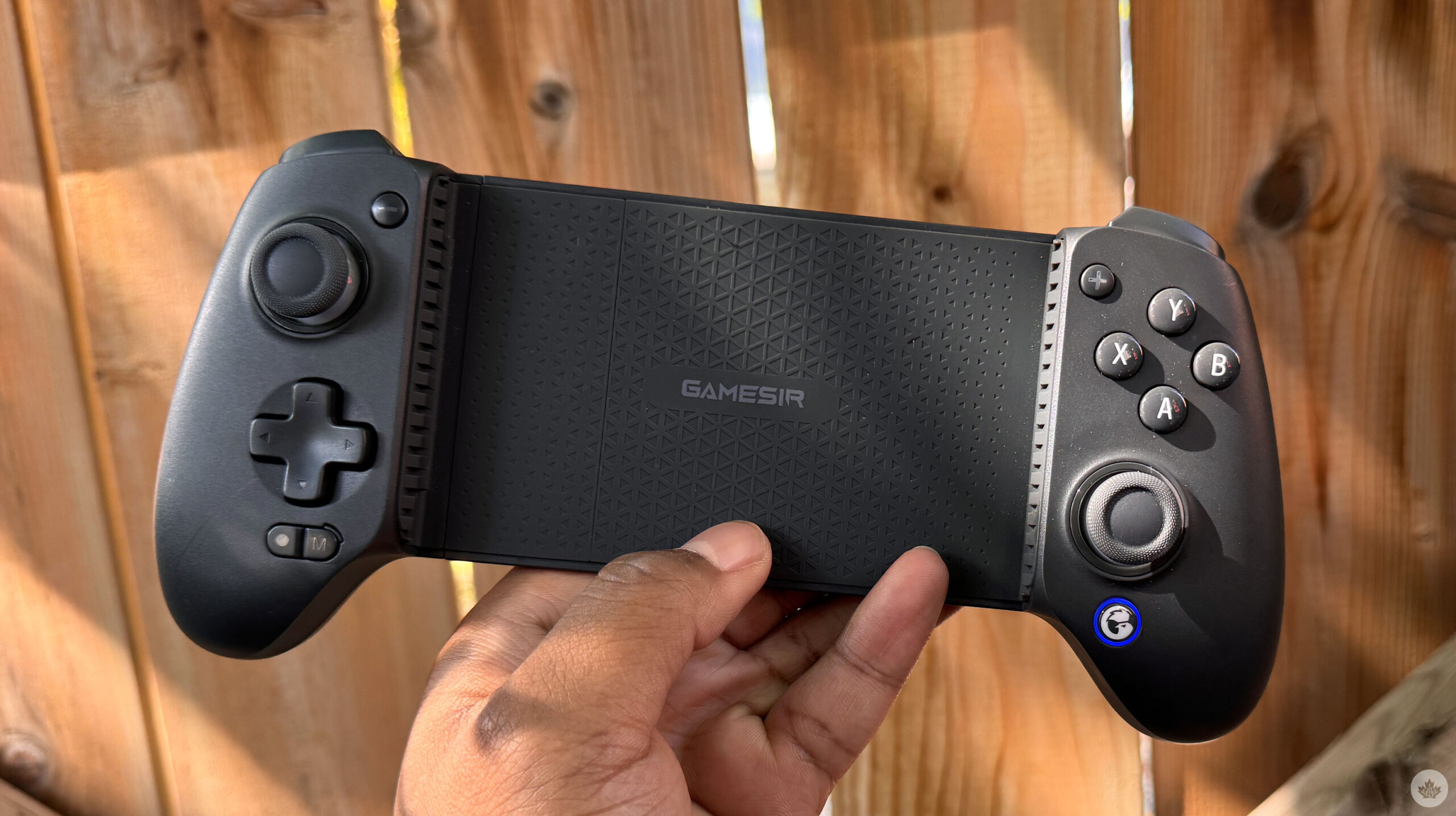
    This device is a prime choice for retro gaming fans. The AYN Odin 2 delivers exceptional performance and stands out with its targeted features for classic game lovers, ensuring a smooth and nostalgic gaming experience.
    PROSCONS
    Strong battery life and storage(1Terrabite)PWD (Snapdragon 8 Gen 2 Chipset)The design is compact and ergonomicLess expensive (Below 1 Million Naira)128GB/256GB/512GB

    Mobile Wars: iPhone 15 Pro vs. Samsung Galaxy

    iPhone

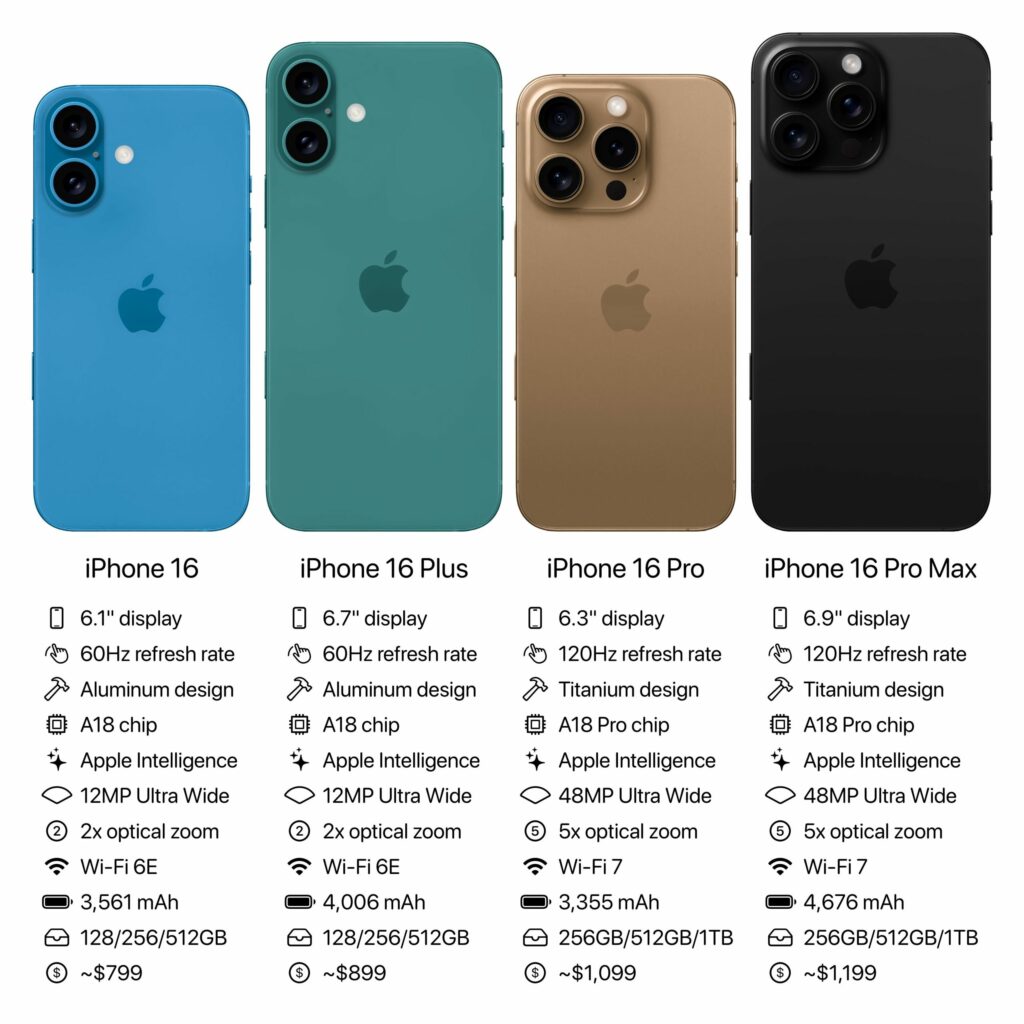
    Apple’s iPhone series continues evolving within the mobile space with the 15 Pro and 16 Pro. Both models offer seamless gaming experiences, however, the 16 Pro actualises more gaming experience through enhanced graphics and faster processors. Their compatibility with the latest mobile games adds to their unparalleled versatility and appeal. You may want to visit here to get more information on their gaming compatibility.

    PROSCONS
    PWD (A17/18 Pro Chipset)Storage(256GB-1TB)Mildly comfortable for usersThe camera is decent (48MP)Expensive (1.5 Million Naira and above)Decent battery life (3,582 mPh)3D Graphics is decent (4144 pts) compared to its rival

    Samsung Galaxy S24 Ultra

    Samsung’s resurgence in mobile gaming is palpable. The Galaxy series combines impressive gaming capabilities with high-resolution displays, catering to avid gamers. Samsung’s focus on improving graphic deliveries and user experience sets it apart in a competitive market.

    PROSCONS
    PROSPWD (Snapdragon 8 Gen 3 Chipset)3D Graphics is higher (4444 pts) compared to its rivalDecent battery life(5,000 mPh)Storage(256GB- 1TB)Very Expensive (2 Million Naira and above)Too big and quite heavy

    Nubia Redmagic 9S Pro

    The Nubia RedMagic 9s Pro captures gamers’ attention with its combination of portability and display quality. It is the perfect mobile phone specifically made just for gaming, known for exclusive game titles like Call of Duty, Need for Speed, Wuthering Waves or Simpsons (as an idle game). 

    Also, it is a phone that boasts a screen that’s not just for play but for a visual feast. Its compact design, as explained here makes it an ideal companion for gamers on the move. However, the RedMagic 10 Pro and RedMagic 10 Pro+ are now available for pre-order in China as sales begin on the 18th of November 2024.

    PROSCONS
    Battery life (6500 mAh)Storage(256GB-1Terrabite)PWD (Snapdragon 8 LV Chipset)3D Graphics is higher (5381 pts) compared to SamsungThe camera is decent (50MP)Marginally expensive(Above 1 Million Naira)

    Key Features to Consider When Choosing a Mobile Gaming Device

    • Performance and Speed: Processing speed and RAM are critical in ensuring a remarkable gaming experience. Devices with advanced chips like the Snapdragon 8 will aid sufficient RAM to handle high-intensity games and graphics seamlessly, utmostly reducing lag.
    • Display Quality: An immersive gaming experience often relies on display quality. High screen resolution and adequate size are essential for clear graphics and engaging play. A graphical display above 4k will help aid a gaming mood without being in a gaming atmosphere. Devices with superior display capabilities ensure that visuals are rich and detailed.
    • Battery Life: Battery efficiency is a significant thing to look out for especially when looking for a gaming machine. It can make or break the gaming experience, especially during long commutes, esports tournaments or trips. Devices with advanced battery technology like the Redmagic might offer more extended playtime without frequent interruptions for charging.
    • Game Library and Compatibility: Access to a broad game library enhances the overall experience. Devices that support a wide range of storage spaces close to 1TB will always allow gamers to explore various genres and keep the excitement alive.
    • Ergonomics and Design: There is an old saying: “Comfort is key during prolonged gaming sessions.” Ergonomically designed devices like Odin 2 will help reduce hand strains and enhance the gaming experience. This only proves the significance of design as a crucial consideration when choosing gaming equipment or devices.

    Future Trends in Mobile Gaming Devices

    Integration of Cloud Gaming

    Cloud gaming is set to transform mobile gaming with free-to-play gaming services dominating the industry. Services like Xbox Cloud Gaming and NVIDIA GeForce Now allow you to stream high-quality games directly from your device, which in a way helps lower the demand for powerful hardware and also expand gaming options.

    Augmented Reality (AR) Capabilities

    The integration of AR technology into mobile gaming provides an innovative way to interact with games. This technology overlays digital content on the real world, offering new perspectives and immersive experiences.

    Enhanced Connectivity Features

    With 5G and Wi-Fi 6, mobile gaming is more interconnected than ever. These features ensure stable, high-speed connections, crucial for online multiplayer games and real-time interactions.

    Choosing the right mobile gaming device involves balancing performance, display quality, and user comfort. The devices mentioned represent the pinnacle of mobile gaming in 2024, each providing unique qualities that cater to different aspects for maximum satisfaction. However, these devices might not be budget-friendly for the average gamer, you may want to visit here for a much cheaper budget device as a gamer. 

    Finally, on a personal note, if you have the financial strength for any of the above, you might want to consider the Nubia Redmagic 9S Pro for your next gaming investment to match your passion. Additionally, if you’re an esports startup or a business owner aiming to enter the gaming market in Nigeria and need assistance with market analysis and data collection, you can find more information here.

  • iPhone 15, New Apple Products to Expect at Apple Event 2023

    iPhone 15, New Apple Products to Expect at Apple Event 2023

    As we near September 12, Apple lovers worldwide eagerly anticipate the unveiling of the next iPhone 15 and Apple Watch. What is Apple’s release in September 2023? The online rumor mills have been speculating about the launch at the Apple event in 2023. Some suggest a typical round of annual upgrades, while others hint at a potentially upgraded, extremely large model, the Ultra. We’ll delve into all we can expect from this year’s upcoming Apple event. But first, what was released at the Apple event in 2022?

    At the Apple Event 2022, the new iPhone 14 and iPhone 14 Plus devices were unveiled. Along with rebuilt AirPods Pro, three all-new lineups of Apple Watches, and cool updates to the Apple Fitness+, there was the WWDC event in June of the same year where Apple introduced iOS 1 as well as the new MacBook Air, 13-inch MacBook Pro, iPadOS 16, macOS Ventura, and watchOS 9. Then the March event heralded the unveiling of Mac Studio and Studio Display, the new iPad Air, the new iPhone SE, and iPhone 13 and iPhone 13 Pro.

    At WWDC 2023, Apple unveiled; the Apple Vision Pro, the 15-inch MacBook Air, Mac Studio and Mac Pro, the M2 Ultra chip, and new updates to iOS 17, iPadOS 17, macOS Sonoma, watchOS 10, tvOS 17, and AirPods.

    Apple Event 2023 – iPhone 15 Lineup

    Apple Event 2023: iPhone 15, New Apple Products to Expect
    Apple Event 2023: iPhone 15, New Apple Products to Expect

    The focal point of this year’s unveiling will undoubtedly be the iPhone 15 series. Much like its predecessor, the iPhone 14 series, the iPhone 15 series is predicted to comprise four models—iPhone 15, 15 Plus, 15 Pro, and 15 Pro Max. The iPhone 15 (6.1-inch), iPhone 15 Plus (6.7-inch), iPhone 15 Pro (6.1-inch), and iPhone 15 Pro Max (6.7-inch), respectively. We don’t have all the details of the iPhone 15 features, but we do know that the iPhone 15 design will be the coolest thing ever.

    According to some rumors from the tech community and various sources privy to Apple’s product launches, we anticipate all four phones to feature the Dynamic Island, an enhanced 5G modem, and a USB-C port.

    The Dynamic Island, currently integrated into the iPhone 14 Pro and Pro Max, is an interactive notification system. For the entire iPhone 15 series, this hardware will transition from display notches to the Dynamic Island cutout introduced with the 14 Pro series. Apple ingeniously incorporated display pixels and software harmonization to develop Dynamic Island.

    On iPhone 14 Pro models, Dynamic Island offers a gamut of functions, from low battery notifications to validating Apple Pay transactions. From unlocking the Apple Watch to displaying connected AirPods and their battery status,. And even providing privacy alerts when the camera or microphone is in operation.

    Revamped 5G Modem/Universal USB-C Standard

    While Apple is diligently working on its proprietary 5G chip, it seems the development is still in the pipeline. The iPhone 15 models are slated to come with the Qualcomm Snapdragon X70 chip. Which promises augmented speeds, extended coverage, superior signal quality, and heightened energy efficiency. This is an amazing upgrade from the preceding X65 chip present in iPhone 14 models.

    Qualcomm’s announcement of the X75 chip earlier this year, though promising, will take effect before the year ends. Which is slightly lagging behind the iPhone 15’s development timeline. Hence, the speculation that Apple will still use the earlier X70 chips.

    The most substantial transformation across all four models will be the departure from the Lightning connector. Likely influenced by EU regulations favoring USB-C, the iPhone 15 series is set to feature a USB-C port. This transition could impact the global market, heralding a new era of USB-C-compatible accessories.

    The iPhone 15 Pro and 15 Pro Max are poised for a significant overhaul. They will bid farewell to stainless steel, adopting titanium frames for a lighter feel. These models are slated to house the groundbreaking A17 chip, boasting a minuscule 3-nanometer processor. We’re also to expect thinner display bezels. Solid-state volume and power buttons may redefine the Pro models’ tactile experience, distinguishing them from the standard 15 and 15 Plus.

    While there’s been talk of an iPhone 15 Pro Max rebranding to Ultra, it’s wise to take this with a pinch of skepticism. Rumors suggest the potential addition of an action button, similar to the Apple Watch Ultra. Only time will reveal the truth.

    New Chips and OS for the Apple Watch

    The September event will introduce the Apple Watch Series 9, accompanied by an innovative Ultra variant. Foremost among the new updates is the incorporation of faster chips, which Apple claims will upgrade the performance of their new watches. Additionally, we’re to expect a palette of new color options for the watch casing.

    Apple is equally set to publicly unveil watchOS 10, the latest addition to the Apple Watch operating system. Notable features include a widget interface that dynamically displays the most frequently accessed information based on the time of day. Also, the updated OS incorporates novel functionalities for health and fitness tracking.

    Wanderlust: What time is the Apple event in 2023?

    The Wonderlust Apple event’s timing varies depending on location. For those in California, all the action begins at 10 a.m. Those in India will have a late night, with a 10:30 p.m. start. London will witness the event at 6 p.m., while New Yorkers can catch it at 1 p.m. Across many parts of Europe, the event commences at 7 p.m. South Korean and Japanese viewers can join by 2 a.m. In Melbourne, Australia, the event kicks off at 3 a.m., and for those in South Africa, 7 p.m. The venue of the Apple event is Apple’s headquarters, Apple Park, in Cupertino, California.

  • How To Restart an iPhone in 2023

    How To Restart an iPhone in 2023

    Often, if you encounter any technical glitches or issues with any of your devices, one of the go-to and sometimes, effective solution is to reboot. Mobile devices like iPhones lack a direct restart mode compared to their Android counterparts, but we’ve gotten around to simplifying the process of restarting an iPhone for our readers. The piece offers guidance on how to successfully restart an iPhone in the event of any difficulties.

    Restart an iPhone X, XR, XS, XSMAX, 11, 12, 13, 14

    • The first thing to do when restarting an iPhone 14 down to iPhone X, press and hold the Down Volume and Side buttons at the same time. The upper Volume button is functional, but using one can mistakenly take a screenshot.
    • As you press and hold, the power off slider will appear. Release your hold on the Down Volume and side buttons. Then move the slider after releasing the buttons.
    • Once this is done, wait for about 30 seconds for the iPhone to go off. Then press and hold the same side and volume buttons to restart the iPhone.

    iPhone 5, 6, 7, 8, or SE(1st, 2nd, and 3rd Generation)

    How To Restart an iPhone in 2023
    • To restart an iPhone of the above models and generations, first press and hold the Sleep/Wake button. This is the button that turns off the phone and for the iPhone 6 series and later models, the button is on the upper right side. But for the previous iPhone models before the 6 series, the sleep/wake button is on top of the phone.
    • Depending on the model, once the power off slider appears on the screen, release your hold on the Sleep/Wake button. Then move the slider after releasing the buttons
    • Once this is done, wait for about 30 seconds for the iPhone to go off. Then press and hold the same sleep and wake buttons to power the iPhone.
  • Hidden iOS 16 Features You Never Knew You Needed

    Hidden iOS 16 Features You Never Knew You Needed

    Apple’s latest operating system for iPhones has been making waves in the tech world and generally among iPhone users. Since the past 6 months of its release, the upgrade has been well-received by users. While many users appreciate the known advanced iOS 16 features, there remains a vast amount of obscure details and features.

    In this article, we’ll take a look at some of the cool iOS 16 features you can ever imagine existed on your iPhone. Before we dive in and explore these obscure tools that make iOS 16 such an impressive operating system, let’s cover some useful basics.

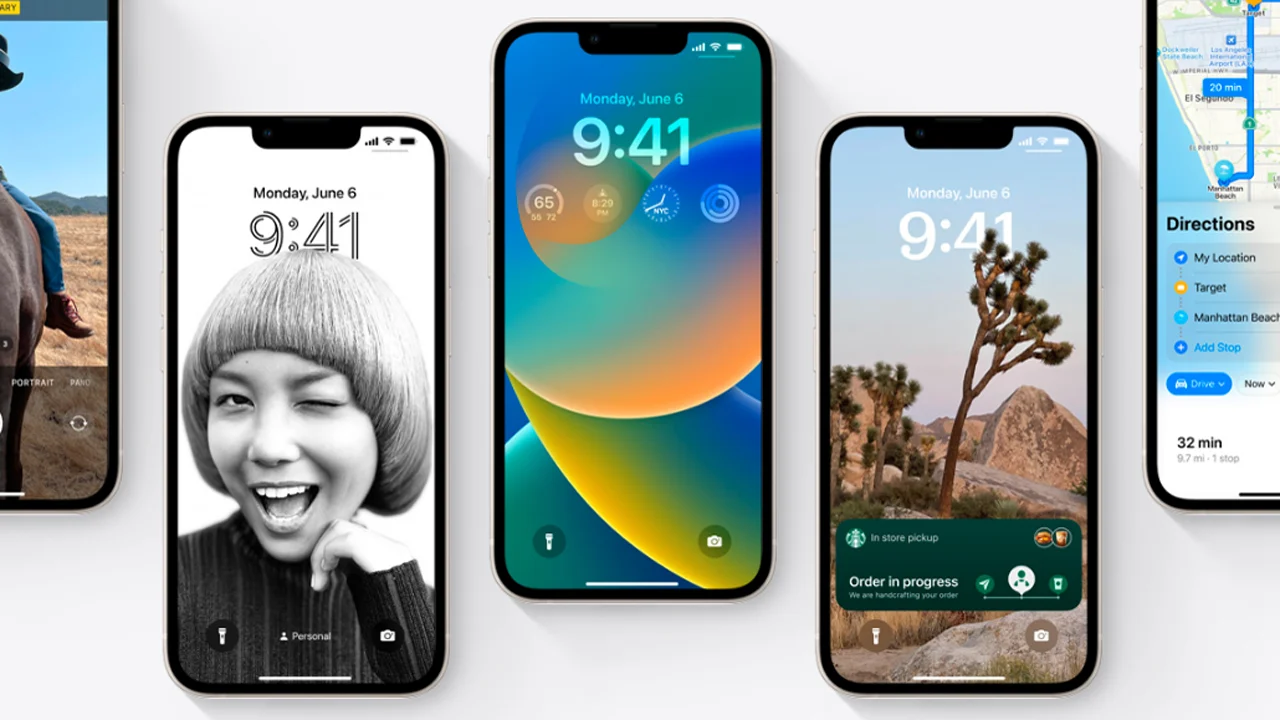
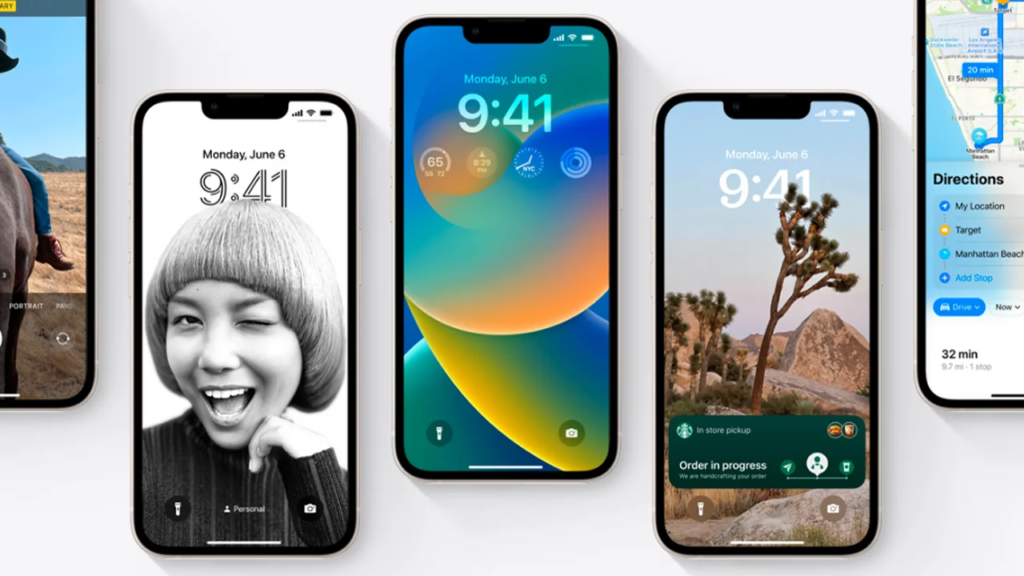
    What are the common iOS 16 features?. Some of the iOS 16 innovative features include custom Lock Screens with widgets, an editing and deleting messages function, enhanced Focus modes, iCloud Shared Photos Library, improved Mail, Home, Wallet, etc. Most of which will unlock your iPhone’s potential and take your internet connectivity to the next level.

    What iPhones Are Compatible With iOS 16?

    Hidden iOS 16 Features You Never Knew You Needed
    Credit: mint.com

    Here are the latest iPhones that are compatible with the newest operating system for iPhones, iOS 16:

    • iPhone 14
    • iPhone 14 Plus
    • iPhone 14 Pro
    • iPhone 14 Pro Max
    • iPhone 13
    • iPhone 13 mini
    • iPhone 13 Pro
    • iPhone 13 Pro Max

    Hidden iOS 16 Features

    Hidden iOS 16 Features You Never Knew You Needed
    Credit: pcmag.com

    Viewing and Sharing Wi-Fi Passwords iOS 16 Features

    Before now, Apple users find it hard to view and share saved Wi-Fi passwords seamlessly. This was because this feature required two Apple devices to be within proximity to function. If placing the two devices together did not automatically function, the password could not be easily retrieved from the settings.

    Additionally, if the password needed to be shared with someone on a different device, such as an Android user or someone using a computer, the password had to be remembered. All that has changed with the advent of the iOS 15 features and this limitation no longer applies.

    To access the Wi-Fi password-sharing feature on iPhones, simply navigate to Settings, select Wi-Fi, and locate the tiny information icon next to the desired network. Then tap on Password, then use Face ID or your passcode to access the password. Once the password is visible, it can be copied to the clipboard and shared with anyone who needs it.

    Delete Duplicate Photos and Videos on iPhone

    If you have cluttered albums with duplicates of the same photos and videos, it can take up unnecessary storage space. Fortunately, with the latest iOS 16 update, you can easily remove duplicates.

    Once you head to the Album section of your Photos, you’ll find a new album labeled Duplicates. Apple will work its magic by scanning your entire photo library and identifying any duplicated items. Then displays all the photos and videos that you’ve saved more than once. Now, you can choose to either wave them goodbye forever by deleting them one by one or use the slick Merge function to keep the best version while trashing the rest.

    End phone calls and FaceTime calls with Siri

    Another unique hidden feature of the Apple iOS 16 is that Siri, the virtual assistant can now hang up a phone call or FaceTime call. A feature that was previously unavailable.

    To enable this feature, navigate to Siri & Search in your device’s Settings and ensure that “Hey Siri” is turned on. After which you proceed to turn on a new option called Call Hang Up. Once enabled it is enabled, simply say “Hey Siri” during a phone call or FaceTime video chat and ask Siri to hang up the call for you, and voilà.

    Pin Tabs in Safari

    With iOS 16, you can now pin your favorite Safari tabs for easier access. When you have many tabs open, Safari limits them to 500, and this can make it quite difficult to locate the specific tab you want.

    However, with the iOS 16 upgrade, you can now press down on an open tab in Safari and select “Pin Tab.” This will move the tab to the top of Safari, where it will appear as a small tab preview that remains there permanently. You can also tap on the tab preview to view the tab again. If you want to unpin the tab, simply press down on it and select “Unpin Tab,” and it will return to the first position in your grid of open tabs.

    Delete Apple’s built-in apps

    Sometimes you just wish to delete some built-in applications on your iPhone but Apple has limitations. With iOS 16, users can delete up to 20 built-in Apple apps on their iPhones. Including Apple Books, Calculator, Calendar, Compass, Contacts, FaceTime, Files, Home, iTunes Store, Mail, etc.

    To delete built-in apps, simply touch and hold the app icon you wish to delete on the home screen. Then tap on Remove App in the menu that pops up, and tap Delete.

    If you wish to restore any of the deleted built-in Apple applications, go to the App Store. Search for the applications you wish to restore, and then download them like every regular app.

  • Why Pokemon GO Falls Short

    Why Pokemon GO Falls Short

    Pokemon GO is a augmented reality mobile game that released (without announcement) on July 6th, 2016 (in the U.S.). I was in my friend’s car when I refreshed the Google Play store, and searched ‘pokemon’ to come across its app tile in the results. When I got home, I rushed to that Play Store and downloaded and installed Pokemon GO. I thought I would love this game; I figured it would be the game to get mobile games the attention and traction they needed. I thought wrong.

    Since its release, Pokemon GO and developer Niantic has faced challenge after challenge, bug after bug, complaint after complaint. Many eager North American player’s first few days of the game was greeted with constant server shortages and only able to play every so often for a few minutes. Naturally, these outages came about from the influx of new players trying to access; simple tech stuff, right? Well, the first blow to the game and the first sign of failure arose from this: little to no comment about the servers from the company, and in a game where we were given some PokeBalls, and sent on our way. Eventually (about a week or so later) the servers became stable for the most part; most looked past Niantic’s shy communication with the players and continued to enjoy the game, as did I.

    After the servers were finally stable, me and my Pokemon-avid brother would take out at night to “cath em’ all,” and being the mega fan my brother is of the franchise: he enjoyed nearly every minute. I had fun, sure, but something began to set in the back of my mind. Something we all know very well; something we all dread. It was there and I knew it instantly. This feeling creeping on me was none other than boredom. It wasn’t too much to trouble me at first, but then the game finally reached its peak of social media attention and that’s when I knew this would go downhill for me as a player, and for the mobile game itself.

    Every single day here in Ohio, out in the blistering heat; people I knew (including my brother and his friends) would travel to universities near and far and wander aimlessly for hours to capture the abundance of Pokemon available. I can say during my time of playing, I never felt the need to travel as this game shouldn’t treat the larger cities with more spawns. However, it does and people in small towns like me are left with little to no spawns – at the beginning this was okay with me. I was just simply leveling up and hoping to evolve my Pokemon; playing freely whilst many others were ditching town and spending a good deal of cash on the game.

    So, as I continued to get bored with the capturing mechanics (which felt at the time and at this time still seem quite broken [regarding capture rate]) I decided to simply grind my Pokemon with the most CP so I can take some gyms. This part of the game is nearly impossible. Active players at the time (e.g people on the social media wagon) of course played this game with every single second of their free time that they could, and of course this made capturing and holding gyms within the game very close to impossible. I would capture a gym, just to have it taken within about 20 minutes or more (give or take). It started to make me feel even less motivated to take part in the game.

    Then, the social media ‘hype’ and ‘buzz’ of the game soon turned to distrust and conspiracy as the in-game tracker broke. This tool was essential to the whole concept of catching Pokemon, as you could have an estimate of knowing when you’d be close or far from a Pokemon. Without any patch or word, this stayed a problem. Then we got an update: for “minor text fixes.” This, of course being a ridiculous excuse for an update, developed into a bit of a fond ‘meme’ for many of the games players. These ‘minor text fixes’ did not fix the tracker and did not improve gameplay.

    Then, the relatively-young Niantic began to dig itself a deeper whole. A considerable “first major update” arrived, and with it they removed the tracker completely. This of course caused an uproar with players, but many continued on in hopes of one day “catching em’ all.” I also continued to play this, but definitely not as much as I did the prior month.

    Pokemon GO = sad pikachu

    About a day or so after Niantic’s big tracker-fiasco, the company was purportedly the reason behind the shut downs of many of the online Pokemon GO tracker websites. Many players now felt like the company had been suppressing them, and that there was no way to enjoy the game at all. And I agree. Thought, there is much more to why this mobile game “phenomenon” fall short.

    People only see the negatives as given: removed tracking, lack of communication, shutting down fan-run websites, etc. Of course, these taint Niantic’s name and all that they do. But there was, from the start, and has been another negative of the game that led it to what I consider it’s demise: the player base.

    Many will agree when they say this game belongs into an “over-hyped” and “bandwagon” category of sorts. Many die-hard Pokemon fans hyped it, and many people who never even cared and/or heard of the series played it “because everyone else was.” And this isn’t necessarily bad: all the time. Many people play games because many others are; fun games like Overwatch, CS:GO, and even relative mobile titles like Fruit Ninja and Crossy Road are played by millions due to bandwagon. It’s natural. But in the case of Pokemon GO, it was too much. There’s mobile games that are addictive, and then there’s ones that become addictive strictly because of the need to feel like you have conquered over your peers and other strangers.

    pokemon go competitive

    Thanks to the awful leveling system, I was stuck at level 16 forever, barely making it to 17 before I stopped playing. And I chose to stop playing 1) because of the player base and 2) because of the brokenness of the game. Every other player and their grandma had done nothing with their lives besides this game in every breathing moment that they weren’t working or sleeping. Every gym holder and those contributing Pokemon to protect it were way out of my league – level 20+ players with Dragonites and Venasaurs all over 1,500+ CP (much much stronger than anything I can hatch/find at level 17.) I no longer had a point to try for gyms, and the only other mechanic was broken due to messed-up catching rates (low CP Pokemon would break out of a Great Ball and run, despite however many razz berries were tossed its way).

    And the annoyance brought from the player base also deteriorated the game’s reputation and overall play-ability. Always harsh cracks and disrespect based on what fictional team you were. Players would be threaten, called ‘retarded’, or even have their property destroyed for being on an “enemy team.” (according to a redditor on a /r/pokemongo thread). People who were taking the game and its teams way too seriously; people devoting every second to this game (working out isn’t done with every free hour of your day); people neglecting other things in life simply because they want to brag that their Blastoise is stronger. Mix this awful, confused, and allured audience with a game that is relatively broken, barren, and simply boring, and you get a very great concept that rode upon hype and died surely enough.

    The recent figures for the game have come out: Pokemon GO by Niantic has lost over 15 million active players in just one month. And I think the reasons are reflected here in the editorial. Pokemon GO was a great concept, but a rushed release of a buggy game with an over-involved and addicted audience destroyed all that this mobile game had going for it.

  • Video: An iPhone Working With An Android Wear Watch, No Jailbreak Required

    Video: An iPhone Working With An Android Wear Watch, No Jailbreak Required

    Have an iPhone, but want to use an Android Wear watch? Too bad! Google and Apple are focusing their smartwatch efforts on their own platforms for now, with all signs pointing to them avoiding cross-platform friendliness for as long as possible.

    Fortunately, the world has talented modders who can make things right. Here’s a video of the world’s first iPhone-to-Android-Wear connection, no jailbreak required.

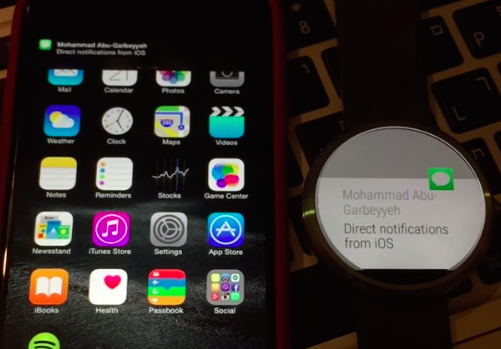
    MohammadAG, the prolific developer behind many an Android mod, has managed to get notifications to send from iOS to a Moto 360.

    The crazy part? Though MohammadAG’s iPhone is jailbroken (note the bouncing message icon on his phone — that’s a jailbreak trick), no jailbreaking is required to make this work.

    Instead, MohammadAG says the mod relies on the same ANCS protocol that the Pebble watch uses, which has been built into the iPhone since the release of iOS 7. A custom APK runs on the watch, listening for notifications. This solution limits iOS-to-Android-Wear compatibility to just basic notification support — but it’s a start, right?

    Alas, MohammadAG has yet to release the watch app to the public, so this is a one-off thing for now.

  • ‘I installed Windows 95 on a brand new iPhone 6 Plus’, Says a Chinese developer

    ‘I installed Windows 95 on a brand new iPhone 6 Plus’, Says a Chinese developer

    What did you do when you first got your iPhone 6 Plus device? Today in “putting stuff onto things on which they don’t belong,” a certain Chinese developer prefered to try out Windows 95 on his brand new iPhone 6 Plus.

    183048vvy0yrafqdvbvupf

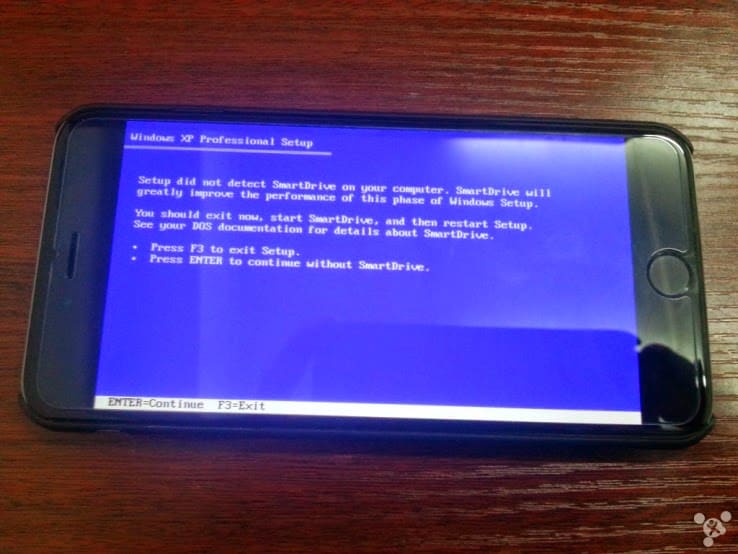
    He used a tool called iDos, an open source DOSBox-like app to install the OS. He found that most of it worked fine but he was unable to upgrade to Windows XP. And we can assume he was also able to play Doom.

    There’s is very little new about this whole process – people have been putting emulators on things since the original VAX machines – but it’s cool to see resurrected software run so readily on new hardware. While I can’t imagine a real world use case for this (maybe you really need to run a copy of Mavis Beacon?) it’s a great theoretical exercise.

    Here is the poorly translated FAQ:

    1.Q: Can I install WINDOWS XP? A: The answer is yes you can, but certainly not by idos, because idos simply simulate the DOS environment is not the true sense of the virtual machine, so the system is more difficult to run the DOS and idos simulation environment and do not have XP running basic environmental needs, so later if transplanted XP system, then I will make use of their leisure time with friends ios platform to write a plug-in to run XP virtual machine system.

    2.Q: Why are you doing this? Why not use Remote Desktop. A: First, to show that this kind of thing tall Remote Desktop is currently no support on win98 systems, not to use during system installation and tool methods have sent me here.

    3.Q: Why is the process I installed the explorer process wrong? A: Because idos simulator only simulates the 16’s dos environment, although win98 16/32 hybrid system but Explorer and exe process large part needed is a 32-bit environment, so when they need 32 program calls some system environment variables and support libraries when an error occurs, LZ modify some of the resource is designed to allow him to run in idos environmental good, However, this modification will change the part of the machine, which has led some device errors when using LZ modify the good image. After LZ according to everyone’s feedback slowly improve!

    There are full instructions on his post if you can read Chinese. If not, I leave the installation as an exercise for the reader.

  • Apple says it has taken action against the infected apps in China

    Apple says it has taken action against the infected apps in China

    Conventional wisdom suggests that the vast majority of mobile malware cases impact Android devices. Or at least that those who do not jailbreak their iPhones are safe most threats — even Apple CEO Tim Cook has bashed Android for “dominating” the mobile malware market. Yet a new virus found in China by US-based researchers could herald the first serious security threat to Apple devices.

    A report from Palo Alto Networks (hat tip The Verge) claims that a new family of malware is getting past Apple’s settings to potentially infect secure (i.e. not jailbroken) iOS devices using infected software for Macs. Dubbed ‘WireLurker’, it was found in the wild in the Maiyadi App Store, a third-party Mac store in China, where it is said to have infected 467 apps. Infected versions of these programs have been downloaded more than 350,000 times and are likely to have affected “hundreds of thousands” of users, according to Palo Alto Networks.

    Apple tells us that it has blocked infected apps from working — the company’s full statement is at the bottom of this post.

    The malware works by repacking legitimate Mac applications. Once downloaded to a Mac, that software will then install malicious and third-party applications on any iOS device that is connected to the infected machine using a USB cable. What’s most interesting — or, indeed, worrying for Apple customers — is that once on an iOS device, WireLurker reportedly uses a range of sophisticated techniques to modify existing apps for malicious purposes.

    While the aim of its creators is not clear yet, Palo Alto Networks reports, WireLurker has been found to steal “a variety of information” from inside rewritten apps. Since it surfaced in China, it is targeting Alibaba’s hugely popular Taobao shopping and AliPay payment apps — where a phone owner’s credit card and bank details are retained — but the security firm says the way it operates could usher in a “new era” of malware for Apple devices.

    In particular, Palo Alto Networks says it is “the first in-the-wild malware to install third-party applications on non-jailbroken iOS devices through enterprise provisioning.”

    The security firm recommends its own product to help prevent WireLurker, but — as ever — the best pieces of advice are to avoid downloading apps from third-party sources, and use officially approved USB cables. The former is more difficult in China, where third-party app store are well established and hugely popular — though that’s more the case for Android than Mac or iOS.

    The full report from Palo Alto Networks has additional advice for Apple customers in the enterprise space, who could be most at risk given WireLurker’s characteristics.

    Apple says it has taken action against the infected apps in China:

    We are aware of malicious software available from a download site aimed at users in China, and we’ve blocked the identified apps to prevent them from launching. As always, we recommend that users download and install software from trusted sources.

  • Apple Pay’s Could Emulate Bluetooth File Share and Enable Phone-to-Phone Payments

    Apple Pay’s Could Emulate Bluetooth File Share and Enable Phone-to-Phone Payments

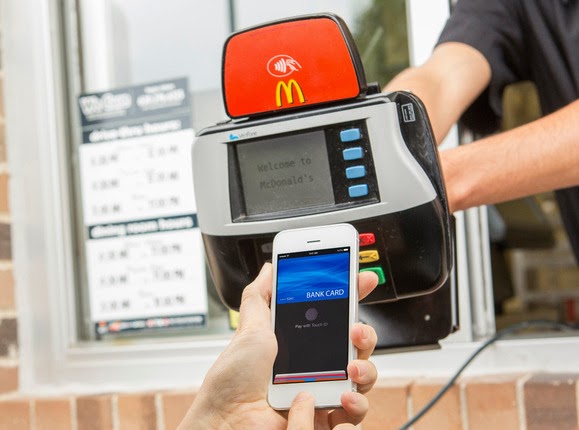
    The launch of Apple Pay this week is giving many people their first taste of NFC payment technology, which allows them to buy things in a store by bringing an iPhone 6 close to a compatible terminal.

    But the NFC standard also allows payments to be made directly between smartphones. Apple and its competitors, such as Google Wallet, don’t offer support for that part of the standard, but the technology already exists inside many of today’s NFC-equipped phones and could one day allow retailers to accept NFC payment using smartphones. It would also be technically possible for individuals to exchange money with their friends through the same system.

    The NFC standard defines three modes for the technology.

    The first, and most simple, is for reading small snippets of information such as phone numbers or Web addresses from wireless tags. The second, used by Apple Pay and Google Wallet, involves the phone emulating an NFC payment card. The third allows the NFC chip to function as a card reader.

    It’s this third mode, if enabled by Apple or Google, that would allow a smartphone to accept payments.

    Smartphone payment systems are already common in some countries. Perhaps the most famous and recognizable is the Square system, which uses a small magnetic stripe reader that plugs into a phone’s headphone jack. In Europe, some companies offer card readers for more secure chip-based payment cards, but nothing exists yet for NFC.

    “We’ve been working on it at Mastercard for a little while,” said James Anderson, the company’s senior vice president of emerging payments. “We’re interested in turning every phone into a payment acceptance device.”

    But while many of the NFC chips used in smartphones support it, not every phone could necessarily be used to accept payments.

    There are a number of requirements for NFC payments, such as the minimum and maximum distance over which the NFC transaction can take place and the speed with which it happens. Terminal manufacturers design for these requirements, but not all smartphones have necessarily been built with these in mind.

    “There may be situations in which the two devices may technically be capable of exchanging data for payment, but may not be able to achieve the read ranges and/or response times required for them to be certified as contactless payment capable,” said Sam Shrauger, senior vice president of digital solutions at Visa.

    For now, the industry is watching closely to see consumer reaction to Apple Pay. If it takes off, competitors such as Google would probably step up their offerings and the NFC payments field would become a lot more competitive. That might bring new features such as phone-to-phone payments into play.

  • Roughly 1000 Transactions Made with Apple Pay Were Logged Twice in Customer Accounts

    Roughly 1000 Transactions Made with Apple Pay Were Logged Twice in Customer Accounts

    Roughly 1000 transactions were made with Apple. Some Bank of America customers have been double-charged for purchases made with Apple Pay, the payment system Apple launched on Monday.

    Roughly 1,000 transactions made with Apple Pay were logged twice in customer accounts, said Tara Burke, a spokeswoman with Bank of America, which is one of the largest U.S. banks and was an Apple Pay launch partner.

    “We apologize for the inconvenience and are correcting the problem,” said Burke.

    The duplicate transactions should be removed by the end of Wednesday.

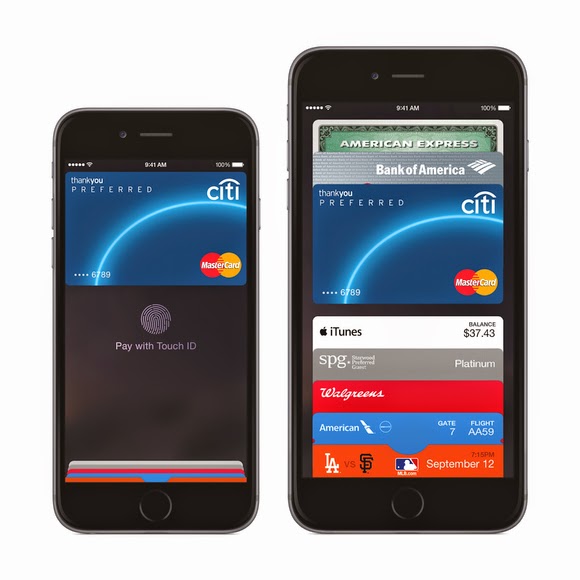
    Apple Pay utilizes a secure chip inside Apple’s new iPhone 6 that enables the phone to emulate an NFC (near field communications) payment card. When the Apple Pay app is loaded with a customer’s credit or debit card, payments can be made at NFC terminals by bringing the phone close to the terminal.

    Roughly 1000 Transactions. The system is being positioned as easier and more secure than current payment cards because the card number is not passed to the retailer’s terminal. Instead, a substitute number called a token is offered to the merchant, which sends it on to the card issuer for approval.

    The token can only be used once, so if it’s stolen it should prove useless to cyberattackers. It’s tied to the actual card number deeper in the financial services network, further away from the retailer terminals that have been the target of so much hacking recently.

    Apple Pay is compatible with existing NFC payment terminals, which can be found in around 200,000 shops and taxis across the U.S.

    Originally posted on PC World

  • Getting Started With Apple Pay? See How it Works

    Getting Started With Apple Pay? See How it Works

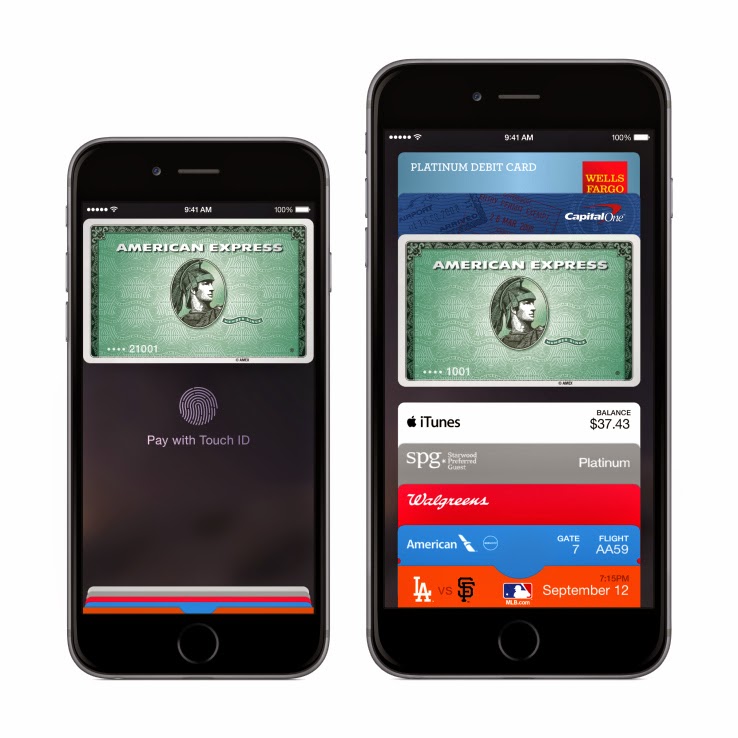
    Apple Pay is now available for anyone to use, provided they’ve got all the prerequisites, both for physical stores and for online transactions.

    But you can’t just walk up to your local brick-and-mortar store and wave your iPhone and walk out with whatever you want – that would be theft. Instead, you’ll need the following to be in place to have a happy Apple Pay experience.

    1. Hardware: iPhone 6 or 6 Plus for retail; iPad Air 2 or mini 3, or iPhone 6 or 6 Plus for in-app transactions
    2. Software: iOS 8.1 (which just because available earlier today)
    3. Touch ID set up on your device with at least one stored fingerprint
    4. A credit or debit card from one of Apple’s launch payment partners
    5. An iCloud account

    After you’ve got all that in place, you can opt to either use the cards you’ve already got on file in iTunes to pay, or add a new one. Adding a new one is as easy as snapping a pic of your plastic, and then manually entering the security code around back. You can also manually enter all the information, if you’d rather not use the camera. If the card is compatible, it will verify and make it available for purchases. If it isn’t, call your bank and ask them to get with the program.

    If you’re using a card already on file, you’ll just need to enter the security code found on the back to authorize its use, and then agree to the Apple Pay terms of service. Once that’s complete, you’re ready to roll.

    Apple Pay in stores should be available at participating launch retailers, which include Aéropostale, American Eagle Outfitters, Babies”R”Us, BJ’s Wholesale Club, Bloomingdale’s, Champs Sports, Chevron and Texaco retail stores including ExtraMile, Disney Store, Duane Reade, Footaction, Foot Locker, House of Hoops by Foot Locker, Kids Foot Locker, Lady Foot Locker, Macy’s, McDonald’s, Nike, Office Depot, Panera Bread, Petco, RadioShack, RUN by Foot Locker, SIX:02, Sports Authority, SUBWAY, Toys”R”Us, Unleashed by Petco, Walgreens, Wegmans and Whole Foods Market.

    Online, apps are already rolling out that also support Apple Pay, so check your updates column, or stay tuned to the “Featured” page, where Apple will be surfacing many of them. You can authenticate the purchases using your fingerprint, so long as you’ve registered it with Touch ID, or using your passcode if that doesn’t work for some reason. Apple Pay is secure thanks to the system it uses to store and transmit payment information, which doesn’t actually share any credit card details over NFC with the merchant, and it works with your existing cards, including rewards programs, etc.

    We’ll have a first-hand account of how Apple Pay works in the real world shortly, but early reports from Twitter seem to indicate things are working smoothly with the newly launched

    Originally posted on TechCrunch

  • Top 7 Best Photo Editing App for iPhone

    Top 7 Best Photo Editing App for iPhone

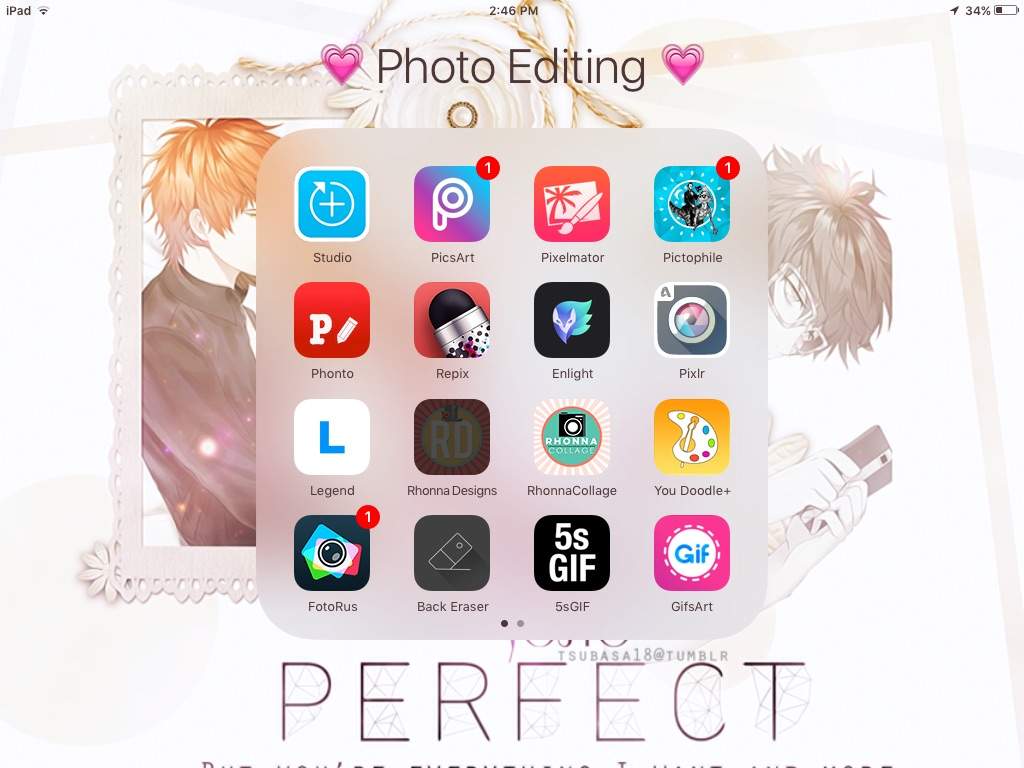
    The best photo editing app for iPhone is determined by the purpose for which the app is used. Instagram has become an established brand though there is stiff competition in the market. Although these apps are not perfect Graphic software, they make user experiences much easier and create more independence with regards to quick editing and can be used on iOS and Android operated phones. There is a wide variety of photo editing apps to choose from but here are the 7 best photo editing app for iPhone on the market at the moment.

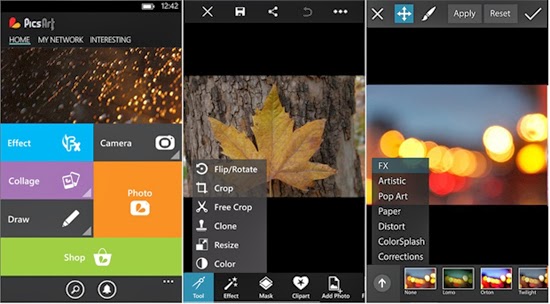
    PicsArt

    Apart from being a photo editing app PicsArt serves the purpose of being a social network for sharing photos. Editing tasks like color adjustments, re sizing and cropping can be undertaken by using the Photo button. Other salient features include Effects that issue specialized tools like red-eye removal, watercolor, pastel and cartoonizer that you can brush on to the image. Conversely, you can snap pictures with a camera tool and paint or draw on an image using a layer-based interface with the Draw tool. It has one of the widest collections of image manipulation tools.

    Pixlr Express

    Pixlr Express is an all-round photo editor & one of the best photo editing app for iPhone. It has facilities that ensure resizing, cropping and basic cleanup. Other specialized tools providing additional enhancements to your photos include one-touch cleanups, Autofix, teeth whitening and red-eye removal. Striking improvements are ensured by lighting effects and overlays in addition to colour adjustment and other tools that are done with fine-grained control.

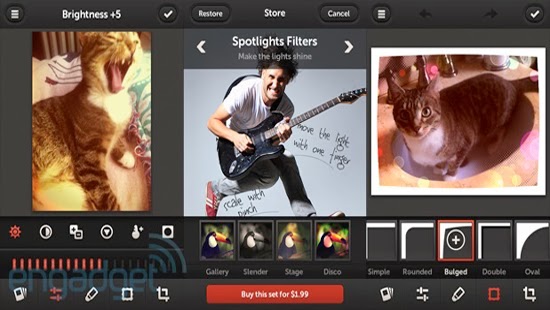
    Repix

    If you are looking for artistic and classical images, this is the right photo editor app for your iPhone. Salient features include adjustment tools and frames including fast and rough image filters. Custom effect brushes are at your fingertips to selectively paint on special effects. Repix is compatible with Samsung’s S-Pen that provides brushes, frames, filters in addition to other tools that are available as in-app purchases.

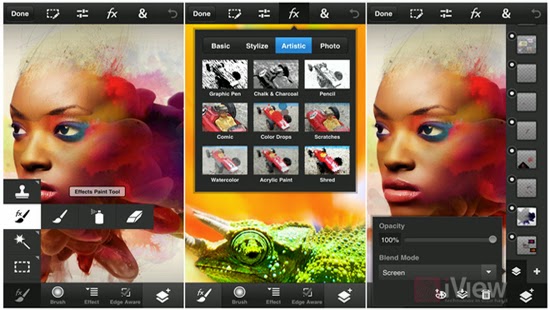
    Adobe Photoshop Touch

    This photo editing app incorporates some desktop functions that are employed with the larger app. These include filters, adjustments, selection tools and layers. During editing, there is no loss of detail because there is no downscaling while editing up to 12 megapixels when working on high-resolution photos. Despite being slightly advanced for the novice, this is a powerful editor that makes an exceptional choice.

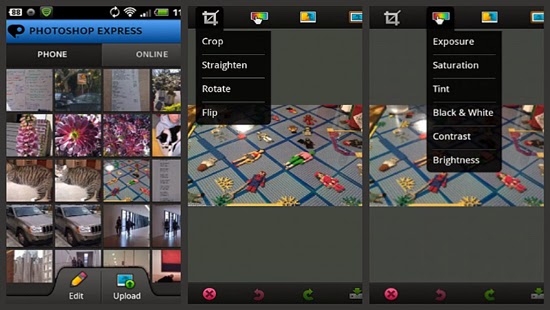
    Adobe Photoshop Express

    For those in need of a basic photo editing app, Adobe Photoshop Express is the right tool. Its properties include one-touch filters and Auto-fix for quick edits including slider controls for image enhancements such as shadows, exposure and contrast. In-app purchases allow for the incorporation of additional features like image utilities, special features and advanced filters. The basic package is mostly sufficient for simple editing manoeuvres that include cropping, resizing and red-eye correction.

    Snapseed Mobile

    Snapseed mobile provides more selective tools with one-touch enhancement through exceptional usability and power. Essential attributes allow you to fine-tune the image using a simple slider as well as quick boosts to colour and contrast including photo clean ups with Auto Correct. Other features provided are ‘Selective Adjust’ mode enabling you to tune concentrated portions of the image using saturation edits, colour and brightness in addition to the Tune Image tool that allows you to alter a variety of image effects like warmth, shadows and brightness. Tilt-shift provides a wide selection of tools and filters as well.

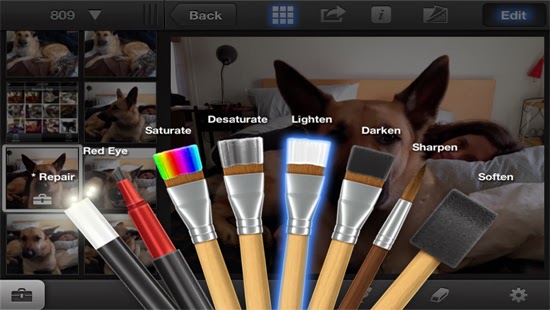
    iPhoto

    iPhoto is a high-end photo editing app for iOS featuring smart organizational tools that enable you to tag and sort out your photos as well as touch-based tools for adding special effects and cleaning up photos. Brush-based editing tools give you the leeway to use your fingertip in sharpening, darkening or lightening images. You can selectively edit pictures by employing gesture-based and multi-touch tools. Users can order custom photo prints or photo books while you can share photos online as slideshows or web journals.

    We believe the list above features best photo editing app for iPhone, we hope this article can help you choose the right app , as always we’d love to hear your comments, suggestions…

  • How to Check the Power Status of Remote Control Batteries with your Smartphone

    How to Check the Power Status of Remote Control Batteries with your Smartphone

    Earlier today I published an infographics on things you can do with your smartphone but I didn’t mention the possibility of checking the status of your television/electronics remote control battery with your smartphone.

    Of course, in the modern technology it is no longer a question of ‘what you can do’ with your smartphone, it is now a question of ‘what you can’t do ‘ with your smartphone.

    The latest discovery has revealed that you can check the power status of your TV set or home theater remote control with your smartphone. This is possible because most standard remote controls send signals to your home theater gear using a beam of infrared light, which a sensor on your hardware picks up. The beam of course is invisible to the human eyes, however, never neglect the power of your smartphone’s Camera! If your remote control start behaving in a funny way, you can easily use your phone to check if your remote batteries need refreshments.

    Checking your Battery Power Status

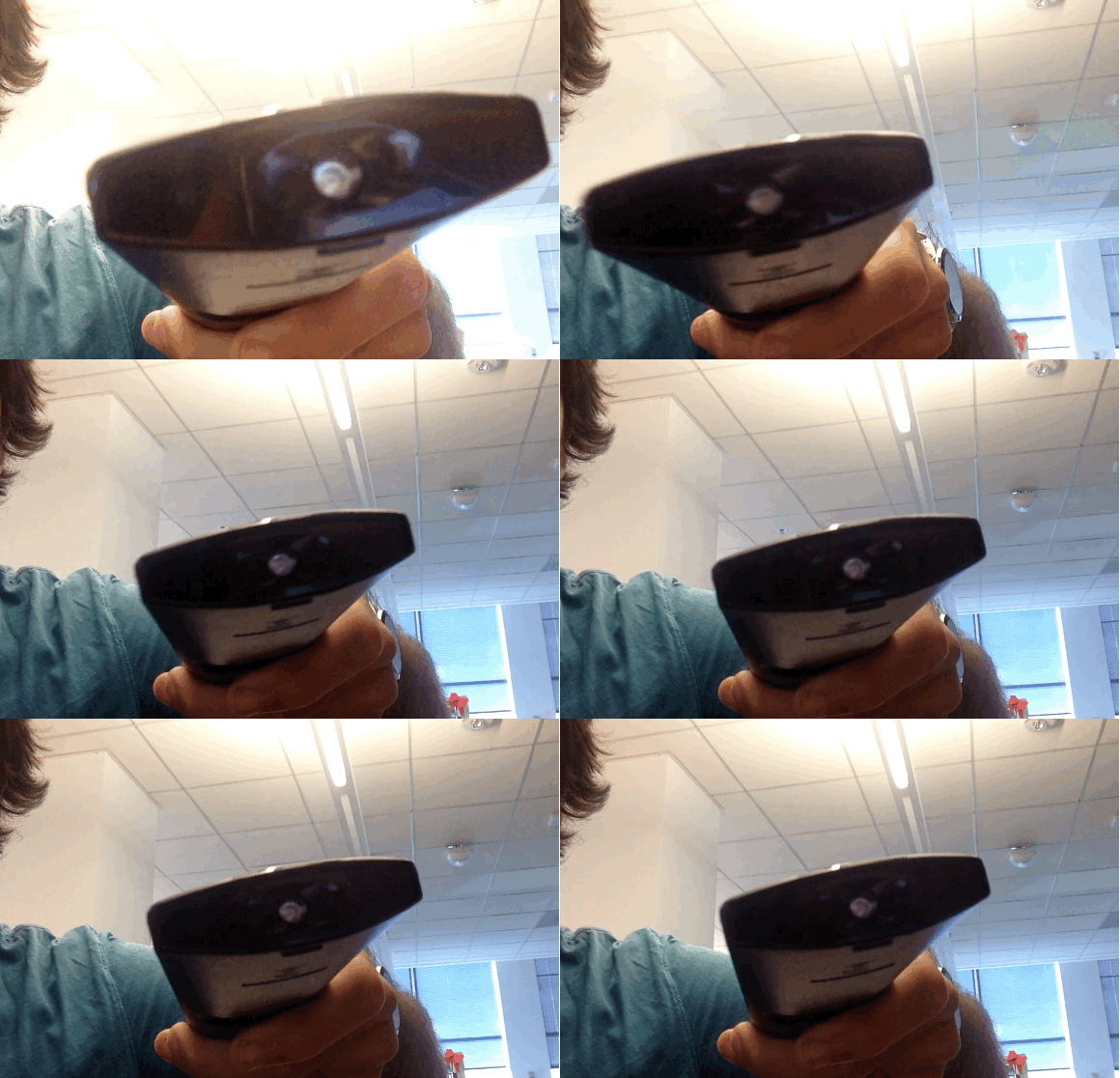
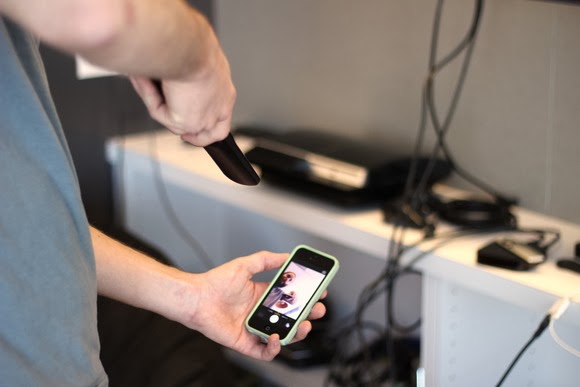
    To check your battery status, simply wake your smartphone and launch the Camera application. Next, switch to the front-facing camera, point the remote at the camera, and press any button on the remote.

    If the remote is working properly, you should see a flicker of light come from the IR blaster as viewed through your phone’s screen that looks something that this:

    If you don’t see the flicker from the IR blaster, or perhaps just a very, very dim flicker, you probably need to change the remote’s batteries. (And if new batteries don’t help, you probably need to replace your remote. Sorry.)

    Of course, this trick isn’t limited to your smartphone’s camera; many digital cameras can see infrared light, despite having filters to tune it out. So if all you have at your disposal is your laptop’s built-in webcam, you may have everything you need.

    Image Credit: TechHive

  • Best Smartphone & Tablet Games for Android and iOS

    Best Smartphone & Tablet Games for Android and iOS

    The best way to start a new week is starting with fun. Not to worry, we do not intend to scare you with Android horror games—but it’s okay if horror is fun to you—what we are interested in are three most relaxing games you must rock this week on your Android or iOS devices.

    Android game

    If you happen to find your favourite game in this list, you are in luck. If not, it’s time to try other games and see what you have been missing. The games in our list here today is available for both iOS and Android devices and adaptable to any screen size.

  • Download Free Tribesports Training App for iOS

    Download Free Tribesports Training App for iOS

    When London-based Tribesports — a social network for people doing rather than watching various sports — rebooted its business model last year, kickstarting what it calls the world’s first “community-powered” sportswear brand, you’d be forgiven for thinking the young company had become less tech and more clothes-maker.

    But, actually, Tribesports very much still sees itself as a creator of social web and mobile applications, which underpin its 200,000+ user base, and in turn enable those users to become co-creators and co-marketers of its new sportswear range. It’s a model that, perhaps, defies conventional corporate thinking whereby “we need an app” is often little more than a marketing afterthought.

    Today Tribesports is launching a new iOS app dedicated to training. The app, which is completely free, shunning paid-for add-ons or other premium pricing, lets you track, analyse and review your training, and, unlike something like Runkeeper, has been designed to work across multiple sports — something the company thinks reflects how many of its users actually train.

    Naturally, the app ties into the existing Tribesports community, allowing you to follow the training sessions/workouts of other users, as well as browse thousands of community uploaded workouts or share you own.

    In some ways, the Tribesports Training app offers a subset of features found in the main Tribesports app but redesigned to focus on mobile training, including, of course, a heavy use of GPS. It’s also no doubt designed to appeal to users who may not want to join and participate in a dedicated sports social network.

    The GPS tracking features enable you to track and analyse your running, cycling, walking and more, underpinned by weekly, monthly and all-time-best graphs. You can also take in-app photos, which are then uploaded as part of logging your training session. All in all, over 900 different sports and exercises are available to log in workouts and training sessions out of the box, and there’s the option to customise your own and share these templates.

    Of course, if Tribesports can get a greater number of people engaging with its technology wares, it can also introduce those same users to its own big brand-busting sportswear.

    This article was curled from a news update on Techcrunch.

  • NSA New Software will have Backdoor Access to iPhones

    NSA New Software will have Backdoor Access to iPhones

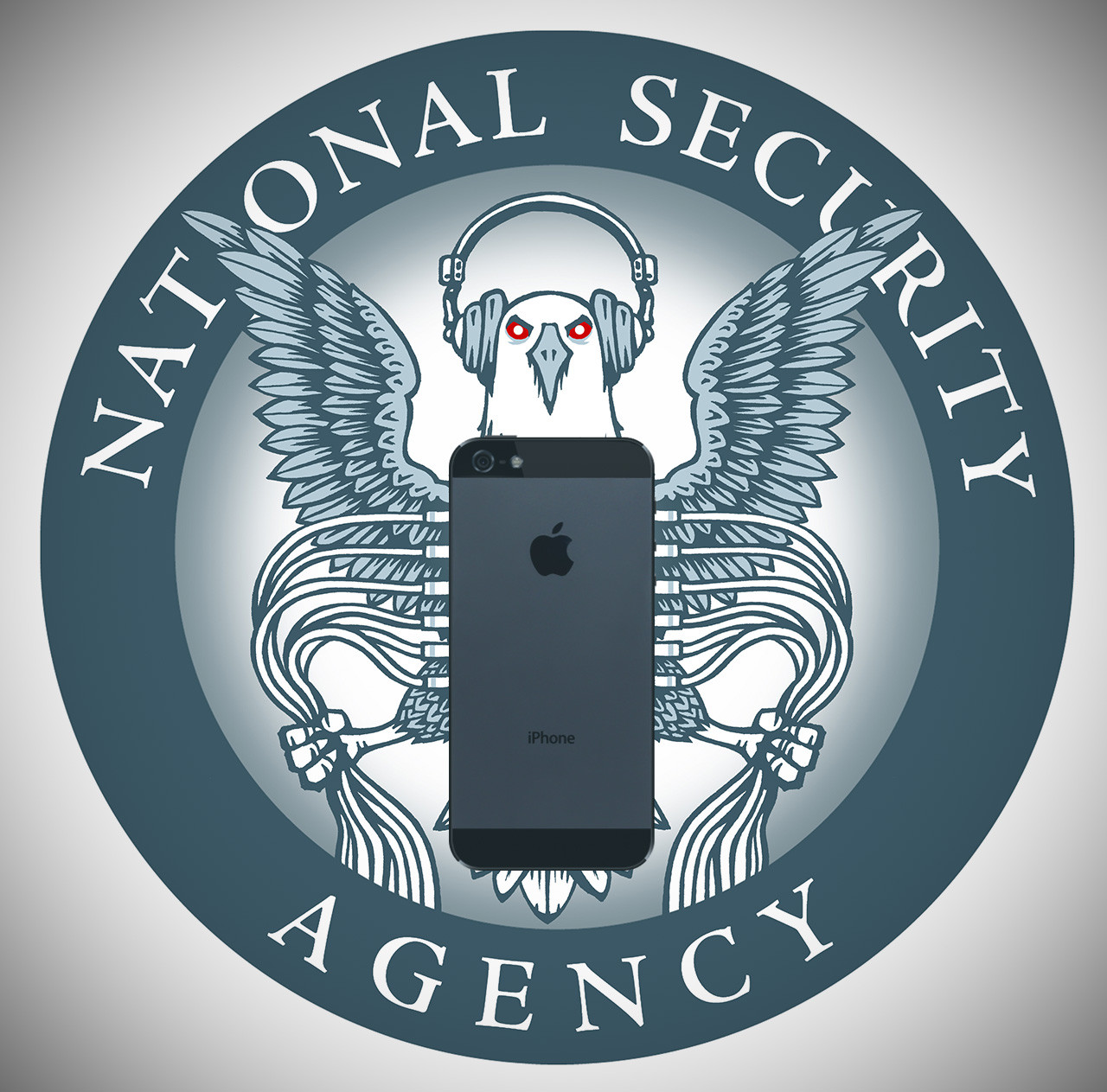
    The U.S. National Security Agency was developing in 2008 a software implant for Apple iPhones that allowed the agency to take almost total control of the device, including retrieving text messages and voicemail and remotely turning on its microphone and camera, according to a report by the German magazine Der Spiegel.

    The implant, code-named DROPOUTJEEP, was “in development” and initially intended for “close access” installation on a phone, with remote installation being planned for a future release, according to an alleged NSA document with the date October 1, 2008, that Der Spiegel included in a graphic with its recent NSA report.

    DROPOUTJEEP’s other capabilities included remotely pushing and pulling files from an iPhone, retrieving the phone’s contact list and identifying the device’s location and the location of the nearest cell tower, the document said. The implant could do all this without the phone user’s knowledge, over SMS (Short Message Service) or a GPRS (General Packet Radio Service) data connection. All the software implant’s communications would be “covert and encrypted,” the document said.

    GPRS was a pre-3G mobile data technology with speeds much lower than today’s LTE networks. The first-generation iPhone was introduced in 2007, and the iPhone 3G came out in mid-2008.

    Apple could not immediately be reached for comment on the report. In a statement reported by the Wall Street Journal, the company said it was unaware of the project and had never worked with the NSA and had never worked with the agency to create a backdoor to any of its products.

    The alleged NSA document describing DROPOUTJEEP was included in an interactive graphic published alongside a December 30 Der Spiegel report on a special hacking unit of the agency, which reportedly intercepts deliveries of computer equipment and installs spyware on it before it’s delivered to the recipients. The report cited internal NSA documents that Der Spiegel said it had viewed. The graphic included links to numerous documents about technologies that the hacking unit developed for infiltrating servers, firewalls, routers, wireless LANs, PCs, peripherals and cellphone networks.

  • Ultimate Guide to Jailbreak iPad, iPhone and iPod with Sprint

    Ultimate Guide to Jailbreak iPad, iPhone and iPod with Sprint

    Before we proceed to this topic proper, I will like to explain what jailbreaking your device means.Naturally, Apple’s rules for AppStore are way too limiting. Some apps are not allowed to be listed in the AppStore since they break one or more of Apple’s rules. These rules keep control of the device platform in Apple’s control. Some of these rules include: patching system files such as SpringBoard, allowing apps to run in the background, running apps out of the “sandbox”, and simply doing things Apple decided that they don’t want you to do often for reasons to their benefit, not yours (such as tethering).

    Jailbreaking is not unlocking! It is risk free and totally legal. Everything that works before jailbreaking continues to work after. Jailbreaking only adds features. Jailbreaking is risk free and cannot void your warranty. You can simply restore in iTunes at anytime to get back to a factory state. You are not alone, many people are doing it.

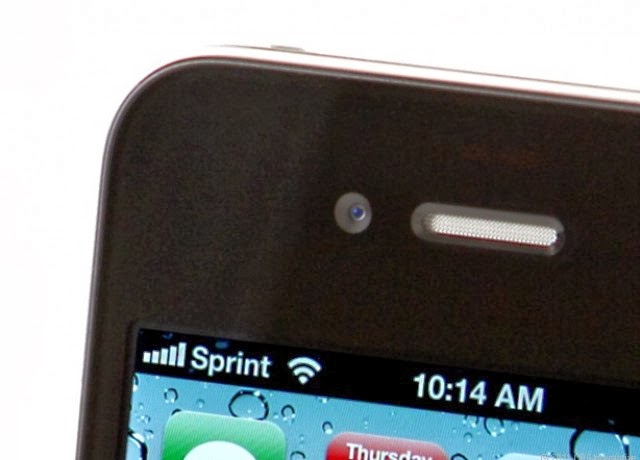
    If you ever consider jailbreaking your Apple’s iPad, iPhone or iPod Touch then Sprint should be your prominent choice. It offer the most easiest and quickest jailbreak  ever as Sprint takes the process to a whole new level compare to what other software like JailbreakMe has to offered. After you follow the step below to jailbreak your iDevice you will have the ability to install unapproved, third-party applications which are unavailable in the Apple’s iTunes App Store.

    What You Need to Know about Spirit Before Jailbreak

    Spirit is an untethered jailbreak for iPad, iPhone, and iPod Touch on firmware 3.1.2, 3.1.3, and 3.2.
    Your iPhone, iPod Touch, or iPad must be activated.
    Your device must not be stuck on the Connect to iTunes logo or emergency call screen.
    It will work on any version of iTunes 9 (including 9.1.1).
    Spirit will not unlock your iPhone.
    If you are currently using a tethered jailbreak, you have to restore in order to use Spirit.
    Do not upgrade if you unlocked your iPhone 3G or 3GS (if you have the SHSH blobs for 3.1.2, you can restore to it).
    While Spirit is stable for all devices, your iPad may act a little funny due to packages that have not been updated for it yet.

    Step by Step Jailbreak Instruction

    • Download the jailbreak application from Sprint.
    • Connect your iPad / iPhone / iPod Touch to your PC using USB cable.
    • Back up your iDevice to your iTunes library, and sync it. (make sure that your iTunes revision is at least version 9)
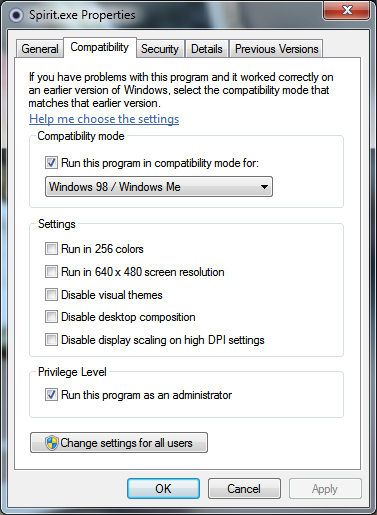
    • If you are using Windows 7, Right Click on Spirit.exe and Select Compatibility mode to “Windows 98/ME”.
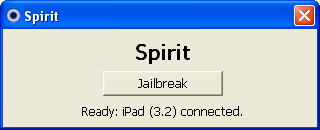
    • Now double click the Spirit.exe and click on “Jailbreak”.
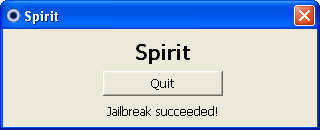
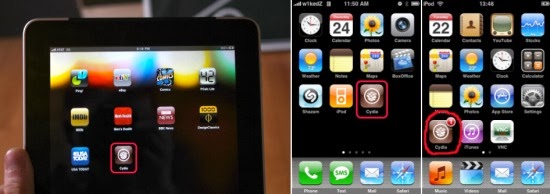
    • In a few seconds your iDevice will reboot and you will be presented with jailbroken “Cydia” icon on your springboard, See Screenshot below. From here, you have access to all the unapproved, third-party applications.

    Congrats, you have just jailbroke your iPad / iPhone / iPod Touch using Spirit.

    Error and Troubleshooting

    Windows Vista or Windows 7 users may get the error code c0000005 while performing the action. To avoid this error, you have to run Spirit.exe in compatibility mode. Follow the step as below:

    1. Right click on Spirit.exe and select Properties
    2. Select the compatibility tab
    3. Check the “Run this program in compatibility mode for” box and select Windows 98 / Windows ME

    Note: Spirit is not a “carrier unlock” which allows the iPhone to be used with carriers other than AT&T. It is a jailbreak only. Source: iPhone Download Blog

  • A Peep at the New Generation of iPhone 5s: It’s Golden

    A Peep at the New Generation of iPhone 5s: It’s Golden


    We successful predicted the next generation of android phone earlier this year, today EWT will be turning it’s attention to the current giant of smartphone market.

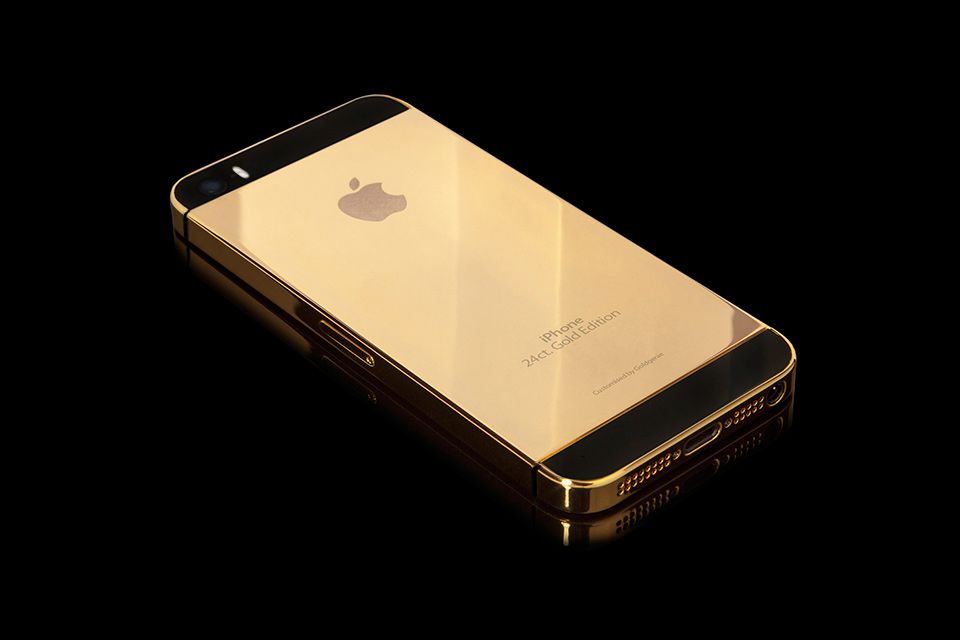
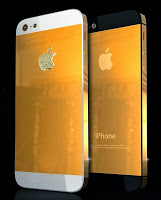
    Until now, Apple’s iPhone has only been available in white and black. New reports have declared that the next generation of iPhone is debuting in gold. The iPhone 5S will not be made of complete gold but a rather subtle and sheer champagne color. It will be almost the same tint as the gold iPod mini.

    Across the internet, many sites have already published pictures of champagne colored iPhones. In the meanwhile, Ming-Chi Kuo, analyst of KGI Securities, has put all rumors to rest by offering accurate and legit details about the product plans of Apple and also published a note where he claims that the iPhone 5S devices will most definitely be available in gold.

    Kuo made forecasts about the new model, which will be available with a new look and enhanced features, like 128GB storage. Apple unveiled the iPhone 5S on September 10th at a media event.

    The new iPhone 5S will be inclusive of an A7 system on a chip or SOC, which will be on the basis of 64-Bit ARMv8 architecture of ARM. The 64-bit chips generally offer more memory and is more enhanced than the other software in demand. The A7 will also boost and enhance the performance level of the A6. The iPhone 5S will be built with a rear camera, kept with a 8MP sensor and will also have a large aperture of f/2.0. The camera is said to match the efficiency of HTC One and will be available with dual LED Flash!

    Ming-Chi Kuo also claimed that the iPhone will come with a sapphire home button, built with a fingerprint sensor. With rumors of iPhone 5S being made available in different colors, including golden color, as well as green, pink, white and blue, the eagerness is increasing more than ever.

    This will be the first time that the tech giant will launch a smartphone in color, aside from black or white. Reports are also citing that Apple further plans to offer many variation as well as cheaper series of the expensive iPhone, in order to expand the market and rake in more customers.

  • iPhone App Cardiio Can Tell Your Heart Rate With Nothing But A Video

    iPhone App Cardiio Can Tell Your Heart Rate With Nothing But A Video

    [Credit: Cardiio]

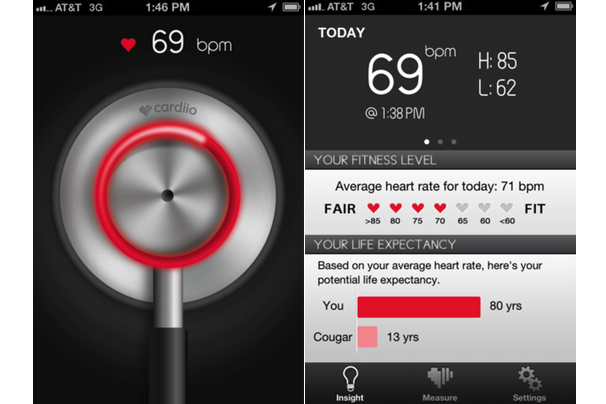
     Ming-Zher Poh, a PhD Student at MIT’s Media Lab, is the creator of what may be the most interesting thing on the iOS App Store today: An app called Cardiio that makes use of the iPhone’s camera and nothing else to produce a estimate of your heart rate.
    The science behind the Cardiio is almost as fascinating as the concept itself. Poh’s algorithm captures a video of the user’s face with the help of a tracking software before distilling it into RGB channels which are, in turn, analyzed to determine a rough BPM based on reflectivity.
    And it’s surprisingly accurate. At least one study has shown that the technology behind Cardiio is accurate to within three beats per minute. You
    might not see it at your doctor’s office, but it could be useful for tracking your heart rate when you exercise.
    Cardiio isn’t Poh’s first attempt at using light to measure heart rate, but it’s probably the most popular. According to Co.Design, even though it’s only been around for a few days, Cardiio is already one of the most highly rated health and fitness apps on iTunes. Arguably, it’s also one of the creepiest–Cardiio will, among other things, attempt to provide you with your estimated life expectancy. Eek.
    [Cardiio via Co.Design]