If your iPhone is stuck on the Apple logo, it’s frustrating but you’re not alone. This issue is common among iPhone users, and fortunately, it can usually be resolved easily. Here’s a comprehensive, step-by-step guide to fix your iPhone and get it working again.
Why Is My iPhone Stuck on the Apple Logo?
Before we go into solutions, it’s helpful to understand why your iPhone gets stuck on the Apple logo:
Software glitches: Often occur during updates or restoration.
Faulty iOS updates: Interrupted installations can freeze your device.
Hardware issues: Damaged hardware can also trigger boot loop issues.
Quick Fixes for iPhone Stuck on Apple Logo
Follow these easy methods to fix the problem:
1. Force Restart Your iPhone
A force restart can fix minor software glitches:
iPhone X or later (including iPhone 8): Quickly press and release the Volume Up button, then quickly press and release the Volume Down button. Finally, hold the Side button until the Apple logo reappears.
iPhone 7 or 7 Plus: Press and hold both Volume Down and Sleep/Wake buttons simultaneously until the Apple logo appears.
iPhone 6s or earlier: Hold both the Home and Sleep/Wake buttons simultaneously until the Apple logo appears.
2. Update or Restore iPhone Using Recovery Mode
If force restarting doesn’t work, use recovery mode to reinstall iOS:
Connect your iPhone to your computer and open Finder (Mac) or iTunes (Windows).
Perform a force restart, but continue holding buttons until recovery mode appears.
When prompted, select “Update” to reinstall iOS without losing data. If updating doesn’t work, select “Restore” (this erases your data).
3. Use DFU (Device Firmware Update) Mode
If recovery mode doesn’t fix the issue, try DFU mode:
Connect your iPhone to your computer and launch iTunes or Finder.
Follow specific instructions depending on your iPhone model to enter DFU mode.
iTunes/Finder will detect your device in DFU mode and prompt you to restore it.
Note: DFU restoration erases all data. Ensure you have backups.
4. Use Third-Party Software (Optional)
If standard Apple solutions don’t help, reputable software like Dr.Fone or Tenorshare ReiBoot can resolve stubborn software issues without data loss.
When to Seek Professional Help
If you’ve tried all software solutions and your iPhone remains stuck, consider hardware issues:
Visit the Apple Store or an Apple-certified repair center.
Hardware damage like battery failure or internal component faults requires professional service.
Preventing Future Issues
Avoid future occurrences with these proactive tips:
Avoid interrupting updates or restoration processes.
Backup your data frequently using iCloud or your computer.
Getting stuck on the Apple logo is common, but fixable with the right steps. Start with simpler methods and progressively move toward advanced solutions if needed. When in doubt, seek professional assistance.
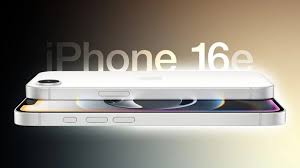
A key highlight of the iPhone 16e is Apple’s in-house designed cellular modem, making it the first iPhone to feature an Apple-built modem.
iPhone 16e vs iPhone SE: A Shift in Apple’s Budget Strategy
The introduction of the iPhone 16e signifies a shift away from the iPhone SE, Apple’s previous budget iPhone line that debuted in 2016 and last saw an update in 2022.
According to Consumer Intelligence Research Partners, the iPhone SE accounted for just 5% of U.S. iPhone sales as of December 2024, prompting Apple to rethink its budget strategy.
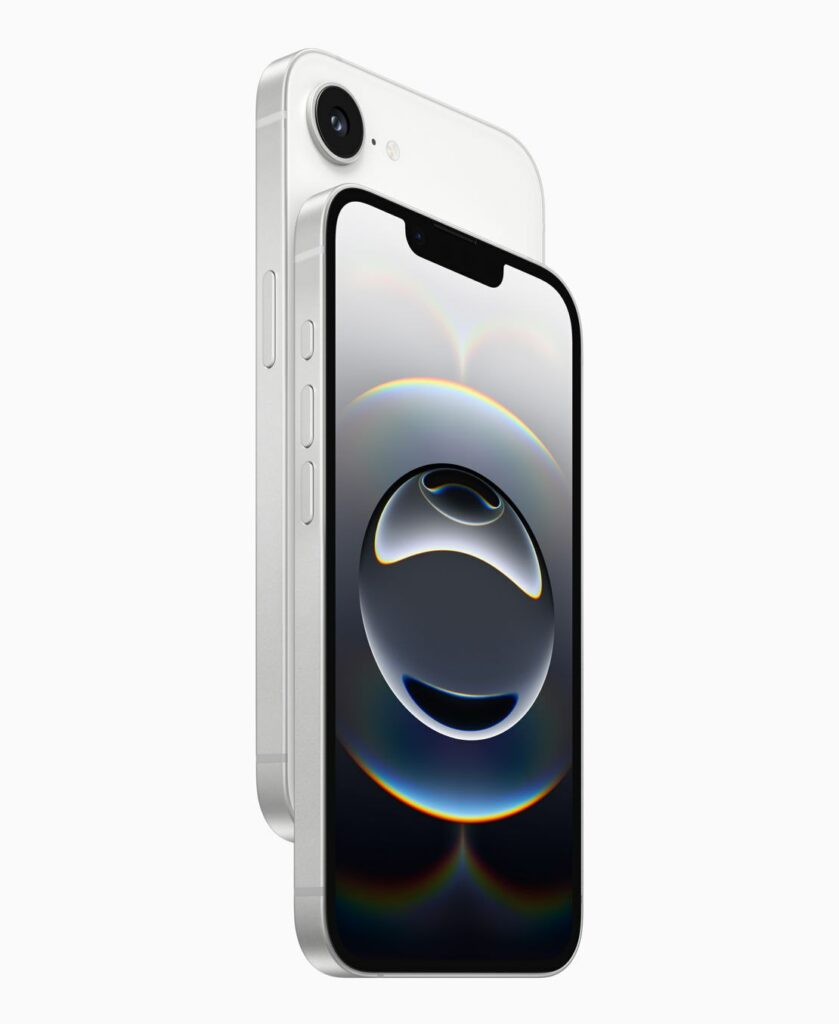
Unlike the SE, the iPhone 16e offers a more modern design, bringing it closer to Apple’s current lineup with a 6.1-inch display, Face ID, and a 48MP camera.
iPhone 16e Features & Specs
The iPhone 16e shares many similarities with the standard iPhone 16, but at a lower price point.
Key Features of the iPhone 16e:
6.1-inch display (same as iPhone 16)
Face ID authentication
48MP camera (lacks a second camera for wide shots)
Powered by the same processor as the iPhone 16 lineup
While it lacks the Camera Control button and a secondary wide-angle camera, it retains many premium features. Which makes it an attractive option for budget-conscious buyers.
Generative AI tools for creating emojis and images
Notification summaries for better organization
Object removal in photos
ChatGPT integration with Siri
This move signals Apple’s intent to make AI a core feature of its future products, as it competes with Google and Samsung, both of which have aggressively integrated AI into their devices.
The Future of AI in Smartphones
Since the launch of ChatGPT in late 2022, AI has become a central focus for tech giants like Microsoft, Google, and Samsung. While Apple has long used AI in the background for tasks like photo processing, it has only recently begun rolling out consumer-facing AI features.
By introducing Apple Intelligence on the iPhone 16e, Apple aims to broaden AI accessibility, potentially driving wider adoption of its AI tools. However, with iPhone revenue missing Wall Street expectations in early 2025, it remains to be seen whether AI features will be enough to boost iPhone sales.
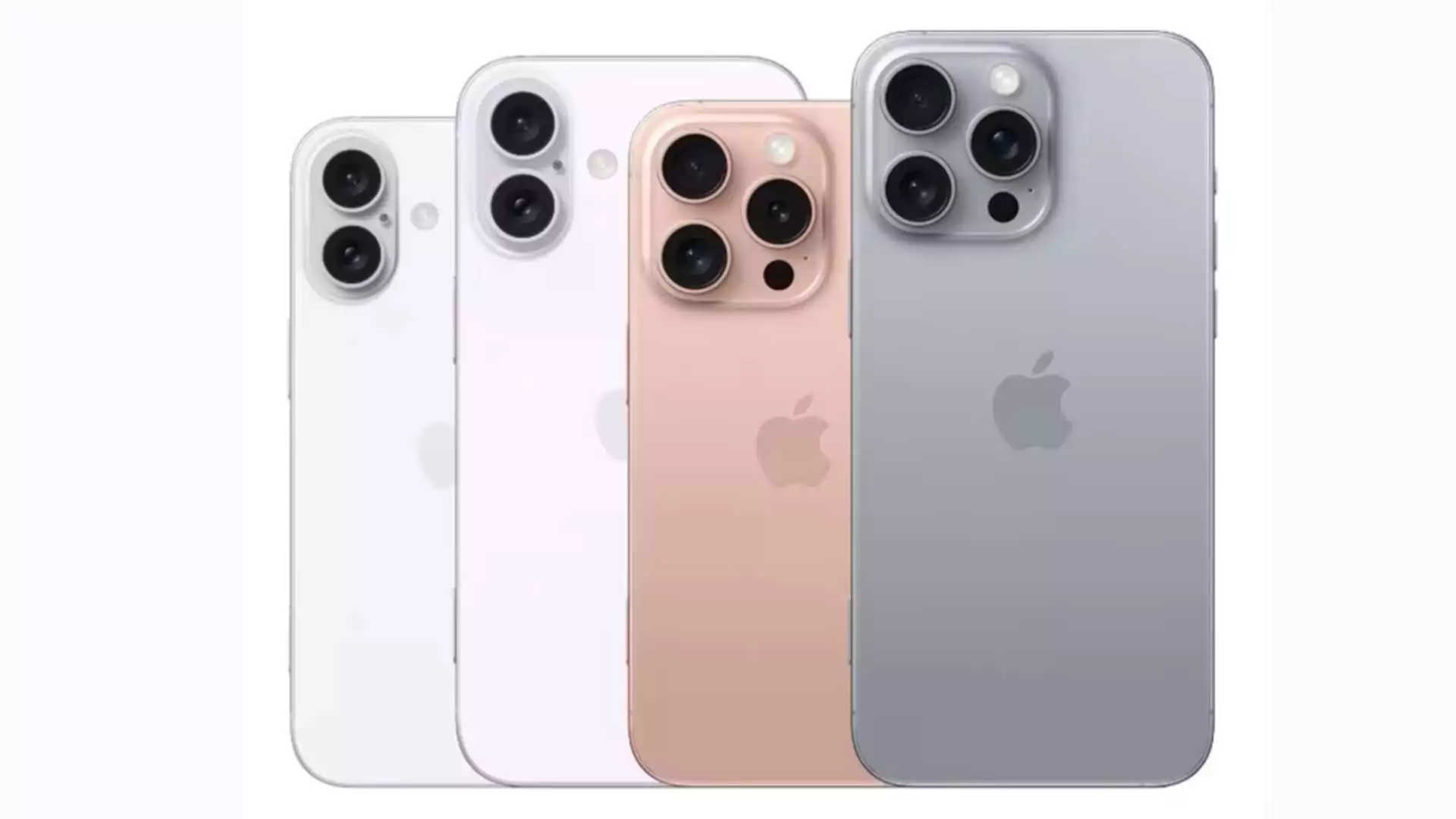
Apple’s latest iPhone, the iPhone 16 series, introduces a powerful design upgrade—USB-C connectivity—along with innovative safety features like satellite-enabled roadside assistance. The iPhone 16 series continues Apple’s trend of releasing multiple models within each new generation, a practice that began with the iPhone XS and XR in 2018. The four models in the iPhone 16 lineup are iPhone 16, iPhone 16 Plus, iPhone 16 Pro, and iPhone 16 Pro Max.
Meet the iPhone 16 Series
iPhone 16: The most affordable model features a 6.1-inch display, an A18 processor with a 5-core GPU, a 48MP primary camera, and a new customizable Action Button.
iPhone 16 Plus: Nearly identical to the base model but with a larger 6.7-inch screen and a higher price tag.
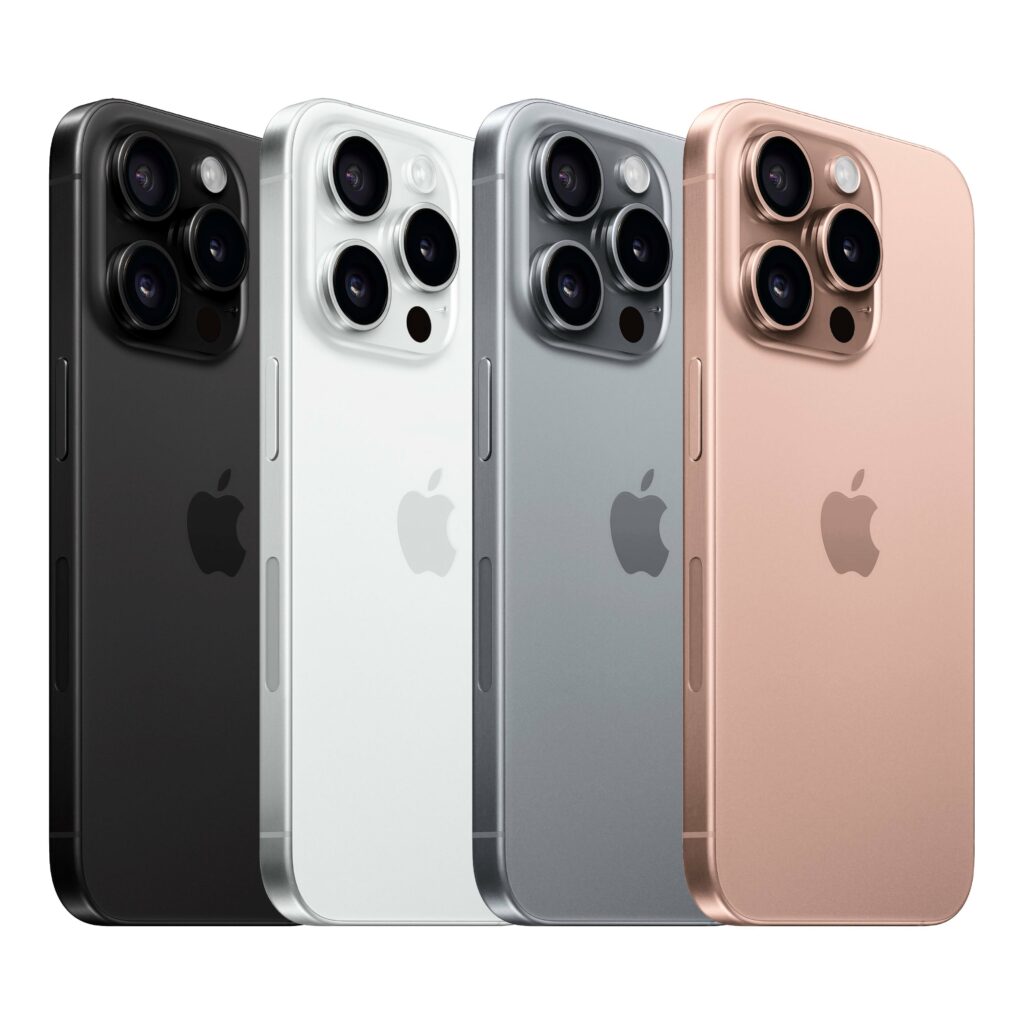
iPhone 16 Pro: Upgrades include a 6.3-inch display, the A18 Pro chip with a 6-core GPU, and a titanium design.
iPhone 16 Pro Max: The flagship model boasts a 6.9-inch screen, an extended battery life, and advanced camera zoom features.
Each model in the iPhone 16 series includes standard features like FaceTime, Siri, Face ID, Apple Pay, and 5G connectivity. However, several innovations set the iPhone 16 series apart:
Apple Intelligence: An advanced AI system that powers smart functionality across all models.
A18 Pro Processor: Enhanced performance, particularly for graphics-intensive tasks, thanks to the A18 Pro chip.
Next-Generation Ceramic Shield: Improved durability with the latest Ceramic Shield glass.
Advanced Features in the Pro Models
The iPhone 16 Pro and iPhone 16 Pro Max premium features:
Pro Performance: Powered by the A18 Pro chip, the Pro models offer up to 15% faster CPU performance compared to the A17 Pro in the iPhone 15 series.
Superior Cameras: Both Pro models feature a 48MP main camera, a 12MP ultra-wide camera, and enhanced zoom capabilities, along with support for 4K video recording at 120fps.
Immersive Audio: Equipped with four studio-quality microphones and spatial audio recording, the Pro models deliver an exceptional audio experience.
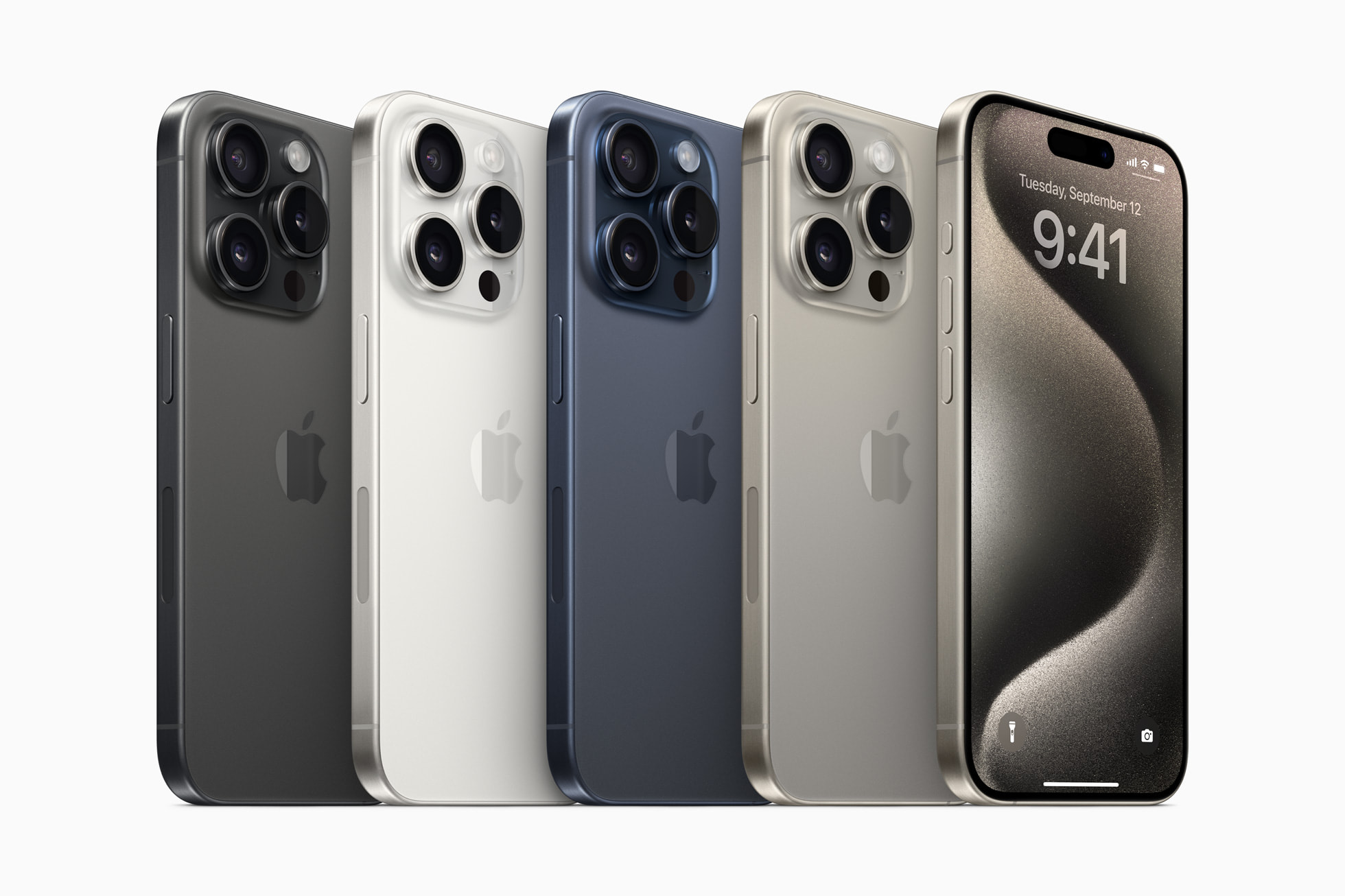
Titanium Build: A sleek, durable design made from Grade 5 titanium, available in four finishes: black, white, natural, and desert.
Charging and Privacy
All iPhone 16 models support USB-C charging, with the Pro models featuring faster USB 3 charging speeds. Additionally, Apple has introduced Private Cloud Compute, a privacy feature that processes sensitive data locally on the device without sending it to Apple’s servers.
iOS 18 and AI Integration
The iPhone 16 series runs on iOS 18, which introduces powerful AI tools, such as Apple Intelligence for text rewriting, proofreading, and creating AI-driven images and movies. Siri has also been significantly enhanced, now capable of managing tasks with better contextual awareness and offering new actions to simplify daily use.
iPhone 16 vs. iPhone 15
While both the 16 and 15 series share key features like the Action Button and USB-C support, the 16 series brings more improvements:
Improved Camera Controls: The iPhone 16’s upgraded camera system allows quicker access to video and photo tools, offering more intuitive controls.
Enhanced Displays: The iPhone 16 lineup features larger screens, with sizes ranging from 6.1 inches to 6.9 inches, and ultra-thin bezels for an immersive viewing experience.
AI-Enhanced Siri: Siri on the iPhone 16 is more context-aware and capable of performing complex tasks more efficiently.
Full iPhone 16 Specifications
Here’s a breakdown of the iPhone 16 models’ key specs:
Feature
iPhone 16
iPhone 16 Plus
iPhone 16 Pro
iPhone 16 Pro Max
Display
6.1-inch Super Retina XDR
6.7-inch Super Retina XDR
6.3-inch Super Retina XDR
6.9-inch Super Retina XDR
Action Button
Yes
Yes
Yes
Yes
Storage Options
128GB, 256GB, 512GB
128GB, 256GB, 512GB
128GB, 256GB, 512GB, 1TB
256GB, 512GB, 1TB
Camera
48MP wide, 12MP ultra-wide
48MP wide, 12MP ultra-wide
48MP wide, telephoto
48MP wide, telephoto
Battery Life (Video Playback)
22 hours
27 hours
27 hours
33 hours
Processor
A18
A18
A18 Pro
A18 Pro
Price (Starting)
$799
$899
$999
$1199
Pricing and Availability
The iPhone 16 series was announced on September 9, 2024, and was available for pre-order starting September 13. Prices range from $799 for the base iPhone 16 to $1,199 for the Pro Max model.
There have been mindblowing changes lately to Android phones thanks to some seriously powerful new chips. Remember when you had to pick between shelling out big bucks for a best-value phone or settling for midrange phones or something slower on a budget? Those days are fading fast. We’ve also seen sweeping changes to Google’s mobile OS—the world’s most popular mobile operating system.
Even the less affordable Android phones now pack a punch. It’s like everyone’s getting a taste of the good stuff without breaking the bank – suddenly, everyone’s in.
We’ll check out what these best budget Android phones can do, so we can help you find the cheapest phones no matter the budget.
What Should I Look for in a Good Budget Android Phone?
Most expensive phones are designed with high-quality gaming and advanced photography in mind, while more affordable Android phones are carefully engineered with powerful mid-range processors to handle daily tasks with ease and stay up-to-date with Android updates.
Even more surprising is the fact that these budget smartphones between $150 to $500 offer great user experiences and can last for years.
Choosing an affordable Android phone that suits your needs and wallet is important for most of us. You don’t want to end up with a phone that feels outdated and sluggish shortly after purchasing it. So, before diving into specs like processor and camera quality, start by considering connectivity. Ensure the phone supports your network and other basics like Bluetooth and Wi-Fi.
When it comes to the processor, look for an Android phone with a decent chipset to avoid a slow performance. Qualcomm’s Snapdragon processors are common, but not all are equal. Aim for at least a Snapdragon 400-series or higher for better performance. MediaTek’s Dimensity series is also worth considering for speedier performance.
RAM is another thing you need to look out for; phones with at least 6GB of RAM allow for better multitasking.
Storage isn’t a major concern nowadays thanks to cloud services like Google Photos and Apple iCloud. These services can store your media securely, freeing up space on your phone.
Camera quality matters too, especially if you enjoy capturing moments. While cheaper phones may not have great image quality like iPhones, you can still take good pictures with some Android models.
Battery life is one thing many users overlook. While most phones on the list below have decent battery life, some are built to last longer. They might not be the most expensive phones today, but they sure do perform better than most of the high-end phones. All you need to do is consider your priorities and budget before making a decision.
Best Budget Android Phones: Cheap Android Phones 2024
Here are the cheapest Android phones to buy this 2024
Google Pixel 7a
Google Pixel 7a – Best Budget Android Phones
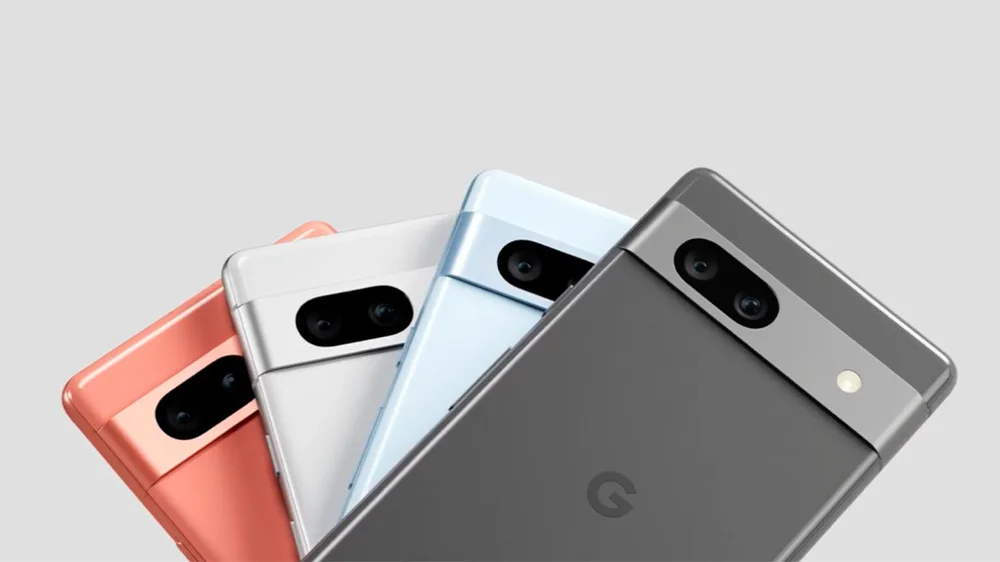
Google’s phones are favored by Android lovers; from the Pixel 7 Pro, Pixel 7, and Pixel 6a. The Google Pixel 7a is known as the best budget Android phone in the market, and it’s easy to see why. With a bright 6.1-inch AMOLED display, 8GB of RAM, and a powerful Google Tensor G2 chipset, this phone delivers top-notch performance.
Its 64MP primary camera captures stunning photos, and you get access to exclusive Pixel features straight out of the box. Plus, it’s the first A-series Pixel with wireless charging support. Despite minor drawbacks like a 90Hz refresh rate and average battery life, the Pixel 7a is one of the cheapest phones under $500.
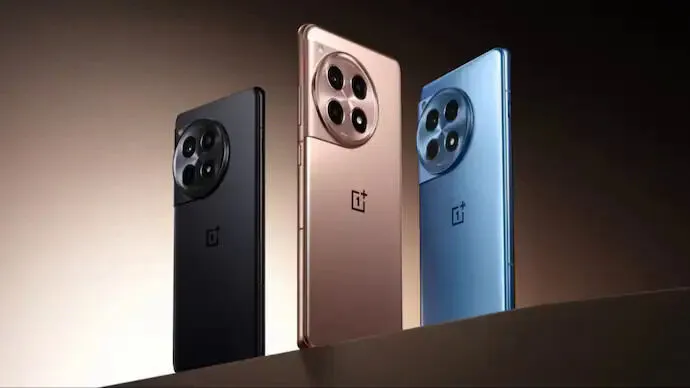
OnePlus 12R
The OnePlus 12R is dubbed one of the most affordable and best-value Android phones, and for good reason. Packed with a Snapdragon 8 Gen 2 processor, a superb AMOLED display with a 120Hz refresh rate, and impressive camera capabilities, this phone offers flagship-level performance. The sleek design and 100W wired charging are impressive and ideal for anyone in the market for a high-quality smartphone.
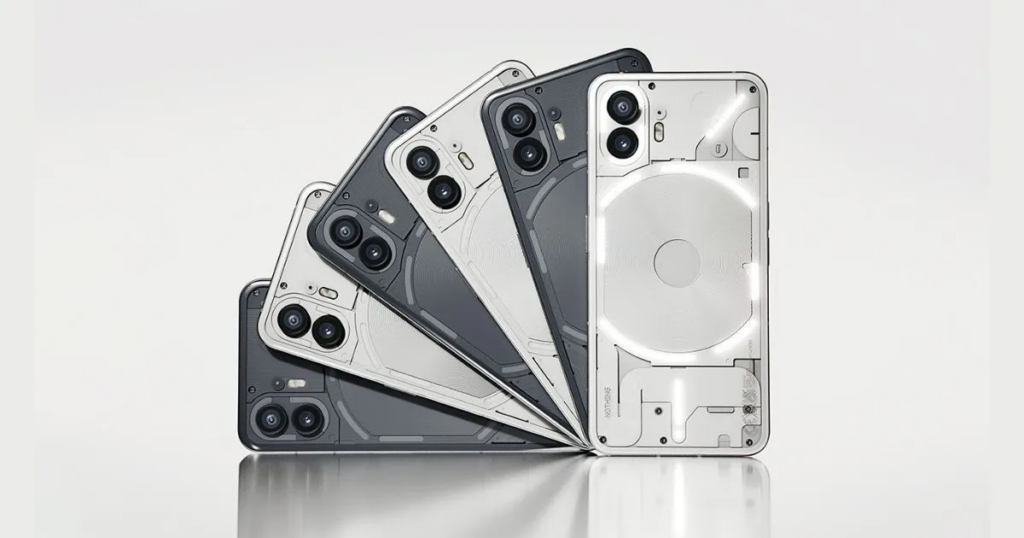
Nothing Phone 2a
Next up, we have the Nothing Phone 2a, praised for its exquisite design. With features like a transparent back panel and unique Glyph lights, this phone is impressive. Other specs, including a 6.7-inch Flexible AMOLED display and a MediaTek Dimensity 7200 Pro processor, make it a great choice in the budget Android phone market.
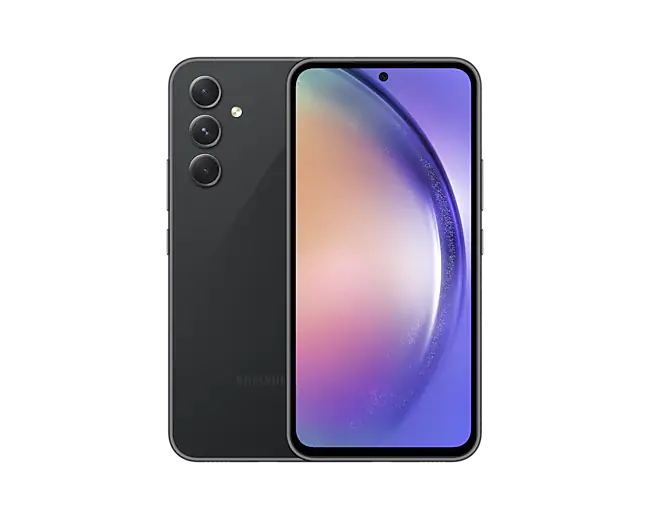
Samsung Galaxy A54
Samsung Galaxy A54
Another Samsung phone to buy if you’re looking for the best budget Android phone is the Galaxy A54 5G, sold for $325. It has a Pixel alternative with a fast display and premium design, though lacking wireless charging and slow charging speeds.
With a Super AMOLED display, flagship-level camera features, and a large 5,000mAh battery, this phone offers solid performance at a reasonable price. Samsung promises users four OS upgrades and up to five years of security updates.
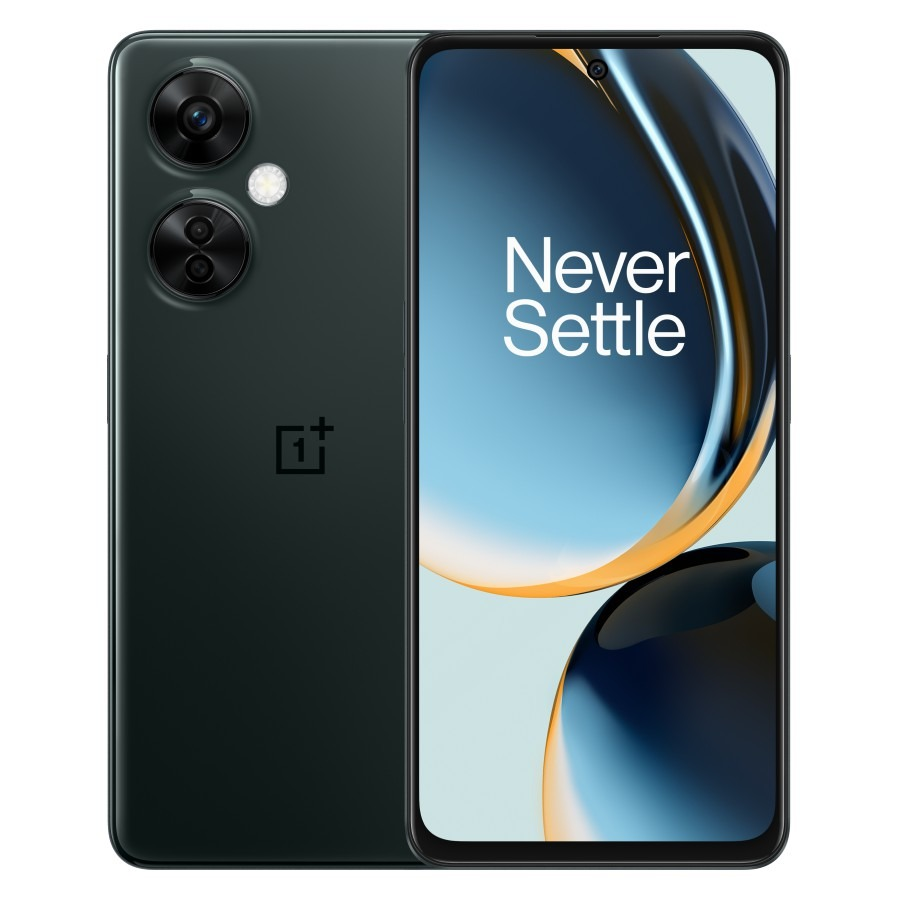
OnePlus Nord N30 5G
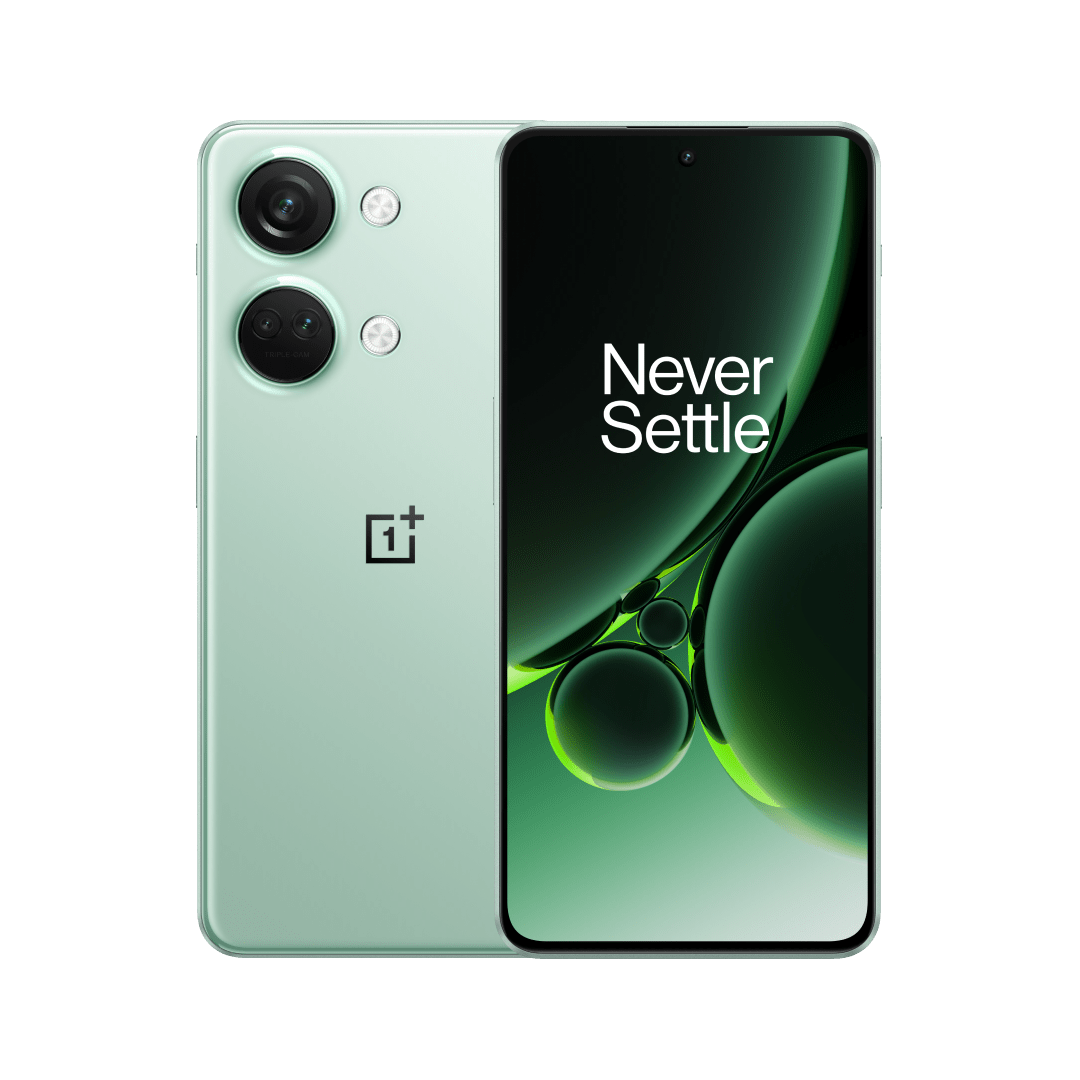
The OnePlus Nord N30 5G delivers exceptional value for its price. With features like a Snapdragon 695 processor, an AMOLED display, and impressive camera capabilities, this phone is one of the cheapest Android phones to buy. Plus, its 120Hz refresh rate ensures a smooth user experience.
Although the OnePlus Nord N30 priced at $250 maintains strong performance, it loses the AMOLED display and premium design of its predecessor.
Moto G Stylus 5G
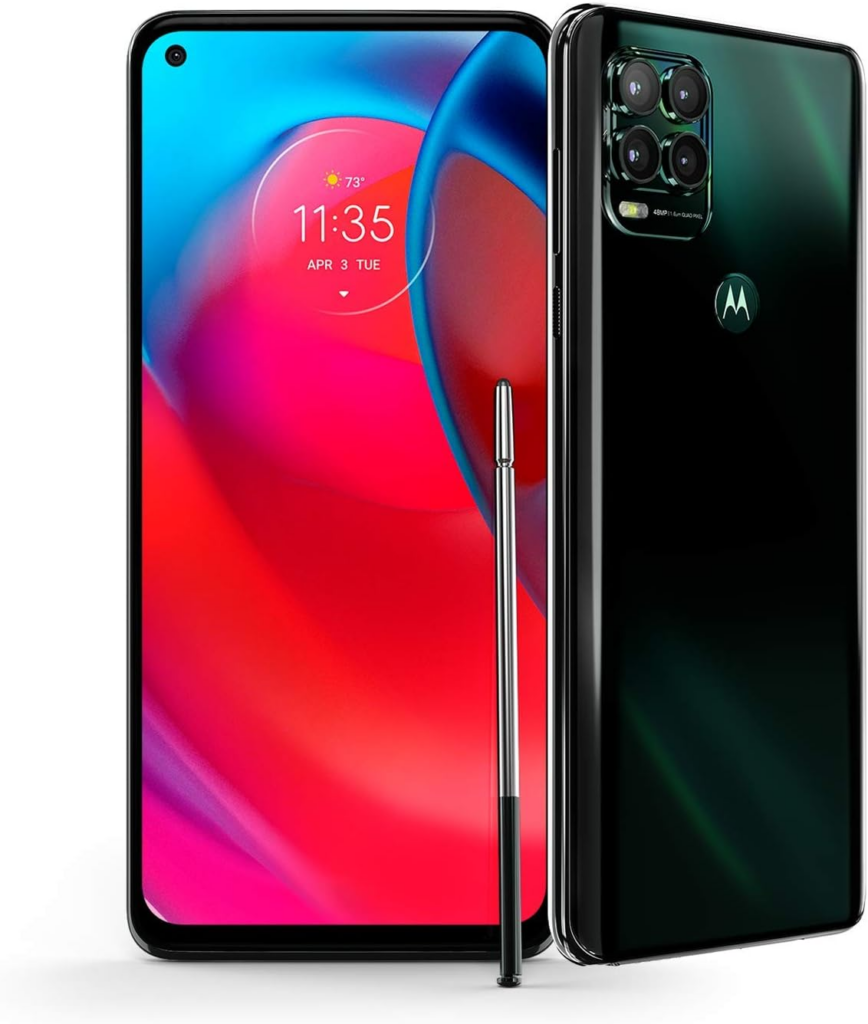
The Moto G Stylus 5G has been termed as the best stylus phone. Alongside solid specs like a Snapdragon 6 Gen 1 processor and a large 6.6-inch FHD+ display, it comes with a built-in stylus for writing and drawing. With its combination of features, performance, and value, it’s an ideal choice for a mid-range smartphone.
Other Budget Android Smartphones
The $350 Motorola Edge has a cool OLED display, solid battery life, and improved cameras and is one of the best budget Android phones.
For Galaxy fans, the Samsung Galaxy A14 5G, priced at $200 is a top pick. It features a fast display and great design, though lacking in speaker quality.
Motorola Razr sold for about $500 is a budget foldable smartphone with decent performance, good battery life, and a large display, despite limitations in the cover screen and camera quality.
You can also get the Samsung Galaxy A04 under $120, which offers good budget specs with Samsung’s One UI software, though limited by its plastic build and low resolution.
The $230 T-Mobile REVVL 6x Pro with wireless charging, and long battery life is a great choice for a budget phone if you can handle a large screen, but it has poor display quality and weak performance.
While these budget Android smartphones might not meet the features of the cheapest iPhones by comparison, they still offer decent performance and features at affordable prices.
Apple has scheduled the launch of its Vision Pro mixed reality headset. The official release in the US is set for February 2 and preorders for the device will commence on January 19, kicking off at 8 a.m. ET. This latest Apple product is powered by what Apple describes as the world’s first spatial operating system. Users can navigate a 3D interface using their voice and eye/hand movements without needing an external controller. By seamlessly blending the user’s physical surroundings with the digital experience, Apple seeks to offer a more enjoyable entertainment experience for gamers, along with the potential for improved collaboration in workspaces.
Priced at $3,500, the Vision Pro headset is equipped with 256GB of storage and responds to voice commands, as well as eye and hand gestures. Apple also announced that the Vision Pro headset will be available online and in Apple Stores across the US.
During last year’s Worldwide Developers Conference(WWDC), Apple announced the price of the headset which elicited audible reactions from the guests. With two high-end displays with resolutions surpassing that of a 4K display, Apple’s giving all the other mixed reality headsets a run for their money. The device has garnered positive early reviews, despite its steep cost. Apple has initiated shipments to US warehouses at Apple retail locations.
Back in June 2023, rumors suggested that the new headset, possibly named either Reality One or Reality Pro, will feature an iOS-like interface. Along with an immersive video display, and advanced sensors and cameras. That enables users to control the device through hand gestures, eye movements, and voice commands using Siri. One of the most exciting features is the outward-facing display that can capture eye movements and facial expressions. A revolutionary inclusion that allows observers to interact with the wearer more naturally.
In terms of functionality, the mixed-reality headset is expected to offer a wide range of applications, including gaming, fitness, and meditation. Users will also have access to popular iOS apps like Messages, FaceTime, and Safari.
Unlocking your iPhone is usually a breeze with a passcode, Face ID, or Touch ID. Yet, there are situations where you might find yourself locked out. Either because of a forgotten passcode, a disabled iPhone, or a second-hand-bought phone with a lock. Getting locked out of your phone can be incredibly frustrating. There are easy ways to regain access and we’ll show you how to unlock iPhone without passcode or computer.
There are various misconceptions about unlocking an iPhone without a passcode, but using a Calculator or Camera isn’t one of them.
How to Unlock iPhone Without Passcode Using a Computer
One of the ways to unlock iPhone without passcode is by using a computer and entering Recovery Mode. This way, you can restore your iPhone and set up a new passcode, Touch ID, and even Face ID. But first, you must have a compatible Mac or Windows computer(Windows 10 or a later version) and ensure iTunes is installed. You’ll equally need the original cable that came with your iPhone or a compatible alternative to connect it to the computer.
If your iPhone is currently connected to the computer, unplug it. Next, power down your iPhone. Depending on the model, press and hold both the side button and the volume down button until the power off slider appears. Connect your iPhone to your Mac or Windows PC while simultaneously holding the button. Continue holding the button until the recovery mode screen appears on your iPhone, then release.
Locate your iPhone either in the Finder or iTunes on the connected computer. A prompt will appear with the option to Restore or Update, choose Restore. Immediately you do this, the computer will download the necessary software for your iPhone and initiate the recovery process. The download will take up to 15 minutes and after the process is complete, your device will restart and display a setup screen. Then disconnect the iPhone from the computer and set it up.
Unlock iPhone Using iCloud
If you find yourself in a situation where you need to access your iPhone without its passcode, consider using iCloud as an alternative solution to unlock it. It’s important to note that this method will completely wipe everything off your iPhone. Navigate to iCloud.com, sign in using your Apple ID credentials, and locate the “Find iPhone” option. Always ensure that the “Find My” feature is activated before following the next step.
Within the list of devices linked to your iCloud account, select the corresponding model of your iPhone. Then initiate the process by clicking on the “Erase iPhone” option.
How to Unlock iPhone without Password or Computer
Unlocking an iPhone without a passcode becomes necessary when using a computer isn’t feasible. One option is to utilize the Erase iPhone feature, available for iPhones running version 15.2 or later. Just like we mentioned above for iCloud, this feature wipes the data from your iPhone to grant you access.
Enter the passcodes you remember until you’re locked out of the iPhone. If the Erase iPhone button hasn’t yet appeared, persist with entering more passcodes. Once it appears, input your Apple ID password to confirm the erasure. Alternatively, Siri can be used to unlock your iPhone without the need for a computer or password. However, this method mostly works for older iOS versions like 8 to 10.
Start by asking Siri about the current time. Following this, add a new clock and long-press the clock text. Opt to share the text to messages. Then use this action to navigate to the new contact screen and add a new photo to the contact before making your way to the photo library. You can now return to the home screen.
For those who have pre-set Voice Control, it can serve as a way to unlock your iPhone without a passcode. Start by navigating to Settings, then Accessibility, and Voice Control. Enable Voice Control and select Customize Commands to establish a personalized command. This custom command should mirror your lock screen passcode.
iOS 17 Passcode Reset
Should you find yourself unable to input your new passcode for any reason, iOS 17 introduces a handy feature known as Passcode Reset that allows users to use their previous passcode for a period of 72 hours.
If you’ve installed the iOS 17 Beta on your iPhone after five unsuccessful attempts at entering the correct passcode simply tap on “Forgot Passcode.” Then select “Enter Previous Passcode” to input your old passcode, and proceed to set up a new one. With these steps completed, you have successfully reset your iPhone passcode and regained access to your device.
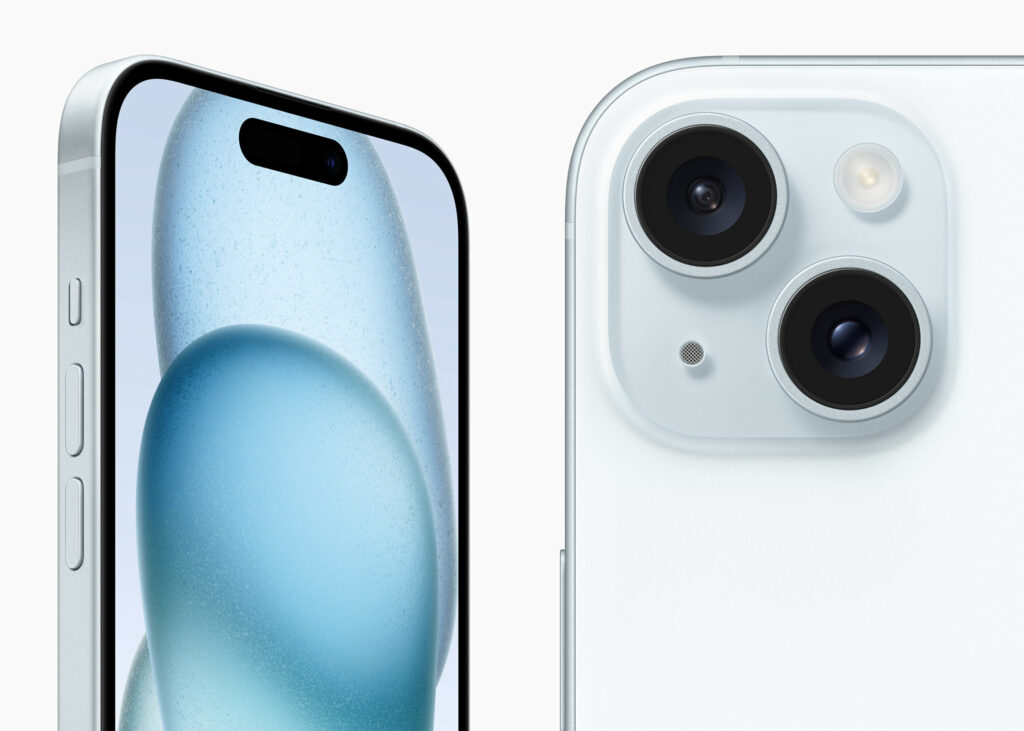
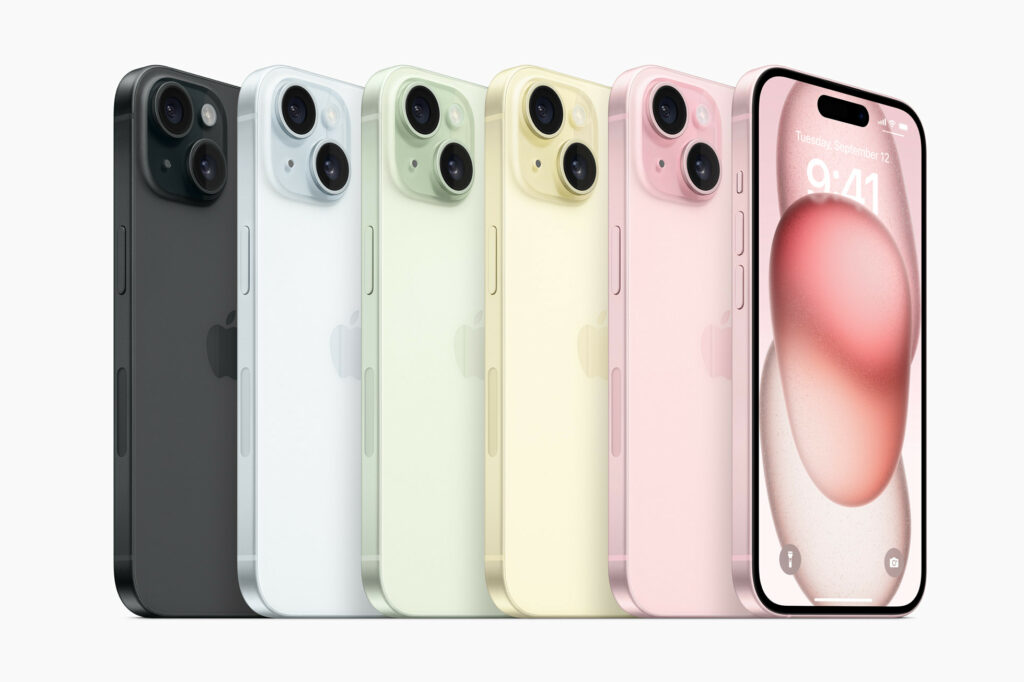
Apple’s latest product release at the Apple Event 2023 officially launched the all-new iPhone 15, and the iPhone 15 Plus which comes with expansive displays that mirror the dimensions of the iPhone 14 series. The iPhone 15 Pro and iPhone 15 Pro Max models, valued at $999 and $1,199, respectively, introduce an innovative action button instead of the conventional Apple mute switch.
This multifaceted button is a significant departure and replacement and can be used for several functions. Unlike its physical counterpart, this button relies on haptic feedback, enabling a range of device functions. By default, the action button toggles between ring and silent modes, emulating the function of the mute switch. Despite the absence of a tactile toggle, distinct haptic feedback cues users into the active setting. This innovation empowers users to customize the action button, granting quick access to various functions.
iPhone 15 and iPhone 15 Plus Credit: Apple
Aside from silencing or unmuting, the button can also activate iOS 17 shortcuts, launch the flashlight, open the camera, record voice memos, provide translations, and activate accessibility features like Magnifier. Apple also assures that the Dynamic Island will offer visual cues, complementing the haptic feedback for seamless operation. The lingering question is whether the action button can be configured for multiple actions through different tap combinations, such as a single tap for the flashlight and a double tap for the camera.
Apple also emphasizes sustainability with the revelation that the batteries of the iPhone 15 and iPhone 15 Plus, are constructed entirely from recycled cobalt. While Apple has not officially disclosed the highly anticipated iPhone 15 release date, there are speculations that availability will be starting September 15, followed by the official retail launch on September 22.
Design, USB-C, and Other Features
iPhone 15 and iPhone 15 Plus Credit: Apple
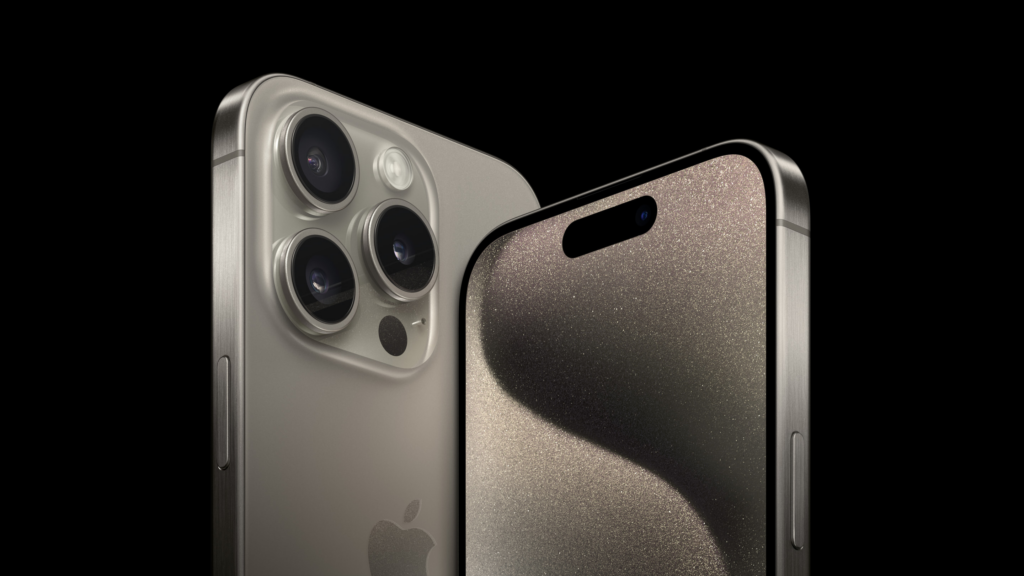
The iPhone 15 Pro maintains last year’s screen sizes; a 6.1-inch display for the standard model and a 6.7-inch display for the Pro Max. However, Apple has achieved a sleeker look by slimming down the borders, resulting in a slightly smaller form compared to the iPhone 14 counterparts. The obvious upgrade is Apple’s transition from stainless steel to Grade 5 titanium. This switch improves strength and durability while reducing weightiness. Grade 5 titanium has superior resistance to corrosion and greater tensile strength compared to pure titanium. Apple equally opted for titanium over stainless steel for the sidebars in these shiny new premium models.
All models now sport an impressive 48-megapixel primary camera. The flagship Pro Max is made with a remarkable 5X optical zoom and 3X telephoto capability. With the Pro series, users gain the ability to capture “spatial” or three-dimensional videos which is very much ideal for compatibility with Apple’s forthcoming Vision Pro headset. In terms of improving safety features, the latest iPhones with Emergency SOS Satellite connectivity can now summon roadside assistance, a service initially launched in partnership with the American Automobile Association in the United States.
In compliance with European legislation, Apple shifted gears by adopting the USB-C charging standard, replacing the longstanding Lightning port for the new iPhones and AirPods Pro. Also, this alteration is claimed to simplify the process for professionals who want to transfer video content directly from their iPhones to their hard drives. Under the hood, the 15 and 15 Plus, priced from $799 and $899, are driven by the A16 Bionic chip, while the Pro iterations are built with the powerhouse A17 Pro Chip.
iPhone 15 Specifications
Prices – The 128GB is sold for $799, 256GB is priced at $899, and 512GB goes for $1,099.
Display size – 6.1 inches
Refresh rate – 60Hz
CPU – A16 Bionic
Storage – 128GB
Rear cameras – 48MP main, 12MP ultrawide
Front camera – 12MP
Charging port – USB-C
Battery life – 24 hours
Colors – Pink, yellow, blue, black, green
The iPhone 15 Plus Specifications
Prices – The 128GB is sold for $899, 256GB is priced at $999, and 512GB goes for $1,199.
Display size – 6.7 inches
Refresh rate – 60Hz
CPU – A16 Bionic Chip
Storage – 128GB
Rear cameras – 48MP main, 12MP ultrawide
Front camera – 12MP
Charging port – USB-C
Battery life – 24 hours
Colors – Pink, yellow, blue, black, green
All-new iPhone 15 Pro
iPhone 15 Pro and iPhone 15 Pro Max Credit: Apple
Prices – The 128GB is sold for $999, 256GB is priced at $1,099, and 1TB goes for $1,499.
As we near September 12, Apple lovers worldwide eagerly anticipate the unveiling of the next iPhone 15 and Apple Watch. What is Apple’s release in September 2023? The online rumor mills have been speculating about the launch at the Apple event in 2023. Some suggest a typical round of annual upgrades, while others hint at a potentially upgraded, extremely large model, the Ultra. We’ll delve into all we can expect from this year’s upcoming Apple event. But first, what was released at the Apple event in 2022?
At the Apple Event 2022, the new iPhone 14 and iPhone 14 Plus devices were unveiled. Along with rebuilt AirPods Pro, three all-new lineups of Apple Watches, and cool updates to the Apple Fitness+, there was the WWDC event in June of the same year where Apple introduced iOS 1 as well as the new MacBook Air, 13-inch MacBook Pro, iPadOS 16, macOS Ventura, and watchOS 9. Then the March event heralded the unveiling of Mac Studio and Studio Display, the new iPad Air, the new iPhone SE, and iPhone 13 and iPhone 13 Pro.
At WWDC 2023, Apple unveiled; the Apple Vision Pro, the 15-inch MacBook Air, Mac Studio and Mac Pro, the M2 Ultra chip, and new updates to iOS 17, iPadOS 17, macOS Sonoma, watchOS 10, tvOS 17, and AirPods.
Apple Event 2023 – iPhone 15 Lineup
Apple Event 2023: iPhone 15, New Apple Products to Expect
The focal point of this year’s unveiling will undoubtedly be the iPhone 15 series. Much like its predecessor, the iPhone 14 series, the iPhone 15 series is predicted to comprise four models—iPhone 15, 15 Plus, 15 Pro, and 15 Pro Max. The iPhone 15 (6.1-inch), iPhone 15 Plus (6.7-inch), iPhone 15 Pro (6.1-inch), and iPhone 15 Pro Max (6.7-inch), respectively. We don’t have all the details of the iPhone 15 features, but we do know that the iPhone 15 design will be the coolest thing ever.
According to some rumors from the tech community and various sources privy to Apple’s product launches, we anticipate all four phones to feature the Dynamic Island, an enhanced 5G modem, and a USB-C port.
The Dynamic Island, currently integrated into the iPhone 14 Pro and Pro Max, is an interactive notification system. For the entire iPhone 15 series, this hardware will transition from display notches to the Dynamic Island cutout introduced with the 14 Pro series. Apple ingeniously incorporated display pixels and software harmonization to develop Dynamic Island.
On iPhone 14 Pro models, Dynamic Island offers a gamut of functions, from low battery notifications to validating Apple Pay transactions. From unlocking the Apple Watch to displaying connected AirPods and their battery status,. And even providing privacy alerts when the camera or microphone is in operation.
Revamped 5G Modem/Universal USB-C Standard
While Apple is diligently working on its proprietary 5G chip, it seems the development is still in the pipeline. The iPhone 15 models are slated to come with the Qualcomm Snapdragon X70 chip. Which promises augmented speeds, extended coverage, superior signal quality, and heightened energy efficiency. This is an amazing upgrade from the preceding X65 chip present in iPhone 14 models.
Qualcomm’s announcement of the X75 chip earlier this year, though promising, will take effect before the year ends. Which is slightly lagging behind the iPhone 15’s development timeline. Hence, the speculation that Apple will still use the earlier X70 chips.
The most substantial transformation across all four models will be the departure from the Lightning connector. Likely influenced by EU regulations favoring USB-C, the iPhone 15 series is set to feature a USB-C port. This transition could impact the global market, heralding a new era of USB-C-compatible accessories.
The iPhone 15 Pro and 15 Pro Max are poised for a significant overhaul. They will bid farewell to stainless steel, adopting titanium frames for a lighter feel. These models are slated to house the groundbreaking A17 chip, boasting a minuscule 3-nanometer processor. We’re also to expect thinner display bezels. Solid-state volume and power buttons may redefine the Pro models’ tactile experience, distinguishing them from the standard 15 and 15 Plus.
While there’s been talk of an iPhone 15 Pro Max rebranding to Ultra, it’s wise to take this with a pinch of skepticism. Rumors suggest the potential addition of an action button, similar to the Apple Watch Ultra. Only time will reveal the truth.
New Chips and OS for the Apple Watch
The September event will introduce the Apple Watch Series 9, accompanied by an innovative Ultra variant. Foremost among the new updates is the incorporation of faster chips, which Apple claims will upgrade the performance of their new watches. Additionally, we’re to expect a palette of new color options for the watch casing.
Apple is equally set to publicly unveil watchOS 10, the latest addition to the Apple Watch operating system. Notable features include a widget interface that dynamically displays the most frequently accessed information based on the time of day. Also, the updated OS incorporates novel functionalities for health and fitness tracking.
Wanderlust: What time is the Apple event in 2023?
The Wonderlust Apple event’s timing varies depending on location. For those in California, all the action begins at 10 a.m. Those in India will have a late night, with a 10:30 p.m. start. London will witness the event at 6 p.m., while New Yorkers can catch it at 1 p.m. Across many parts of Europe, the event commences at 7 p.m. South Korean and Japanese viewers can join by 2 a.m. In Melbourne, Australia, the event kicks off at 3 a.m., and for those in South Africa, 7 p.m. The venue of the Apple event is Apple’s headquarters, Apple Park, in Cupertino, California.
Often, if you encounter any technical glitches or issues with any of your devices, one of the go-to and sometimes, effective solution is to reboot. Mobile devices like iPhones lack a direct restart mode compared to their Android counterparts, but we’ve gotten around to simplifying the process of restarting an iPhone for our readers. The piece offers guidance on how to successfully restart an iPhone in the event of any difficulties.
The first thing to do when restarting an iPhone 14 down to iPhone X, press and hold the Down Volume and Side buttons at the same time. The upper Volume button is functional, but using one can mistakenly take a screenshot.
As you press and hold, the power off slider will appear. Release your hold on the Down Volume and side buttons. Then move the slider after releasing the buttons.
Once this is done, wait for about 30 seconds for the iPhone to go off. Then press and hold the same side and volume buttons to restart the iPhone.
iPhone 5, 6, 7, 8, or SE(1st, 2nd, and 3rd Generation)
To restart an iPhone of the above models and generations, first press and hold the Sleep/Wake button. This is the button that turns off the phone and for the iPhone 6 series and later models, the button is on the upper right side. But for the previous iPhone models before the 6 series, the sleep/wake button is on top of the phone.
Depending on the model, once the power off slider appears on the screen, release your hold on the Sleep/Wake button. Then move the slider after releasing the buttons
Once this is done, wait for about 30 seconds for the iPhone to go off. Then press and hold the same sleep and wake buttons to power the iPhone.
Whether you are a tech enthusiast, a social media influencer, or simply looking for a reliable phone that can keep up with your dynamic lifestyle, you are sure to find a perfect match from our list of the best android phones of 2023.
We bring to you a compilation of the hottest phones to buy this year. Featuring sleek designs, ultra-powerful processors, high-resolution cameras, innovative features, specifications, etc, these android phones are the ultimate gadgets that will upgrade your daily communication and entertainment. With their guarantee to offer seamless and immersive user experiences like never before.
So let’s explore the new android phones for 2023, alternatives to iPhones.
Our Top Picks Of The Best Android Phones in 2023
Samsung Galaxy A54 5G
Cnet.com
The sleek and stylish Samsung Galaxy A54 5G, which takes its design cues from the highly coveted Galaxy S23 lineup is the latest addition to the Samsung Galaxy series. This modern device boasts a 6.4″ FHD+ AMOLED display with a lightning-fast refresh rate of 120Hz, powered by a Samsung Exynos 1380 processor and backed by 128GB of storage that’s expandable up to 1TB with a microSD card.
You can capture amazing shots with the Galaxy A54’s upgraded camera setup featuring a 50MP primary sensor for superior low-light performance and dynamic range, along with a 12MP ultra-wide and 5MP macro camera for close-up shots. On the front, a 32MP selfie shooter awaits, capable of recording in 4K resolution, giving you picture-perfect moments to treasure.
The Galaxy A54 is packed with other features like 5G, Wi-Fi 6, and eSIM, ensuring you stay connected to the world around you. Running on Android 13 with One UI 5.1, the Galaxy A54 offers a seamless and intuitive user experience. Available in black and purple, this phone is so affordable. Pre-orders are set to kick off in a couple of weeks on March 30th, and you can get your hands on one starting April 6th. And the best part? This baby won’t break the bank – just like last year’s A53 5G model, it’s priced at a super reasonable $450. Truly one of the best android phones of 2023
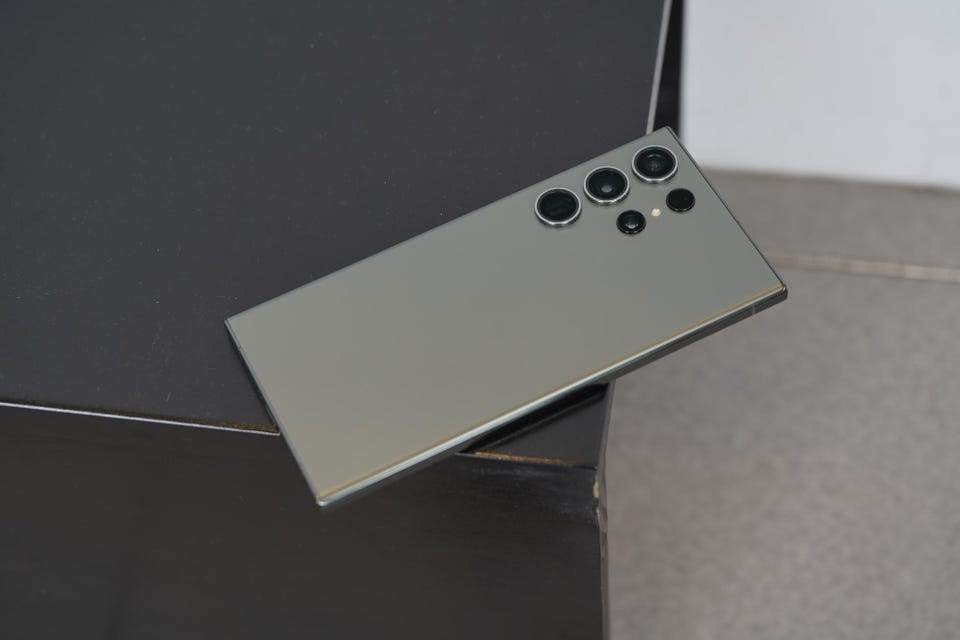
Samsung Galaxy S23 Ultra
Forbes
Samsung’s latest offering, the Galaxy S23 Ultra is not the regular stylus smartphones. It boasts impressive upgrades in its chip, battery, and camera features compared to its predecessors. However, aside price tag, it is one of the most expensive non-folding smartphones available.
Visually, the S23 Ultra closely resembles its predecessor the Samsung Galaxy S22, and its cream color scheme adds to its premium look and feel. The phone’s aluminum frame, slightly less curved glass edges, and super-bright and crisp screen remain unchanged from the previous model.
One of the phone’s unique features is the S Pen stylus. A fan-favorite that was introduced to the S series in 2022, and has undergone minor changes in this version. The phone’s software is based on Samsung’s One UI 5.1, running on Android 13. And offers numerous useful features, including productivity tools for the S Pen and customizable lock screens. The phone’s height is 163.4 x 78.1 x 8.9mm and weighs 233g.
Other specifications include a 6.8-inch QHD+ Dynamic Amoled 2X screen with 500ppi and 120Hz refresh rate. A Qualcomm Snapdragon 8 Gen 2 processor, 8 or 12GB RAM, and storage options of 256, 512GB, or 1TB. The phone supports 5G, USB-C, WiFi 6E, NFC, Bluetooth 5.3, UWB, and GNSS. And boasts an IP68 water resistance rating of up to 1.5m for 30 minutes.
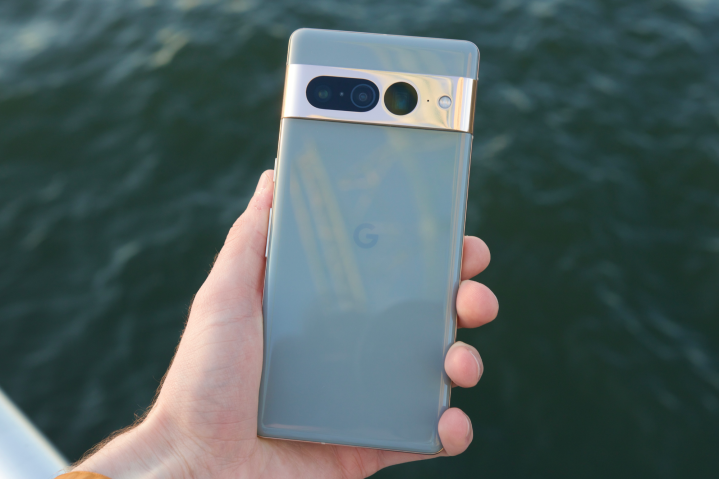
Google Pixel 7 Pro
Digital Trends
The Pixel 7 Pro is the top model in Google’s 2022 phone lineup. Aimed at continuing the company’s recent success in high-end mobile devices. Which also includes the smaller Pixel 7 and the more affordablePixel 6a.
The phone features a large, 6.7-inch OLED screen. With a 120Hz refresh rate and a polished aluminum camera bar on the back. It has good performance, a fast fingerprint scanner, and reasonable battery life. Along with impressive AI features, such as dictation and unblurring technology. The standout feature, however, is the camera, which boasts a 10x optical zoom. A feature only found on Samsung’s best, more expensive phone.
The Pixel 7 Pro comes with 12GB of RAM and is available with 128, 256, or 512GB of storage. It runs on Android 13 and has 5G connectivity, as well as eSIM, wifi 6E, UWB, NFC, Bluetooth 5.2, and GNSS. The phone is water-resistant with an IP68 rating, allowing it to withstand being submerged in 1.5 meters of water for up to 30 minutes.
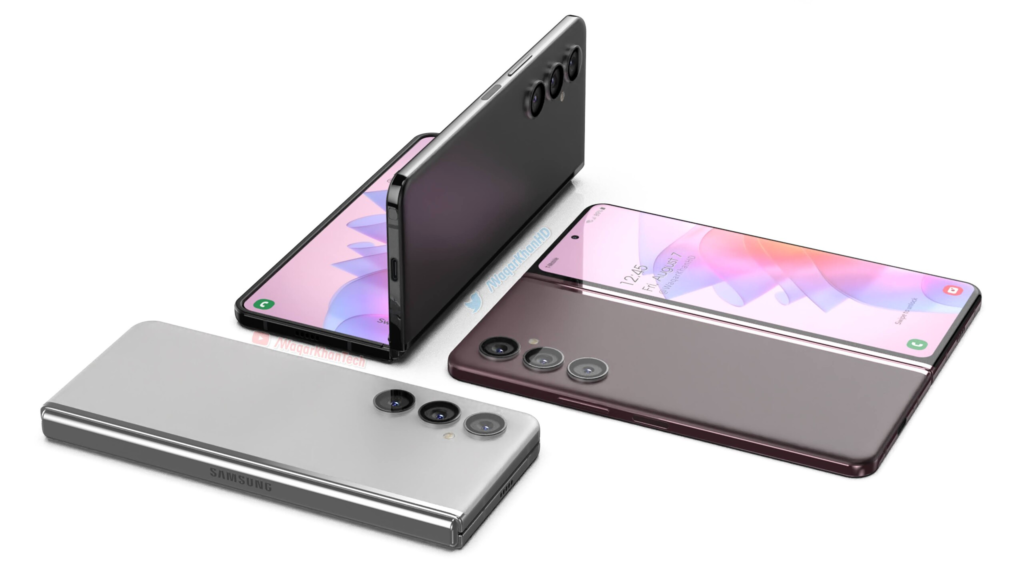
Samsung Galaxy Z Fold 4
Notebook check
The Samsung Galaxy Z Fold 4 is the epitome of snappy and smooth, thanks to Qualcomm’s latest Snapdragon 8+ Gen 1 processor – the most powerful chip you can find on Android.
This phone has two screens, which can affect its battery life. Using just the inside display can last up to 35 hours while using both screens can get you up to 40 hours of battery life. Charging takes about 80 minutes for a full charge or 30 minutes for 50% with a 25W USB-C power adapter. It runs on Samsung’s One UI 4.1 based on Android 12L, optimized for folding-screen devices.
Now let’s talk cameras—the phone has five cameras, including a new triple system on the back, a 10MP front-facing camera, and a 4MP selfie cam hidden under the inside screen’s top right. The back cameras are similar to the S22+ and include a 50MP camera with 3x optical zoom and an ultrawide lens
So if you’re in the market for a folding phone, the Fold 4 is worth considering. Here’s a quick rundown of the specs: 7.6in QXGA+ 120Hz AMOLED flexible display (374ppi), 6.2in HD+ 120Hz Amoled cover screen (387ppi), 12GB RAM, 256/512GB or 1TB storage, One UI 4.1 based on Android 12L, 50MP wide/12MP ultrawide/10MP 3x telephoto back cameras, 10MP and 4MP selfie cams, 5G, dual sim, e-sim, USB-C, wifi 6E, NFC, Bluetooth 5.2, IPX8 water resistance, dimensions folded: 155.1 x 67.1 x 15.8mm, dimensions unfolded: 155.1 x 130.1 x 6.3mm, weight: 263g.
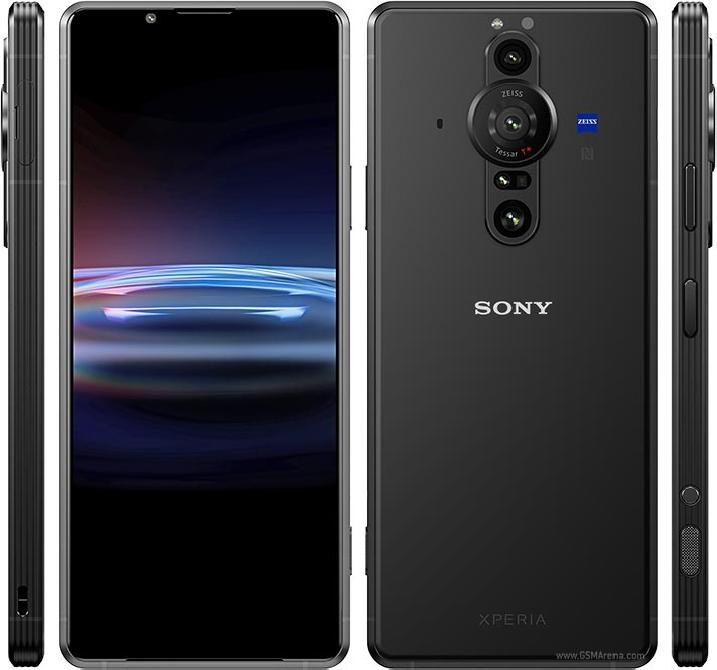
Sony Xperia Pro
MobGSM
The Sony Xperia Pro is a distinctive and impressive device that is specifically tailored for professional photographers and videographers. While its steep price tag of $1800 may deter casual users, those in the content creation industry will appreciate its four-in-one functionality as a smartphone, camera monitor, fast file transfer device, and 5G machine for broadcasting and live streaming.
Equipped with a Snapdragon 888 SoC, 12GB of RAM, and 512GB of storage, the black phone is a powerful device capable of handling even the most demanding tasks. Its standout camera system includes three rear cameras with varying focal lengths and advanced capture applications. The device’s 6.5-inch 4K HDR OLED display equally offers stunning visuals with very excellent speakers. Despite not feeling as premium as similarly priced android phones, the Sony Xperia Pro is a cool and innovative option for professionals looking to take their photography and videography to the next level. Indeed one of the best android phones of 2023
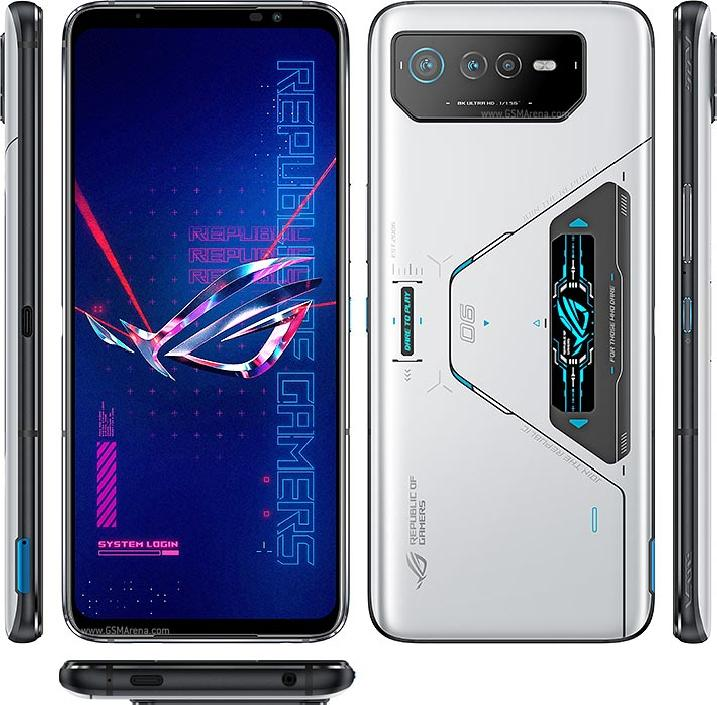
ASUS ROG Phone 6 Pro
MobGSM
For those who want to have a superior gaming experience, the Asus ROG Phone 6 Pro is your go-to gaming android phone. True Asus fans know that ROG Phones are built for gamers. This is evident in the design and configuration of the Asus ROG Phone 6 Pro. As well as other outstanding features such as a bulky and imposing build, great display, cool speakers, etc. The phone delivers nothing short of an incredible gaming experience.
The ROG Phone 6 Pro’s display is a 6.78in, 2448×1080 OLED panel that delivers sharp details in vibrant colors for an enthralling viewing experience. It also has a classic view from the back. With a triple rear camera module that doesn’t cause any issues when placing the phone face-up on a surface. The sides of the device have power and volume controls. Dual shoulder triggers, and a second USB-C port for comfortable gaming while charging.
Audio is a priority for the ROG Phone 6 Pro. With a speaker system designed in collaboration with the audio company Dirac, known as Dirac Virtuo. This stereo design combines a large front-facing speaker with an earpiece to deliver rich music and game sound effects.
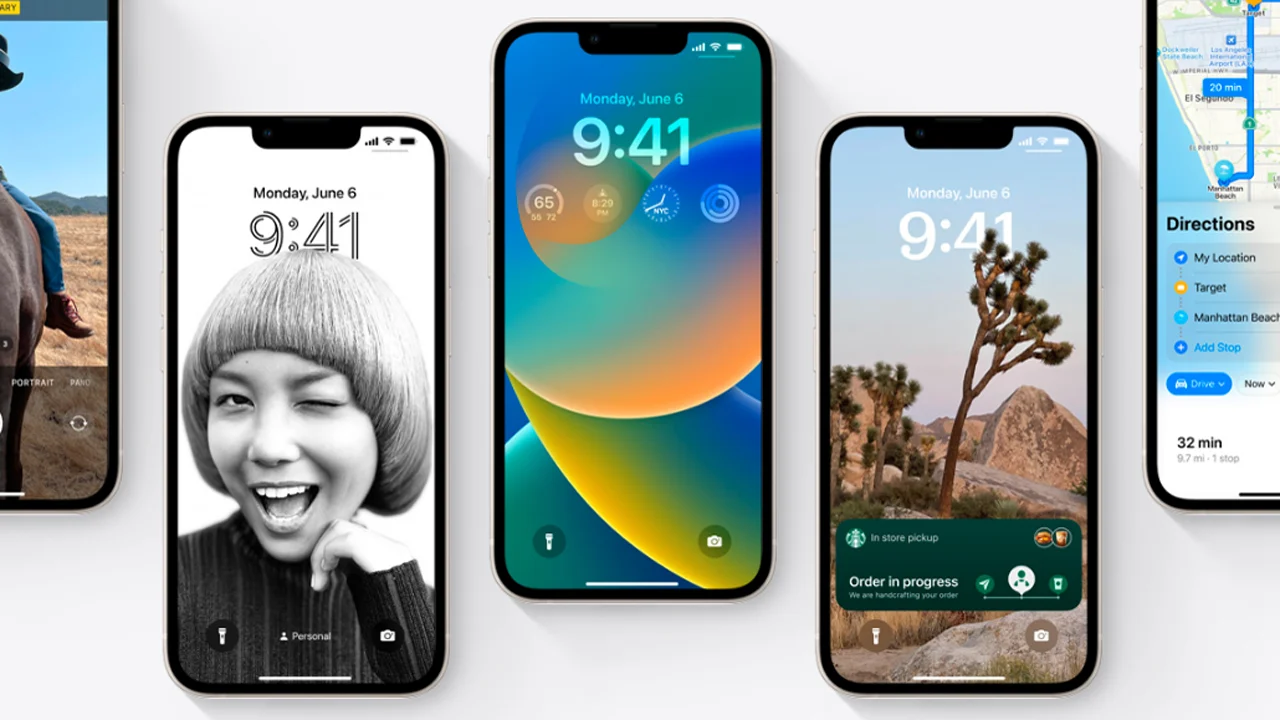
Apple’s latest operating system for iPhones has been making waves in the tech world and generally among iPhone users. Since the past 6 months of its release, the upgrade has been well-received by users. While many users appreciate the known advanced iOS 16 features, there remains a vast amount of obscure details and features.
In this article, we’ll take a look at some of the cool iOS 16 features you can ever imagine existed on your iPhone. Before we dive in and explore these obscure tools that make iOS 16 such an impressive operating system, let’s cover some useful basics.
What are the common iOS 16 features?. Some of the iOS 16 innovative features include custom Lock Screens with widgets, an editing and deleting messages function, enhanced Focus modes, iCloud Shared Photos Library, improved Mail, Home, Wallet, etc. Most of which will unlock your iPhone’s potential and take your internet connectivity to the next level.
What iPhones Are Compatible With iOS 16?
Credit: mint.com
Here are the latest iPhones that are compatible with the newest operating system for iPhones, iOS 16:
Viewing and Sharing Wi-Fi Passwords iOS 16 Features
Before now, Apple users find it hard to view and share saved Wi-Fi passwords seamlessly. This was because this feature required two Apple devices to be within proximity to function. If placing the two devices together did not automatically function, the password could not be easily retrieved from the settings.
Additionally, if the password needed to be shared with someone on a different device, such as an Android user or someone using a computer, the password had to be remembered. All that has changed with the advent of the iOS 15 features and this limitation no longer applies.
To access the Wi-Fi password-sharing feature on iPhones, simply navigate to Settings, select Wi-Fi, and locate the tiny information icon next to the desired network. Then tap on Password, then use Face ID or your passcode to access the password. Once the password is visible, it can be copied to the clipboard and shared with anyone who needs it.
Delete Duplicate Photos and Videos on iPhone
If you have cluttered albums with duplicates of the same photos and videos, it can take up unnecessary storage space. Fortunately, with the latest iOS 16 update, you can easily remove duplicates.
Once you head to the Album section of your Photos, you’ll find a new album labeled Duplicates. Apple will work its magic by scanning your entire photo library and identifying any duplicated items. Then displays all the photos and videos that you’ve saved more than once. Now, you can choose to either wave them goodbye forever by deleting them one by one or use the slick Merge function to keep the best version while trashing the rest.
End phone calls and FaceTime calls with Siri
Another unique hidden feature of the Apple iOS 16 is that Siri, the virtual assistant can now hang up a phone call or FaceTime call. A feature that was previously unavailable.
To enable this feature, navigate to Siri & Search in your device’s Settings and ensure that “Hey Siri” is turned on. After which you proceed to turn on a new option called Call Hang Up. Once enabled it is enabled, simply say “Hey Siri” during a phone call or FaceTime video chat and ask Siri to hang up the call for you, and voilà.
Pin Tabs in Safari
With iOS 16, you can now pin your favorite Safari tabs for easier access. When you have many tabs open, Safari limits them to 500, and this can make it quite difficult to locate the specific tab you want.
However, with the iOS 16 upgrade, you can now press down on an open tab in Safari and select “Pin Tab.” This will move the tab to the top of Safari, where it will appear as a small tab preview that remains there permanently. You can also tap on the tab preview to view the tab again. If you want to unpin the tab, simply press down on it and select “Unpin Tab,” and it will return to the first position in your grid of open tabs.
Delete Apple’s built-in apps
Sometimes you just wish to delete some built-in applications on your iPhone but Apple has limitations. With iOS 16, users can delete up to 20 built-in Apple apps on their iPhones. Including Apple Books, Calculator, Calendar, Compass, Contacts, FaceTime, Files, Home, iTunes Store, Mail, etc.
To delete built-in apps, simply touch and hold the app icon you wish to delete on the home screen. Then tap on Remove App in the menu that pops up, and tap Delete.
If you wish to restore any of the deleted built-in Apple applications, go to the App Store. Search for the applications you wish to restore, and then download them like every regular app.


You must be logged in to post a comment.