Samsung’s next-gen smartwatches identified by model numbers SM-L300, SM-L305, SM-L310, and SM-L315, have been spotted on the FCC certification. The latest Galaxy Watch 7 series will be revealed at the next Samsung Unpacked event scheduled to be held on July 10, 2024.
We got wind of some of the features, including Wi-Fi and LTE connectivity, and different models; Galaxy Watch 7, Galaxy Watch 7 Classic/Pro, and Galaxy Watch 7 FE. Samsung is also expected to showcase the Galaxy Z Fold 6 and Galaxy Z Flip 6.
Samsung, Apple, and Google have been the leading competitors in the wearables and smartwatch market for years now. The Samsung Galaxy Watch 6 is one of the best smartwatches for Android users, especially those with Samsung phones. It features a rotating bezel, health and fitness tracking, durable sapphire glass, potentially longer battery life, LTE connectivity, and a more competitive price than the Apple Watch Series 9.
Although the Galaxy Watch 6 and Watch 6 Classic are ideal for Android users, the Apple Watch Series 9 continues to set the standard for smartwatches. It runs on the efficient S9 chip, with improved battery life and on-device Siri processing for quick and private responses. Features include Double Tap, which lets you control the watch by tapping two fingers together, an FDA-cleared electrocardiogram sensor, and SpO2 measurement, although this last feature is no longer available on US models sold after January 18, 2024, due to the Apple Watch blood-oxygen monitoring patent dispute.
Google’s Pixel Watch 2 which is another good smartwatch for Android users now includes auto-start workout detection, fall detection, SpO2 measurements, and a modernized Fitbit app. It also introduces Safety Check and Body Response features for stress detection and management. Although it’s great for health and fitness tracking, the battery life lasts only about a day.
Samsung has unveiled a foldable smartphone,tablet-like display and would be able to run up to three apps at once.
The design doesn’t just stand out. It stands apart.The highly anticipated Galaxy Fold is a new foldable device that features the world’s first 7.3-inch Infinity Flex Display, which folds into a compact device with a cover display.
Today, Samsung announced the Exynos 8 Octa 8890 CPU processor.
This is the companies second “premium” chip built on 14nm FinFET process technology. It has a custom 64-bit CPU with four custom cores and four ARM Cortex A53 CPU cores. These specs improve the performance of the processor by 30% and cause it to use 10% less electricity.
Samsung said devices with its chips will allow users “to enjoy and share high-resolution video content on the go with ease.”
With our custom designed CPU cores and the industry’s most advanced LTE modem, consumers using mobile devices with the Exynos 8 Octa will experience a new level of mobile computing.” – Dr. Kyushik Hong, Vice President of System LSI marketing at Samsung Electronics.
The tech giant has also added that the new CPU can allow for highly immersive gaming and life-like virtual reality experiences thanks to Mali-T880; ARM’s latest GPU.
Sasmung had unveiled its first 14nm mobile application processor in February of this year. The company’s expected initiation for the Exynos 8 Octa mass production is set for later into this year.
From the front, the S6 looks a lot like the Note Edge — though this time both sides of the screen feature Samsung’s unique curve. And that dark gray metal backside looks pretty nice and is a huge step above anything that Samsung’s produced to this point. Goodbye, fake leather. We can’t say we’ll miss you. Expect to see an end to all these teases when Samsung officially unveils the Galaxy S6 on March 1st. T-Mobile’s website says there’ll be much more to share on that date.
Preliminary Specifications
NETWORK Technology: GSM / HSPA / LTE
LAUNCH Announced: Exp. announcement 2015, March 1
Status Exp. release 2015, Q1
BODY Dimensions: 143.3 x 70.8 x 6.9 mm (5.64 x 2.79 x 0.27 in) SIM: Nano-SIM – Fingerprint sensor (PayPal certified) – Samsung Pay (Visa, MasterCard, AMEX certified) – IP67 certified – dust and water resistant – Water resistant up to 1 meter and 30 minutes
If you don’t have a home internet access, your best bet is to use your Android smartphone to distribute your cellular Internet connection to your other devices. Using our guidelines provided in video, picture gallery and text format you can learn how to configure Wi-Fi hotspot in an Android smartphone.
Smartphone usage statistics from Jan-Oct 2014 shows that Android OS is winning the smartphone war in Nigeria. Infinix, Tecno and Samsung smartphones are at the very top of the food chain in Android smartphone usage among Nigerians.
Since most internet users [in Nigeria] access the internet from the mobile data, it makes sense for Android users to get acquainted with the inbuilt portable hotspot facility that comes pre-installed in most Android devices.
Be it on Huawei Y6 Prime 2019, Samsung Galaxy S10+, Infinix Zero 5 or any Android smartphone out there, these guide is ready to get you started with portable hotspot on your device.
Click on any of the formats listed above to access this tutorial in that format.
How to use and configure Wi-fi on Samsung, Teno, Infinix and other Android smart phone?
Configure Wi-Fi hotspot on Samsung Galaxy S8
Time needed: 2 minutes
Follow this step to step guide to learn how to configure Wi-Fi Hotspot on your Samsung, Tecno, Infinix and any other Android smartphone.
Go to your Android phone’s settings
From the Home screen, tap the Application screens icon > Find and tap Settings.
On newer versions of Android, you can simply pull down Android control panel and click on the gear icon.
Wireless & networks settings
From your Settings screen, locate Wireless & Networks block and tap Tethering & Portable Hotspot. If you can’t find Tethering & portable hotspot on your settings home screen, tap More > Tethering and portable hotspot.
On some version of Android, you can hold the upper screen of your Infinix smartphone or Tecno smartphone and scroll down. Turn “On” hotspot from the menu. You will see a notification requesting you to touch to configure hotspot, just touch the notification.
Configure Wi-Fi Hotspot
From the Tethering & portable hotspot screen, tap Wi-Fi hotspot and select Set up Wi-Fi hotspot. Here you can set your WIFI’s SSID and security.
The SSID or Network Name is the name of your Wi-Fi connection. Change the name to any name of your choice, the default name is usually “AndroidAp”
You can change the security option, to any of your choice, such as, “Open” which allows any WI-fi enabled device to connect to your smartphone without requesting for a password. While WPA PSK and WPA2 PSK allows you to put your preferred password.
Using Portable Wi-Fi hotspot on Android Smartphones
Your WIFI hotspot is now functional and can be used on basically every Android device that support WiFi connection including, Honor 8X, Infinix Diamond, Tecno Camon 11 Pro, Xiaomi Redmi Go, Tecno phantom and on any PC that has a WiFi adapter.
Turn on your Infinix WLAN hotspot and your laptop WLAN and search for available networks and connect. That’s all you need to configure your WLAN Hotspot and start using your Infinix smartphone to power your laptops and smartphones WLAN, up to multiple devices simultaneously
If you going to use your mobile data on your PC be ready to re-adjust your monthly data budget. Luckily, network providers in Nigeria and Ghana has improved their data offers in recent years.
How to use and configure Wi-Fi on Infinix smartphones in Pictures?
This picture walk-through guides you on how you can set up Wi-Fi hotspot on your Android smartphone using infinix example.
Click on the images to expand and use the arrow keys to browse.
Tap and drag down the top area of your Android phone to open the Android control panel > tap on the gear icon.
From your Settings screen, locate Wireless & Networks block. This is where configure network services like Bluetooth, Wi-Fi and mobile data. Tap More to open more network settings.
From More in Wireless and Networks settings, tap Tethering & Portable Hotspot. This will open the Tethering & Portable hotspot setting screen.
Tap Wi-Fi hotspot to open the hotspot management screen.
Ta Set up Wi-Fi hotspot to configure your Wi-Fi hotspot network name and password.
Here you can set your WIFI’s SSID and security. The SSID or Network Name is the name of your Wi-Fi connection. Change the name to any name of your choice, the default name is usually “AndroidAp”
You can change the security option, to any of your choice, such as, “Open” which allows any WI-fi enabled device to connect to your smartphone without requesting for a password. While WPA PSK and WPA2 PSK allows you to put your preferred password.
Once you’re done, get an Internet plan for your phone, turn on your mobile data and hotspot.
Your WIFI hotspot is now functional and can be used for multiple devices.
After you’re done, all you have to do is turn off the hotspot.
The same techniques will work on all Android devices. Using your mobile data on PC is obviously going to be more costly than Internet to the home bills, you may consider this data subscription plans to make an informed decision.
Video Guide on How to Use and Configure Wi-Fi Hotspot on Android Smartphones
The video demonstration is recorded on Infinix Zero 4 smartphone, but the same procedure is used to configure Wi-Fi hotspot on any Android device.
PROS Large, vivid screen Excellent battery life and performance Office and videoconferencing apps are built in
CONS No wired display connection Flip cover doubles as a flimsy stand Avoid using it for pictures Exceptionally high price
AT A GLANCE
Spending $750 for an Android tablet seems exorbitant. But the Samsung Galaxy Note Pro offers a larger screen, excellent battery life, and access to the Android and Samsung app stores. When one considers the wealth of inexpensive Android tablets available, the idea of paying $750 for a 12-inch Android tablet seems inconceivable. But if now isn’t the time for consumers to start thinking of large Android tablets as legitimate Windows laptop replacements, that day isn’t far off. That’s right: a Windows laptop replacement. That’s the only way to consider the Samsung Galaxy Note Pro, a massive tablet that, like the Microsoft Surface, works best on a desk. Samsung’s 12.2-inch Galaxy Note Pro (7.95 mm thick, 1.65 pounds) is virtually identical to the Galaxy Tab Pro, save for the addition of an S-Pen stylus.
This is not a competitor to smaller tablets like the Nexus 7. Indeed, if last year’s Galaxy Note 3 smartphone doubles as a reporter’s notebook, then the new Galaxy Note Pro is something akin to an electronic legal pad. And with a surprisingly complete selection of productivity apps in both Google Play and Samsung’s own app store, this massive Android tablet can help you get real work done.
The Galaxy Note Pro lacks an integrated keyboard, and the cover, which does double duty as a stand, is a little flimsy.
The Note Pro is available for either $750 for a 32GB model, or $850 for 64GB of onboard storage. So far, Samsung has yet to announce the price for a model with an integrated LTE WLAN chip. According to Samsung, the Wi-Fi version of the Note Pro houses a 1.9GHz quad-core ARM Cortex A15 chip, powering Android 4.4 (KitKat). Our performance tests produced a Sunspider score of 0.97 seconds (which hits the upper echelons of the tablet market), and a PeaceKeeper score of 815. For the sake of comparison, the iPad 3 managed 516 in PeaceKeeper, and the Dell XPS 10 hit 324 (higher scores are better).
The Samsung ‘Surface’
It’s not much of a stretch to consider the Note Pro as Samsung’s response to Microsoft’s Surface 2 Pro, which starts at $899 for 64GB of onboard storage. Both the Note Pro and the Surface Pro 2 ship with foldable keyboard covers; the Note Pro’s can be configured so that it wakes up and unlocks the tablet when flipped back. But while the Note Pro’s cover actually doubles as a stand, it’s not immediately obvious that it does so.
The Note Pro also lacks an integrated keyboard, such as the Surface’s Type and Touch Covers. In fact, to use it as a laptop replacement, you’ll need to buy a Bluetooth keyboard and possibly a mouse. That completely eliminates its use as a “lap top” computer.
Physically, the Note Pro looks like a Note 3, flipped on its edge. The tablet is designed to be held in landscape mode, with the physical home button mounted between the back and applications buttons. Near the top sits the 2-megapixel front-facing camera, with an 8-megapixel camera at the back. (Unfortunately, the cover lacks a rear camera cutout, so when thumbing the camera button, you’ll have to awkwardly hold up the cover.) Volume and power switches sit on the top, while an all-important microSD card slot sits on the side.
An underrated productivity tool
Like the Note 3, the Note Pro uses the new USB 3.0 connector, collecting juice through a high-output charging plug. Charging the Note Pro takes about three to four hours, but battery life is excellent: You’ll see two, possibly even three days or so of casual use from its integrated 9,500 mAh battery, and our looping video test ran down the battery in 8 hours, 37 minutes. That’s on par with the Dell XPS 10 tablet.
Unfortunately, you won’t be able to use the Note Pro on long flights. The tablet, its stand and a Bluetooth keyboard will take up too much room on a seat-back tray. But you can still use the tablet for mid-flight video playback in your hands. The 12.2-inch display boasts a 2560×1600 resolution and 247 ppi pixel density, and you can even hook up an external monitor care of an optional external HDMI dongle for $39.99.
One of the problems with Samsung’s latest devices, beginning with the Galaxy S4 smartphone, is their overwhelming number of largely extraneous features, such as the “smart pause” feature that supposedly pauses video playback when you look away. You’ll see a number of these still hidden deep within the Note Pro’s settings menus—but thankfully turned off.
Feel free to mix and match entertainment and work apps—the Note Pro can handle both.
The default home screen contains a giant reminder widget for S Note, so that you don’t forget the S Pen. Equally useless New York Times and Twitter widgets can be tossed out. And, fortunately, a collection of news and entertainment apps, such as WatchON and a version of Samsung’s Flipboard-like My Magazine app, are confined on the peripheral screens.
You can use the pen to draw your own windows, as I did, using the S Pen.
As with the Note phones, pulling out the S Pen triggers several options, including an Action Memo; the ability to save content into a Scrapbook; and my favorite, the Pen Window. The Pen Window lets you run a second app inside a window, providing Android with a desktop-like multitasking environment. You simply draw a box, and when it’s done, select the app you want to fill the space.
Samsung, however, now has a better option: Multi Window mode, which Samsung has made available on only the largest Galaxy Tab and Note tablets. To trigger Multi Window mode, you swipe in from the right-hand side, via a list of supported apps. (YouTube is supported, for example, but Angry Birds is not. And, inexplicably, Chrome is not supported by Pen Window mode, but it is under the Multi Window view.) Dragging one app to the main screen fills it. Dragging a second “snaps” the screen into two halves—and so on, up to a total of four screens. On a smaller tablet, this is a gimmick, but on a larger tablet like the Note Pro, it’s surprisingly useful.
Multi Window can show four apps at once, or you can snap two. This is amazingly useful.
A viable office suite
More impressive are the numerous productivity apps that are either available via the Note Pro itself or via Samsung’s own app store. Apps such as Cisco’s WebEx, a Samsung Remote PC app (an alternative to Microsoft’s own Android app, Microsoft Remote Desktop), and the Hancom Viewer are all included. On Google Play, Hancom’s Hanword, a word processor, cost over $17 at press time, but on the Note Pro, it’s free, as are similar apps to view and edit PowerPoint and Excel documents.
The Hancom apps ship in both “viewer” and editable versions, and the Note Pro tends to open files in the “viewer” version first without an option to choose the editing app, which is annoying. Google’s own Quickoffice is also installed. Aside from some possible font compatibility issues, the Hancom apps seemed to work surprisingly well.
Keep in mind one thing: With the Note Pro, these productivity apps are free. If you purchase a Surface Pro 2, you’ll also need to pay for a subscription to Office 365 or a standalone copy of Office 2013. That pushes the long-term cost up.
Hancom’s app suite makes the Note Pro a viable productivity tablet.
Samsung inexplicably omitted the VPN app that it included on the Note 3, meaning that you’ll need to search out an Android version, such as Cisco’s Easy Connect, on the Play Store. In all, though, I found Android versions of virtually every productivity app I wanted from either the Samsung or Google Play, giving me a PC-like experience on an Android tablet.
This is the bottom line. Windows PCs and Macs represent the power-user extremes of the computing experience, owning everything from Adobe Photoshop to the latest first-person shooters. But tablets are for centrist users: Android tablets and iPads dominate casual gaming, and more and more light-productivity apps are being written for those platforms.
The sum of its parts—a large screen, excellent fantastic battery life, multi-app windows, and equivalent PC software—not only make the Note Pro a viable choice for a tablet enthusiast, but a jumping-off point for an adventuresome road warrior to leave the Windows world entirely. If only Samsung could knock another $150 or so off the price.
A report on PC World has reviewed that Samsung Electronics has announced a new chip that will make it possible for the company and others to build smartphones and tablets with up to 4GB of RAM.
Samsung has developed the industry’s first 8 Gigabit LPDDR4 (low power double data rate) mobile DRAM. By combining four of them, a high-end smartphone or tablet can get 4GB of RAM, Samsung said on Monday.
Today many expensive smartphones have 2GB of RAM, while Samsung’s own Galaxy Note 3 has 3GB. The memory increase and performance improvement offered by Samsung’s chip will result in faster, more responsive applications and will open the door for more advanced features as well as higher resolution displays, according to the company. The product also consumes less power than current memory chipsets, it said.
The chip will start shipping next year and it will be used by large screen smartphones, tablets and ultra-slim notebooks, according to Samsung. Some of the devices will also have 4K or UHD screens, the company said without offering any product details.
Other expected smartphone trends for next year are faster LTE network connections and faster processors. Qualcomm recently announced the Snapdragon 805 processor, which runs four cores at up to 2.5GHz and is expected to be available in commercial devices in the first half of 2014. Samsung is expected to show what its next-generation high-end mobile devices will be powered by at the International CES trade show in Las Vegas next week. Last week, the company posted a message on Twitter asking if followers were ready to unlock Exynos, which is what Samsung calls its mobile processors, on Jan. 7.
Well, at the moment, it does look like a ‘never ending’ war between this two parties. “The Rockstar consortium is an organization backed by Apple, Microsoft, BlackBerry, Ericsson and Sony. It purchased patents off of the defunct telecommunications company Nortel in 2011, in a bidding war with Google.
Now, the consortium has filed suit against Google, ASUSTek, HTC, Huawei, LG, Pantech and ZTE over those patents. The suit was filed in a U.S. District Court of Eastern Texas today.
“Google placed an initial bid of $900,000,000 for the patents-in-suit and the rest of the Nortel portfolio. Google subsequently increased its bid multiple times, ultimately bidding as high as $4.4 billion,” the filing states. “That price was insufficient to win the auction, as a group led by the current shareholders of Rockstar purchased the portfolio for $4.5 billion. Despite losing in its attempt to acquire the patents-in-suit at auction, Google has infringed and continues to infringe the patents-in-suit.”
Google famously bid some not-so-random numbers before the end, including ‘pi’. The suit also involves a licensee of the ‘Associative Search Engine’ 6,098,065 patent, NetStar, Inc.
The other patents are US 7,236,969, 7,469,245, 7,672,970, 7,895,178, 7,895,183 and 7,933,883. They’re mostly fairly dry stuff related to database searches, relevance in advertising presentation and data sorting, but exactly the kind of stuff that makes Google’s special sauce work. We can’t speak to the strength of the patents, but they certainly appear to be relevant.” said techcrunch on their website, “Google lost out in a heated bidding war against Rockstar and went on to acquire Motorola, a move that many attributed to a patent grab, but that was also about hardware in a lot of ways.
Notably, HTC has a cross-licensing agreement with Apple on some patents, but apparently not these. News of the suit was first reported by Reuters today.”
Tech Hive – Don’t be alarmed. Samsung’s leadership is launching a religious movement, but its goal isn’t to change everything you believe about good, evil or the meaning of life. It simply wants control of all your mobile platform needs.
It’s an ambitious plan, and Samsung needs true believers—an army of street soldiers who can evangelize the mission, and indoctrinate new converts. The company began assembling the ranks when it introduced Samsung Apps, its own Android app store, with the release of the Galaxy S4 Smartphone earlier this year. And to further increase its headcount, the company held its first annual Samsung Developers Conference this week in San Francisco to entice startups and indie developers to build apps specifically for Samsung devices.
The goal wasn’t just to evangelize and showcase what the company has accomplished with its partnerships, but also to demonstrate that Samsung is serious about building its own full-fledged app ecosystem—a marketplace it wants you to visit before you drop into Google Play.
The world has gone app store crazy, and Samsung would be damned if it has to play second fiddle to anyone. And it really doesn’t have to, since it already has a solid hardware foundation built on every imaginable phone and tablet screen size from the 4.3-inch Galaxy S4 Mini to the 6.3-inch Galaxy Mega to the 10.1-inch Galaxy Note 10.1. At this point, Samsung really only needs to increase its flock of developers.
Hence the recruiting drive at the Samsung Developers Conference. It’s the one true path to mobile salvation.
Enticing devs with carrots
Samsung launched its Mobile SDK to get developers to make apps specifically for its mobile devices.
In its conference keynote, Samsung hit developers with two compelling arguments in support of native app development: The company has tremendous reach around the world, including footholds in China, Southeast Asia, Japan, and Australia, and it’s also the number one Smartphone maker in most of those markets.
The message resonated with Matt Nutt, VP of Business Development and Operations of Cie Games, an independent mobile game company that was featured as a part of an introductory video during the keynote. “They do have many devices, but they’re doing a lot to reduce the fragmentation of devices in terms of share on the Android marketplace,” Nutt told TechHive. “[We can’t ignore] any opportunities to leverage the marketing prowess of somebody like Samsung.”
But before you can get developers to populate your app store, you have to give them something to work with. So during its keynote, Samsung introduced five new APIs. These include a multi-screen gaming API that puts mobile games on TV screens; a Smart TV SDK that helps share mobile device content with Samsung TVs; and an SDK that supports more S-Pen controls, better handwriting recognition, and an improved multi-window feature.
If developers take advantage of the SDKs, it means you’ll find more features and apps for your Samsung devices—along with more incentive for you, the consumer, to stick with Samsung hardware. And it’s all a blueprint for ecosystem propagation, where software boosts hardware sales, and hardware sales give life to more software downloads. Connect all the dots, and it begins to seem amazing that Samsung is only holding its first developer’s conference in 2013.
A leg up on Google with the little things
To help show would-be converts all the benefits of playing on Team Samsung, the company has been busy making native apps of its own. And some of them are ahead of native Android features, at least in terms of introducing new tricks to the mobile game.
Samsung Wallet has all the functionality that Google Wallet doesn’t.
Take Samsung’s ChatON messaging applications, which let users chat with one another across all mobile and desktop platforms, send group messages, and chat in other languages with an auto-translate function. While Google has added features like SMS messaging to its Hangouts app, Android is still behind in features when compared to iOS’s iMessage, and Hangouts is only usable between the web and Android devices.
Google Wallet must also play catch-up to match Samsung’s Wallet 2.0, which borrows much of its aesthetic and functionality from Apple’s Passbook. Samsung’s mobile payments app was released earlier this year on the Google Play store with features like the ability to store loyalty and gift cards (which Google just recently took out of its Wallet app). Samsung’s wallet app also enables geo-fencing for coupons to pop up when you’re near a store. Samsung’s app is also available to users overseas, while Google’s services are still limited to the United States, and only from specific carriers, like Sprint and US Cellular (which aren’t a part of the Isis mobile payment alliance formed by AT&T, Verizon, and T-Mobile).
While Samsung’s in-house app development team may not match Google’s in size, it can still get developers with great ideas to work on features that Google doesn’t offer. Case in point: Samsung has partnered with Rabbit, an online video platform that lets you not only video chat with friends, but also watch video with them on external services like Hulu—all in real-time from your computer and (in due time) mobile devices. The upshot is that Rabbit will be featured front-and-center on Samsung hardware, and its neat features might make you consider it over Google’s own video-chat services on Android. Rabbit also trumps Google Hangouts in group conversations by allowing up to 20 people to chat in a room.
And from ecosystem success flows… money
Samsung to devs: Stick with us and we’ll get your app far.
At the beginning of his Monday keynote, Gregory Lee, President of Samsung Telecommunications of America, was excited. “We never expected a big crowd,” he told the audience. “We expected a small one.”
According to Nicholas Reichenbach, co-founder and president of Rabbit, there’s a reason for the positive turnout. “Samsung’s marketshare had a lot to do with the attendance,” he said in a phone call. “Whatever Samsung is doing is very attractive to developers.”
And what can be more “attractive” to an up-and-coming app developers than sales revenue? As Smartphone users, we often scoff at the apps that device manufacturers load on our phones. And we often bristle when we’re asked to visit yet another app marketplace, when we already have Google Play. But Reichenbach says one of the key attractions of Samsung Apps is that developers are seeing better monetization through Samsung’s mobile products.
”It’s always been difficult to monetize [on the Android] platform,” he says, “but with Samsung devices, we’re starting to see the monetization equal to other platforms.” And since Samsung’s high unit sales means it has more marketshare, app developers have more chances to make more money. “It’s starting to grow—potentially even greater than other platforms that are leading the market,” Reichenbach says.
How much disruption makes sense?
With more than 1,300 attendees at this week’s conference, it’s obvious there are at least a few developers who are interested in building for Samsung’s ecosystem. Indeed, Samsung can offer small, independent developers something that Google can’t right now: Prominent positioning in an app store that’s a lot less crowded than Google Play. So one can see why so many lost souls are interested in joining the Samsung effort.
But where Samsung could really have a winning hand is not in courting small, independent developers, but in striking exclusive deals with big-name app powerhouses. It’s already teamed up with triple-A app developers like Twitter and Flipboard, and similar deals could compel you to buy the next Galaxy phone instead of a handset from HTC.
Samsung is clearly forging full-steam ahead in its effort to become more than a device manufacturer, but it needs to figure out how to do so without continually disrupting the current Android marketplace. It may be helping to reduce friction within its own device family, but by branching off into its own ecosystem, it will just make fragmentation worse for Android as a whole.
But maybe that’s the point. You can only have one religion—and Samsung wants to be yours.
A smart TV is only as smart as the person controlling it. So if the person in control is a hacker, the owner could have a problem. Researchers at security consultancy ReVuln say some smart TVs are vulnerable to hacking. It is another example of what experts say is the ever-expanding attack surface of devices that traditionally never faced the Internet, but are now “smart.” The researchers at the Malta-based company said they found a vulnerability in a number of smart TVs made by Samsung Electronics that gave them root access to the TV and any attached USB drives. They posted a video titled “The TV is Watching You,” which appears on a number of security vendor websites, including Kasperky Lab’s Threatpost. While there is no voiceover, the video shows the researchers accessing the TV settings and channel lists, SecureStorage accounts, widgets and their configurations, the history of USB movies, the ID, firmware, whole partitions and any attached USB drives. They were also able to retrieve the drive image, mount it locally and check for information like usernames, passwords, financial documents, or any other type of material on USB drives. Luigi Auriemma of ReVuln told the IDG News Service that hackers could even use the integrated webcam and microphone to watch the victim. And he said the vulnerability is not confined to the single model that ReVuln tested.
What is affected
“The vulnerability affects multiple models and generations of the devices produced by this vendor, so not just a specific model as tested in our lab at ReVuln,” the report said. Samsung did not respond to a request for comment, but ReVuln emailed a statement saying there is no firmware update yet, “as the details regarding this vulnerability have not been shared with the vendor.” The statement added that ReVuln has only tested Samsung, but said: “We think that other brands of TV may be affected by similar issues.” James Arlen, senior security consultant with Leviathan Security Group and a hacking expert, said the TV is just one example of the “Internet of Things” and other non-computer resources in homes that amount to “a huge new attack surface.” “I recently counted the number of IP addresses in my house and came up with all kinds of new things that require Internet access – not just the computers, game systems, tablets and music players, but also the bathroom scale, the thermostat and more,” he said. “Televisions are one of many, but also the most likely to have lots of interconnection possibilities.” He said the problem is not new, noting that, “printers got smarter and became a threat,” and that the number of smart devices continues to expand. Dan Frye, general manager of services at MAD Security, agrees. “A common way to get into enterprise networks is through printers attached to the corporate network. A TV on the corporate net is really the same thing,” he said. “In essence, you’ve got a computer inside some device, whether it be a printer, a TV, a toaster, the Coke machine, etc., and that computer is just as vulnerable to attacks as a normal computer would be.” “Any new piece of technology that connects to the Internet is a probable attack surface,” said Matt Johansen, WhiteHat Security threat research manager. “Look at the recent research by Barnaby Jack about insulin pumps and pacemakers.” “Who would have thought these devices would ever be susceptible to hackers?” Johansen said. “But if a hacker gets their hands on any device long enough, they’ll figure out a way to break it. It was hotel door locks, slot machines in the past and it will be the smart toasters and refrigerators in the future.” Gary McGraw, CTO of Cigital, said most people don’t think of their TV or other household devices as computers, but they are. “Your TV is just a computer with a monitor,” he said. “And it knows a lot about you—what you’ve watched, whether you were home at the time.” There is some disagreement over how much of a priority security is for devices that have only recently begun to face the Internet. “Focus on delivering the product to market means that the ‘Ship It’ award is more important than ‘Is it Hackable?’” Arlen said. Frye agrees that security standards for such devices are “immature.” But he said vulnerabilities are found “everywhere, all the time, in products that certainly take security into account. Microsoft, Google, and Apple are all great examples.” McGraw said while the vulnerability discovered by ReVuln is real, he doesn’t think Samsung is necessarily lax on security. “They make the most popular Android phone out there,” he said. “So they are in the [security] wars.” To deal with the ongoing threats, both consumers and enterprises need to “control your exit path,” Arlen said. “Most consumers are unaware of what traffic passes in or out of their primary systems, so they’re going to be even more unaware of the traffic to and from devices that are ‘furniture’ rather than computers.” “More manufacturers across lots of industries need to employ or engage with the “hacker-ish” community to solve the problems prior to the shipping of the product,” he added. Frye said that once products are released, manufacturers need to treat them like computers, and “have a way for people to report vulnerabilities and a way for patches to be deployed out to their consumers.”
Samsung’s bug bounty
Samsung has begun treating smart devices like computers. “Samsung has actually taken a step in a great direction with a TV bug bounty program for researchers to submit bugs to receive a reward ($1,000), which has been useful for the likes of Google, Facebook, Mozilla, and even PayPal,” Johansen said. However, every computing device is potentially vulnerable, and with “The Internet of Everything” there will be more of them all the time. “This problem will only get worse as we integrate more things into our home networks,” Frye said. “It’s the TV now, but smart devices, smart meters for our power, the toaster, thermostat—they’re all at risk in the same way.”
Apple and Samsung have been locked in unceasing patent battles over their offerings, and now some people are accusing Samsung of even ripping off the design of Apple’s retail stores. But Apple doesn’t own the corner on using an open floor design and it certainly didn’t invent the idea of minimalism. And any retail store that sells phones and gadgets is going to have tables for playing with them. Microsoft stores do. Samsung recently opened its first North American retail store in Burnaby’s Metropolis at Metrotown, Vancouver, British Columbia and it can’t be denied that it does resemble an Apple Store with its open floor space, demo tables, and blue-shirted staff. But is Samsung intentionally copying Apple Store design?
Image compilation from Apple/Vancouver, B.C. SunImage from BetaNews.com Apple uses wood tables and Samsung has gone with white. Big deal? Not really. From what I’m seeing, Samsung’s store looks similar to countless exhibits you’d see at CES. As for the blue shirts that both Apple Store and Samsung Store employees wear, it’s worth remembering that Samsung’s company color is blue. This is hardly the first time Apple and Samsung have tangled. The former managed to get the latter’s Galaxy Nexus smartphone and Galaxy Tab 10.1 pulled from store shelves recently. A graphic from BetaNews’ Joe Wilcox is a great summation of the attitude many people have regarding Apple’s incessant insistence that other companies, Samsung in particular, are ripping it off. What’s your impression? Does it look to you as if Samsung intentionally cloned the Apple Store in its new retail location?
In the world of high-tech, gadgets getting tagged as “uncool” can be a death sentence for a product. That’s why Samsung’s win over Apple in a UK court on Monday is being viewed as a defeat by some people. Apple maintained in the case that Samsung’s Galaxy tablets infringed on the iPad design. Judge Colin Bliss ruled against Apple, but he handed Apple some fodder. He found that Samsung’s tablets “do not have the same understated and extreme simplicity which is possessed by the Apple design. They are not as cool.” Galaxy tablets uncool? No cut could be crueler. But it need not be. With the right spin, Samsung could turn Bliss’ slight into a positive marketing campaign. With some slick product shots that scream cool, Samsung could use tag lines like “It’s Cool to Be Uncool” or “Uncool Is the New Cool” or “How Cool Is Uncool?” or simply “Uncool” to sublimely reverse the judge’s verdict where it counts: in the minds of tablet shoppers. Samsung has used courtroom victories to highlight its tablets before. After defeating Apple in the Australian courts, it launched a campaign declaring that its Galaxy Tab was “The Tablet Apple Tried to Stop.”
It has also shown that it’s capable of spinning Apple’s cool image against the American company. In its “Next Big Thing” campaign launched at the end of last year, Samsung mocked Apple diehards who lineup outside Apple stores for hours to be among the first to get a new product from the company. So Bliss’ “uncool” opinion of Samsung’s tablets isn’t the death sentence some commentators make it out to be. In fact, it could be the kernel of a successful marketing campaign for the Korean company. All Samsung has to do is embrace the uncool.
Here’s the scoop on what Samsung didn’t discuss at the launch party of the next hot Android phone.
Samsung Galaxy S IIIAfter all of the rumors and speculation, the Samsung Galaxy S III is finally here but you probably have a few questions about this new Android phone. Samsung is the master of flash and flare at its press conferences, but we’re here to help you get to the nitty gritty of why you should care about this phone. The Galaxy S III will go on sale in Europe on May 23. No official word yet on a U.S. launch, but it could come this summer.
Can the S III Really Follow Your Every Move?
The Samsung S III really wants to be your new best friend–your new psychic best friend. According to Samsung’s somewhat creepy commercial (shown below), the S III “follows your every move.” Scared yet? http://www.youtube.com/embed/_JkkkdH6zTQ In reality, the Samsung S III can do things like predict when you want the screen awake by using the front-facing camera to monitor your eyes. If you’re watching a movie on your phone and happen to fall asleep, the phone’s display will turn off. The S III also has a feature called S Voice, which is a customized voice-recognition system. Hmm, sound familiar? Like Apple’s Siri, S Voice can recognize a variety of commands. For example, you can say “snooze” when your alarm goes off and buy yourself a little more sleeping time. You can also say “direct call” and ring somebody while you’re in the middle of a text. You can also control the volume of your music, organize your calendar, and launch the camera via voice commands. However, there’s no word, so far, on whether S Voice works with third-party applications. S Voice works with eight different languages, including British English and American English. A few of my friends from across the pond have complained about Siri’s difficulty in understanding them so I guess this is good news there.
Is It Quad-Core Powered?
Samsung confirmed before today’s announcement that the Galaxy S III phones will be powered by the company’s own quad-core 1.4GHz Exynos 4 Quad processor. Oddly, however, the processor specs were not in the press materials we received today. I have a suspicion that the Samsung quad-core processor is not compatible with U.S. LTE networks. If true, we might see a different processor on the S III phones in the United States. Samsung would not comment on what sort of processor the U.S. versions will have when I asked. HTC pulled a similar trick with the One X. The global version runs on an NVidia Tegra 3 processor, while the U.S. phone uses a dual-core Qualcomm Snapdragon S4 processor. NVidia’s quad-core processor was not yet compatible with AT&T’s LTE network at the time of the One X’s manufacture. In our benchmarks, however, the U.S. version of the One X did quite well despite having fewer cores.
When Will the S III Come to the United States?
According to our sources at Samsung, the 4G (HSPA+/LTE) versions of the S III will come to North America this summer. Samsung said it will optimize the phones for the LTE and HSPA+ networks. Timing, pricing, or carrier partners have not yet been announced.
What is the Deal with the New Sharing Apps?
Samsung made a big deal about the ease of sharing from the S III, but from what I can tell, it looks like you can only share from your S III to another. Samsung has enhanced Android Beam, which allows large files to be transferred between phones quickly. Now called S Beam, you can share music, photos, and up to 1GB of video from your S III to your buddy’s S III. To help you understand, here’s how Android Beam works on the Galaxy Nexus. Samsung also enhanced its DLNA service for sharing content from your phone to your TV. AllShare Cast lets you wirelessly connect your Galaxy S III to your TV, tablet, or PC and share files over WiFi. However, you’ll have to buy the separate All Cast Hub accessory in order to use this feature (see the Accessories question below)
What is an HD Super AMOLED display?
The 3.4-inch-thick S III has a 4.8-inch HD Super AMOLED display with a 1280-pixel by 720-pixel resolution. This is the same display technology we saw on the Galaxy Nexus. The Galaxy S II had Super AMOLED Plus, which is actually based on a PenTile pixel structure in which pixels share subpixels. The Galaxy S II phones, on the other hand, have full RGB displays in which the pixels have their own subpixels. This means that HD Super AMOLED displays have lower overall subpixel density, which could translate to reduced sharpness and degraded color accuracy. When we compared the Galaxy Nexus to the Galaxy S II, however, we didn’t notice a huge difference in display quality. The only quality different we detected was color accuracy, especially with whites (they appeared to have a yellowish tint). I have yet to see the Galaxy SIII up close and personal, so I’m not sure if it suffers from this same issue One cool thing is that despite the Galaxy S III having a larger display than its predecessor (4.8 inches versus 4.3/4.5 inches), it isn’t much bigger. There’s very little bezel around the phone as the display takes full advantage of the hardware real estate.
Will Battery Life Really Improve?
Battery life is the bane of every tech user. Samsung claims that it won’t be an issue with the S III as it has a larger 2100mAh battery. For comparison, the Galaxy S II has a 1560mAh battery, while the Galaxy Nexus has a 1750mAh battery. The granddaddy of phones with long battery life, the Droid Razr Maxx, has a 3300mAH battery. I fear that Samsung’s all-seeing front-facing camera might put a strain on the battery life, however. Also, phone manufacturers still haven’t worked out all the kinks with battery conservation on LTE networks. Battery life will depend on what sort of processor Samsung is packing into its S III phones for the United States and, as we’ve learned, this is still very much up in the air.
Is the Camera Any Good?
The Samsung Galaxy phones have always performed quite well in our PCWorld Test Center camera subjective tests. While I haven’t personally gotten my hands on the Galaxy S III’s 8-megapixel camera, I can tell you a little bit about its new features. According to Samsung, the Galaxy S III will have zero shutter lag. The company also claims that the camera will start in “less than one second.” The S III will also have a burst-shot mode, a feature we saw on HTC’s One phones. The S III camera also will have a feature called “Best Photo,” which will automatically select your best photos out of a series of eight photos taken in succession. But do you really want your phone to be your photo assistant?
What About Accessories?
Samsung Galaxy Note S PenSamsung announced a slew of accessories, including a C Pen stylus (which seems pretty similar to the S Pen on the Galaxy Note), an AllShare Cast Hub for wireless streaming, a docking station for your desk, a wireless charger, a car kit, and an HDMI adapter. Samsung also announced the S Pebble “music companion” MP3 player. Why does this accessory look so familiar? Oh yes, in 2009, I reviewed the Samsung Pebble MP3 player which looks strikingly similar to the S Pebble.
Is the Galaxy Nexus Outdated Now?
Samsung Galaxy NexusNo, relax. It might not have as many cores as the S III, and the display might be a little smaller, but don’t feel bad if you just walked out of the store with a brand new Galaxy Nexus. Your Galaxy Nexus is still an excellent, current phone and offers something the Galaxy S III does not: A pure, untouched Android experience. Have more questions? Sound off in the comments and I’ll try my best to answer them for you.
Why It’s Great: VN gives you desktop-style editing with full timeline control, multiple layers, and even LUT support — all for free, and without slapping a watermark on your hard work.
Ideal for: Creators on a budget who still want professional cuts.
Pros:
No ads, no watermark
Precision trimming and keyframes
Works great for IG Reels and YouTube Shorts
Cons:
Audio library is limited
Interface can feel a bit technical at first
2. CapCut
Best for Social Creators & Viral Shorts
Platforms: iOS, Android, Desktop
Watermark: Optional (can be removed)
Price: Free with Pro upgrade
New in 2025: Auto-scene generator for TikTok clips
Why It’s Great: CapCut is owned by ByteDance (TikTok’s parent company), which means you’re editing with an unfair advantage. Expect filters, trending sounds, and automatic subtitle generation that matches TikTok and IG vibe perfectly.
Ideal for: Social media creators looking for fast, trendy, polished results.
Pros:
AI-powered tools: remove background, auto captions
Trend integration for music, stickers, and styles
Cloud syncing and template library
Cons:
Slight branding push toward TikTok
Some features require login
3. LumaFusion
Best for Cinematic Projects and Semi-Pro Editors
Platforms: iOS, iPadOS
Watermark: None
Price: One-time fee (~$29.99)
New in 2025: Native support for Apple M3 chip, stabilized exports
Why It’s Great: LumaFusion turns your iPhone or iPad into a full-blown editing suite. Perfect for indie filmmakers, vloggers, or YouTubers who need color grading, motion effects, and full control.
Ideal for: Editors coming from Final Cut or Premiere looking to edit on-the-go.
Pros:
Multi-track editing
Pro transitions and titles
Advanced color correction tools
Cons:
Not available on Android
Learning curve is steeper than VN or InShot
4. InShot
Best for Beginners and Casual Editors
Platforms: iOS, Android
Watermark: Yes (can be removed with Pro)
Price: Free with Pro tier (~$3.99/month)
New in 2025: Auto music sync, better portrait export presets
Why It’s Great: InShot is perfect for creators who want quick, fun edits without the learning curve. Drag-and-drop effects, animated text, and filters are its strong points — and it’s optimized for vertical videos.
Ideal for: Instagram users, vloggers, small business promos
Pros:
Super easy to use
Great for fast-paced vertical content
Nice built-in music and filters
Cons:
Watermark on free plan
Limited advanced control (no keyframes)
5. Videoleap
Best AI-Powered Editing App in 2025
Platforms: iOS, Android
Watermark: Yes (Pro removes it)
Price: Freemium, Pro starts ~$7.99/month
New in 2025: AI Cut Pro for auto-editing full reels from raw clips
Why It’s Great: Videoleap has leaned hard into AI in 2025. Upload a bunch of footage, and the app generates a polished, trendy edit in seconds — complete with transitions, music, and effects. You can then tweak the result with its advanced editor.
Ideal for: Creators who want fast results with minimal effort.
Pros:
Stunning auto-edits
Lots of trendy effects and overlays
Powerful manual editing for when needed
Cons:
Free version has limits and watermark
Pro plan is a bit pricey compared to peers
6. Adobe Premiere Rush
Best for Cross-Platform Editing & Sync
Platforms: iOS, Android, Desktop
Watermark: None (with Adobe account)
Price: Included with Adobe Creative Cloud or $9.99/mo
New in 2025: AI Voiceover Narrator + Desktop-to-Mobile Sync 2.0
Why It’s Great: If you edit across devices — say, film on your phone and finish on your laptop — Rush is unbeatable. It integrates with Adobe Creative Cloud, so files sync automatically and you get access to Adobe’s fonts, stock, and templates.
Ideal for: Vloggers and semi-pros who want seamless workflow between devices.
Pros:
Clean timeline, easy interface
Adobe cloud sync
Direct export to YouTube, TikTok, Instagram
Cons:
Not as trendy as CapCut or VN
Paid plan needed for most cloud features
7. DaVinci Resolve for iPad
Best for Pro Editing on Tablet (2025 Beast Mode)
Platforms: iPadOS (M1/M2/M3 only)
Watermark: None
Price: Free core version; $95 for Studio
New in 2025: Magic Mask AI now optimized for touch, HDR-ready exports
Why It’s Great: DaVinci is a serious editor — the same one used for Netflix-level productions. In 2025, the iPad version is faster, smarter, and fully touch-optimized. It’s the closest you’ll get to a desktop NLE on mobile.
Ideal for: Professionals editing documentaries, ads, or YouTube series on iPad.
Pros:
Full-blown editing suite
AI features like object tracking, voice isolation
No watermarks, even on free version
Cons:
Only works on newer iPads
Learning curve for casual users
How We Ranked These Video Editing Apps for 2025
To find the best video editing apps for iOS and Android this year, we tested 25+ apps based on the features that matter most in 2025. We didn’t just go by app store ratings — we used them, abused them, and exported dozens of test videos on both iPhone 15 and flagship Androids (Samsung S24, Pixel 8 Pro). Here’s how we picked the top 7:
Factor
Why It Matters
Ease of Use
Can you create a good video fast, even as a beginner?
Editing Power
Does it offer multi-layer editing, keyframes, masks, and transitions?
AI Features
Is there automatic scene cutting, voice cleanup, or smart templates?
Export Quality
Can you export 4K without watermarks? How fast is rendering?
Platform Support
Does it work on both iOS and Android? Any sync with desktop?
Value for Money
Free features vs paid plan — is the upgrade worth it?
Community & Support
Is there a helpful creator community or regular updates?
We didn’t just list apps, we edited real content with them, including:
Instagram reels
TikTok short skits
YouTube vlog intros
Promo videos with voiceovers and captions
AI-generated reels vs manual edits
Each app was scored from 1–10 per category. The apps that made our Top 7 had to hit at least 8/10 on three or more factors, no exceptions.
Which Video Editing Apps Should You Use in 2025?
Not all apps are made for the same creator. Here’s a quick guide to help you choose based on your goals:
1. CapCut
If you’re just starting and want to post clean, polished videos fast — CapCut is unbeatable.
Why it works: Intuitive UI, drag-and-drop effects, auto-captions, and templates.
Perfect for: Reels, TikToks, and simple YouTube Shorts.
2. VN Video Editor
For long-form content with multiple layers and audio syncing, VN gives you near-premium tools for free.
Why it works: Advanced timeline, no watermark, multi-track support.
Perfect for: Vlogs, tutorials, and cinematic B-roll.
3. Videoleap
Want to create scroll-stopping content in minutes? Videoleap’s AI can auto-cut, auto-caption, and even suggest templates.
Why it works: Smart trimming, AI script-to-video, and social optimization.
Perfect for: Instagram Reels, product promos, and content batching.
4. LumaFusion(iOS Only)
Editing on iPad or iPhone and want Final Cut-level control? LumaFusion is the go-to.
Why it works: Color correction, keyframes, LUTs, and pro audio tools.
Perfect for: Filmmakers, YouTube creators, and mobile-first professionals.
5. Adobe Premiere Rush
If you want to start on your phone and finish on your desktop — or vice versa — Rush is seamless.
Why it works: Syncs with Adobe Cloud, auto reformatting, clean UI.
Perfect for: Creators in the Adobe ecosystem and hybrid mobile-desktop workflows.
6. InShot
Want to stylize your videos with trendy transitions, music, and filters? InShot does it all — no fuss.
Why it works: Powerful presets, viral music library, glitch/strobe/speed effects.
Perfect for: Trend-based content, edits on the go, and daily creators.
Top 5 AI-Powered Video Editing Apps in 2025
If you’re editing videos on the go, it’s important to pick a phone that handles AI-powered apps smoothly. We’ve tested these video editing apps on some of the best budget Android phones, and the results might surprise you.”. These five apps are leading the way in 2025 with smart features that make editing faster, easier, and more professional.
1. Videoleap (iOS & Android)
Best for: Fast, stylish edits powered by AI
Script-to-video with voiceovers
AI scene detection and smart trimming
Template suggestions based on your footage
Background removal and auto-captions
Why it’s trending: Creators love how fast they can go from raw clips to polished social videos — without touching a timeline.
2. CapCut (iOS, Android, Desktop)
Best for: Social-first creators who want automation with control
Auto-captions, auto-beat sync, and motion tracking
AI-based “CapCut Assist” edits based on your niche
Trending templates + background generation with AI
Why it stands out: TikTok integration and community-driven effects make it a viral video machine.
3. Runway ML (Web + iOS companion)
Best for: High-end AI effects and green screen magic
Text-to-video tools
AI video background replacement
Motion tracking and object removal
Script-based scene editing
Why pros use it: Runway is like having a VFX studio in your pocket. It’s ideal for creators who want to look high-budget without actually spending big.
4. Pika Labs (Web-based)
Best for: Creating stunning animations and 3D AI video from text
Text-to-video animation
Style selection (anime, cinematic, abstract)
Fast rendering and customizable prompts
Why it’s hot in 2025: Used by both marketers and TikTokers for eye-catching intros and effects no one else is using — yet.
5. Descript (Desktop + App companion)
Best for: Editing by editing text, not timelines
Turn transcripts into cuts
Remove filler words with one click
Auto-podcast + social clip generation
Green screen + voice cloning features
Why it’s revolutionary: Great for creators who talk to the camera or need fast turnaround on educational or talking-head content.
Which AI Video Editing Apps Should You Choose?
There’s no one-size-fits-all, but here’s the cheat code:
Want the fastest edits for TikTok or Reels? Go with CapCut or Videoleap
Want cinematic quality with AI magic? Try Runway ML or Pika Labs
Want zero timeline headaches and clean talking-head content? Descript is your best friend
Once you’ve used one of these AI video editing apps to polish your content, tools like the SnapTik app make it easy to download and share your TikToks without watermark. Many of these tools have free plans — so test 2 or 3 before committing. The best app is the one that fits your content style and workflow.
Don’t Miss These Handy Tools for Your Creative Journey!
While you’re working on your video projects, be sure to check out these other great resources:
Are you on the lookout for the best YouTube ad blocker? Then this post is exactly what you need.
YouTube is one of the most popular online video-sharing platforms in the world, with over 2.1 billion monthly active users. Giving creators, artists, and businesses the opportunity to promote and grow their audience. It also presents students with inexhaustible streams of information. The cherry on the cake? It’s completely free to watch and upload content on YouTube.
Yet, YouTube video ads and pop-ups can be ridiculously frustrating. Viewers find it difficult to stream content on YouTube without irksome ads flying all over their screens. It slows traffic, increases data usage, and makes you susceptible to online threats, spear phishing, and other malware.
Below, we compiled a detailed list of some of the best YouTube ad blockers to aid your free streaming on YouTube and protect your device from trackers.
Best Ad Blocker for YouTube on Android, Mac, And iOS
1. AdBlock
AdBlock is an open-source software that gives users control over unwanted YouTube ads and pop-ups. With over 60 million users worldwide, it blocks third-party trackers and enhances privacy.
Key features include:
Custom ad blocking rules with filters, whitelists, and dark mode.
Advanced privacy protection against malicious ads, scams, and phishing sites.
Ad substitution—replace ads with images of animals, objects, or landscapes.
Cross-device compatibility, working on Android, iOS, and 40+ languages.
2. AdGuard
As the name implies, AdGuard blocks incredibly annoying ads and pop-ups on browsers and apps, particularly YouTube. It works by enabling a safe, web-browsing experience for users. AdGuard equally allows users high-level privacy protection from online malware and other threats harmful to their computers, networks, or servers.
Here are some key features of the AdGuard for YouTube ad-free experience:
AdGuard is available on Android and iOS, going as far as offering compatibility with various other platforms such as Chrome Extension, Windows, and Mac.
The YouTube ad blocker protects its users’ data from web trackers, consequently preventing personal information from being disseminated to unwanted sites.
One significant benefit of AdGuard is that it filters adult content via parental control options that limit children’s exposure to unsuitable content.
AdGuard also maintains web page functionality, ensuring pages load faster and limit traffic.
3. Luna
Luna is one of the top-rated mobile ad blockers, designed to block YouTube ads and pop-ups across apps and browsers without compromising user safety.
Key features include:
Broad compatibility, blocks ads on Spotify, Instagram, Reddit, Facebook, TikTok, Snapchat, Chrome, Firefox, and more.
Data-efficient browsing for a smoother experience.
Full support for Android and iOS, with both Wi-Fi and cellular data connections.
4. Adblock Plus
Adblock Plus is a free, open-source ad blocker designed to enhance the web browsing experience by eliminating video ads, pop-ups, and flashing banners.
Key features include:
Faster page loading by blocking intrusive ads.
Protection from online trackers, scams, and malware.
Selective ad blocking allows support for non-intrusive ads that help websites generate revenue.
Compatibility with desktop browsers and Android devices.
5. Ghostery
Ghostery is a powerful YouTube ad blocker designed specifically for Mozilla Firefox. It helps users eliminate unwanted ads, videos, and pop-ups, creating a smoother and distraction-free browsing experience.
Beyond ad blocking, Ghostery enhances web page speed and offers robust protection against spear phishing, spoofing, and other cyber threats.
Key Features:
Customizable ad blocking – Choose which ads to block.
AI-powered filtering for smarter, more efficient protection.
Advanced privacy protection & anti-tracking to safeguard personal data.
6. StopAd
For those searching for the best YouTube ad blocker, StopAd is a powerful solution that does exactly what its name suggests—completely stops ads. Beyond YouTube, it blocks intrusive ads across various streaming platforms, ensuring a seamless viewing experience.
Compatible with iOS, Mac, and Android, StopAd offers:
Full ad blocking – Eliminates all ad URLs, scans CSS, and filters HTML codes.
Robust web protection – Shields against ID theft, bank phishing, and online scams.
7. YouTube AdBlock
YouTube AdBlock is a dedicated ad blocker for Microsoft Edge, designed to eliminate ads, prevent scams, and reduce data usage while browsing. This Edge-exclusive extension not only blocks all types of YouTube ads but also protects users from third-party tracking, spear phishing, and spoofing attempts.
Key features include:
Unlimited YouTube ad-blocking for a seamless viewing experience.
Enhanced privacy protection to prevent tracking activities.
Cross-platform installation authorization for multiple operating systems.
30-day money-back guarantee for subscribers.
8. Total Adblock
Total Adblock is the ultimate YouTube ad blocker, designed to eliminate intrusive ads, pop-ups, alerts, and auto-play ads instantly. Available as a Chrome extension, it provides seamless browsing by blocking unwanted distractions on YouTube and other platforms.
Key features include:
Advanced ad blocking – Removes ads, notifications, and third-party trackers.
Award-winning antivirus – Enhances security against malware and online threats.
Faster browsing – Improves page load speed for a smoother experience.
Customizable filters – Allows users to tailor acceptable ads for better control.
Compatible with multiple browsers and social media platforms like Facebook, Total Adblock ensures a secure and ad-free browsing experience.
9. AdBlocker Ultimate
AdBlocker Ultimate is a top-tier YouTube ad blocker designed to eliminate ads, pop-ups, and notifications for an uninterrupted browsing experience. While it’s highly rated for iOS devices, it also supports Android and Windows, offering robust protection against phishing, malware, hackers, and other online threats.
Key features include:
Cross-platform compatibility – Available for iOS, Android, and Windows.
Browser extension support – Works on Chrome, Firefox, Opera, and more.
Advanced security – Blocks intrusive ads while safeguarding against cyber threats.
Custom whitelisting – Allows users to personalize ad preferences for trusted sites.
With AdBlocker Ultimate, users enjoy safer, faster, and ad-free browsing across devices.
Finding the best YouTube ad blocker depends on your device and browsing preferences. Whether you need a mobile ad blocker for YouTube, a fast YouTube pop-up blocker, or advanced privacy protection, these top-rated options ensure an ad-free, secure, and smooth streaming experience.
A key highlight of the iPhone 16e is Apple’s in-house designed cellular modem, making it the first iPhone to feature an Apple-built modem.
iPhone 16e vs iPhone SE: A Shift in Apple’s Budget Strategy
The introduction of the iPhone 16e signifies a shift away from the iPhone SE, Apple’s previous budget iPhone line that debuted in 2016 and last saw an update in 2022.
According to Consumer Intelligence Research Partners, the iPhone SE accounted for just 5% of U.S. iPhone sales as of December 2024, prompting Apple to rethink its budget strategy.
Unlike the SE, the iPhone 16e offers a more modern design, bringing it closer to Apple’s current lineup with a 6.1-inch display, Face ID, and a 48MP camera.
iPhone 16e Features & Specs
The iPhone 16e shares many similarities with the standard iPhone 16, but at a lower price point.
Key Features of the iPhone 16e:
6.1-inch display (same as iPhone 16)
Face ID authentication
48MP camera (lacks a second camera for wide shots)
Powered by the same processor as the iPhone 16 lineup
While it lacks the Camera Control button and a secondary wide-angle camera, it retains many premium features. Which makes it an attractive option for budget-conscious buyers.
Generative AI tools for creating emojis and images
Notification summaries for better organization
Object removal in photos
ChatGPT integration with Siri
This move signals Apple’s intent to make AI a core feature of its future products, as it competes with Google and Samsung, both of which have aggressively integrated AI into their devices.
The Future of AI in Smartphones
Since the launch of ChatGPT in late 2022, AI has become a central focus for tech giants like Microsoft, Google, and Samsung. While Apple has long used AI in the background for tasks like photo processing, it has only recently begun rolling out consumer-facing AI features.
By introducing Apple Intelligence on the iPhone 16e, Apple aims to broaden AI accessibility, potentially driving wider adoption of its AI tools. However, with iPhone revenue missing Wall Street expectations in early 2025, it remains to be seen whether AI features will be enough to boost iPhone sales.
As individuals with a love for playing games on mobile devices, we often face challenges that usually decrease the love of doing what we love. Mobile gaming has soared in popularity, reshaping the entertainment experience worldwide, especially in Africa where its influence is profound and keeps expanding on a daily. With the industry’s rapid evolution, selecting the right device is important for your casual or competitive activities.
This article reviews the top mobile gaming devices of 2025 using criteria like performance, display, and user comfort.
Handheld Wars 2025: Asus ROG Ally vs. AYN Odin 2
Asus ROG Ally
This is at the pinnacle of gaming devices due to its reliability and power within the mobile space. The Asus ROG Ally stands out with its AMD Ryzen Z1 Extreme chip, offering incredible processing power. Its 7-inch screen is slick and crisp, perfect for gaming enthusiasts who demand top-tier visuals with the ability to play pc game passes and ease of playing games from other stores. The battery life reviewed here, exceeding many competitors, ensures prolonged gaming sessions on PUBG Mobile and Call of Duty Mobile without charging.
PROS
CONS
Storage(1-TB SSD)Very comfortable for usersCan run most Windows apps or games
Marginally Expensive (1 Million Naira and above)Low battery lifeThe design might make some Windows apps look strange
AYN Odin 2
This device is a prime choice for retro gaming fans. The AYN Odin 2 delivers exceptional performance and stands out with its targeted features for classic game lovers, ensuring a smooth and nostalgic gaming experience.
PROS
CONS
Strong battery life and storage(1Terrabite)PWD (Snapdragon 8 Gen 2 Chipset)The design is compact and ergonomic
Less expensive (Below 1 Million Naira)128GB/256GB/512GB
Mobile Wars: iPhone 15 Pro vs. Samsung Galaxy
iPhone
Apple’s iPhone series continues evolving within the mobile space with the 15 Pro and 16 Pro. Both models offer seamless gaming experiences, however, the 16 Pro actualises more gaming experience through enhanced graphics and faster processors. Their compatibility with the latest mobile games adds to their unparalleled versatility and appeal. You may want to visit here to get more information on their gaming compatibility.
PROS
CONS
PWD (A17/18 Pro Chipset)Storage(256GB-1TB)Mildly comfortable for usersThe camera is decent (48MP)
Expensive (1.5 Million Naira and above)Decent battery life (3,582 mPh)3D Graphics is decent (4144 pts) compared to its rival
Samsung Galaxy S24 Ultra
Samsung’s resurgence in mobile gaming is palpable. The Galaxy series combines impressive gaming capabilities with high-resolution displays, catering to avid gamers. Samsung’s focus on improving graphic deliveries and user experience sets it apart in a competitive market.
PROS
CONS
PROSPWD (Snapdragon 8 Gen 3 Chipset)3D Graphics is higher (4444 pts) compared to its rivalDecent battery life(5,000 mPh)Storage(256GB- 1TB)
Very Expensive (2 Million Naira and above)Too big and quite heavy
Nubia Redmagic 9S Pro
The Nubia RedMagic 9s Pro captures gamers’ attention with its combination of portability and display quality. It is the perfect mobile phone specifically made just for gaming, known for exclusive game titles like Call of Duty, Need for Speed, Wuthering Waves or Simpsons (as an idle game).
Also, it is a phone that boasts a screen that’s not just for play but for a visual feast. Its compact design, as explained here makes it an ideal companion for gamers on the move. However, the RedMagic 10 Pro and RedMagic 10 Pro+ are now available for pre-order in China as sales begin on the 18th of November 2024.
PROS
CONS
Battery life (6500 mAh)Storage(256GB-1Terrabite)PWD (Snapdragon 8 LV Chipset)3D Graphics is higher (5381 pts) compared to SamsungThe camera is decent (50MP)
Marginally expensive(Above 1 Million Naira)
Key Features to Consider When Choosing a Mobile Gaming Device
Performance and Speed: Processing speed and RAM are critical in ensuring a remarkable gaming experience. Devices with advanced chips like the Snapdragon 8 will aid sufficient RAM to handle high-intensity games and graphics seamlessly, utmostly reducing lag.
Display Quality: An immersive gaming experience often relies on display quality. High screen resolution and adequate size are essential for clear graphics and engaging play. A graphical display above 4k will help aid a gaming mood without being in a gaming atmosphere. Devices with superior display capabilities ensure that visuals are rich and detailed.
Battery Life: Battery efficiency is a significant thing to look out for especially when looking for a gaming machine. It can make or break the gaming experience, especially during long commutes, esports tournaments or trips. Devices with advanced battery technology like the Redmagic might offer more extended playtime without frequent interruptions for charging.
Game Library and Compatibility: Access to a broad game library enhances the overall experience. Devices that support a wide range of storage spaces close to 1TB will always allow gamers to explore various genres and keep the excitement alive.
Ergonomics and Design: There is an old saying: “Comfort is key during prolonged gaming sessions.” Ergonomically designed devices like Odin 2 will help reduce hand strains and enhance the gaming experience. This only proves the significance of design as a crucial consideration when choosing gaming equipment or devices.
Future Trends in Mobile Gaming Devices
Integration of Cloud Gaming
Cloud gaming is set to transform mobile gaming with free-to-play gaming services dominating the industry. Services like Xbox Cloud Gaming and NVIDIA GeForce Now allow you to stream high-quality games directly from your device, which in a way helps lower the demand for powerful hardware and also expand gaming options.
The integration of AR technology into mobile gaming provides an innovative way to interact with games. This technology overlays digital content on the real world, offering new perspectives and immersive experiences.
Enhanced Connectivity Features
With 5G and Wi-Fi 6, mobile gaming is more interconnected than ever. These features ensure stable, high-speed connections, crucial for online multiplayer games and real-time interactions.
Choosing the right mobile gaming device involves balancing performance, display quality, and user comfort. The devices mentioned represent the pinnacle of mobile gaming in 2024, each providing unique qualities that cater to different aspects for maximum satisfaction. However, these devices might not be budget-friendly for the average gamer, you may want to visit here for a much cheaper budget device as a gamer.
Finally, on a personal note, if you have the financial strength for any of the above, you might want to consider the Nubia Redmagic 9S Pro for your next gaming investment to match your passion. Additionally, if you’re an esports startup or a business owner aiming to enter the gaming market in Nigeria and need assistance with market analysis and data collection, you can find more information here.
Now that entertainment is just a click away, the demand for good sites to download movies for free has never been greater. With countless websites offering free movie downloads, it’s tempting to grab whatever is available without a second thought.
Top 25 Free Sites To Download Movies to Phone and PC
Housemovie.to
Housemovie.to offers a simple and efficient way to download movies in any language. Just select the movie, choose your format, and hit download. Visit: Housemovie.to
The Public Domain Review
The Public Domain Review is similar to PublicDomainMovie.net but is ad-free with better filtering options. You can search for movies by century, genre, theme, and type. All movies are streamable, with download links provided on each page. Visit: The Public Domain Review
Netflix
Netflix allows subscribers to download movies and TV shows for offline viewing through the Netflix app. While not all titles are available for download, the app makes it easy to find downloadable content. Visit: Netflix
Film2Movie.asia
Film2Movie.asia offers free movie downloads without the need for registration. The site is straightforward, with an easy-to-use interface that lets you find movies by category or search feature. Visit: Film2Movie.asia
Waploaded Movies
Waploaded Movies is one of Africa’s leading movie download websites, hosting the latest trending movies. The site is easy to navigate across all devices. Besides movies, Waploaded also offers music videos, comedy clips, and more. Visit: Waploaded
O2tvseries
O2tvseries is a favorite for TV show lovers. The platform offers a vast selection of series and movies in multiple languages. Whether you’re searching by title or genre, O2tvseries has you covered. Visit: O2tvseries
Solarmovies
Solarmovies is a well-known platform for high-definition movie downloads. It’s user-friendly and easy to navigate on both mobile and tablet devices. The site offers a vast database of movies, including new movie releases and popular series. Visit: Solarmovies
Waptrick
Waptrick is an old but still popular site offering a variety of mobile content, including movies, games, wallpapers, and ringtones. It’s one of the few surviving sites from the early days of mobile content download. Visit: Waptrick
Amazon Prime Video
Amazon Prime Video allows you to download movies and shows on the same screen where you stream them. You can download purchased, rented, and subscription titles, though some restrictions apply. Visit: Amazon Prime Video
1337X Movies
1337X Movies is a torrent site that requires a VPN for safe access. It offers a vast library of HD movies, episodes, and more. The site is entirely free but may be restricted in some countries. Visit: 1337X Movies
PublicDomainMovie.net
PublicDomainMovie.net is a treasure trove of classic movies that are now in the public domain. The site offers a variety of genres, and each movie page includes detailed information like the release date and cast list. Movies can be streamed directly or downloaded for offline viewing. Visit: PublicDomainMovie.net
123Movies.net
123Movies.net is a long-standing free movie download and streaming site. Known for its extensive library, the site supports multiple languages and offers movies of high quality. No sign-up is required, making it user-friendly and accessible. Visit: 123Movies.net
MoviesFoundOnline.com
MoviesFoundOnline.com specializes in finding and sharing the best sources for downloading and streaming movies. With an easy search function, it’s a handy site. Visit: MoviesFoundOnline.com
Nkiri
Nkiri offers a selection of movies from Hollywood, Nollywood, Korean drama and other global industries. Visit: Nkiri
The Internet Archive (Archive.Org)
The Internet Archive offers a massive collection of public-domain movies, books, and other digital resources. While most movies are older titles, the site provides powerful filtering options to help you find exactly what you’re looking for. Visit: The Internet Archive
TVShows4Mobile
TVShows4Mobile is a well-established platform offering the latest TV shows and movies for free. With an easy-to-use interface, the site is accessible from any device, making it a popular choice for TV series lovers. Visit: TVShows4Mobile
Toxicwap
Toxicwap is an established name in the mobile movie download world. It offers the latest movies across genres, including K-Drama, anime, and TV series. Though the site redirects to other pages and includes pop-up ads, it’s a reliable source for free downloads. Visit: Toxicwap
Hulu
Hulu offers legal movie downloads through its app on iOS, Android, and Amazon Fire devices. Downloads are only available on specific plans like Hulu (No Ads) and Hulu (No Ads) + Live TV. Visit: Hulu
Vimeo.com
Vimeo is a video-sharing platform that hosts a variety of films, including indie movies and shorts. With a free account, you can stream or download high-quality videos and share them on social media. Visit: Vimeo.com
AZmovies
AZmovies is a free site with thousands of movies to choose from. While an account is required for downloads, the site offers an easy streaming experience. Visit: AZmovies
YouTube
YouTube provides an easy way to watch and download movies, especially if you’re looking for specific titles. While most content requires a purchase or rental, there’s a wide selection of free movies available as well. Visit: YouTube
Filmywap
Filmywap is a popular site for Bollywood movie enthusiasts. It offers free downloads of trending Bollywood movies and Hindi-dubbed Hollywood films. The site boasts fast download speeds and a wide range of resolutions. Visit: Filmywap
The Library of Congress
The Library of Congress offers a curated collection of public-domain movies from the National Film Registry. While the selection is small, the quality is excellent, and all movies are available for free download in multiple formats. Visit: Library of Congress
Avimobilemovies.co
Avimobilemovies.co provides a vast array of movies categorized by genre and release date. The site is easy to navigate, and movies can be streamed or downloaded directly to your device. Visit: Avimobilemovies.co
Fzmovies.net
Fzmovies.net is a top free site for downloading movies on mobile devices and PCs. The browser-based platform offers a wide selection of genres, from Action to Romance. Visit: Fzmovies.net
Ready for the next big thing from Nintendo? The wildly popular Nintendo Switch successor might be closer than we think. While we’re still awaiting an official announcement, Nintendo’s president Shuntaro Furukawa hinted that an announcement about Nintendo Switch 2 is expected this year.
Although some were expecting a reveal in June, sources like Nikkei report that the Nintendo Switch 2 launch has been pushed to March 2025. This delay is reported to ensure a strong launch lineup and avoid stock shortages just like what happened with the PS5 Slim.
Features We’d Love to See
Improved Joy-Cons: Enhanced ergonomics, less stick drift, and analog triggers.
Battery Life: A bigger battery for longer play sessions, handy for travel.
Nintendo has a history of either building on the strengths of its existing consoles or innovating in completely new ways. Given this, we’re anticipating that the next console will be an upgraded version of the Switch, though it could come with a new name.
We’re hoping for enhanced power, an OLED display standard, and 4K output to match up with the best TVs on the market. Nintendo plans to produce enough consoles to meet demand. Rumors suggest an 8-inch screen and backward compatibility with existing games and Joy-Con controllers.
Specs and Hardware
We’re expecting the Switch 2 to feature an Nvidia system-on-a-chip, possibly a custom chipset to maximize performance. While AMD advancements make it a contender, Nvidia seems to be the likely choice. Despite earlier rumors about a Samsung 5-nanometer chip, it’s more probable that an Nvidia chip will power the new console.
A leaked spec sheet suggests an eight-core Cortex-A78AE processor, 10 streaming multiprocessors, 8GB of RAM, and 64GB of eMMC storage—an upgrade, but not on par with PS5 or Xbox Series X.
There’s also speculation about a co-processor chip in the dock to boost power and video output when connected to a 4K TV. Onboard storage could jump to 512GB, a significant upgrade from the current Switch models.
Display Technology
We’re hoping for an OLED panel, possibly with a 120Hz refresh rate, though rumors indicate that Sharp might be developing an LCD for the Switch 2 to cut production costs. Mobapad, a third-party controller maker, claims the Switch 2 will sport an 8-inch, 1080p display.
Games and Backward Compatibility
A new Mario game and a Mario Kart title, rumored to be the most expensive game Nintendo has ever produced, are expected for the Switch 2. Final Fantasy 7 Remake might showcase the new console’s power. Additionally, a Bayonetta Trilogy with enhanced visuals is rumored to be in the works.
However, there’s some concern about backward compatibility. While some rumors suggest older games and Joy-Cons will work with the Switch 2, others are less optimistic. We’re hoping Nintendo ensures backward compatibility, as it’s a significant feature for many gamers.
Efficiently managing your time is paramount, and the best calendar apps are good at simplifying this process. Regardless of whether you’re a business owner juggling multiple responsibilities or an employee with a demanding schedule, the struggle to complete tasks within the limited hours of a day is universal. While a conventional calendar app capably records important events like business meetings or time off, the leading applications surpass these basics and we’re about to introduce them. Also, plan your week ahead;7must-have Android applications for this week
These exceptional calendar apps do more than just block time. They offer features like intelligent reminders, seamless meeting scheduling, and comprehensive planning for days, weeks, and months. This ensures a meticulous organization of your time, optimizing productivity. Moreover, these apps facilitate effortless planning across all devices through cloud syncing, enabling the addition, review, or editing of entries on smartphones and subsequent synchronization with desktops or laptops.
Furthermore, the finest calendar apps provide a unified platform for work, personal, and shared calendars, promoting increased productivity. The ability to seamlessly switch between these categories minimizes distractions, allowing you to focus on relevant tasks during work hours and unwind without work-related interruptions at home.
In essence, these leading calendar apps exceed traditional functionalities, often resembling simplified virtual assistants. They adeptly simplify the complexities of your bustling life, ensuring an uncomplicated and efficient approach to organization. Below, we have a curated list of the current top calendar apps for iPhones and Androids so you don’t have to worry about the best calendar app for your device.
Which calendar app is better Apple or Google?
The choice between Apple’s Calendar app and Google Calendar often depends on your personal preferences and the devices and services you use. Both apps have their strengths and may be better suited for different users.
Apple Calendar:
Integration with Apple Ecosystem: If you use Apple devices like iPhone, iPad, and Mac, the Apple Calendar app seamlessly integrates with them.
Siri Integration: Siri, Apple’s virtual assistant, can be used to create and manage events in the Apple Calendar.
Privacy: Apple is known for its focus on privacy, and if privacy is a top concern for you, you might appreciate Apple’s approach.
Google Calendar:
Cross-Platform Compatibility: Google Calendar apps work well across different platforms, including Android, iOS, and web browsers. This is beneficial if you use devices from various manufacturers.
Collaboration Features: Google Calendar excels in collaboration, allowing easy sharing of calendars and events with others. It integrates with other Google services like Gmail.
Search and Machine Learning:Google Calendar uses machine learning to help predict events, suggest locations, and make event creation quicker and more intuitive.
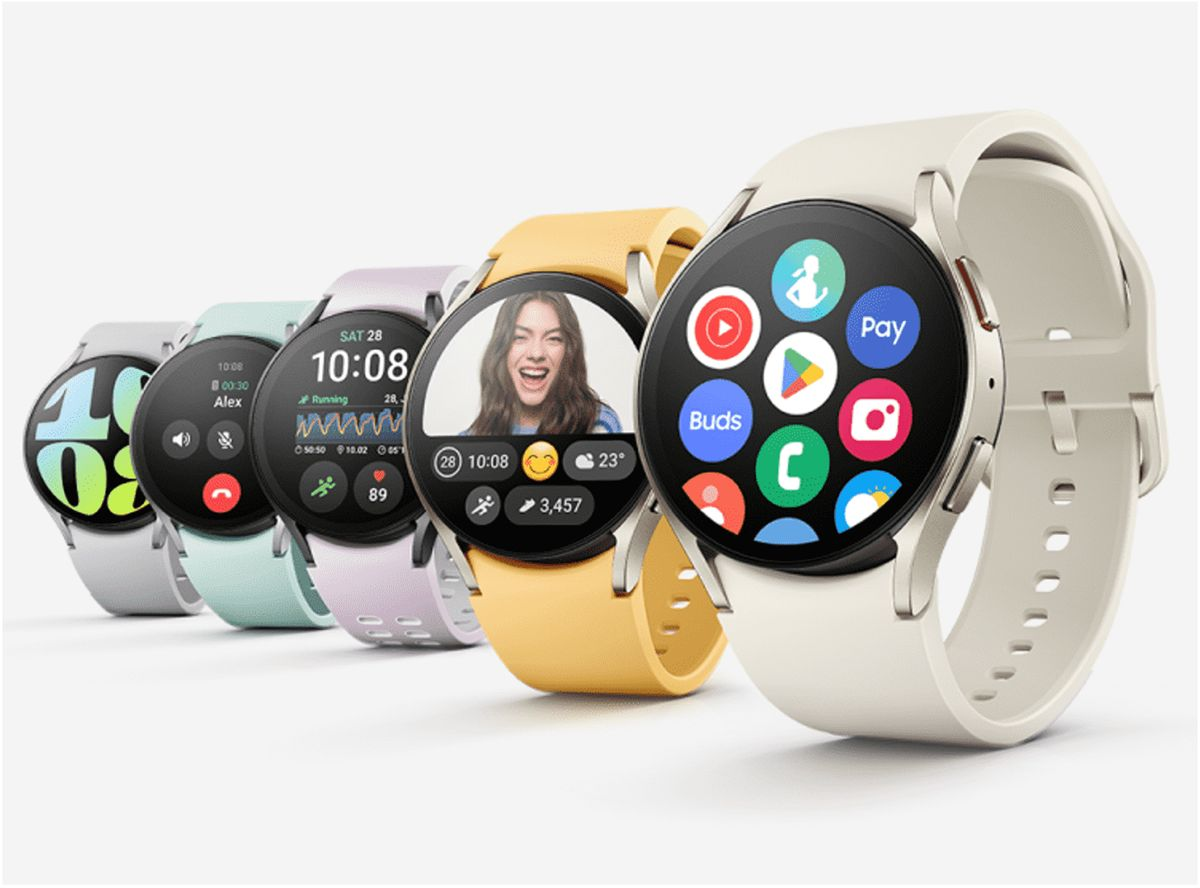
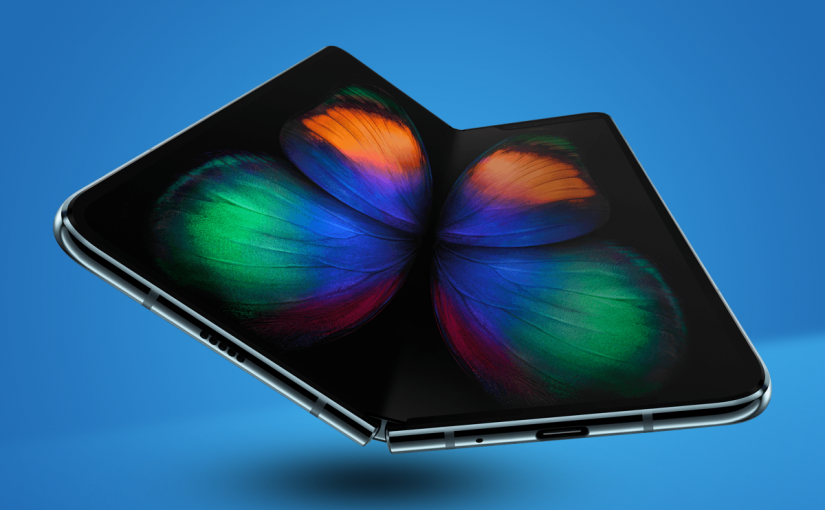

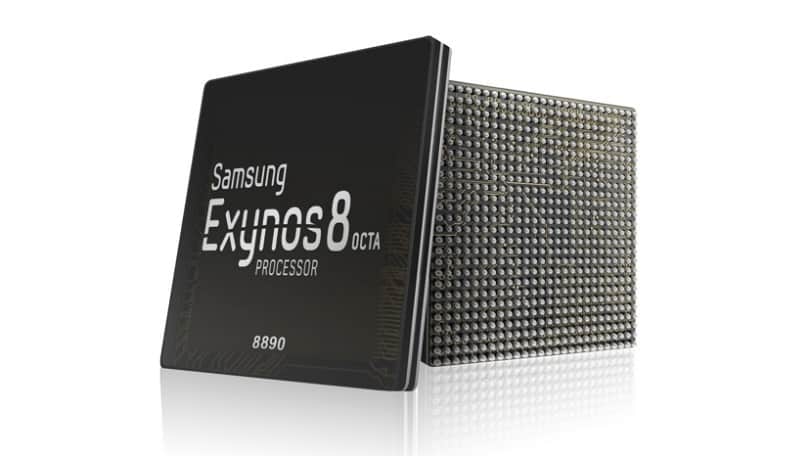
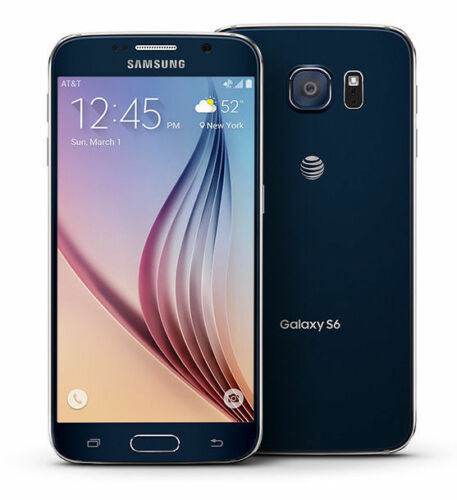
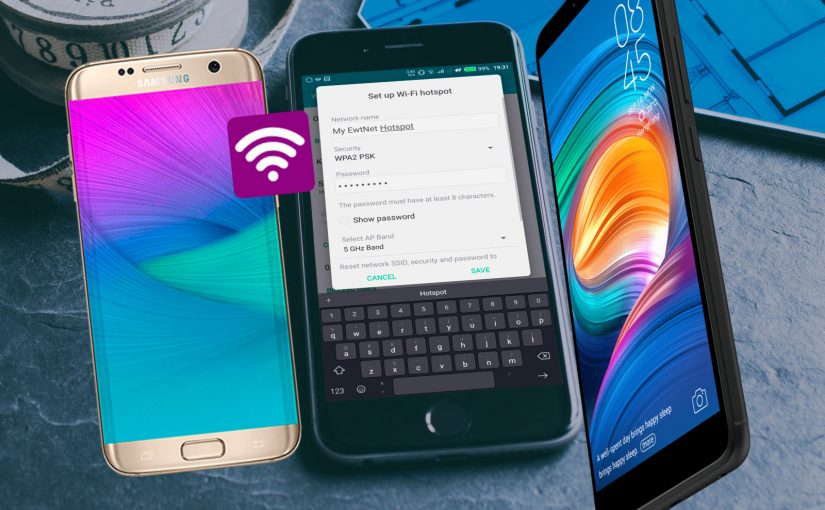
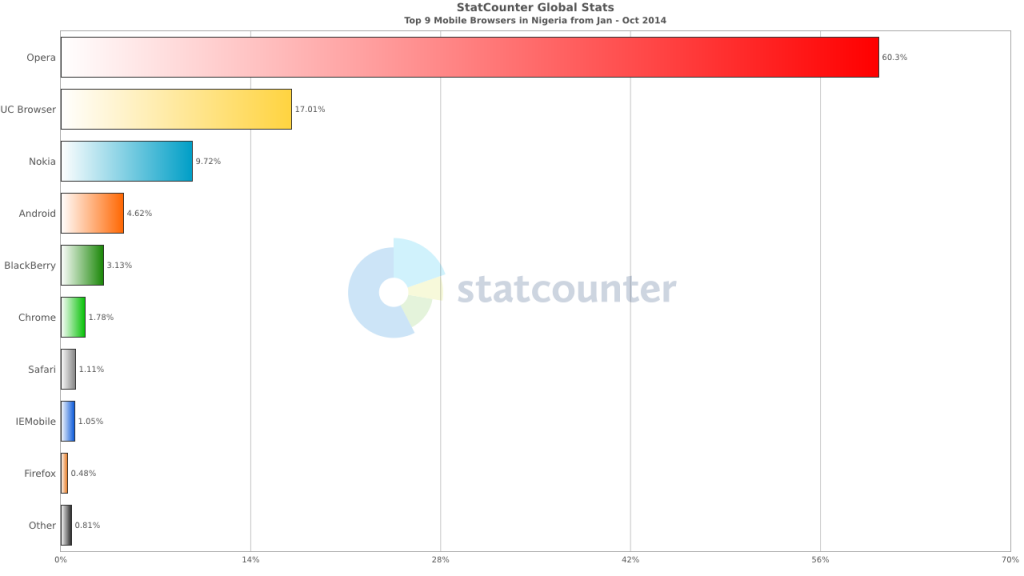
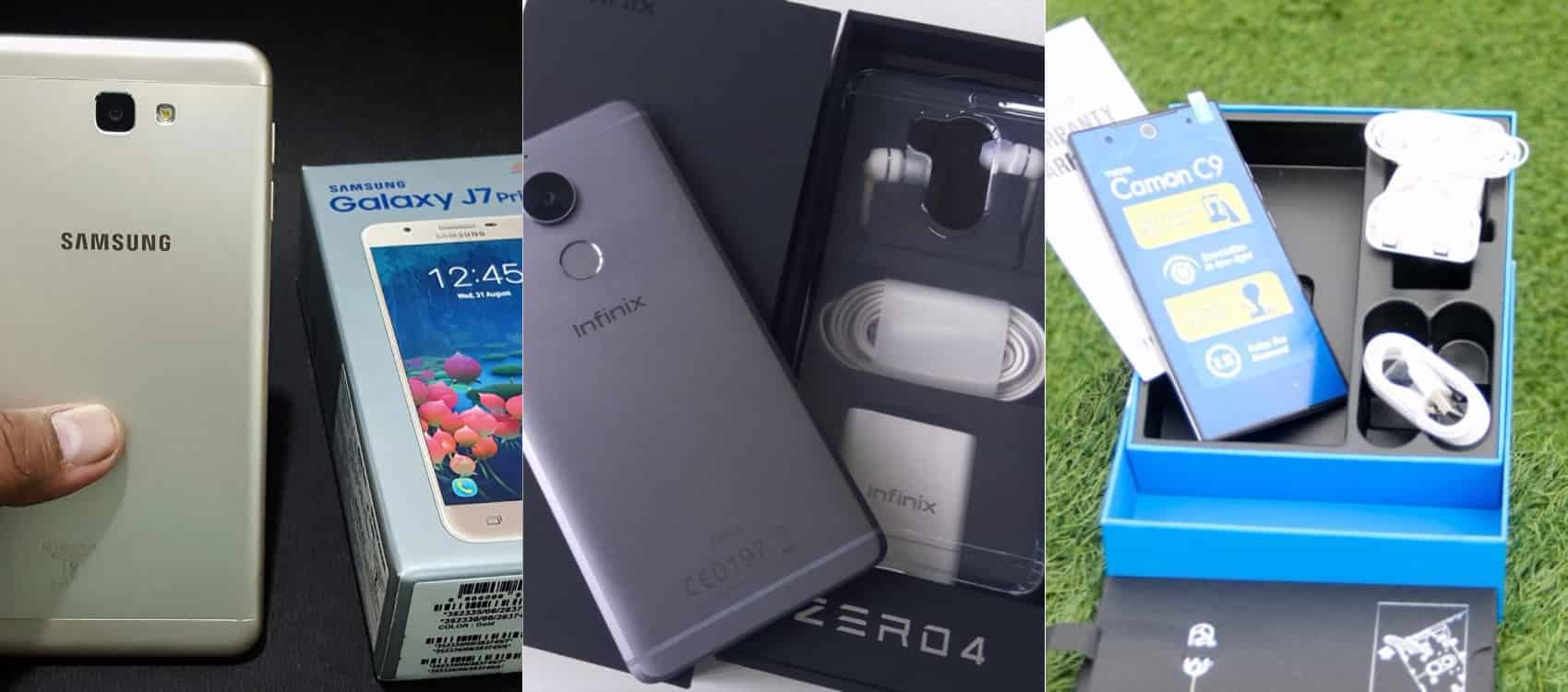
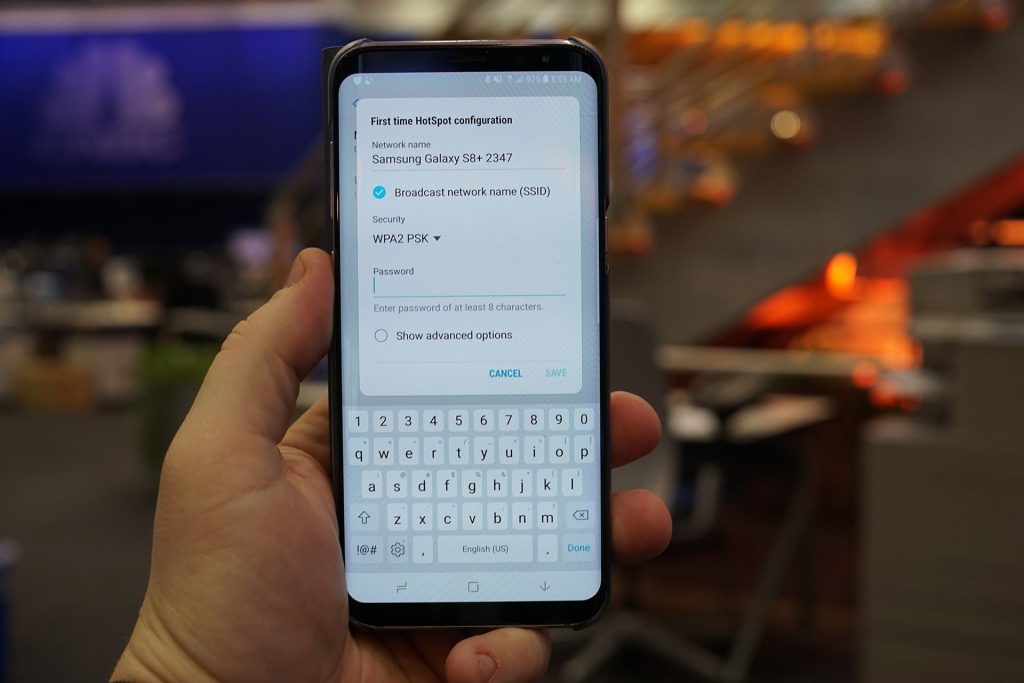
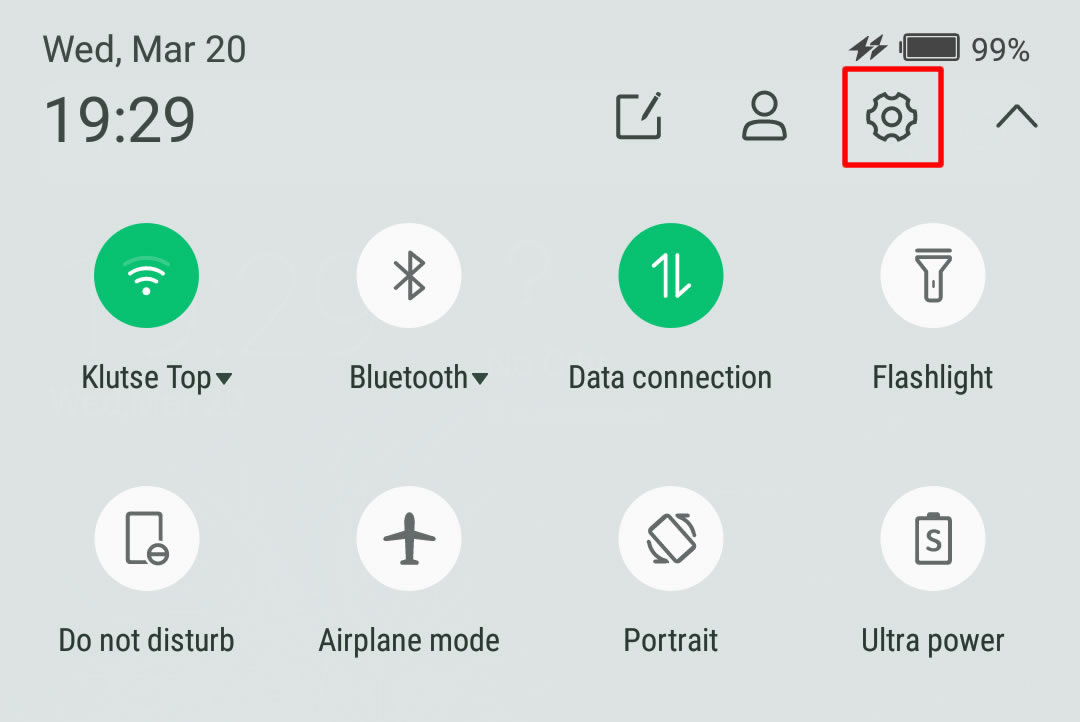
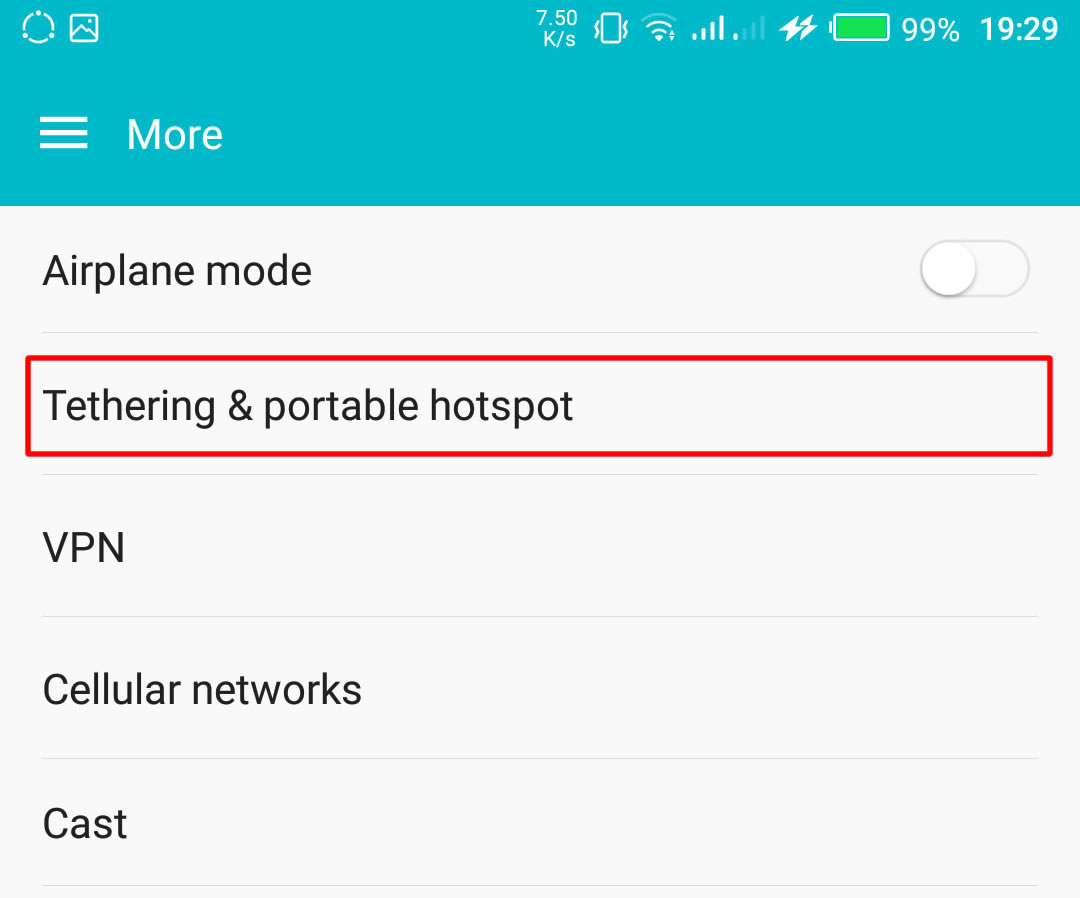
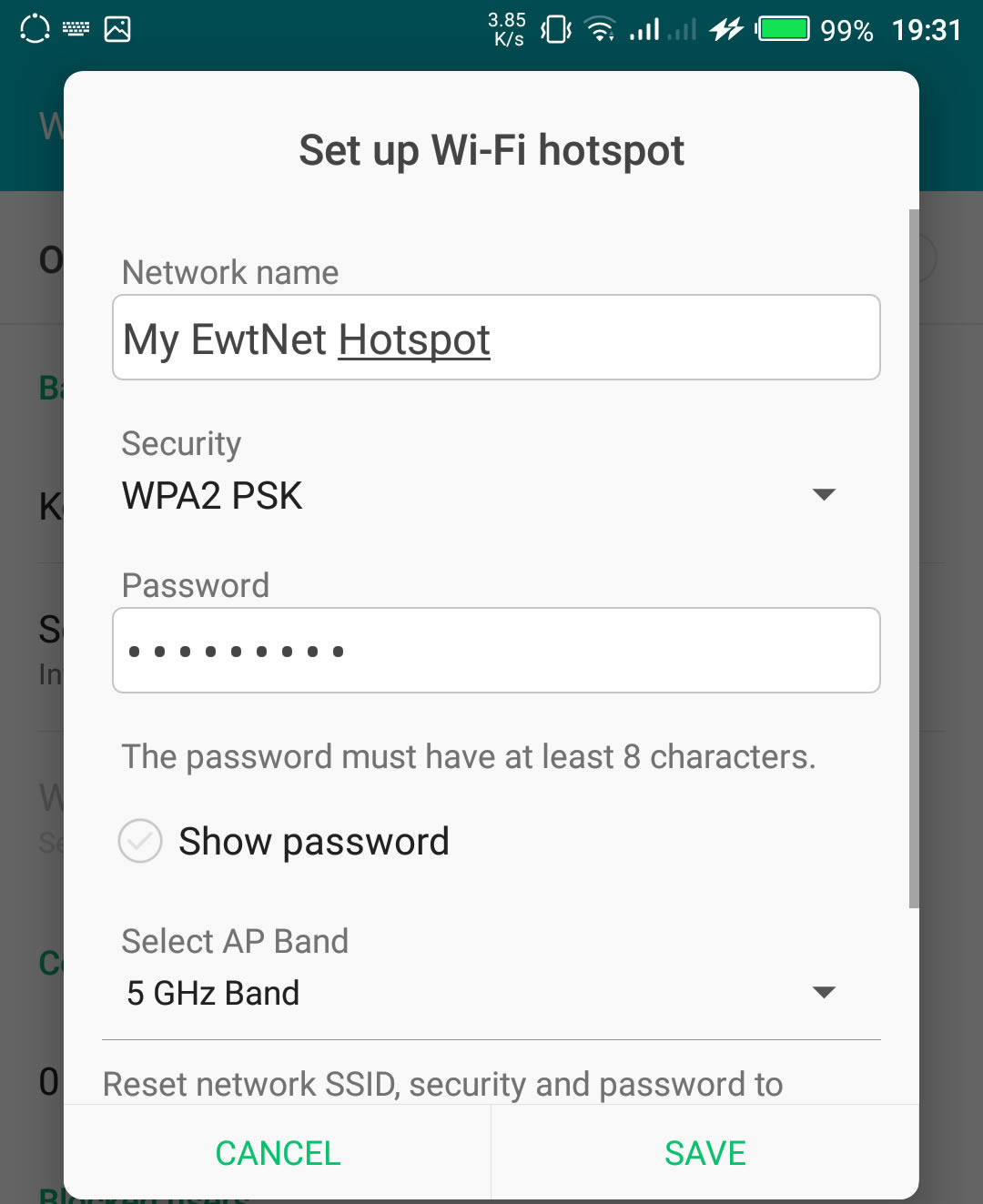

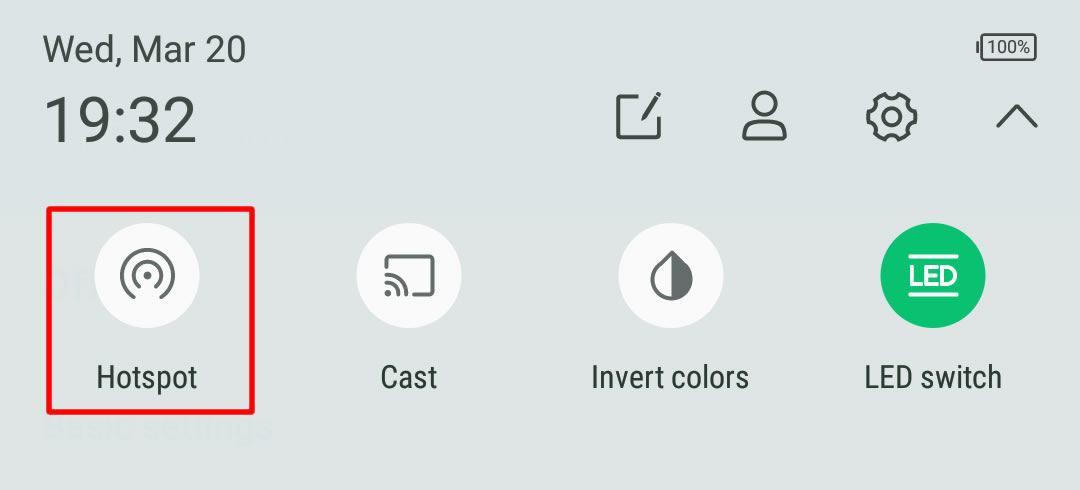
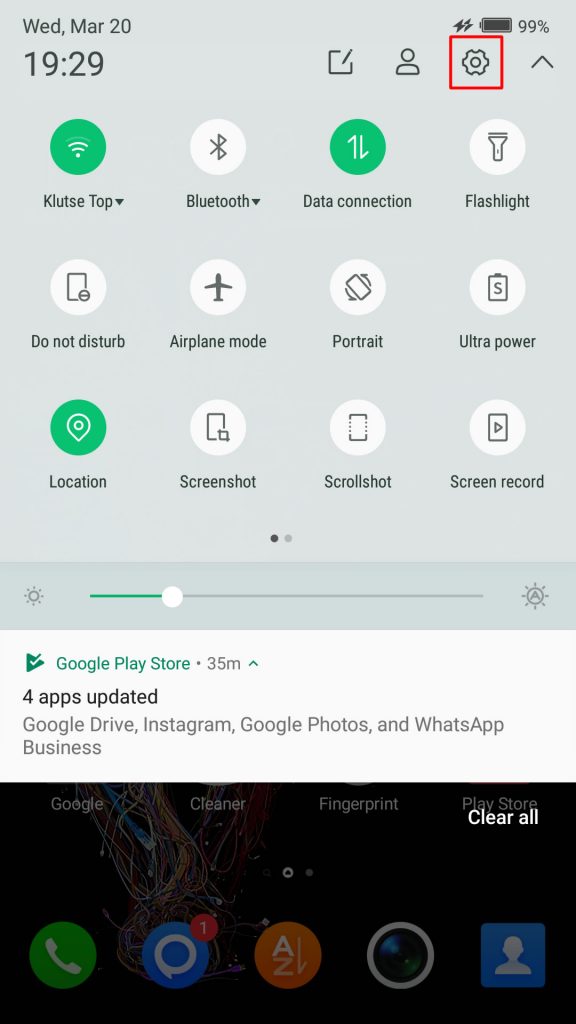
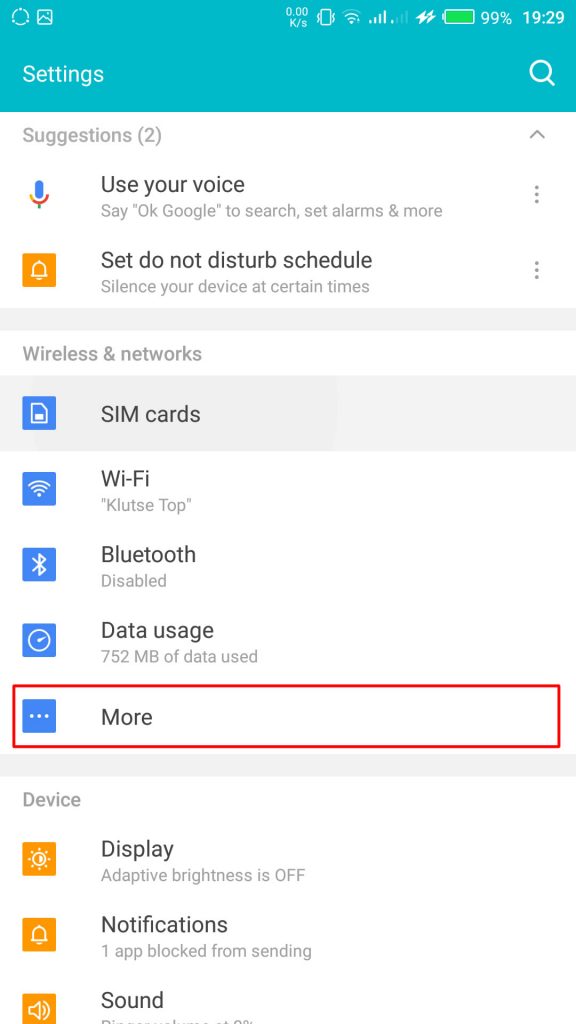
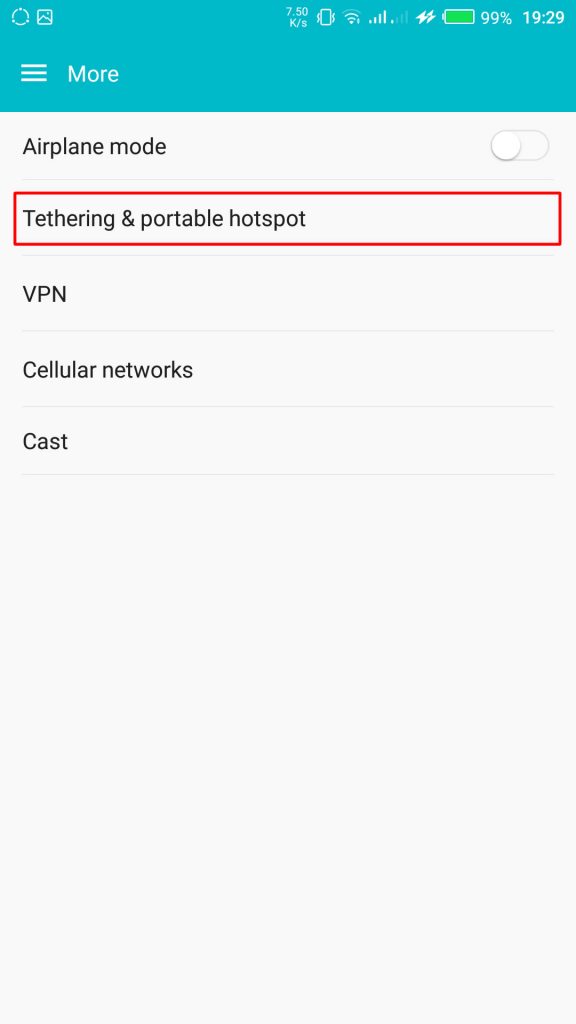
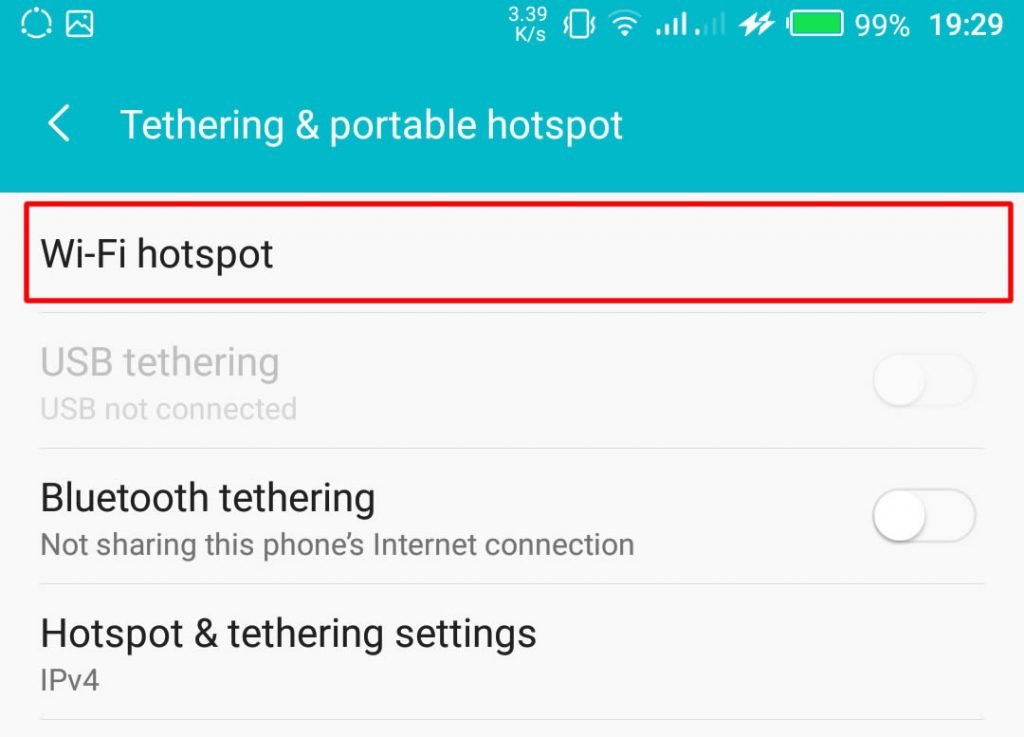
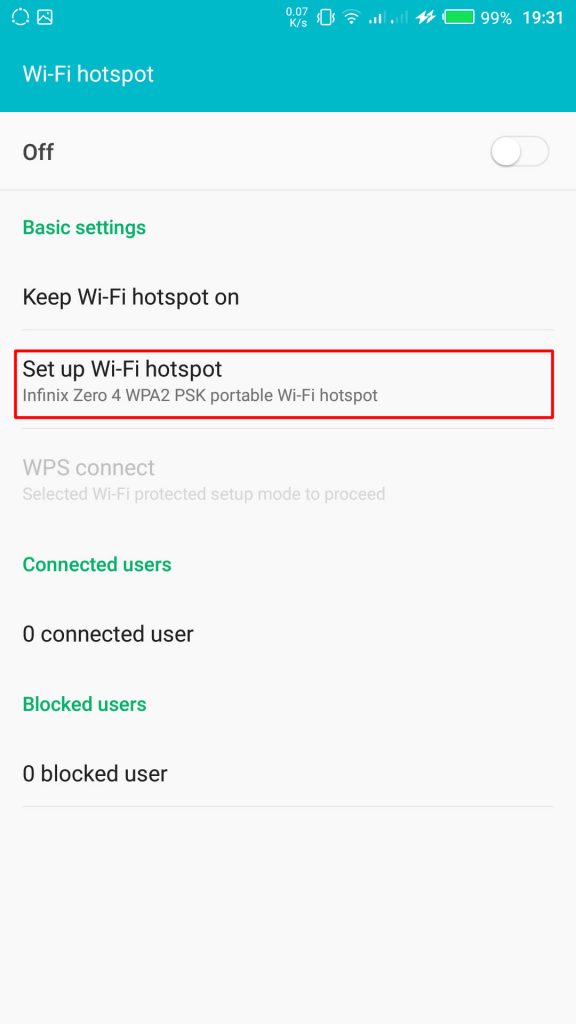
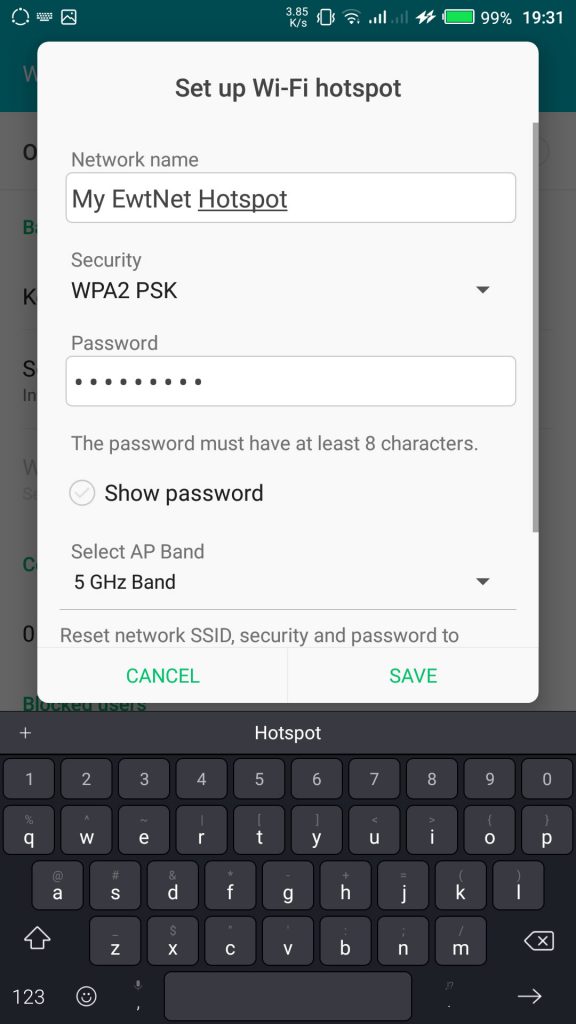
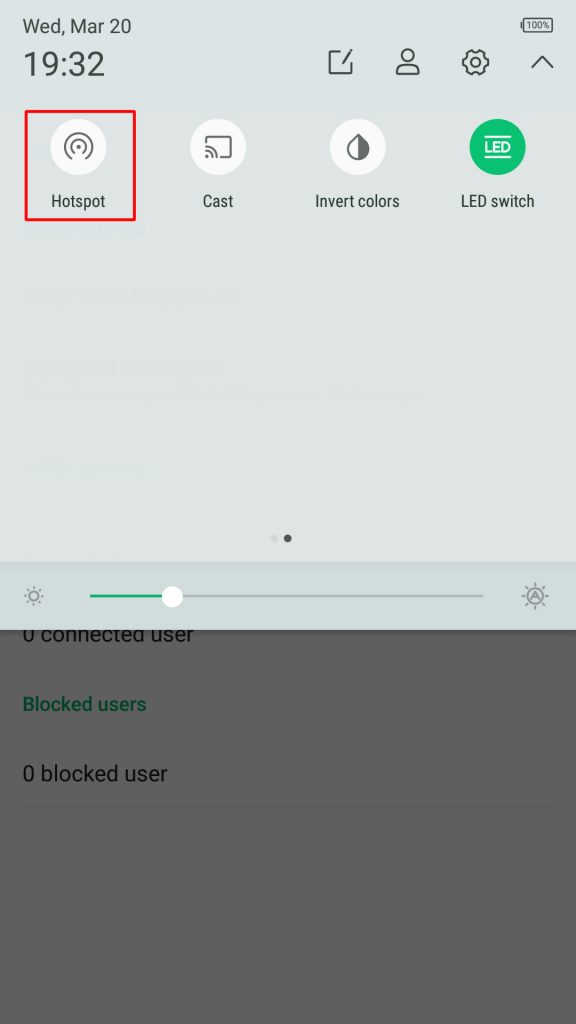
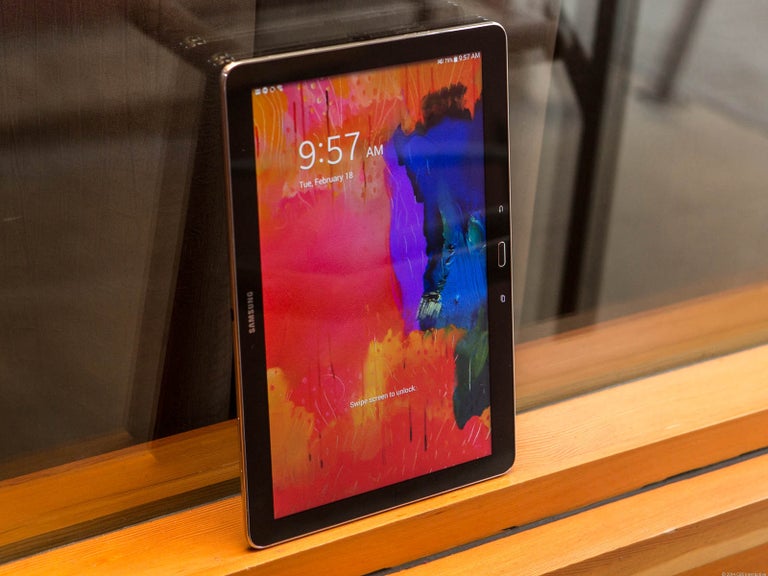
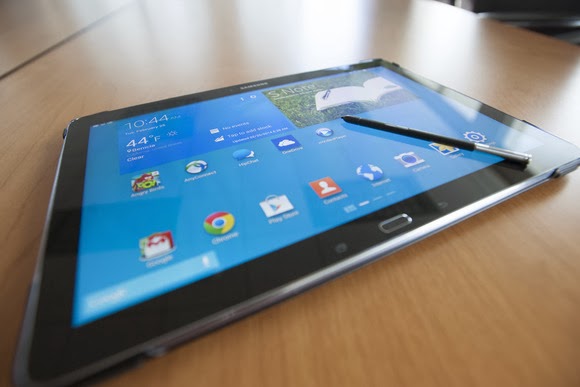
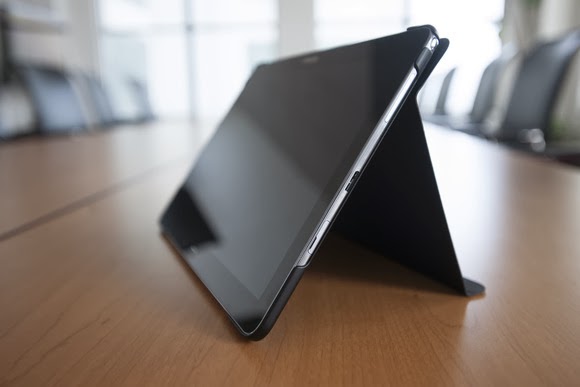
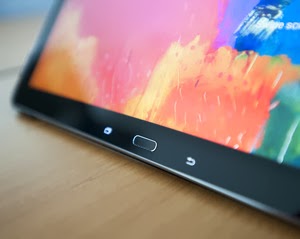 The Note Pro also lacks an integrated keyboard, such as the Surface’s Type and Touch Covers. In fact, to use it as a laptop replacement, you’ll need to buy a Bluetooth keyboard and possibly a mouse. That completely eliminates its use as a “lap top” computer.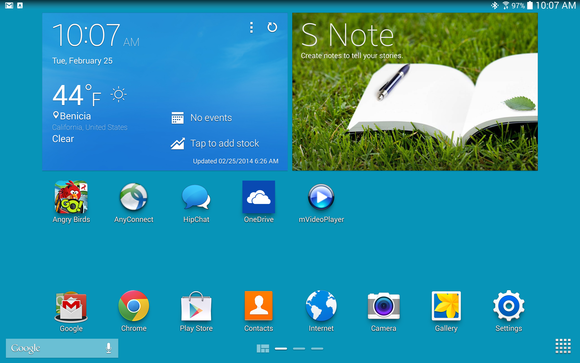
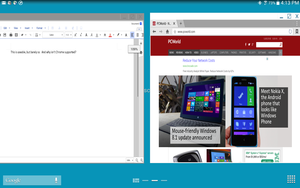
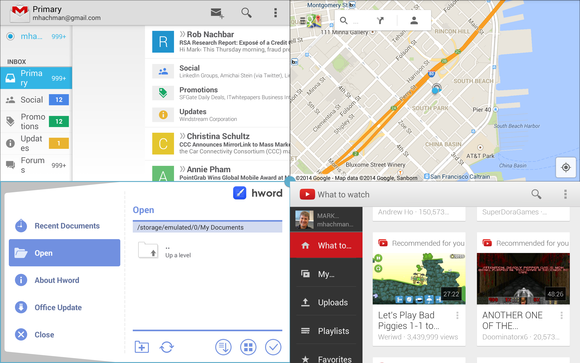
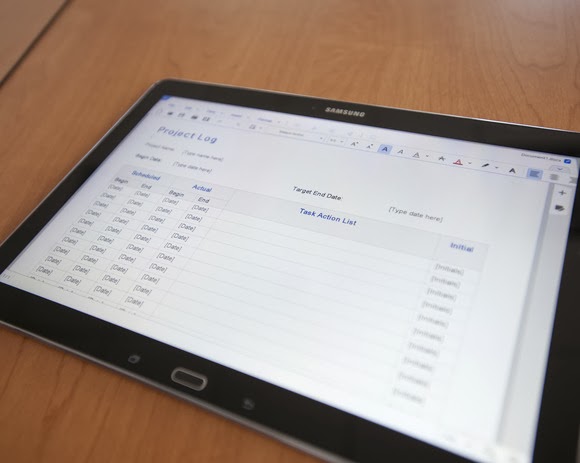
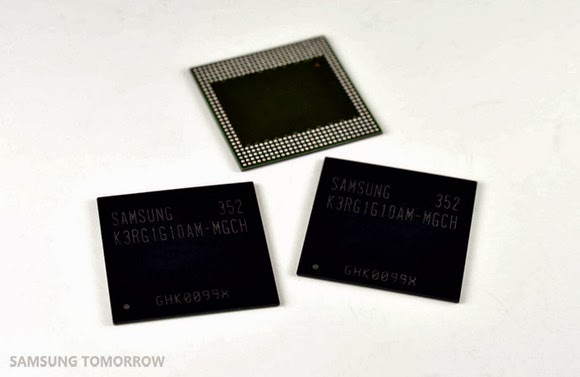

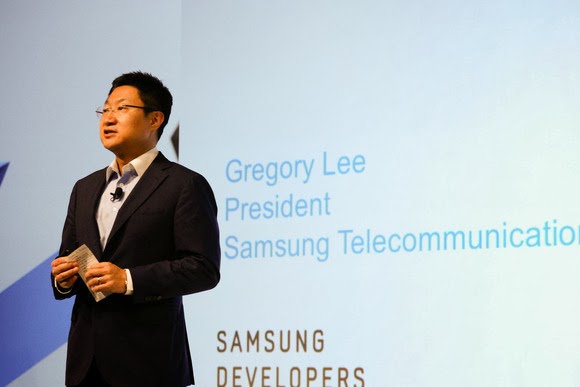
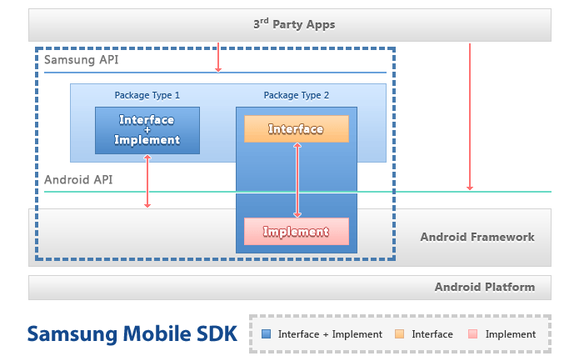
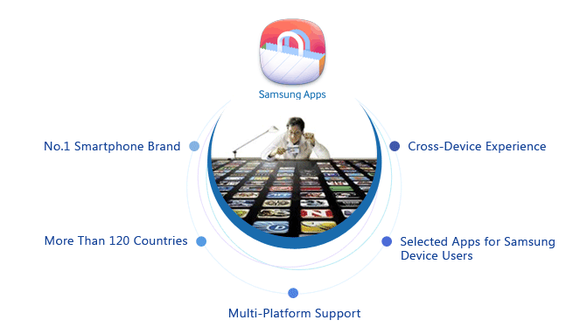
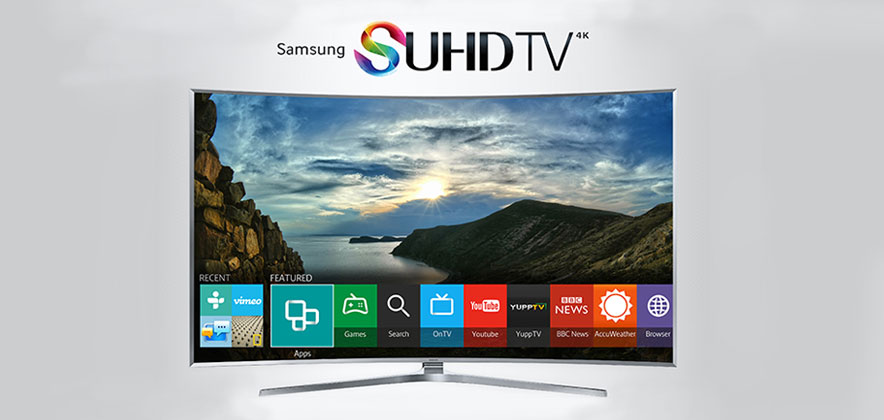
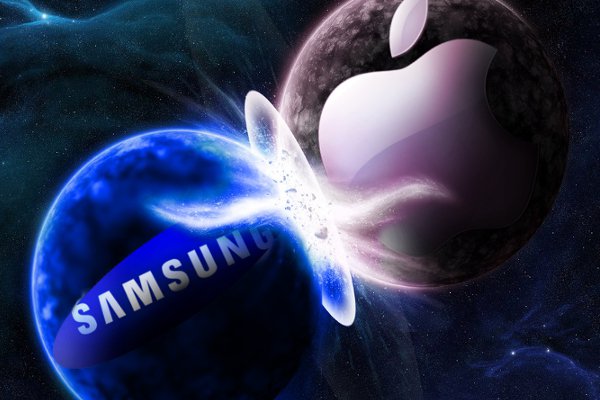
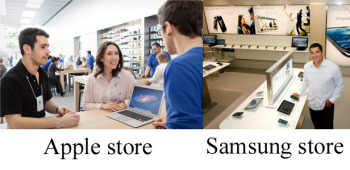 Image compilation from Apple/Vancouver, B.C. Sun
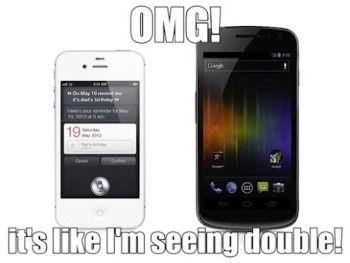 Image from BetaNews.com Apple uses wood tables and Samsung has gone with white. Big deal? Not really. From what I’m seeing, Samsung’s store looks similar to countless exhibits you’d see at CES. As for the blue shirts that both Apple Store and Samsung Store employees wear, it’s worth remembering that Samsung’s company color is blue. This is hardly the first time Apple and Samsung have tangled. The former managed to get the latter’s Galaxy Nexus smartphone and Galaxy Tab 10.1 pulled from store shelves recently. A graphic from
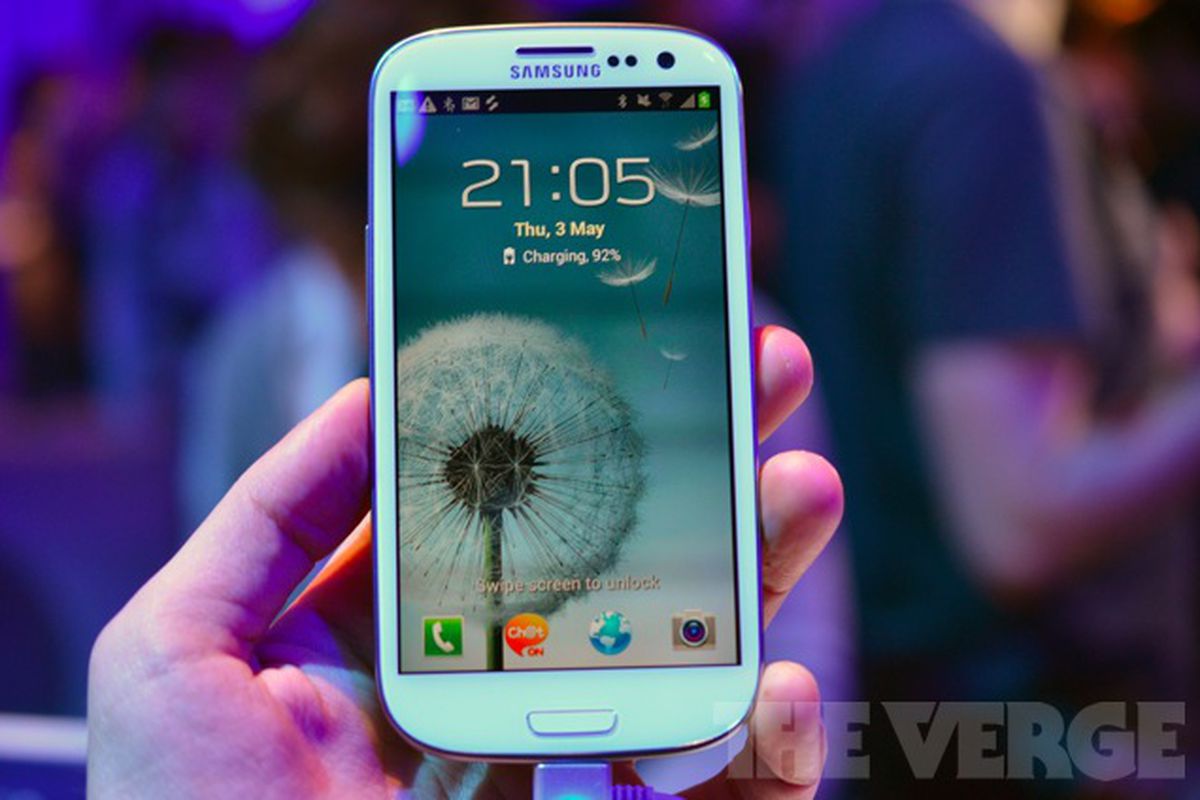
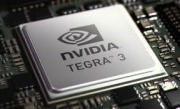 HTC pulled a similar trick with the One X. The global version runs on an NVidia Tegra 3 processor, while the U.S. phone uses a dual-core Qualcomm Snapdragon S4 processor. NVidia’s quad-core processor was not yet compatible with AT&T’s LTE network at the time of the One X’s manufacture. In our benchmarks, however, the U.S. version of the One X did quite well despite having fewer cores.
 The 3.4-inch-thick S III has a 4.8-inch HD Super AMOLED display with a 1280-pixel by 720-pixel resolution. This is the same display technology we saw on the Galaxy Nexus. The Galaxy S II had Super AMOLED Plus, which is actually based on a PenTile pixel structure in which pixels share subpixels.
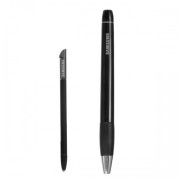 Samsung Galaxy Note S PenSamsung announced a slew of accessories, including a C Pen stylus (which seems pretty similar to the S Pen on the Galaxy Note), an AllShare Cast Hub for wireless streaming, a docking station for your desk, a wireless charger, a car kit, and an HDMI adapter.
 Samsung Galaxy NexusNo, relax. It might not have as many cores as the S III, and the display might be a little smaller, but don’t feel bad if you just walked out of the store with a brand new Galaxy Nexus. Your Galaxy Nexus is still an excellent, current phone and offers something the Galaxy S III does not: A pure, untouched Android experience.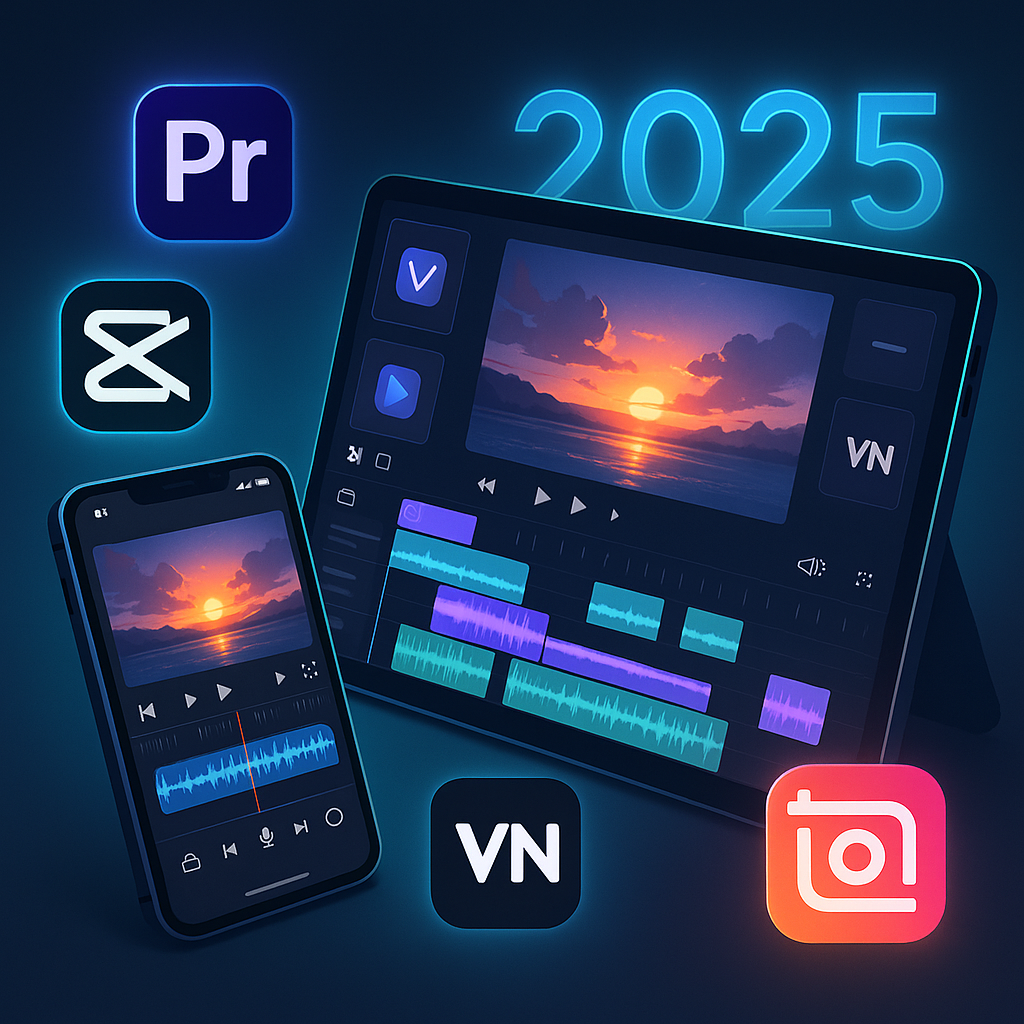
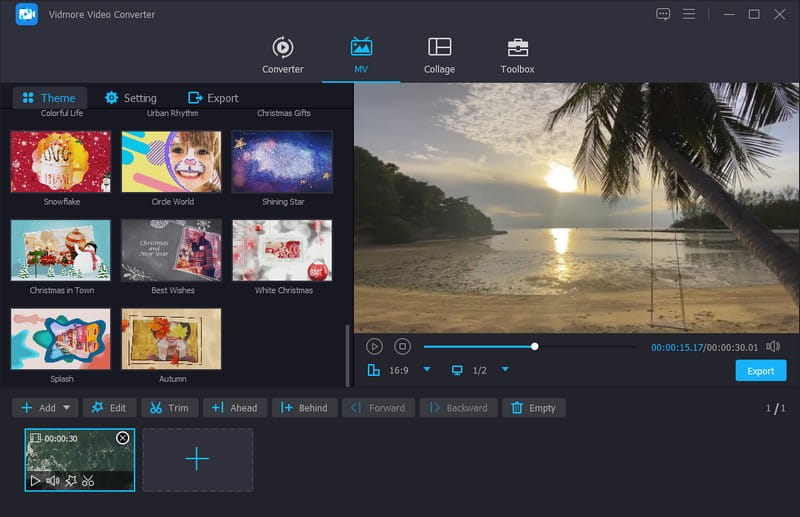
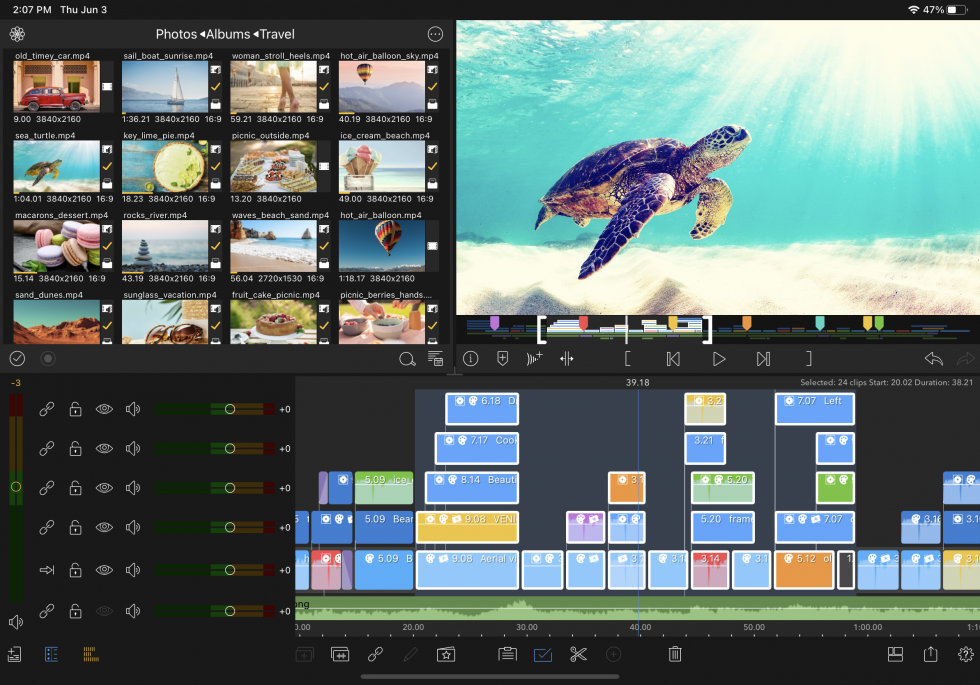
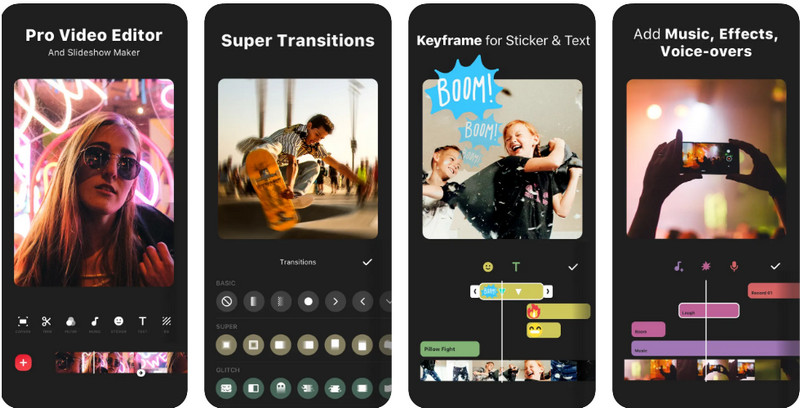
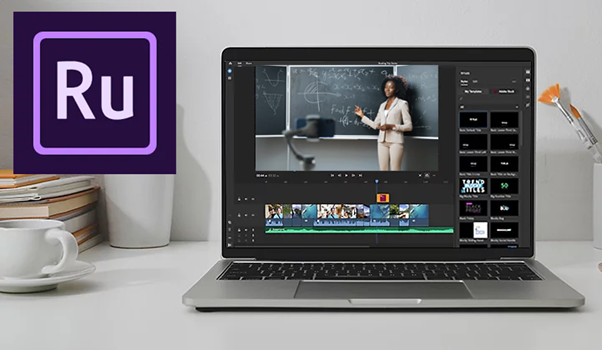
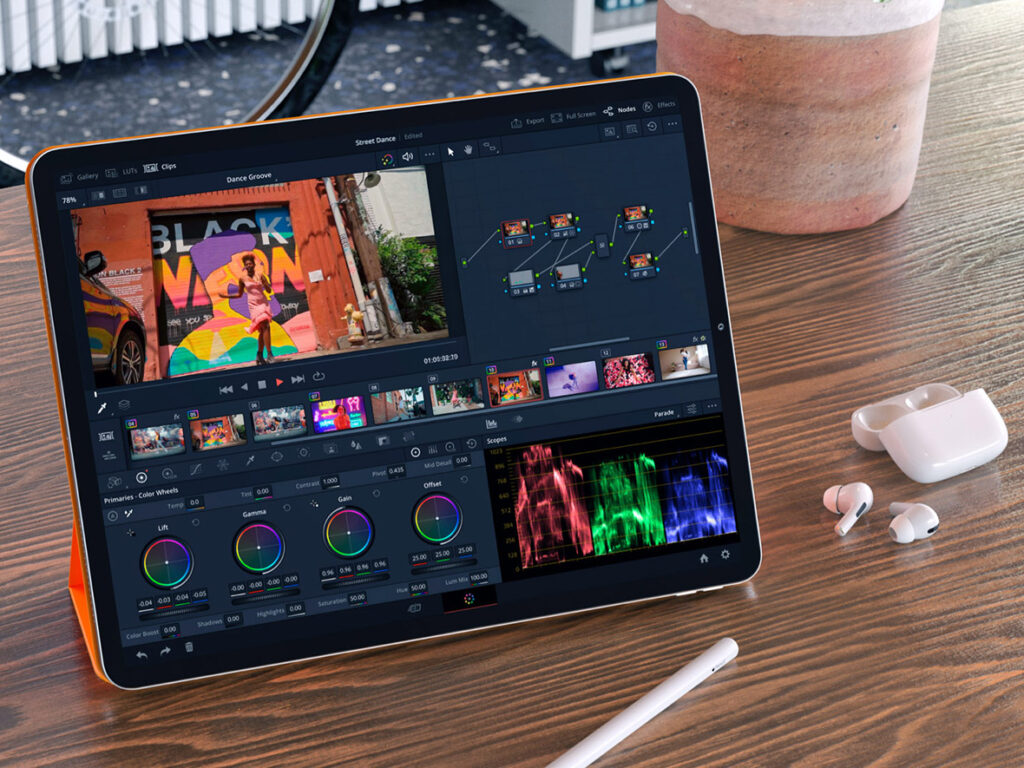
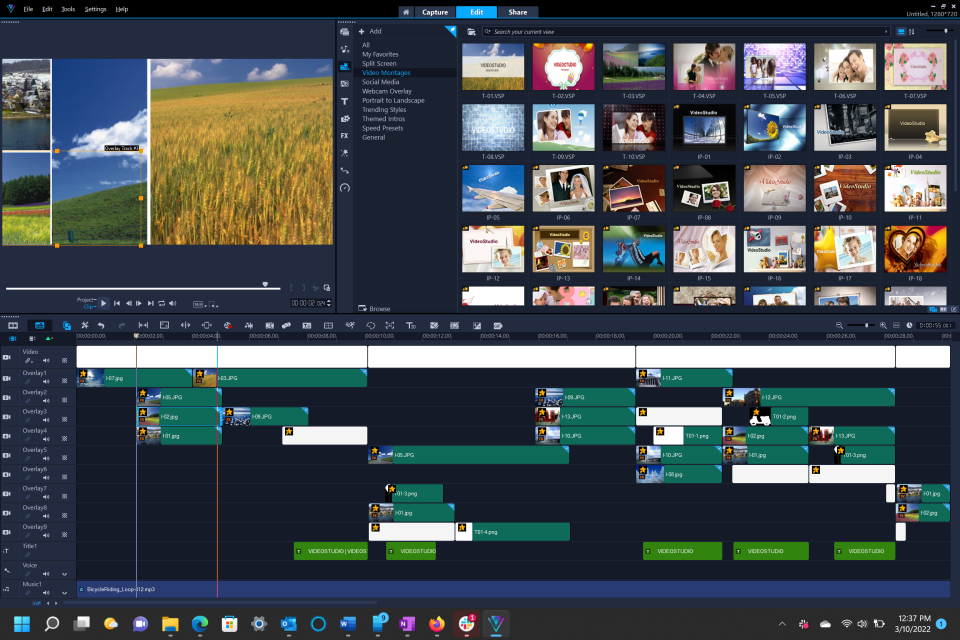
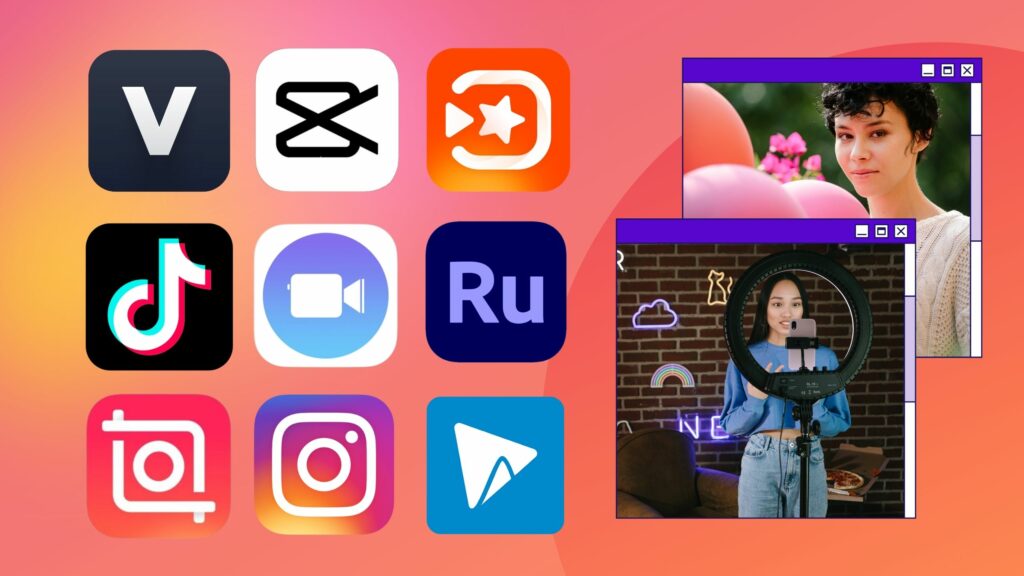


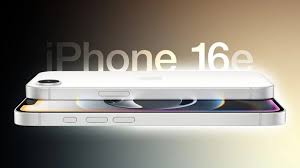
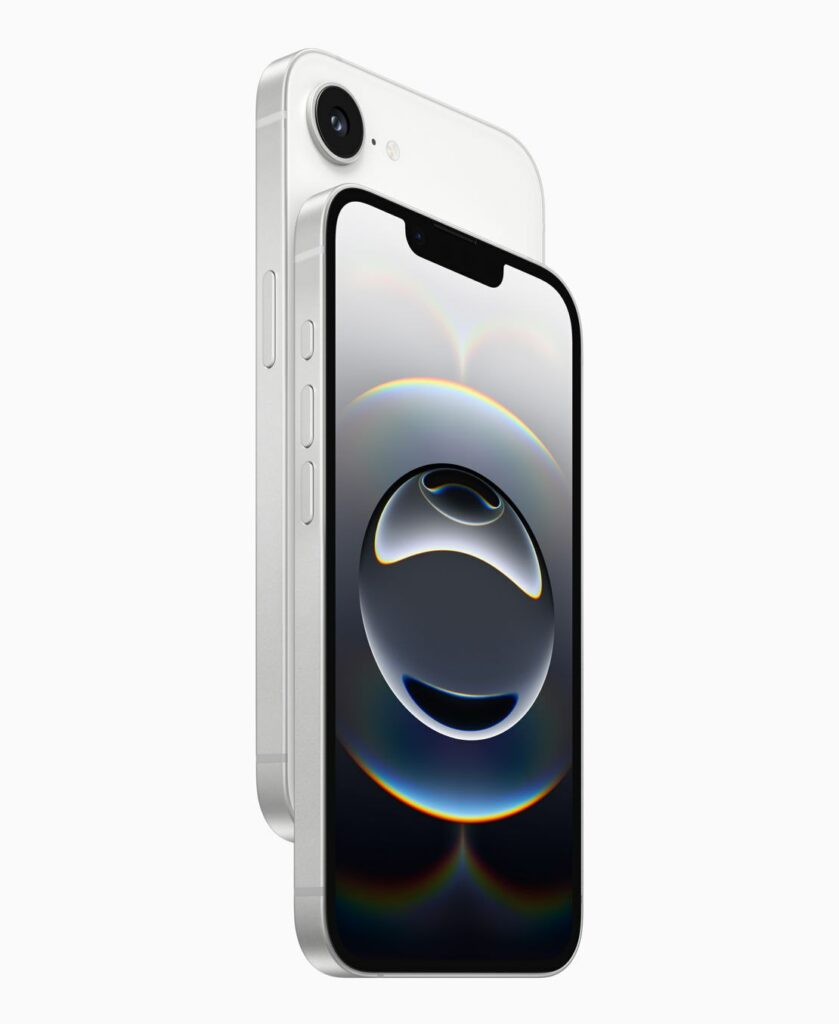
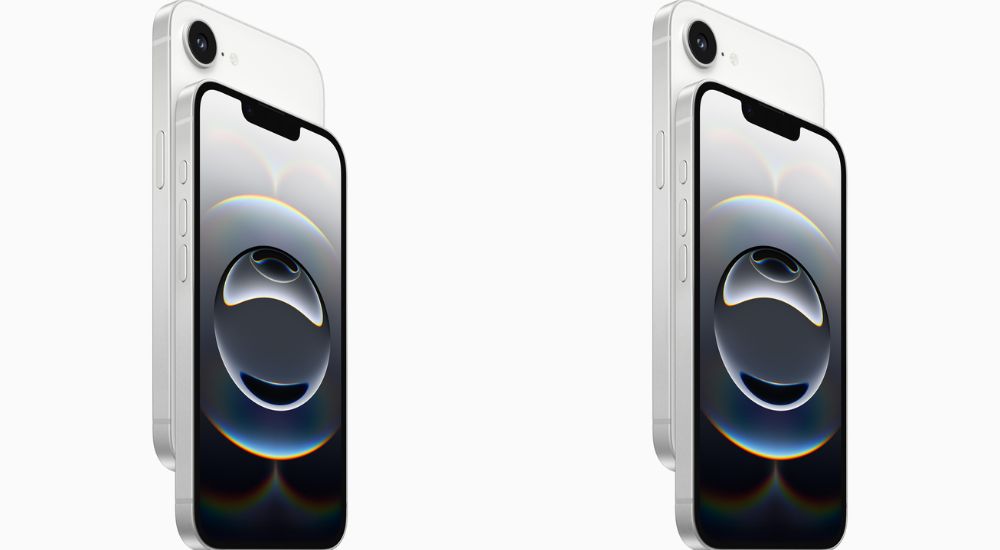
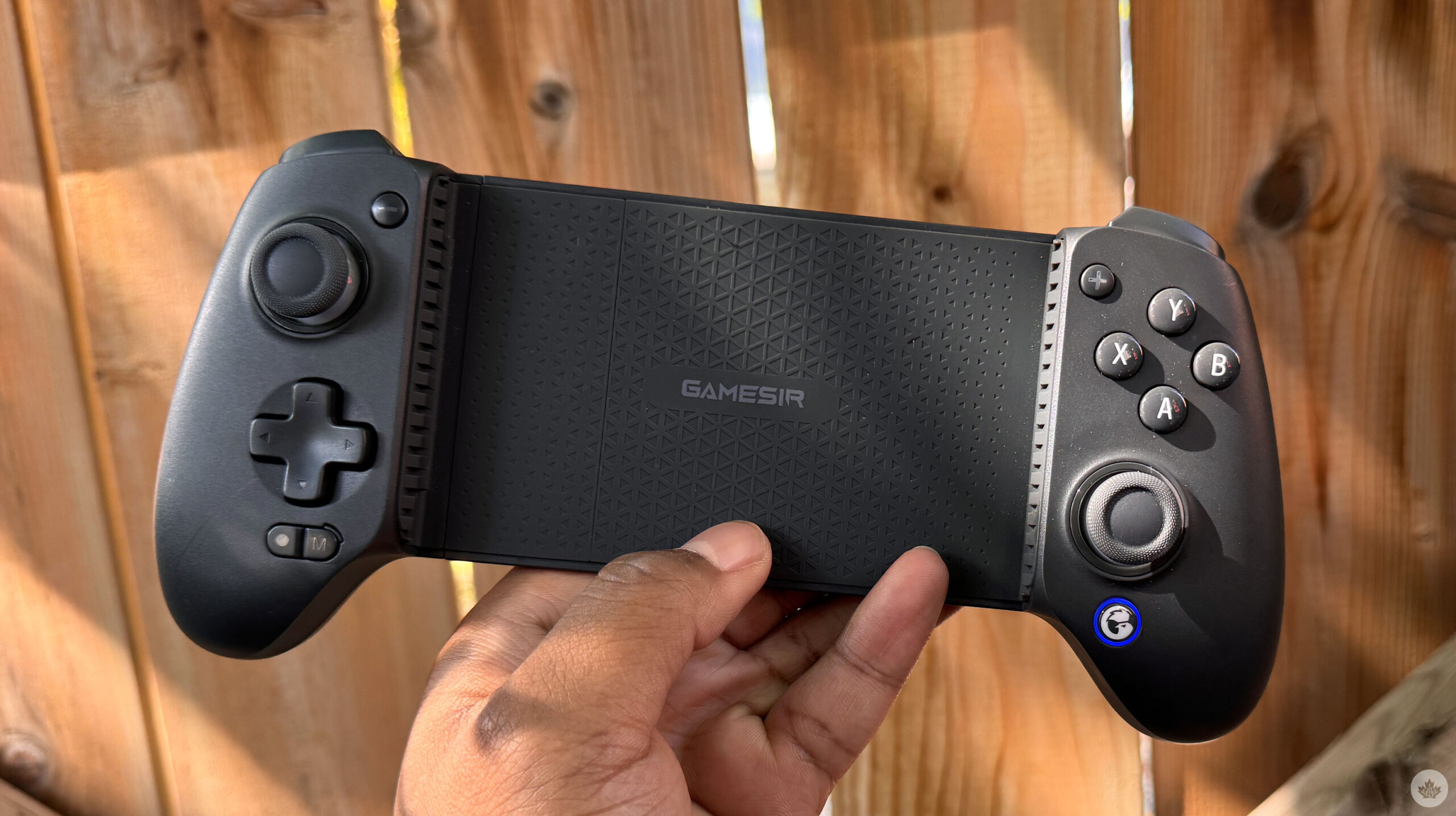
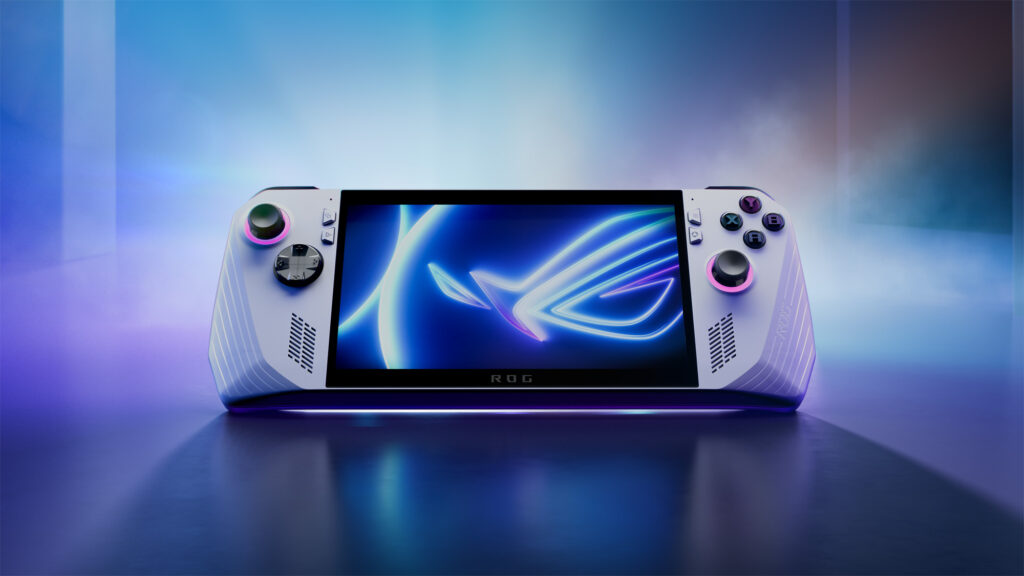

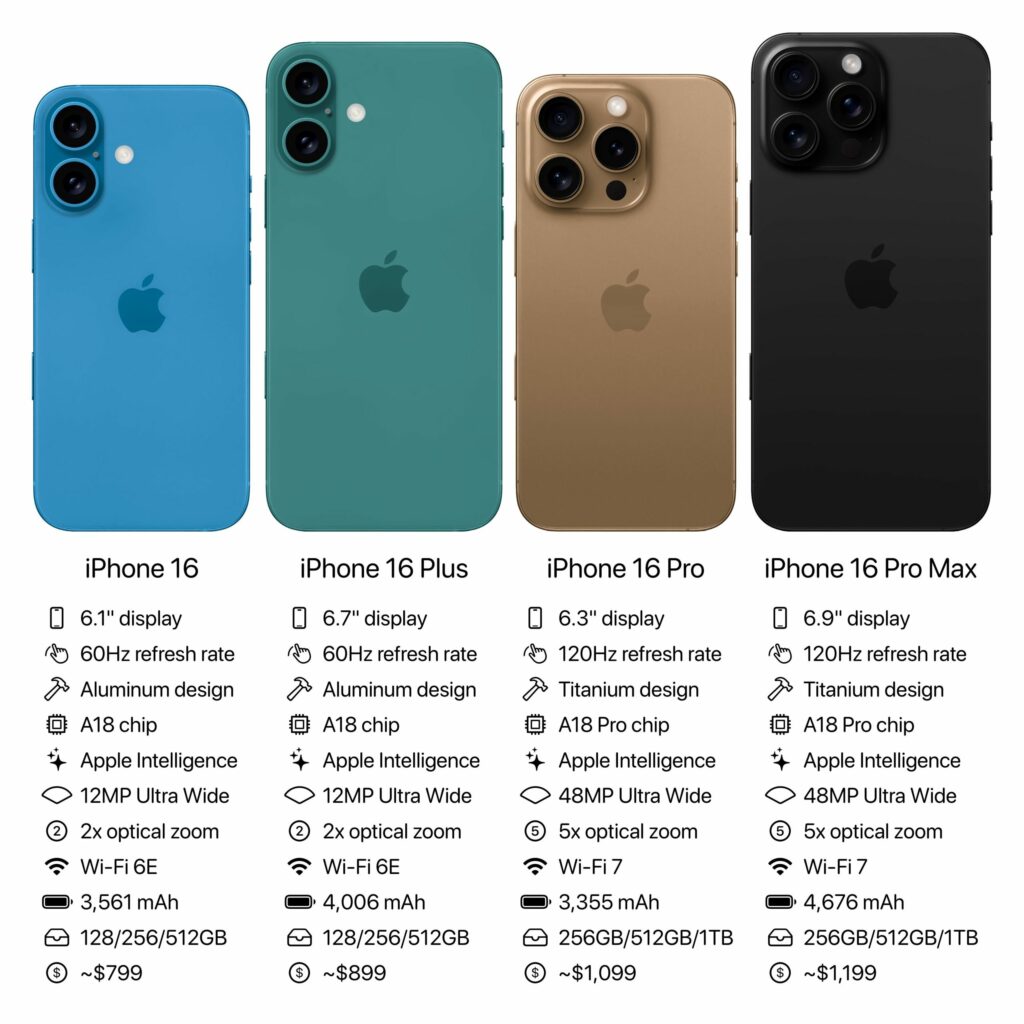

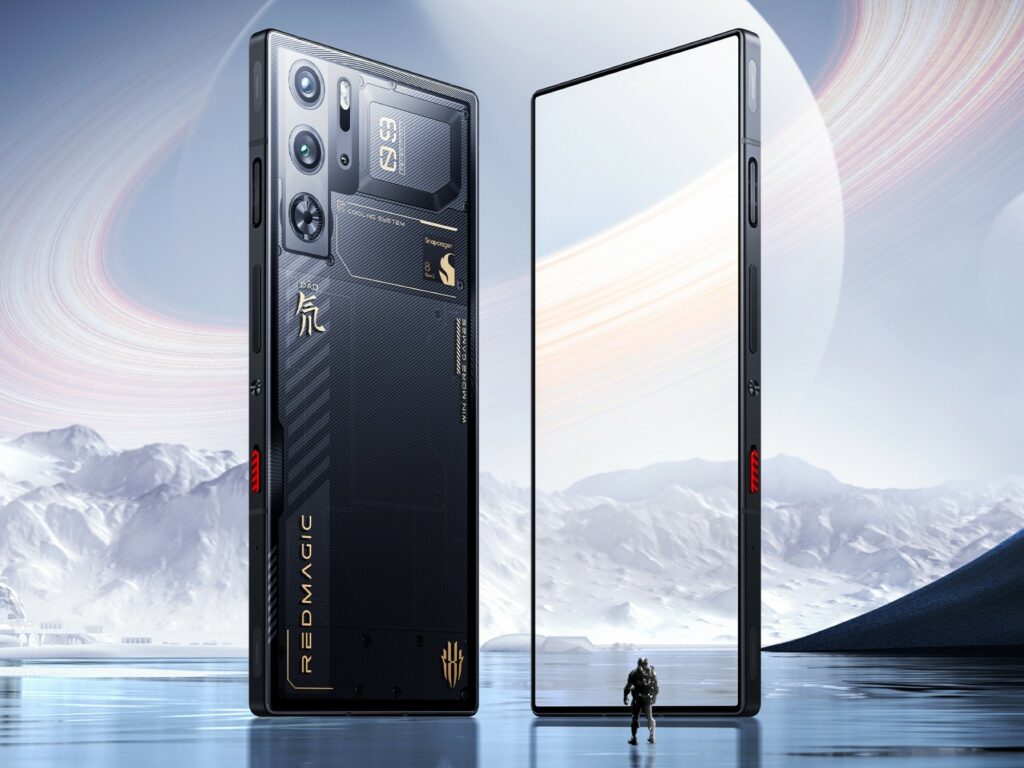

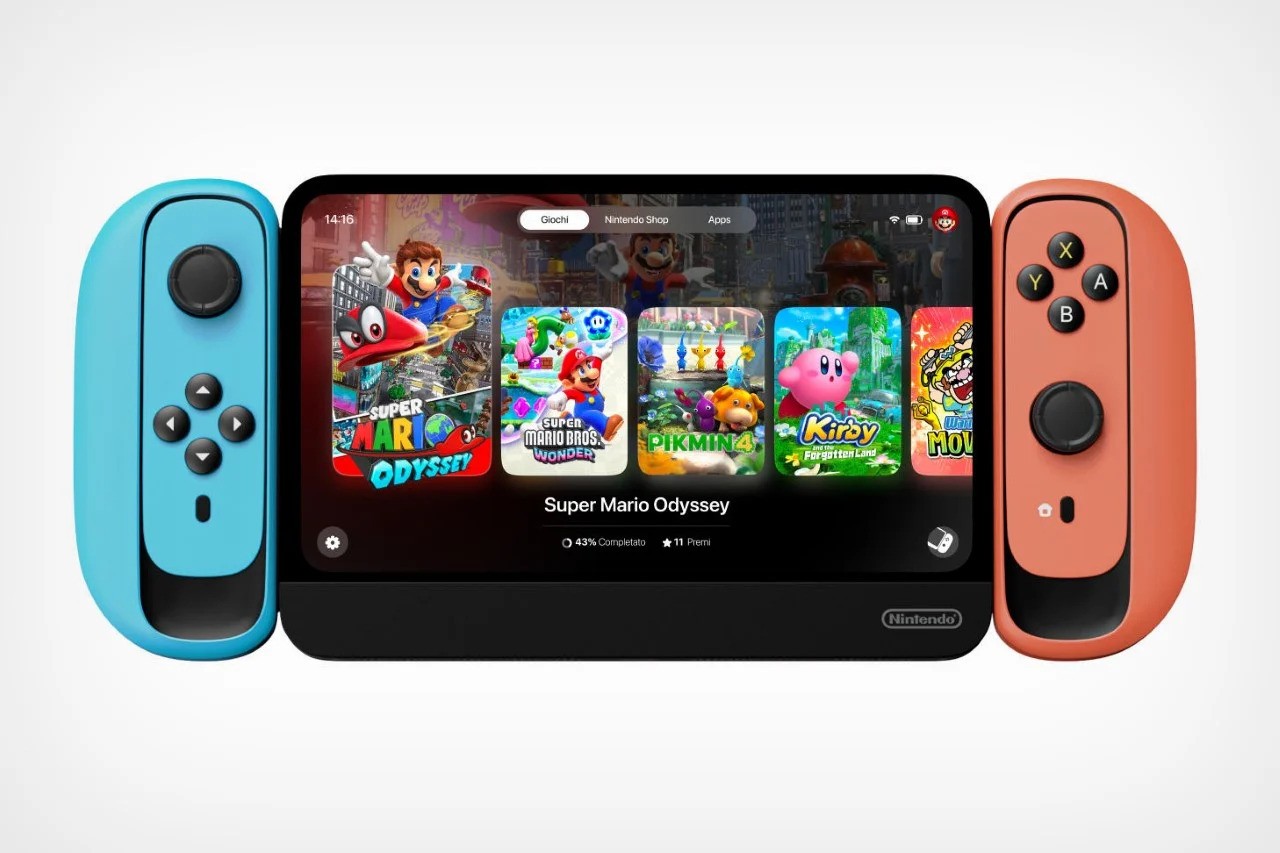



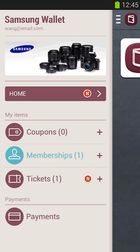

You must be logged in to post a comment.