Over the past few decades, gaming laptops have witnessed wickedly cool advancements. These substantial tweaks surpass previous models in several ways. From memory, and power to larger displays, portability, graphics cards, performance, etc. For one, the power and efficiency of some of the latest gaming laptops have significantly improved with the integration of the latest generation Intel and AMD processors. Upgrading to PCIe Gen 5.0 data storage has equally improved speed and performance by far. There are lots of other advanced features and specifications that we’ll be delving into shortly.
7 Gaming Laptops to Buy in 2023
Here are 7 of our best picks for the best gaming laptops of 2023. Based entirely on upgrades to displays, storage, processors, etc. Including budget-friendly gaming laptops. It is important to note that most of these gaming laptops run on Microsoft Windows 11 Operating System.
ASUS ROG Zephyrus G15
Asus
At the pinnacle of gaming laptops, the ASUS ROG Zephyrus G15 reigns supreme. Featuring an AMD Ryzen 7 processor and an NVIDIA GeForce RTX 30 series graphics card, this laptop packs a punch in a compact 15-inch form factor. With extraordinary battery life and a unique Quad HD display. Anyone who uses Asus products can testify to the portability of Asus laptops. Their phones are equally some of the best budget smartphones in the market.
Ports: 1 x HDMI, 3.2 Gen 2 USB Type-C, 3 x USB Type-A 3.2 Gen 2, 1 x MicroSD, 1 x RJ45 Ethernet, 1 x 3.5mm combo jack, 1 x lock
Connectivity: Wifi 6, Bluetooth
Camera: None
Weight: 4.19lbs (1.9kg)
Size (W x D x H): 13.97 x 9.59 x 0.78 ins (355 x 243.5 x 19.9 mm)
Battery: 90 WHr with fast charge
Alienware m18
Dell Alienware m18
When it comes to gaming laptops, very few can match the extraordinary capabilities of the 18-inch Alienware m18 gaming beast from Dell. Another powerful gaming laptop on this list of best gaming laptops in 2023. The m18 boasts some very remarkable features such as an 18-inch display with two resolution options: 2,560×1,600 pixels with a 165Hz refresh rate. And 1,920×1,200 pixels with a flaming 480Hz refresh rate. The laptop is equally equipped with an Intel Core i9-13980HX CPU, Nvidia GeForce RTX 4090 graphics card, 32GB of RAM, and a 1TB solid-state drive.
In terms of performance, the Alienware m18 delivers impressive results. You can play games at full graphics settings and resolutions with high frame rates. Although the Alienware m18 offers excellent performance and a stunning display, it does, however, have some drawbacks. One is that the color options are considered less vibrant compared to those of the previous generation.
Another major drawback is that the fans can become loud during intense gaming sessions. Lastly, the laptop weighs around 8.7 pounds, which if you ask us, is bulky and not ideal for portability.
Full Specifications:
CPU: Intel Core i9-13980HX
GPU: Nvidia GeForce RTX 4090
Display: 18-inch QHD+ (2560 x 1600) 165Hz
RAM: 32 GB
Storage: 1TB SSD
Ports: 1x USB 3.2 Type-C Gen 2, 2x USB 3.2 Type-A Gen 1, 2x Thunderbolt 4, 1x HDMI 2.1, 1x mini-DisplayPort, 3.5mm headphone jack, 2.5 GbE, SD slot.
Dimensions: 16.1 x 12.6 x 1.05 inches
Weight: 8.5 – 8.9 pounds
Camera: 1080p
Battery: 97 WHr
Razer Blade 14
Razer
The Razer Blade 14 is a compact and lightweight gaming laptop that offers impressive gaming performance at both 1080p and 1440p resolutions, with a vibrant 165Hz display and a good selection of physical ports.
The keyboard may feel cramped due to its small size, but not to worry, it makes up with other fantastic features. Its battery life is quite decent, and the design is durable. The only downside is the steep price.
Although due to its price, it may not be for everyone, if you can afford it, the Razer Blade 14 is one of the best options among some of the portable gaming laptops to buy this 2023.
Full Specifications:
CPU: AMD Ryzen 6900HX
Graphics: Nvidia GeForce RTX 3070 Ti
RAM: 16GB DDR5-4800
Screen: 14-inch 2560×1440, 165Hz
Storage: 1TB PCIe Gen4 SSD
Ports: 2x USB-A 3.2 Gen 2, 2x USB-C 3.2 Gen 2, 1x HDMI 2.1, combi audio jack
Connectivity: Wi-Fi 6E, Bluetooth 5.3
Camera: 1080p IR webcam
Weight: 1.78 kg
Size: 1.7 x 32.0 x 22.0 cm
MSI GF63 Thin
MSI
The MSI GF63 Thin is one of the exceptional budget gaming laptops with impressive features sold at $615. It is powered by an 11th Gen Intel Core i7 processor and Nvidia GeForce RTX 3050 – 3050 Ti graphics. This is one of those gaming laptops that deliver when it comes to functionality regardless of its low-end hardware components and its affordable price.
Although this model still has a few of the previous model’s features, such as the 11th-gen Intel Core i7 CPU and PCIe 3.0 SSD, the developers foresaw the need for the inclusion of an Nvidia RTX 3000 GPU to further enhance the laptop’s capabilities.
As obvious as it is that it may not match the capabilities of several high-end laptops out there, the GF63 Thin can also hold its own down in ways other gaming laptops within this price range cannot. Its 15.6-inch FHD display with a 144Hz refresh rate further complements and makes it a suitable choice for gaming.
Full Specifications:
CPU: Intel Core i7-11800H
Graphics: Nvidia GeForce RTX 3050 Ti
RAM: 8GB DDR4-3200
Screen: 15.6-inch 1920×1080 IPS-level, 144Hz
Storage: 512GB PCIe Gen3 SSD
Ports: 3x USB-A 3.2 Gen 2, 1x USB-C 3.2 Gen 2, 1x HDMI 2.1, RJ-45 Ethernet, 3.5mm mic in, 3.5mm headphone out
Connectivity: Wi-Fi 6, Bluetooth 5.2
Camera: 720p webcam
Weight: 1.86 kg
Size: 2.2 x 35.9 x 25.4 cm
Corsair Voyager a1600
Corsair
The Corsair Voyager a1600 is a high-end gaming laptop that impresses with its faultless aluminum build, Cherry MX mechanical keyboard, and unique streaming-focused touch macro bar.
The 16-inch, 16:10 aspect ratio screen with a 2,560-by-1,600-pixel resolution delivers detailed visuals and features like a 240Hz refresh rate and AMD FreeSync Premium enhances the gaming experience.
The macro bar with 10 touch buttons and a customizable display is a standout feature. The Voyager a1600 also boasts other cool features. Such as a high-quality webcam, a fingerprint reader, Dolby Atmos-tuned speakers, a notably large and precise touchpad, Thunderbolt 4 ports, Wi-Fi 6E, and Bluetooth.
However, its performance falls short compared to competitors like some Acer and Lenovo products, which offer better Intel and Nvidia hardware at a lower price.
Nevertheless, it reflects Corsair’s elegant and modern design and the laptop’s aluminum chassis reveals excellent craftsmanship. Indeed one of the excellent gaming laptops in the market in 2023.
Full Specifications:
Display: 16-inch 2,560 x 1,600 display
CPU: 3.2GHz AMD Ryzen 7 6800HS CPU
Memory: 32GB DDR5 4,800MHz RAM
Graphics: 12GB AMD Radeon RX 6800M Graphics
Storage: 2TB PCIe NVMe SSD
Operating system: Microsoft Windows 11 Pro
Weight: 5.3 pounds (2.4kg)
Lenovo Legion Pro 7i
Lenovo
The Lenovo Legion Pro 7i Gen 8 is the ideal gaming laptop if you want efficiency and power. It’s not one of their next-generation rollable concept laptops but it’s extraordinary. The Legion Pro 7i features a colorful and brilliant 240Hz display, a full HD webcam, a keyboard with RGB lighting, various ports, and additional cool features. As well as nice upgrades to the previous Lenovo Legion 6 and 7 models.
The Legion Pro 7i is powered by an Intel Core i9-13900HX processor and an Nvidia GeForce RTX 4080 mobile graphics chip, that provide outstanding gaming performance. It also supports multiple 4K monitors.
Now, let’s talk about the downsides. The Lenovo Legion Pro 7i is on the expensive side, so it might not fit everyone’s budget. It also has a relatively short battery life, lasting only about two and a half hours which sucks we know. Then to top it off, it’s very heavy, hence it’s not the most portable option.
But hey, if you’re all about performance and don’t mind sacrificing aesthetics, this laptop is definitely worth it.
Full Specifications:
CPU: Intel Core i9-11980HK
Graphics: Nvidia GeForce RTX 3080
Memory: 32GB DDR4-3200
Storage: 1TB NVMe M.2 SSD
Display: 16-inch, 16:10, 2560 x 1600, 165Hz, IPS
Ports: 2x Thunderbolt 4, 1x USB 3.2 Gen 1 Type-C, 3x USB 3.2 Gen 1 Type-A, 1x RJ-45 Ethernet, 1x HDMI 2.1, 1x 3.5mm Headphone/Mic Combo Jack
Camera: 720p
Battery: 800Wh
Weight: 5.5 pounds (2.49 kg)
Acer Nitro 5
Acer
The Acer Nitro 5 is another reliable gaming laptop in the market that offers good performance at an affordable price of $899. It features a large 15.6-inch 144Hz display, a 12th gen Intel Core i5 processor, and an Nvidia GeForce RTX 3050 Ti GPU. One limitation is weight. Compared to some other gaming laptops out there, the bulkiness of the Nitro 5 makes it less portable,
But that can be overlooked since it offers decent mid-range performance and customizable RGB backlighting. It is a suitable choice for budget-conscious gamers who are willing to compromise on some features.
Here are the full specifications:
Display: 15.6-inch FHD (1,920 x 1,080 pixels) 144Hz
Lenovo has once again pushed the boundaries of technology with its latest rollable laptop concept. Which was showcased at the Mobile World Congress in Barcelona. The spectacular device boasts a flexible display that can slide in and out of the laptop’s body. Making it truly unique and innovative. This latest rollable concept laptop from Lenovo is taking flexible displays to a whole new level and we are ready for the future of computer technology!.
The Latest Lenovo Laptop Is A Revolution In PC Technology
Everyone wants to know what the whole burst of fascination behind this Lenovo laptop is all about. Here it is. With just a simple double tap of a button on the side, the laptop’s screen begins to slowly extend its way out, resulting in a larger 15.3-inch display with an 8:9 aspect ratio. The display rolls out vertically using twin motors and springs attached to the screen to keep it tight as it goes up and down. More like a futuristic sliding skyscraper built by a first-rate prop-tech company if we have anything to say about the matter.
This revolutionary concept seeks to increase productivity, and it’s easy to see how this would benefit certain users. Along with the impressive rollable display, the new Lenovo laptop features a standard keyboard and trackpad. There are also three USB-C ports. an audio jack, with a power button. And a switch button that expands the display from a 12.7-inch display to a 15.3-inch display.
The technology used in the new Lenovo rollable laptop concept is quite analogous to the technology utilized in Motorola’s new rolling concept phones. Which also features an extendable screen that provides a larger surface for watching 16:9 videos.
The Verge
Is Lenovo’s Rollable Concept Laptop For Sale?
While the latest Lenovo laptop is purely a proof of concept. With no plans to put it into production or use the technology on future devices. There is no doubt that significant resources, including time, dedication, and hefty financial investments, have been devoted to its creation.
Although, this doesn’t seem like the end of the road for rollable gadget displays. We’ll most definitely witness this technology become commonplace in no time. Lenovo laptop with a rollable display concept is an impressive innovation that showcases the potential of flexible displays. That is sure to leave a lasting impression on the tech industry.
Cnet.com
We’re keeping an eye out for the future of rollable laptop screens because it’s sure going to be a game-changer. Lenovo’s rollable laptop is just the beginning of an exciting and revolutionary new era in computer technology. With such innovative technology, the possibilities are endless, and we can’t wait to see what the future holds!.
In terms of generative AI, tons of artificial intelligence tools for copywriting, programming, visual arts, etc, are becoming more mainstream. Most notably, copywriting tools. Writing can be arduous; it takes a lot of effort and time to develop high-quality written content. And creating persuasive copy, especially for marketing or advertising is even more challenging. This prompts most copywriters to switch to more labor-saving alternatives—utilizing some of the best AI copywriting tools to generate and optimize copy.
Several disruptive AI tools and frameworks for business, entertainment, or educational purposes have come to light in recent years. In 2022 alone, plenty of startups pushed into the market remarkable AI tools for art generation that made waves, numerical computation, voice generation, and content development. Ever since the emergence of these artificial intelligence tools in the public eye, it’s been a rollercoaster of thoughts and opinions.
At first, these tools were met with high demands, and positive reviews, but at some point came skepticism. One of the major concerns that stirred controversies was AI taking over jobs. Of course, there were fears of estrangement, which social media is doing a fantastic job at—alienating folks from people around them. There were also predictions of inconsistency as these were, after all, just machines. And machines have limitations.
Nevertheless, these uncertainties do not deter individuals, companies, investors, and marketers from plugging into some of these groundbreaking technology tools. Such as artificial intelligence copywriting software. In fact, because of how time efficient most of these AI copywriting tools are, their utilization is rather high. Especially among young creators. It saves them time and energy by delivering content faster. Before progressing to the best AI copywriting tools, we’ll examine how AI copywriting tools work.
What Is AI Copywriting and How Does It Work?
AI copywriting is the generation of written content using artificial intelligence tools. Machines designed to think like humans and copy human actions use natural language processing and machine learning to develop promotional content. Such as blog posts, articles, ads, social media posts, emails, web pages, etc, that are optimized to reach a target audience. AI copywriting essentially eliminates the hassles Copywriters face while crafting and optimizing content. As such, streamlining the entire process of increasing brand recognition and driving sales.
How to use AI for copywriting?. Like any other machine out there, if you input a set of precise data into AI copywriting tools, these tools generate the desired content you need. Depending on the tool, the amount of specific background information you provide determines the kind of direct copy you receive.
Can AI Replace Human Copywriters?
First, what does a Copywriter do? Brainstorm, develop, analyze and write marketing and advertising copies targeted at convincing specific audiences to take action. Either to increase engagement with the target audience or to boost sales and visibility. It can be difficult to research and develop content that is optimized to rank on search engines regularly. Most human Copywriters aren’t versatile enough to write copious texts consistently for different brands, and this is where AI copywriting comes to play.
AI copywriting tools are lightning-fast and have been designed to generate extensive content on diverse topics. In a split second, an AI copywriter can produce a full article that ordinarily would have taken days for a human Copywriter to craft. And because these AI copywriting tools are developed with machine learning algorithms, they learn and perform better by using these algorithms to detect patterns. They analyze the data and draw insights from them to make meaningful predictions.
While AI copywriting cannot entirely replace human Copywriters, it is an efficient tool for crafting clear-cut copy in a short time frame. Copywriting is mostly targeted at compelling people and will always require human Copywriters to deeply understand various subject areas. We cannot equally neglect the fine distinction between human Copywriters and AI copywriting tools based on emotionally connecting with the target audience. To also prevent repetitious content, human Copywriters are still needed to edit and proofread.
10 Best AI Copywriting Tools
Let’s check out some of the best AI copywriting tools that have not only become popular but have penetrated the content creation market.
Rytr
An easy-to-use, all-in-one writing platform with great SEO content for blogs, emails, ads, landing pages, product descriptions, testimonials, reviews, etc. It employs the two most popular copywriting formulas; AIDA and PAS. The PAS acronym stands for Problem, Agitation, and Solution, while AIDA stands for Attention, Interest, and Desire.
There are over 40 writing templates available to Copywriters in 30 different languages. What’s more, Rytr is equipped with an interface that offers a rich text editor; that enriches text and allows users to reword or shorten sentences. And possesses an in-built plagiarism checker to nuance your copy. can develop a 1,000-word count in 15 mins tops.
Also, Rytr AI is available as a browser extension with excellent features to manage SEO, grammar, collaborative projects, etc. The Copywriting AI tool offers 3 plans—Free, Saver, and Unlimited plan. With the free plan, users can generate as many as 10,000 characters a month, in 30 languages, using 20 writing tones. As well as access to Rytr’s built-in plagiarism checker and 40 writing templates. Users can equally create up to 5 images per month with Rytr AI. Accessing more features requires upgrading to the other plans.
For the Rytr saver plan, users get to develop 100,000 characters every month, in 30 different languages, using 40 writing templates. There’s also a plagiarism checker, 20 writing tones, access to generate 20 images, and free rein to create custom use cases. All for $9 per month with 2 months of free access to the saver plan when users subscribe for a full year.
The unlimited plan allows Copywriters to generate unlimited content, in 30 different unique languages. It also grants automatic access to 40 writing templates, 20 tones, a plagiarism checker, up to 100 images, and an account manager. Aside from these, Copywriters have access to the premium community, priority emails, support, and free will to make custom use cases. It costs about $29 per month and users get 2 months free when they subscribe to a yearly plan.
CopyAI
This powerful copywriting software is considered the best AI writing tool that caters to creators across several niches. Including bloggers, social media managers, and marketers. Copywriters can utilize well over 100 writing templates and 25 languages in CopyAI, to create blog posts, product descriptions, social media content, or ad copy. Along with some excellent features and regular learning resources to aid the navigation of the platform by its users.
CopyAI offers both freemium and premium plans. The free plan is a 7-day free trial with an auto-renewable monthly limit of 2,000 words. Users can enjoy unlimited word count along with extensive features once they upgrade to the premium plan which costs about $49 per month.
Neuraltext
Copywriters who have difficulty optimizing their copy will find Neuraltext AI very handy. It’s a keyword research tool, an SEO content tool, and an AI copywriter that enables users to create effective copy for marketing and advertising. It has over 50 writing templates for Facebook ads, taglines, newsletter emails, landing pages, blog writing, etc.
This SEO software saves the stress of researching keywords, and competitors and also optimizes content for search engines. As well as an outline builder to organize and analyze SERP(search engine results page). Neuraltext is capable of doing this by using the data from pages ranking on Google. When users input a keyword, the tool automatically displays the top 20 results on the Google Search result page. Going as far as suggesting relevant keywords and topics, questions to answer, and other statistics.
Although it comes at a price. Neuraltext Starter Plan costs $19 monthly and only 1 user can access it. You can also write and develop 5 articles with a 20,000-word limit per month. Including 2,000 keyword suggestions to optimize your content.
Jasper
Another great AI tool to create unique content that ranks on SERPs, write blog articles, craft stories, ramp up ad conversions, and generate copy for marketing products, etc is Jasper AI. social media posts, website copy,
Widely recognized as the best copywriting tool, Jasper integrates with Surfer SEO, Grammarly, and Copyscape to detect plagiarism and optimize content for search engines. it comes with a host of impressive features for a free five-day trial that requires credit card information before users can access the free trial.
Jasper can generate a 1,500-word piece in less than 15 minutes in over 26 languages. Some of Jasper AI’s cool features include 11,000 free fonts, 50 writing templates, 2,500 writing styles, etc.
The Jasper AI copywriting tool offers a starter plan for beginner Copywriters, boss mode, and business plans. With the starter plan, over 10 users can create a maximum of 320,000 words of short-form content like product descriptions. With $40 every month, users also have access to about 50 writing templates and 20 languages. While the boss mode plan enables users to generate a maximum of 10,000,000 words every month for just $82. Including access to Google docs style editor, support chat, and other customized features
Wordtune
Wordtune is an AI copywriting tool designed mostly for editing long-form and short-form content. It’s aimed at assisting content marketers in crafting, rewriting, and shortening their copy. It’s available as a Chrome extension and works well with Google Docs, Gmail, Slack, Facebook, Twitter, Web Outlook, Facebook, Twitter, LinkedIn, Whatsapp Web, etc. The tool also comes with lots of other features such as offline functionality; all you need to do is subscribe to the premium plan.
ClosersCopy
What differentiates this AI copywriting tool from the rest is that instead of using a third-generation Generative Pre-trained Transformer(GPT-3), it uses a custom-made machine-learning model. ClosersCopy has glowing reviews all over the internet from assisting Copywriters in generating clear-cut sales copy, promotional content, ads, cold emails, blog posts, etc.
The AI tool has over 700 use case frameworks, 120+ languages, and a built-in text editor that is ideal for extensive collaborative work. Users can also increase organic traffic from search engines to your websites with CloserCopy SEO audits and an SEO planner. It’s not free as users need to pay for any of the 3 plans the tool offers, ranging from $49.99 per month.
Copysmith
As far as AI content creation is concerned, Copysmith is one of the best tools available for marketing copy, and eCommerce product descriptions, and to assist organizations in scaling their businesses. It helps to generate, optimize, and organize campaigns, bulk content, blog posts, articles, etc, in over 65 languages.
The best part is that it comes equipped with an in-built plagiarism checker and translator. It’s easy and quick to translate written content from one language to another and can receive feedback from team members on the copy generated. Copysmith offers about 30 writing templates, that lets users create content around the product-centric topic. Alongside integration with various marketing tools such as HootSuite, Zapier, etc. There’s also a 7-day free trial with a pricing plan that starts at $19 per month.
Anyword
Another very popular AI copywriting tool among Copywriters is Anyword. It is targeted at generating short-form promotional content that drives engagement and sales. The Anyword tool offers several advanced functionalities like SMS content writing and predictive copy performance. It also delivers data analytics options for content writers and marketers which is only available for paid users. However, the hiccup in this tool is the inability to generate long-form content.
Writesonic
Linkedin folks will take to this powerful AI writing software that offers a host of amazing features for writers, eCommerce stores, marketing teams, and entrepreneurs. Available in 24 languages with over 50 templates to generate content such as emails, Google ads, and landing page copy. Writesonic is one of the popular AI article generators.
Copywriters can create a minimum of 2,500 compelling copies every month, free of errors. With the aid of Writesonic’s built-in grammar and plagiarism checker. The Writesonic AI equally offers new users a maximum of 6,250 free words monthly, but other features can be accessed with the paid plans. Which starts at $10 per month.
AI-Writer
AI-Writer is an efficient writing software for content writers and marketers to boost their content marketing strategy more cost-effectively. From article drafts, rewording, search engine optimization(SEO), and editing, to trending topic suggestions. AI-Writer is one of the best AI content writing tools in the market in 2023. It’s equipped with intelligent algorithms that focus on generating content for specific audiences. To streamline content generation, copywriting, etc.
Wordsmith
Those who need a tool that analyzes data to make meaningful predictions and well-informed decisions should consider Wordsmith. Which is the best AI copywriting tool for data experts?.
Automated Insights is a business intelligence company and the brains behind Wordsmith AI. It works by utilizing AI to process and analyze data input, then returns easy-to-use narratives such as summaries, headlines, and articles for various companies.
Although it’s not clear if Wordsmith operates a freemium or Premium plan, users need to request a free demo to find out.
Other copywriting alternatives include Writecream, Frase, Simplified, Article Forge, etc.
Podcasts are now a very popular way for people to consume content and stay informed on a wide range of topics. It’s not hard to fathom why. Similar to radio broadcasts, podcasts are cool digital channels of entertainment. The significant difference is that people can listen to podcasts on various platforms, at any time. Consider some of these great pointers below if you’re a beginner fascinated with podcasting and have no idea how to start a podcast.
What Is A Podcast And How Does It Work?
To put it briefly, a podcast is an audio or video file accessible on the web for either streaming or downloading. It is pre-recorded; unlike radio broadcasts, you can listen to or replay podcasts on the go, at work, while cooking, etc. Either on smartphones or computers. Podcasts are episodic and this makes it easy for users to stream them whenever they want. When users also subscribe to podcasts, these episodes can be automatically sent in installments. Immediately a new series is published, they’re distributed to the various platforms the user subscribed to.
Aside from learning, and entertainment, podcasts are great avenues for organizations and entrepreneurs to promote their businesses, services, or products. Brands utilize podcasts to reach and connect with their target audiences as well as to drive engagement.
Who Can Start A Podcast?
Can anyone start a podcast? Yes, anyone can start a podcast. There is no specific group who are assigned the role of podcasting. Neither are there particular layouts, rules, or platforms for podcasting. All that is required is the right physical and digital tools, as well as a platform to host the podcast. You know the old saying ‘go with your guts’? There’s no better place to apply it than podcasting. Those who are interested in starting a podcast don’t require manuals on the kind of topics they wish to talk about. They simply find the topics that fascinate them, choose the podcast equipment, and get weaving.
With that squared away, let’s move on to the various platforms for podcasting, the necessary equipment, and a guide for beginner podcasters.
Podcast Platforms
First, start by knowing the different podcasting platforms for uploading audio or video content. They’re called podcast hosts and allow podcasters to upload and distribute podcast series. Podcast host providers are either freemium or premium. Monetized hosting platforms offer different pricing plans depending on bandwidth, storage, and analytics. And typically provide tools for podcasters to upload, manage, and publish episodes, as well as to generate RSS feeds and statistics on listener engagement. Some of the popular hosting platformsfor podcasts include:
Buzzsprout
PodBean
Captivate
Transistor
Simplecast
Castos
Resonate
Spreaker
Libsyn
SoundCloud
Meanwhile, another platform where podcast listeners search or discover these uploaded podcasts is the podcast directory. After searching for information about desired podcasts, users can subscribe and start listening to their favorite podcasts. Here are examples of podcast directories:
Apple Podcasts
Spotify
Google Podcasts
Stitcher
TuneIn
SoundCloud
YouTube
It is imperative to emphasize that some platforms can be podcast hosts as well as podcast directories. Meaning people can upload on the platform and search or listen to their favorite podcasts at the same time. Examples of podcast platforms that are both hosts and directories are YouTube and SoundCloud. A set of people on YouTube for instance are uploading videos, another group is just there to watch them.
Tech Items You’ll Need To Start A Podcast
While you don’t need to rob a bank to start a podcast, it’s really important to go for podcast equipment that gives your podcasts good quality. Essentially, there are lots of cool tech items for podcasting, some are physical items, and others are virtual. Depending on your budget, we’ll be reviewing a few of them.
Microphone
A good microphone is the first thing a podcaster will need to start a podcast. There are also a few key factors to consider before purchasing a microphone for podcasting. The audio quality for one; you need a microphone that gives life to your content. People will abandon your podcast if the audio quality is bad.
Another thing to consider is how cost-effective, and easy to use the microphone is. if you get a gizmo that you’re not quite familiar with or that takes a long time to get acquainted with, it’ll end up stressing you. Most microphones are built into a computer and usually can’t capture sounds, which is why beginner podcasters should steer clear of them.
Getting a good microphone depends on your budget or what you hope to achieve with it. There are tons of affordable microphones available in the market for podcasting with good audio quality instead. Here are some of them; Audio-Technica AT2020, Blue Yeti USB Microphone, Rode Procaster, etc.
Headphones
You need a good pair of headphones before you start a podcast. Headphones are important for recording and editing content; you can monitor the audio quality of your podcast and make necessary adjustments. Also, a headphone is great when conducting interviews with guests on your podcasts. Some good headphones for podcasting are Beyerdynamic DT 990 Pro, Sony WH-1000XM4, Sennheiser HD 660 S, Audio-Technica ATH-M50x, Shure SRH440, etc.
Boom Arm
A boom arm is another cool item you need to start a podcast. It’s an adjustable stand attached to a microphone that swivels in different directions. You can adjust it to the position you want to record your podcast in. The boom arm is also called a boom pole or arm stand.
Shock Mount
A shock mount keeps the microphone steady and prevents external noises, or vibrations when recording. That web-like thing clamped around the microphone in the image above for instance is a shock mount. It comes in different shapes and designs and is designed to hold the mic in place. Some good shock mounts for beginner podcasters include Sabra Som SSM-1, LyxPro MKS1-B Condenser Spider Microphone Shockmount, Rycote 44901 Invision USM, etc.
Pop Filter
Pop filters help to eliminate plosives—the popping sounds you make while recording. They also improve the audio quality of a podcast and are pretty much inexpensive. Most people confuse pop filters with foam balls or foam covers. The difference between a pop filter and a foam ball or cover is that pop filters eliminate harsh popping sounds while a foam ball is a covering that reduces external sounds or vibrations, but it does not remove the plosives. Good pop filters to purchase if you want to start a podcast are Shure PS-6 Popper Stopper, Nady MPF-6, etc.
VideoCamera
Today, podcasts are not just limited to audio only, there are video podcasts as well. This is where a good video camera comes to play. Depending on your budget and the quality of content you wish to produce, you can use camcorders, webcams, DSLR cameras, or even smartphones. There are varieties of video camera brands to choose from such as Sony FDR-AX43, Nikon COOLPIX B500, Panasonic HC-VX981K, etc.
Audio Interface
This device allows you to connect your microphone or other audio equipment to a computer. It has mixing software, a converter, amplifiers, etc that gives your audio better sound quality. Some audio interfaces you can use to start a podcast include Midiplus Smartface II Audio Interface, MOTU 8pre USB, etc.
Recording Software
A Digital Audio Workstation or recording software is great for audio podcasts and helps to record and edit your audio. They come with other cool features and impressive effects that provide better audio quality. There is free and paid recording software available for podcasters. Example Adobe Audition, Audacity, GarageBand, etc.
Lighting
You need a good lighting setup when you’re starting a podcast and in most cases, natural light won’t cut it. You’ll need ring lights, LED lights, 3-point lights, etc. Here are some of the best lighting for video podcasts. For LED light one good option is the Aputure Amaran HR672 LED lighting kit. For the 3-point you can use the CFL lighting kit. And lastly, for ring lights, you might consider the Joby Beamo 12-inch ring Light.
Digital Recorder
Last but not least equipment you’ll need to start an audio podcast is a digital recorder. Some of the affordable ones are ZHKUVE Rechargeable Sound Audio Recorder, DYW Portable Digital Voice Recorder, etc
Alright, Addams Family fans, buckle up because the WednesdayNetflix series is not just your average dark comedy. It’s gory. It’s grotesque. It’s delightfully weird in all the right ways! Now, I know we’ve all grown up watching different versions of this quirky family (cue the snap snap), but Netflix has seriously taken things up a notch. If you haven’t watched it yet, what are you waiting for?
Released on November 23, 2022, Wednesday quickly became a massive hit. We’re talking over 1 billion views in the first few weeks! It’s officially Netflix’s second most popular English-language series ever—and let me tell you, it totally deserves the hype.
What Is The New Show Wednesday About?
If you’re wondering what makes this show stand out, well, it’s Wednesday Addams herself. Jenna Ortega absolutely crushes the role. I mean, she brings an edge to the character that’s more twisted and mysterious than anything we’ve seen before. Honestly, Ortega’s portrayal of Wednesday is so good it’ll leave you wondering if the girl sleeps in a coffin IRL.
Wednesday
But what really caught my attention? The storyline. It’s like Netflix and Tim Burton decided to throw Edgar Allan Poe into the mix, sprinkle in a little teenage rebellion, and voilà—we’ve got a masterpiece. The show centers around Wednesday, the ever-sarcastic, deadpan daughter of Gomez and Morticia, who’s banished to Nevermore Academy. And let me tell you, this place makes Hogwarts look like a summer camp.
At Nevermore, we’ve got a creepy cast of misfits, outcasts, and monsters. Wednesday doesn’t exactly fit in—obviously—but that’s what makes her journey so interesting. The whole season is full of twists, turns, and some seriously creepy visions that even made me wonder if Wednesday’s losing her grip on reality.
Why Wednesday Addams Is Our Favorite Anti-Hero
Now let’s talk about Wednesday herself. We all knew she had a dark side, but wow, this version takes it to a whole new level. She’s sarcastic, emotionally detached, and absolutely allergic to any form of sentimentality or affection. (Bright colors? Get those out of here!) Yet, you can’t help but love her. She’s fiercely loyal to her family, and as much as she tries to stay detached, her connections with other characters like Enid (her chirpy roommate) and even the ever-watchful Principal Weems, keep her grounded.
What I loved most was watching her outsmart everyone around her. She’s solving mysteries, battling dark forces, and escaping death all while never breaking a sweat (or a smile). Plus, her psychic abilities? They give the show that extra creepy, supernatural vibe that pulls you in.
And then there’s the dialogue! It’s full of sharp wit, dark humor, and just the right amount of sarcasm to remind you why Wednesday Addams is such an iconic character. Jenna Ortega owns this role. From the eerie pigtails to her permanently deadpan stare, it’s like the character was written for her.
Tim Burton’s Gothic Wonderland
If you’re a fan of Tim Burton, you’ll recognize his unmistakable stamp all over this series. The gothic aesthetic is so on point—from the dimly lit halls of Nevermore Academy to the gloomy town of Jericho—it’s like stepping into a Burton dreamscape. The costumes? Perfection. The set design? Gorgeous in its creepiness. The cinematography? Chef’s kiss.
And can we talk about the soundtrack? It complements the mood flawlessly, blending eerie melodies with upbeat, spooky tunes that keep you hooked throughout the eight-episode season. Everything from the visuals to the music screams dark, twisted, and utterly captivating.
Will There Be a Season 2?
Okay, if you’re like me, by the time you finished episode eight, you were left wondering—Will there be more? I sure hope so! While Netflix hasn’t officially announced a second season yet, all signs point to a continuation. The way season one ended left a lot of unanswered questions, and let’s face it, Wednesday’s adventures are far from over. Plus, with the amount of love this series has gotten, I’d be surprised if we don’t get a season two.
What are your thoughts? Did you get the same vibes from this series? Who’s your favorite character so far? (For me, it’s a tie between Wednesday and Thing. That hand has more personality than some full-bodied characters!)
Why the Wednesday Series Is More Than Just a Spin-Off
It’s hard to reboot an iconic franchise and make it feel fresh, but Wednesday does exactly that. It’s not just a spin-off; it’s a full-fledged revival that brings a new layer of depth to characters we thought we knew. Wednesday isn’t just the sassy goth girl who’s good with a crossbow anymore—she’s a fully developed, complex character dealing with her own inner demons and external threats.
The show dives into themes like identity, belonging, and self-discovery, all while maintaining that deliciously dark humor we expect from the Addams family. Oh, and did I mention the murder mystery aspect? It keeps the stakes high, and trust me, you’ll be guessing till the very end.
Will You Be Watching Wednesday?
So, if you haven’t seen it yet, go watch it now! Wednesday is one of those rare shows that delivers everything—from jaw-dropping visuals to intriguing plot twists, to some of the best character development I’ve seen in a while.
Are you hoping for a season two like I am? What did you think of Jenna Ortega’s take on Wednesday Addams? Share your thoughts in the comments—I want to hear your take on this dark, twisted ride!
Are you looking to transition to a tech career?. Maybe you wonder after transitioning, about how to get a job in tech?. Perhaps, you’re an undergrad researching career prospects. Or you have certain limitations withholding you from starting your tech journey.
This post is specifically curated to help guide you on your tech journey. We’ve outlined how to get tech jobs. How to crush limitations and challenges. As well as some common mistakes people make in their tech careers that can be easily avoided.
Everywhere you turn these days tech is the buzzword. Listen, if you’re not a tech enthusiast, you’re definitely a buzzkill. If you’re in doubt, log in to LinkedIn and get run over with tons of congratulatory posts on successful tech careers. They’re enough to make you slam the lid of your computer down in aggravation. Yet, tech is the new oil regardless of your emotions or career trajectory.
Before starting your tech journey, you might want to re-examine your decisions to venture into the technology industry. Granted there are promising jobs in tech, but ask yourself, why do you really want to follow this career path?.
Oftentimes, you hear people say they ventured into tech because a friend did and it paid off. Other times, most persons just wildly stumbled upon tech jobs after series of failed career attempts. Whatever be the case, making the wrong decisions may have far-reaching implications.
While most people are inspired by close friends, family or even strangers to follow the tech route, it is best to make important life decisions such as careers based solely on individual choices.
Why Do You Want To Get A Job In Tech? (Common Mistakes)
Are you starting a job in tech just for the money?. Or are you making this transition because it’s been a lifelong ambition?. Or both?.
There are individuals who work for money and don’t have any passion for their jobs, yet they still go on to live fulfilled lives. Not that they’ve run out of zeal or anything of the sort. Their source of motivation doesn’t come from their jobs. They’re simply okay just receiving their wage and are very happy with their lives.
Meanwhile, another set of individuals are very devoted to their jobs—in fact it’s the very air they breathe. These category of people find a sense of contentment in what they do. They love talking about their jobs. They are eager to volunteer helpful tips, share meaningful insights and rope you into loving their jobs enough to want to leave yours. Money is secondary to their career and these set of people are happy and fulfilled.
The last category of people are passionate about their jobs and also gain satisfaction in doing what they love for the money.
Now that we’ve narrowed down some of the major reasons people start or switch careers, it’s easier to understand why you’re doing it. So, to the crux of the matter; how to get a job in the tech industry.
What Do I Need To Get A Job In Tech?
You can never go wrong with a technology degree in the labour market. The salaries are stupendous and tech degree holders are like hot cakes. An average entry level tech job can pay over $30,000 a year. While a high paying tech job can pull in over $100,000 a year.
What you need in order to secure a high-paying job in tech industry include;
IT skills
A computer science degree
Numeracy skills
Programming skills
Familiarity with fast-paced environment
Attention to details
Problem solving skills
Loves challenges
Creativity
Innovation
Network and establish connections with tech enthusiasts
Experience from coding bootcamps
Certifications, etc
Challenges In The IT Industry And How To Solve Them
There are several drawbacks of going into the tech industry. Countless reasons why starting a tech career might be a bad idea. As a bright-eyed and bushy-tailed tech enthusiast, transitioning to a tech career comes with a myriad of challenges. For most people, the idea of switching to technology and securing a nice job may only be wishful thinking. The zeal to venture into the career path is there but certain problems hamper it. Here are some problems or limitations of going into tech. Alongside tips that’ll prove essential in flattening these obstacles.
Resources
Eight out of ten young persons in every African society lack the resources to kick-start their IT or tech careers. From computers to tools and resources, a lot of people are limited. Most of the tools are either expensive or not accessible. The good news is, there are platforms where you can take intensive free or paid online courses. Other ways of acquiring resources include virtual or physical connections, bootcamps, etc.
Self-paced learning
Just like the name implies, self-paced learning is the kind of learning that requires no supervision. It gives you free reins to study and learn at your own pace. Although it has its benefits, there are disadvantages associated with this method of learning. With self-paced learning, you might get selective with topics, overextend yourself or find it hard to choose learning materials. This will pose a strong challenge because you’re not in the same pace with access to tutors or instructional materials.
Also, because you’re moving at your own pace, making huge progress or reaching milestones may be difficult. Especially without any form of guidance or motivation. other times, time may be a constraint and it might be difficult to extricate yourself from all the deadlines. While it is advised to learn at your own pace, since everyone is built different. It is equally necessary to push yourself beyond limits and network with people once in a while.
Impostor syndrome
Impostor syndrome is when people have doubts about their talents, skills or levels of achievements. Sometimes being talented can be overwhelming and feelings of guilt creep in and rob people of their desires to start or fulfill their tech journeys. You can call it self-deprecation at work. It is often associated with highly talented and intelligent people. To deal with impostor syndrome, don’t strive for perfection, no one is. Accept the good traits or skills and bask in the moment whenever you’re lauded for it.
High standard companies
Some employers in renowned IT companies or even startups, have very high employment standards. Reason you have to buff up on your relevant IT and computer skills. For most of these employers at high-end organisations, having basic entry-level skills don’t cut it. They’re looking for A-list employees with epic multi-tasking skills. Back-end developer with exceptional graphic design background and a sprinkle of technical writing skill? You’re hired.
I’m sure you get the memo. There is no time frame for learning—it’s continuous and never end when you reach a milestone. Also, get yourself a mentor. Not those aesthetic kind. The ones that can help you with relevant insights to navigate the tech industry. Don’t forget that connections and networking is very salient to score a job in tech. Most people who landed solid jobs in tech did so by joining a community with mutual interests—tech.
I hope you found this article helpful? And if your’re on the lookout for the best tech jobs around the block, we’ve covered that here.
As the year grinds to a halt, we’ll be reviewing some of the best books of 2022 and you can let us know which ones were your favorites. Here’s hoping you enjoy this trip down memory lane.
One thing is certain, books either as paperback or electronic reading devices, will never become extinct. This is because people of all ages, race and gender love stories. Reading literature provides just the right amount of relief from unpleasant realities. It also transports readers to different worlds, could be the land of mysteries, adventures, horror, or love.
Books, especially paperbacks are addictive and it’s quite easy to get lost in their pages. Well-crafted stories are equally the ones that stick forever, often engaging the imagination. Let’s delve into the list of best books 2022 that folks around the literary globe enjoyed reading.
What Books Were The Best Books Of 2022?
Credit: pexels.com@pixababy
You asked, we delivered. These are the best books of 2022 by genre, they came highly recommended from avid readers. We have decided that both the books published recently and prior to 2022 be included in this list. Because books in the ‘best books’ category shouldn’t be limited only to the year it hit the market.
Fiction Books 2022
To Paradise by Hanya Yanagihara
My Dark Vanessa by Kate Elizabeth Russell
The Passenger by Cormac McCarthy
Lessons by Ian McEwan
Bournville by Jonathan Coe
The Candy House by Jennifer Egan
Companion Piece by Ali Smith
The Last White Man by Mohsin Hamid
Harrow by Joy Williams
The Trees by Percival Everett
Glory by NoViolet Bulawayo
After Sappho by Selby Wynn Schwartz
Trespasses by Louise Kennedy
The Seven Moons of Maali Almeida by Shehan Karunatilaka
Remote Sympathy by Catherine Chidgey
Trust by Hernan Diaz
The Marriage Portrait by Maggie O’Farrell
Shrines of Gaiety by Kate Atkinson
Time Shelter by Georgi Gospodinov
The Exhibitionist by Charlotte
I’m Sorry You Feel that Way by Rebecca Wait
Very Cold People by Sarah Manguso
The Furrows by Namwali Serpell
Young Mungo by Douglas Stuart
Amy & Lan by Sadie Jones
An Olive Grove in Ends by Moses
The Whale Tattoo by Jon Ransom
I’m A Fan by Sheena Patel
When I Sing, Mountains Dance by Irene Solà
Delphi by Clare Pollard
Vladimir by Julia May Jonas
Lessons in Chemistry by Bonnie Garmus
Send Nudes by Saba Sams
Reward System by Jem Calder
We Move by Gurnaik Johal
Liberation Day by George Saunders
Yoga by Emmanuel Carrère
The Book of Goose by Yiyun Li
Marigold and Rose by Louise Gluck
A Thousand Splendid Suns by Khaled Hosseini
Crime/Thriller Books 2022
Tima Miroshnichenko pexels.com
The Bullet That Missed by Richard Osman
The Girl with the Dragon Tattoo by Stieg Larsson
The Paris Apartment by Lucy Foley
The Cook by Ajay Chowdhury
A World of Curiosities by Louise Penny
The Twyford Code by Janice Hallett
Wrong Place Wrong Time by Gillian McAllister
The Undiscovered Deaths of Grace McGill by C.S. Robertson
Meantime by Frankie Boyle
The Partisan by Patrick Worrall
Hawk Mountain by Conner Habib
WAKE by Shelley Burr
More Than You’ll Ever Know by Katie Gutierrez
The Maid by Nita Prose
A Heart Full of Headstones by Ian Rankin
Give Unto Others by Donna Leon
The Murder Book by Mark Billingham
Bleeding Heart Yard by Elly Griffiths
Maror by Lavie Tidhar
Blue Water by Leonora Nattrass
The Lost Man of Bombay by Vaseem Khan
Queen High by C J Carey
Breaking Point by Olivier Norek
The Moose Paradox by Antti Tuomainen
Sharp Objects by Gillian Flynn
The Room in the Attic by Louise Douglas
Mexican Gothic by Silvia Moreno-Garci
Killers of a Certain Age by Deanna Raybourn
Daisy Darker by Alice Feeney
The Maid by Nita Prose
The Book Of Cold Cases by Simone ST. James
A Flicker In The Dark by Richard Osman
The It Girl by Ruth Ware
All Good People Here by Ashley Flowers
Daisy Darker by Alice Feeney
The House Maid by Frieda McFadden
Billy Summers by Stephen King
The Wife Upstairs by Rachel Hawkins
The Guest List by Lucy Foley
The Sun Down Motel by Simone St. James
Romance Novels 2022
pexels.com
Book Lovers by Emily Henry
Reminders of Him by Colleen Hoover
Terms and Conditions by Lauren Asher
It Starts with Us (It Ends with Us, #2) by Colleen Hoover
Love on the Brain by Ali Hazelwood
Every Summer After by Carley Fortune
Things We Never Got Over (Knockemout, #1) by Lucy Score
Delilah Green Doesn’t Care (Bright Falls, #1) by Ashley Herring Blake
Twisted Hate by Ana Huang
Hook, Line, and Sinker (Bellinger Sisters, #2) by Tessa Bailey
Part of Your World by Abby Jimenez
You Made a Fool of Death with Your Beauty by Akwaeke Emezi
Electric Idol (Dark Olympus, #2) by Katee Robert
The Bodyguard by Katherine Center
The American Roommate Experiment (Spanish Love Deception, #2) by Elena Armas
Funny You Should Ask by Elissa Sussman
Thank You for Listening by Julia Whelan
The Kiss Curse (The Ex Hex, #2) by Erin Sterling
Dating Dr. Dil (If Shakespeare was an Auntie, #1) by Nisha Sharma
The Wedding Crasher by Mia Sosa
Things You Save in a Fire by Katherine Center
Confess by Colleen Hoover
By the Book: A Meant to be Novel by Jasmine Guillory
Husband Material by Alexis Hall
Something Wilder by Christina Lauren
After Hours on Milagro Street by Angelina M. Lopez
In a New York Minute by Kate Spencer
Starry-Eyed Love by Helena Hunting
For Butter Or Worse: A Rom Com by Erin La Rosa
Mistakes Were Made by Meryl Wilsner
The Hookup Plan by Farrah Rochon
Kiss Her Once for Me: A Novel by Alison Cochrun
A Caribbean Heiress in Paris by Adriana Herrera
Drunk on Love by Jasmine Guillory
Husband Material by Alexis Hall
I’m So (Not) Over You by Kosoko Jackson
How to Fake It in Hollywood: A Novel by Ava Wilder, 2022
A Very Merry Bromance by Lyssa Kay Adams
Kamila Knows Best by Farah Heron
Nora Goes Off Script by Annabel Monaghan
Memoirs 2022
pexels.com
Finding Me: A Memoir by Viola Davis
Lost & Found: A Memoir by Kathryn Schulz
Managing Expectations: A Memoir in Essays by Minnie Driver, 2022
Left on Tenth: A Second Chance at Life by Delia Ephron
Mean Baby: A Memoir of Growing Up by Selma Blair
Surrender: 40 Songs, One Story by Bono, 2022
In Love: A Memoir of Love and Loss by Amy Bloom
I’m Glad My Mom Died by Jennette McCurdy
Admissions: Memoir of Surviving Boarding School by Kendra James
Rough Draft: A Memoir by Katy Tur
Hello, Molly! A Memoir by Molly Shannon
The Man Who Could Move Clouds: A Memoir by Ingrid Rojas Contreras
README.txt: A Memoir by Chelsea Manning
South to America: A Journey Below the Mason-Dixon to Understand the Soul of a Nation by Imani Perry
Bomb Shelter: Love, Time, and Other Explosives by Mary Laura Philpott
Constructing a Nervous System: A Memoir by Margo Jefferson
Dirtbag, Massachusetts: A Confessional by Isaac Fitzgerald
Foreverland: On the Divine Tedium of Marriage by Heather Havrilesky
The Invisible Kingdom: Reimagining Chronic Illness by Meghan O’Rourke
Also a Poet: Frank O’Hara, My Father, and Me by Ada Calhoun
Black American Refugee: Escaping the Narcissism of the American Dream by Tiffanie Drayton
We Were Dreamers: An Immigrant Superhero Origin Story by Simu Liu
Burn the Page: A True Story of Torching Doubts, Blazing Trails, and Igniting Change by Danica Roem
James Patterson: The Stories of My Life by James Patterson
Year of the Tiger: An Activist’s Life by Alice Wong
Ancestor Trouble: A Reckoning and a Reconciliation by Maud Newton
I Came All This Way to Meet You: Writing Myself Home by Jami Attenberg
Because Our Fathers Lied: A Memoir of Truth and Family, from Vietnam to Today by Craig McNamara
Unmasked: My Life Solving America’s Cold Cases by Robin Gaby Fisher
Friends, Lovers, and the Big Terrible Thing: A Memoir by Matthew Perry
The Crane Wife: A Memoir in Essays by CJ Hauser
A Pocketful of Happiness by Richard E. Grant
Homelands: The History of a Friendship by Chitra Ramaswamy
The Last Days: A Memoir of Faith, Desire and Freedom by Ali Millar
The Beauty of Dusk: On Vision Lost and Found by Frank Bruni
Agatha Christie: An Elusive Woman by Lucy Worsley
Never Simple: A Memoir by Liz Scheier
Body Work: The Radical Power of Personal Narrative by Melissa Febos
Miss Me with That: Hot Takes, Helpful Tidbits, and a Few Hard Truths by Rachel Lindsay
Control Freak: My Epic Adventure Making Video Games by Cliff Bleszinski
Poetry Books 2022
pexels.com
Unexhausted Time by Emily Berry
Time Is a Mother by Ocean Vuong
All the Flowers Kneeling by Paul Tran
The Illustrated Woman by Helen Mort
Bless the Daughter Raised by a Voice in Her Head: Poems by Warsan Shire
Broken Halves of a Milky Sun: Poems by Aaiún Nin
Golden Ax by Rio Cortez
Manorism by Yomi Sode
A Hundred Lovers: Poems by Richie Hofmann
The Hurting Kind by Ada Limón
Bless the Daughter Raised by a Voice in Her Head by Warsan Shire
Alive at the End of the World by Saeed Jones
Unlock Your Storybook Heart by Amanda Lovelace
Duende: Poems, 1966-Now by Quincy Troupe
Quiet by Victoria Adukwei Bulley
Best Barbarian: Poems by Roger Reeves
The English Summer by Holly Hopkins
Customs: Poems by Solmaz Sharif
A Year & Other Poems by Jos Charles
100 Queer Poems, edited by Andrew McMillan and Mary Jean Chan
Why the Assembly Disbanded by Roberto Tejada
The True Account of Myself as a Bird by Robert Wrigley
Home Is Not A Place by Johny Pitts, Roger Robinson
Against Heaven: Poems by Kemi Alabi
The Trees Witness Everything by Victoria Chang
Headless John the Baptist Hitchhiking: Poems by C. T. Salazar
All the Blood Involved in Love by Maya Marshall
Mausoleum of Flowers by Daniel Summerhill
Return Flight by Jennifer Huang
Song of My Softening by Omotara James
Please Make Me Pretty, I Don’t Want to Die: Poems by Tawanda Mulalu
Balladz by Sharon Olds
Content Warning: Everything by Akwaeke Emezi
Refractive Africa by Will Alexander
Canopy: Poems by Linda Gregerson
The Slain Birds by Michael Longley
Dream of the Divided Field: Poems
Bluest Nude by Ama Codjoe
Then the War: And Selected Poems, 2007-2020 by Carl Phillips
Weaving Sundown in a Scarlet Light: Fifty Poems for Fifty Years by Joy Harjo
History Books 2022
pexels.com
River of the Gods: Genius, Courage, and Betrayal in the Search for the Source of the Nile by Candice Millard
The Escape Artist: The Man Who Broke Out of Auschwitz to Warn the World by Jonathan Freedland
The Revolutionary: Samuel Adams by Stacy Schiff
Rule, Nostalgia: A Backwards History of Britain by Hannah Rose Woods
American Midnight: The Great War, a Violent Peace, and Democracy’s Forgotten Crisis by Adam Hochschild
The Story of Russia by Orlando Figes
Russia: Revolution and Civil War, 1917-1921 by Antony Beevor
Legacy of Violence: A History of the British Empire by Caroline Elkins
Colditz: Prisoners of the Castle by Ben Macintyre
The Wrath to Come: Gone with the Wind and the Lies America Tells by Sarah Churchwell
African Founders: How Enslaved People Expanded American Ideals by David Hackett Fischer
Persians: The Age of the Great Kings by Lloyd Llewellyn-Jones
Prisoners of the Castle: An Epic Story of Survival and Escape from Colditz, the Nazis’ Fortress Prison by Ben Macintyre
And There Was Light: Abraham Lincoln and the American Struggle by Jon Meacham
G-Man: J. Edgar Hoover and the Making of the American Century by Beverly Gage
Femina: A New History of the Middle Ages, Through the Women Written Out of It by Janina Ramirez
Northerners: A History, from the Ice Age to the Present Day byBrian Groom
The House of Dudley: A New History of Tudor England by Joanne Paul
France: An Adventure History by Graham Robb
The Shortest History of the Soviet Union by Sheila Fitzpatrick
The Lion House: The Coming of A King by Christopher de Bellaigue
Rise: A Pop History of Asian America from the Nineties to Now by Jeff Yang
Waging a Good War: A Military History of the Civil Rights Movement, 1954-1968 byThomas E. Ricks
Horizons: The Global Origins of Modern Science by James Poskett
The Mad Emperor: Heliogabalus and the Decadence of Rome by Harry Sidebottom
The Last Colony: A Tale of Exile, Justice and Britain’s Colonial Legacy by Philippe Sands
The Palace Papers: Inside the House of Windsor–the Truth and the Turmoil by Tina Brown
Queens of the Age of Chivalry by Alison Weir
A History of Britain in Just a Minute by Gyles Brandreth
Warrior Queens & Quiet Revolutionaries: How Women (Also) Built the World by Kate Mosse
Maria Theresa: The Habsburg Empress in Her Time by Barbara Stollberg-Rilinger
Straits: Beyond the Myth of Magellan by Felipe Fernández-Armesto
The Restless Republic: Britain Without a Crown by Anna Keay
The Siege of Loyalty House: A New History of the English Civil War by Jessie Childs
Britain’s Plot to Kill Hitler: The True Story of Operation Foxley and SOE by Eric Lee
Personality and Power: Builders and Destroyers of Modern Europe by Ian Kershaw
1945: Victory in the West by Peter Caddick-Adams
The World by Simon Sebag Montefiore
The Ship Asunder: A Maritime History of Britain in Eleven Vessels by Tom Nancollas
The Last Emperor of Mexico: A Disaster in the New World by Edward Shawcross
Sports Books 2022
The Beautiful Poetry of Football Commentary by Charlie Eccleshare
Expected Goals: The Story of how Data Conquered Football and Changed the Game Forever by Rory Smith
Always Believe: The Autobiography of Olivier Giroud by Olivier Giroud
A New Formation: How Black Footballers Shaped the Modern Game by Calum Jacobs
England Football: The Biography: 1872 – 2022 by Paul Hayward
1999: Manchester United, the Treble and All That by Matt Dickinson
A Delicate Game: Brain Injury, Sport and Sacrifice by Hana Walker-Brown
The People’s Game: A View from a Front Seat in Football: THE SUNDAY TIMES BESTSELLER by Gary Neville
Being Geoffrey Boycott by Geoffrey Boycott
On Days Like These: My Life in Football by Martin O’Neill
Field of Play: 60 Years of NFL Photography by Joe Montana
Calling the Shots: My Autobiography by Sue Barker
Jan Ullrich: The Best There Never Was by Daniel Friebe
The Last Folk Hero: The Life and Myth of Bo Jackson byJeff Pearlman
How to Be a Football Manager: Enter the Hilarious and Crazy World of the Gaffer by Ian Holloway
How (Not) To Be Strong: The Inspirational Instant Sunday Times Bestseller by Alex Scott
Phil: The Rip-Roaring (and Unauthorized!) Biography of Golf’s Most Colorful Superstar by Alan Shipnuck
Johan Cruyff: Always on the Attack by Auke Kok
Born to Run 2: The Ultimate Training Guide by Christopher McDougall
My Sporting Life: Memories, Moments and Declarations by Michael Parkinson
How to Be an Ex-Footballer by Peter Crouch
Jordan Henderson: The Autobiography: The Must-read Autobiography from Liverpool’s Beloved Captain by Jordan Henderson
How to Win the World Cup: Secrets and Insights from International Football’s Top Managers by Chris Evans
BBC Sports Report: A Celebration of the World’s Longest-Running Sports Radio Programme by Pat Murphy
A Very Tall Story by Martin Bayfield
Football Murals: A Celebration of Soccer’s Greatest Street Art by Andy Brassell
The Rodfather: Inside the Beautiful (Ugly, Ridiculous, Hilarious) Game by Paul Howard
A History of the GAA in 100 Objects by Siobhan Doyle
Scoring Goals in the Dark by Gareth Maher
Swagger: Super Bowls, Brass Balls, and Footballs–A Memoir by Jimmy Johnson
The Mosquito Bowl: A Game of Life and Death in World War II by Buzz Bissinger
Cheers, Geoff! Tales from the Touchline by Geoff Shreeves
Beryl: In Search of Britain’s Greatest Athlete by Jeremy Wilson
A Giant Win: Inside the New York Giants’ Historic Upset Over the New England Patriots in Super Bowl XLII by Tom Coughlin
The Break: Life as a Cycling Maverick by Steve Cummings
Barry Hearn: My Life: Knockouts, Snookers, Bullseyes, Tight Lines and Sweet Deals by Barry Hearn
Chased By Pandas: My Life in the Mysterious World of Cycling by Dan Martin
Head On: A Memoir by Larry Csonka
My Hidden Race: Anyika Onuora by Anyika Onuora
Seventeen and Oh: Miami, 1972, and the NFL’s Only Perfect Season by Marshall Jon Fisher
To get a full review of all the books above, watch out for the next post. A detailed review will be posted shortly. Book suggestions, recommendations, as well as reviews are welcomed too.
2023 is heralding a fresh academic calendar and new crop of students — undergraduate and postgraduate will flood various international universities. Hence, aspiring students need to stay ahead of the curve by researching universities, academic courses, tuition fees, application deadlines, etc. If you’re at a crossroads, delve into this list of cheap universities in UK for your masters degree programs. This will give you a head start on your postgraduate journey.
The thing is, a postgraduate degree enhances employability. It helps to boost the chances of securing employment in continuously evolving or competitive markets. With tons of advanced courses that sharpen both personal and professional skills, one can become experts and dominate their fields.
SixCheap Universities In UK Offering Master’s Program
Let’s explore six of the best, cheap universities in UK for your undergrad and masters programs.
Teeside University
The Teeside University
The renowned Teeside University Middlesbrough is one of the prestigious universities in the UK providing quality, affordable education and training to international students, especially Nigerians. With over 800 students from the Sub-Saharan Africa region. And in the last three academic years, a huge fraction of this number came from Nigeria. Teeside is great for Nigerian students seeking to extend their studies in a very affordable way.
This university offer two main types of postgraduate courses — taught courses and research degrees. Complete with over 170 postgraduate degree programs in 28 subject areas.
The postgraduate tuitionfee for international applicantsinto Teeside universityis£14,000 per year. Which is less than the amount charged in most foreign universities, particularly in the UK. No application fee is required for Teesside university postgraduate admissions.
University of Central Lancashire Preston
University of Central Lancashire Preston
Another institution on the list of cheap universities in UK toapply for masters degree in 2023 is University of Central Lancashire Preston. The highly eulogized UCLan or Preston is among the finest universities in the North West of the UK. And the UCLan postgraduate courses are even relatively affordable, considering the institution is first-rate.
Postgraduate programs seem daunting, but UCLan help aspirants to excel in their respective future careers and gain relevant skills. With a wide range of advanced subjects ranging from accounting, architecture, engineering, art, business, education, forensic, health, sport, etc.
The current fee for 2022/2023 master’s degree program at UCLan is £14,500, while an indicative cost of £15,500 is expected from all international students seeking postgraduate studies. UCLan tuition fee covers course and course-related activities, access to campus libraries, online resources, virtual learning environment. As well as utilization of technical equipment and other support services for students.
University of Hertfordshire
University of Hertfordshire
Barely 25 minutes north of London, this prominent university is located in the town of Hatfield, the historic county of Hertfordshire. University of Hertfordshire is included in the list of cheap universities in UK for a masters degree. For over seventy decades, the public institution has been elemental in delivering quality education to both home and international students.
When it comes to providing postgraduate students with flexible study environment, business and job connections, alongside decent education, Hertfordshire is in a league of its own, even for a public institution. It ranks among the top echelon of schools in the UK with exclusive learning and research facilities. And a myriad of professional courses are offered at the University of Hertfordshire. From medical, engineering, artificial intelligence, law, computer and cyber security to arts and management. Little wonder the school has been awarded the best school in the UK for creative media and entertainment three consecutive times.
The postgraduate standard fee for new international students at the University of Hertfordshire is £14,750, contingent on inflation. This tuition fee does not cover trips or special equipment, neither does it fund field trips and art supplies. but there is a £500 full payment discount that covers postgraduate lab and classroom-based courses.
University of Brighton
University of Brighton
One of the notable universities in Uk championing affordable postgraduate education. And giving students leeway to change the trajectory of their lives and career with professional courses, particularly medicine and engineering. International students are also granted two years post-study work visa upon successful completion of a masters degree program.
University of Brighton charges full-time International students around £14,300 for 2023/2024 Msc program. Although, the tuition fees vary depending on the courses and is subject to an annual review. But new international students can make tuition fee deposit of £3,000 to the university’s payment portal.
University of Huddersfield
University of Huddersfield
The University of Huddersfield West Yorkshire offers inexpensive postgraduate courses to MSc applicants all over the world. This institution not only provide affordable tuition fees, it is equally dedicated to enhancing careers. Positioning students for acquisition of relevant skill set.
The tuition costs at Huddersfield ranges from £4,500 to £18,000 depending on your course. Prospective students pay consistent tuition fee all through their years of study. Meaning, from the first year of studies till the final year, the fee remain unchanged, considering there’s no break or interruption in studies.
Tuition fees covers lectures, seminars and tutorials, field trips, access to the library, computing facilities and support services. As well as other administrative costs, but does not include cost of books, equipment, printing, living expenses and student visa. Prospective students applying to this university also need to meet the academic and English language entry requirements.
Birmingham City University
The Birmingham City University
Birmingham City University is a prominent university at the heart of UK’s second-largest city Birmingham. This institution is open to international students all over the world, offering students advanced learning. As well as employable skills, industry connections and head start in their respective career paths.
There are over 120 postgraduate and professional development courses with international accreditation at Birmingham University. Including state-of-the-art facilities to aid learning and research. The university’s on-site virtual theater for health students is the first at a university in England.
The institution charges a full time fee of £16,870 for 1 year and full time fee of £18,557 for an 18 months professional placement. These tuition fees are equally subject to annual changes.
And that is the end for this post on list of cheap universities in UK for aspiring masters degree students. Quite a number of Nigerian students lack the wherewithal to foot their academic bills. We took cognizance of this grave limitation and proceeded to remedy it. Check out the next post for a comprehensive list of UK scholarship programs for postgraduate studies.
People with foresight understand that now is the best time to plan and shop for the Christmas season, be it gifts, decorations, groceries, travel tickets, etc. Especially, travel tickets — peradventure you make a holiday detour from vibrant cities to small town Christmas.
If you’re bored of the monotonous Christmas at home, why not experience the spirit and magic of Christmas in a faraway, cozy town this season?. Small town Christmas can be very exciting in the winter, with all the right Christmassy feels, historic sites, exquisite dishes, people, events, majestic mountains, hidden caves, vast lakes, etc. Relax and escape the urban hustle and bustle in small towns full of culture, great food and hospitable locals.
Credit: pexels.com@jedowen
Before we check out this selection of cozy towns, let’s look at few travel essentials.
Small Town Christmas Travel Essentials
Hand Sanitizers And Face Masks
One of the most important travel essentials is a sanitizer and face mask. For safety measures and because of the prevalence of COVID-19 as well as other strains of diseases, it is therefore very vital to add them to your list.
Camera
Happy times come and go, but the memories stay forever. Ensure that a good camera is part of your travel requirements. Document each moment as you enjoy them.
Protective Clothes
Pack breathable clothes such as warm, cashmere clothes, cable-knit sweaters, socks, mittens, beanies, etc. Also, include travel size skincare products and sunscreens.
Magical Small Town Destinations
Lancaster, Pennsylvania
visitlancastercity.com
Notable for their ever friendly locals, this small town in the north of England is the perfect holiday getaway. It is located in the central part of Pennsylvania. Lancaster boasts a festive atmosphere among Amish families and farming communities in the county. The village is astir with abundant culture, noteworthy historical landmarks, incredible food, malls and events. Sights and attractions include art galleries, entertainment and cultural venues, the famous tree lighting event at Penn Square, among other things.
Branson, Missouri
Explore Branson
Another small town Christmas destination offering all the magic of Christmas is Branson, located in Taney County, Missouri. This town famous for its live entertainment, with shows covering just about every genre of music, but there are three other activities that draw millions of visitors, including attractions, shopping malls, outdoor recreation, fishing, etc.
Rottach-Egern, Bavaria
GlobalToleranceFaces
Rottach-Egern is a small historic town located on the shores of Lake Tegernsee in Upper Bavaria, Germany. The town is easily one of the most beautiful small towns in the country. Festivities are at their peak during the winter, with large influx of travelers and tourists indulging in outdoor activities. There are tons of other attractions for kids, adults and couples, which includes nightlife, games, museum, parks, etc. As well as local restaurants, bars, spas and festivities to help turists unwind.
Santa Fe, New Mexico
Santa Fe, New Mexico, Getty Images/iStockphoto.
Those looking to experience some small town Christmas magic will love this town. Plush with scenic landscapes that evokes deep love for nature, the town is abuzz with stories and legends.
Tourists get treated to amazing culture, exceptional culinary delights, local arts and crafts, souvenir shops, restaurants, , and museums. The popular event is the Canyon Road Farolito Walk, thousands of farolitos — small paper lanterns — are lit along Canyon Road to light up the streets, gardens and old buildings that line the road.
Kennebunkport, Maine
Frommer’s Travel Guides
Local seafood, unique views, rich cultural heritage, plush riverside parks, lovely inns, sailing and whale watching experiences are what makes this town amazing. Tourists can equally watch Santa Claus arrive by lobster boat, go on seashore holiday trolley rides, and enjoy wine tastings and lobster bakes.
Contrary to popular beliefs that Korean dramas are cheesy excuses for romantic plays, you’ll realize the error of your ways once you watch one. There are a thousand and one Asian actors gracing millions of screens across the globe. Smoking hot actors that act in even steamier dramas/movies. Korean actors happen to be at the very top rung of the hottest Asian actors ladder. We’ll be looking at a ton of the all-time Hottest South Korean Actors in this post. Their biography and some of the dramas they featured in.
Jahaziel Esqueche Credit: pexels.com
A lot of folks avoid watching Korean dramas otherwise known as K-dramas because they’re considered too mawkish. Yes, that loud gasp of disbelief was from Adie-hard K-drama fa! First of all, what’s not to love about Korean actors?. They’re perfect!. With dreamy, come-hither looks, super rich, romantic, plus that stubborn hair that keeps falling into their eyes, and did we mention rich?.”
Hi-Su Lee Credit unsplash.com
Before you venture to Reddit to type a disparaging Aree Kdramas even worth the hype?” question, think it through. Take some time to reflect on what would undoubtedly be the gravest mistake you have ever made in recent times. The reason is that Kdrama fans on Reddit or even any other social media space will maul you.
We asked staunch Korean film lovers about their list of hottest South Korean actors, including movie recommendations to aid your Kdrama integration. Here are some of the drool-worthy suggestions we got.
Hottest South Korean Actors
Lee Min-ho
Credit: Kdrama stars
Topping the hottest South Korean actors list is singer, model, creative director,r and businessman, Lee Min-ho. Women all over the world never stop gushing over Lee Min-ho. They even went as far as creating an official fan club called Minoz. This alliance was formed in June 2009 in South Korea and Japan. The 35-year-old famous actor is every inch an attractive specimen and deserves all the love he’s getting.
The versatile actor who gained popularity worldwide with his role as GuJun-Pyoo in Boys Over Flowers is irreplaceable in the hearts of millions. His role in the 2009 drama series also earned him the Best New Actor award at the 45th Baeksang Arts Awards. Some of his notable lead and guest roles in television series include Personal Taste (2010), City Hunter (2011), Faith (2012), The Heirs (2013), and The Legend of the Blue Sea (2016). The King: Eternal Monarch (2020) is another television series starring Lee as the top cast.
Credit: instagram@actorleeminho
If you’re able to wipe that drool off your cheek at this point, we thought to share a few random qualities that make Lee stand out. Aside from the fact that he’s devastatingly handsome, Lee is romantic, caring, thoughtful, funny, quirky,y and hardworking.
Song Joong-ki
Credit: hi_songjoongki
Popular actor Song Joong-ki is the second contender on our hottest South Korean actors list, although his loyal fans might have a fit while reading this. Joong-ki is well-known for his wicked good looks and for playing the lead role in the 2021 crime drama Vincenzo. The South Korean actor is not just downright handsome, but incredibly talented as well.
His role in Vincenzo as an aKorean-Italiann mafia lawyer earned him several accolades. The drama won Best Drama Series of 2021 at the 26th Asian Television Awards (ATA). It also became one of the top 10 TV shows on Netflix.
Credit: hi_songjoongki
The 37-year-old star rose to stardom after his first TV show Sungkyunkwan Scandal aired in 2010. Some of Song Joong-ki’s dramas and movies include Descendants Of The Sun (2016) where he starred as captain of a South Korean Special Forces unit. His 2022 fantasy dramas, The Youngest Son of a Conglomerate and Little Women. Additionally, in 2019, he played the role of an identical twin, Eun-seom in Arthdal Chronicles. Arthdal Chronicles Part 1: The Children of Prophecy, Arthdal Chronicles Part 2: The Sky Turning Inside Out, Rising Lan,d and Arthdal Chronicles Part 3: The Prelude To All Legends.
Others include Man to Man, The Sound of Your Heart, The Innocent Man, Tree With Deep Roots, Obstetrics and Gynecology Doctors, Will It Snow forChristmas?, My Fair Lady, Triple, My Precious You, Love Racing and Get Karl! Oh Soo Jung. A Werewolf Boy and The Battleship Island, both of which are on the list of highest-grossing films in South Korea are some of Joong-ki’s movies.
Gong Yoo
Another all-time favourite Kdrama actor is Gong Ji-cheol popularly known by his stage name Gong Yoo. The 43-year-old star is famous for his heart-stopping looks and impressive acting skills. Gong Yoo is not just appreciated for his impeccable and striking features, many people adore his charming, smart,t and witty persona both on-screen and off it.
Credit: instagram@gongyoo_official
The actor has starred in several Korean dramas and movies including his famous breakout television series, Coffee Prince. Gong played the role of an irresponsible bachelor who pretends to be gay to avoid blind dates arranged by his grandmother.
Credit: Yahoo Lifestyle Singapore
School 4 (2001) was his first debut as an actor, after starting his show business career as a video jockey on Mnet in 2000. Subsequently, Gong Yoo did many supporting roles in dramas and movies and hosted the music program “Music Camp” in 2004. Among the other supporting roles he played are in the 2002 dramas, Whenever the Heart Beats and Hard Love. Gong has also starred in Twenty Years, Screen, Biscuit Teache,r and Star Candy, One Fine Day, Big, Dating Agency: Cyrano, Goblin, Squid Gam,e, and The Silent Sea. Come 2024, he will be playing a guest role in Squid Game Season2.
Ji Chang-wook
Credit: forbes.com
Drop-dead-gorgeous South Korean actor, Ji Chang-wook graced the big screens with his witty, softhearted, swashbuckling persona and won the hearts of millions of kdrama fans. Not only is he charming, he’s very much easy on the eyes, with those rippling pectorals.
Chang-wook’s rise to fame kick-started after his first lead role in the 2010 drama SmileAgain. The daily drama saw the beginning of his great talent and versatility. Following the hit on Smile Again, Chang-wook went on to play lead and supporting roles in several other dramas.
Instagram@jichangwook
Some of them include the historical drama Empress Ki, Healer, The K2, Suspicious Partner, Melting Me Softly, Backstreet Rookie, Lovestruck In The City, and the 2022 NetflixK-drama The Sound Of Magic.
For the maximum Ji Chang-wook effect, fans recommend watching some of his earliest dramas. This is reputedly the easiest way to get acquainted with Chang-wook’s terrific personality.
Kim Soo-hyun
Instagram@soohyun_k216
Among the best-drama actors, Soo-Hyunn is one actor that has established a name for himself. In the highest-paid actors’ hierarchy in South Korea, he’s at the head of the table.
Quite impressive are the featsSoo-Hyunn had achieved over a decade. He won four Baeksang Arts Awards, two Grand Bell Awards,s, and one Blue Dragon Film Award. From 2012 to 2016 and in 2021, he appeared in Forbes Korea Power Celebrity 40 list
Instagram@soohyun_k216
His debut sitcom Kimchi Cheese Smile put a spotlight on him and was the groundwork for the complete overhaul of his acting career. Soo-hyun also played lead and supporting roles in various television series and dramas including Jungle Fish which was inspired by true events. Will It SnowFor Christmas?, Dream High, Embracing The Sun, My Love From The Stars, The Producers, Hotel Del Luna, CrashLanding On You, It’s Okay To Not Be Okay and One Ordinary Day are Soo-hyun’s major contributions to Korean drama.
Most times, people just imagine that Africa is home to deserts, jungles, forests and Savannah thus, many people’s impression of places to visit in Africa includes the Safari experience such as the Safari tour to Maasai Mara, the experience of the Sahara Dunes in Morocco, the Pyramid of Giza in Egypt, Makgadikgadi Pans in Botswana, Mount Mulanje in Malawi, Kilimanjaro in Tanzania, Lekki Conservation Center in Nigeria.
However, Africa also have a lot of exotic seashores that can be very fascinating for individuals, families or lover’s vacation.
1) The Cape Verde Islands
Location: Sal beach in Santa Maria, Cape Verde
Cape Verde is one of the significant islands on the West African coast of Africa. With a focus on tourism and foreign investment, the island has been assembled in a way to satisfy the tastes of tourists from the white and sprawling sand to the sparkly crystal water and the neatness of the beach environment as well as the boat tour and the water sport activities. One of the best places to visit while on the Island is the Sal beach (Sal meant salt in Portuguese language), located in the main town of Santa Maria. The Sal beach is one of the popular visited places on the Island because of its beautiful pastel colored houses.
2) The Comoros Island
Location: Comoros Beach
The Comoros island is off the coast of East Africa known for its peace and tranquility. This is definitely a destination for relaxation, reflection and water sport. In case you are worried that your vacation date might not fall in summer. Well the Comoros island got your back because, you can actually visit Comoros and the beaches anytime given that, Comoros has only two seasons of hot & humid which happen from November to April, and the dry season from May to October.
3) The Mahe Island
Location: Seychelles
Seychelles located in Eastern coast of Africa; the Mahe Island in Seychelles is the largest among others. Named after Bertrand-Francois Mahe de La Bourbonnais, (a French governor of Isle de France, currently Mauritius), the island is beautiful with a lot of mountains and gorgeous beaches. There are also a lot of exotic and fancy hotels with beautiful atmosphere for love and relaxation on the Island.
4) The Pralin Island
Location: Seychelles
The Praslin Island is the second largest island in Seychelles. The island was formerly used as a hideout place for most rich Arab-merchants and other business people even politicians, but currently, the island has been expanded to include all tourists. The island holds more hotels, beaches and interesting restaurants
5) Seal Island
Location: Near Cape Town in South Africa
Located along the Southern coast of Africa, the Seal islands holds gorgeous crystal blue Indian Ocean and amazing beaches. The island is named Seal island due to the amount of Cape fur seals found on the island. If you are a lover of nature, then you might want to have the wonderful experience the view that Seal island has or even taking a walk along the lovely beaches.
In a bid to cut down cables, TVs have over the years metamorphosed into stand-alone gadgets, that feature built-in wireless internet connections, with support for a wide range of apps. A modern television with these features is referred to as a smart TV. A smart TV also let you record shows, take screenshots and access YouTube, Netflix and other movie outlets. Now, the idea of having a smart television sounds great, but having to purchase one, may not be too palatable.
Smart TVs don’t exactly come cheap. If buying a one isn’t part of your budget right now, we have good news for your. You don’t necessarily need to purchase a smart TV to be able to gain access to the features of a smart TV. There are external media players you can use to turn your digital television into a smart television. These media players are also know as TV boxes.
A TV box is a small tech gadget that basically transforms your ordinary digital TV into a smart TV. Most TV these days are already equipped with smart technology, however, these does not completely eradicate the need for a TV box. A TV box can relatively expand the capabilities of your television, turning it into a less powerful version of your computer, or a larger version of your smartphone.
If you are in country where DSTV is supported, you won’t need an additional decoder for the kids room. You can can simply connect to DSTV online via your TV box.
Converting your Digital TV (DTV) into a Smart TV
Smart TV with Netflix, YouTube and FilmBox live pre-installed
In this article, we are going to explore the various ways you can convert any Digital TV to a Smart TV using a TV box. While all of these TV boxes run via similar technology, they have different operating systems and thus, different user interfaces. For example, Apple TV runs the mobile iOS format, whereas Fire TV runs off Amazon’s operating system, instantly connecting you with Alexa. Google ChromeCast on the other hand, is powered by a simplified version of Chrome OS.
Using Media Players to Convert DTV to Smart TV
As earlier said, turning a digital TV to a smart TV, can be done using certain external media players otherwise known as TV boxes. These media players are listed below, together with tutorials on how to use them to transform your digital TV to a smart TV.
Using media players such as Apple TV, Fire or ChromeCast is one way of converting your old digital TV into a smart one. However, if these media players are far beyond your reach, there are cheaper alternatives such as using a white label Android TV box. This will be discussed much later in the article.
Note that, most Android TV box or media players require a HDMI port and a HDMI cable. If your TV set doesn’t feature a HDMI port, but instead the traditional yellow red and white port, you can use an HDMI to RCA adapter.
How to Convert any Digital TV to a Smart TV – Using Apple TV
Unarguably, Apple TV is one of the best streaming devices we have today. It is one of the top 3 streaming devices, with others being the Amazon Fire stick and the Google ChromeCast. Apple TV is the only Apple product that isn’t restricted to Apple’s ecosystem.
The TV gadget lets you stream videos, pictures, and music from your digital TV. Apple TV also enables you to buy or rent movies on iTunes. However, you cannot store media files on the Apple TV.
Step 1: Locate the HDMI port on your TV
As earlier mentioned, using a smart media player to convert your digital TV to a smart TV requires the presence of an HDMI port, and also you will need an HDMI cable. You will find HDMI ports on the body of your Digital TV. In case your digital TV doesn’t feature an HDMI port, you can use an HDMI to RCA adapter.
Step 2: Connect Apple TV to your Digital TV
In connecting the Apple TV to your digital TV, you will need to connect one end of the HDMI port to your Digital TV and the other end to your Apple TV. After you might have connected the Apple TV to your digital TV, you are required to power both of them and change your TV’s input to HDMI.
Step 3: Setup Apple TV
immediately you change your TV’s input to HDMI, the Apple TV interface will be displayed. Here you are required to select your language of choice, select a Wi-Fi network and enter a password and download any suggested updates.
Step 4: Use Apple TV as a Smart TV
Once you have completed the steps listed above, you will be presented with a drawer of apps, that include all the top-notch streaming service apps, you will able to stream content from Netflix, Hulu and lots more.
How to Convert any Digital TV to a Smart TV – Using Amazon Fire TV Stick
Amazon Fire Stick is yet another media player that lets you turn your Digital TV into a smart TV. Amazon Fire Stick takes the shape of a pen drive. It is one of those media players that isn’t obvious. Plug it to the HDMI port of your TV, and you will have access to a wide range of streaming services, streaming services that ordinarily won’t be accessed on your digital TV.
As you might have already guessed, the setup of the Amazon Fires Stick is very similar to that of the Apple TV, they both require a functioning HDMI. In case your digital TV doesn’t feature an HDMI port, you can use an HDMI-RCA adapter. Steps to converting your Digital TV using Amazon Fire Stick is listed below:
Step 1: Plug Amazon Fire Stick into HDMI Port Of Your Digital TV
Unlike the Apple TV, Amazon Fire Stick doesn’t require an HDMI cable for connection. As earlier mentioned, the Amazon Fire Stick has the shape of a pen drive. Instead of featuring a USB A or C, the Amazon Fire Stick Features an HDMI connector. So all you need to do for connectivity is plug the Amazon Fire Stick into the HDMI port of your computer.
In case the HDMI port of your TV is located on the rear, and you don’t have enough room for connection since the wall will be obstructing it, you can use an HDMI extension cable. You are required to plug one end of the HDMI cable to your Amazon Fire Stick, while other End will be plugged to your TV.
Step 2: Connect Amazon Fire Stick To A Power Outlet
Apart from featuring an HDMI connector, the Amazon Fire Stick also features a USB port. To power the Amazon Fire Stick, you are required to connect a USB power cord to it’s USB port and connect the other end to the power brick, then finally connect the Power brick to a power outlet. You are also required to place batteries in the remote of the Amazon Fire Stick.
Step 3: Switch To HDMI Input
To gain access to the Amazon TV Fire interface, you will need to switch your TV’s input to HDMI, since the Amazon Fire Stick was connected to the HDMI port of your TV.
Step 4: Setup Amazon Fire Stick
After you must have successfully connected the Amazon Fire Stick to your Digital TV, the next step is to set up the Amazon Fire service. You will be presented with the Amazon Fire interface, as soon as you switch to HDMI output. Here you are required to perform basic tasks before you can start streaming. You will be prompted to press the play/pause button at intervals, you will be required to log in to a wireless network, inputting the password. You are also required to log in your Amazon account. This will ensure This will ensure that you can view your Amazon subscriptions and purchases.
Step 5: Use Amazon Fire Stick As A Smart TV
Once you have completed the steps listed above, and Logged into your Amazon Account, you will be able to view your purchased movies, shows, and games. You will also be presented with a drawer of streaming apps, that you can use to stream content on your Digital TV
How to Convert any Digital TV to a Smart TV using Google ChromeCast
Last but not least, is Google ChromeCast. Google ChromeCast is yet another media player that can turn your Digital TV to a Smart TV. Manufactured by Google, ChromeCast is a media player, that gives you access to many streaming services. Here are the steps to using the ChromeCast to convert your Digital TV to a smart TV.
Step 1: Connect ChromeCast to your TV’s HDMI
Similar to the already mentioned media players; you will need to connect the Google ChromeCast to your digital TV. The ChromeCast comes with an HDMI connector. So all you need to do is locate the HDMI port on your digital TV and connect the ChromeCast HDMI connector. In case your TV doesn’t feature an HDMI port, you can use an HDMI-RCA adapter to connect ChromeCast to your TV
Step 2: Connect ChromeCast To A Power Outlet
ChromeCast comes with a power cable, you can use to power it. All you need to do is to connect the cable to the power port on the ChromeCast and then plug the other end to the USB port on your Digital TV. Please note that the 4k Version of the ChromeCast cannot be powered by a digital TV, you will need a wall socket for connection.
Step 3: Switch To HDMI Input
To gain access to the ChromeCast interface, you will need to switch your TV’s input to HDMI, since the ChromeCast was connected to the HDMI port of your TV.
Step 4: Download Google Home App on your Smartphone
The Google ChromeCast needs a working Google App to function. You are required to download the Google Home App on your smartphone. It is available on both the Android and IOS platform.
Step 4: Setup Google Home App
Launch the Google Home app on your smartphone, click on accept when prompted, you will be taken to the Google Home Page. Click on the devices icon, located on the top-right corner of your screen. Wait for ChromeCast to detect your phone. You will be presented with a confirmation message when ChromeCast recognizes your phone.
Next, you will need to confirm the code on your TV. Once ChromeCast detects your TV, a code will appear on your TV and also on your smartphone. Make sure both codes match. After which you are to tap Yes (iPhone), or I SEE IT (Android).
Now tap continue and then select a wireless network for your ChromeCast. Enter the password and continue. Please note that your smartphone and ChromeCast must be connected to the same network. Follow all other on-screen prompts.
Step 5: Use Your ChromeCast As a Smart TV
Upon completing the steps listed above, you will be able to stream content on your phone, directly on your digital TV. You will also be able to view apps installed on your smartphone
Reading through this article, you must have observed that converting your Digital TV to a smart TV, is a straightforward thing to do. All you have to do is select one these top media players, follow the steps given and you will be home and dry, Streaming media content on your digital TV, as though it was a Smart TV.
If you have any question, regarding this tutorial on how to convert any digital TV to a smart TV, feel free to drop them in the comment section below.
Alfawise A8 Pro Android TV Box
Apple TV, Fire or ChromeCast are the most popular TV boxes in the market. Smaller players like the Alfawise A8 pro device are not so popular but equally effective. It also come way cheaper than most TV box with the same features. The Android TV box comes with both 2.4G and 5G WiFi, provides a faster and more smooth data transmission, which makes it the ideal choice for cord-cutters.
From your A8 Pro Android TV box, you can download apps, watch local TV channels, connect to streaming apps such as Hulu and Netflix. Depending on where you live, you may even be able to connect to premium cable channels at no extra cost, especially if you have installed KODI software.
With the breeze of Valentine’s Day looming around, we thought it best to consider creative messages you can send to your friends, family and lover or use in Valentine’s Day cards and post-it notes.
Valentine’s Day is observed as a day for expressing love between family members, friends and romantic couples. Some traditions include leaving lollies and gifts for children and others include acts of appreciation between friends.
February 14 Valentine’s Day, also called St. Valentine’s Day or simply Val’s day, is a day when lovers, friends and families express their affection with greetings and gifts.
Many couples, friends and lovers choose to celebrate Valentine’s Day with dinner, a picnic or special home-cooked meal. Whether you love or loath it, your love ones expect some affection from you. However, you don’t always have to worry about finance when thinking about Val’s day. Heartfelt Valentine’s Day messages for friends and loved ones can make the day unique and special. Expressing how you feel about them can go a long way to put a smile on their faces.
Way back in high school, it was enough just to sign your name twenty times…and maybe tape on a heart-shaped sucker for everyone in your class. But now that you’re older and your valentine list is shorter, you can afford to take your time adding a meaningful personal message to your card or sending an amazing text message.
Now that we have your Valentine’s gift ideas sorted out, the tricky part is what to write in your message. We have offer up inspiration to help you find just the right loving words to add when you sign a valentine or send an SMS. Just click on the appropriate category below to go straight to the ideas you need, or you can read the whole guide and mix and match to create a valentine message that’s uniquely you. Once you’re settled on a message, don’t hesitate to spread the love–you can even send a personalized, handwritten Valentine post-it note. However you choose to use it, we hope our guide adds a little fun and passion to your valentine signing—truly, endlessly and 4EVER!
What to Write in a Valentine’s Day SMS or Gift Card
Select a category below to jump or scroll through the entire article for proper mix and match.
When composing a Valentine’s day message for your sweetie, it’s important to get personal and endearing. Using the recipient’s nickname (or private pet name!) can instantly make a simple wish feel warmer and more personal.
More writing tips for Valentine’s Day messages
For your significant other, you might decide to send more than one Valentine SMS or card…and write more than one personal message. If you go this route, consider giving a mix of serious, heartfelt and playful messages, delivered at different times of the day—tucked behind his toothbrush, left on the seat of her car, sent to his office, hand-delivered over a candlelit dinner…
If you’re married to your Valentine, consider including in your count all the Valentine’s Days you shared before tying the knot. Depending on how long you dated, it could make for a much bigger number than your anniversary count!
No matter what you say, use words that sound like you. If you are sincere and you are yourself, your card will be as meaningful as you want it to be.
You are the best I could ever get.
My life was empty, you filled it with love and happiness. You are the best I could ever get. I love you. Happy Valentine’s Day Bae!
Always on mind
You are always on my mind. Even the thought of losing you makes me go numb. May our love grow stronger with each passing year. Happy Valentine’s Day!
Am glad I met you
My Val, I decided to send this text message just as a reminder that you are always in my thoughts and in my heart. Didn’t take your love for granted, and every day I thank God for meeting you.
I will never stop loving you
I like you just the way you are. Nobody is perfect, but I love every single feature of yours. And if you ever change, I will never stop loving you, because your essence will still be the same for me. Happy Val day my baby!
My endless love
You are the reason of my long-lasting joy, unbound happiness, and endless love. Darling you are my life. Happy Valentine’s Day!
You gave my life a meaning
When I think that I spent so many years without you I get so mad. It was such a waste of my life. And then you came, baby. You filled my life with sense and love, and there is nothing more I could ask for. Happy Val day
The touch of your love
You are that woman who transformed my imperfections into perfections, just by the touch of your love. Love you my dearest Boo!
You made me believe in true love
It’s amazing how you’ve made me believe in true love. I used to think that it’s just a fairy tale for little girls, but now I know that it’s real. You’ve showed me, and now I understand. Thank you for everything, sweetheart. I love you so very much.
Am blessed to have you in my life
Am so blessed to have you in my life. You are the best in the world. Happy Valentines Day!
You are my everything
I love you, baby, not just on Valentine’s Day but every single day. Because you are my everything!
My Treasure
It doesn’t matter where I’m, am always yours my Darling. You are my day, you are my night! My treasure and happiness. Happy Valentine’s Day Love
You give me comfort
Darling, all I want is to stay with you for the rest of my life. You give me comfort, confidence and inspiration. I love you, happy val day my love.
I’ll choose you over and over
I choose you. And I’ll choose you over and over. Without a doubt, I’ll keep choosing you Boo. You mean the world to me
Our happiness
Every time I think about giving up, I think about you and it gives me strength. Somehow you motivate me and fill me with inspiration. The amazing feeling of love and gratitude leads me through hardships to happiness. Our happiness. Happy val day my dear
Something about you makes me go crazy over you
There is something about you… Maybe it’s the way you smile… The way you say things… The way you walk, talk, breath… Something about you… Makes me go crazy over you! Happy Valentine’s Day Sweetheart!
Nothing is more precious than our love
As time goes on, nothing is sweeter and more precious than the love I have for you. I am the luckiest woman in the world! Happy Valentine’s!
Am grateful I met you
Though I am sorry that you have had failed relationships or heartaches, I am grateful for every single girl who could not see in you what I do. I am the luckiest of them all to have found my perfect match to celebrate Valentine’s Day with and every other day.
I cherry every moment we spent together
My love every single moment that I have spent with you has been awesome. Wishing you the best for Valentine’s Day.
You are mine
I’m drawn to you in a weird sort of way. I think about you all the time. Your happy smile and sparkling eyes stay in my mind no matter what I’m doing. One thought about you is enough to fill my heart with joy. Thank you for being mine.
My world
Baby you know I love you, and you should never forget that, because you are my sun, my sky and my world… And my everything!
The love of my life
You are the only person who can make me laugh even when I feel like my life is falling apart. I appreciate that so much, baby. I feel like you are the love of my life, and I will do everything to make this last forever. Love you to the Moon and back.
Your sweet voice
My heart beats faster when you are around. My whole body trembles when I hear your sweet voice, I melt down when I see you. I’m desperately in love with you and I know that this love is real. Thank you for being mine, baby
You’re awesome
Just wanted you to know how awesome of a boyfriend you are.
My cutie
Even when you are mad, you are still cute. Happy Valentines Day my love!
Valentine’s Day Messages for Friends
When you are writing a Valentine’s day message to your buddy, don’t be afraid to go for a laugh. If your Valentine likes edgy or teasing humor, you already know it. If not, it’s almost always safe to make light of Valentine’s Day, yourself or love in general.
Friendship and forgiveness
Friendship is all about understanding. It is all about forgiving. It is all about fighting and then finding it so hard to stay angry. Happy Valentine’s day!
Unconditional love
Friendship is all about loving unconditionally. Happy Valentine’s day my friend.
I’m grateful for our friendship
Thank you for reaching out in times when I needed it most. Most of all thank you for the friendship that you gave me. Have a wonderful Valentine’s day celebration my friend. May you have a day filled with happiness and love
Friendly Greetings
Sending warm feelings to a great friend this Valentine’s Day
Listening Friend
Valentine’s day is a great day to let those you love know how special they are. I want to let you know that you are a special friend. Thanks for lending me your ears whenever I needed someone to listen to me.
Valentine’s Day Messages for Family
When writing a Valentine’s Day message to your parents, consider emphasizing certain important words in your message—with all-caps…or maybe even bubble letters.
However, if your recipient is your kid, try to be creative with drawings. Kids appreciate a good drawing—or even just a funny stick figure. Consider adding a few hearts, word balloons or other doodles around your signature.
Role model parents
Happy Val to my dearest Mom and Dad, I want to thank you for playing such a good character in my life. I love you now and forever.
To your lovely sister
Happy Valentine’s Day Sister! Wishing you a day filled with love and surprises-you deserve it! I love you a lot, always and forever.
Lovely Son
Happy Valentine’s Day, My Dear Son! There never was a more delightful son! I love you so much and am thinking of you always!
A parents’ love is unconditional
Dear Mom and Dad, I have let so many years pass without thanking you two. But you haven’t let a single second pass without loving me unconditionally. Love you both dearly. Happy Val day!
It’s easy to love you dad!
Happy Valentine’s Day Dad! It’s so easy to love you, Dad! You’re simply the best around!
You’re the best mom!
The best mother and best wife award goes to you. Thank you for taking care of us and for your unconditional love. Happy Valentines Day sweet mom!
What was your Valentine’s Day Message?
We’re really grateful for the time you took to scroll to this point. On this Valentine’s day you got a great chance to share your deepest feelings with your lover. We are also interested to know how you feel about this article.
Which of the messages did you pick?
What would you have added?
And which of the messages made your day? Please share with us on the comment section.
Windows 10 comes with a lot of amazing features but not all of them are readily available. Let’s dig a little deeper and unveil new tweaks, tricks and features that will change the way you use your PC.
With it being free, and Microsoft pushing the update to users, most of you probably already have migrated to Windows 10. Its constantly evolving nature means fresh features arrive twice per year, and with all the new goodies come a legion of new tweaks and tricks—some of which unlock powerful functionality hidden to everyday users. Others simply let you mold the Windows 10 experience into the shape you see fit. Here are some of the most useful tweaks, tricks, and tips that we are able to put together.
However, you need to brace yourself as some of these may break as the operating system evolves given Microsoft’s new “Windows as a service” mentality. The idea is to keep this page updated overtime to reflect the OS’s current status.
Activate Windows 10 Night Light
If you use an iPhone, iPad or macOS system you may use the built-in blue light feature ‘Night Shift’.
The Night Light feature you’ll find in Windows 10 is pretty much Night Shift for Windows.
Night Light makes the screen warmer in the evenings as it reduces the amount of blue light emitted.
Various scientific studies show that exposure to blue light in the evening makes it harder to fall asleep because (like all artificial light) it affects the circadian rhythms that manage our body clock.
Once preserve of late-night caffeine fuelled coders and over-worked, under-fed writers, screen temperature features have since become mainstream. Google’s Android and ChromeOS operating systems have one, as do iOS and macOS from Apple, and Microsoft’s Windows 10.
Like those features, Windows 10 Night Light automatically warms the temperature of your display after sunset. This makes your laptop screen or PC monitor easier on your eyes and reduces disruption to your circadian rhythm, helping it to tick along nicely.
In the morning, your display returns to its regular settings.
Night Light is a system feature; you do not need to install a separate application like Flux to use it. This makes it very easy to automatically adjust the screen temperature in Windows 10.
Night Light for Ubuntu will automatically adjust the amount of blue light your monitor or laptop display emits based on your location and the time of day.
These features are said to help reduce eye strain by adjusting your screen’s color temperature during after-dark computing sessions. That makes it easier to fall asleep when you’re done.
To activate Night Light, head to Settings > System > Display. Once you’ve done so, open the feature’s settings to fine-tune its behavior.
Scroll any window even when they’re inactive
It used to be that Windows only allowed you to scroll active windows. Now in Windows 10, you can set an option to scroll both active and inactive windows by just hovering with the mouse cursor over a window.
This feature is not a ground-breaking Windows 10 hack or tweak but it comes quite handy when time is in essence and your need to peek through your to-do list.
Windows 10 inactive scroll feature is enabled by default, but if it’s not, go to Settings > Devices > Mouse & touchpad, and make sure to enable the Scroll inactive windows when I hover over them option.
Find the hidden images
The lock screen and logon screen have some really cool images, which as it turns out, by default both rotate AND change.
It may seems Microsoft has a CDN that updates these images based on what you click that you like or not. Want to save one or more of those images for future use? Here’s where they are hiding!
Open Explorer and browse to:
%localappdata%PackagesMicrosoft.ContentDeliveryManager_[custom string of characters]LocalStateAssets
Copy all of the files to a new directory.
Open a command prompt in that directory.
Run this command ren . *.png and [enter]
Browse through them and find the ones you like!
Make Cortana’s ears perk up
Cortana’s finally made the leap to the PC in Windows 10, assuming many of the operating system’s search functions and dishing out just as much sass as the Windows Phone version. But by default, she doesn’t listen for your commands. But by default, she doesn’t listen for your commands.
If you’d like to be able to just shout commands at your PC, launch Cortana by clicking the search field in the taskbar and select the three-lined options menu in the upper-left corner. Select Settings for the list, then simply enable the “Let Cortana respond when you say ‘Hey Cortana’” option. You’ll need an active microphone for this to work, of course.
While you’re poking around Cortana’s options, you can dive into the Notebook menu to fine-tune exactly what personal data Microsoft’s digital assistant can access. Remember, however, that like Google Now, Cortana’s effectiveness is directly related to how much she knows about you.
Enabling Cortana on the Windows lock screen lets you use voice commands to view and edit your schedule at a glance. It’s pretty handy! To turn on the feature, open Cortana and head to “Cog” icon > Settings > Use Cortana even when my device is locked.
Secret, powerful new command line tools
Windows 10 packs a slew of nifty new command line features, including—hallelujah!—the ability to copy and paste inside the command prompt with Crtl + C and Crtl + V.
To activate the goodies, open the command prompt. Right-click its title bar, then select Properties. You can find and enable the new features under the Edit Options section of the Options tab.
Bash comes to Windows
If you got all hot and bothered over the ability to use keyboard shortcuts to paste text in the Command Prompt, wait until you get a load of this.
The Windows 10 Anniversary Update added the full, legendary Bash shell to Microsoft’s operating system, thanks to a partnership with Canonical, the company that guided Ubuntu Linux’s development. And it’s running natively, without virtual machines or containers. With the right tricks, you can even use Bash to run graphic Linux applications or even the Unity desktop itself right inside Windows—though those unintended features are definitely limited. Look for Ubuntu, Fedora, and SUSE Linux entries in the Windows Store to start using Bash in Windows.
Windows 10 Audio Source Switching
Windows 10’s in-taskbar volume controls pack a niche, yet nifty touch: selectable sources. Clicking the audio device name in the volume controls summons a list of all connected audio outputs, meaning you can switch from your headphones to your speakers and back again without having to dive into the Control Panel. Yay!
The April 2018 Update added more granular audio options to the Settings app too, breaking them away from the Control Panel even further.
Activate Windows 10 Spatial Sound
That’s not the only audio trick lurking within Windows 10. Windows Sonic for Headphones offers a virtual surround sound format that can make the audio coming from your headset feel more lush and atmospheric. The effectiveness of the feature varies depending on your gear and how sensitive you are towards audio cues.
To activate Windows Sonic, right-click the speaker/audio icon in the system tray on the right side of your task bar, then select Spatial sound (none). In the window that opens, click the drop-down menu and select Windows Sonic for Headphones. Click , then OK, and you’re done!
Windows Timeline
Timeline helps you pick up where you left off. Clicking the Task View button in the taskbar or pressing Windows Key + Tab summons the feature, which displays a—you guessed it—time line of your activity in supported apps, stretching back over the past. Even more handily, Microsoft lets you group related apps together into “Activities” in Timeline, so that when you open that week-old budget document, for example, the presentations and websites you referenced at the time can be easily summoned as well. This even syncs across devices, so it could be especially useful if you use multiple PCs.
The fly in the ointment: Only a limited number of apps work with Timeline currently, though Microsoft offers tools for developers to bake in support. That includes Office, Adobe’s Creative Cloud, and native Windows 10 apps like News and Maps, but Microsoft Edge is the only compatible browser. Bummer. You can deactivate Timeline by heading to Settings > Privacy > Activity History.
Cloud clipboard
Windows 10’s copy and paste functionality has been hit and miss for years, but now you can deploy that bugginess across multiple PCs with cloud clipboard—a genuinely useful feature introduced in the October 2018 Update. Head to Start > Settings > System > Clipboard and enable “Sync across devices” to start copying data on one PC and pasting it on another PC.
While you’re in this menu, enabling “Clipboard history” lets you save multiple items to the clipboard so you can use them again later. Nifty stuff.
Your Phone
Want to tie your phone and PC closer together? Download Microsoft’s Your Phone companion app for Android, and link it to your PC using the new Your Phone app from the Microsoft Store.
Your Phone lets you open, view, copy, and share photos that you took on your phone, as well as send and reply to texts right on your PC. There’s an iOS version as well, but it’s much, much more limited.
Snip & Sketch
The firmly entrenched Snipping Tool within Windows is finally getting replaced and upgraded. The October 2018 Update added Snip & Sketch, a new tool that lets you select a portion of the screen to copy when you press Windows + Shift + S. After doing so, the selected screenshot will be copied to your clipboard, so you can paste it into any image editing software—including the standalone Snip & Sketch app, which lets you annotate and share your marked-up images.
Near Share
Near Share makes it easy to share files and URLs with local PCs over the air, negating the need for flash drives or chat apps to pass something along. If you open the Share interface in Microsoft Edge or File Explorer, you’ll see PCs with Nearby Sharing enabled appear as an option if you have the April 2018 Update installed. Recipients receive a pop-up notification when something is sent. Think of it as an alternative to Apple’s Airdrop, albeit one without any mobile support.
To use Near Share, your computer needs both Bluetooth and Wi-Fi working, and you’ll have to enable the Nearby Sharing option in Settings before you can start using it. Transfer speeds were pretty slow and Bluetooth-like in our tests, so you may still want to resort to alternative means to pass especially large files around. Microsoft says the feature automatically chooses to use Wi-Fi or Bluetooth depending on what’s available, and what’s faster.
Ransomware protection
Ransomware is a growing problem. It infects PCs, encrypts your files, and holds everything hostage until you pay a ransom—hence the name. The best defense against ransomware is frequent backups and strong security software, but Windows 10 now includes basic protection right in your operating system.
Controlled Folder Access “protects your files and folders from unauthorized changes by unfriendly applications.” Your Documents, Pictures, Movies, and Desktop folders are protected by default, though you can block other folders manually or whitelist trusted software to access your locked-down info. You can tweak Controlled Folder Access by opening the Windows Security app (formerly Windows Defender), heading to the Virus & threat protection tab, and clicking the “Manage ransomware protection” link at the bottom.
Dark theme
If you love dark themes, you love dark themes. Light themes sear your eyeballs. Fortunately, Windows 10 now supports a dark theme.
Head to Start > Settings > Personalization > Color and select the “dark” option under “Choose your default app mode.” The Windows 10 October 2018 Update extended the dark theme to include File Explorer, too. Enjoy!
Enable Windows 10 Dynamic Lock
Say goodbye to Windows + L. Dynamic Lock is a handy feature that pairs your PC with your phone over Bluetooth, then automatically locks your computer when you wander away from it.
To start using it, marry the two devices in Control Panel > Hardware and Sound > Devices and Printers, then activate Dynamic Lock at Settings > Account > Sign-in options.
Game Bar
If you’re into playing around on your PC, Windows 10’s Game Bar—summoned by pressing Windows + G in-game—holds all sorts of nifty extras. It’s always been able to take screenshots or videos of gameplay clips, but as of the Windows 10 Creators Update, the Game Bar also offers easy-peasy Beam game streaming and the intriguing Game Mode, which can improve performance on resource-limited systems. The October 2018 Update overhauled the interface yet again, adding inline volume controls.
The Game Bar’s handy even if you don’t actually play, as it can be used to record video of any app—not just games. Windows 10 also has a dedicated Gaming section in its Start menu Settings to let you tinker with options, including Xbox networking and parental controls.
Per-app GPU management
The Windows 10 April 2018 Update added the ability to tell Windows which graphics hardware—discrete or integrated—to use when you open specific apps. It sounds niche, but the feature could prove pretty helpful if you’ve got a gaming laptop and want it to last longer.
By default, booting up a game switches over to discrete graphics, which use a lot more energy than the graphics cores integrated in Intel chips and AMD Ryzen APUs. But a lot of indie and retro games play just fine on integrated graphics. With Windows 10’s per-app GPU management, you can manually tell the system to stick to the more power-efficient option for games that don’t need the extra oomph.
Go to Settings > Display, then click the Graphics settings link at the very bottom of the page to start tinkering.
OneDrive Files on Demand
It’s back, huzzah! OneDrive Files on Demand resurrects Windows 8.1’s “placeholder” feature for the cloud storage service baked into Windows 10. OneDrive Files on Demand shows all of the files you have stored in OneDrive in a folder on your PC, but they’re just pointers synced with the cloud—not actually files installed on your PC. Unless you want them to be. You can select which files and folders to make available locally.
Storage Sense
Over time, your PC can quietly fill with needless junk without your even realizing it, as the Recycle Bin and temporary files suck up your storage. Storage Sense helps combat the creep. Head to Settings > System > Storage and enable the Storage Sense option to have Windows start automatically clearing out unneeded temporary files, and deleting any files in your Recycle Bin over 30 days old. You can tweak those options using the Change how we free up space link underneath the option.
The October 2018 Update added the ability to have Storage Sense send long-untouched files from anywhere on your computer to your OneDrive cloud storage, freeing up space on your hard drive. It could be a useful addition if you’re close to filling up your local storage, but keep an eye on your available OneDrive space—cloud storage isn’t free. Fortunately, the feature includes granular controls.
Mixed Reality
The Fall Creators Update added “Mixed Reality” to Windows 10. The most obvious use for it is in the legion of new Windows Mixed Reality headsets, but you can check out the benefits even if you don’t have one of those. The Mixed Reality Viewer app lets you drag digital 3D objects you’ve created in the Paint 3D app into the real world, using the combined might of your device’s camera and display. It’s not really augmented reality since you can’t interact with the objects, but it’s closer to “Mixed Reality” than the headsets are.
Somewhat related, the nifty Story Remix tool in the Photos app lets you add fantastic 3D animations to videos you’ve captured, among many other talents. It’s pretty sweet!
Start menu folders
What’s old is new again: You can create basic Start menu folders in Windows 10, organizing Live Tiles into clusters. Simply drag your Start menu apps on top of each other to create folders that expand when clicked on. As of the October 2018 Update, you can now name the folders you create, but you have to expand it open to see the option.
Troubleshooting, troubleshot
The Windows 10 Creators Update added a helpful touch for distressed PC users. The operating system’s consolidated all of its troubleshooting tools in a single location: Home > Update & Security > Troubleshoot. If you run into trouble, run there first.
Turn off File Explorer’s Quick Access view
When you open File Explorer in Windows 10, it defaults to a new Quick Access view that shows your most frequently accessed folders and recently viewed files. I love it, personally, but if you’d rather File Explorer defaulted to the “This PC” view found in Windows 8, here’s how.
Open File Explorer, then select View > Options from the Ribbon. A Folder Options window will open. Click the “Open File Explorer” drop-down menu at top, then select the “This PC” option. Click OK and you’re done!
Manage notifications
Windows 10’s Action Center houses and manages the notifications spawned by your system’s various apps. You might not want every Windows Store app you install barking at you all the time, however, or maybe you don’t want to see any notifications while you’re in presentation mode. You might just want to silent the annoying ads that the Get Office app spawns. Fortunately, those are easy to tweak.
To tinker with you your notification settings, head to Start menu > Settings > Systems > Notifications and actions. Individual Windows Store apps, like the Mail app, tend to have more granular notification options in the Settings menus inside the apps themselves.
Schedule your restarts
This is wonderful. If you’ve got pending updates that require you to reboot your PC, Windows 10 will allow you to schedule a specific time for it to do so. Finally!
Open the Settings option in the Start menu, then head to Updates and Recovery > Windows Update > Restart options to see the scheduling screen above.
Get Windows updates from other sources
But the Windows Update upgrades don’t end there. Windows 10 introduces a new option that lets you download updates using peer-to-peer technology, rather than Microsoft directly. It could help you get that hot security patch faster when everybody’s hammering Microsoft’s dedicated servers, or save you bandwidth in a computer-crowded house—just download the new patch once from Microsoft, then share it among the PCs under your care.
To tinker with the setting, head to Start > Settings > Update & Recovery > Delivery Optimization. By default, “Get updates from more than one place” is enabled and configured to grab updates from PCs on both your local network and the Internet at large. If you don’t like the idea of your PC using your bandwidth to share Windows Updates with strangers, be sure to disable it. If you leave it active, the “Advanced options” link lets you fine-tune how Windows uses your network to download and share updates, as you can see above.
Seize control of Windows Updates
While the ability to schedule installation times for updates is very welcome indeed, not everyone is happy about the way Windows 10 handles patches—specifically, that you can’t refuse them. Windows 10 Pro users—but not Windows 10 Home users—can delay downloading updates for some time, but eventually, Microsoft will force them on you.
There are some actions you can take to exert control over your Windows Update experience, however. Most notably, if you’re using Wi-Fi for connectivity, you can set Windows 10’s Wi-Fi connections as metered to download updates when you’d like to, rather than when Microsoft wants you to. The Active Hours feature lets you tell Windows specific times not to install updates. And if you ever encounter a borked update that refuses to play nice with your PC, Microsoft’s released a tool that allows you to choose individual updates so they won’t be downloaded again.
Those workarounds aren’t a replacement for being able to manually choose the Windows Update you’d like to install, but they should help ease the sting a little, at least.
Fresh keyboard shortcuts!
Windows 10 packs a handful of fresh keyboard shortcuts, all tied to newfound abilities inside the revamped operating system. There are many more than we can list here, so head over to our guide to Windows 10’s keyboard shortcuts to learn all about them. If you really want to get fancy, augment those hotkeys with Windows 10’s new touchpad gestures for true shortcut mastery.
Declutter your taskbar
Two of Windows 10’s standout features are its Cortana search integration and newly added virtual desktop support—but they claim a sizeable chunk of your taskbar. If you don’t care about either (or don’t mind using Windows key + Tab to leap through virtual desktops) you can reclaim that onscreen real estate.
Everything starts by right-clicking an empty section of your taskbar. Select Cortana, and choose to Show Cortana icon only. You can also remove the Cortana and Task View buttons from the same Taskbar menu.
Thank You!
We feel the need to thank you following through with this long episode of top 30 Windows 10 trick, tips and tweaks. The article doesn’t stop here; share your ideas with us on the comment section.
Drone X pro is a new type of drone made so that anyone can fly it. It is perfect for making the ultimate selfies. It can live stream and record video clips on your phone.
The main advantages of Drone X PRO are its portability (It will fit into every pocket or a backpack), ease of use, HD camera and price, which goes for $99. It Create videos from different angles and impress you with the coolest selfies.
How Drone X Pro Works
To operate drone X pro, first, you will need to install an app. Once you have done that, just plug in the battery. You will power it on and then do a one-button touch in order to get it to take off. Then, you will use a two-joystick remote control to guide the craft.
Drone X Pro
The Drone X Pro app will be use to view the camera
footage the drone is taking as it flies. There is a pair of buttons on the
remote control that provides auto take-off and auto-landing.
The drone X pro site says it can fly “at a speed of 12
metres per second with a top transmission distance of 2km.” And can “fly and film for up to 12 minutes, without having to touch the
ground or change batteries”
It
also has Sensors that detect the ground and other obstacles and change the
flying course automatically to avoid collision
The drone’s camera has a frame-per-second rate of 120. A
frame rate of this speed allows you to turn your videos into slow-motion videos
while maintaining quality.
Are you a college student who is need of extra cash?
Do you know how to use the internet?
Are you skillful and talented?
Not really, you don’t have to be a college student to do these online jobs. Times are rough and everyone can use a couple of extra bulks, especially as a college student. Having been in a college myself, I understand how it feels when you are ‘broke’ and desperately in need of some extra cash.
Fear not though, the internet is to the rescue (sort of, as long as you are willing to spend some valuable time behind your computer screen) with platforms that let you earn real money doing online jobs.
There’s certainly no shortage to choose from; in fact, far too many to choose from, but I have limited my list to 16 online jobs that can fetch you the best value given the investment of time required and not scam.
16 Online Jobs for College Students
First, you don’t have to be a college student to do any of this online job. Mothers at home and part time workers are also welcome.
Second, this is not a straight up path to riches. While some of this platform will earn you quick ‘coffee cash’ in the short term, patience, dedication and a well built portfolio will let you earn even more in the longer term.
Article Writing
Are you someone who loves writing? Article write is one of the most common online jobs since internet came being. You could write up articles on various sites. If you are someone who has a passion for writing and also have a good knowledge on English Language then you can make money through your articles.
If you have a good knowledge on some subject matters such as Education, Politics, Health, Technology. You can write up articles on topics of various subject matters.
Do you have the passion or zeal to teach a set of people? You can do this online. If you have the required skills needed to teach students, then you can be an online tutor. If you are good in different subjects, you could start online classes. Tutoring college and also high school students.
Do you really have the interest to coach students online? If yes then you need to check out these tutor sites, where you would be paid cash to tutor students online.
A blog is a discussion or informational website published on the World Wide Web consisting of discrete, often informal diary-style text entries (“posts”).
When you make money from your own website or blog it is known as blogging. Nowadays, everybody seems to own a blog site, you could also create your own blog site. You need to ensure you have a passion for writing and also good English skills.
You could discuss different issues or topics on you blog site. Blogging means to blog, whereby you share your thoughts, views and also interest online through the internet. You share out your views on what is going on the economy, your idea on some other delicate issues. Many top officials started their career through blogging, where they shared their thoughts and opinions. Also to give solutions on problems.
In your blog you need to ensure that when you write up on issues or problems, you also bring out possible solutions which can resolve the issue or problem.
In order to make money through your blog site, you need to ensure that your write up is unique and also useful to your online users, they can get solutions to problems. When your blog site is useful and unique you would have more visitors on your site.
Topics you can write on your blog site.
Publish some little or unknown facts.
Write a story.
Write inspirational or motivational posts with popular quotes.
Software and gadgets.
Create a list of things (such as current songs, books, movies, etc.)
Online Typing Jobs
If you are good and fast in typing documents, then you can get an online job which requires your typing skills.
You can be at your home and commence on your online typing. In order to do this ensure you have a good internet connection. Also, there is a requirement of your typing speed, how fast you are when typing. A fast typing speed of at least 30Wpm.
You could go to any online typing job sites. In the online typing job sites, you would be paid genuinely for solving captcha. You could find more details and information on the online typing job sites which would help in generating income for you.
Do you love coding? If yes, then you can get an online job. You can be a programmer or web developer for organisations.
Using the HTML and also the CSS you can design your own website. PHP can be used for website development.
In order to improve your skills, you could enroll for HTML, Java, classes. Web coding is something which requires your full concentration and time.
Ensure you keep on making use of your good skills in the developing of websites and also web coding.
If you are fully self-motivated, you would be able to design your websites, ensure not to take off your eyes from your computer screen and also be ready and willing to put in more time and long hours in the web design.
If you do all this, you would definitely get a good result or output. Your website would be created and also you would get users and also people who would want you to design their websites.
If you a Bachelor degree in Java, Photoshop and CSS you could also apply for online jobs. Individuals with a Bachelor degree are also going for extra lessons so as to improve their skills.
Note that you need to know how to work with JavaScript, Photoshop and CSS in the development of your website and they are also the main requirements.
You can earn money online by playing games. If you are someone who loves playing games, you could go online and play games for game developers. Nowadays, we all play games online. There are sites which pays for playing games.
How do you earn money by playing games online?
Game developers now are looking for people who would play the games which they have developed.They want to test their games, they tend to hire players who would play the games. You play the game, give them your review or report about the game and you get paid.
A list of sites which you can play online games and be paid is listed below
If you have the skills needed to create a resume, then you can be a resume writer for people who are in need of jobs.
There are people out there who are in search of a job and they need good resumes. Also, students who just graduated and are looking for a job. You could earn money online by writing good resumes which are needed by people who are in search of a job. Check out these sites
Data Entry job is one of the easiest jobs for college students. It doesn’t require skills or experience.
The job requirement is entering of data for the organisation. All you need to do is enter the data as per the requirement and you would be paid. You can do this job while at as a college student. Check out the various sites where you can apply for Data Entry jobs.
Nowadays you get to watch different clips on Youtube. People now go on to Youtube to watch videos on how they get to do various tasks or find solutions to problems they don’t know how to overcome.
You can create your own Youtube channel where you can make money online. You make videos and upload your videos on Youtube.
If you have skills on cooking, dancing, singing, teaching, you could make videos on them and upload on Youtube. For example, if you know how to cook, you could make a video on how to prepare delicacies. If you know how to teach, you can create a tutorial video on different subjects and topics.
Also, if you are skilled in hand crafts like knitting, bead making, sewing, you can make tutorial videos on how to create different kinds of products and designs. Products like Bags, Scarfs, Dresses.
For an individual who has skills on coding or web designing. You can upload video tutorials on how to develop a website, how to install and uninstall applications on your laptop. Also create comedy or prank videos and upload on Youtube.
Freelance Photography
Everywhere you can go now you see people with smartphones, android phones in their hands. These phones possesses different sizes of camera resolutions. People nowadays tend to take picture of wherever they are or what they see.
Do you love taking pictures or want to be a photographer? You can earn money online by posting pictures taken either on your smartphone or your camera.
All you need to do is create an account online and upload your pictures where people would pay when they download and also buy your pictures.
Here are some sites where you can create an account and upload your pictures.
Virtual Assistant is an online job, a virtual assistant is a personal assistant. Someone who works for various clients, you can do this job at home and also the hours which are convenient for you. It is involved with secretarial duties and it is done online. Activities involved includes receiving phone calls, arranging business meetings, arranging emails and also setting up events.
You can work for different clients, you don’t need to go to the office you can easily work at home. Apply for virtual assistant on these sites.
This is a job you can do online as well, it involves you listening and writing. You are to listen to an audio and write out what is being said in the audio. It is a job you can do at home and also at your own time and ensure that you have good listening skills, you need to make sure you listen carefully so you don’t miss any information.
As a college student you definitely have had a project where you need to create a powerpoint presentation. You can earn money online by designing powerpoint presentations for organisations or business men and women. There are people who need to create a powerpoint presentation for meetings, seminars, events and they actually need someone who can create a nice design for them.
You need to ensure that you have good skills in powerpoint in order to do this job. You can apply on any freelancer sites.
Sales of Your Crafty Materials
For someone who has extra skills, such as knitting, bead making, sewing, shoemaking, drawing, to mention a few. You can make money online with your crafts. All you need to do is after making them, take a clear picture of them so that people can see the product clearly. After taking a picture of the product you post it online.
To know the price at which you would sell your crafts, make sure you calculate the time spent in the creation of the product. Also, make sure you include the expenses made to buy the materials needed.
You can advertise your products on Instagram, Twitter, Facebook, you can also create a web page for your products.
Affiliate Marketing
What do you do in your spare time? How about promoting products, brands, or services in exchange for real cash? If this online job sound interesting, you might as well love affiliate marketing.
This online job involves you writing referrals or promoting products that are sold online. All you need to do is first and foremost sign up or register in any of these companies that sells their products online. After registering, you create a referral or affiliate link for yourself. Whereby, when you write a review or promote a product, your readers can purchase the product through the link you created and you would be paid by the company. For every buyer that purchases products through your referral link, you would be paid.
You can do this job for more than one organisations. You can register on Amazon associate, Jumia affiliate, Upwork.com and any freelancer site.
Other Freelance Online Jobs
I have mentioned a few freelance jobs, there are other freelance jobs you can do apart from the ones I have mentioned above. Other freelance jobs such as designing logos, create your own plug-ins, video editing, audio editing, selling of your books, just to mention a few.
You can look up on any freelancer site and search for other freelance jobs which you can do online.
Happy Sunday to all EWT readers! This is the 7th month of the year and I hope everything’s going according to plan? If it’s not, it’s not too late to start afresh. One of our major objectives this year is to provide you with valuable information that will help you reach your ambitions in as much as it is tech related.
Regardless of your social class, occupation or belief this apps will help you manage your weekdays effectively and subsequently giving you a memorable week in the end. Keep your eyes fixed as we take you down the stream.
The more I think of Sunday is the more I think of social networking. What other way would you rather spend a cool Sunday evening aside saying hello to your co-workers, leaving a voice note to your classmate or even sharing your awesome videos, musics and photos with your distant family and friends? Pheed is the Android application that lets you achieve all this without lifting a foot.
The free social networking application lets you share voice-notes, musics, videos, photos and text with your followers.
A free app to quickly convert video clips and photos into awesome editable movie; you can add your custom background music, graphics and movie effects.
Imagine having everything you need in one app. This is what Binu is all about. The application serves as a valuable resource for news in your locality. You can also add links to your favourite news website and the app gives recent updates from the websites you have added.
Binu has an in-built chat messenger, 15 credit to send SMS to any phone number globally, sport news resources, dictionary, bible, quran, wikipedia, etc. The application is free, very portable and easy to use.
Talking of having a mobile branch of your office, all it takes is $14.99 – OfficeSuite Pro allows you to view, create, edit, print and share Microsoft Word, Excel and PowerPoint files on the go. You can also open attachments and see PDF files on an Android based phone or tablet with our feature-rich mobile office solution.
OfficeSuite Pro includes a File Browser and integration with Cloud service leaders: Box, DropBox, Google Drive, SkyDrive and SugarSync to give users a multitude of options on how to manage files and attachments.
With the great features of smartphones we often forget that it is actually a phone. Callist Call Manager ensure that you don’t miss that important call you want to make. With the application you can keep a list of the people you want and need to talk to, schedule call reminders, add notes and repetitions, add to, delete from and organise your Callist with simple touch gestures, call, text and email your favorite contacts and contacts you recently talked to.
The application also deliver after call pop ups e.g. If you had a missed call or you could not reach someone Callist will show you a popup from which you can easily add a call reminder directly into your Callist (Can be done automatically, if you’d like).
Above all, this app is free, ads-free and easy to use.
This application will take note of all your activities this week: The people you talk to, the places you visit, the images you capture, and the songs you listen to, etc. And like your brain, it initiates thoughts and ideas for you, it helps you remember information and tries to anticipate adequate actions.
Do not loose this app: You will need it at the weekend. Camera ZOOM FX could easily be the best replacement for the N5 camera application which lacks a lot of options like 16:9 highres shot for example. It takes only $2.95 to preserve that decent memory. If Camera ZOOM FX doesn’t sound like a great app to you, you might as well hang on to any of the awesome camera app that made our best android camera app list.
The festive period is almost over and it is my believe that you have already made arrangements to live a healthy live, have a good time and enjoy a prosperous life in this new year.
In less than two weeks from now it will be ‘back to school’ for every college student. As usual, you have made your usual commitments; top your class, be the smartest kid on board or even eyeing a spot in any of the ten ‘2014 scholarships to study abroad’ watch list. I’m also aware that most of you have gone through the games that rocked in 2013 and have decided to take your hands off the gaming pads.
If you have made any of the above resolutions, I am here to show you how to work towards them using your Android smartphone. Sit back, get a pen and let me walk you through the top six Android apps that you need as a science college student.
You don’t want to carry a gigantic physics text book to everywhere you go to but you can always carry your Android smartphone around and with this application in it, you can rock Physics from anywhere and anytime.
The application covers most of physical formulas with descriptions and images. It is perfect for students to do physics homework quickly and accurately.
Though this app will cost you a cup of coffee but $3.63 is enough to save you from your algebra & calculus hassles.
Math Helper allows you not only to see the answer or result of a math or algebra problem, but you can also obtain a detailed step-by-step solution so that you may learn how to do the problems rather than just getting the answers.
If you don’t know what for example enzymes means, then this is a great choice. ;). Just avoid as many pop up ads as possible, you really don’t blame them for embedding so many pop up ads, do you? It’s a great app for any student offering biology as a subject or course.
Nice to brush up your knowledge on chemistry and is indeed very helpful. Includes a periodic table with links to wikipedia also allows students to perform simple grams/moles calculations, calculate mass percents and do stoichiometry with that compound.
The application arrays variety of useful tools arranged in tabular forms. The tabular forms are easy for quick remembrance.
Like 2016, 2015 started with a lot of promises and big time resolution for technology companies, but unfortunately, not all those technologies made it through the year.
A large number of services/technologies either died, discontinued or gradually faded away in 2015. For every success recorded in 2015, there was a complementing failure. There is no shame in it, after all, the market is a battlefield. Some technology will fall to a better competition, others will simply fail to replicate the first spark there product generated or just not good enough in the modern trend. However, before we welcome what 2016 have in stock for us, let’s pause to remember five notable products and services whose death in 2015 will forever remain in our memory.
Replaceable batteries (c. 1954-2015)
Replaceable batteries (c. 1954-2015)
The 61 long years of replaceable batteries finally came to an unexpected end in 2015 – well, in a way. If you used Samsung smartphone in 2013 then you are no stranger to short battery life, but then, you can at least carry 3 backup batteries in your pack… Not anymore!
The movement was first started when Apple decided that it could reduce the weight of devices by sealing non-removable batteries in their systems. Introducing the non-removable battery technology with the original iPhone and the first MacBook Air, and it has since stuck with this plan.
Today, no Apple products feature replaceable batteries, and neither does much of anything else. This year even the Samsung Galaxy Note line, long known for replaceable batteries, ditched them too. Today, the LG G4 is the only mainstream smartphone left that has one. We’re calling it dead except in niche or corporate products as of this year.
Windows RT (2012-2015)
Windows RT (2012-2015)
Microsoft had only 3 years to surrender their failed attempt to create a cheap lite version of disastrous Windows 8. This “lite” version of Windows 8 was created for lower-power, cheaper tablets that couldn’t run the full-fledged OS.
RT-powered Windows tablets met with immediate disdain due to performance problems, a lack of software, and compatibility issues. Development on the OS ended in 2013, and when the Surface 2 was discontinued in February, Windows RT breathed its last. All Windows RT support formally ends in January 2018.
Mozilla Firefox OS for Smartphone (2013 – 2015)
Mozilla Firefox OS for Smartphone (2013 – 2015)
In February 2013, Mozilla founded an initiative that let you have an open, web-based framework that anyone could work with, instead of closed platforms and apps – Firefox OS.
Firefox OS proved the flexibility of the Web, scaling from low-end smartphones all the way up to HD TVs. However, the OS couldn’t stand the competition from other tech giants or “weren’t able to offer the best user experience possible” as the owners claimed and hence the death of this initiative.
Even if Mozilla has maintained that they are still willing to “experiment” with the software on smart devices — they just won’t be the kind of devices that make phone calls.
Amazon Fire Phone (2014-2015)
Amazon Fire Phone (2014-2015)
After upending publishing, retail, and cloud services, Amazon took on the cell phone industry in 2014 with its first-ever smartphone.
It will probably be its last.
The idea wasn’t particularly bad in concept: The Fire Phone was ambitious, designed to integrate with the retailer’s various offerings and make it easier to take advantage of the many services available to Amazon Prime members, along with more standard Android features. But for a phone focused on media consumption, the Fire Phone was undercooked and complicated, and its unique features just didn’t work well enough. Massive discounts began within months, and Amazon pulled the plug barely a year after launch.
Internet Explorer (1995-2015)
Internet Explorer (1995-2015)
The death of Microsoft Internet Explorer will probably be celebrated as the death of a tyrant by some PC users. Can it be that we’ve suffered for a full 20 years with good ol’ “Internet Exploder?” Designed as a competitor to Netscape—Netscape!—back in 1995, IE once boasted market share of over 90 percent, and as recently as 2009 still had a share of over 60 percent.
The dramatic rise of Chrome and, to a lesser extent, Safari killed IE, but the death blow has been delivered by Microsoft itself. While some of its code is still buried inside the guts of Windows 10, IE is effectively no more, replaced by Microsoft Edge—which was developed entirely separately from IE—as the default Windows browser. Microsoft has already announced restricted support plans for IE and will sunset it along with older versions of Windows.
Yesterday marked the end of NSA’s program to collect bulk phone records in the United States. Advocates all over the world questioned the The US government fairness about surveillance technology and started pushing for privacy since former NSA contractor Edward Snowden exposed the program to journalists 2 years ago.
The masses gained the government attention earlier this year with Congress passing the USA Freedom Act. But in light of the terror attacks that rocked Paris earlier this month, many hawkish lawmakers have attempted to hold off on shutting it down.
Reports reaching us says that the Office of the Director of National Intelligence announced on Sunday that the program shut down as scheduled.
As the program finally came to its ultimate doom, privacy advocates took a victory lap on Monday. Here are those hot takes.
“This program’s very existence was concealed from the American public for over a decade. Across two administrations, senior officials from US intelligence agencies and the Justice Department repeatedly made false and misleading statements that concealed the truth about what they were doing. These officials relied on a secret body of law to justify the mass surveillance of the American people. Fortunately, in America sooner or later the truth always comes out. When Americans found out about this secret, unconstitutional surveillance two years ago, they were rightfully outraged. And they made their voices heard. The result was historic reform legislation that required the government to shut this program down.”
“Today both the safety and Constitutional rights of American citizens are more secure thanks to the USA Freedom Act. Not only did the USA Freedom Act strengthen the Fourth Amendment rights of all Americans by ending the bulk collection of personal data, but it also better ensured national security by closing a loophole that prevented the government from tracking foreign terrorists once they entered the United States.”
“The implementation of the USA Freedom Act represents government at its best: it is the product of a robust public debate and intense bipartisan negotiations dedicated to finding a way to protect our Constitutional rights while enhancing the safety of our country. The bipartisan law ends the bulk collection of telephone metadata once and for all, enhances civil liberties protections, increases transparency for both American businesses and the government, and provides national security officials targeted tools to keep America safe.”
The implementation of the Freedom Act highlights that in a government marked by gridlock, there have been many major policy decisions that impact the tech industry from Washington this year. After little happened for the industry last year, 2015 brought significant reforms to the government surveillance and made net neutrality the law of the land.




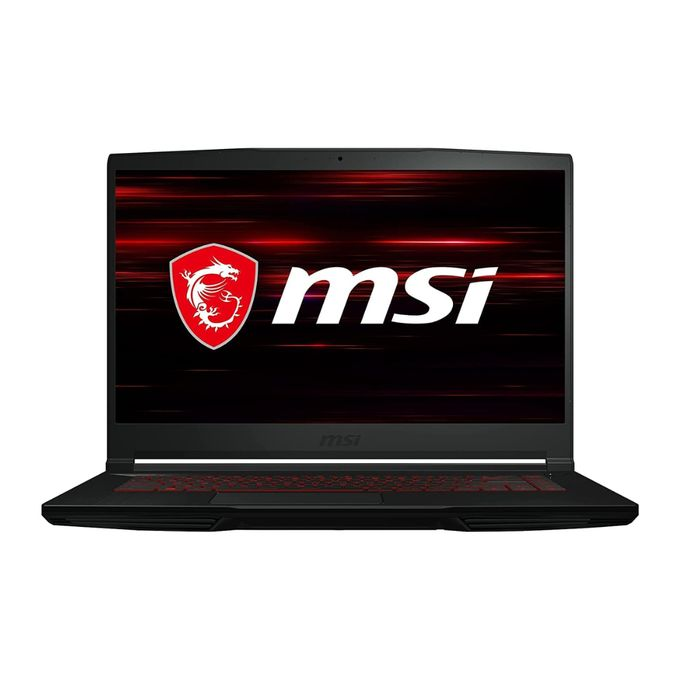



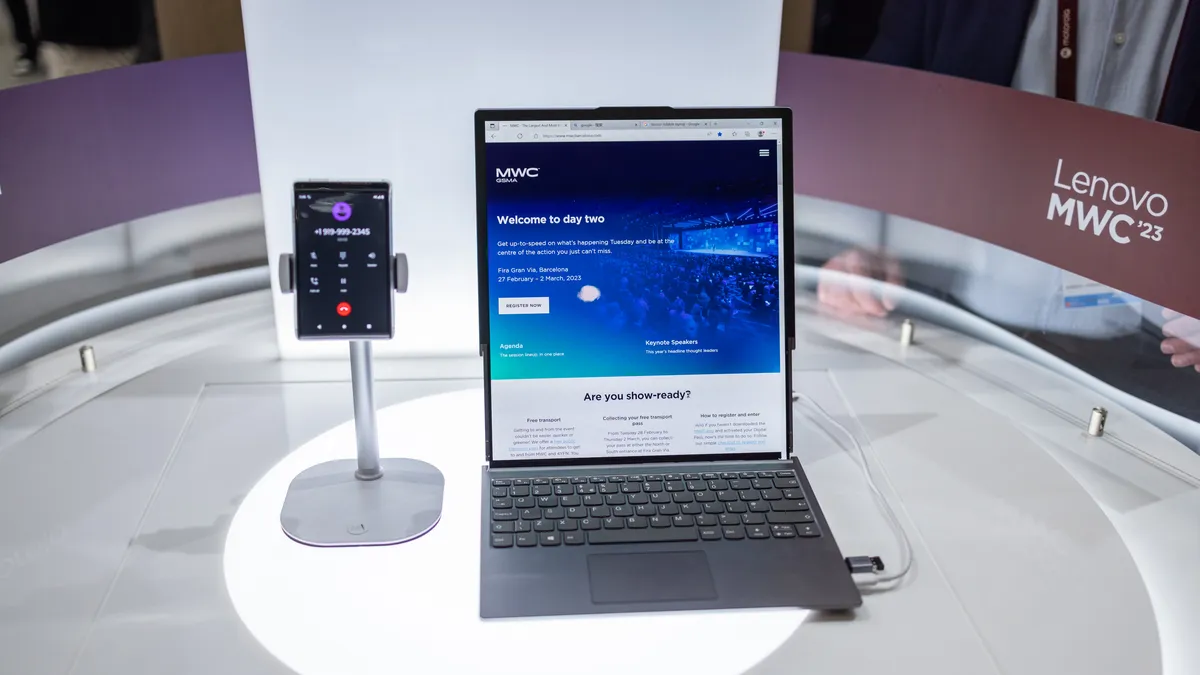
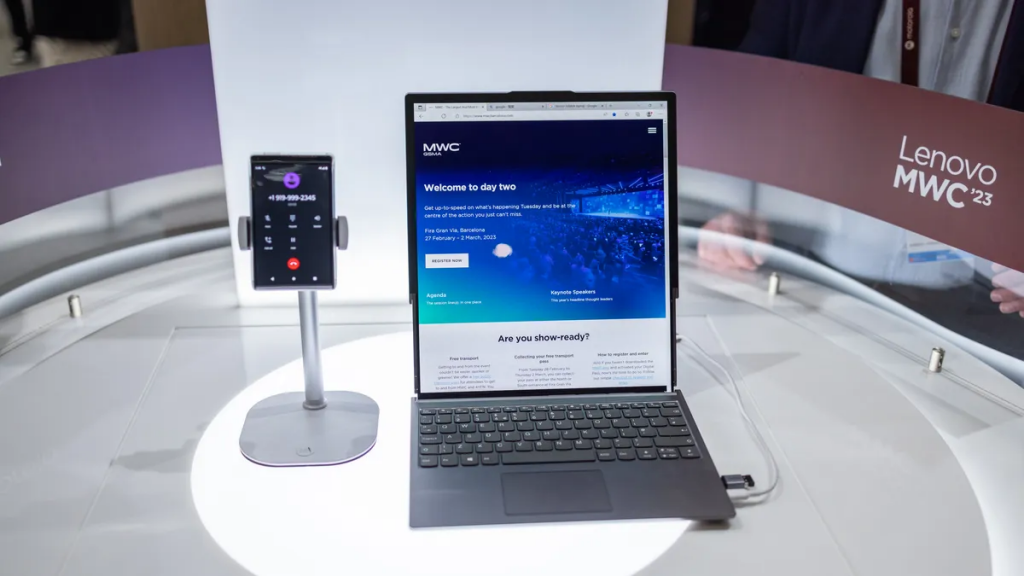






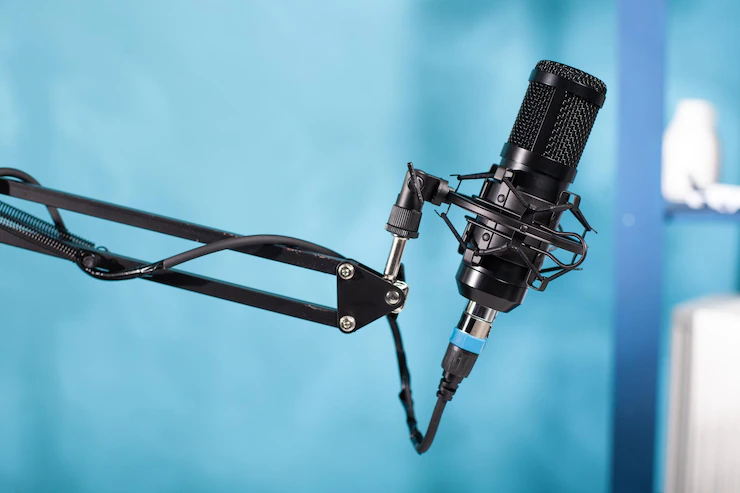

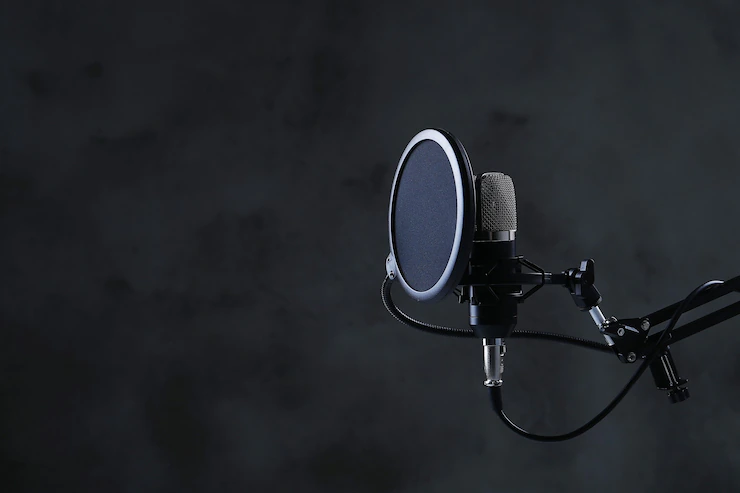

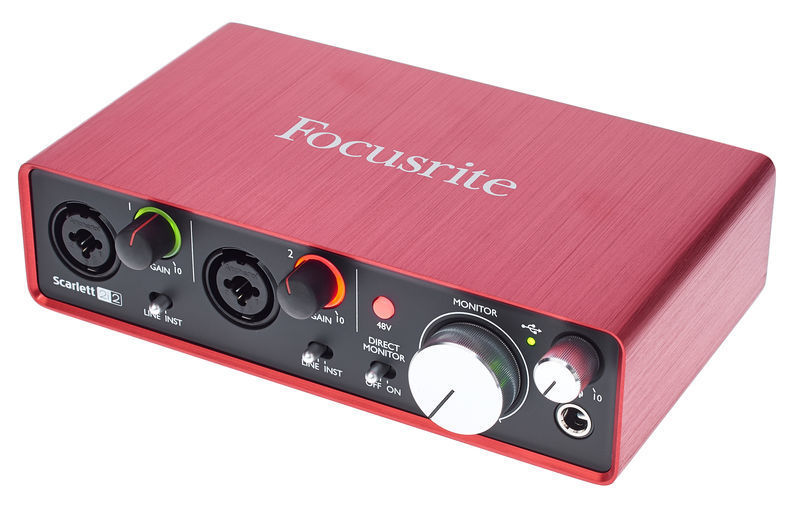

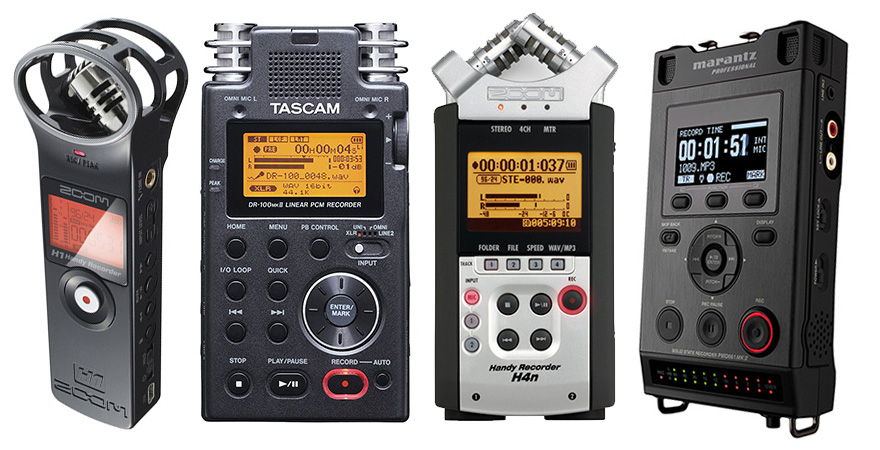

















































/cdn.vox-cdn.com/uploads/chorus_image/image/58541691/akrales_170919_1976_0104.0.jpg)
/cdn.vox-cdn.com/uploads/chorus_image/image/61618787/Fire_TV_Stick_4K_with_all_new_Alexa_Voice_Remote___Straight.0.jpg)











































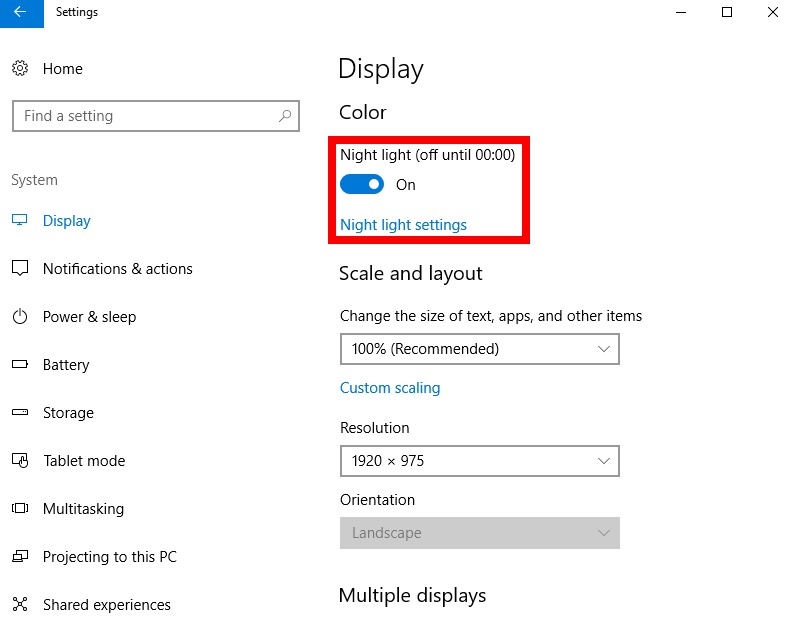
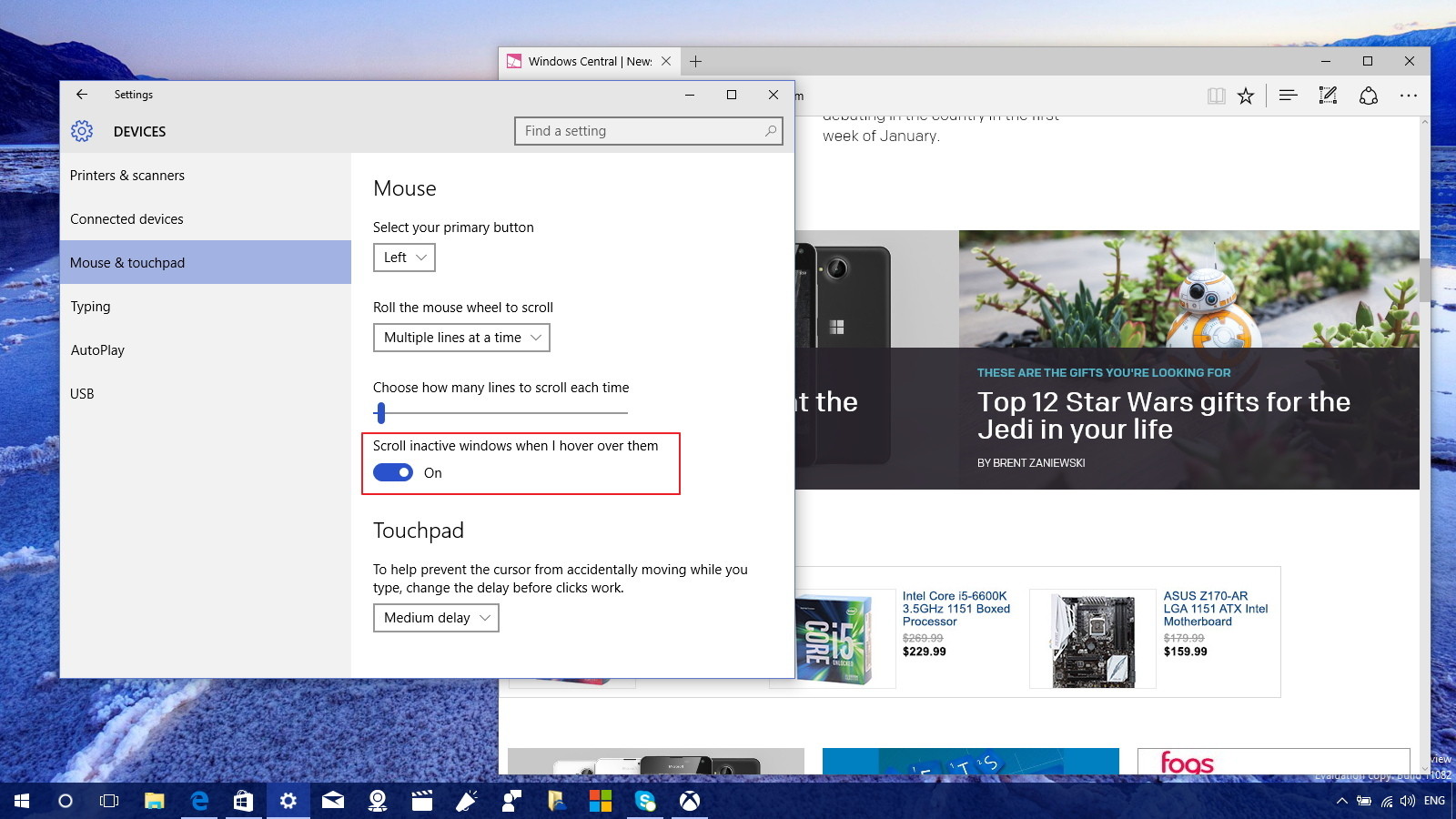
















You must be logged in to post a comment.