The European Union has given TikTok a tight deadline to submit a thorough risk assessment for its newly launched Lite app in France and Spain. This comes amidst growing concerns about the potential impact of the app on children and users’ mental well-being, as announced by the European Commission. This is not the first time TikTok has faced scrutiny from the European Union. Neither is it the first time a country threatened TikTok with a ban.
TikTok’s latest product, the rewards-focused TikTok Lite app, hit the markets in both countries this month, allowing users aged 18 and above to earn points for rewards like vouchers or gift cards.
The Commission stated that TikTok, owned by China’s ByteDance, should have conducted this risk assessment before the app’s launch and now requires additional details. This inquiry primarily revolves around the potential effects of the new app, particularly concerning the possibility of promoting addictive behavior, according to the Commission’s statement.
This request for information was made under the Digital Services Act (DSA), a recently enacted legislation imposing strict regulations on 22 major online platforms globally, including TikTok. It’s important to note that this demand is just the first step in the process and does not imply immediate punitive action against TikTok. Any further action would depend on the adequacy of TikTok’s response to the EU’s inquiries.
TikTok has assured compliance with the Commission’s directive. A TikTok spokesperson stated that the company had already been in direct contact with the commission regarding this product and would respond to the request for information.
In February, Brussels initiated a formal investigation under the DSA into TikTok’s alleged breaches of its obligations to protect minors online, particularly focusing on the company’s efforts to mitigate the negative impacts of social media on young users.
The Commission has previously requested information from TikTok on various concerns, including the potential risks associated with artificial intelligence ahead of the upcoming EU elections.
Recall that the U.S. House of Representatives provided TikTok’s Chinese owner, ByteDance, approximately six months to sell off its U.S. assets or confront a nationwide ban. This action was due to concerns regarding national security. The bill passed with bipartisan support, represents a broader trend of addressing security risks posed by various technologies, including TikTok.
However, there were a lot of divergent opinions, particularly among younger demographics who utilize the platform for political expression. Uncertainty looms over TikTok’s future across the globe, with questions surrounding the feasibility of divesting its assets within the stipulated timeframe given by the U.S. government and the potential enforcement challenges of a ban.
Australia, Estonia, the UK, EU institutions, France, the Netherlands, Belgium, Denmark, the United States, Canada, New Zealand, Taiwan, Pakistan, and Afghanistan have all taken measures to ensure the TikTok ban due to security concerns. Several other countries, including India, Norway, and Nepal, have either banned TikTok or are considering bans due to concerns about national security and data privacy.
Efficiently managing your time is paramount, and the best calendar apps are good at simplifying this process. Regardless of whether you’re a business owner juggling multiple responsibilities or an employee with a demanding schedule, the struggle to complete tasks within the limited hours of a day is universal. While a conventional calendar app capably records important events like business meetings or time off, the leading applications surpass these basics and we’re about to introduce them. Also, plan your week ahead;7must-have Android applications for this week
These exceptional calendar apps do more than just block time. They offer features like intelligent reminders, seamless meeting scheduling, and comprehensive planning for days, weeks, and months. This ensures a meticulous organization of your time, optimizing productivity. Moreover, these apps facilitate effortless planning across all devices through cloud syncing, enabling the addition, review, or editing of entries on smartphones and subsequent synchronization with desktops or laptops.
Furthermore, the finest calendar apps provide a unified platform for work, personal, and shared calendars, promoting increased productivity. The ability to seamlessly switch between these categories minimizes distractions, allowing you to focus on relevant tasks during work hours and unwind without work-related interruptions at home.
In essence, these leading calendar apps exceed traditional functionalities, often resembling simplified virtual assistants. They adeptly simplify the complexities of your bustling life, ensuring an uncomplicated and efficient approach to organization. Below, we have a curated list of the current top calendar apps for iPhones and Androids so you don’t have to worry about the best calendar app for your device.
Which calendar app is better Apple or Google?
The choice between Apple’s Calendar app and Google Calendar often depends on your personal preferences and the devices and services you use. Both apps have their strengths and may be better suited for different users.
Apple Calendar:
Integration with Apple Ecosystem: If you use Apple devices like iPhone, iPad, and Mac, the Apple Calendar app seamlessly integrates with them.
Siri Integration: Siri, Apple’s virtual assistant, can be used to create and manage events in the Apple Calendar.
Privacy: Apple is known for its focus on privacy, and if privacy is a top concern for you, you might appreciate Apple’s approach.
Google Calendar:
Cross-Platform Compatibility: Google Calendar apps work well across different platforms, including Android, iOS, and web browsers. This is beneficial if you use devices from various manufacturers.
Collaboration Features: Google Calendar excels in collaboration, allowing easy sharing of calendars and events with others. It integrates with other Google services like Gmail.
Search and Machine Learning:Google Calendar uses machine learning to help predict events, suggest locations, and make event creation quicker and more intuitive.
As technology continues to soar to new heights, drones have become indispensable tools across various industries and recreational hobbies for young people. We’ve chronicled everything from the best cameras to the top-value phones to purchase in 2024 at affordable prices, but we’re yet to touch base with the best gadgets redefining the future of unmanned aerial activities. This list of thebest drones of 2024 for photography and videography consists of drones with advanced features, exceptional performance, etc.
If you’re into drone photography or videography but prefer non-DJI drones, the Autel Evo Lite+ could be your go-to. The Autel Evo Lite+ drone is an excellent drone camera with image quality that’s equivalent to DJI Air drones. What’s cool is it comes with a variable aperture lens, so that it is easy to control how much light hits the sensor without needing extra filters. Plus, it can stay airborne for about 40 minutes on a single charge and has sensors to help avoid obstacles.
The Lite+ captures stable footage in both 6K30 and 4K60 resolutions, and it takes sharp 20MP stills. Aside from the built-in obstacle sensors for added safety, there’s a generous 40 minutes of flight time Along with other features like automated camera movements and Hyperlapse, GPS, and automated return-to-home functions.
But there are some downsides. While its 6K camera is pretty impressive, you can’t tweak the video settings much, and the video profile is limited to 8-bit flat. Also, the remote doesn’t have a screen like previous models, and the drone can’t navigate around obstacles on its own.
The DJI Mini 4 Pro is one of the best drones for photography if you’re searching for ultra-light drones today. Weighing just 249g with a standard battery, this drone offers approximately 34 minutes of flight time and doesn’t require FAA registration. Its feature-rich design includes full 360-degree obstacle avoidance, automated flight modes, and a Quad Bayer camera capable of capturing stunning 4K60 HDR video. The APAS function facilitates autonomous navigation through intricate environments, even at low altitudes, making it a standout feature.
Aside from its exceptional performance, the Mini 4 Pro also has a compact, portable design and bypasses registration requirements due to its lightweight build. It offers impressive 4K60 video capabilities in SDR, HDR, or D-Log M, along with support for vertical video and upward camera tilt. Additionally, users have the flexibility of choosing between two remote control options.
However, it’s worth noting some drawbacks. The absence of an AirSense transponder could be considered a limitation, and opting for the extended battery may exceed the registration weight limit in certain regions.
In terms of specifications, the DJI Mini 4 Pro measures 2.4 by 3.5 by 5.7 inches and weighs 8.8 oz. It features four rotors and integrated obstacle detection. The integrated camera, combined with a gimbal, offers a resolution of 4K and boasts 48 megapixels. Media is stored on microSDXC cards, and users can choose between dedicated remote control options, including one with an LCD screen. The live video feed quality reaches up to 1080p resolution. This is honestly one of the best drones for photography any creator today can ask for.
DJI Air 3
If you feel limited by the single camera on the DJI Mini 4 Pro but don’t want to splurge on the expensive drones, then the Air 3 is a great choice. The DJI Air 3 drone comes with two lenses—a wide-angle and a mid-telephoto—both mounted on its camera. This gives aerial photographers and videographers a ton of options to get creative with their shots.
It matches the picture quality of the Mini 4 Pro’s main camera, but the real upgrade here is the second camera. The drone’s advanced obstacle avoidance system keeps it safe during flight, even in tricky situations. Plus, it’s got a long-lasting battery, shoots beautiful 4K video, and takes great photos too.
What’s good about it? You’ve got those two lenses, wide-angle, and mid-telephoto, which means you can capture stunning footage in various styles and angles. The camera’s stabilized on a gimbal, so your shots are smooth and steady, even if the drone’s moving around.
The obstacle avoidance system is top-notch, making sure your drone doesn’t bump into anything while you’re flying manually or letting it do its own thing. Plus, it comes with cool features like Hyperlapse, slow-motion, and waypoint flight, and the battery lasts a long time.
However, the lenses have fixed apertures, which might limit your options in certain lighting conditions. Also, you’ll need to register it with the FAA since it’s not super lightweight. And it only has 8GB of internal storage, so you might need to offload your footage more often.
The DJI Mini 2 SE is among the best beginner drones available, particularly for those looking to spend less. Equipped with a stabilized 2.7K video camera capable of capturing 12MP photos, this drone also features GPS and Find My Drone functions(just like the Find My iPhone functions).
Its lightweight design, with a takeoff weight of 249g, eliminates the need for FAA registration, requiring only an online test. There’s almost 30 minutes of flight time and maintains stable performance within its 400-foot altitude limit while ensuring a reliable connection to the smartphone app.
This drone is a very good choice for beginners in drone photography or videography. Its capability to record ultra-smooth 2.7K30 footage is great for high-quality aerial shots. The Mini 2 SE is also a compact, palm-sized drone with a lightweight build.
While it has so many great features, it’s important to acknowledge some limitations. There’s the absence of obstacle detection and Hyperlapse features. Another downside is that the SDR video profile might be restrictive for certain scenes, limiting the dynamic range.
DJI Mavic 3 Pro
The DJI Mavic 3 Pro is another drone to purchase for professional-level videos and photos, thanks to its impressive features and performance. With a large Four-Thirds format sensor and Hasselblad color profile, it captures stunning footage and stills straight out of the camera. Equipped with all-around obstacle sensors and integrated GPS, it ensures stable flights, even in challenging environments. Plus, with up to 40 minutes of flying time, you can focus on capturing your shot without worrying about battery life.
But there are some drawbacks. The base model comes with just 8GB of onboard storage, which might not be sufficient for extensive shooting sessions. Additionally, while the flight time is impressive, it falls short of the promised battery life.
There have been mindblowing changes lately to Android phones thanks to some seriously powerful new chips. Remember when you had to pick between shelling out big bucks for a best-value phone or settling for midrange phones or something slower on a budget? Those days are fading fast. We’ve also seen sweeping changes to Google’s mobile OS—the world’s most popular mobile operating system.
Even the less affordable Android phones now pack a punch. It’s like everyone’s getting a taste of the good stuff without breaking the bank – suddenly, everyone’s in.
We’ll check out what these best budget Android phones can do, so we can help you find the cheapest phones no matter the budget.
What Should I Look for in a Good Budget Android Phone?
Most expensive phones are designed with high-quality gaming and advanced photography in mind, while more affordable Android phones are carefully engineered with powerful mid-range processors to handle daily tasks with ease and stay up-to-date with Android updates.
Even more surprising is the fact that these budget smartphones between $150 to $500 offer great user experiences and can last for years.
Choosing an affordable Android phone that suits your needs and wallet is important for most of us. You don’t want to end up with a phone that feels outdated and sluggish shortly after purchasing it. So, before diving into specs like processor and camera quality, start by considering connectivity. Ensure the phone supports your network and other basics like Bluetooth and Wi-Fi.
When it comes to the processor, look for an Android phone with a decent chipset to avoid a slow performance. Qualcomm’s Snapdragon processors are common, but not all are equal. Aim for at least a Snapdragon 400-series or higher for better performance. MediaTek’s Dimensity series is also worth considering for speedier performance.
RAM is another thing you need to look out for; phones with at least 6GB of RAM allow for better multitasking.
Storage isn’t a major concern nowadays thanks to cloud services like Google Photos and Apple iCloud. These services can store your media securely, freeing up space on your phone.
Camera quality matters too, especially if you enjoy capturing moments. While cheaper phones may not have great image quality like iPhones, you can still take good pictures with some Android models.
Battery life is one thing many users overlook. While most phones on the list below have decent battery life, some are built to last longer. They might not be the most expensive phones today, but they sure do perform better than most of the high-end phones. All you need to do is consider your priorities and budget before making a decision.
Best Budget Android Phones: Cheap Android Phones 2024
Here are the cheapest Android phones to buy this 2024
Google Pixel 7a
Google Pixel 7a – Best Budget Android Phones
Google’s phones are favored by Android lovers; from the Pixel 7 Pro, Pixel 7, and Pixel 6a. The Google Pixel 7a is known as the best budget Android phone in the market, and it’s easy to see why. With a bright 6.1-inch AMOLED display, 8GB of RAM, and a powerful Google Tensor G2 chipset, this phone delivers top-notch performance.
Its 64MP primary camera captures stunning photos, and you get access to exclusive Pixel features straight out of the box. Plus, it’s the first A-series Pixel with wireless charging support. Despite minor drawbacks like a 90Hz refresh rate and average battery life, the Pixel 7a is one of the cheapest phones under $500.
OnePlus 12R
The OnePlus 12R is dubbed one of the most affordable and best-value Android phones, and for good reason. Packed with a Snapdragon 8 Gen 2 processor, a superb AMOLED display with a 120Hz refresh rate, and impressive camera capabilities, this phone offers flagship-level performance. The sleek design and 100W wired charging are impressive and ideal for anyone in the market for a high-quality smartphone.
Nothing Phone 2a
Next up, we have the Nothing Phone 2a, praised for its exquisite design. With features like a transparent back panel and unique Glyph lights, this phone is impressive. Other specs, including a 6.7-inch Flexible AMOLED display and a MediaTek Dimensity 7200 Pro processor, make it a great choice in the budget Android phone market.
Samsung Galaxy A54
Samsung Galaxy A54
Another Samsung phone to buy if you’re looking for the best budget Android phone is the Galaxy A54 5G, sold for $325. It has a Pixel alternative with a fast display and premium design, though lacking wireless charging and slow charging speeds.
With a Super AMOLED display, flagship-level camera features, and a large 5,000mAh battery, this phone offers solid performance at a reasonable price. Samsung promises users four OS upgrades and up to five years of security updates.
OnePlus Nord N30 5G
The OnePlus Nord N30 5G delivers exceptional value for its price. With features like a Snapdragon 695 processor, an AMOLED display, and impressive camera capabilities, this phone is one of the cheapest Android phones to buy. Plus, its 120Hz refresh rate ensures a smooth user experience.
Although the OnePlus Nord N30 priced at $250 maintains strong performance, it loses the AMOLED display and premium design of its predecessor.
Moto G Stylus 5G
The Moto G Stylus 5G has been termed as the best stylus phone. Alongside solid specs like a Snapdragon 6 Gen 1 processor and a large 6.6-inch FHD+ display, it comes with a built-in stylus for writing and drawing. With its combination of features, performance, and value, it’s an ideal choice for a mid-range smartphone.
Other Budget Android Smartphones
The $350 Motorola Edge has a cool OLED display, solid battery life, and improved cameras and is one of the best budget Android phones.
For Galaxy fans, the Samsung Galaxy A14 5G, priced at $200 is a top pick. It features a fast display and great design, though lacking in speaker quality.
Motorola Razr sold for about $500 is a budget foldable smartphone with decent performance, good battery life, and a large display, despite limitations in the cover screen and camera quality.
You can also get the Samsung Galaxy A04 under $120, which offers good budget specs with Samsung’s One UI software, though limited by its plastic build and low resolution.
The $230 T-Mobile REVVL 6x Pro with wireless charging, and long battery life is a great choice for a budget phone if you can handle a large screen, but it has poor display quality and weak performance.
While these budget Android smartphones might not meet the features of the cheapest iPhones by comparison, they still offer decent performance and features at affordable prices.
The widespread use of digital devices and the internet has led to an abundance of information. This sheer volume of information available on social media, articles, online videos, and constant notifications is often overwhelming for some people. Since attention spans are limited due to the fear of missing out, brands are readily churning out visually appealing content that grabs the audience’s attention more effectively.
Graphic design has become an integral part of content creation for over a decade now. It improves the aesthetics of content to be more engaging and memorable, but that’s not all. Businesses and large corporations have utilized graphic design to establish brand identity and recognition. It is a cornerstone of marketing and advertising. Brands use graphic design to create banners, posters, or online ads, and these visually compelling designs impact the success of campaigns.
It also influences how every single piece of information is presented, consumed, and shared. In the context of social media, where attention is fleeting, visually engaging graphics are needed to create shareable and viral content. Most people find graphic design an important tool for simplifying complex information through intuitive visuals and this contributes to positive user experience.
Graphic design doesn’t necessarily require an expert designer for every task, as there are varying levels of complexity in design projects. Simple tasks like creating social media posts or promotional campaigns can often be handled by people with basic design skills. For small businesses and startups looking to save money, learning basic graphic design from online resources is important. However, as your brand grows, you might want to hire a professional graphic designer for more complex and technical projects such as branding, and logo design.
Free Graphic Design Software for Social Media and Content Creation
We took the liberty to compile some of the best graphic design software for beginners and brands that need to save money on designs. Graphic design has become indispensable to content creation, whether you’re the CEO or intern, it wouldn’t hurt to have basic knowledge of the tools that make the magic happen. Let’s find out which software is best for graphic design for beginners and what free app is best for graphic design for Mac and PC.
Canva
Canva is a versatile and user-friendly design app, available across various platforms, offering a million templates, graphics, and photos under its free plan, with even more assets accessible through Canva Pro. Canva Pro unlocks additional features, including automatic resizing and brand kit integration. The interface has numerous templates for just about any purpose, as well as a good search feature that helps you easily find the designs you want. The drag-and-drop editor simplifies customization and there’s a design collaboration with sharing options.
DesignWizard
This free graphic design software functions similarly to Canva but provides access to all its tools in the free version. With an extensive collection of over 5,000 templates, users can effortlessly craft digital content such as social media posts, flyers, ads, and YouTube videos. As well as print materials like gift cards, certificates, and sales posters.
There’s a library with millions of images, videos, illustrations, and graphics. DesignWizard empowers users to upload fonts, photos, and logos. The platform allows for the creation of custom color palettes and resizing designs, ensuring each final product is what you need for your brand.
Adobe Express
Adobe Express
Formerly known as Adobe Spark, is designed for social media and web graphics. Adobe Express is free, with premium features offered at $9.99/month. While its template selection falls short compared to Canva, it compensates with a powerful editor. Quick Actions on the home screen provide efficient tools like image resizing and background removal. Advanced features such as layer options and blend modes are available for deeper customization. Integration with Adobe’s Creative Suite enhances its utility for those planning to use more advanced Adobe tools.
GNU Image Manipulation Program
An acronym for GNU Image Manipulation Program, GIMP is a go-to free tool for those working with photography. Although not available in-browser and considered more advanced, GIMP is exceptional for its capacity to handle demanding photo editing needs. It lacks templates and may be more challenging to use compared to other software on this list, but its power lies in advanced photo editing and design.
Pablo by Buffer
If you need a minimalist way to create and design content, then use Pablo by Buffer. This straightforward tool allows easy text placement over images, with no need for accounts. The user-friendly interface provides basic options for image selection, template choice, and text formatting. Despite its simplicity, Pablo is great for creating visually appealing social media images, and the tool is free to use.
Piktochart
This free graphic design software focuses on the creation of impactful and shareable infographics. Mostly preferred by non-designers, Piktochart helps users create basic infographics without the need for advanced design software. Offering 400 templates, icons, and graphics, Piktochart is a solid starting point for those eager to understand the fundamentals of infographic creation.
Snappa
This is the only app on this list where the free plan provides access to the same resources as the paid plan. Users can download three designs per month. Snappa’s templates, though not as thoroughly themed, have personalized options, including effects and graphics. The process is easy and involves selecting a base template, customizing it, and downloading or sharing the image. Snappa’s free plan is user-friendly as it is less intrusive with upgrade notifications.
Pixlr
Pixlr, a popular online image editor, facilitates photo editing with a collection of overlays, effects, and borders. Available as an application on both iOS and Android, Pixlr caters to Instagram users and photography enthusiasts seeking an accessible alternative to expensive photo editing software.
VistaCreate
Previously known as Crello, Vista’s free design tool has a lot of templates, photos, videos, and vectors for social media and print design. The free plan is forever and includes vast resources, while the Pro plan has more features, such as team collaboration and automatic resizing. The Styles feature simplifies color and font customization, and a generous 10GB file storage is equipped to help both free and Pro users.
Fotor
Fotor is an old photo editing tool that has been modified to offer traditional editing features along with powerful AI enhancements. While its AI features are not free, taking advantage of the free trial is recommended to explore its capabilities. Fotor, available instantly through your browser, is known for its speed and user-friendly interface.
Among the many roles assigned to business owners is the need to stay current on business trends and developments. There are thousands of online and offline materials; articles, books, podcasts, etc. Podcasts have become popular in audio entertainment, particularly among people who listen to music, audiobooks, or podcasts while driving, working out, or getting ready for work. Podcast advertising is a fun, educational, fresh, yet, efficient way to quickly explain to listeners the benefits of your products.
It has the potential to help businesses reach a larger audience and acquire a loyal customer base, and more companies are realizing the possibilities it offers. In the past year, there has been a rise of more than 40 million listeners to podcasts. The most recent statistics on podcast streams available reveal that there are over 500 million listeners globally. This number represents nearly a quarter of people who use the Internet.
Building your own business as well as becoming an entrepreneur requires gaining the necessary expertise in some professional areas, such as management, leadership, and strategy. Business podcasts often feature successful business leaders as guests and listening to these podcasts can provide tips, and strategies that can be applied to your business. These entrepreneurs share their journeys, discuss leadership styles, and current market trends, and provide advice on building a successful business.
Podcasts are everywhere, and so are chances to reach targeted audiences. If you want your podcast ads to be effective and draw in potential clients. Choose a podcast that is relevant to the service you provide. We compiled a list of the best business podcasts rich with well-rounded perspectives on business from top-level business experts across the globe.
30 Best Business Podcasts to Grow Your Business
The $100MBA
The Indicator
The Journal
The UpFlip Podcast
How I Built This
The Silicon Valley Podcast
The Miss Findependent Show
The Side Hustle Show
The High EQ Marketer
The Mind Your Business Podcast
My First Million
Youpreneur
Money For the Rest of Us
The Jasmine Star Show
BizChix Podcast for Female Entrepreneurs
The Business Accelerator with Michael Hyatt and Megan Hyatt Miller
We Study Billionaires
a16z Podcast
Money Guy Show
Marketing Over Coffee
Marketing School
HBR IdeaCast
BiggerPockets Money Podcast
Beyond the To-Do List
Masters of Scale
Coaching for Leaders
Mixergy
Business Breakdowns
Scott D. Clary’s 10 Minute MBA Podcast
Top Podcasts 2024 for Business Owners
Scott D. Clary’s 10 Minute MBA Podcast
Scott D. Clary’s podcast, 10 Minute MBA—Daily Actionable Business Lessons with Scott D. Clary is one of the best business podcasts to follow. The program is an invaluable resource for entrepreneurs with little time, offering succinct and practical business advice. Clary is an investor and CEO who has an impressive following on several platforms. He also has a YouTube channel with over 50,000 subscribers, a newsletter reaching 100,000-plus readers, and another podcast within the Hubspot Podcast Network titled Success Story with Scott D. Clary. Aspiring business leaders listen to his ten-minute podcast daily as they are filled with actionable ideas and strategies.
BizChix Podcast for Female Entrepreneurs
Hosted by Natalie Eckdahl, the BizChix podcast is one of the best business podcasts for women. Natalie Eckdahl is a business strategist and coach who focuses on helping women entrepreneurs grow and scale their businesses.
The BizChix Podcast covers a wide range of topics relevant to female entrepreneurs, including business strategies, leadership, productivity, and personal development. Natalie often features interviews with successful female entrepreneurs, sharing their stories, insights, and advice. The podcast aims to inspire and empower women in business, providing them with valuable information and resources to navigate the challenges of entrepreneurship.
Business Accelerator Podcast
Michael Hyatt and Megan Hyatt Miller are popular for their work in personal development and leadership. The New York Times bestselling author, speaker, and leadership expert Michael Hyatt co-hosts this podcast with daughter and CEO of Michael Hyatt & Company Megan Hyatt Miller.
The Business Accelerator podcast is designed to help entrepreneurs and business leaders grow and scale their businesses effectively. The program typically includes coaching, resources, and strategies in leadership, productivity, goal setting, and team management. This weekly hour-long podcast is an extension of their commitment to providing practical resources for business growth.
We Study Billionaires
A top global financial podcast with over 150 million downloads, hosted by Stig Brodersen, Preston Pysh, William Green, Clay Finck, and Kyle Grieve. The show features interviews with legendary billionaires like Warren Buffett and Howard Marks, discussing investment strategies, market conditions, business, and entrepreneurial success stories.
The $100 MBA Show
Omar Zenhom’s The $100 MBA Show is an award-winning podcast known for actionable advice. As a former school teacher turned entrepreneur, Omar shares valuable lessons for business growth in short segments.
Business Breakdowns Podcast by Colossus
The Business Breakdowns podcast is hosted by Colossus, a media company focused on providing high-quality content and conversations about business and investing through podcasts and other formats. This podcast helps entrepreneurs gain insights into successful business strategies by exploring the histories, models, financials, and cultures of huge corporations. Each one-hour episode features leaders or experts conferring knowledge to those seeking a comprehensive understanding of how to sustain their businesses.
Builders by CMO John Busby
Explore the critical role of emotional intelligence in business success with the Builders from Business .com formerly “The High EQ Marketer.” This weekly podcast is hosted by Centerfield CMO John Busby and features conversations with business leaders across industries. With episodes averaging around 30 minutes, you can learn strategies for developing your business, team, and career with leaders, CEOs, entrepreneurs, and academics. The editor-in-chief Marty Beckerman covers the newest stories and trends and a video from the podcast is available on YouTube for visual learners.
John Busby is the managing director of digital brands and chief marketing officer of Centerfield. John is in charge of Centerfield’s Digital Brands, which include Business.com and BroadbandNow. He assists millions of in-market customers in selecting and acquiring the ideal good or service. He also oversees corporate marketing.
Millennial Investing
Millennial Investing hosted by Patrick Donley and Kyle Grieve, targets a younger audience, featuring discussions with successful entrepreneurs, business leaders, and investors. The podcast emphasizes building a strong financial foundation before complex investment strategies.
The UpFlip Podcast
Entrepreneurs will find very practical business insights from real business owners on The UpFlip Podcast. They get to experience behind-the-scenes of different business successes. This podcast features weekly episodes of 30 to 45 minutes of valuable business development ideas for those looking to start, buy, or sell a business.
a16z Podcast
The a16z Podcast is a go-to source for discussions on innovation and technology, featuring in-depth conversations with technology professionals, startup founders, and business executives.
The Silicon Valley Podcast
Shawn Flynn’s The Silicon Valley Podcast offers insights from successful leaders, investors, creators, and inventors in Silicon Valley, providing valuable business acumen to entrepreneurs worldwide.
The Side Hustle Show
Nick Loper takes entrepreneurs through the journey of starting and growing side businesses on The Side Hustle Show. This award-winning podcast explores diverse ways to make money online and offline, featuring discussions from successful side-business owners. The weekly episodes, under an hour each, are listened to by a broad audience in search of additional income streams.
Masters of Scale
Masters of Scale with Reid Hoffman and Bob Safian interviews CEOs, sharing stories, guidance, and techniques for business growth. The podcast features both classic episodes and a rapid response format discussing real-time business situations.
My First Million
Sam Parr and Shaan Puri focus on new business ideas, trends, and opportunities, aiming to help listeners achieve their first million in this podcast called My First Million.
HBR IdeaCast features leading thinkers in business and management, offering actionable advice on leadership development, business strategy, and work management.
Coaching for Leaders
Coaching for Leaders with Dr. Dave Stachowiak focuses on effective leadership and management practices, featuring conversations with bestselling authors, researchers, scholars, and business leaders.
BiggerPockets Money Podcast
BiggerPockets Money Podcast with Mindy Jensen and Scott Trench interviews thought leaders about earning, spending, and growing wealth, targeting both business and personal finance.
The Money Guy Show
The Money Guy Show by Brian Preston and Bo Hanson, financial planners, and wealth managers, shares insights on personal finance, investing, and business in an approachable style.
Money For the Rest of Us
David Stein hosts Money For the Rest of Us, simplifying financial concepts for listeners based on his experience as an institutional investment advisor. Without guest interviews, Stein covers various financial topics, offering valuable insights.
The Jasmine Star Show
Entrepreneur and business strategist Jasmine Star hosts the Jasmine Star Show, offering conversational insights into building and overcoming challenges in business. With over 300 episodes released weekly, Star engages with industry experts, provides raw business coaching, and shares step-by-step tips for brand building.
The Mind Your Business Podcast
James Wedmore hosts The Mind Your Business Podcast, focusing on leveraging inner strength for CEO success. Beyond traditional business advice, episodes cover unconventional tools like manifesting fortune through the power of the mind. With a conversational approach and weekly releases, it offers valuable insights often missed in more technical podcasts.
The Miss Findependent Show
Nika Farb’s The Miss Findependent Show is dedicated to financial literacy for women. With weekly episodes lasting 30 to 60 minutes, Farb provides insights into investing, entrepreneurship, and overall career growth. While focused on women, the financial wisdom shared applies to all entrepreneurs.
My First Million
Join Sam Parr and Shaan Puri on My First Million for lively discussions on various business ideas and market trends. Released multiple times a week, these engaging episodes, lasting 45 minutes to an hour and a half, aim to guide listeners towards their first million, be it in users, revenue, or profit.
How I Built This
Guy Raz’s How I Built This explores the stories behind successful companies, innovators, and entrepreneurs, providing insights into entrepreneurship, business strategies, and technology.
Just like was hinted at in Meta Quest 3 Most Anticipated Games for 2024, Meta Quest 3 has the potential to be a highly sought-after and powerful VR headset to buy in 2024, similar to its predecessor, the Quest 2. Compared to the Meta Quest 2, it boasts a better display with higher resolution, a faster processor, and even more advanced passthrough capabilities. However, it comes with a higher price tag.
The base model with 128GB storage is priced at $500, while the 512GB version is priced at $649. Additionally, there are bundles available for the Quest, such as the comfort bundle which includes an advanced head strap, and the “Power” bundle featuring an elite strap with an extra battery.
What is Meta Quest 3?
Imagine wearing a set of glasses and suddenly finding yourself immersed in a digital world, whether it’s exploring the depths of the ocean, battling on the front lines of a war, diving into action-packed adventures, or even engaging in fitness activities. Virtual Reality VR headsets make you feel like you’re there. The Quest 3, as the successor to the widely acclaimed Meta Quest 2, takes this experience to the next level with improved features. A standalone VR headset, meaning you don’t need any cables or a high-powered computer to use it. Think of it as a gateway to extraordinary virtual adventures, all from the comfort of your own home.
The Meta Quest 3 has high-resolution screens that show you amazing pictures, making it feel like you’re really there. It also has cameras that track your movements, so when you move your head or hands in real life, your avatar (your character) in VR moves too! You also get two wireless controllers that act like your hands in the virtual world, letting you interact with everything you see.
Getting Started with Your Meta headset
Setting up your Meta Quest 3 is super easy. Here’s what you need to do:
Download the Meta app: This app is available for free on both Android and iOS phones and will be your control center for the Quest
Setting up your headset and controllers
Turn on your Quest 3:
To start using your Meta Quest 3 headset and controllers, follow these steps:
Take everything out of the box.
Charge your headset with the charger and cable provided until it’s fully charged.
Once charged, do the following:
Take off the protective paper from the headset strap and lens.
Hold down the power button on the left side of the headset until you hear a sound and see the Meta symbol.
Remove the battery blockers from the controllers.
Put the controllers on your wrists using the straps.
Turn on each controller by pressing and holding the buttons on them.
After a few seconds, you should see a blinking light and feel a vibration, showing that the controllers are ready.
Follow the instructions on the screen in your headset to set up language and Wi-Fi.
After that, you can adjust the headset’s fit.
However, Before you update any software, be sure to plug your headset into a charger.
How to Download Meta app
To download the Meta Quest mobile app, you can go to the Google Play Store or the Apple App Store. Search for “Meta Quest” and you should find the app. Then, just follow the prompts to download and install it on your device.
However, to use the Meta Quest mobile app for setting up your Meta Quest Pro, Meta Quest 2, or Meta Quest, make sure your phone is connected to Wi-Fi and has Bluetooth turned on. If you install the app on a device it doesn’t support, you might have trouble setting up your headset.
Once you’ve activated your headset with the app, you can complete the setup process in virtual reality.
Pair your Headset With the Meta Quest Mobile App
The Meta Quest mobile app works with your Meta Quest 3 headset. It helps you do things like shop in the Store, buy and download apps, adjust settings, and share what you’re seeing with your phone or a Chromecast device.
You don’t have to use the Meta Quest mobile app every time you use your headset, but you’ll need it when you first set up and pair your headset.
Here’s how to pair your headset with the app:
Get the Meta Quest mobile app from the Google Play or Apple App store.
Open the app and sign in or make a new account.
Tap Menu, then Devices.
Your headset and controllers should pair automatically. If not:
Put on your headset and look for a 5-digit code.
In the Meta Quest mobile app, enter the 5-digit code from your headset.
Once the code is entered, your headset should start pairing with the app.
Make sure your app is updated. If you can’t find the option to add a Quest headset, update and restart the app. You need Bluetooth and sharing with nearby devices turned on to connect your phone and headset. Once your Meta Quest 3 is set up with the app, you can connect it to your PC using Quest Link or Air Link.
That said, If you’re still stuck, contact Meta Store Support.
How to set Set your play area:
Hover over the clock on the left side of the universal menu. When Quick Settings appears, select it to open the Quick Settings panel. Select Boundary.
When you’re setting up your boundary, you can pick from these modes:
Stationary: This is for when you’re using your headset while sitting or standing still. It sets up a default boundary area of 3 feet by 3 feet (1 meter by 1 meter) centered on where you are.
Roomscale: This mode is for when you want to move around in your play area. With Roomscale, you can use your Touch controller to draw the boundaries in your physical space. It’s best to have a safe and clear area that’s at least 6.5 feet by 6.5 feet (2 meters by 2 meters).
Set your play area:
Explore the Meta Quest App Store: This is an online store full of VR games, apps, and experiences. You can browse by category, search for specific things, and download whatever you want.
Tips To Finding The Best Apps and Games on Meta Quest 3
Meta Quest 3 has a huge library of VR games and apps for everyone. No matter what you like, there’s something for you! Here are some tips to find the best ones:
Think about what you enjoy: Do you like action-packed adventures, challenging puzzles, or hanging out with friends? Knowing what types of games you usually play can help you narrow down your search.
Read reviews and watch videos: There are websites and videos online that review VR games and apps. This can help you see what other people think and decide if something is worth your time.
Check out user ratings and recommendations: Other VR users can leave reviews and recommend games they like. This is a great way to find hidden gems and see what other people are enjoying.
Start with free experiences: There are several free VR games and apps available. Press / on your right controller to pull up your toolbar menu.
Navigate Store .
select what you want to download.
choose the price to buy it, or tap Free if it’s a free download.
Trying these out can be a good way to get used to VR and see what types of experiences you like.
Here are Some Popular Meta Quest 3 Games
meta quest 3 games
Games: There are several types of games on meta quest 3 here are some
Assassin’s Creed Nexus. …
Pistol Whip. …
Walkabout Mini Golf. …
Eye of the Temple
The Walking Dead: Saints & Sinners,
Arizona Sunshine,
Dungeons of Eternity, exploring more
Social experiences: Want to hang out with friends in VR? There are apps where you can chat, play games together, or even watch movies in virtual spaces.
Educational experiences: meta quest 3 can also be a powerful tool for learning. Here are some examples:
Visiting historical sites
Taking a virtual tour of the human body
Visiting the bottom of the ocean
Learn to play the piano without needing to buy an actual piano.
Meditate without any distractions to find inner peace.
Enjoy concerts from your favourite artists without leaving your living room.
Work together smoothly with your colleagues in a virtual environment.
How to use your Quest 3 for work and productivity
Meta Quest 3 isn’t just for entertainment. Businesses are starting to use VR in creative ways to enhance communication, training, and even design processes. Here are some ways your work might benefit from VR:
Remote collaboration and meetings: Imagine holding meetings with colleagues who appear virtually present in the same room, even if they’re miles apart. VR can facilitate collaboration and communication by offering a more immersive and engaging experience compared to traditional video conferencing.
Training and simulations: VR allows companies to create realistic and safe training simulations. This can be especially beneficial for industries like healthcare, engineering, and manufacturing, where employees can practise procedures or learn new skills in a controlled virtual environment.
Product design and prototyping: VR can be used to design and test products in a virtual space before actually manufacturing them. This can save companies time and money by allowing them to identify and address any design flaws before production begins.
Brainstorming and creative thinking: VR can provide a unique and inspiring environment for brainstorming sessions and creative problem-solving. The immersive nature of VR can help teams think outside the box and come up with innovative ideas.
Meta Quest 3 for work
While VR technology is still evolving, it holds immense potential for various industries. If you’re curious about leveraging the Meta Quest 3 for work, here are some resources to get you started:
Meta Workplace: This platform allows businesses to create virtual workspaces where employees can collaborate, meet, and socialise in VR.
VR training platforms: Several companies offer VR training solutions for various industries. Explore these platforms to see if one aligns with your company’s needs.
VR design software: There are software tools specifically designed for creating and prototyping products in VR. These tools can be a valuable asset for companies looking to explore the benefits of VR design.
Troubleshooting Common Meta Quest 3 Issues
troubleshooting meta quest 3
As with any technology, you might encounter occasional issues with your Meta Quest 3. Here are some common problems and their potential solutions:
Connection problems: Ensure your Wi-Fi connection is stable and that your headset is properly paired with your smartphone. If issues persist, try restarting your devices or resetting the network connection.
Tracking problems: Make sure your play area is well-lit and free of obstructions. If tracking issues persist, consult the official Meta Quest 3 troubleshooting guide for further steps.
Battery issues: The Quest 3 offers 2-3 hours of playtime on a single charge. If you plan on longer VR sessions, consider investing in an external battery pack.
App crashes: Close any unnecessary apps running in the background and ensure your Quest 3 software is up to date. If the issue persists, try reinstalling the problematic app.
The best guide for augmented reality apps, is just a small peek into what the Meta Quest 3 can do. With the Quest 3, you can do many amazing things, like visiting stunning virtual places or working with others in exciting new worlds. Feel free to try new things, discover, and let your imagination run wild.
Everybody wants to be on Facebook, Instagram, and Twitter, the platforms companies and businesses use for trendy advertising and marketing. However, investing so much time and effort in platforms that don’t benefit your career is unnecessary. A lot of people overlooked LinkedIn in the past. Ignorant of the many opportunities abundant on this site. There are life-changing opportunities for those looking for jobs, entrepreneurs, startups, investors, or fresh graduates. Here are some pointers on how to use LinkedIn for networking and marketing.
Marketing/Networking on LinkedIn
Just as a strong first impression counts in in-person encounters, so too does having an impressive LinkedIn profile for successful online networking. Before engaging in any LinkedIn networking activity, make sure your profile is complete and optimized.
Build an Impressive LinkedIn Profile
Start by including a professional-looking profile photo, as this has a big influence on profile visibility and interaction. The next detail to add is your headline. Creating an attention-grabbing headline for your LinkedIn page is similar to creating a CV. This title should communicate your areas of expertise and must be professional.
Next is a profile description that will help you build your brand by, outlining your strengths and how you can bring value to potential clients or employers. It’s best to keep the summary brief and simple to read. Include relevant keywords to improve visibility in your area of interest. Avoid copying and pasting information from your CV while summarizing your work history on LinkedIn. Rather, concentrate on experiences that are relevant to your business or your desired career path.
Add reputable recommendations and endorsements to your profile to increase its credibility. You can ask for referrals from people you’ve had good working connections with, such as clients, supervisors, and coworkers. These recommendations build your authority and trustworthiness and even serve as employment references. Getting more recommendations also makes you appear more credible to other users on LinkedIn.
Make Connections
It’s time to interact with other users on LinkedIn after building your professional presence. Refrain from adding connections randomly. Make connections with individuals in the field that you might want to collaborate with in the future or who might offer useful information on your business or career.
When sending a connection request, make sure to add a customized statement and stay away from sending an automatic LinkedIn invitation. You can build connections with your new contact by sending a brief message introducing yourself or outlining your reasons for wanting to connect. By doing this, you’ll avoid giving the impression that you’re just adding things at random to increase your numbers. Remember, potential recruiters on LinkedIn are watching.
As soon as your requests get accepted, you have to start forming personal or professional connections. You can engage their posts, celebrate a milestone, or simply reach out to them. Make an effort to reply to every communication you get on LinkedIn, and don’t ignore people trying to connect. To strengthen and build relationships, ask contacts to meet you offline at an event that’s open to the public.
Create Posts/Join Groups
Posting on LinkedIn is an important part of growing your career. Whatever your niche or industry, always make posts that engage and inform. You can start by writing your thoughts linking to your websites, and reposting pieces from others. As you grow, you can run ads on LinkedIn posts. To help people learn more about you and your business, think about providing a link to your blog to contacts. Provide a link to your subscription pages in your posts to your connections and followers.
Become a member of industry-related LinkedIn groups to get visibility and establish valuable relationships. You may be able to connect with experts in your field if you join many active groups and share your profile. For any LinkedIn group you join to be effective, you will need to participate in them. Engage in and, provide helpful responses to queries. Instead of trying to promote yourself, concentrate on becoming an important group member.
Benefits of LinkedIn for Employees/Businesses/Students/Job Seekers
LinkedIn is a widely used platform for professional networking, offering numerous advantages for those seeking to expand their connections. Firstly, its ubiquity among professionals across the globe provides a direct channel to engage with crucial business contacts who may otherwise remain undiscovered.
Many recruiters and hiring professionals use LinkedIn to find and connect with potential candidates. Users can often see job postings and recruitment-related content on the platform. Like many social media platforms, LinkedIn also allows users to run ads. Members come across sponsored content, job ads, or other promotional material while browsing their feeds. Companies and individuals can use LinkedIn’s advertising services to create targeted campaigns, promoting their products, services, or job opportunities to a specific audience.
Most of LinkedIn members use it for business, not for informal engagements like Twitter. Networking on LinkedIn increases the chances of finding and getting opportunities. A well-constructed profile that includes relevant experiences, accomplishments, endorsements, recommendations, and information improves your professional image. Writing articles, sharing educational links, and participating in thought-provoking conversations in LinkedIn groups are other advantages of using the platform.
LinkedIn serves as a valuable information repository, essentially presenting each user’s profile as a comprehensive resume. This helps you see the backgrounds, abilities, experiences, skills, motivations, and beliefs of potential customers, partners, investors, and other stakeholders. The search tools help to identify prospects and streamline your job search according to your interests.
LinkedIn is not only free but also unrestricted, a feature that allows users to engage with their contacts regardless of work hours or geographical time zones. The potential opportunities that can be found on LinkedIn and from connections are far too many. Everyone looking to secure their business or career should create a LinkedIn account and use it.
In this post, we are going to explore some top VR Headsets you can purchase for your enhanced immersion, gaming experience, and impressive visualization.
Over the past few years, VR headsets popularly known as virtual reality headsets have been a hot topic globally. Even though you haven’t been keeping up with the VR trends, you must have heard someone discussing them. It’s easy to understand why. Data estimates show that about 171 million people use VR technology globally. The virtual reality user penetration rate is projected to be 52.8% in 2024 and is expected to increase to 55.9% by 2028. A lot of users derive pleasure from the entertainment and immersive experience VR headsets offer. Others find it a welcome form of escapism from tedious aspects of everyday life.
How do VR Headsets (Virtual Reality Headset) work?
Currently, the use of VR headsets is limitless; every day, new ways of utilizing virtual reality technologies emerge. VR headsets immerse users in a simulated three-dimensional setting, by completely shutting off the real world. Virtual reality glasses usually feature a display screen, audio, sensors, and controllers, that enable users to enjoy life-like content. A VR headset can be used to play video games, meditate, stream sports, attend concerts, do real estate tours, have meetings, etc.
There are three types of VR headsets; mobile, connected, and standalone VR headsets. Mobile VR headsets operate with smartphones (Android and iPhones to provide immersive virtual reality experiences. Connected or tethered VR headsets as the name implies utilize PCs or consoles to deliver VR content. While the standalone VR headsets come fully equipped and do not use external devices to function.
To use a virtual reality headset, set up the device and place it on your head. Once the external surroundings are blocked or you can no longer see the world around you. When your field of view (FOV) adjusts to the environment projected on the display screen, use the controllers to interact with the simulated content.
The Best VR Headsets in 2024
#1. HTC Vive XR Elite VR Headsets
The HTC Vive XR Elite is an impressive standalone VR headset that features robust graphics performance with a high resolution of 1920*1920 pixels per eye (3840*1920 pixels combined). And an adequate field of view of up to 110 degrees to deliver a high-quality experience.
The device equally has dual microphones and embedded speakers for echo cancellation and to provide an excellent audio experience. The Vive XR Elite also comes with inputs that include dual integrated microphones, volume buttons, and a headset button.
Personalization is essential; the Vive XR Elite has been designed with this in mind. Users can personalize their viewing experience with a slider that moves the lenses to accommodate IPD (inter-pupillary distance). And diopter dials to ensure users have the best experience possible. It also has a refresh rate of 90 Hz, ensuring everything looks smooth and not blurry.
The Vive XR Elite is powered by a Qualcomm Snapdragon XR2 processor with 128GB/12GB of storage and memory. It also features 4x tracking cameras, a 16 MP RGB camera, a depth sensor, a G-sensor, a gyroscope, a proximity sensor, etc. For the battery, the headset is equipped with a 24.32Wh Battery that can last for about 2 hours. One of the best things about this device is that it’s lightweight and capable of running mixed-reality apps. The $1,299 price for this VR headset might be a bit upscale but you cannot put a price on entertainment can you?.
#2 PlayStation VR2
Experience next-generation virtual reality with this headset from PlayStation that features incredible 4k HD visuals. The headset comes with a stunning OLED display. A built-in 3D audio technology, 2000 x 2040 per eye resolution, and intelligent eye tracking. A 90Hz | 120Hz refresh rate, FOV of about 110 degrees, motion sensors, cameras, and an impressive game library. The lenses within the headset are equally adjustable using an external dial on the headset that either moves them closer or further apart.
PlayStation VR2 needs a PlayStation 5 to work, and it has to be connected with a wired USB-C cable while you’re using it. The basic package of PlayStation VR2 costs $550, and it includes the VR headset, two wireless PS VR2 Sense controllers, and a pair of headphones.
The PlayStation VR2 Sense controllers are designed with unique ergonomic design, finger touch detection, haptic feedback, and adaptive triggers that let users have control of their interaction in virtual worlds. From subtle pulses and vibrations to innovative features that deliver the highest quality immersive experience, the Sony PSVR 2 is one of the best VR headsets to cop this 2023.
#3 Meta Quest 2
The Meta Quest 2 Advanced All-In-One Virtual Reality Headset is one of the best VR headsets in the market. It features fast-switching LCDs with a resolution of 1832*1920 per eye. This premium virtual reality headset from Facebook delivers more than just aesthetics. With high-quality features such as an impressive 90Hz refresh rate, and 6DoF. With a 90-degree field of view that users say isn’t that great. It also features built-in hand tracking and a portable, adjustable design that doesn’t require an external PC or console to operate.
At $399, the Meta Quest 2 VR headset is every virtual reality addict’s dream. The head strap is lightweight and designed to offer users unmatched comfMeta Quest 2ort. Add the 3D positional audio built directly into the headset, and users can interact with and explore the virtual environment as if it were real. The 3.5 mm audio port allows users to play VR content with or without headphones. 128GB | 256 of storage and a Qualcomm Snapdragon XR2 processor with 6GB RAM combine to make the Meta Quest 2 a masterpiece.
The Meta Quest 3 VR Headset is powered by the Snapdragon XR2 Gen 2, providing double the GPU processing power compared to other VR Headsets. This means faster loading times and smoother gameplay, enhancing the overall VR experience. The headset offers high-resolution visuals, similar to watching a movie on a top-tier screen. This ensures that the virtual environment appears crisp and detailed, making the experience more real for users.
It is designed to be lighter and more comfortable than previous models. This makes it easier to wear for extended periods without feeling weighed down or uncomfortable, allowing users to fully enjoy their VR experiences without distractions. Meta Quest 3 has special cameras integrated into the headset to allow users to see the real world without having to remove the headset. This feature ensures safety by enabling users to remain aware of their surroundings while immersed in virtual reality.
The Meta Quest 3 supports hand tracking, this eliminates the need for controllers. Users can interact with the virtual environment simply by moving their hands, adding a new level of immersion and convenience to VR interactions.
Meta Quest 3 is available in two storage configurations: 128GB and 512GB. The 128GB version is priced at approximately $499.99 USD, while the 512GB version is priced at approximately $649.99 USD. This pricing structure offers flexibility for users based on their storage needs and budget considerations.
So, the Meta Quest 3 combines advanced technology with user-friendly features to deliver an immersive and enjoyable VR experience. From enhanced performance to convenient design elements, it aims to cater to the needs of both casual users and VR enthusiasts alike.
#5 Valve Index VR Headsets
Named one of the best VR headsets in the market by critics. The Valve Index is another virtual reality headset to tick off the list. Valve Software is pushing the boundaries of technology. By developing not just a high-end VR tool, but an extremely reliable one. The Valve Index headset is rather bulky but not heavy, with a 1,440* 1,600-pixel resolution, an excellent 144Hz refresh rate, and a huge 130-degree field of view.
Optimized with innovative off-ear balanced mode radiators to provide an enjoyable audio experience. As well as adjustable IPD, impressive camera, etc the Valve is a killer VR headset. Valve Index’s finger-tracking controllers and two Steam VR base stations come together with the device when you purchase it. The headset is ideal for PC gaming and at $999, the comfort and exceptional features make any dime spent worthwhile.
The Redmi Note 13 Series, however, is the latest version . Ever since Redmi, the subsidiary of Chinese electronics company Xiaomi entered the market, it has produced hundreds of budget-friendly phones with solid performance. It launched earlier this year and is hands-down one of the most impressive smartphones from Redmi. It came with new upgrades to its camera, design, display, and processor, an improvement on the Redmi Note 12 series.
It was released on January 15, 2024, and comes in five sleek devices. Redmi Note 13, Redmi Note 13 5G,Redmi Note 13 Pro, Redmi Note 13 Pro 5G, andRedmi Note 13 Pro+ 5G.
Check out the specifications of the Redmi Note 13 Series if you’re in the market for a new smartphone.
Redmi Note 13 Series Specs
Photography
The cameras on it are top-notch. There’s the 108MP triple camera on the Redmi Note 13 with 3x lossless zoom. While the Pro and Pro+ 5G models have a 200MP camera to make your pictures cooler. perfect for capturing distant details. Its advanced sensor and pixel-binning technology enhance low-light performance.
Apart from the main cameras, the series has additional lenses like ultra-wide, macro, and depth sensors for versatile photography. It also has film camera filters and a high-resolution front camera, ranging from 16MP to 32MP across models for selfies and video calls.
Displays
The upgrade from Redmi Note 12 series to Note 13 is even better with stunning visuals of 120Hz FHD+ AMOLED displays. If you prefer the Pro+ 5G, you get a 1.5K 120Hz AMOLED curved display.
Design
Redmi knows looks matter. You can enjoy a sleeker design with ultra-thin bezels, giving you more screen space and making your device look trendy. The Redmi Note 13 Series has a sleek and stylish design with thin borders and an elegant rear camera setup. It comes in black, white, blue, and green, but it’s not just about looks; the Redmi Note 13 Pro+ 5G has been upgraded for damage resistance. The series is built to last, with an IP68 rating for excellent dust and water resistance, a first in the Redmi Note lineup.
Performance
In terms of performance, all models in the series are built for various tasks; including gaming. From the Snapdragon chipset on the Redmi Note 13 to the MediaTek Helio G99-Ultra on the Pro and the Helio 7200-Ultra on the Pro+ 5G, each model in this series offers a powerful and improved user experience. Memory and storage are up to 12GB RAM and 256GB.
Battery Life
You can stay connected all day with 5000mAh batteries across the series. The Redmi Note 13 has 33W fast charging, the Pro boasts 67W turbocharging, and the Pro+ 5G takes it to the next level with a 120W HyperCharge – less time charging, more time enjoying your phone.
The Redmi Note 13 Series is great when it comes to connectivity and sustainability. It has 5G network connectivity, Wi-Fi 6, and Bluetooth 5.2 for superior speed, efficiency, and audio quality. It includes a headphone jack for comprehensive connectivity.
Secure Unlock
You can keep your data safe and easily accessible with the in-screen fingerprint sensors for a convenient and secure unlocking experience.
Cell C is a big deal in South Africa. Holding the medal for the third-largest cellphone network provider, following MTN and the leading Vodacom. But what’s got people buzzing is their reputation for offering data plans that don’t break the bank. If you’re curious abouthow to buy data on Cell Cto make the most of their irresistible offers, you’re in the right place.
Cell C has partnered with various retail outlets where you can purchase data vouchers with cash, credit, or debit cards. Ask for a Cell C data voucher and enter the code into your phone.
How to Buy Data on Cell C with Airtime
If your Cell C SIM card is loaded with airtime, you can easily convert it into data bundles:
Dial *147# from your Cell C SIM card and opt for “Buy Bundles”.
Navigate to the menu and choose “Data Bundles”.
Pick the data bundle that suits your needs and hit “Buy”.
Select “Airtime” as your preferred payment method.
Follow the prompts to finalize the transaction.
Keep in mind that you can only purchase data bundles with airtime if your Cell C SIM card has enough balance to cover the cost. Regular recharging helps avoid issues like the Cell C SIM card not working.
3 Ways to Buy Data on Cell C
There are three payment methods to buy data on Cell C. You can use the app, on their official website, or via a USSD code. The steps are simple and easy to follow.
Using a USSD Code to Buy Data on Cell C
The most common and user-friendly method involves dialing *147# and pressing send. Afterward, a menu will appear on your screen, including the option “Buy Bundles.” Select this option from various daily, weekly, and monthly bundles. There are even specialized bundles for specific social networks.
Ensure you have enough Cell C airtime balance before selecting if you’re using airtime to buy data on Cell C. The amount will be deducted immediately or declined if your balance is insufficient.
The Cell C App
For smartphone users, the Cell C app simplifies data purchases. Download and install the app from the Android or Apple app stores, and register a profile by adding your phone number. Once done, open the app and choose the “Purchase” option. Specify that you’ll pay via airtime and select the data bundle that suits your needs.
This option is not only for personal use but also convenient for buying data for family and friends using your airtime balance.
Buy from the Website
Visit Cell C’s website on your internet-enabled device. Navigate to the “Recharge” menu, where you’ll find the “Data Bundles” option. Choose the most suitable option for you from the available bundles displayed on the website.
Stay on top of your data usage by checking your balance regularly. Dial *101# or *147# and follow the prompts to check both your data and airtime balances on Cell C.
One of the key roadblocks to success when it comes to digital businesses recently relies on a lack of improved customer support, engagement, and retention. Integrating Chat SDK into organizations’ system is one way businesses can improve and increase customer engagement and retention, however, choosing the best SDK Chat simplifies and improve customer retention even more. That said, in this article, we will highlight some basic guides to choosing the best chat SDK for your app. But before that, let’s get to know what the Chat SDK is all about and how it works.
What is Chat SDK and How Does it Work?
Chat SDK (software development kit) is a set of tools designed to help developers integrate real-time chat into their websites and applications. This shortens the time needed to create a website and application. By using the pre-existing SDK Chat to integrate chat functionality into their websites instead of starting from scratch to create a working interactive system, developers can save time and resources. Having said that, using SDK Chat allows developers to do away with the needless time spent developing new chat systems. It also lowers costs and improves security and scalability. Additionally, SDK Chats are integrated into various types of websites, like messaging websites, social media platforms, and e-commerce platforms.
Top Chat SDKs available in the industry
The best SDK Chat is based on your specifications, the platform, and the type of app and website you are building with it. Now let’s explore some of the best SDK chats out there;
Sendbird
The first on my list today is Sendbird, it is one of the best SDK chats you can find out there, an SDK chat API for chat boxes. Businesses may enhance engagement, collaboration, and quality of service by utilizing Sendbird’s flexible capabilities, adaptable APIs, configurable SDKs, and more features.
Group chat, one-to-one messaging, push alerts, read receipts, and other features make Sendbird’s chat box API an excellent choice for both individual and business customers.
Features:
Sendbirdhas user interface features that can be fully customized for a smooth integration with your program of choice.
It supports group calls for real-time communication and can have up to 25 members.
Chatbots with AI capabilities for automated customer service and interaction, enhance customer retention
Support in multiple languages for diversity and a global reach.
Push notifications and in-app communications provide a satisfying user experience.
PubNub
PubNub is another SDK Chat out there that is very nice and seamless to use. With PubNub, developers have access to a flexible toolbox built around a robust interactive system. This makes for dependable chat experiences as well as ones that work well across a variety of platforms, including web, mobile,
Features:
Automated Business logic
A profanity filter
Robust support for multi-user operations
With an emphasis on mobile platforms, PubNub’s SDK chat API is designed to empower development teams and let them quickly and effectively realize their unique chat visions, improving user experiences all around.
Easy to use UI
TWILIO
Twilio is a unified platform for business communications, it allows businesses to interact with clients through their preferred channels. It is a powerful SDK chat software that allows users to establish and handle chat features on their websites and mobile apps. By providing a flexible and adaptable platform, Twilio enables businesses to deliver smooth and tailored chat experiences that foster interaction and enhance customer satisfaction.
Twilio is an excellent option for businesses aiming to improve their customer communication approaches and achieve lasting achievements.
Features:
real-time chat functionality.
Multi-channel support,
Customizable chat experiences that can be tuned to suit your company’s brand and style
Flexible developer API integrations
Advanced security features
MirrorFly
MirrorFlyis an SDK chat thathelps to keep businesses connected with an improved communication experience. By creating SDK chat, audio, and video SDKs that can be linked with your software programs within a few minutes, it improves connectivity between programs.
It provides seamless interaction and integration of application programming interfaces (APIs), pre-built UI kits, video guides, simple instruction manuals, and 24/7 technical assistance, as well as secure communication.
Features:
Voice, video, and in-app chat APIs
Lite-chat app
Low-code strategy
Reliability and Scalability
Apphitect
Apphitect is another top Chat SDK with enhanced features and functionalities. With features like push notifications, social interactions, and personal chats, It offers a 99.9% uptime option for the integration of communication channels into web, iOS, and Android applications with its configurable chat API. It supports features of virtual communication tools like screen sharing, video conferencing, and video.
Features:
Notifications with Push and Offline Messaging
Social integration and presence indicators
Geo-location tracking
Video Calls
Normal Calls
Guide to Choosing the Best Chat SDK for Your App
The ultimate guide to choosing the best Chat SDK for your app provides a simple and user-friendly UI. It also ensures that all messages are delivered securely. To select a chat solution, first outline why your product requires chat functionality. This will empower you to seek APIs and SDKs that excel in this area.
Step #1: Documentation
While chat may seem simple, reliable in-app messaging requires many technical components and engineering resources. As a result, building chat in-house can consume more development bandwidth than an entire product if you don’t carefully prioritize it relative to your core value proposition.
When choosing a chat API or SDK, you want one with detailed documentation that’s easy to understand. This ensures that SWEs can quickly pick up on using the feature without relying on support.
You also want to be sure that the chat solution adheres to industry-standard security practices and will protect user data. Otherwise, you risk becoming another data breach headline or facing fines for mishandling customer information. Choose a vendor like Agora.io with robust security features like end-to-end encryption, source code control, and security patches to ensure your apps are safe. A secure in-app messaging platform will keep users’ conversations private and prevent the leaking of personal information.
Step #2: Reliability
A reliable chat solution should offer robust real-time messaging functionality and the ability to expand as your needs change. It should also support a range of programming languages and platforms, 3rd party integrations, and multi-protocol capabilities.
The right solution offers a variety of Chat APIs and SDKs that provide developers with the tools to add in-app messaging to their apps, including direct and group messages, threads, reactions, typing indicators, and more. Its UI/UX Kits enable customizability and ease of integration. Some also provide developers with tools to help productive app communication. Its chat APIs and SDKs are easily integrated into existing web-based or mobile-native systems. They’re scalable and reliable, allowing you to drive 1B+ conversations across multiple apps at minimal latencies. Looking for A Guide to Boost your Dating Website Ranking with Better Skadate SEO?
Furthermore, a trustworthy chat solution should put security first to guarantee the privacy and accuracy of communications. It should provide end-to-end encryption and adhere to industry standards. Furthermore, it should have a responsive customer support system to promptly address issues or concerns, contributing to a trustworthy and efficient communication platform.
Step #3: Scalability
Users use chat apps daily, so product teams must ensure the system can handle many messages and users. This is where a Chat SDK can help.
While an API-based chat solution may require heavier integration work by developers, it can also save time and resources in the long run. In addition, it can offer a customizable user experience and robust security features such as end-to-end encryption and compliance with industry standards.
Additionally, real-time Chat SDK tools offer multiple monetization options like in-chat payments and sponsorships, which can turn your chat into a revenue-generating resource for your company. Furthermore, these systems are designed to scale and allow for unlimited concurrent users, which can prove helpful in the case of business expansion. In contrast, subscription-based chat solutions limit simultaneous users on a per-plan basis.
Moreover, a scalable Chat SDK should provide efficient load balancing and server-side optimizations, ensuring optimal performance even during peak usage. This capability is essential for accommodating sudden spikes in user activity and maintaining a seamless user experience. Additionally, a well-designed Chat SDK should facilitate easy integration with third-party analytics tools, empowering businesses to gather insights into user behavior and further enhance their scalability strategies.
Step #4: Security
The best chat SDK should provide robust security features to keep users’ conversations and data private. This can include end-to-end encryption, securing the server-side components with Transport Layer Security (TLS), or other data protection mechanisms.
In addition, the SDK should be able to handle large volumes of traffic without breaking down. This can be done by implementing multiple connections to the chat servers, using load balancers, or using other scalable solutions.
Moreover, the SDK should be capable of saving chat messages to prevent losing important information. This is important because it allows developers to comply with industry-standard data protection regulations and protect against security breaches. This can be achieved by integrating chat providers offering unlimited user data storage. The right tools allow indefinite chat message retention.
Step #5: Pricing
Pricing is a major factor in choosing an SDK or API solution. For some apps, the savings in up-front cost and development bandwidth will make it a no-brainer to use a chat SDK. But in-house development may be worth the investment for others, particularly those with a unique vision for how a chat should look and function and the budget to back it up.
Stream offers a developer-friendly SDK and UI kit to help brands build productive communication features into their mobile and web apps. It supports direct, group, and channel messaging with threads, read receipts, and reactions. Plus, it provides advanced features like online presence, profanity control, and user moderation.
Its security features protect sensitive data and conversations from eavesdropping. It also complies with GDPR and other privacy standards to keep users’ data secure. It is ideal for e-commerce, marketplace, healthcare, and finance industries. This chat API is a reliable, scalable, and customizable option for businesses of all sizes. It integrates easily and is available on a variety of platforms.
CASBs are standard tools that offer several layers of protection for your organization. These include malware prevention, which ensures ransomware and other advanced persistent threats cannot access data on disk or traverse networks.
Cloud Access Security Brokers also provide visibility into sanctioned and unsanctioned (Shadow IT) cloud apps and secure them per compliance guidelines. This is achieved through four pillars: discovery, classification, remediation, and encryption.
What is a CASB?
As guardians of cloud activity, CASBs provide visibility into users and their usage of cloud applications, security policy enforcement, threat detection, data loss prevention, and more. With granular visibility, the IT team can ensure sensitive and regulated data isn’t being shared inappropriately and that threats are prevented from reaching their intended destination, whether at rest or in transit.
As more critical business processes are migrated to the cloud, the IT team must maintain control and visibility into how the data is used. Cloud Access Security Brokers can help with this, providing a gateway solution between the user and their cloud applications and an agent-based solution that can be deployed on managed or unmanaged devices.
As organizations increasingly adopt cloud services, implementing a robust security strategy is paramount; integrating a cloud access security broker can help ensure comprehensive protection by providing visibility and control over data as it travels between on-premises networks and the cloud.
CASBs can be configured to import logs from firewalls and secure web gateways (SWGs). They can use a forward proxy architecture or API-based integration with cloud applications for real-time monitoring and security. They can validate authenticated users, support single sign-on functionality and multi-factor authentication, and encrypt data-at-rest and data-in-transit. They can also monitor for misconfigurations and alert administrators.
Authentication and Authorization
CASBs offer visibility into cloud platforms and provide insight into sanctioned and unsanctioned applications. This allows organizations to assess rogue cloud services that pose a risk to business operations. Unsanctioned cloud services can leak sensitive information like proprietary data, health and social security information, or credit card numbers, which could lead to financial loss or severe reputational damage.
Effective authentication and authorization help secure data in the cloud by requiring multi-factor authentication to protect sensitive information and encrypting or tokenizing files before uploading them into a cloud environment. This also helps prevent sensitive information from leaving the organization by blocking unauthorized sharing of documents or emails.
Regulated content that legitimately needs to be in the cloud can be secured by a CASB using highly sophisticated cloud DLP detection mechanisms and reducing detection surface area through contextual awareness (user, location, device, activity). This ensures compliance with internal or industry data regulations whether you are a healthcare organization concerned about HIPAA or GDPR or a retail company needing to comply with PCI-DSS. CASBs can also automatically report suspected violations to the organization.
Data Classification
As cloud applications continue to increase, CASBs can help organizations get a handle on their digital estate by providing visibility into sanctioned and unsanctioned applications. This helps them discover and report on applications in use, find redundancies in functionality or license costs, and better understand their digital risks.
CASBs can also help with data classification to determine how sensitive an application is and how it handles and shares information within the app. This enables enterprises to create policies that address security risk levels, such as encryption alerting, credential mapping, tokenization, and malware detection.
This can control risky file sharing and block access to susceptible applications (such as credit card or healthcare information) or sensitive (such as proprietary information or business documents). This can be combined with other protections to reduce the chance of loss, unauthorized sharing, or exposure. It can also help enterprises meet compliance standards. This is especially important in regulated industries where mishandling can result in expensive fines and litigation.
Data Loss Prevention
CASBs protect enterprise data by monitoring and controlling cloud application usage. This can include enforcing policies that prevent the loss of sensitive data to CSPs, stopping unauthorized sharing of files with external parties, and containing a user’s credentials from being compromised by a rogue app. They can also remediate SaaS misconfigurations and detect threats that would otherwise go undetected, such as malware and advanced persistent threat (APT) attacks.
Unauthorized file sharing with cloud apps is a typical security concern, especially in mobile devices and remote access environments. CASB solutions enable visibility into employee cloud app account usage to identify unsanctioned apps and apply granular control that doesn’t impact productivity.
CASBs can implement encryption, tokenization, and other data protection methods to prevent malicious information from being exposed to the cloud. They can also enforce DLP policies that block sensitive data from being sent to the wrong recipients and help organizations avoid costly data breaches. They can help proactively respond to threats by leveraging UEBA to identify risks and suspicious behavior. This is particularly helpful for organizations that comply with regulatory mandates such as HIPAA, GDPR, and PCI-DSS.
Threat Protection
With security threats becoming more sophisticated and remote work requiring greater collaboration, organizations can be at increased risk of data breaches and loss. CASBs detect and prevent attacks by providing granular visibility and control over how cloud-based files are used.
CASBs can detect stale or unused applications that may have become a security risk. They also provide insight into shadow IT to help organizations reduce the risks associated with unapproved software-as-a-service (SaaS) apps that could potentially lead to data leaks or malware.
In addition to securing data moving between in-house IT architecture and the cloud, CASBs ensure that all file transfers to and from the cloud comply with security policies. This is accomplished by implementing various security technologies like malware prevention, activity monitoring, and CASB-specific access control capabilities.
In addition, Cloud Access Security Brokers can detect and remediate SaaS misconfigurations that could leave the organization vulnerable to attack. This can include sensitive information being uploaded and shared externally by users or even being stored in insecure ways in the cloud, making it susceptible to hackers.
The labor market, which has been consistently saturated with employees is clearly showing indications of slowing down, as certain companies are starting the new year by reducing their workforce. On Tuesday, Google revealed plans to lay off hundreds of employees in its advertising sales team, signaling ongoing workforce reductions at the Alphabet-owned company.
Google is joining the bandwagon of tech companies turning to artificial intelligence software and automation to streamline operations rather than human labor. While discussions and questions about why Google is laying off employees are yet to settle, other companies have also declared plans to lay off staff this year.
The roles receiving this harsh blow at Google include the Assistant team, the augmented reality hardware division within the devices and services product area(hardware teams overseeing Pixel, Nest, and Fitbit), and the central engineering team. The company attributes these layoffs to its efforts to enhance efficiency, realign resources with its major product priorities, and bring about improvement across the board.
A spokesperson for Google explained, “We’re responsibly investing in our company’s biggest priorities and the significant opportunities ahead. To best position us for these opportunities, throughout the second half of 2023, a number of our teams made changes to become more efficient and work better, and to align their resources to their biggest product priorities. Some teams are continuing to make these kinds of organizational changes, which include some role eliminations globally. We’re continuing to support any impacted employees as they look for new roles here at Google and beyond.”
Shares of Google’s parent company, Alphabet, experienced a 0.9% decline in intraday trading following reports of the layoffs. Google confirmed that the restructuring will result in the elimination of hundreds of roles. This workforce reduction follows Google’s previous major layoff in early 2023, where approximately 12,000 employees, constituting about 6% of its workforce, were let go.
Several companies, such as Amazon, Twitch, Duolingo, Discord, Macy’s, Citigroup, BlackRock, etc have recently revealed plans to reduce their workforce. Some of these companies, which are currently implementing job cuts, had previously carried out more extensive layoffs over the past year or so. Since then, both inflation and expectations for a recession have decreased, contrary to the predictions made by most economists as recently as the middle of last year.
In October of the previous year, the continued downturn in aviation revenues caused by the impact of the pandemic led Rolls-Royce to lay off 6% of its employees. Concurrently, Microsoft’s professional social media platform, LinkedIn, undertook workforce reductions, laying off 668 employees across engineering, product development, talent acquisition, and finance departments. This move followed a prior reduction of 716 staff in May of the same year, which was accompanied by the closure of its job application operations in China.
How do Layoffs Impact Employees?
Experiencing a layoff can bring about severe financial hardships for those affected. The abrupt termination of employment translates to the loss of a steady income, employee benefits, and various job-related perks. Despite the provision of severance packages, many individuals may find it difficult to meet their financial obligations, particularly if they are responsible for supporting a family or contend with high living expenses. The resulting stress, stemming from the inability to cover bills and provide for loved ones, can significantly impact the mental and emotional well-being of those who have been laid off.
The turmoil triggered by layoffs and the subsequent career transitions can deeply affect the mental health of individuals. Confronting uncertainties, financial constraints, and the pressure of re-entering a competitive job market can elevate levels of stress, and anxiety, and even contribute to feelings of depression. Furthermore, the loss of a familiar work environment, daily routine, and a sense of purpose can compound these challenges, fostering a sense of helplessness and diminishing self-esteem.
Less than two years after leaving her executive role at Facebook, Sheryl Sandberg is set to step down from the board ofMeta, Facebook’s parent company. Serving as the chief operating officer, Sandberg was among the board members who helped structure and boost Facebook’s digital advertising business model in 2008 when it was still a fledgling startup. The 54-year-old who stepped down as Chief Operating Officer (COO) of Facebook in 2022 after more than 14 years in the role shared the news on her Facebook page. Expressing that “the Meta business is strong and well-positioned for the future, so this feels like the right time to step away.” Sheryl Sandberg will be resigning from Meta’s board in May 2024.
Although she is relinquishing her board position, Sandberg will maintain ties with Meta by serving as an advisor and pledging ongoing support to the company’s teams, as mentioned in her post. She expressed gratitude to Mark Zuckerberg, acknowledging him as a visionary leader and a steadfast friend who stood by her during both joyful and challenging times. Zuckerberg reciprocated the sentiment in a comment, expressing anticipation for the next chapter together.
Mark Zuckerberg, the CEO and founder of Meta, expressed anticipation for “a new chapter together.” Sandberg, formerly the right-hand woman to Zuckerberg, held a prominent position as one of the company’s most controversial executives who faced various oppositions. And was the subject of intense public argument during her tenure, including the Cambridge Analytica scandal and concerns about user data mining for advertising purposes.
Before Facebook, Sandberg held roles as Vice President at Google and Chief of Staff for the US Treasury Department under Bill Clinton. She wrote the popular 2013 book Lean In: Women, Work, and the Will to Lead which garnered both acclaim and criticism. The book went on to inspire a generation of working women while facing scrutiny for overlooking the struggles of single parents and women of color. Despite the controversies, Sandberg remains a recognized and successful figure in corporate America, breaking barriers in an industry historically dominated by men.
Due to a patent dispute with Masimo, Apple plans to omit the Apple watch blood oxygen monitoring feature from its latest smartwatch models, the Series 9 and Ultra 2. This is in response to a potential ban on the devices in the United States, pending the outcome of an appeal.
The disclosure came on Monday from Masimo Corp., a company entangled in a patent dispute with Apple concerning the technology behind Apple watch blood oxygen measurement. Masimo revealed that the U.S. Customs and Border Protection approved this plan on January 12, asserting that Apple’s redesign falls outside the scope of the import ban imposed by the U.S. International Trade Commission. This decision suggests that Apple’s adjustment will enable it to maintain the availability of its watches in the market.
The dispute originated from an ITC ruling in October, declaring that Apple’s devices violated Masimo’s patents related to AppleWatch blood oxygen measurement. Consequently, Apple halted the sales of its smartwatches just before Christmas, but an interim stay allowed the company to resume sales late last month.
To address the issue, Apple developed a software workaround to resolve the dispute and presented the solution to the customs agency last week. The watches, according to Apple, unequivocally do not contain the disputed technology known as pulse oximetry, as confirmed by Masimo.
This is contingent on the outcome of Apple’s appeal to a federal court for a longer stay. The company anticipates a ruling from the U.S. Court of Appeals for the Federal Circuit as early as Tuesday, with the possibility of the appeal period lasting a year or more.
During this interim period, the Apple Watch blood oxygen feature remains available on newly sold Apple Watch units. However, if the appeal fails, the removal of this feature would be a consequential move to avert the reimposition of the ban, which could have taken effect as soon as this month.
Masimo commended Apple’s claim that the redesigned watch does not contain pulse oximetry, emphasizing the importance of large companies respecting intellectual property rights. Removing the technology from the Apple Watch could impact customer demand, but it seems Apple is prepared for this scenario, having shipped modified Series 9 and Ultra 2 watches to U.S. retail locations, pending corporate approval.
Simultaneously, a federal appeals court is expected to address Apple’s motion for a continued stay on the ban. The ITC has urged the court to reject arguments opposing the enforcement of the ban, characterizing them as “weak and unconvincing.”
Apple has scheduled the launch of its Vision Pro mixed reality headset. The official release in the US is set for February 2 and preorders for the device will commence on January 19, kicking off at 8 a.m. ET. This latest Apple product is powered by what Apple describes as the world’s first spatial operating system. Users can navigate a 3D interface using their voice and eye/hand movements without needing an external controller. By seamlessly blending the user’s physical surroundings with the digital experience, Apple seeks to offer a more enjoyable entertainment experience for gamers, along with the potential for improved collaboration in workspaces.
Priced at $3,500, the Vision Pro headset is equipped with 256GB of storage and responds to voice commands, as well as eye and hand gestures. Apple also announced that the Vision Pro headset will be available online and in Apple Stores across the US.
During last year’s Worldwide Developers Conference(WWDC), Apple announced the price of the headset which elicited audible reactions from the guests. With two high-end displays with resolutions surpassing that of a 4K display, Apple’s giving all the other mixed reality headsets a run for their money. The device has garnered positive early reviews, despite its steep cost. Apple has initiated shipments to US warehouses at Apple retail locations.
Back in June 2023, rumors suggested that the new headset, possibly named either Reality One or Reality Pro, will feature an iOS-like interface. Along with an immersive video display, and advanced sensors and cameras. That enables users to control the device through hand gestures, eye movements, and voice commands using Siri. One of the most exciting features is the outward-facing display that can capture eye movements and facial expressions. A revolutionary inclusion that allows observers to interact with the wearer more naturally.
In terms of functionality, the mixed-reality headset is expected to offer a wide range of applications, including gaming, fitness, and meditation. Users will also have access to popular iOS apps like Messages, FaceTime, and Safari.
Discover the best VR headsets to buy in 2024.VR gaming has gained popularity, with gaming headsets like Sony and Oculus. Meta Quest 3, an upgraded version of Quest 2 is the top choice when it comes to VR headsets. Meta Quest 3 comes with powerful hardware and new features for improved gaming immersion. Released in October 2023, it’s already garnering credit as the VR headset with one of the best VR games.
Meta Quest 3 headset owners are in for a ride in 2024 with the recent release of upcoming games compatible with Quest 2 and Quest Pro headsets.
Attack on Titan VR: Unbreakable
Details are scarce, but Attack on Titan VR: Unbreakable invites players to experience taking down Titans as a regular-sized human. The game was previewed at the Meta Gaming Showcase 2023, providing a glimpse of its anticipated gameplay. Though only an early concept trailer has been released for this manga adaptation, Attack on Titan VR: Unbreakable promises an exhilarating experience as players traverse a city reminiscent of the anime series. Originally slated for 2023, the release has been shifted to the second half of 2024.
Bulletstorm VR
Bulletstorm VR revives the larger-than-life Xbox 360 game with more modern enhancements. The expected release date is January 18, and the game promises an impressive VR experience, complete with massive boss characters. Aside from Meta Quest 3, Bluestorm VR supports Quest 2 and Quest Pro and can be played in English, French, German, Italian, Japanese, Polish, Portuguese, Russian, and Spanish languages.
Arcade Paradise VR
Release Date: To Be Confirmed (TBC)
A surprise indie hit from 2022/2023, Arcade Paradise VR seamlessly transitions into the VR world. Players run a laundromat with aspirations of transforming it into a video game arcade. With a promise of “35+” playable machines, including light gun games, the VR version is set to offer an immersive gaming experience.
Stranger Things VR
Taking a new perspective on the familiar world of Stranger Things, this VR adaptation lets players embody Vecna, one of the show’s main antagonists. Developed by Green Claws, known for VR projects like Virtual Virtual Reality and The Under Presents series, this game allows players to control Vecna’s origins, motives, and telekinetic powers. Stranger Things VR was originally set for release in November 2023, but the release has been delayed to February for a better experience.
Medieval Dynasty: New Settlement
Originally released for PC in 2021, the Medieval Dynasty transports players to medieval times, challenging them to build and maintain a settlement. The VR edition, adopting a first-person perspective, is expected to deliver an immersive and relaxing experience.
Swarm 2
Building on the success of the original, Swarm 2 offers an enhanced grappling hook shooter experience. Despite the intense gameplay showcased in the trailer, the development team assures accessibility, making it a thrilling sequel for fans of Spider-Man-like VR experiences.
Behemoth VR
Surrounded in mystery, Behemoth VR, initially set for 2023, has been delayed to late 2024. Developed by Skydance Interactive, known for The Walking Dead Saints & Sinners, this epic game’s cinematic trailer teases atmospheric greatness, though gameplay footage is yet to be revealed.
Micro Machines: Mini Challenge Mayhem
Hasbro’s latest VR endeavor, Micro Machines: Mini Challenge Mayhem, diverges from its previous NERF Ultimate Championship. Instead of competitive dart-shooting arenas, players construct their own Micro Machines tracks, engage in high-speed races, perform daring stunts, and tackle various challenges. The mixed-reality mode allows users to build tracks on furniture and other home surfaces.
Toy Trains VR
Toy Trains VR taps into the nostalgia of model trains, offering players the chance to explore and build their collection of toy trains found in the attic. Combining puzzle elements with a relaxing atmosphere, Toy Trains VR provides a space for players to unwind and enjoy the charm of a cozy attic. A free demo is available on Steam VR starting December 4.
Bulletstorm VR
Returning to virtual reality, Bulletstorm VR by Incuvo, the developers of Green Hell VR, brings back the thrills and intensity of the original Bulletstorm. Players can expect the same action-packed campaign and combat, now enhanced with motion controls for maneuvers like yanking foes into the air and dual-wielding weapons.
Demeter: An Asklepios Chronicle
Crafted exclusively for mixed reality on the Meta Quest platform, Demeter: An Asklepios Chronicle presents an action platformer with a strong narrative. Set in a procedurally generated world, the game accommodates various room sizes, offering puzzles centered around physical volumetric space, making it a unique VR experience.
Five Nights at Freddy’s: Help Wanted 2
The eagerly awaited sequel to the popular VR game, Five Nights at Freddy’s: Help Wanted 2, promises improvements over the original. As a new Fazbear employee, players engage in various tasks at the Pizzeria, including testing games, preparing food, and experiencing VR versions of classic minigames.
Underdogs
Bringing mech battles to VR, Underdogs transports players to the dystopian city of New Brekka for deadly mech fights. Upgrade mechs with chainsaws and wrecking balls, engage in story-driven single-player gameplay, and navigate arenas in an ultraviolent roguelike.
Soul Covenant
Developed by creators of iconic games like MegaMan Battle Network and Chrono Trigger, Soul Covenant offers a Japanese VR tactical action experience. Set for early 2024, the game promises a compelling story of life told through death, featuring action, grandiose effects, stunning visuals, and a superb soundtrack.
Next Move
Next Move introduces a unique VR platformer where players navigate surreal worlds using their arms for running, climbing, hanging, and jumping. The game incorporates platforming, puzzles, and time-travel elements, allowing players to rewind mistakes and leverage time for intricate problem-solving.
Astro Hunters VR
Astro Hunters VR promises an open-world VR action game set in space. Players can explore diverse planets, battle enemies, craft, gather resources, and upgrade weapons. Playable in both solo and multiplayer modes, the game is expected to offer an immersive space-faring experience.
Throwback
Throwback combines elements of classic games like Paperboy and Road Rash in a VR setting. Players toss newspapers, fight aliens, and score points as they venture beyond the usual paperboy route, providing a nostalgic yet innovative gaming experience.
Defy
Described as a liminal action horror game, Defy challenges players to navigate dark hallways, evade twisted creatures, and experience moments of terror in VR. The game aims to push the boundaries of horror in virtual reality.
Final Fury
Bringing a traditional fighting game to the Meta Quest platform, Final Fury captures the essence of 90s and early 2000s console fighting games. The first-person arcade-style fighter features futuristic combatants with unique abilities and combos, translating traditional fighting mechanics into an immersive VR space.
Crumbling
Crumbling is a VR roguelike action-adventure where players control a miniature action figure using hand tracking or Touch controllers. Engage in hack’n’slash combat against plastic monsters, emphasizing timing and precision. The game offers a family-friendly RPG experience.
Wanderer: The Fragments of Fate
Wanderer: The Fragments of Fate presents a time-travel adventure story with a complete reboot for the Meta Quest platform. Addressing previous concerns and introducing new content, the game allows players to reshape the future by rewriting the past.
Vail
Known for its competitive atmospheric shooter on PCVR, Vail is set to bring its legendary gameplay to the Quest. Offering an iconic art style, serious gameplay, and exclusive in-game cosmetics for Quest players, Vail is anticipated to deliver an immersive shooting experience.
Death Game Hotel
From the creators of Deadly Premonition, Death Game Hotel introduces a disturbing VR experience where players engage in games of chance, risking their lives or body parts to stay in the game.
Silent Slayer: Vault of the Vampire
Schell Games, known for titles like I Expect You To Die, brings a stealthy stabbing game to VR with Silent Slayer: Vault of the Vampire. Players must open coffins of vampires, stake them silently, and navigate traps to avoid detection.
Warp Lab
Warp Lab endeavors to fulfill the desire for a VR remake of classic Portal games. Inspired by Portal, the game introduces sentient beings, guns, and environmental challenges, offering a unique take on portal-based action sequences.
Apple has officially announced the suspension of sales for the Apple Watch Series 9 due to an ongoing patent disagreement with Masimo, a California-based med-tech company. The International Trade Commission (ITC) ruled in October regarding the dispute, specifically related to the blood sensor monitor featured in Apple’s flagship smartwatch.
The sales halt will occur online on December 21 at 3 P.M., with retail locations discontinuing sales on December 24, just before the holiday season. This date also marks the final day for the pickup and delivery of online orders.
In response to the situation, Apple released a statement explaining that a Presidential Review Period is underway regarding the ITC’s order on a technical intellectual property dispute concerning the Blood Oxygen feature in Apple Watch devices. Although the review period extends until December 25, Apple is proactively taking measures to comply with a potential ruling. This includes temporarily halting sales of the Apple Watch Series 9 and Apple Watch Ultra 2 on Apple.com starting December 21, and in Apple retail locations after December 24.
Despite disagreeing strongly with the ITC’s order, Apple is actively exploring legal and technical options to ensure the availability of the Apple Watch to its customers. If the ruling is upheld, Apple commits to taking all necessary steps to promptly return the Apple Watch Series 9 and Apple Watch Ultra 2 to U.S. customers.
Additionally, Apple plans to appeal the ruling, asserting that it believes the ITC’s decision is erroneous. The company initiated legal action against Masimo in October of the previous year, alleging patent infringement. Apple accused Masimo of attempting to use the ITC to hinder the availability of a potentially life-saving product to millions of U.S. consumers while promoting its watch that allegedly imitates Apple’s.
The core of the dispute revolves around pulse oximetry, a technology utilizing an optical sensor to detect blood flow. Masimo’s original complaint, dating back to June 2021, primarily focused on technology introduced with the Apple Watch Series 6. Masimo recently obtained FDA clearance for its wrist-worn product for both prescription and over-the-counter use.
OpenAI, the creator of ChatGPT, has finalized an agreement for the return of Sam Altman as CEO just days after firing him from the board, concluding intense deliberations regarding the future of the startup at the forefront of the artificial intelligence surge.
As part of the resolution, the company has committed to restructuring the board of directors that had previously ousted Altman. Bret Taylor, formerly co-CEO of Salesforce, has been appointed as chair, and Larry Summers, former U.S. Treasury Secretary, joins the board.
Altman expressed his anticipation for returning to OpenAI in a post on X. Following Altman’s abrupt dismissal on Friday, the original board provided limited explanation, citing his lack of transparency and the necessity to safeguard OpenAI’s mission of developing AI for the benefit of humanity.
The reinstatement of Altman signals a potential new phase for the nonprofit startup, which has long grappled with internal concerns about the risks of AI and its potential commercialization.
Is Sam Altman joining Microsoft?
The reshuffling on Tuesday appears to favor Altman and the financial supporter Microsoft (MSFT.O), which is globally deploying OpenAI’s technology for business clients. Microsoft CEO Satya Nadella welcomed the changes in a statement on X, stating, “We believe this is a first essential step on a path to more stable, well-informed, and effective governance.”
Quora CEO Adam D’Angelo will continue on the new “initial board” as outlined by OpenAI. It remains unclear if non-equity-holding directors will retain their seats. Or if investors, including the 49% owner of Microsoft, will secure their first appointments. Reports suggest that some investors are exploring legal options due to the recent events that jeopardized OpenAI’s future, previously estimated to have a valuation exceeding $80 billion.
Susannah Streeter, head of money and markets at Hargreaves Lansdown, commented on the clarity in OpenAI’s path following the recent tumult. Noting that Altman’s leadership will significantly influence the company’s direction under the new board.
Recall that Altman’s departure triggered turmoil at OpenAI, leading to President Greg Brockman’s resignation in protest. Altman’s return was initially expected, but the board surprised by appointing Emmett Shear as interim CEO on Sunday.
In a post on X, Shear detailed the intense efforts undertaken to restore stability and ultimately bring back Altman. Stressing the commitment to all stakeholders. Altman’s reinstatement was facilitated in part by Microsoft. During his absence, Microsoft offered him the opportunity to lead a new research team. Alongside Brockman and other colleagues leaving OpenAI.
By Monday, a significant portion of OpenAI’s 700-plus staff had threatened to join Microsoft unless the board resigned and Altman was reinstated. Leveraging Microsoft’s substantial computing power, a key asset for OpenAI’s technology. Co-founder and President Brockman celebrated the resolution with a staff selfie late Tuesday night. Triumphing over the Thanksgiving holiday deadline and expressing confidence in returning stronger and more unified.




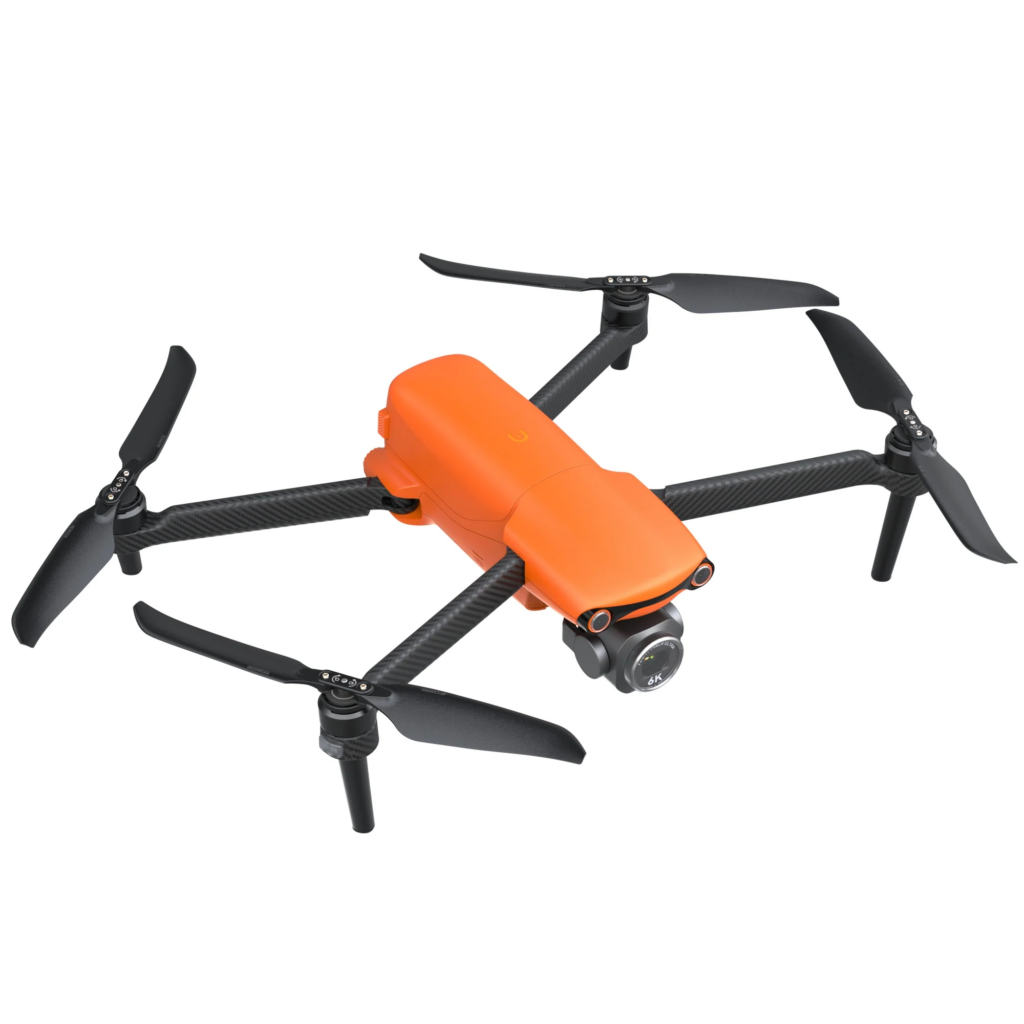
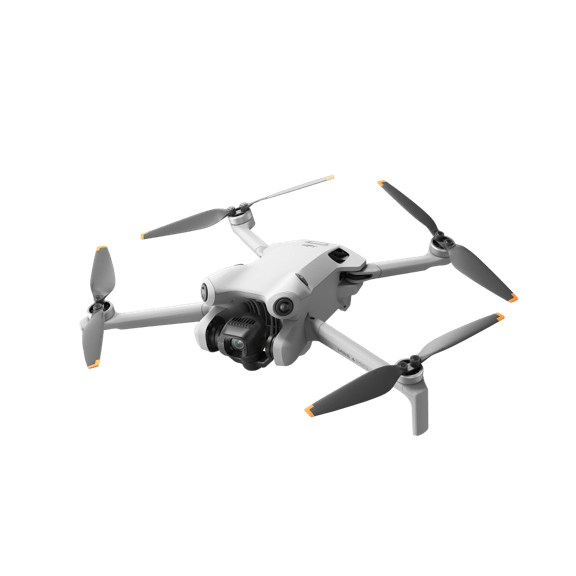
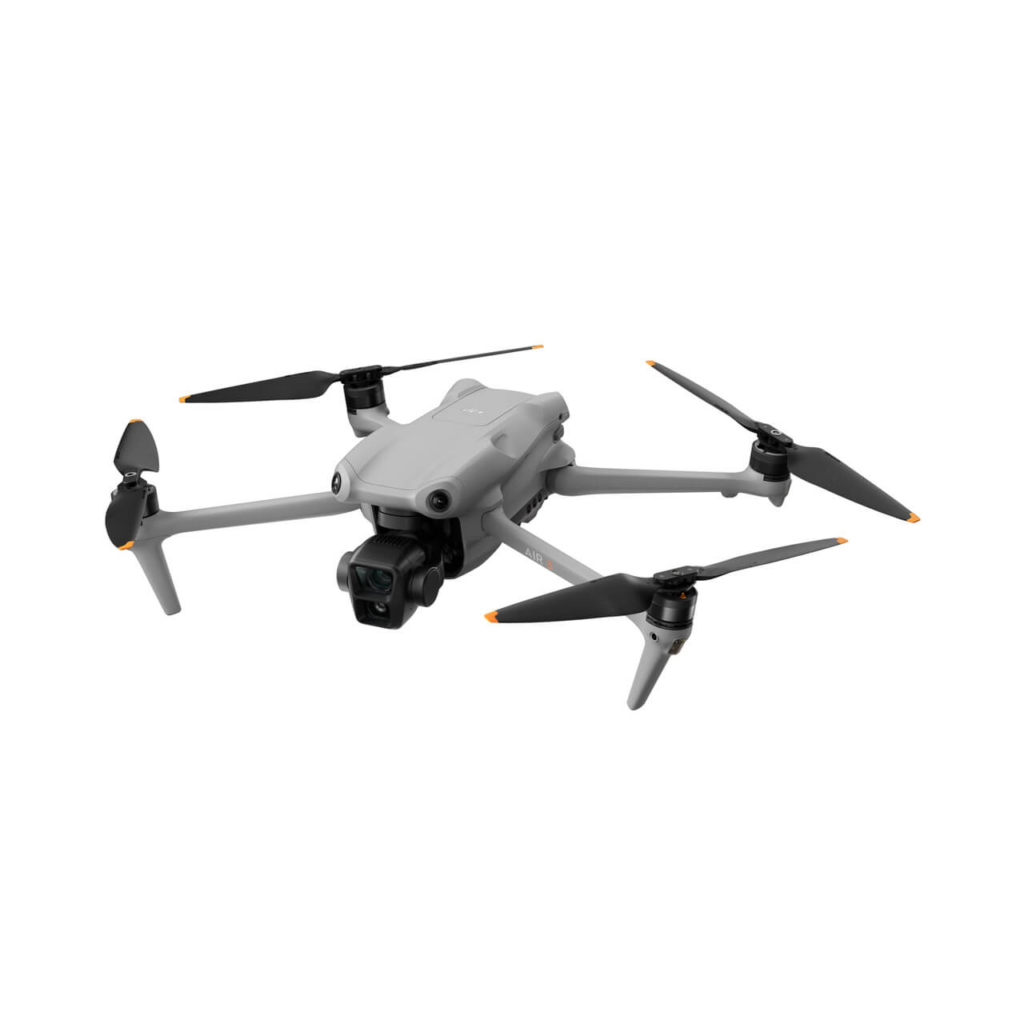
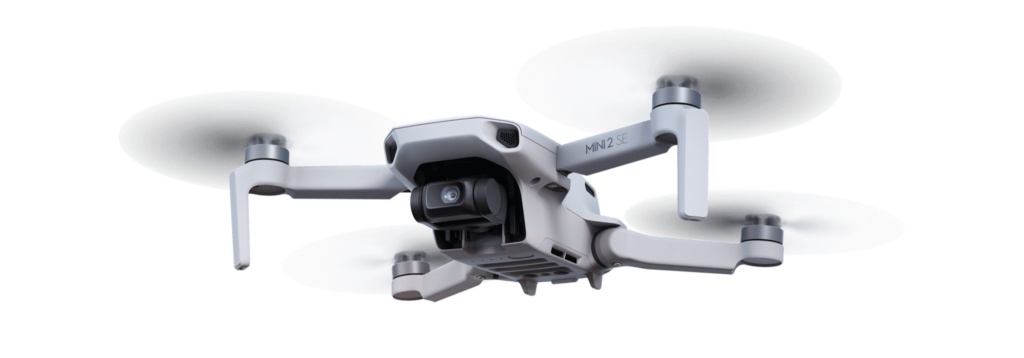
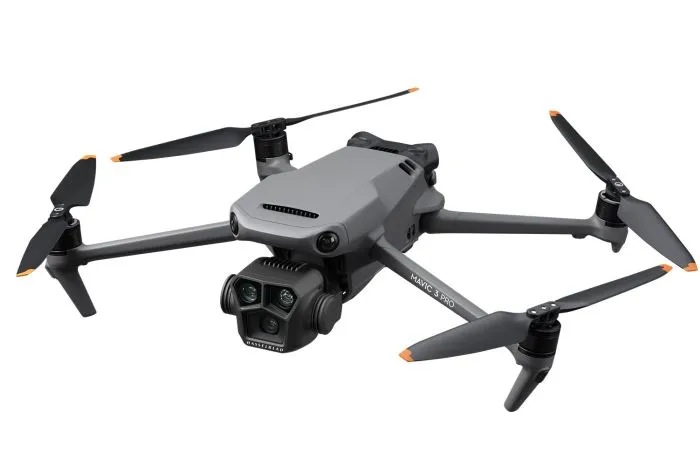
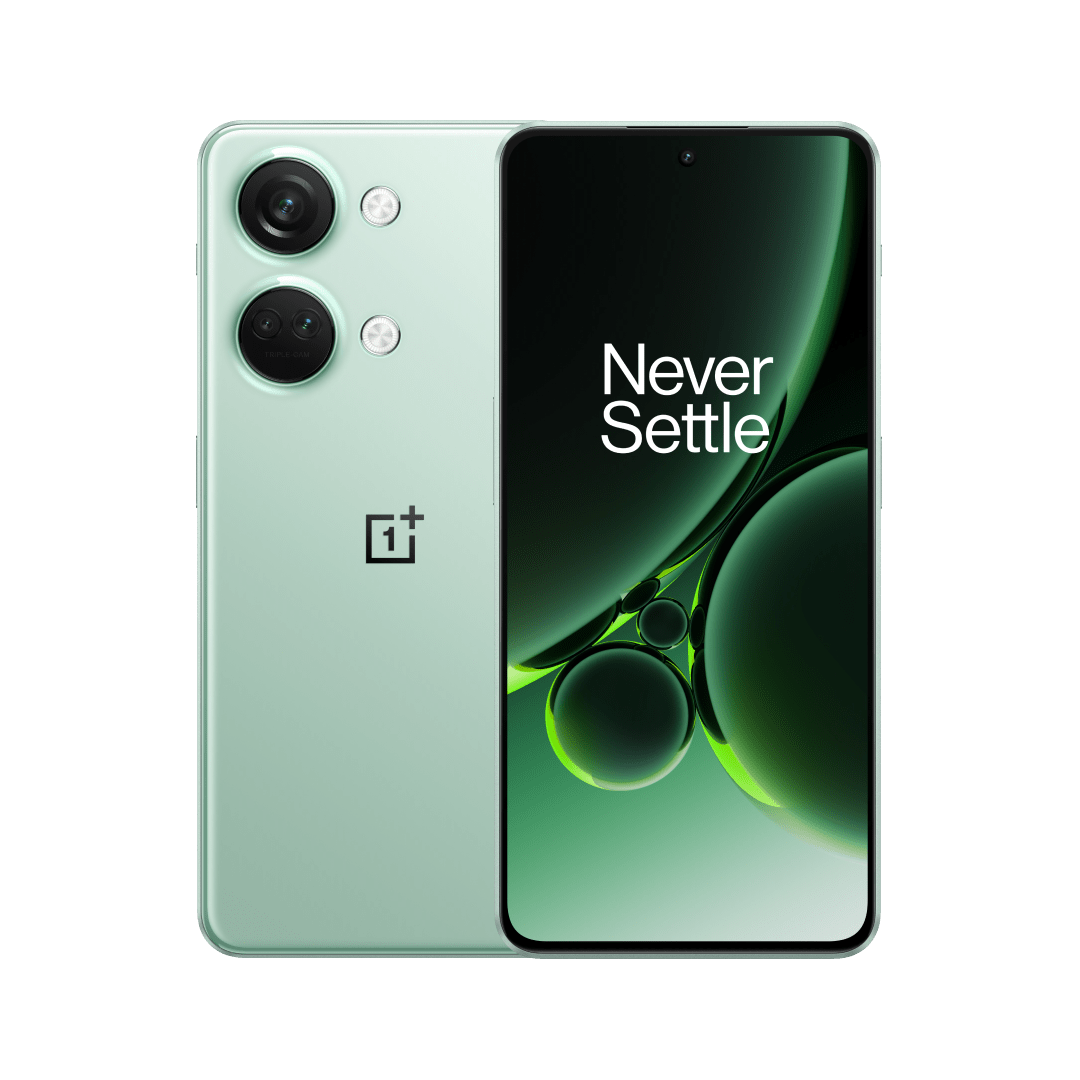








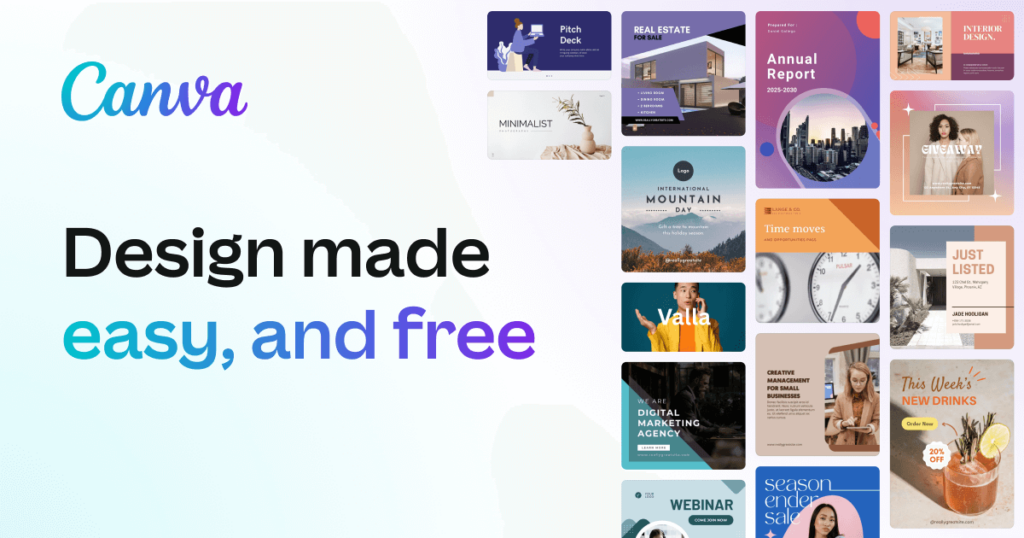
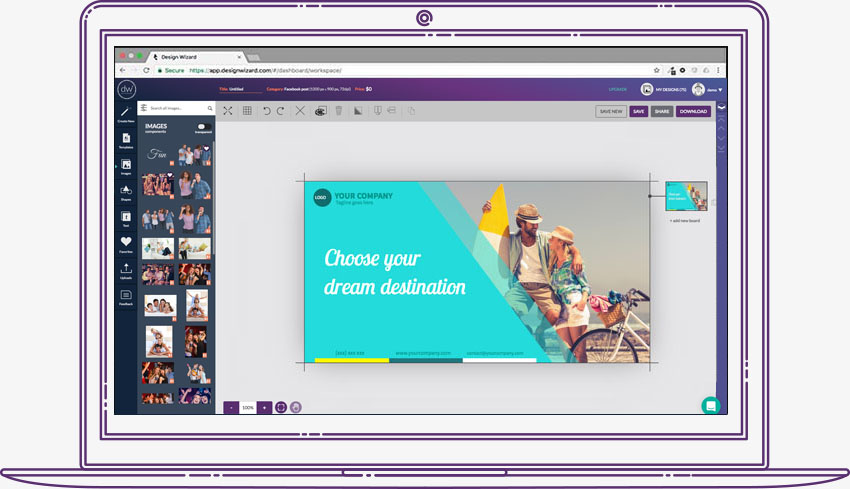
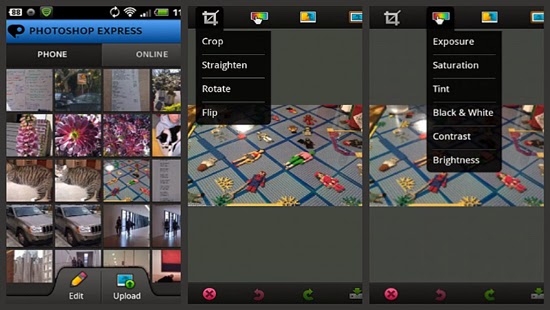


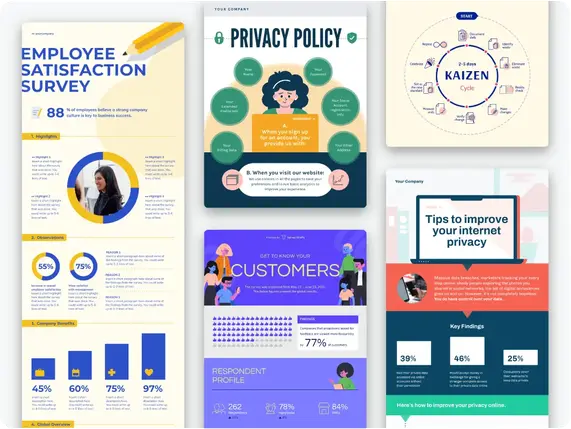
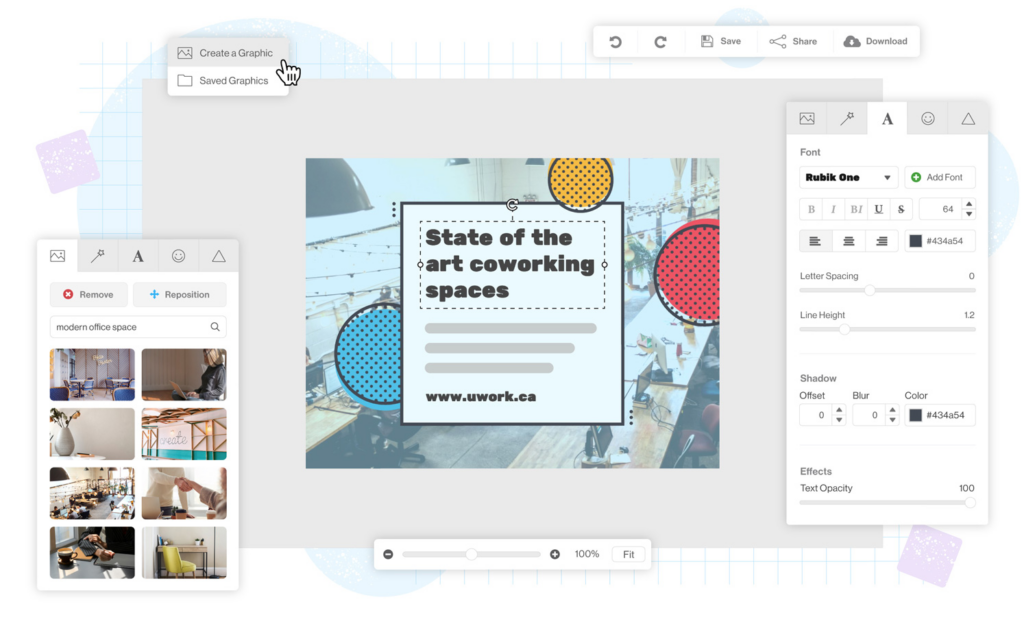
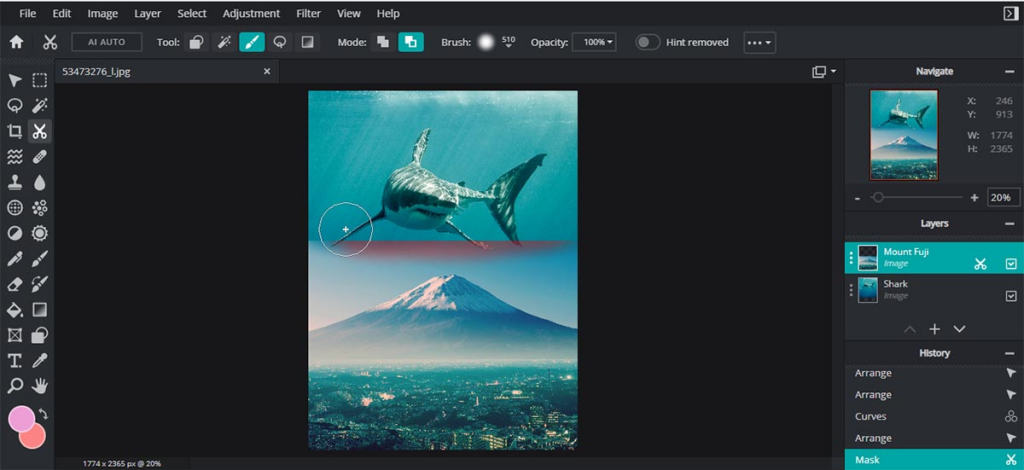




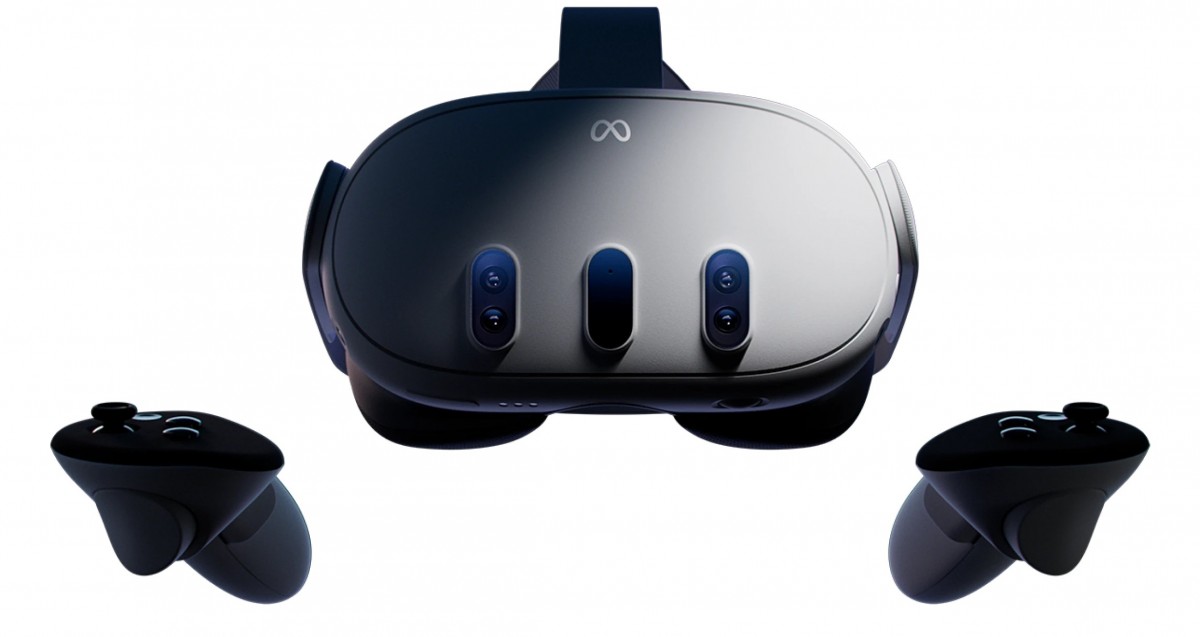



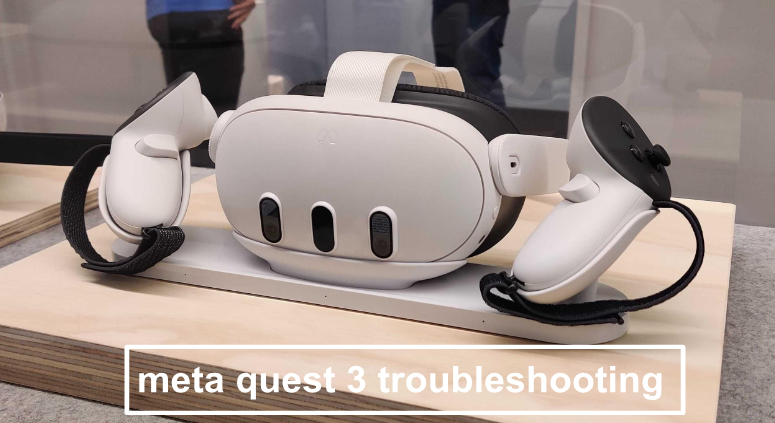




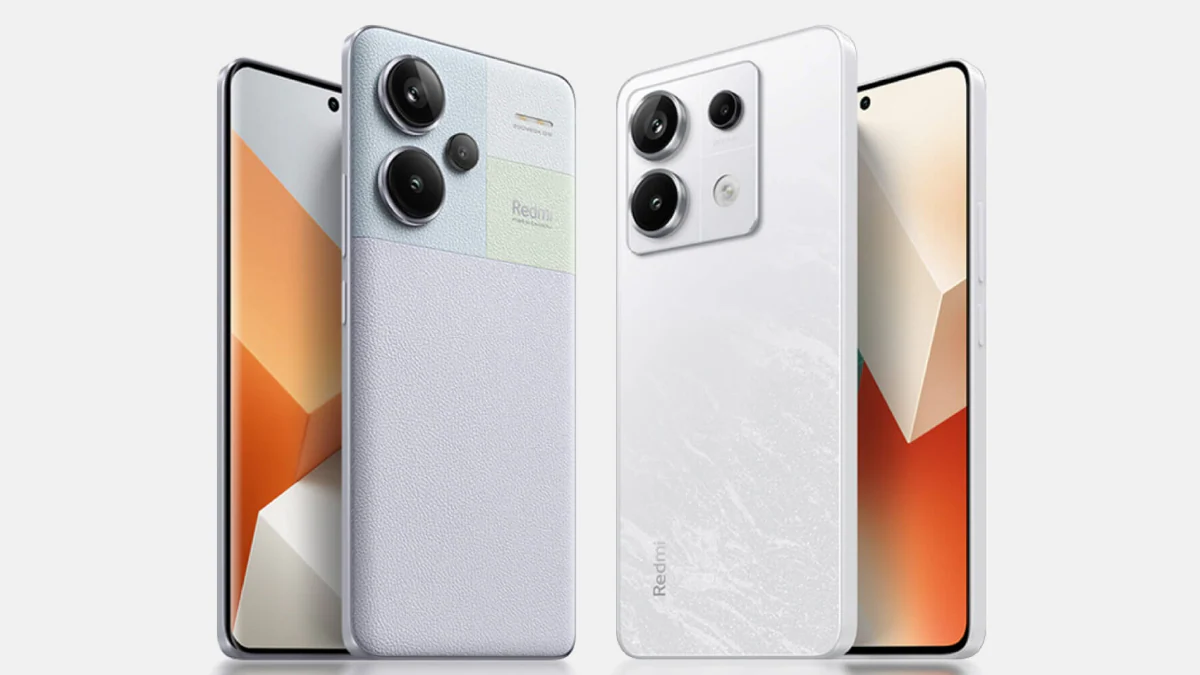
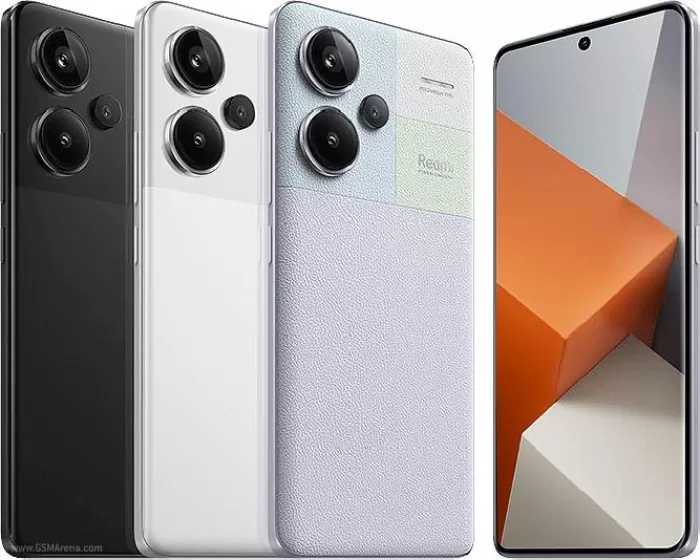


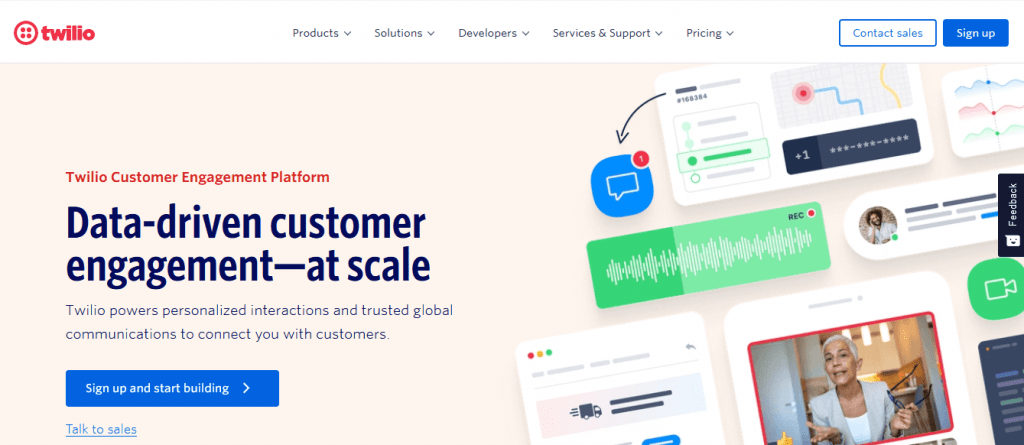









You must be logged in to post a comment.